Table of Contents
Key Takeaways
- A VTuber maker is software that creates and animates virtual avatars for live streaming or video content
- Best free VTuber model options: VeadoTube Mini (beginners), Canva VTuber Maker (quick designs), Picrew (character customization), Live2D (professional 2D animation)
- Gaga AI transforms static VTuber images into animated video content with voice cloning capabilities
- Creating a complete VTuber setup requires three steps: design your avatar, rig it for motion tracking, then connect to streaming software
- No art skills required—AI vtuber generators and template-based tools make avatar creation accessible to everyone
What Is a VTuber Maker?
A VTuber maker is software that enables users to create, customize, and animate virtual avatars for content creation. These tools transform webcam input or pre-made animations into character movements, allowing creators to stream or record videos as their digital persona.
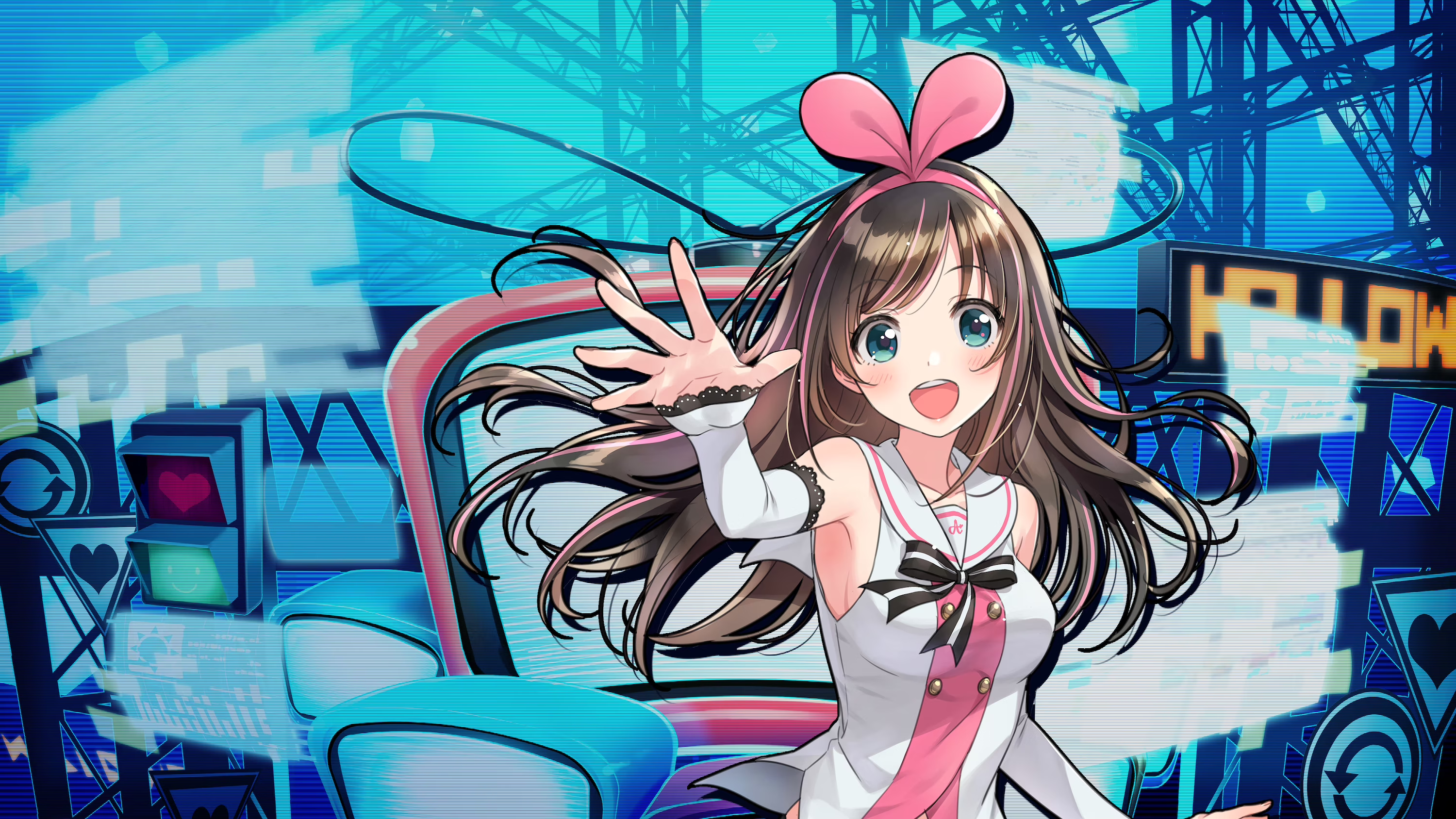
The VTuber phenomenon originated in Japan, with Kizuna AI debuting in 2016 as one of the first virtual YouTubers to gain mainstream attention. Since then, the technology has evolved from expensive custom software to accessible free vtuber model tools that anyone can use.
VTuber makers fall into three categories:
1. Avatar Design Tools — Create the visual appearance of your character (Canva VTuber Maker, Picrew)
2. Rigging & Animation Software — Add movement and facial tracking (Live2D, VeadoTube Mini)
3. AI Enhancement Tools — Generate animations and voice from static images (Gaga AI)
Best Free VTuber Model Tools Compared
1. Canva VTuber Maker
What it does: Browser-based design tool with VTuber-specific templates and customization options.
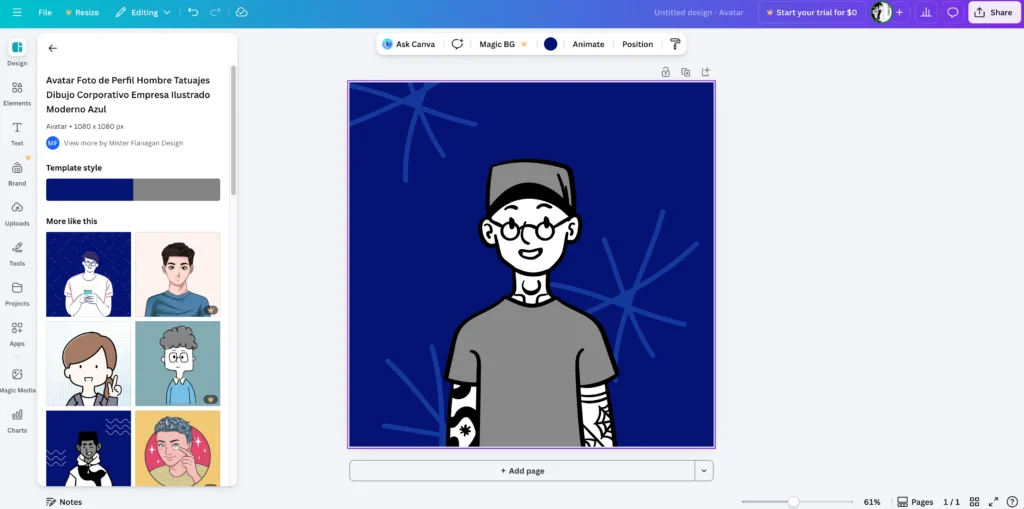
Strengths:
- No download required
- Intuitive drag-and-drop interface
- Large library of design elements
- Integrates with other Canva features
Limitations:
- Not designed for live animation
- Requires export to other tools for rigging
Best for: Creating initial character designs quickly before moving to animation software.
2. VeadoTube Mini
What it does: Lightweight software that animates PNG characters based on audio and webcam input.
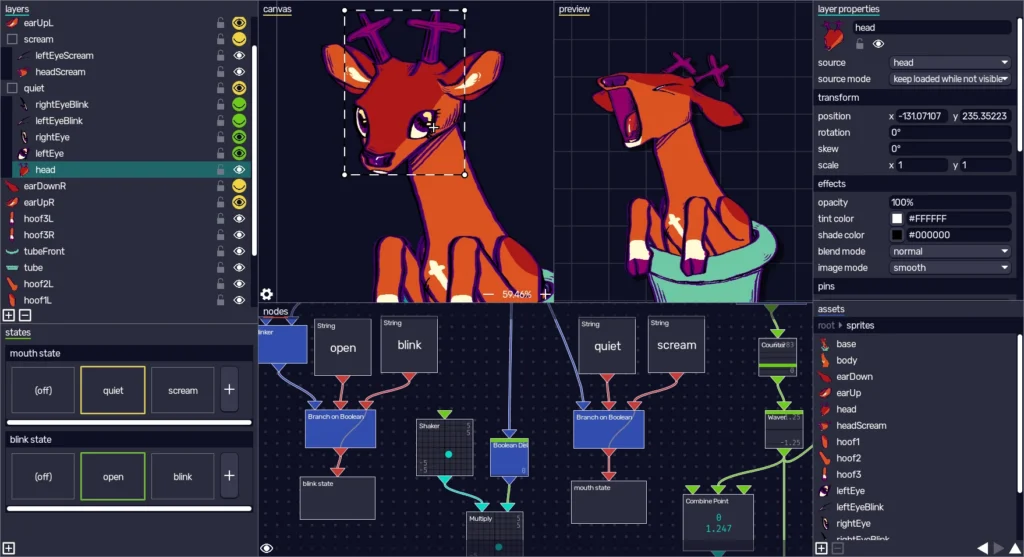
Strengths:
- Extremely simple setup process
- Works with any PNG image
- Low system requirements
- Completely free
Limitations:
- Basic animation (mouth movement, simple expressions)
- Limited to 2D PNG sprites
Best for: New VTuber creators who want to start streaming immediately without complex setup.
3. Picrew
What it does: Collection of character maker games created by artists, allowing mix-and-match avatar creation.
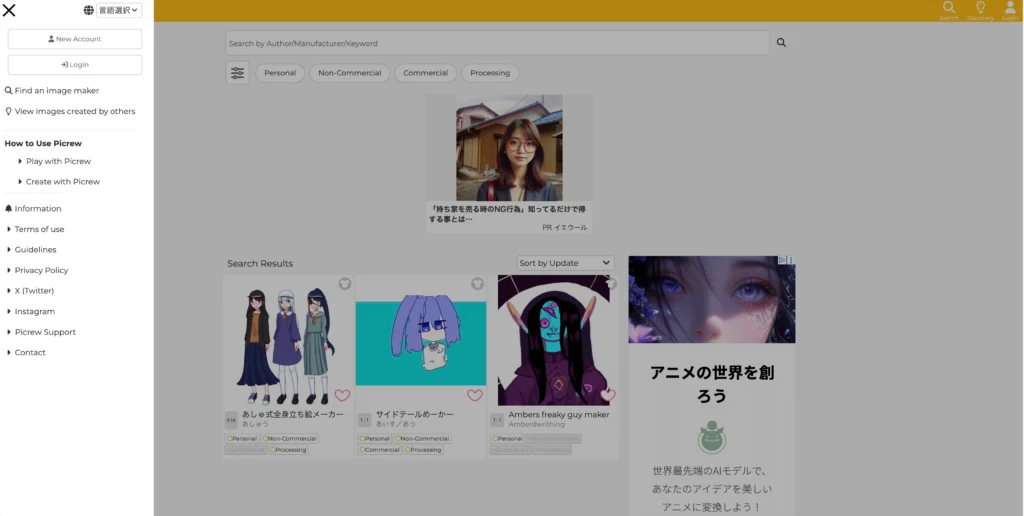
Strengths:
- Thousands of unique art styles available
- Free to use
- Great for finding inspiration or temporary avatars
Limitations:
- Output limited to static images
- Quality varies by creator
- Some commercial use restrictions
Best for: Exploring character concepts and finding your preferred VTuber aesthetic.
4. Live2D Cubism
What it does: Industry-standard software for creating professional 2D animations with physics-based movement.
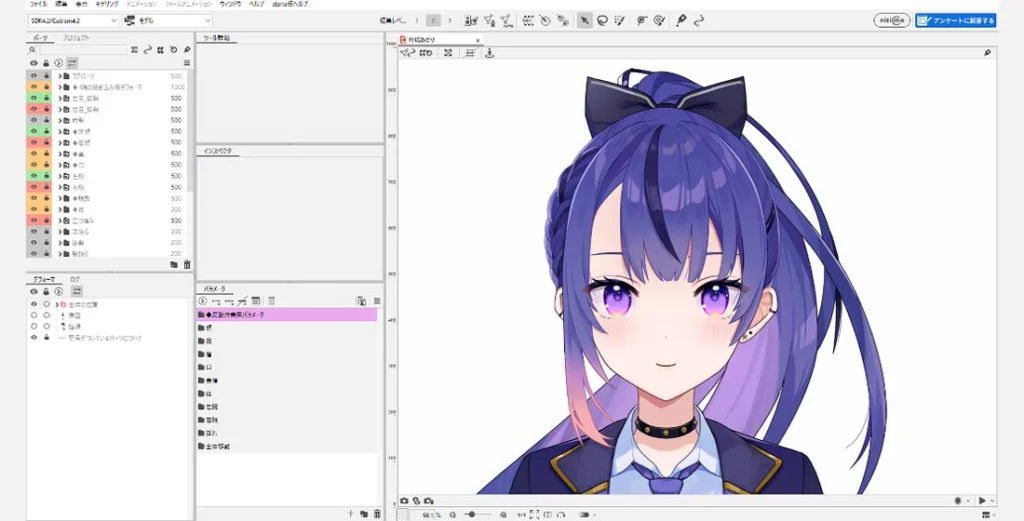
Strengths:
- Used by major VTuber agencies (Hololive, Nijisanji)
- Realistic hair, clothing, and accessory physics
- Extensive expression and animation control
- Free tier available for learning
Limitations:
- Steep learning curve
- Requires original layered artwork
- Full features require paid subscription
Best for: Creators serious about producing high-quality, professional VTuber content.
AI VTuber Tools: The Next Generation
AI-powered vtuber creator tools are changing how avatars are made and animated.
2D VTuber Model AI Generator Options
These tools use machine learning to generate unique character designs from text prompts or reference images:
- Generate complete character designs from descriptions
- Create consistent variations of existing characters
- Produce multiple outfit options automatically
Gaga AI: Image to Video and Voice Cloning
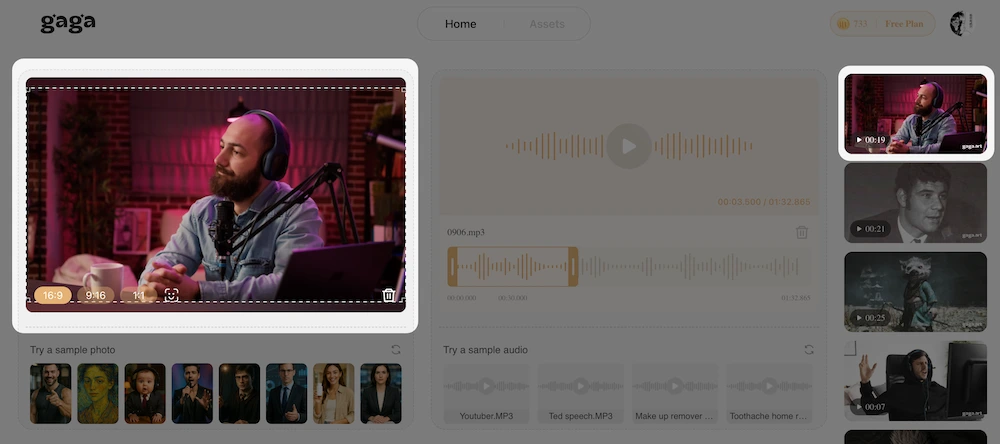
Gaga AI stands out as a turn vtuber maker alive tool with two key capabilities:
Image-to-Video Generation:
- Upload any VTuber image
- AI generates animated video sequences
- Character maintains design consistency
- Useful for clips, shorts, and promotional content
Voice Cloning:
- Train the AI on voice samples
- Generate speech in your VTuber’s voice
- Create content without live recording
- Maintain character voice across all content
Practical Application: A creator can design their VTuber in Canva, generate animated clips through Gaga AI’s image-to-video feature, add cloned voiceovers, and publish content without expensive animation software or voice acting sessions.
How to Create a VTuber Avatar: Step-by-Step Process
Step 1: Design Your VTuber Model
Your avatar’s appearance defines your brand. Choose a vtuber model maker based on your skill level and desired output quality.
For Beginners (No Art Skills Required):
| Tool | Best For | Cost | Output Quality |
| Canva VTuber Maker | Quick character templates | Free tier available | Medium |
| Picrew | Anime-style character builders | Free | Medium |
| 2D VTuber Model AI Generator | AI-generated unique designs | Varies | Medium-High |
For Intermediate/Advanced Users:
| Tool | Best For | Cost | Output Quality |
| Live2D Cubism | Professional 2D animation | Free tier / $40+ | High |
| VRoid Studio | 3D anime-style models | Free | High |
Action Steps:
1. Open your chosen vtuber avatar maker
2. Select a base template or start from scratch
3. Customize features: hair, eyes, clothing, accessories
4. Export in a compatible format (PNG for 2D, VRM for 3D)
Step 2: Rig Your Avatar for Motion Tracking
Rigging connects your avatar’s parts to motion tracking software. This step transforms a static image into a responsive character.
VeadoTube Mini offers the simplest path for 2D creators:
1. Import your PNG character image
2. The software automatically detects mouth and eye positions
3. Configure microphone input for mouth movement
4. Test with your webcam for eye and head tracking
Live2D Cubism provides professional-grade rigging:
1. Import layered PSD file of your character
2. Create mesh deformers for each movable part
3. Set up parameters for expressions (happy, sad, surprised)
4. Connect parameters to face tracking inputs
5. Export the rigged model
Step 3: Animate and Bring Your VTuber to Life
This is where AI youtuber technology transforms your workflow. Gaga AI specifically excels at turning static VTuber images into dynamic video content.
Using Gaga AI for VTuber Animation:
1. Upload your completed VTuber design
2. Use the image-to-video feature to generate animated sequences
3. Apply voice cloning to create consistent character voiceovers
4. Export video clips for content or social media
Connecting to Streaming Software:
For live streaming, connect your rigged avatar to OBS or Streamlabs:
1. Open your VTuber software (VeadoTube Mini, VTube Studio, etc.)
2. Enable virtual camera output
3. In OBS, add a Video Capture Device source
4. Select your VTuber software’s virtual camera
5. Apply chroma key if using a green screen background
VTuber Setup Requirements
Minimum Hardware
- Computer: Any modern PC or Mac (2018 or newer recommended)
- Webcam: 720p minimum for face tracking (1080p preferred)
- Microphone: USB microphone or headset mic
- Internet: 10+ Mbps upload for streaming
Recommended Hardware for Quality Content
- GPU: Dedicated graphics card for smooth Live2D rendering
- Webcam: 1080p with autofocus
- Microphone: XLR or premium USB condenser mic
- Lighting: Ring light or softbox for consistent face tracking
Software Stack
| Purpose | Recommended Tool | Alternative |
| Avatar Design | Canva VTuber Maker | Picrew, Clip Studio |
| 2D Animation | VeadoTube Mini | VTube Studio, Live2D |
| AI Enhancement | Gaga AI | – |
| Streaming | OBS Studio | Streamlabs |
| Audio | Voicemeeter | OBS built-in |
Common VTuber Maker Problems and Solutions
Problem: Face Tracking Isn’t Accurate
Causes: Poor lighting, low webcam quality, or incorrect software settings.
Solutions:
1. Position a light source in front of your face, not behind
2. Increase webcam resolution in settings
3. Calibrate tracking software with a neutral expression
4. Reduce background clutter in camera view
Problem: Avatar Movements Are Choppy
Causes: Insufficient system resources or software conflicts.
Solutions:
1. Close unnecessary background applications
2. Lower avatar quality settings temporarily
3. Update graphics drivers
4. Use a dedicated GPU for rendering
Problem: Audio and Avatar Movement Desync
Causes: Processing delay between audio input and visual output.
Solutions:
1. Reduce audio buffer size in settings
2. Use a dedicated audio interface
3. Apply negative offset in streaming software
VTuber Creator Workflow Summary
1. Concept Phase: Decide on character personality, design aesthetic, and content niche
2. Design Phase: Create avatar using Canva VTuber Maker, Picrew, or commission an artist
3. Rigging Phase: Set up animation using VeadoTube Mini (simple) or Live2D (advanced)
4. Enhancement Phase: Generate animated clips with Gaga AI for promotional content
5. Production Phase: Connect to OBS, configure audio, and begin streaming or recording
FAQ: VTuber Maker Questions
What is the easiest free VTuber model maker for beginners?
VeadoTube Mini is the easiest free vtuber model option for beginners. It requires only a PNG image of your character and automatically handles animation based on your microphone input and webcam movement. Setup takes under 10 minutes with no technical knowledge required.
Can I create a VTuber without drawing skills?
Yes. Tools like Canva VTuber Maker, Picrew, and 2D vtuber model AI generators allow complete avatar creation without any artistic ability. Template-based systems provide customizable elements, while AI generators create unique designs from text descriptions.
What software do professional VTubers use?
Professional VTubers typically use Live2D Cubism for avatar rigging and VTube Studio for face tracking. Major agencies like Hololive and Nijisanji use custom Live2D models created by professional artists and riggers, often costing $1,000-$5,000+ per model.
How much does it cost to start as a VTuber?
Starting as a VTuber can cost $0 using free tools like VeadoTube Mini and Picrew. A basic quality setup with commissioned art runs $50-$200. Professional-level models with custom Live2D rigging cost $500-$3,000+.
What is the difference between 2D and 3D VTuber models?
2D VTuber models are illustrated characters animated through software like Live2D, offering smooth movement within a fixed perspective. 3D models (created in VRoid or Blender) can rotate fully in three-dimensional space but require more processing power and complex tracking setups.
How do AI VTuber generators work?
AI VTuber generators use machine learning models trained on character artwork to create new designs. Users input text descriptions or reference images, and the AI produces unique character artwork. Some advanced tools like Gaga AI can then animate these static images into video content.
Can I use a VTuber avatar for commercial purposes?
Commercial use rights depend on how you created your avatar. Original designs made in tools like Canva or Live2D that you created are typically yours to use commercially. Picrew avatars often have restrictions—always check the specific creator’s terms. AI-generated content rights vary by platform.
How do I add voice to my VTuber character?
For live content, use your natural voice through a microphone, optionally processed through voice-changing software. For pre-recorded content, Gaga AI’s voice cloning feature allows you to generate speech in a consistent character voice without live recording.
What resolution should my VTuber model be?
For streaming, design your avatar at 1920×1080 pixels minimum. For close-up shots and future-proofing, 2K (2560×1440) or 4K (3840×2160) source files are recommended. VeadoTube Mini and similar tools will resize as needed for output.
How long does it take to create a VTuber avatar?
Using template tools like Canva VTuber Maker: 30 minutes to 2 hours. Custom artwork with Live2D rigging: 20-100+ hours depending on complexity. AI-assisted workflows with generators can produce usable results in under an hour.