Key Takeaways
- Mureka V8 is Skywork AI’s latest AI music generator powered by revolutionary MusiCoT (Music Chain-of-Thought) technology
- Generates complete songs with vocals in 10+ languages including English, Chinese, Japanese, Korean, and Spanish
- 70% vocal realism improvement over previous versions, with +21.5% better vocal expression than competitors
- Outperforms Suno V5 in Chinese music generation across melody quality, vocal performance, and emotional rendering
- Offers comprehensive creation suite: song generation, instrumental tracks, lyrics writing, voice cloning, and style matching
- Available on web, iOS, Android with API access for developers
- Free tier available; paid plans start at $10/month for 400 songs with full commercial rights
Table of Contents
What Is Mureka V8?
Mureka V8 is an advanced AI song generator developed by Skywork AI that transforms text descriptions into professional-quality music. Unlike traditional AI music tools that generate audio token-by-token, Mureka V8 employs a two-stage compositional process that mirrors human creativity: first planning the musical structure globally, then filling in detailed audio elements locally.
This approach addresses the core problem plaguing AI-generated music: the lack of coherent structure and emotional depth. With over 10 million active users worldwide, Mureka V8 represents China’s competitive entry into the global AI music race alongside established players like Suno AI and Udio.
Core Features of Mureka V8 AI Music Generator
1. Song Generation from Text Prompts
Create complete songs by simply describing your vision. Mureka V8 composes melodies, arrangements, harmonies, and vocals in one seamless process.
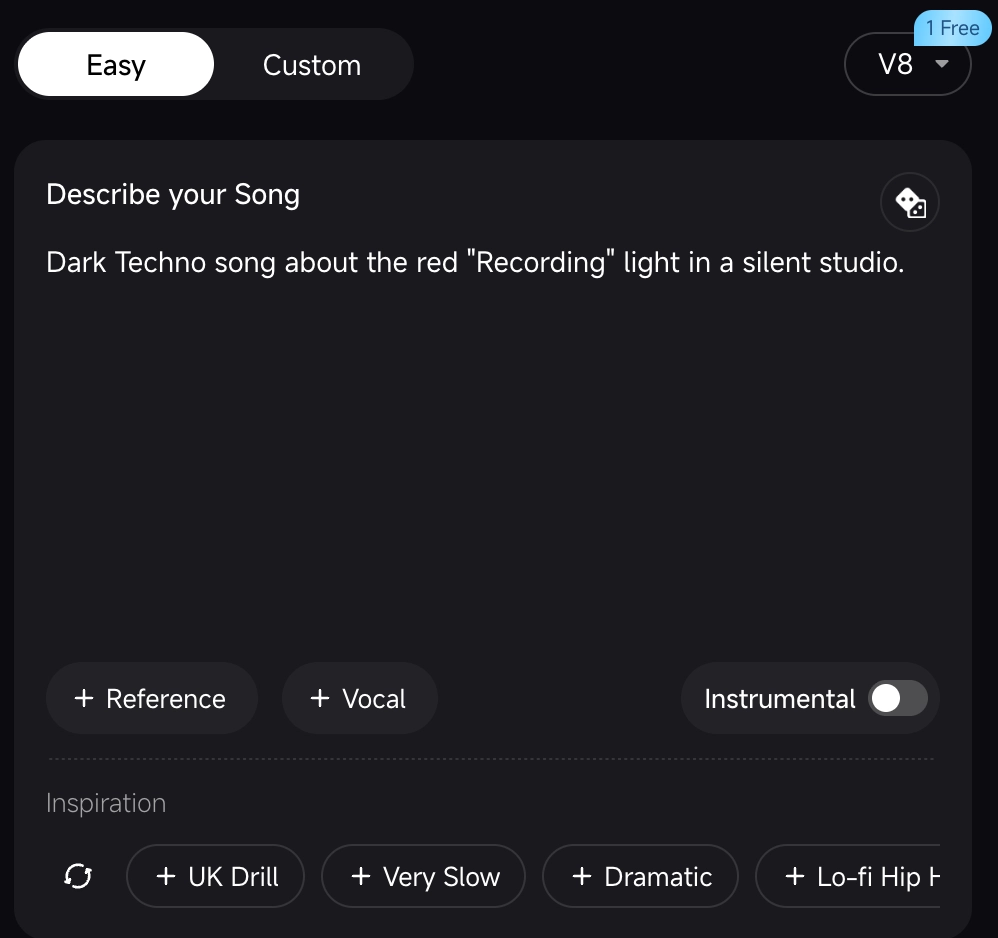
Example prompt: “Energetic K-pop track with girl group vocals, synth-pop production, catchy hooks”
The AI handles everything from chord progressions to vocal delivery, producing a radio-ready track in under two minutes.
2. Instrumental Generation Across All Genres
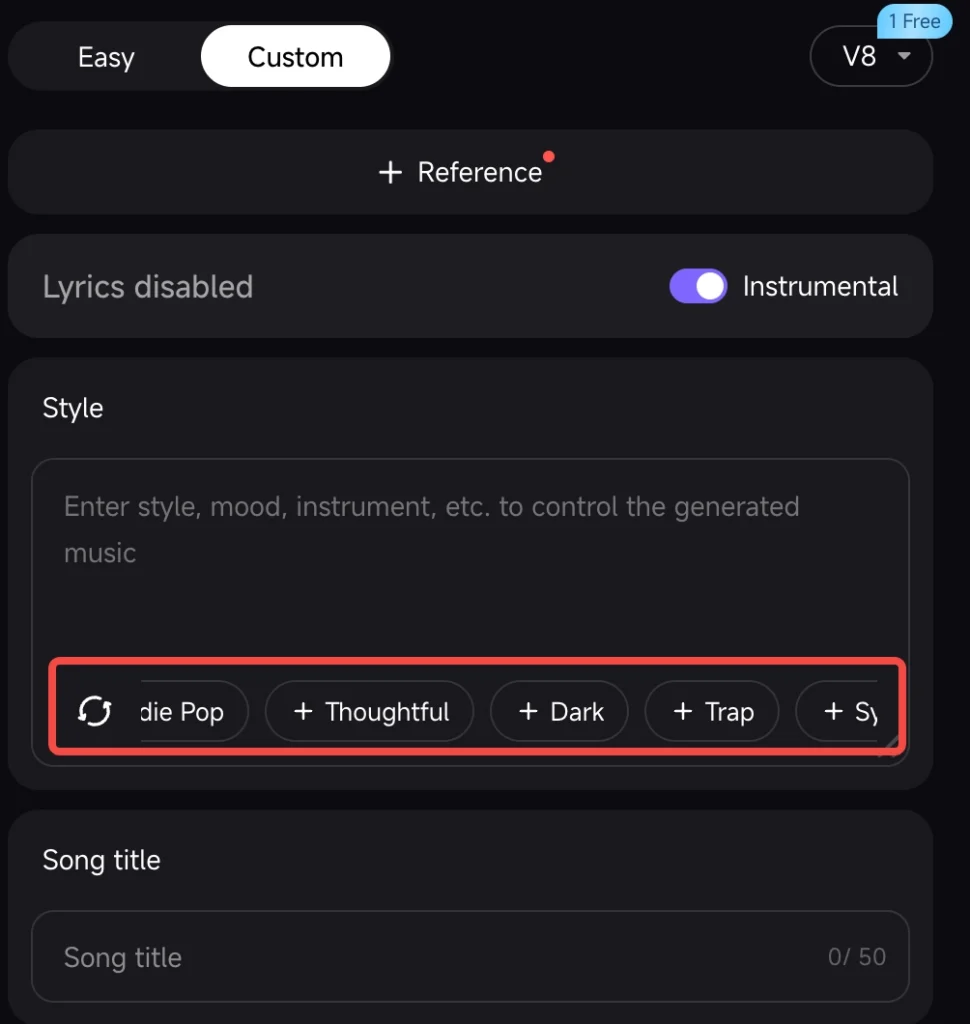
Generate professional music AI instrumentals without vocals:
- Orchestral scores for film and gaming
- Electronic dance music with complex layering
- Jazz ensembles with realistic instrument separation
- Lo-fi hip-hop beats for background content
Mureka V8’s instrumental mode leverages its expanded 100+ instrument library, ensuring authentic timbre across piano, strings, brass, synthesizers, and ethnic instruments.
3. AI-Powered Lyrics Generation
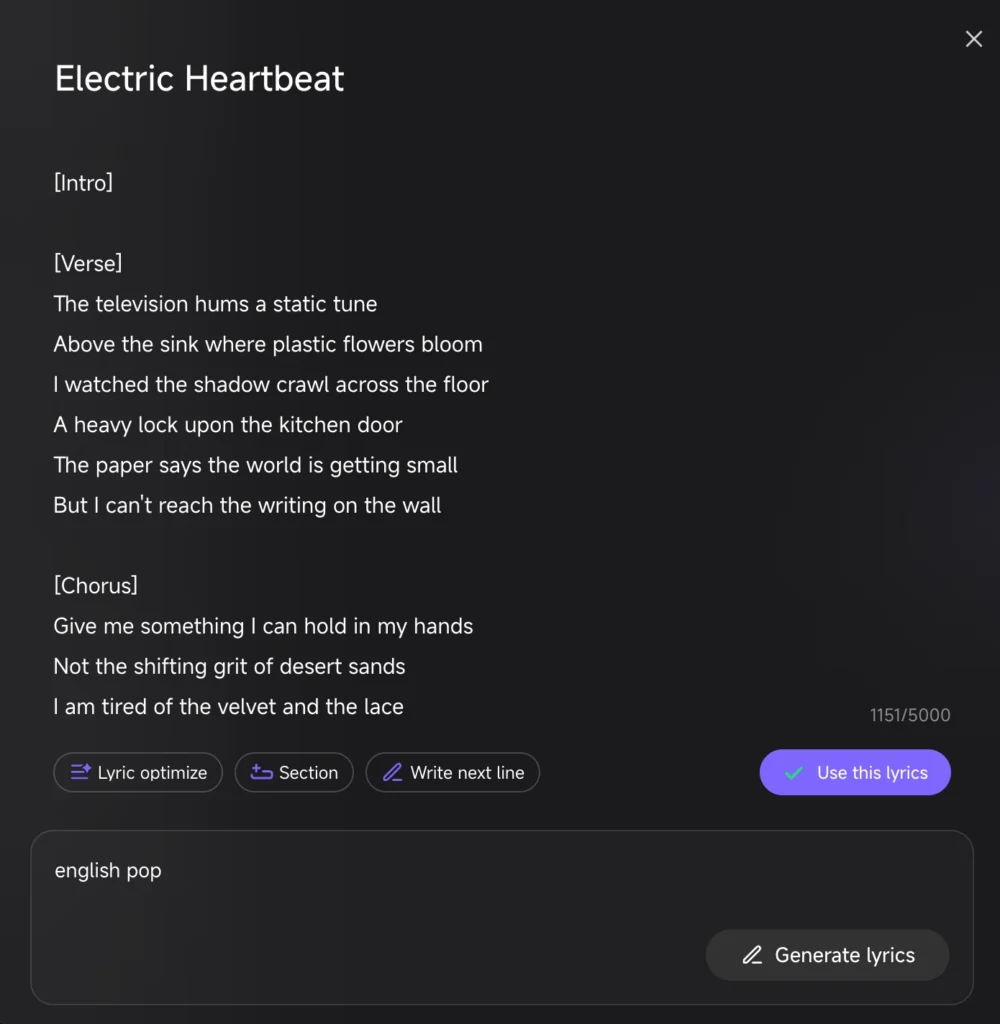
The built-in lyricist creates emotionally resonant, coherent lyrics tailored to your specified:
- Genre and style (pop, rock, hip-hop, country, etc.)
- Mood and theme (romantic, melancholic, empowering, nostalgic)
- Song structure (verse-chorus format, narrative storytelling)
Lyrics integrate seamlessly with melody generation, ensuring natural prosody and syllable matching.
4. Song Extension and Editing
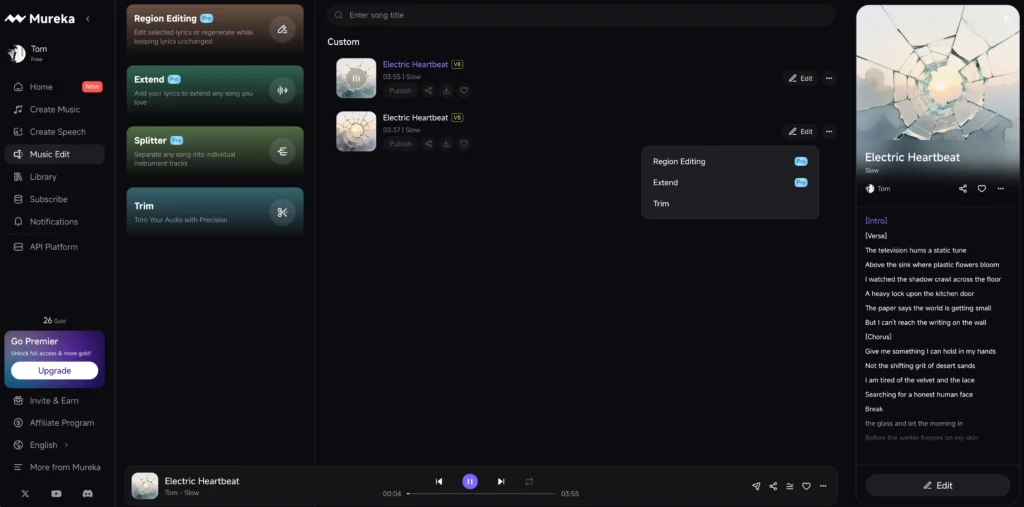
Expand existing tracks beyond the initial generation:
- Add new verses or extended outros
- Modify arrangements while maintaining musical DNA
- Create radio edits or extended mixes
This feature addresses AI music’s historical limitation of fixed-length outputs, giving creators flexibility for different use cases.
5. Voice Cloning in 10+ Languages
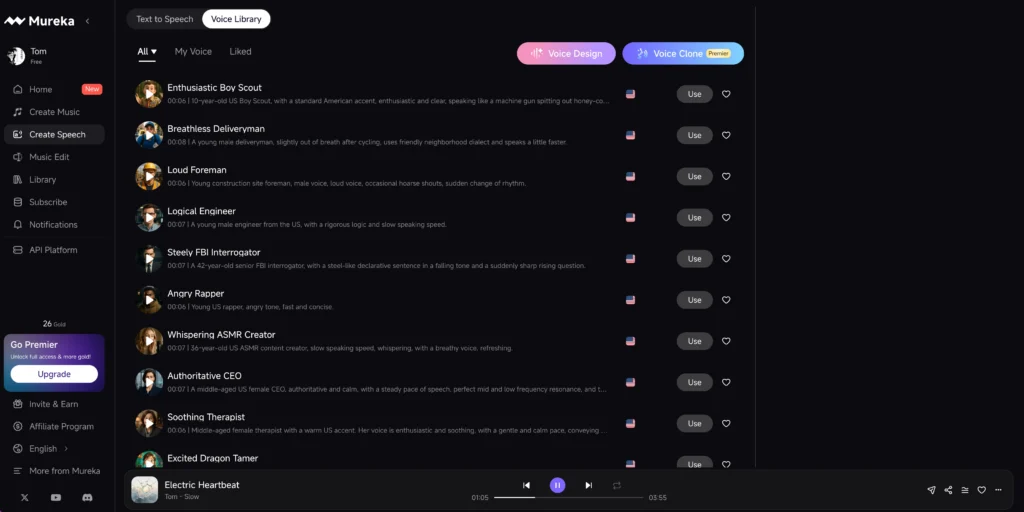
Clone any voice with a short sample (30-60 seconds of clean audio) or select from Mureka’s AI vocalist library. Supported languages include:
- English
- Chinese (Mandarin)
- Japanese
- Korean
- Spanish
- French
- German
- Portuguese
- Italian
- Russian
The voice cloning maintains pronunciation accuracy, breathing patterns, and emotional inflection across languages—a significant advantage for international content creators.
6. Style Matching Reference Track Upload
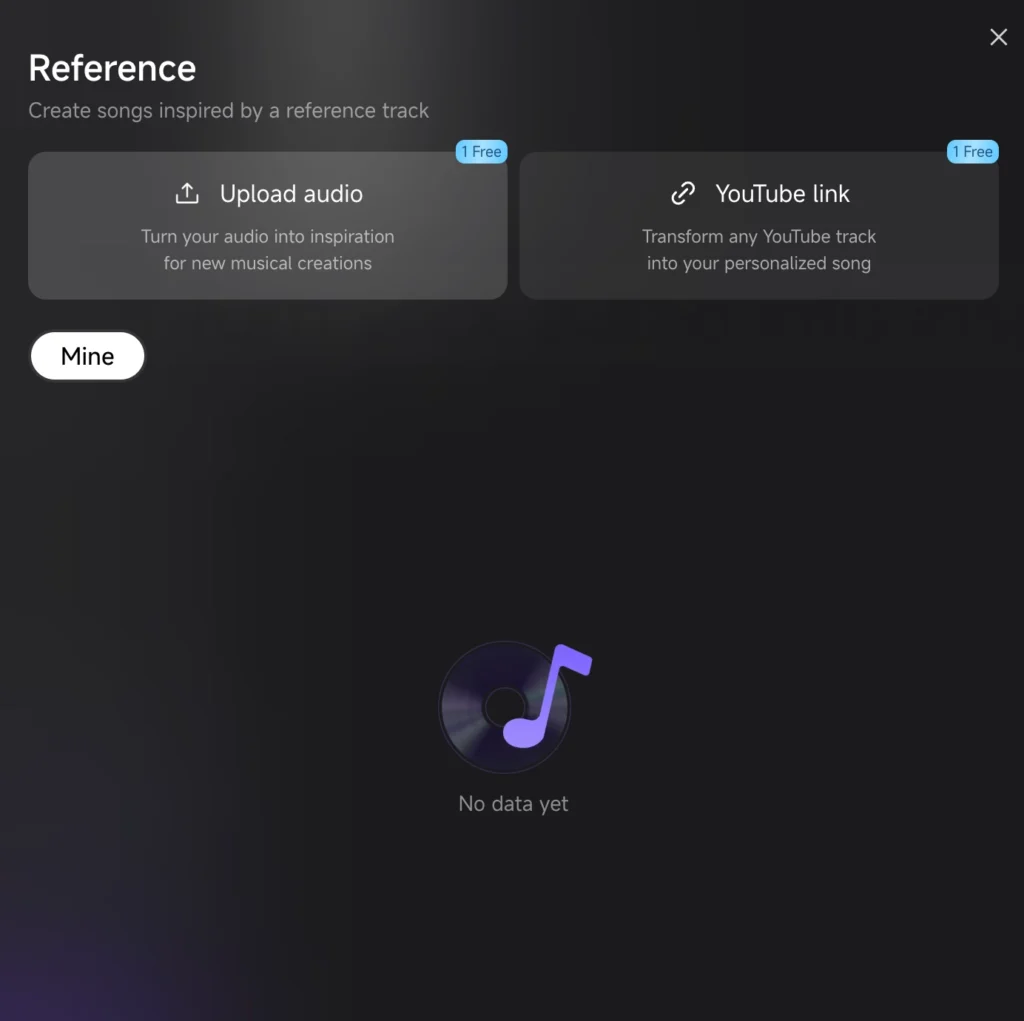
Upload any reference song (full track or snippet), and Mureka V8 analyzes:
- Instrumentation and mixing style
- Rhythmic patterns and tempo variations
- Harmonic progressions and tonal color
The AI then generates new music mirroring that style without copying the original—perfect for creating variations on a theme or producing content that matches specific aesthetic requirements.
Mureka V8 vs. Suno AI: Performance Comparison
Independent testing by music technology reviewers reveals how Mureka V8 stacks up against industry leader Suno AI (V5):
Chinese Music Generation (Mureka’s Strength)
In subjective blind tests for AI song creation in Chinese:
| Criterion | Mureka V8 Winner |
| Melody Quality | ✓ |
| Vocal Performance | ✓ |
| Arrangement/Structure | ✓ |
| Emotional Expression | ✓ |
Mureka V8 excels particularly in Chinese pronunciation clarity, addressing the persistent “slurred words” problem that has plagued AI-generated Mandarin vocals. The model’s training on extensive Chinese music datasets enables it to handle tonal language nuances and cultural style conventions.
English Music Generation (Mixed Results)
For English-language production, independent tests show:
Suno V5 advantages:
- Superior dynamic range control (soft verse → explosive chorus transitions)
- Cleaner separation in complex orchestral arrangements
- More precise instruction following for song structure tags
Mureka V8 advantages:
- Faster generation speed
- Better cost-efficiency for high-volume production
- More flexible editing capabilities post-generation
Verdict: Context-Dependent Choice
- Choose Mureka V8 if you primarily create Chinese music, need extensive editing tools, or require cost-effective bulk generation
- Choose Suno AI if you prioritize English music with complex dynamic arrangements and maximum structural precision
Mureka AI Pricing: Plans and Commercial Rights
Free Tier
- Cost: $0
- Quota: Limited monthly generations
- Features: Basic song creation, MP3 downloads
- License: Personal use only (no commercial distribution)
Pro Plan
- Cost: $9/month
- Quota: 500 songs per month
- Features: Full feature access, priority generation queue
- License: Full commercial rights included
- Download: High-quality MP3 format
Premier Plan
- Cost: $27/month
- Quota: 2,000 songs per month
- Features: All Basic features plus:
- Stem exports (isolated vocal/instrumental tracks)
- Advanced editing tools
- Custom voice cloning with unlimited uploads
- Priority customer support
- License: Full commercial rights with extended distribution
API Access (Enterprise)
- Contact: platform.mureka.ai for custom pricing
- Use Cases: Game developers, app integrations, automated content production
- Features: RESTful API, dedicated infrastructure, volume discounts
Commercial Rights Clarification: All paid plans grant full commercial usage rights, meaning you can monetize generated music on streaming platforms, YouTube, commercial projects, and client work without additional licensing fees.
How to Create Music with Mureka V8: Step-by-Step
Method 1: Text-to-Music (Simplest)
1. Access Mureka: Visit mureka.ai or open the mobile app
2. Describe your song: Write a text prompt
- Example: “Upbeat synthwave track with retro 80s vibes, electric guitar solo, male vocals singing about summer nights”
3. Adjust parameters:
- Select language (if vocals included)
- Choose duration (30s, 1min, 2min, full song)
4. Generate: Click “Create” and wait 30-90 seconds
5. Download: Save MP3 or edit further
Method 2: Lyrics-Based Generation
1. Write or paste lyrics in the lyrics input field
2. Specify music style: “Acoustic indie folk ballad”
3. Select vocal characteristics: Gender, age range, emotional tone
4. Generate: Mureka composes melody and arrangement around your words
5. Iterate: Regenerate specific sections if needed
Method 3: Style Reference Upload
1. Upload a reference track (any genre, any length)
2. Add text description: “Generate a similar style but with different melody and lyrics about…”
3. Mureka analyzes:
- Instrumentation patterns
- Rhythmic groove
- Mixing aesthetic
4. Creates variation: New song matching the vibe but with original composition
Method 4: Voice Cloning + Custom Lyrics
1. Upload clean vocal sample (30-60 seconds, minimal background noise)
2. Wait for voice processing (5-10 minutes)
3. Write lyrics you want sung in that voice
4. Generate song with your cloned voice as lead vocalist
5. Export stems (Pro plan) for professional mixing
Best Alternatives to Mureka AI
While Mureka V8 offers compelling features, several music AI generator alternatives serve different creative needs:
1. Beatoven AI
Best for: Custom background music for videos
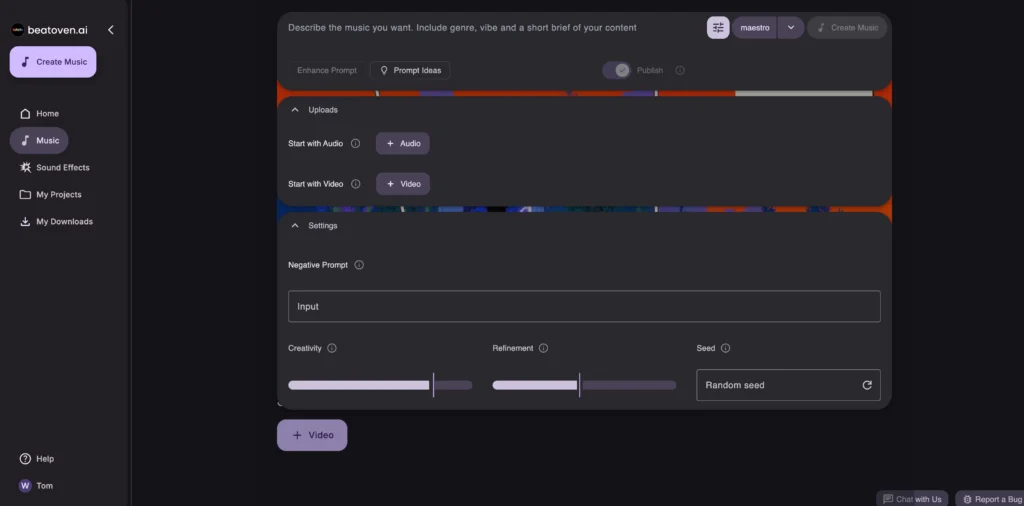
Beatoven specializes in adaptive, mood-based instrumentals that match video content. Unlike Mureka’s vocal-focused approach, Beatoven excels at:
- Royalty-free soundtrack generation
- Emotion-driven music (calm, energetic, dramatic)
- Length customization to exact video duration
Ideal users: Video editors, podcasters, content creators needing background scores
2. Ace Studio
Best for: Realistic vocal synthesis without lyrics
Ace Studio focuses exclusively on vocal generation using AI singers with:
- Ultra-realistic vocal timbre and vibrato
- MIDI-based pitch control for precise melody input
- Multilingual vocal libraries (Chinese particularly strong)
Ideal users: Music producers who write melodies first and need vocal performances
3. Suno AI
Best for: English-language music with complex arrangements
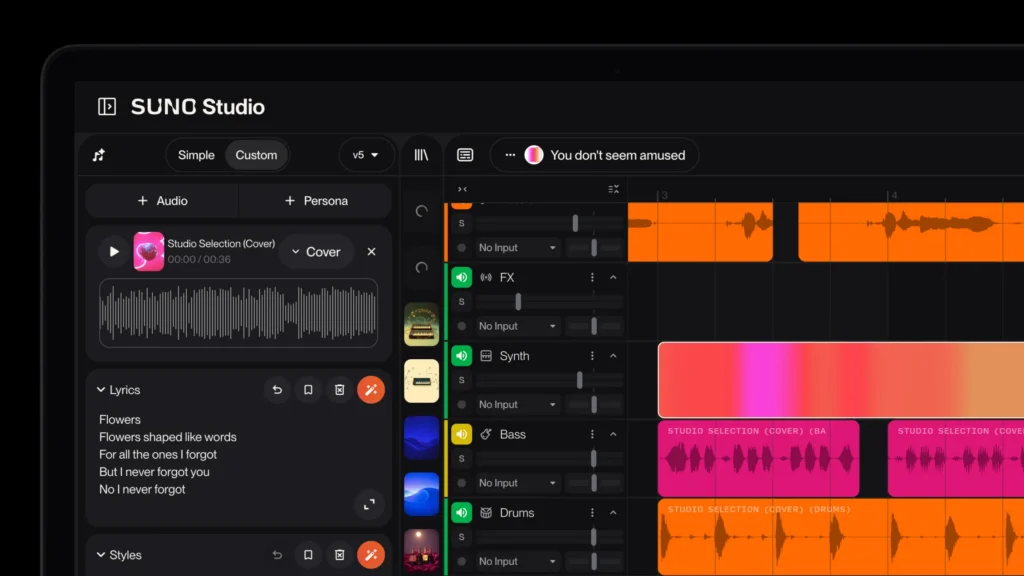
As discussed earlier, Suno V5 remains the benchmark for:
- Structural coherence in multi-section songs
- Dynamic range and mixing quality
- Precise adherence to detailed prompts
Ideal users: English-language songwriters, producers prioritizing professional mixing quality
Bonus: Gaga AI for Video Enhancement
While Mureka V8 focuses on audio generation, creators often need complete audiovisual content. Gaga AI complements Mureka perfectly with:
Image-to-Video
- Upload still images
- AI generates smooth motion and animation
- Sync to Mureka-generated music for complete music videos
Audio-to-Video
- Feed in Mureka audio tracks
- Gaga AI creates visualizers, lyric videos, or abstract animations
- Export ready-to-upload content for social platforms
Workflow Example:
1. Generate song with Mureka V8
2. Create album artwork with Midjourney/DALL-E
3. Convert artwork to animated video with Gaga AI
4. Combine in video editor for final music video
This AI music + AI video pipeline enables solo creators to produce content previously requiring full production teams.
FAQ: People Also Ask About Mureka V8
Is Mureka V8 better than Suno AI?
Mureka V8 outperforms Suno V5 specifically in Chinese music generation across vocal clarity, melody quality, and emotional expression. For English-language music with complex dynamic arrangements, Suno V5 currently maintains slight advantages in mixing quality and structural precision. The “better” choice depends on your primary language and specific creative needs.
Can I use Mureka AI music commercially?
Yes. Mureka’s Basic ($10/month) and Pro ($30/month) plans grant full commercial rights to all generated music. You can monetize on streaming platforms, use in client projects, or license to third parties without additional fees. The Free tier restricts usage to personal, non-commercial applications only.
How many languages does Mureka V8 support?
Mureka V8 supports 10+ languages including English, Chinese (Mandarin), Japanese, Korean, Spanish, French, German, Portuguese, Italian, and Russian. Vocal generation maintains pronunciation accuracy and natural inflection across all supported languages, with particularly strong performance in Chinese and English.
What is MusiCoT technology in Mureka?
MusiCoT (Music Chain-of-Thought) is Mureka’s proprietary AI architecture that generates music in two stages: (1) Global structural planning—defining segments, emotional arcs, and arrangements, and (2) Local detail filling—composing melodies, harmonies, and vocal performances guided by the structure. This mirrors human compositional logic, resulting in more coherent and professionally structured songs.
Can Mureka V8 clone my voice?
Yes. Mureka’s voice cloning feature requires a 30-60 second clean vocal sample. Upload your recording, wait 5-10 minutes for processing, then use the cloned voice to sing any lyrics in any of the 10+ supported languages. Pro plan users get unlimited voice cloning uploads and higher quality processing.
Does Mureka AI generate instrumental music only?
Mureka V8 generates both vocal songs and instrumental-only tracks. For instrumentals, specify “no vocals” or “instrumental only” in your prompt, or toggle the instrumental mode in the interface. The AI produces professional instrumentals across orchestral, electronic, jazz, rock, and world music genres without adding phantom vocals.
Can I edit songs after generation in Mureka?
Yes. Mureka V8 offers several post-generation editing tools:
- Song extension: Add new sections or extend duration
- Partial editing: Modify specific sections (currently in beta with variable stability)
- Stem separation: Export isolated vocals and instrumentals (Pro plan)
- Regeneration: Create variations of specific sections while keeping others
What file formats does Mureka export?
All plans export high-quality MP3 files. Pro plan subscribers additionally access:
- Stem exports: Separate WAV files for vocals and instrumental tracks
- Higher bitrate options: Up to 320kbps MP3 or lossless formats for professional production
Final Word
Mureka V8 represents China’s competitive entry into professional AI music generation, offering particularly strong capabilities for Chinese-language content creation while maintaining solid performance across global languages. With comprehensive editing tools, commercial licensing, and accessible pricing, it serves both hobbyists exploring AI music and professionals integrating AI into production workflows.