Key Takeaways
- AI video enhancement uses machine learning to upscale resolution, reduce noise, and sharpen footage automatically.
- Several free tools offer 4K video upscaling online with no sign-up or watermark.
- The best results come from tools that combine AI upscaling, denoising, and frame interpolation.
- Gaga AI stands out as a bonus all-in-one platform for image-to-video, AI avatars, voice cloning, and more.
Table of Contents
What Is a Video Enhancer — and Why Does It Matter?
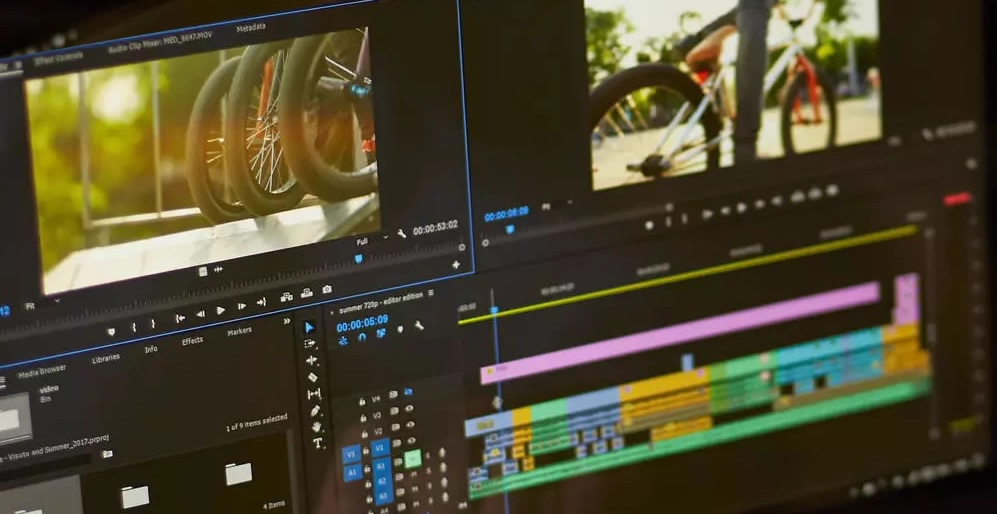
A video enhancer is software or an online tool that improves the visual quality of footage. This includes sharpening edges, increasing resolution, reducing grain, stabilizing shaky shots, and correcting color.
Enhanced video quality means your footage looks cleaner, more professional, and more watchable — whether it’s an old home video, a low-light clip, or a compressed file from your phone.
With the rise of AI video enhancement, tools can now intelligently reconstruct missing pixels, upscale standard definition to 1080p or even 4K, and remove compression artifacts — tasks that once required expensive software and hours of manual work.
Top Free AI Video Enhancer Tools in 2026
1. Topaz Video AI (Trial Version)
Topaz Video AI is widely regarded as one of the most powerful video enhance AI desktop tools available. It offers multiple AI models for upscaling, denoising, and motion interpolation.
topaz video ai
- Best for: Professional-level enhancement on Windows/Mac
- Free tier: Limited trial
- Standout feature: Batch processing and 8K upscaling support
2. CapCut — Free Video Quality Enhancer
CapCut includes a built-in video quality booster that uses AI to enhance sharpness and color in one click. It’s available on desktop and mobile with no watermark on the free tier for standard exports.
- Best for: Social media creators, mobile editing
- Free tier: Yes, with watermark-free exports for most formats
- Standout feature: AI background removal + enhancement combo
3. Clideo — Video Quality Enhancer 1080p Online Free
Clideo is a browser-based tool that lets you enhance video quality online free without downloading any software. Upload, enhance, and download — the workflow takes under three minutes.
clideo ai video enhancer
- Best for: Quick, browser-based fixes
- Free tier: Yes (with file size limits)
- Standout feature: Supports WebM quality enhancement and MP4
4. Media.io — 4K Video Enhancer Online Free
Media.io is a web-based 4k video enhancer online free platform powered by AI. It enhances resolution, reduces noise, and improves color with minimal effort.
media.io ai video enhancer
- Best for: Users who want AI upscaling without software installation
- Free tier: Yes, with limited exports per day
- Standout feature: AI video stabilization + upscaling in one pass
6. Kling Video — Watermark Remover & Enhancer
The Kling video watermark remover enhancer combines AI-based watermark removal with resolution upscaling. It’s particularly useful when you need to clean up repurposed footage or fix branded clips.
kling ai video enhancer
- Best for: Removing overlays while improving quality
- Free tier: Basic features available free
- Standout feature: Watermark removal + enhancement in a single workflow
AI Video Enhancer Free — No Watermark, No Sign-Up: Is It Possible?
Yes. Several tools offer ai video enhancer free no watermark no sign up, including:
- Upscayl (desktop, fully open source)
- Video2X (open-source command-line tool)
- Enhance.fx (limited free tier, no account required)
These tools prioritize privacy and accessibility, making them ideal for one-off projects or users uncomfortable creating accounts on third-party platforms.
BONUS: Gaga AI — The All-in-One AI Creative Platform
While the tools above focus on video enhancement, Gaga AI takes things further with a full creative suite built for content creators, marketers, and developers.

Image to Video AI
Gaga AI’s image-to-video feature transforms still images into smooth, animated video clips using generative AI. Upload a photo, describe the motion you want, and Gaga AI produces a high-quality video sequence — no filming required.
Use cases: Product animation, social media content, storyboarding, creative art projects.
Video and Audio Infusion
Gaga AI’s video and audio infusion tool lets you sync custom soundtracks, ambient audio, or AI-generated music directly to your video timeline. The AI analyzes visual beats and motion to match audio timing automatically.
Use cases: Explainer videos, reels, YouTube content, brand videos.
AI Avatar
Create a hyper-realistic AI avatar that speaks your script on camera. Gaga AI’s avatar engine supports multiple visual styles, expressions, and languages — making it a powerful alternative to filming a human presenter.
Use cases: Training videos, product demos, multilingual content, faceless YouTube channels.
AI Voice Clone
Gaga AI’s voice cloning technology can replicate any voice from a short audio sample. Combined with the text-to-speech (TTS) engine, you can produce natural-sounding narration in your own voice — or a completely custom one — at scale.
Use cases: Voiceovers, audiobooks, podcast production, dubbing foreign-language content.
Text-to-Speech (TTS)
The built-in TTS engine supports dozens of languages and voice styles, from professional narrators to conversational tones. Output is studio-quality and indistinguishable from human recordings in most use cases.
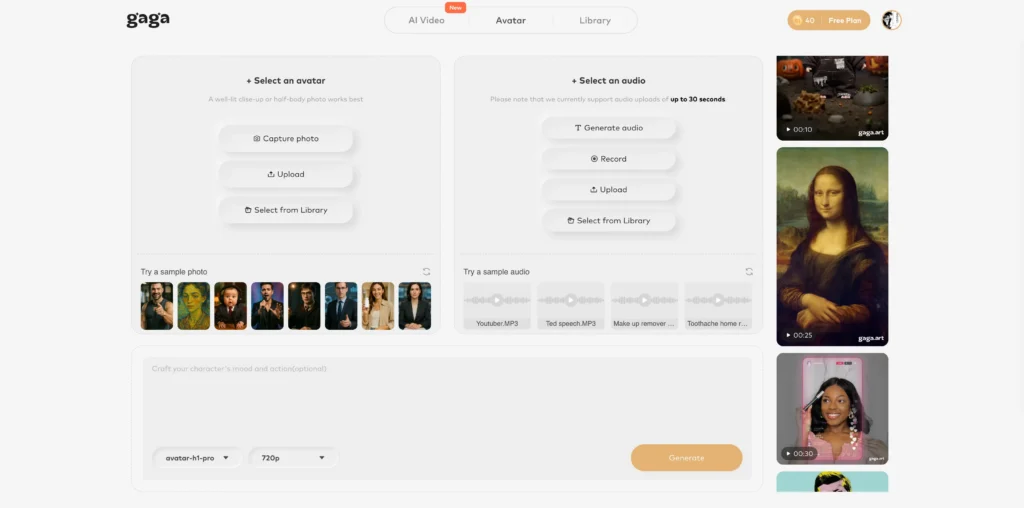
Why Gaga AI stands out: Instead of stitching together five different tools, Gaga AI gives you enhancement, generation, and distribution features in one dashboard — making it the ideal platform for creators who want to move fast without sacrificing quality.
FAQ: People Also Ask About Video Enhancement
What does “enhanced video quality” mean?
Enhanced video quality means the footage has been processed to improve resolution, reduce noise, sharpen edges, or correct color — resulting in a cleaner, more detailed image than the original.
Is there a truly free AI video enhancer with no watermark?
Yes. Upscayl is a completely free, open-source desktop AI video enhancer with no watermarks and no usage limits. Media.io and Clideo also offer watermark-free exports on their free tiers for standard resolutions.
How do I enhance video quality online for free?
Upload your video to a browser-based tool like Clideo, Media.io, or Enhance.fx. Select your target resolution (1080p is standard for free tiers), let the AI process your file, and download the result. No software installation needed.
Can AI upscale video to 4K for free?
Some tools offer free 4K upscaling with file size or daily export limits. Upscayl (desktop) supports 4K and higher with no restrictions. Online tools like Media.io offer limited 4K exports on free plans.
What is the best AI video enhancer for free with no sign-up?
Upscayl requires no account and is fully free. For browser-based options, Enhance.fx allows processing without creating an account, though file size limits apply.
How long does AI video enhancement take?
Processing time depends on file length, resolution, and the tool’s server load. A 1-minute clip typically takes 2–5 minutes on cloud-based tools and 1–3 minutes on a local GPU using desktop software.
What’s the difference between upscaling and enhancing video?
Upscaling specifically increases the resolution (e.g., from 720p to 4K). Enhancing is a broader term that includes upscaling plus denoising, sharpening, stabilization, and color correction.
Can I enhance WebM video quality for free?
Yes. Clideo and Media.io both support WebM format input and can enhance or convert it to a higher-quality MP4 or WebM output.