Key Takeaways
• Release Date: February 4, 2026 at 11:00 PM Beijing Time (3:00 PM UTC / 10:00 AM EST)
• Three Model Variants: Kling Video 3.0, Kling Video 3.0 Omni, and Kling Image 3.0 Omni—each optimized for specific workflows
• Extended Video Duration: Generate up to 15 seconds with custom duration control—the longest in Kling’s history
• Advanced Multi-Shot Editing: Support for up to 6 camera cuts with custom storyboard frames in a single generation
• Native Audio-Visual Sync: Revolutionary co-generation of dialogue, music, and sound effects directly with video content
• Enhanced Language Support: Expands beyond English and Chinese to include Japanese, Korean, and Spanish with regional dialects
Table of Contents
What Is Kling 3.0?
Kling 3.0 represents Kuaishou’s breakthrough in unified multimodal AI architecture. Unlike previous iterations requiring separate workflows for different creative tasks, Kling 3.0 consolidates video generation, image creation, and audio synthesis into a single integrated system.
This next-generation AI video generator processes text prompts, image references, video inputs, and audio specifications simultaneously through one cohesive framework. The result is unprecedented consistency across all creative elements—maintaining character identity, visual coherence, and audio-visual synchronization throughout the generation process.
Kuaishou addresses the industry’s primary challenge: maintaining subject consistency. Kling 3.0 introduces what the company calls “universe-strongest consistency,” enabling subjects to retain their visual identity across multiple camera angles, shot transitions, and scene changes—even when combined with voice synchronization and complex camera movements.
Kling 3.0 Release Date and Availability
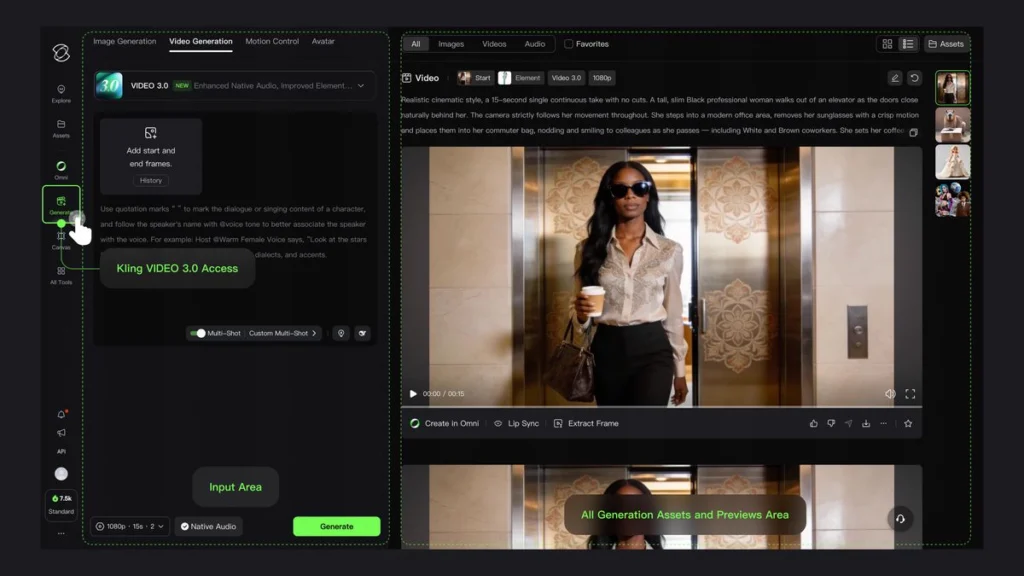
Official Launch: February 4, 2026 at 11:00 PM Beijing Time (3:00 PM UTC / 10:00 AM Eastern Standard Time)
API Access: February 5, 2026—developers and third-party platforms can begin integration immediately following public release
Model Variants Overview
The release includes three distinct model variants designed for different creative workflows:
| Model | Primary Function | Key Capability |
| Kling Video 3.0 | Text-to-video and image-to-video | Extended 15-second generation with custom duration |
| Kling Video 3.0 Omni | Unified multimodal generation | Native audio-visual co-generation with reference support |
| Kling Image 3.0 Omni | AI image generation | 2K/4K direct output with storyboard sequences |
Kling Video 3.0: Complete Feature Breakdown
1. Extended Video Duration with Custom Timing
Kling Video 3.0 breaks previous limitations by extending maximum generation length to 15 seconds—a 50% increase from the previous 10-second maximum. More significantly, creators gain precise control through custom duration specification rather than preset increments.
Practical Applications:
• Precise alignment with external audio tracks, background music, or voiceover scripts
• Granular control over narrative pacing and timing
• Frame-accurate synchronization for professional production workflows
2. Advanced Multi-Shot Camera Control
The introduction of multi-shot generation supporting up to 6 distinct camera cuts transforms Kling from a single-clip generator into a comprehensive editing tool. This capability significantly reduces post-production requirements for multi-scene content.
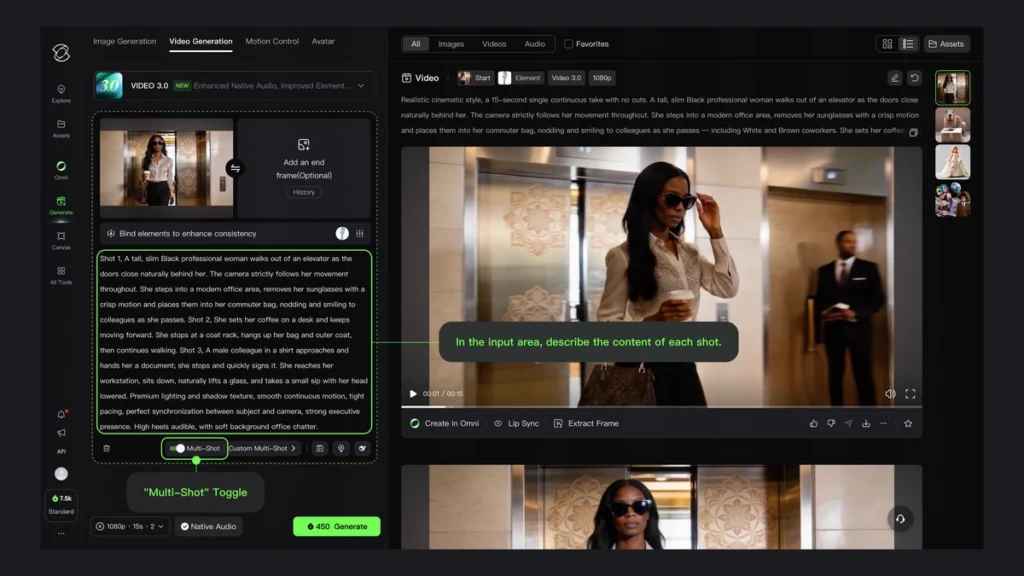
Creators can define:
• Individual storyboard frames for each camera angle
• Custom super-resolution reference images per segment
• Sequential or non-linear narrative structures
• Seamless transitions between different camera perspectives
3. Enhanced Subject Consistency in Image-to-Video
Subject consistency receives substantial improvement through reference-based character locking. When working in image-to-video mode, Kling 3.0 maintains character or object identity throughout generation with unprecedented accuracy.
Advanced Capabilities:
• Voice binding: Subject-specific audio synchronization maintains character voice across all shots
• Multiple reference angles: Improved 3D understanding from various perspectives
• Text overlay preservation: Branded content, logos, and titles remain stable throughout motion
4. Multi-Person Dialogue Support
Previous Kling versions struggled with accurate speaker attribution in group scenes. Kling 3.0 handles three-person dialogue with reliable individual tracking, correctly matching lip movements and voice assignments to specific characters within complex conversations.
5. Expanded Language and Dialect Support
Audio generation capabilities expand significantly beyond the English and Chinese support available in Kling 2.6:
• New languages: Japanese, Korean, Spanish
• Dialect generation: Regional accents and speech pattern variations
• Audio type differentiation: Separate control over dialogue, sound effects, and background music
6. Text Preservation in Image-to-Video Workflows
Image-to-video conversion now maintains text clarity throughout motion sequences. Logos, titles, subtitles, and overlay text remain legible and stable across frames—a critical improvement for commercial and marketing content where brand elements must remain consistent during animation.
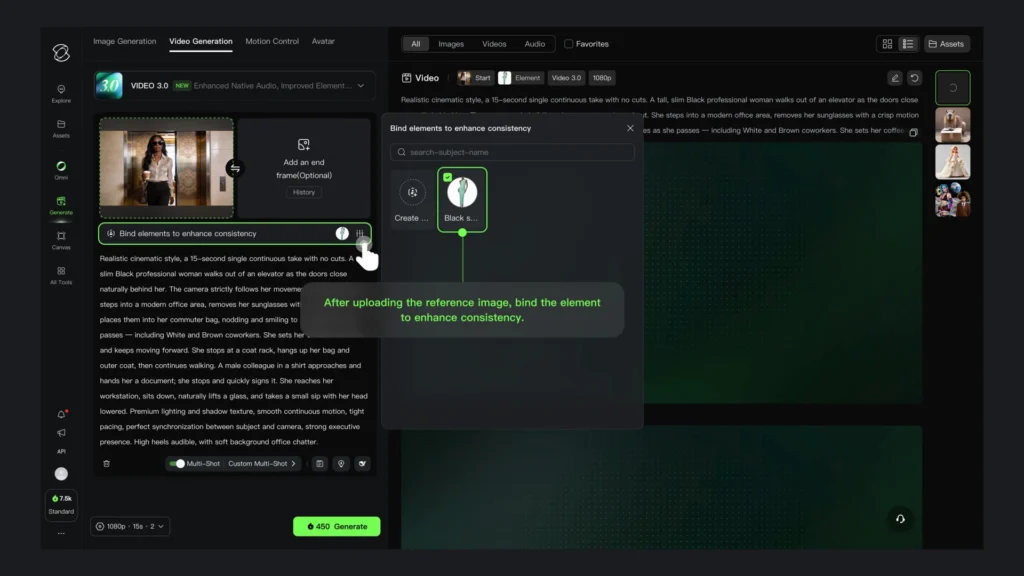
Kling Video 3.0 Omni: The Unified Multimodal Engine
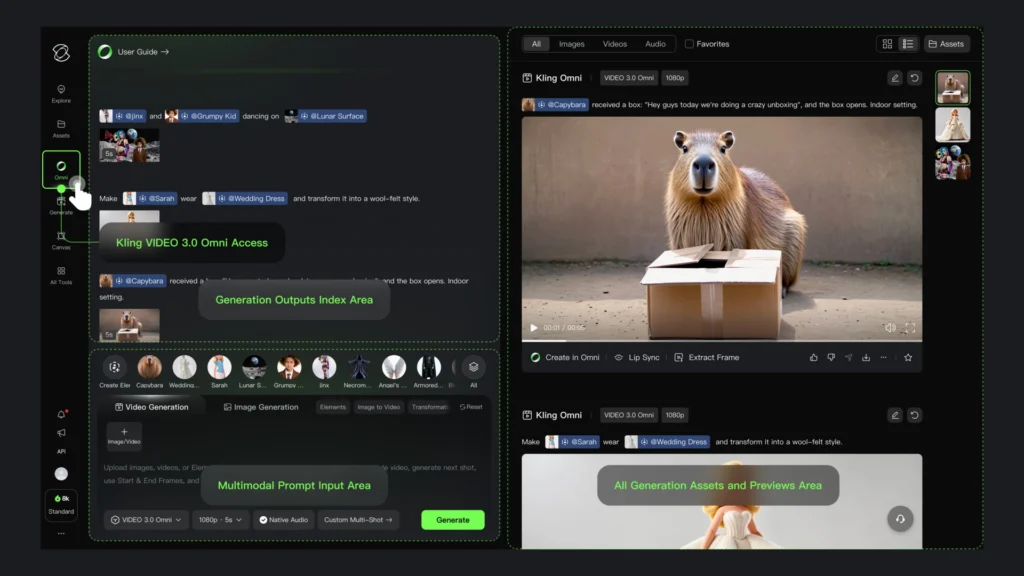
Native Audio-Visual Co-Generation
Kling Video 3.0 Omni represents the full realization of Kuaishou’s unified model architecture. Unlike previous versions that processed audio and video as separate layers, the Omni model generates synchronized audio and video natively—both emerge from the same generation pass rather than being composited afterward.
This architecture produces tighter lip-sync accuracy, more natural environmental audio timing, and coherent audio-visual storytelling without the artifacts that typically appear when combining separately generated elements.
Video Subject Creation and Library
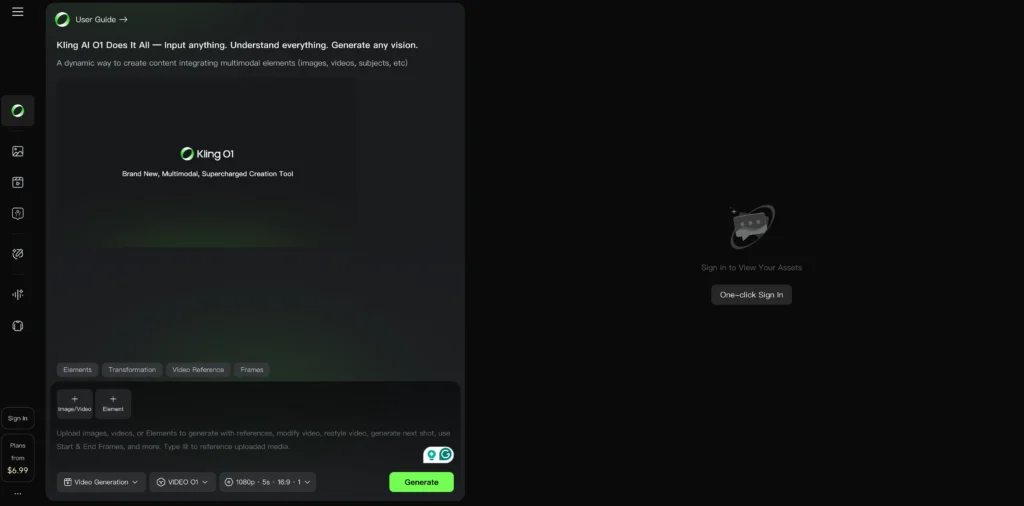
Building on the Element Library introduced with Kling O1, the Omni model supports video-based subject creation. Instead of static reference images, creators can upload short video clips to define subject characteristics including:
- Movement patterns and mannerisms
- Expression ranges and emotional dynamics
- Voice characteristics when combined with audio references
Reference + Storyboard + Audio Combination
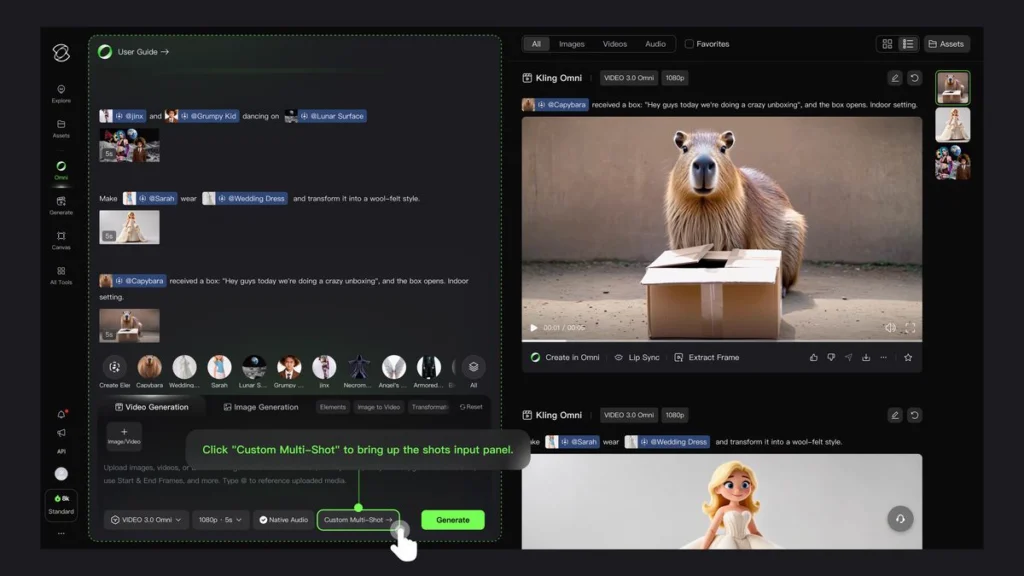
The model’s primary advantage lies in combining multiple creative tools simultaneously. Users can submit reference images, custom storyboard frames, and audio specifications in a single prompt—the model interprets all inputs together rather than processing them sequentially.
This “skill combo” approach significantly improves output usability for production workflows where multiple elements must remain coordinated.
Comparison: Kling 3.0 vs Kling O1
| Feature | Kling O1 (December 2025) | Kling Video 3.0 Omni |
| Audio generation | Post-generation integration | Native co-generation |
| Subject references | Up to 7 images | Video + image combined |
| Maximum shots | Single scene with editing | 6 shots in one generation |
| Language support | English, Chinese | 5 languages + dialects |
| Storyboard frames | Start/end frame | Full multi-frame sequences |
Kling Image 3.0 Omni: AI Image Generator Capabilities
Enhanced Narrative Imagery
Kling Image 3.0 Omni focuses on story-driven image generation with improved contextual understanding. The model produces images that suggest motion, continuation, and narrative tension rather than static compositions.
Storyboard Sequence Generation
The model generates coherent image sequences while maintaining reference image characteristics. This enables:
- Multi-panel storyboard creation from single prompts
- Character consistency across sequential frames
- Visual relationship preservation between images in a set
Native 2K and 4K Output
Resolution capabilities increase to direct 2K and 4K generation without post-processing upscaling. The model produces print-ready and broadcast-quality images without the artifacts or softness that often accompanies AI upscaling.
Improved Detail Consistency
Fine-detail preservation receives additional refinement, particularly for elements that typically degrade in AI generation: fabric patterns, jewelry, typography, and facial features across multiple reference angles.
Kling 3.0 vs Kling 2.6: What’s Changed
Kling 2.6, released in December 2025, introduced voice control and motion reference capabilities. Kling 3.0 builds on this foundation with several architectural improvements:
| Capability | Kling 2.6 | Kling 3.0 |
| Maximum duration | 10 seconds | 15 seconds |
| Duration control | Fixed increments | Custom seconds |
| Multi-shot support | Single continuous shot | Up to 6 cuts |
| Language support | Chinese, English | 5 languages + dialects |
| Audio-video sync | Post-generation | Native co-generation |
| Subject reference | Image only | Image + video |
| Text preservation | Limited | Enhanced I2V text stability |
| Multi-person dialogue | 2 speakers | 3 speakers with improved tracking |
How to Use Kling 3.0: Quick Start Guide
Step 1: Access the Platform
Visit the official Kling AI platform at klingai.com after the February 4, 2026 release. Existing accounts automatically gain access to 3.0 models; new users can register for free-tier access.
Step 2: Select Your Model
Choose the appropriate model for your workflow:
- Video 3.0: Text-to-video or simple image animation
- Video 3.0 Omni: Complex reference-based generation with audio
- Image 3.0 Omni: High-resolution storyboard and image sequences
Step 3: Prepare Reference Materials
For best results with subject consistency:
1. Upload a clear frontal image of your subject
2. Provide 2-3 additional angles if available
3. For video subjects, use 3-10 second clips showing characteristic movements
Step 4: Configure Generation Settings
Set your parameters:
- Duration: Choose exact seconds (3-15s range)
- Shots: Define cut points if using multi-shot mode
- Audio: Enable native audio or upload reference audio/voice
- Language: Select dialogue language and dialect if applicable
Step 5: Write Your Prompt
Structure prompts for optimal results:
[Subject description] + [Action/movement] + [Environment] + [Camera direction] + [Audio specification]
Example: “Young woman in red coat walking through autumn park, leaves falling, camera tracks alongside at shoulder height, ambient wind sounds with distant city traffic”
Step 6: Generate and Iterate
Review initial output. Use the built-in editing capabilities to refine specific elements without full regeneration.
Gaga AI: Best Alternative for AI Avatar and Voice Clone Workflows
While Kling 3.0 excels at cinematic video generation, creators focused specifically on talking avatar videos, voice cloning, and audio-driven content may find Gaga AI offers a more specialized solution.
Why Consider Gaga AI
Audio-Video Infusion:
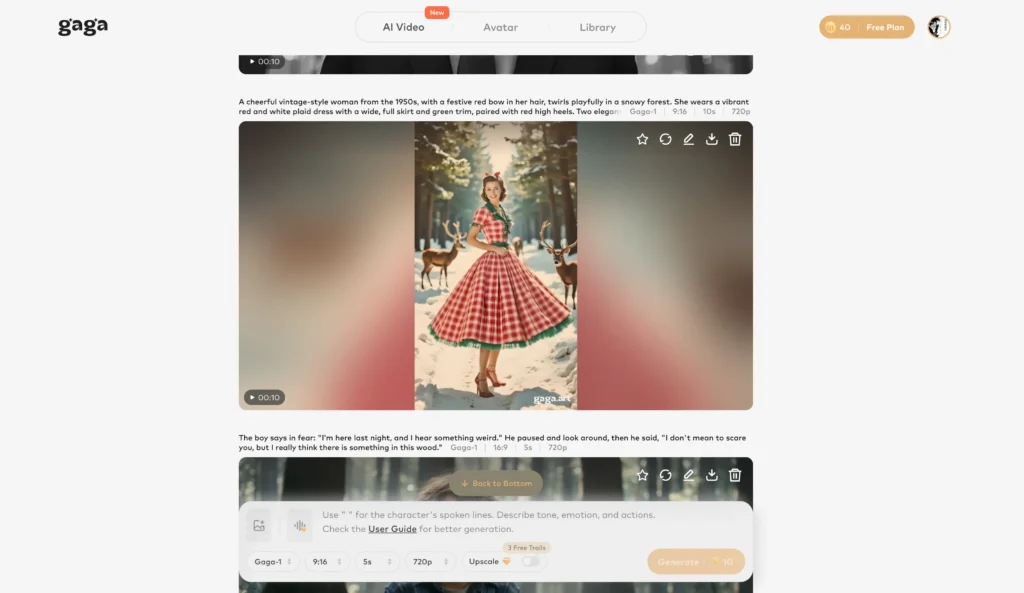
Gaga AI’s GAGA-1 model co-generates video and audio as a single authentic creation. Voice, lip-sync, performance, and hand gestures emerge from unified generation rather than layered processing.
Voice Cloning Capability:
Upload a short voice sample to create a consistent vocal identity that carries across all your videos. The cloned voice syncs naturally with generated facial movements and emotional expressions.
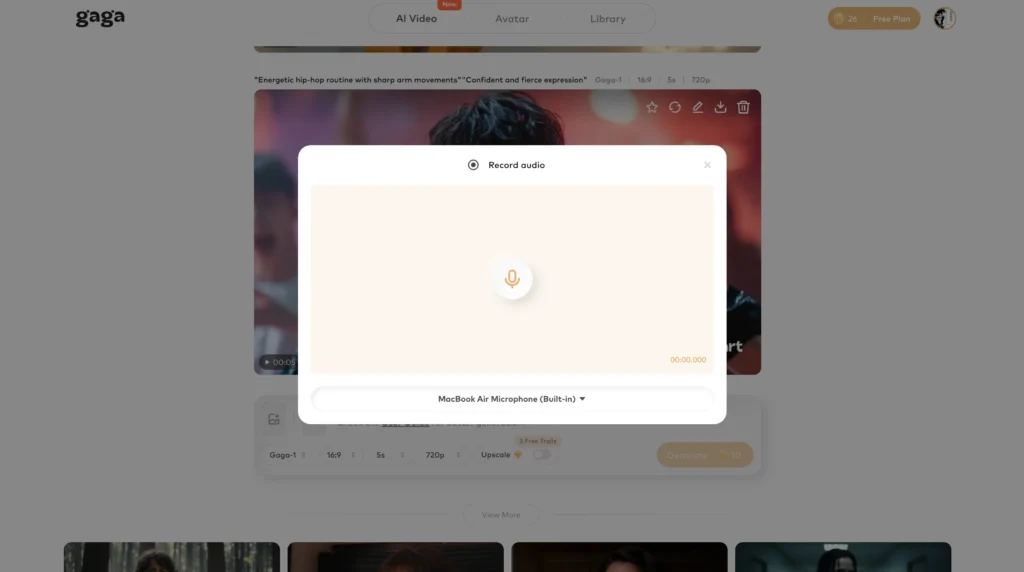
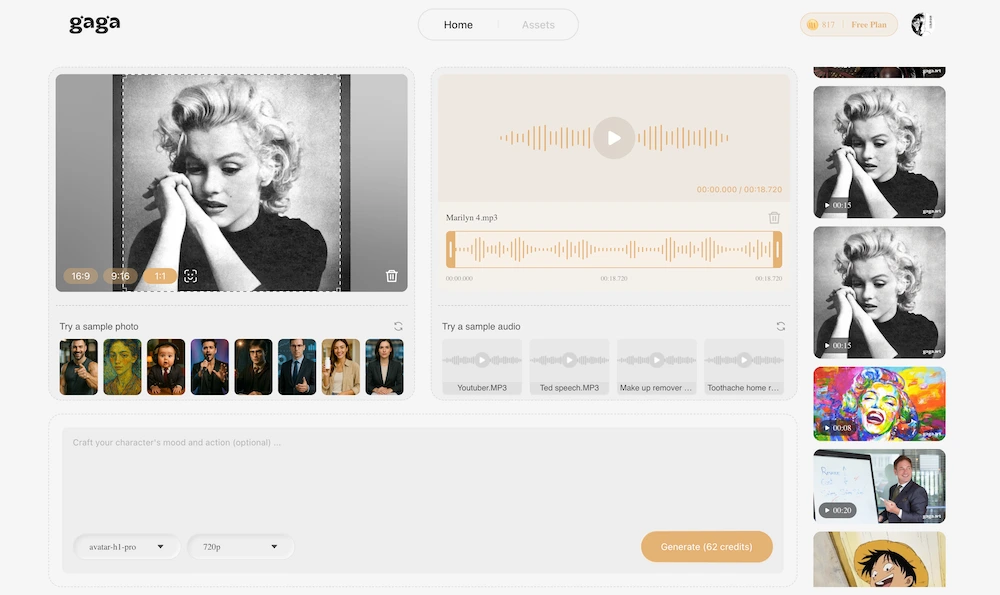
AI Avatar Specialization:
While Kling addresses broad video generation, Gaga AI focuses specifically on bringing static images to life as speaking, emoting characters. One photo transforms into dynamic video with script-driven dialogue.
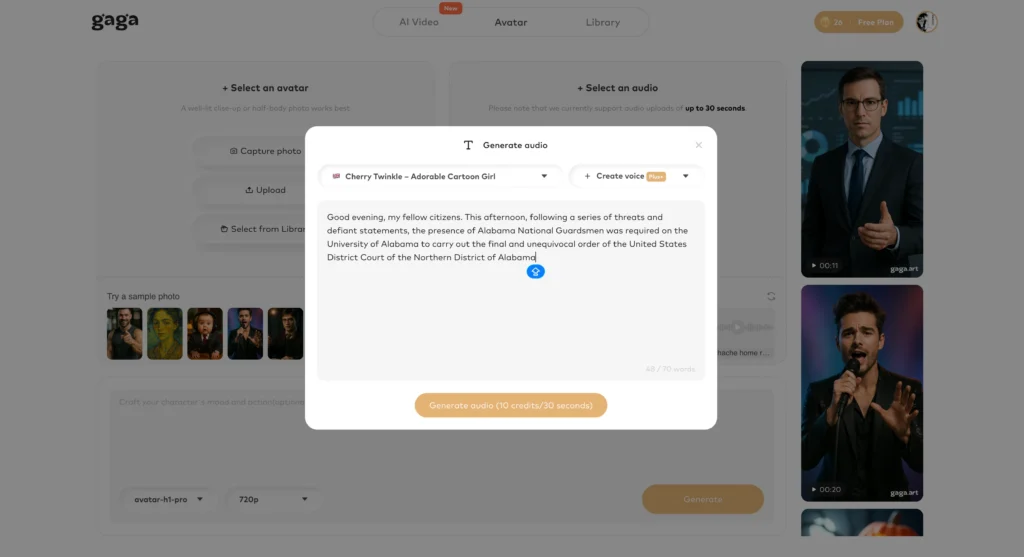
Text-to-Speech Integration:
Input scripts directly and Gaga AI handles voice generation, lip synchronization, and emotional expression calibration automatically across 20+ languages.
Commercial Use Rights:
Paid plans include full commercial licensing—critical for marketing, advertising, and business content where usage rights matter.
Gaga AI vs Kling 3.0 for Specific Use Cases
| Use Case | Better Choice | Reason |
| Cinematic scene generation | Kling 3.0 | Superior camera control and multi-shot capabilities |
| Talking head videos | Gaga AI | Purpose-built for avatar animation |
| Product demo with presenter | Gaga AI | Optimized for single-subject speaking videos |
| Multi-character narrative | Kling 3.0 | Better multi-person tracking and scene composition |
| Voice clone consistency | Gaga AI | Dedicated voice identity system |
| Long-form content (5+ min) | Gaga AI | Avatar 2.0 supports up to 5 minutes |
| Short social media clips | Either | Both produce quality short-form content |
Getting Started with Gaga AI
1. Visit gaga.art and create a free account
2. Upload a clear portrait, half-body, or full-body image
3. Type your script or upload audio
4. Generate your video—typically completes within 3 minutes
The free tier allows testing before committing to paid plans, with watermarked output suitable for evaluation.
Frequently Asked Questions
When does Kling 3.0 release?
Kling 3.0 releases on February 4, 2026, at 11:00 PM Beijing Time (3:00 PM UTC / 10:00 AM Eastern). API access follows on February 5, 2026.
What is the maximum video length in Kling 3.0?
Kling 3.0 supports video generation up to 15 seconds with custom duration selection. Users can specify exact second counts rather than choosing from preset options.
How does Kling Video 3.0 Omni differ from Kling O1?
Kling Video 3.0 Omni provides native audio-visual co-generation where audio and video emerge from the same generation process. Kling O1 requires separate audio integration. The 3.0 Omni model also supports video-based subject references and multi-shot generation with up to 6 camera cuts.
What languages does Kling 3.0 support for voice generation?
Kling 3.0 expands language support to include Chinese, English, Japanese, Korean, and Spanish with additional dialect and regional accent capabilities.
Can Kling 3.0 maintain character consistency across shots?
Yes. Kling 3.0 introduces enhanced subject consistency that maintains character identity through subject reference uploads, supporting consistency across image-to-video workflows, multi-shot sequences, and audio-bound subjects.
What resolution does Kling Image 3.0 Omni support?
Kling Image 3.0 Omni generates images directly at 2K and 4K resolution without requiring separate upscaling, producing broadcast and print-ready output natively.
Is Kling 3.0 better than Sora or Veo?
Kling 3.0’s unified multimodal architecture and native audio-visual co-generation position it competitively against Google Veo 3.1 and OpenAI Sora 2. Kuaishou’s internal testing claims significant advantages in reference-based generation and multi-element consistency, though independent benchmarks awaiting release will provide clearer comparisons.
What is the best alternative to Kling for AI avatars?
Gaga AI offers the most capable alternative for AI avatar creation, voice cloning, and talking-head video generation. While Kling excels at broad cinematic generation, Gaga AI’s specialized focus on avatar animation and audio-visual infusion makes it the preferred choice for speaking-character content.
How much does Kling 3.0 cost?
Kling AI operates on a credit-based subscription model with plans ranging from free (66 daily credits) to Premier ($92/month for unlimited relaxed-mode access). Kling 3.0 pricing details will be confirmed at launch, but higher-capability models typically consume additional credits per generation.
Can I use Kling 3.0 for commercial projects?
Commercial usage rights depend on your subscription tier. Review Kling AI’s terms of service and licensing agreement for your specific plan to understand permitted commercial applications, attribution requirements, and any restrictions.