Key Takeaways
- D-ID is a generative AI platform that creates talking avatar videos using deep-learning face animation and text-to-speech technology.
- Its main products include Creative Reality™ Studio, Visual AI Agents, AI Avatars, Video Translate, Video Campaigns, and a Mobile App.
- Pricing starts at $0 (14-day trial) and scales to $196/month for the Advanced plan, with Enterprise pricing available on request.
- D-ID API lets developers embed talking-head video generation into their own apps and workflows.
- Best suited for marketing, L&D, and customer support teams that need scalable video content without on-camera talent.
Table of Contents
What Is D-ID?
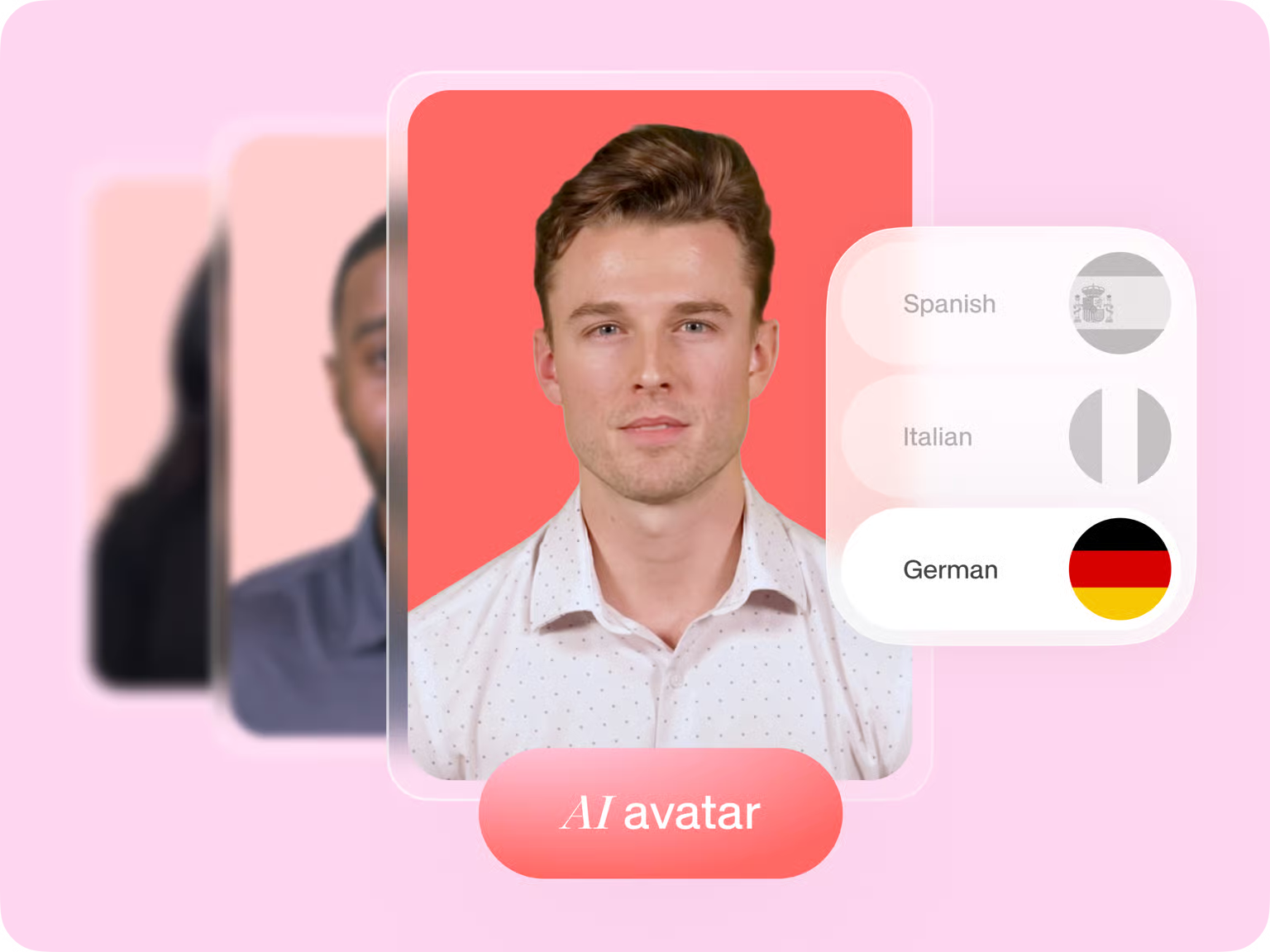
D-ID is a generative AI platform that turns text, images, and audio into realistic talking-avatar videos. Founded to make AI-driven video creation accessible at scale, D-ID uses deep-learning face animation and large language models to produce digital humans that speak, emote, and engage—without a camera crew.
Businesses use D-ID to produce customer support bots, e-learning modules, multilingual product demos, and social media campaigns faster and cheaper than traditional video production allows.
The platform sits at the intersection of three powerful technologies:
- Face animation AI — animates still images or AI-generated portraits to match a voice track
- Text-to-speech (TTS) — converts written scripts into natural-sounding speech across 100+ languages
- Large language models — help draft and refine scripts so you start with something, not a blank page
D-ID Products: What’s Inside the Platform?
Creative Reality™ Studio
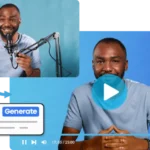
D-ID Studio is the browser-based video editor where most users start. You pick or upload a face, type (or generate) a script, choose a voice, and the studio renders a talking-head video in minutes.
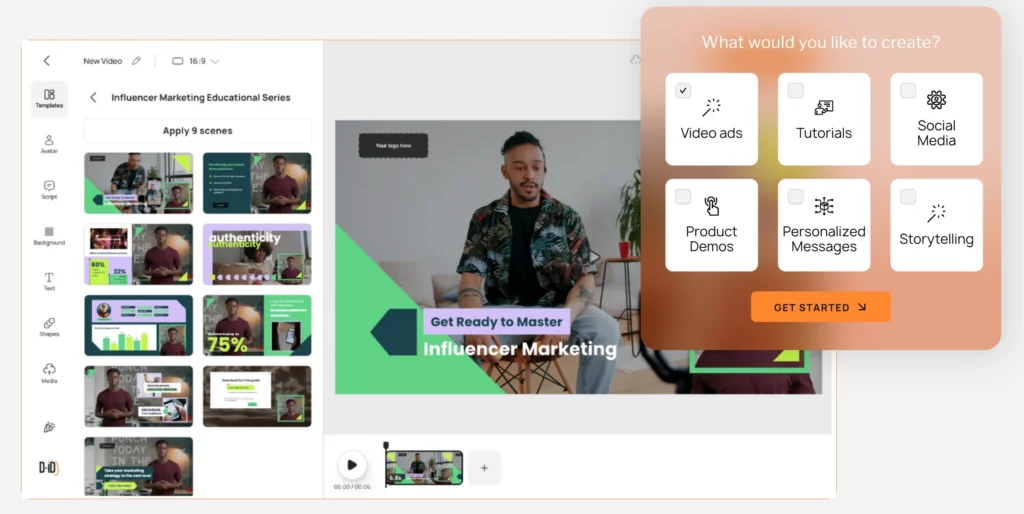
Key capabilities:
- 100+ stock AI avatars with diverse ethnicities, genders, and styles
- Upload your own photo or video to create a Personal Avatar
- Emotion and expression controls (cheerful, serious, empathetic, and more)
- Background removal built in
- Canva and PowerPoint integrations for teams already working inside those tools
- Subtitles auto-generated on Pro and above plans
The studio is intentionally low-code. You don’t need to touch the API to produce a polished video—which makes it accessible to marketers and trainers, not just developers.
Visual AI Agents
D-ID’s Visual AI Agents are interactive, conversational digital humans you can embed directly on a website or in a product. Instead of a static chatbot widget, visitors see a lifelike avatar that speaks responses in real time.
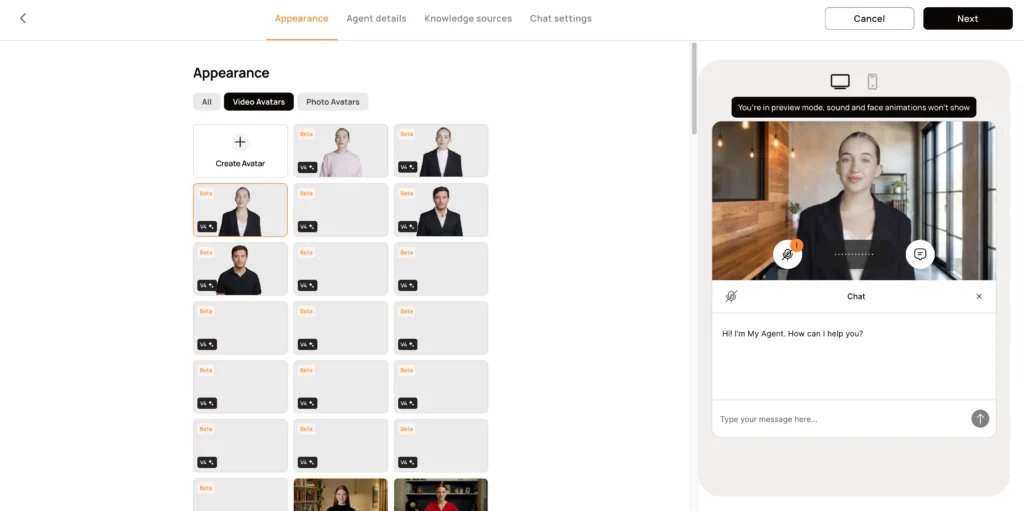
Use cases:
- Website sales assistants that greet and qualify leads
- Customer support agents that handle FAQs with a human face
- HR onboarding bots that walk new hires through policies
The number of embedded agents you can deploy depends on your plan: 1 on Lite and Pro, 3 on Advanced, and custom amounts on Enterprise.
AI Avatars
D-ID AI Avatars are the digital humans at the core of every product the platform offers. You can use stock avatars from the library, create a Photo Avatar from any still image, or build a Video Avatar (Pro and above) from recorded footage.
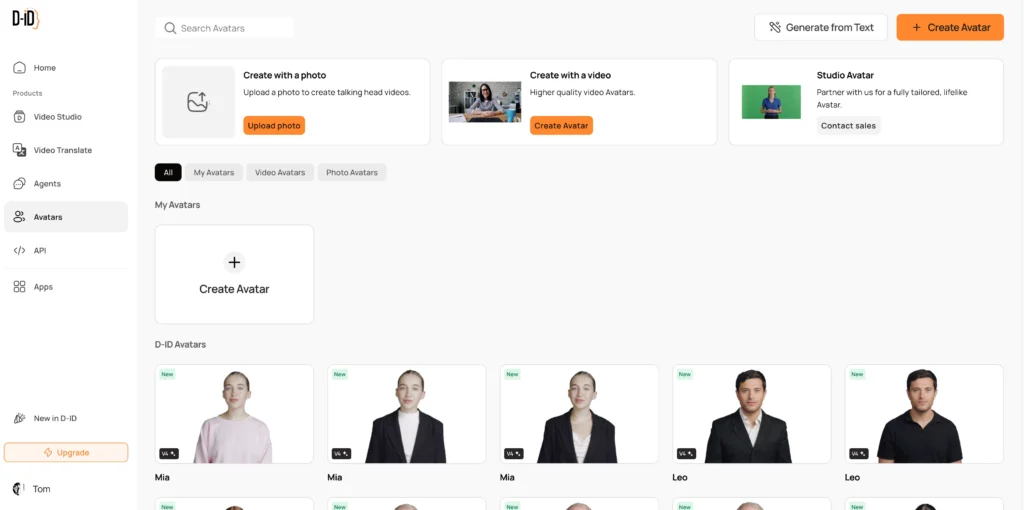
Avatar types compared:
| Avatar Type | Available On | Best For |
| Stock AI Avatar | All plans | Quick prototyping, generic presenters |
| Photo Avatar | All plans | Branded presenters from a headshot |
| Video Avatar | Pro, Advanced, Enterprise | Maximum realism, trained on footage |
| Studio Avatar | Enterprise add-on | Professional broadcast-quality digital humans |
Every avatar supports emotion and expression controls, voice style selection, and audio upload—so you’re never locked into a robotic default.
Video Translate
D-ID Video Translate lets you dub an existing video into 30+ languages with lip-syncing—no re-recording required. You upload a source video, select target languages, and the platform re-renders the speaker’s mouth movements to match the new audio track.
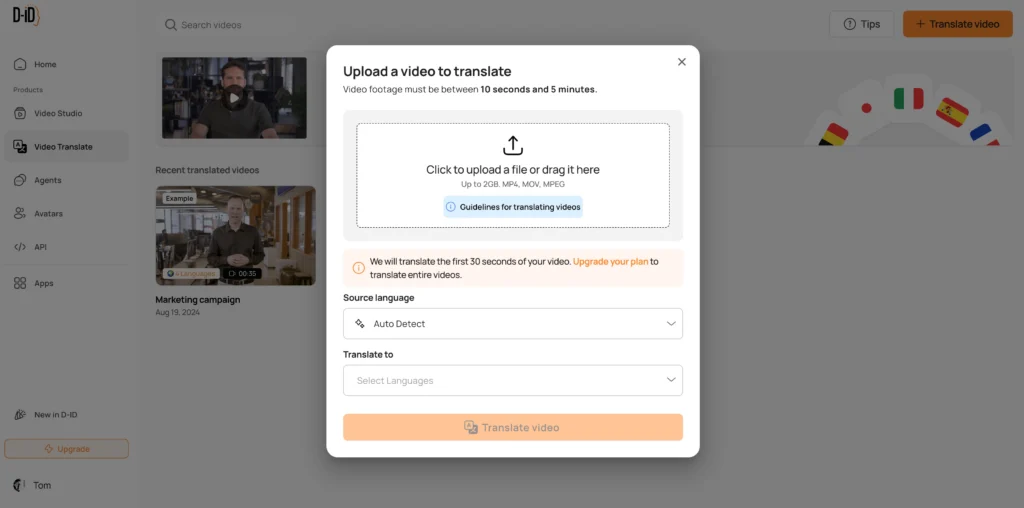
This is especially valuable for:
- Global product launch videos that need localized versions fast
- Training content distributed across international offices
- Marketing campaigns targeting non-English-speaking markets
Translation length limits vary by plan: up to 30 seconds on Trial, up to 5 minutes on Lite through Advanced, and up to 30 full minutes on Enterprise. Proofreading and subtitle generation are included on Enterprise; subtitles alone are available from Trial upward.
Video Campaigns
D-ID Video Campaigns enable personalized video at scale, letting businesses generate large batches of tailored talking-head videos from a single template. Think personalized outreach videos where each recipient’s name, company, or deal detail is dynamically inserted—without re-recording each one.
This product targets sales and marketing teams that want the open-rate lift of personalized video without the manual effort of producing hundreds of individual clips.
Mobile App
D-ID’s Mobile App brings avatar video creation to iOS and Android, so field teams, social media managers, and creators can produce content anywhere. All core plans include mobile access, making it easy to record a quick video update or generate a translated explainer from a phone.
D-ID Pricing: Which Plan Is Right for You?
D-ID pricing uses a credit-based system alongside fixed minute allocations per month. Here’s how the tiers break down:
| Plan | Price | Video Minutes/Month | Personal Avatars | Voice Clones | Commercial Use |
| Trial | $0 (14 days) | 3 min | 1 | 0 | ✗ |
| Lite | $5.90/mo | 10 min | 1 | 0 | ✗ |
| Pro | $29/mo | 15 min | 3 | 1 | ✓ |
| Advanced | $196/mo | 100 min | 5 | 3 | ✓ |
| Enterprise | Custom | Unlimited | 5+ | Professional | ✓ |
The Trial plan is the best starting point—you get 3 minutes of video, access to 100+ stock avatars, API access, and the full studio interface. No credit card is required during the trial period.
The Pro plan ($29/month) is the sweet spot for most individual creators and small teams. It unlocks commercial licensing, premium voices, one voice clone, subtitles, and video avatars—the features that make content actually publishable.
Advanced ($196/month) suits growing teams that need more video minutes, multiple agents, custom logos, and more voice clones without going fully custom.
Enterprise pricing is for organizations that need unlimited minutes, concurrent video processing, professional voice cloning, SAML/SSO, a dedicated Customer Success Manager, and enterprise-grade security.
What’s Included Across All Plans?
- API access
- Background removal
- Emotion and expression controls
- Canva App and PowerPoint Add-in
- Mobile App
- 30+ output languages for Video Translate
What’s Gated Behind Higher Plans?
- Commercial use license (Pro and above)
- Premium voices (Pro and above)
- Voice cloning (Pro: 1 clone; Advanced: 3 clones; Enterprise: professional cloning service)
- Custom logo / watermark removal (Advanced and above)
- Team collaboration (Enterprise only)
- Proofreading for Video Translate (Enterprise only)
D-ID API: For Developers Who Want to Build With It
The D-ID API lets developers integrate talking-head video generation directly into their own applications, chatbots, CRMs, or websites. All paid plans include API access, making it straightforward to embed D-ID’s capabilities into custom workflows.
How the D-ID API Works
At its core, the API is a RESTful interface. You send a request with a face (image URL or stored avatar ID), a script (text input or audio file), and a voice configuration. D-ID processes and returns a video URL.
The basic flow:
- Sign up and navigate to Account Settings to generate your API key.
- Authenticate by including your key as a header in every API request.
- Create a “talk” — pass a source image URL, script text, and voice parameters in a POST request.
- Poll or use webhooks — check the status field until it returns done, then fetch the output video from the result URL.
- Customize — add a TTS provider (Amazon Polly or Microsoft Azure), select voice ID, style, gender, and language from the voice gallery.
- Generate a custom presenter — use the AI portrait generation endpoint to create a unique face from a text prompt, then stitch it to your video.
API Features Worth Knowing
- Expression and emotion control — pass descriptors like “cheerful” or “serious” to shape the presenter’s delivery
- Voice cloning endpoint — replicate a specific voice for consistent brand audio (Pro and above)
- Stitch parameter — composites the avatar seamlessly into the video frame
- Webhook support — trigger downstream events in your pipeline when a video finishes rendering
- Multiple TTS providers — Amazon Polly and Microsoft Azure voices, covering 100+ languages and 119 dialects
Who should use the API? Development teams building customer-facing products—chatbots, LMS platforms, CRM video tools, or interactive kiosks—where automated video generation needs to happen inside an existing system rather than through the studio UI.
D-ID Pros and Cons
What D-ID Does Well
- Language breadth — 119 languages and dialects cover global audiences without needing separate tools
- Diversity and inclusion — the avatar library spans a wide range of ethnicities, genders, ages, and styles
- Emotion controls — adjusting expression and tone is available on all plans, not locked behind enterprise
- Deep integrations — Canva, PowerPoint, and a mobile app mean D-ID fits inside existing workflows
- Transparent pricing — plans are clearly structured with defined minute allocations
Where D-ID Falls Short
- Video quality ceiling — avatar lip sync and voice naturalness still have a noticeable artificial quality compared to newer competitors
- Low minute caps on entry plans — 10–15 minutes per month on Lite and Pro limits production volume
- API complexity — setting up the API requires coding confidence; beginners may find it steep
- Branding only from Advanced — removing D-ID’s watermark and adding your own logo requires the $196/month plan
- Team features locked to Enterprise — collaboration tools aren’t available until the highest tier
D-ID vs. Competitors: How Does It Stack Up?
| Platform | Standout Feature | Best For | Starting Price |
| D-ID | Creative Reality™ Studio + API | Marketing & L&D teams | $5.90/mo |
| HeyGen | 80+ avatar library, ease of use | Social media creators | ~$24/mo |
| Synthesia | PowerPoint-style editor, 160 languages | Corporate training | ~$22/mo |
| Colossyan | 1-click translation, 50+ languages | HR & compliance video | ~$19/mo |
| Tavus | Batch personalized video, NERF realism | Sales outreach at scale | Custom |
| DeepBrain AI | URL/doc-to-video generation | Automated news/reports | ~$30/mo |
D-ID’s competitive edge is its combination of a polished no-code studio, a well-documented API, and a wide language set—all at a lower entry price than most enterprise-grade competitors. It’s a strong fit for teams that need both a self-serve tool and developer access under one subscription.
How to Get Started With D-ID (Step-by-Step)
- Go to d-id.com and click “Get Started Free” to begin the 14-day trial—no credit card needed.
- Choose your avatar — browse the 100+ stock library or upload your own photo under “Create Avatar.”
- Write or generate your script — type directly or use the built-in GPT integration to draft from a prompt.
- Select a voice — filter by language, gender, style, and accent in the voice gallery.
- Adjust expressions — set the emotional tone (neutral, cheerful, serious) from the expression panel.
- Preview and render — click Generate and download your video when processing completes.
- Translate (optional) — open Video Translate, upload your rendered video, and select target languages.
- Deploy as an Agent (optional) — navigate to Agents, configure your avatar’s knowledge base, and copy the embed code for your website.
For API integration, generate your key from Account Settings and follow the REST documentation at docs.d-id.com.
Bonus: Gaga AI — A Strong Alternative Worth Exploring
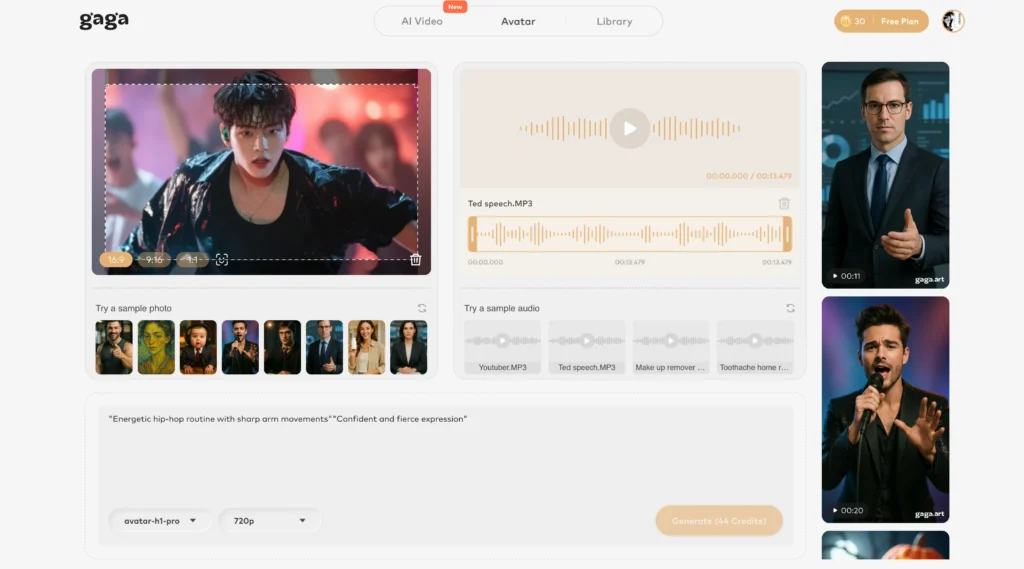
If D-ID’s pricing or capabilities don’t perfectly match your needs, Gaga AI is an emerging AI video platform that’s gaining traction for its versatile content creation toolkit. Here’s what makes it stand out:
Image-to-Video AI
Gaga AI converts static images into smooth, animated video clips. Upload a product photo, a character illustration, or a portrait and watch it come to life—without any manual animation work.
Video and Audio Infusion
Gaga AI lets you fuse audio tracks directly into video content. Match background music, voiceovers, or sound effects to your video timeline with AI-assisted synchronization, cutting post-production time significantly.
AI Avatar
Like D-ID, Gaga AI generates talking digital avatars from images or prompts. Avatars can present scripts, explain concepts, or front a brand—customizable in appearance and voice style.
AI Voice Clone
Gaga AI includes voice cloning technology that captures a speaker’s tone, cadence, and accent from a short audio sample. Once cloned, the voice can narrate any script—useful for maintaining brand voice consistency across large volumes of content.
Text-to-Speech (TTS)
Gaga AI’s TTS engine covers multiple languages and voice styles, making it suitable for multilingual content production. It pairs naturally with the avatar and video generation features so you can go from script to final video in a single workflow.
Who should look at Gaga AI? Creators and small businesses that want a unified image-to-video, voice cloning, and avatar platform—especially if they’re generating high volumes of short-form content for social media or digital ads.
Frequently Asked Questions About D-ID
What is D-ID used for?
D-ID is used to create AI-generated talking-avatar videos for marketing campaigns, corporate training, customer support bots, and multilingual product content—without needing actors, cameras, or a studio.
Is D-ID free to use?
D-ID offers a 14-day free trial with 3 minutes of video generation and no credit card required. After the trial, the lowest paid plan (Lite) starts at $5.90/month.
What is D-ID Studio?
D-ID Studio, officially called Creative Reality™ Studio, is D-ID’s browser-based video creation interface. It lets users pick avatars, write scripts, select voices, and generate talking-head videos without writing any code.
How much does D-ID cost?
D-ID pricing ranges from $5.90/month (Lite) to $196/month (Advanced), with custom Enterprise pricing for larger organizations. The trial is free for 14 days.
Does D-ID support multiple languages?
Yes. D-ID supports 119 languages and dialects for text-to-speech voices, and Video Translate outputs content in 30+ languages with synchronized lip movements.
Can I use D-ID for commercial projects?
Commercial use is available from the Pro plan ($29/month) and above. Trial and Lite plans are limited to personal use only.
What is the D-ID API?
The D-ID API is a RESTful interface that lets developers integrate D-ID’s talking-head video generation into their own applications. It supports voice customization, emotion control, voice cloning, and webhook automation.
Is D-ID API free?
API access is included in all D-ID plans, including the free trial. However, the volume of video you can generate via API is governed by your plan’s monthly minute allocation.
How does D-ID compare to HeyGen or Synthesia?
D-ID, HeyGen, and Synthesia all generate AI avatar videos from text. D-ID differentiates with its Creative Reality™ Studio’s expression controls and a lower starting price. Synthesia has a more polished enterprise editor. HeyGen is popular for ease of use and social content. Feature-for-feature, the right choice depends on your use case and how much you’ll use the API.
What is D-ID Video Translate?
D-ID Video Translate is a product that dubs existing videos into 30+ languages and re-renders the speaker’s lip movements to match the translated audio—making it appear the person is speaking the target language natively.
Can D-ID clone my voice?
Yes. Voice cloning is available from the Pro plan (1 clone), with 3 clones on Advanced and a professional voice cloning service on Enterprise.