Key Takeaways
- Craiyon AI is a free, browser-based AI image generator that converts text prompts into images with no login required.
- It was originally built as DALL·E mini and rebranded to Craiyon in 2022, making it one of the most accessible craiyon ai image generators available.
- Craiyon is best suited for casual use, creative exploration, and low-stakes visual content.
- For users who need production-ready outputs — video, voice, and avatar content — tools like Gaga AI extend beyond static image generation.
- The platform has real limitations: lower image fidelity compared to Midjourney or DALL·E 3, slower generation speeds on the free tier.
Table of Contents
What Is Craiyon AI?
Craiyon AI is a free, web-based AI image generator that creates images from text descriptions using a neural network trained on image-text pairs.
Originally launched as DALL·E mini in 2021 by Boris Dayma, the tool was later rebranded as Craiyon in 2022 to establish its own independent identity — separating itself from OpenAI’s DALL·E branding. Despite the rename, the core functionality remained: type a prompt, get nine AI-generated images back.
Unlike enterprise tools that require subscriptions or API access, Craiyon runs directly in your browser — no account, no download, no credit card. That accessibility is the primary reason the craiyon image generator became one of the most viral AI tools of its era, spawning meme culture and widespread experimentation.
How Craiyon Differs from Other AI Art Generators
| Feature | Craiyon | Midjourney | DALL·E 3 | Stable Diffusion |
| Free tier | ✅ Unlimited | ❌ Paid only ($10+/mo) | ⚠️ Limited (via ChatGPT) | ✅ Open-source |
| Login required | ⚠️ Optional | ✅ Yes | ✅ Yes | ✅ Yes |
| Image quality | ⭐⭐ | ⭐⭐⭐⭐⭐ | ⭐⭐⭐⭐ | ⭐⭐⭐⭐ |
| Generation speed | Slow (free) | Fast | Fast | Varies |
| Best for | Casual/exploration | Professional design | Precision prompting | Custom workflows |
How Does Craiyon AI Work?
Craiyon generates images by predicting pixel patterns based on the statistical relationships between words and images learned during training.
At its core, Craiyon’s original architecture used a VQGAN + BART transformer model — not a diffusion model like Midjourney or DALL·E 3. Here’s the simplified breakdown:
- Text encoding — Your prompt is converted into a numerical vector (embedding) that captures semantic meaning.
- Image decoding — The model maps that vector to visual patterns learned from millions of image-text pairs scraped from the internet.
- Output rendering — Nine image variations are generated simultaneously, each slightly different due to randomness (temperature) in the generation process.
Note: Craiyon’s newer proprietary models have evolved beyond the original DALL·E mini architecture, and the platform continues to update its underlying technology.
The training dataset is large but unfiltered, which explains both its breadth (it can generate almost any concept) and its inconsistency (quality varies significantly by prompt complexity).
How to Use Craiyon AI: Step-by-Step
Using Craiyon takes under 60 seconds and requires nothing more than a browser and an idea.
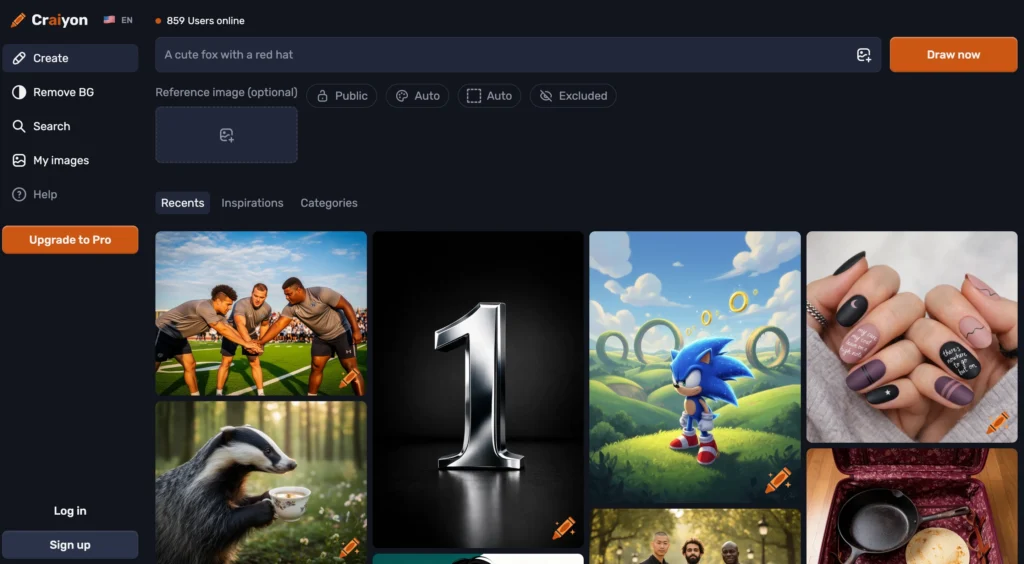
Step 1: Go to Craiyon.com
Navigate to craiyon.com. No account creation is needed on the free tier.
Step 2: Write Your Prompt
Type your description in the text box. Be specific. Compare these two prompts:
- ❌ Weak: “a dog”
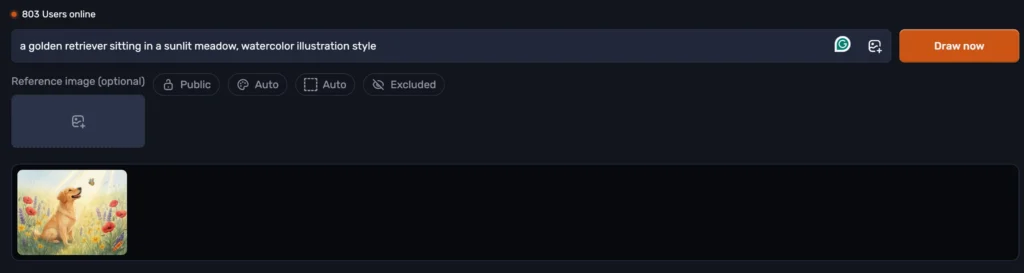
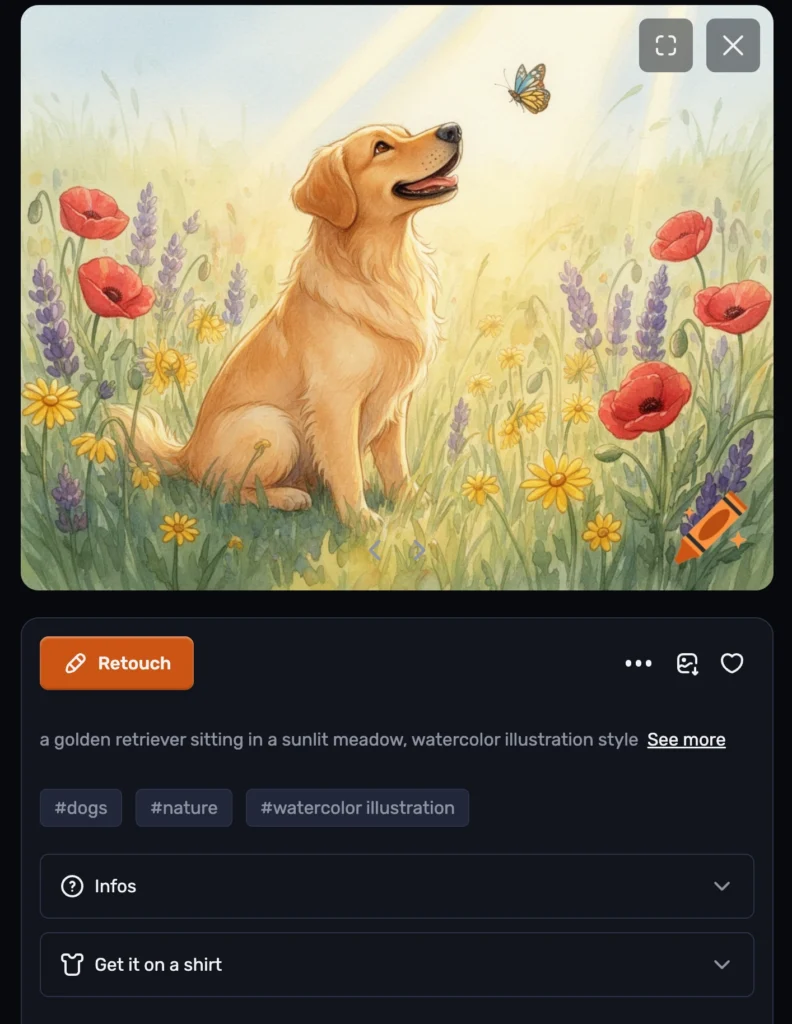
- ✅ Strong: “a golden retriever sitting in a sunlit meadow, watercolor illustration style”
Step 3: Select an Art Style (Optional)
Craiyon offers six style presets:
- Artistic — painterly, digital painting aesthetic
- Photo — realistic, photographic results
- Anime — Japanese animation-inspired visuals
- Illustration — drawings and digital art styles
- Vector — clean, scalable graphics with bold shapes
- Raw — pure AI output without style bias
Step 4: Click “Draw”
Generation takes approximately 45–90 seconds on the free tier. A subscription removes ads and speeds up generation to under 15 seconds.
Step 5: Review and Download
Nine images are displayed. Click any image to expand it, then download your preferred version. Upscaling is available on paid plans.
Writing Better Prompts for Craiyon AI Art
The quality of your craiyon ai art output is directly proportional to the specificity and structure of your prompt.
Craiyon responds well to prompts that follow this formula:
[Subject] + [Action/Pose] + [Setting] + [Lighting] + [Style/Medium] + [Mood]
Prompt Examples by Use Case
For social media visuals:
“A minimalist flat-design illustration of a coffee cup with steam, pastel color palette, morning light, digital art”
For concept art:
“Futuristic city skyline at dusk, neon lights reflecting on rain-soaked streets, cyberpunk aesthetic, ultra-detailed”
For meme-style generations (what made Craiyon famous):
“Astronaut riding a horse on Mars, NASA photography style”
What Craiyon Struggles With
- Text rendering — Letters and words in generated images are almost always distorted.
- Human faces — Fine details like eyes and teeth often appear warped.
- Complex compositions — Scenes with multiple characters interacting tend to produce muddled results.
- Consistent characters — Craiyon cannot maintain a character’s appearance across multiple generations.
Is Craiyon AI Free? Understanding the Pricing Model
Yes, Craiyon AI is free to use — but the free tier comes with ads, slower speeds, and no image upscaling.
Craiyon operates on a freemium model:
Free Plan
- Unlimited image generation
- Ads displayed during generation
- ~45–90 second wait time
- 9 images per generation
- No upscaling
Supporter (~$10/month)
- Access to highest quality models
- 100 edit credits/month
- No watermarks, no attribution required
- HD downloads
- Generated images are public
Professional (~$20/month)
- Everything in Supporter
- 220 edit credits/month
- Private image generation
- Priority queue
- Early access to new features
Ultra (~$70/month)
- Everything in Professional
- 900 edit credits/month
- Highest priority queue
⚠️ Note: Craiyon does not currently offer a public API. If you need API access, check their pricing page for future updates as they’ve indicated it’s in development.
For most casual users, the free tier is entirely sufficient. The paid plans are worth considering only if speed or privacy is a priority.
Craiyon AI vs. The Competition: Honest Comparison
Craiyon AI leads on accessibility; it loses on image quality, speed, and advanced features compared to every major competitor.
Craiyon vs. DALL·E 3
DALL·E 3 (integrated into ChatGPT) produces dramatically sharper, more coherent images and handles complex prompts far better. However, it requires a ChatGPT Plus subscription ($20/month). Craiyon wins only on zero-cost access.
Craiyon vs. Midjourney
Midjourney is widely regarded as producing the highest aesthetic quality among AI art generators. The gap in output quality versus Craiyon is significant. Midjourney offers a web-based interface (no longer Discord-only) and paid plans starting at $10/month (Basic) up to $120/month (Mega).
Craiyon vs. Adobe Firefly
Adobe Firefly is trained on licensed content, making it commercially safe. It integrates into Adobe’s creative suite. Craiyon has no commercial safety guarantees — its training data is largely unfiltered internet content.
Craiyon vs. Stable Diffusion
Stable Diffusion is open-source and customizable but requires technical setup. Craiyon wins on zero-friction access; Stable Diffusion wins on customization and quality ceiling.
Common Issues and How to Fix Them
“My images look blurry or distorted”
Solution: Add quality-boosting terms to your prompt: “highly detailed, sharp focus, 8K resolution, professional photography”
“The faces look wrong”
Solution: Specify art styles that stylize rather than render realistically: “cartoon style, anime, illustrated portrait” — these tend to produce more coherent facial features in Craiyon.
“Generation is taking forever”
Solution: This is expected on the free tier during peak hours. Try during off-peak times (early morning US time) or upgrade to a paid plan.
“The image doesn’t match my prompt”
Solution: Craiyon struggles with abstract concepts. Make your prompt more concrete and visual. Avoid metaphors; describe what you literally want to see.
“I need multiple consistent images of the same character”
Solution: Craiyon cannot do this. For character consistency, use tools like Midjourney with reference images or DALL·E 3’s image editing features.
The Limits of Static Image Generation
Craiyon AI generates still images. But increasingly, content creation requires motion, voice, and interactivity. A single-frame image is rarely the final output in today’s content workflow.
This is where the conversation shifts from craiyon ai image generators to a broader category of AI creative tools.
BONUS: Go Beyond Images with Gaga AI — The All-in-One AI Video Creator
If Craiyon gives you the image, Gaga AI gives you the full production.

Gaga AI is an AI-powered creative platform designed for creators who need more than static outputs. While Craiyon AI handles the “generate a picture” use case well, Gaga AI covers the entire content creation pipeline — from still image to fully produced video content with voice and character.
What Gaga AI Offers
Image to Video AI
Turn any static image — including those generated by Craiyon — into a dynamic video clip. Upload your Craiyon output, describe the motion you want, and Gaga AI animates it. This workflow is especially powerful for:
- Animating AI-generated portraits
- Creating short social media clips from concept art
- Building product demo videos from illustrated mockups
Video and Audio Infusion
Gaga AI doesn’t just generate video — it synchronizes audio with it. You can:
- Overlay AI-generated music or ambient soundscapes
- Sync dialogue audio to video clips automatically
- Add sound effects based on scene context
- Blend voiceover with background audio at precise timing
This turns a silent image animation into a broadcast-ready content piece.
AI Avatar
Create a photorealistic or stylized AI avatar that speaks, reacts, and presents content on your behalf. Use cases include:
- Talking-head videos for YouTube or LinkedIn without appearing on camera
- Branded spokespersons for product pages
- Multilingual video content with the same visual persona
- Educational explainer videos at scale
Avatars can be customized in appearance, expression, and movement — no camera or studio required.
AI Voice Clone
Record a short sample of your voice (or use a provided voice library), and Gaga AI creates a digital voice clone that reads any script in your voice. This enables:
- Consistent voiceover across all video content
- Rapid localization — clone once, translate and speak in multiple languages
- Narration for courses, podcasts, or product walkthroughs without re-recording
Text-to-Speech (TTS)
Not ready to clone your voice? Gaga AI includes a high-quality TTS engine with:
- Multiple natural-sounding voices across languages and accents
- Emotional tone control (neutral, warm, authoritative, energetic)
- Adjustable speed and emphasis
- SSML support for fine-grained pronunciation control
Craiyon + Gaga AI: A Practical Workflow
- Generate a concept image using Craiyon’s free text-to-image tool
- Animate that image into a video clip using Gaga AI’s image-to-video feature
- Add voiceover using Gaga AI’s TTS or voice clone
- Sync audio — music, effects, and speech — into a single polished output
- Publish to YouTube, Instagram, TikTok, or LinkedIn
This pipeline takes a free Craiyon image and turns it into professional video content — without a camera, studio, or editing team.
Frequently Asked Questions (FAQ)
What is Craiyon AI?
Craiyon AI is a free, web-based text-to-image generator originally developed as DALL·E mini. It allows users to type any text description and receive nine AI-generated images in return, with no account required.
Is Craiyon AI free to use?
Yes. Craiyon offers unlimited free image generation on its free tier, supported by ads. Paid plans start at approximately $10/month (Supporter) and go up to $20/month (Professional) and $70/month (Ultra), offering better image quality, no watermarks, priority generation, and private image options.
How do I use Craiyon AI to make good images?
Write specific, descriptive prompts that include subject, setting, lighting, art style, and mood. Avoid abstract concepts. Adding terms like “highly detailed” or “professional photography” can improve output quality.
Is Craiyon AI safe?
Craiyon includes a basic content filter, but it is not foolproof. The platform is generally safe for general use. Its training data is unfiltered internet content, so outputs may occasionally be inconsistent with expectations.
What happened to DALL·E mini?
DALL·E mini was rebranded to Craiyon in 2022 to establish its own independent identity, separate from OpenAI’s DALL·E branding. The original team led by Boris Dayma continued developing and improving the platform, which has evolved significantly from its viral 2021 origins.
Can I use Craiyon AI images commercially?
Yes. Craiyon explicitly allows commercial use for all account types under its Terms of Use. Free users must credit Craiyon when publishing images commercially. Paid subscribers (Supporter and above) can use images commercially without attribution. Always review the current Terms of Use for the latest rules.
Why does Craiyon AI generate blurry images?
Craiyon uses an older architecture than modern premium tools. Its resolution and detail ceiling is lower than competitors like DALL·E 3 or Midjourney. Prompt engineering (adding quality keywords) can partially improve results but cannot fully overcome the model’s architectural limits.
What is the best alternative to Craiyon AI?
For higher-quality image generation: Midjourney or DALL·E 3. For free and open-source: Stable Diffusion. For complete video + voice content creation: Gaga AI.
Can Craiyon AI make videos?
No. Craiyon only generates static images. For AI-powered video creation — including image-to-video, AI avatars, voice cloning, and audio infusion — tools like Gaga AI are purpose-built for that workflow.
How is Craiyon AI different from Midjourney?
Midjourney produces significantly higher-quality, more aesthetically refined images and is favored by professional designers. Craiyon is free and requires no account but produces lower-resolution, less consistent outputs. They serve different user needs.