Key Takeaways
- AI voice overs transform text into human-like speech using neural networks, with quality now indistinguishable from real voice actors
- Free ai voiceover options exist: ElevenLabs (10,000 chars/month), Gaga AI (basic tier), and Speechify trial provide no-cost entry points
- Murf AI voiceover leads for business users with collaboration tools and clear pricing at $19/month
- Professional results require proper script preparation, strategic voice selection, and basic audio post-processing
- Best platforms for 2026: Gaga AI (cinematic), ElevenLabs (realism), Murf AI (business), Speechify (accessibility), HeyGen (video integration)
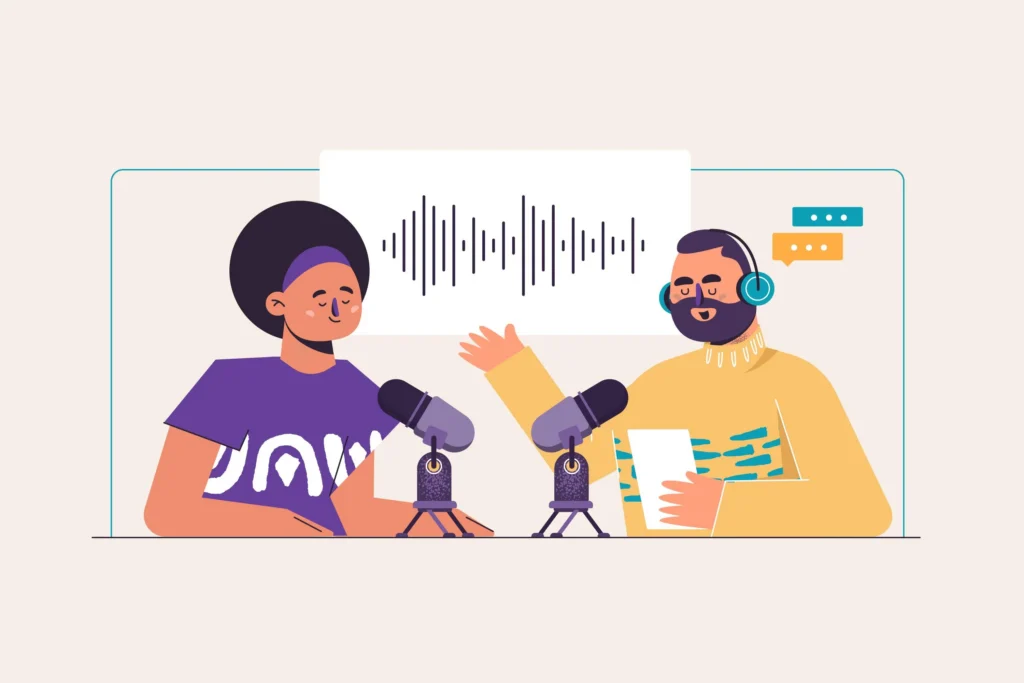
Table of Contents
What Are AI Voice Overs?
AI voice overs are computer-generated speech recordings that convert written text into natural-sounding spoken audio using artificial intelligence. Unlike robotic text-to-speech systems from the past, modern AI voiceover technology uses deep learning neural networks to produce human-like speech with authentic intonation, emotion, and breathing patterns.
These tools analyze massive datasets of human voice recordings to learn natural speech patterns, then generate new audio that captures subtle emotional nuances, regional accents, and voice characteristics like age, gender, and pitch. The technology has evolved dramatically since 2023, with current AI voice over models now passing blind listening tests against human recordings.
How AI Voiceover Technology Works
The process involves three core components:
1. Text Analysis: The AI breaks down your script, identifying punctuation, sentence structure, and context clues
2. Prosody Generation: The system determines pitch, rhythm, stress, and intonation patterns
3. Audio Synthesis: Neural networks generate the actual audio waveform matching the desired voice characteristics
Modern ai voiceover platforms use transformer models and generative adversarial networks (GANs) to achieve near-human quality, making them ideal for YouTube videos, podcasts, e-learning courses, marketing content, and more.
Best AI Voiceover Tools in 2026
ElevenLabs currently leads the market for voice realism, while Murf AI voiceover offers the best balance of features for business users. Here’s how the top platforms compare:
ElevenLabs
Best for: Maximum realism and voice cloning
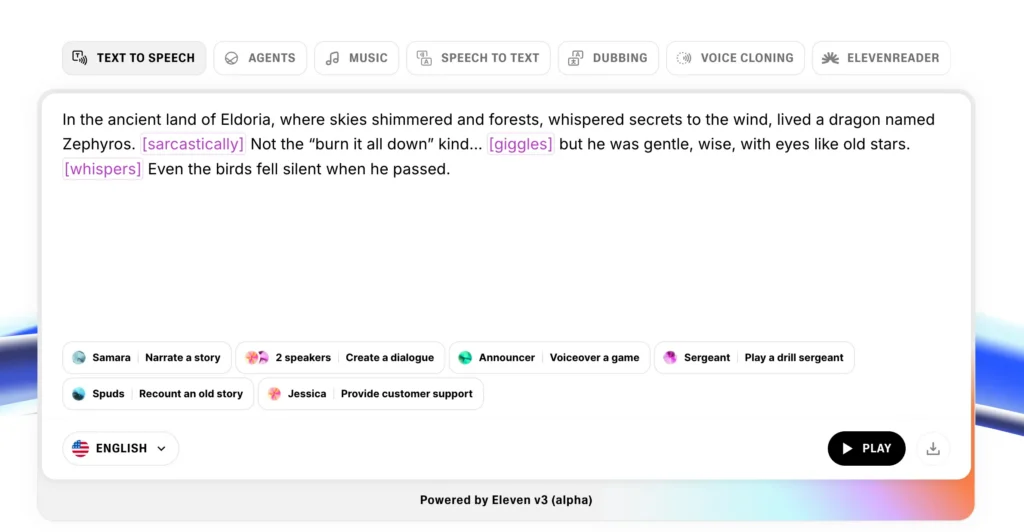
ElevenLabs produces the most natural-sounding ai voice overs available, with particular strength in capturing emotional nuance and natural speech patterns. Their voice cloning feature can replicate a specific person’s voice from just 1 minute of audio.
- Pricing: Free tier (10,000 characters/month), paid plans from $5/month
- Voice library: 500+ pre-made voices plus custom voice cloning
- Languages: 29 languages with native speaker quality
- Standout feature: Projects mode for organizing long-form content
- Free AI voiceover option: Yes, with 10,000 characters monthly
Murf AI Voiceover
Best for: Business presentations and e-learning
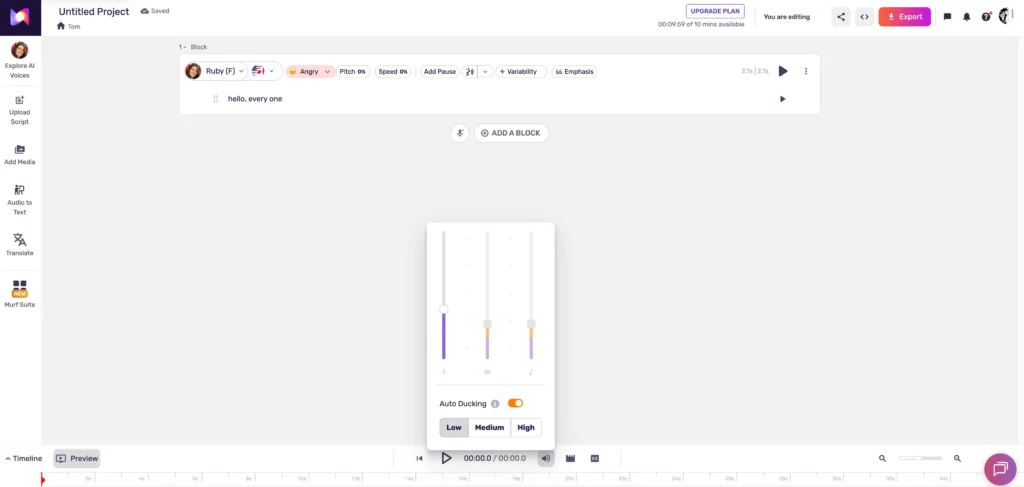
Murf AI voiceover specializes in professional business applications with a clean interface and collaboration features. The platform excels at corporate training videos, presentations, and explainer content.
- Pricing: Free trial, paid plans from $19/month
- Voice library: 120+ voices optimized for clarity
- Languages: 20+ languages
- Standout feature: Built-in video editor and team collaboration tools
- Why choose Murf: Best ai voiceover for teams and business content
Speechify
Best for: Accessibility and text-to-speech conversion
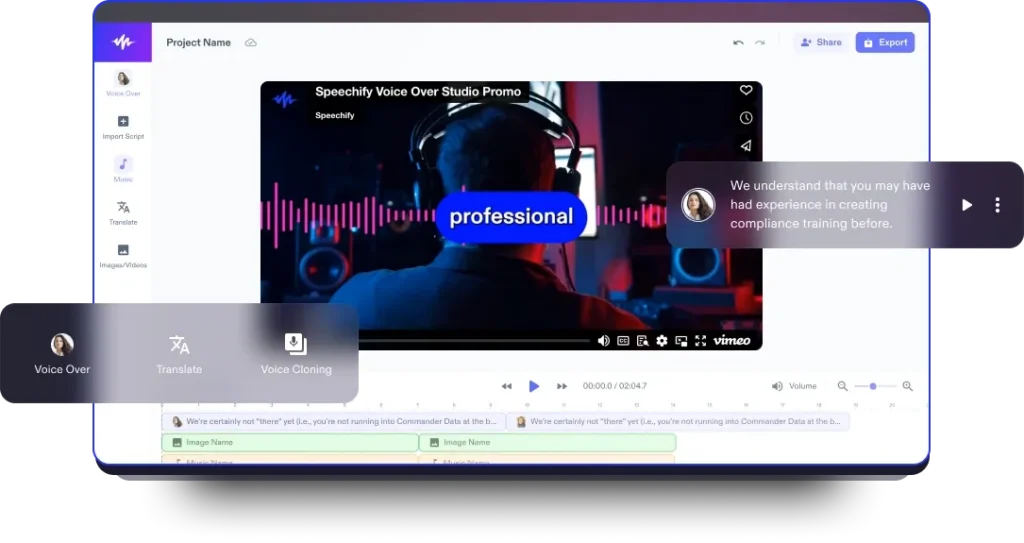
Originally designed as an assistive technology tool, Speechify has expanded into general ai voiceover creation. It works seamlessly for converting documents, articles, and PDFs into audio.
- Pricing: Free version available, premium from $11.58/month
- Voice library: 50+ voices with celebrity voice options
- Languages: 30+ languages
- Standout feature: Chrome extension for reading web content aloud
- Free AI voice over access: Limited voices in free tier
Adobe Express (Audio Features)
Best for: Creative professionals using Adobe ecosystem
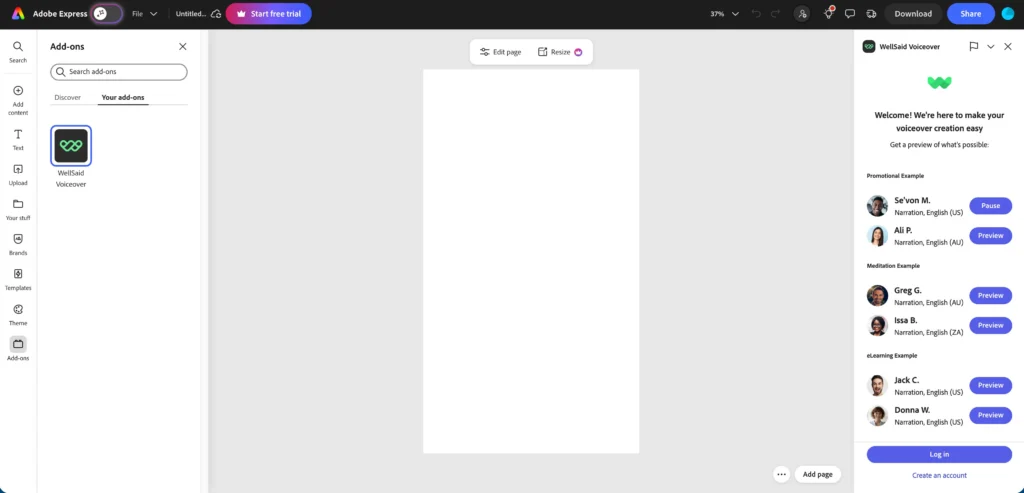
Adobe’s integration allows ai voiceover generation directly within your design workflow, though the AI voice quality lags slightly behind specialized platforms.
- Pricing: Included with Adobe Creative Cloud subscription
- Voice library: 30+ voices
- Languages: 15 languages
- Standout feature: Native integration with Premiere Pro and After Effects
Artlist (Voiceover Capabilities)
Best for: Video creators needing combined audio assets
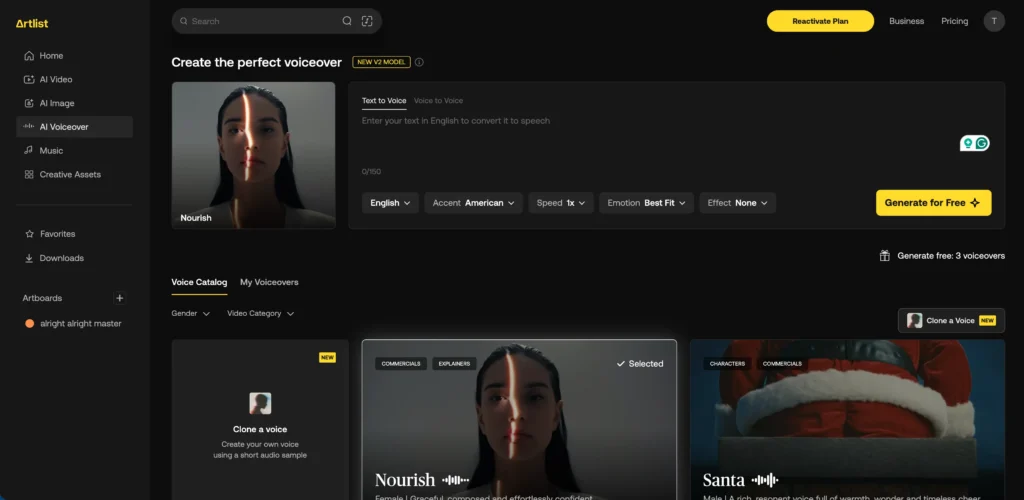
Artlist recently added ai voice over tools to complement their royalty-free music library, creating a one-stop shop for video audio needs.
- Pricing: Bundled with Artlist subscription ($14.99/month)
- Voice library: 40+ voices
- Languages: 12 languages
- Standout feature: Unified licensing for music, SFX, and ai voiceovers
HeyGen
Best for: AI avatar videos with synchronized lip movements
HeyGen combines ai voiceovers with AI-generated video avatars, creating complete videos where the on-screen character’s mouth movements match the generated audio.
- Pricing: Free tier (1 credit), paid from $24/month
- Voice library: 300+ voices
- Languages: 40+ languages
- Standout feature: Automatic lip-sync with AI avatars
Gaga AI
Best for: Seamless voiceover and video integration
Gaga AI specializes in infusing ai voiceovers directly into video content with automatic timing and synchronization. The platform handles both audio generation and video editing in a unified workflow, making it ideal for content creators who want end-to-end production without switching tools.
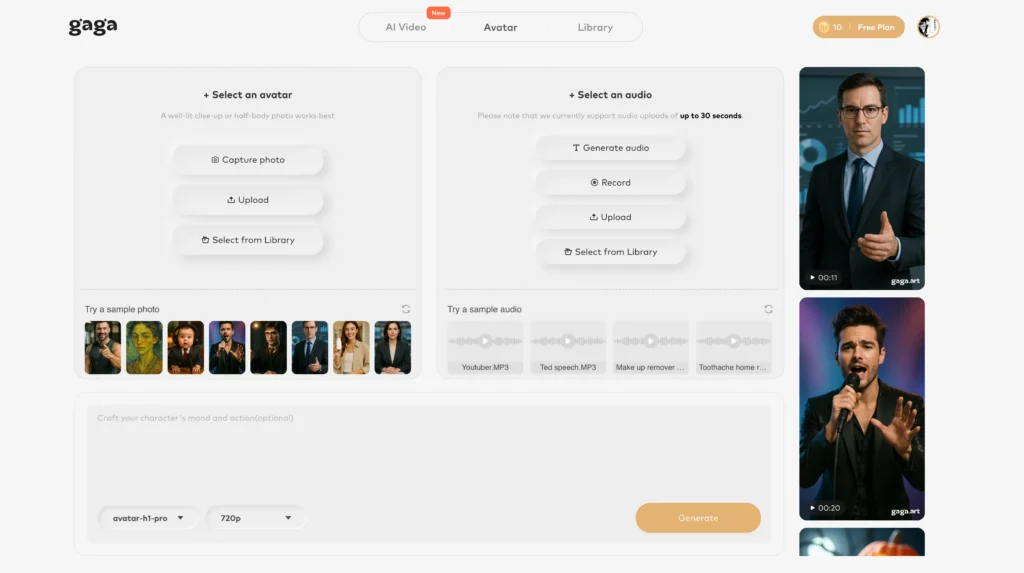
- Pricing: Free basic tier available, premium plans for advanced features
- Key strength: Automatic audio-video synchronization
- Use case: Social media content, marketing videos, educational content
- Free ai voiceover free option: Yes, basic features included at no cost
Free AI Voiceover Options: What You Actually Get
Most ai voiceover platforms offer limited free tiers, but with significant restrictions that make them suitable primarily for testing or very light use.
ElevenLabs Free Tier
Best free AI voice over option for quality
- Monthly allowance: 10,000 characters (~1,500 words)
- Commercial use: No commercial rights on free plan
- Voice cloning: Not available
- Audio quality: Same quality as paid tiers
- Best for: Testing the platform, personal projects
Gaga AI Free Tier
Best free option for video integration
- Monthly allowance: Basic video projects with ai voiceover
- Video integration: Automatic synchronization included
- Best for: Social media creators testing voiceover workflows
Murf AI Free Trial
Best for evaluating business features
- Trial duration: 10 minutes of audio generation
- Commercial use: No commercial rights
- Voiceover access: Full voice library during trial
- After trial: Must upgrade to continue use
- Best for: Evaluating if murf ai voiceover suits your workflow
Speechify Free Version
Best ai voiceover free option for accessibility
- Monthly allowance: Unlimited listening for personal use
- Speed options: Limited speed adjustments
- Voice selection: 10 voices (vs. 50+ on premium)
- Best for: Document reading and accessibility needs
Free Alternatives with Broader Limits
- Google Cloud Text-to-Speech: $0 for first 4 million characters/month (WaveNet voices)
- Amazon Polly: 5 million characters free for 12 months
- Microsoft Azure Speech: 0.5 million characters free monthly
These developer-focused platforms require technical setup but offer generous free tiers for personal projects and learning.
The Free Tier Reality Check
Free ai voiceover tools work well for:
- Testing before committing to paid plans
- School projects and personal learning
- Low-volume podcast intros (1-2 per month)
- Social media experiments and practice content
Free tiers don’t work for:
- Consistent content creation (you’ll hit limits in days)
- Commercial projects requiring legal usage rights
- Professional quality standards at scale
For serious content creation, budget $15-30/month for a basic paid plan with commercial licensing and higher character limits.
How to Create Professional AI Voice Overs: Step-by-Step Guide
Creating high-quality ai voice overs requires more than just pasting text into a generator. Follow this systematic approach to achieve professional results:
Step 1: Prepare Your Script
Write for the ear, not the eye. Spoken content differs fundamentally from written content:
- Use short sentences: Keep sentences under 20 words for natural breathing points
- Write contractions: “Don’t” sounds more natural than “do not”
- Avoid complex punctuation: Semicolons and em-dashes confuse AI prosody
- Add pronunciation guides: Use phonetic spellings for brand names or technical terms (write “sequel” instead of “SQL”)
- Include emotional direction: Add notes like [enthusiastic] or [serious tone] where relevant
Pro tip: Read your script aloud before generating audio. If it’s difficult to speak naturally, rewrite it.
Step 2: Choose the Right Voice
Voice selection dramatically impacts how your message is received:
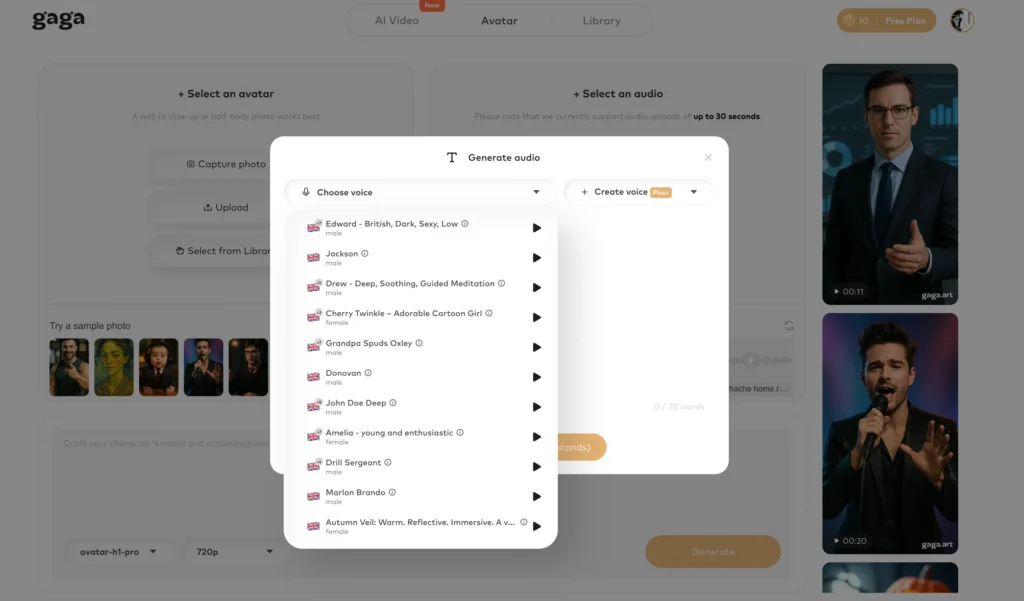
- Match voice to content purpose: Young energetic voices for youth marketing, authoritative mature voices for financial advice
- Consider gender expectations: While avoiding stereotypes, some industries have audience expectations (83% of meditation app users prefer female voices)
- Test accent appropriateness: Use neutral accents for global audiences, regional accents for local market targeting
- Evaluate emotional range: Preview how the voice handles both excited and serious content
Most ai voiceover platforms let you preview 30-60 seconds before committing to generation.
Step 3: Adjust Voice Parameters
Fine-tune these settings for optimal ai voice over results:
- Speed: 0.9x-1.0x for educational content, 1.1x-1.3x for energetic marketing
- Pitch: Lower pitch conveys authority, higher pitch conveys enthusiasm
- Stability: Higher values (0.7-1.0) create consistency, lower values (0.3-0.6) add natural variation
- Clarity/Similarity: Balance between crisp articulation and natural human imperfection
Step 4: Generate and Review
Create your audio and evaluate these quality factors:
- Pronunciation accuracy: Listen for mispronounced words or awkward emphasis
- Natural flow: Check for robotic cadence or unnatural pauses
- Emotional consistency: Verify the tone matches your intended message throughout
- Audio artifacts: Listen for glitches, pops, or unnatural breathing sounds
Generate multiple takes with slight script variations if the first attempt has issues.
Step 5: Post-Process Your Audio
Even great ai voiceover audio benefits from professional finishing:
1. Normalize audio levels: Target -3dB peak, -16 LUFS for video content
2. Remove silence: Trim dead air at the beginning and end
3. Add subtle compression: Use a 3:1 ratio to even out dynamics
4. Apply EQ: Gentle high-pass filter at 80Hz removes rumble
5. Add room tone: 0.5 seconds of silence at the start prevents jarring begins
Free tools like Audacity or paid options like Adobe Audition handle these tasks efficiently.
AI Voiceover Pricing: What to Expect in 2026
AI voiceover costs range from $5 to $100+ monthly depending on usage volume and feature needs. Here’s how pricing typically structures:
Entry-Level Plans ($5-20/month)
Suitable for: Solo creators, small YouTube channels, occasional podcast use
- Character limits: 30,000-100,000 characters/month
- Voice access: Full voice library
- Commercial rights: Included
- Voice cloning: Limited or not included
- Examples: ElevenLabs Starter ($5), basic ai voiceover plans
Professional Plans ($20-50/month)
Suitable for: Regular content creators, small marketing teams, e-learning developers
- Character limits: 200,000-500,000 characters/month
- Voice access: Full library plus priority voices
- Commercial rights: Full commercial licensing
- Voice cloning: 3-10 custom voices
- Collaboration: Team seats and project sharing
- Examples: Murf AI voiceover Pro ($19-29), ElevenLabs Creator ($22)
Enterprise Plans ($100+/month)
Suitable for: Agencies, large marketing departments, production studios
- Character limits: 1,000,000+ characters or unlimited
- API access: Integrate ai voice overs into your applications
- Priority processing: Faster generation speeds
- Custom voices: Unlimited voice cloning and custom model training
- White-label options: Remove platform branding
Pay-As-You-Go Options
Some platforms offer credit-based systems:
- Typical cost: $0.30-$1.00 per 1,000 characters
- Best for: Irregular users with sporadic needs
- Drawback: Often more expensive than subscriptions for regular use
Industry-Specific Applications of AI Voice Overs
Different industries leverage ai voiceovers in unique ways tailored to their specific content needs:
E-Learning and Education
AI voice overs reduce course production costs by 75% while maintaining consistent narration quality across hundreds of lessons.
Common applications:
- Narrating slide presentations and video lectures
- Creating interactive course modules with branching dialogue
- Providing multi-language versions of educational content
- Generating practice listening exercises for language learning
Best practices: Use authoritative, clear voices at slightly slower speeds (0.9x-1.0x) for complex material. Murf ai voiceover excels in this category.
YouTube and Content Creation
Over 40% of professional YouTubers now use ai voice overs for at least some content, particularly for explainer videos, top 10 lists, and documentary-style content.
Common applications:
- Faceless channel narration (mystery, facts, history)
- Multilingual versions for international audiences
- Consistent voicing across team-produced content
- Rapid response to trending topics
Best practices: Add subtle background music to mask any remaining AI artifacts and increase production value. Free ai voiceover options work well for testing video concepts.
Marketing and Advertising
AI voiceovers enable small businesses to create professional ad content without agency budgets.
Common applications:
- Social media video ads (Instagram, TikTok, Facebook)
- Product demo videos
- Explainer videos for landing pages
- Podcast advertising spots
Best practices: A/B test different voices and delivery styles to optimize conversion rates. Gaga AI’s video integration streamlines ad production.
Podcasting
Indie podcasters use ai voice overs for intro/outro segments, ad reads, and bonus content, reserving human voices for main conversations.
Common applications:
- Standardized intro and outro segments
- Dynamically inserted ad reads
- Creating audio versions of written show notes
- Producing translated versions for international markets
Best practices: Maintain consistency by using the same AI voice throughout your podcast’s run for non-main-content segments.
Accessibility
AI voiceovers democratize content accessibility by making it economically feasible to add audio versions to text content.
Common applications:
- Converting written articles to audio for visually impaired users
- Adding voiceover to silent instructional videos
- Creating audio descriptions for visual media
- Generating spoken versions of ebooks and documents
Best practices: Prioritize clarity over personality; choose neutral voices that enunciate clearly. Speechify’s free ai voice over tier works well for accessibility projects.
Why Use AI Voice Overs Instead of Human Voice Actors?
AI voiceovers reduce production time from days to minutes and cost 90% less than hiring professional voice actors, making professional audio accessible to creators with any budget.
Primary Advantages
- Speed: Generate finished audio in 2-5 minutes versus 2-3 days for human recording, editing, and delivery
- Cost-effectiveness: Pay $10-$50/month for unlimited generation versus $100-$500 per project with human talent
- Iteration flexibility: Make unlimited revisions instantly without re-recording fees
- Consistency: Maintain identical voice characteristics across hundreds of videos or audio files
- Multilingual capability: Generate ai voice overs in 50+ languages without hiring multiple actors
- 24/7 availability: Create content on your schedule without coordinating with voice talent
When Human Voice Actors Still Win
Despite these advantages, human voice actors remain superior for:
- High-stakes brand campaigns requiring authentic emotional connection
- Content where the voice itself is the product (audiobooks by celebrity narrators)
- Projects requiring improvisation or creative interpretation
- Scenarios where nuanced emotional depth is paramount
Frequently Asked Questions About AI Voice Overs
Can AI voiceovers sound completely human?
Yes, the best ai voiceover platforms produce audio that’s indistinguishable from human recordings in most contexts. Platforms like ElevenLabs and Play.ht achieve near-perfect human quality for standard narration. However, AI still struggles with highly emotional performances requiring subtle improvisational nuance that trained voice actors provide.
Is it legal to use AI voice overs for YouTube videos?
Yes, using ai voice overs in YouTube videos is legal and permitted under YouTube’s terms of service. You need to ensure two things: (1) your AI voiceover platform grants commercial usage rights (check your plan’s license), and (2) you’re not violating anyone’s rights by cloning their voice without permission. YouTube encourages transparency, so consider disclosing AI voiceover use in your description.
Can I monetize content with AI voice overs?
Yes, you can monetize content featuring ai voiceovers as long as your AI platform’s license includes commercial rights. Most paid plans ($10+/month) include commercial licensing, while free tiers typically do not. Always review your specific platform’s terms of service. YouTube Partner Program, Spotify, and most podcast platforms allow AI-voiced content for monetization.
What’s the best free AI voiceover tool?
ElevenLabs offers the best free ai voiceover option with 10,000 characters per month (approximately 1,500 words) and the same voice quality as paid tiers. Gaga AI also provides a free basic tier with video integration features. However, free plans don’t include commercial usage rights. For truly unlimited free use with commercial rights, consider Google Cloud Text-to-Speech (4 million characters free monthly) or Amazon Polly (5 million characters free for 12 months), though both require technical setup.
How does Murf AI voiceover compare to other platforms?
Murf AI voiceover is the best choice for business users and teams thanks to its collaboration features, built-in video editor, and voices optimized for corporate content. While ElevenLabs produces slightly more realistic voices for creative content, murf ai voiceover excels at professional presentations, e-learning courses, and team workflows. Pricing starts at $19/month versus ElevenLabs’ $5/month, reflecting the additional business features.
Can I use free AI voice over tools for commercial projects?
No, most free ai voiceover tiers do not include commercial usage rights. ElevenLabs’ free tier, Speechify’s basic plan, and most trial offers restrict use to personal, non-commercial projects. If you plan to monetize your content through ads, sponsorships, or direct sales, you’ll need a paid plan with explicit commercial licensing. Always read the terms of service carefully before using free ai voice over options commercially.
Do AI voiceovers support multiple languages?
Yes, leading ai voiceover platforms support 20-50+ languages with native-speaker quality. ElevenLabs offers 29 languages, murf ai voiceover provides 20+, and Speechify supports 30+ languages. Many platforms also handle accents within languages (British vs. American English, European vs. Latin American Spanish). This makes multilingual content creation dramatically more accessible and affordable than hiring multiple voice actors.
How do I fix AI mispronunciation of specific words?
Most ai voiceover platforms let you control pronunciation through phonetic respelling directly in your script. For example, write “sequel” instead of “SQL” or “A-W-S” instead of “AWS.” Some advanced platforms like Murf AI and ElevenLabs offer custom pronunciation dictionaries where you can save corrections for recurring terms. Alternative method: Use the International Phonetic Alphabet (IPA) notation if your platform supports it.
Can I clone my own voice with AI?
Yes, most professional ai voiceover platforms include voice cloning features where you can create a digital replica of your own voice. You’ll need to upload 1-10 minutes of clean audio recordings of yourself speaking. ElevenLabs, Play.ht, and Murf AI voiceover all offer voice cloning. This ensures you can generate consistent ai voice overs in your own voice without recording each time, useful for scaling content production.
What’s the difference between ai voiceover free and paid plans?
Free ai voiceover plans typically limit monthly character usage (10,000-30,000 characters) and exclude commercial rights, while paid plans ($10-50/month) offer higher limits (100,000-500,000+ characters), commercial licensing, voice cloning, and priority generation speeds. For example, ElevenLabs free gives you 10,000 characters monthly for personal use only, while the $5 paid plan provides 30,000 characters with full commercial rights. Free plans work for testing and personal projects; paid plans are essential for consistent content creation.
How long does it take to generate AI voiceovers?
Most ai voiceover platforms generate 1 minute of audio in 5-30 seconds depending on server load and script complexity. ElevenLabs typically processes in 10-15 seconds per minute of audio. Longer scripts (10+ minutes) may take 2-5 minutes total. Voice cloning during setup takes 3-10 minutes initially but subsequent generation is fast. This is dramatically faster than human voice actors, who require recording time plus 1-2 days for editing and delivery.
Is Gaga AI really free for voiceover and video integration?
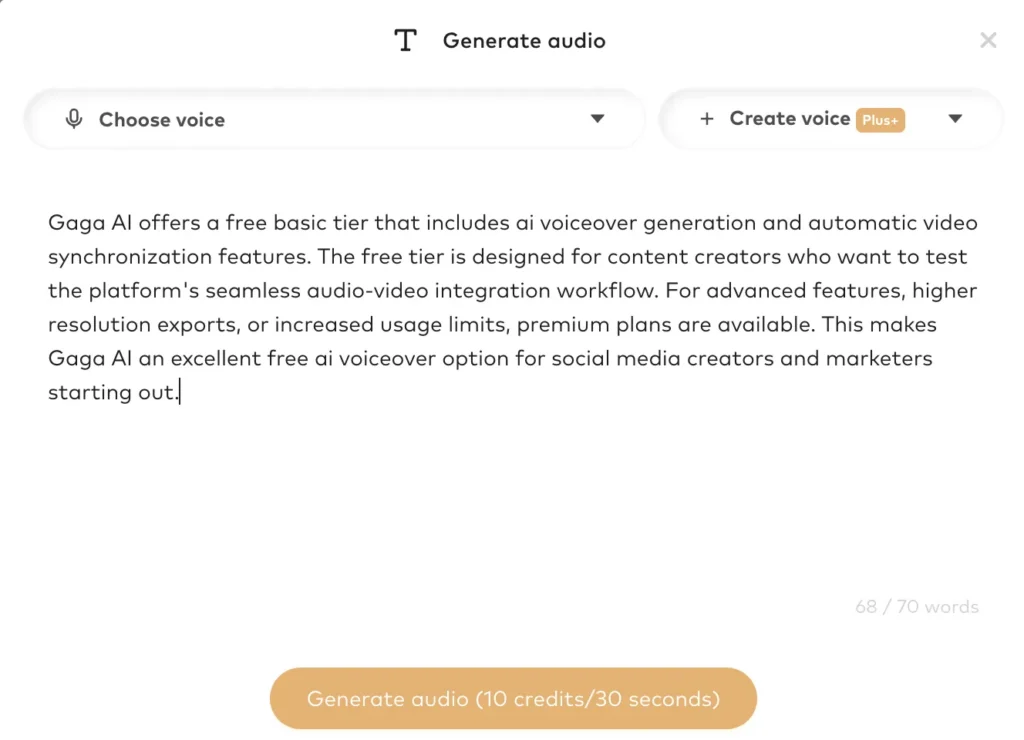
Yes, Gaga AI offers a free basic tier that includes ai voiceover generation and automatic video synchronization features. The free tier is designed for content creators who want to test the platform’s seamless audio-video integration workflow. For advanced features, higher resolution exports, or increased usage limits, premium plans are available. This makes Gaga AI an excellent free ai voiceover option for social media creators and marketers starting out.