Key Takeaways
- MiniMax Music 2.5 introduces paragraph-level precision control with 14 structural tags (Intro, Verse, Chorus, Bridge, Hook, and more)
- The model achieves physical-grade high fidelity with studio-quality mixing and 100+ instruments
- Vocal synthesis now features natural vibrato, chest/head resonance transitions, and authentic breathing patterns
- Automatic style-adaptive mixing replicates genre-specific sonic characteristics
- Pricing starts at ¥36 for 100,000 credits (approximately $0.10 per song)
- API access available for developers at platform.minimax.io
Table of Contents
What Is MiniMax Music 2.5?
MiniMax Music 2.5 is an AI-powered music generation model that transforms text prompts and lyrics into full-length, professionally produced songs.
Released on January, 28th, 2026 by MiniMax (the company behind Hailuo AI video), this latest version addresses two fundamental challenges in AI music: controllability and authenticity.
The model functions as a complete “singing producer,” handling composition, vocal performance, arrangement, and mixing in a single generation pass. Unlike earlier AI music tools that produced generic outputs, MiniMax Music 2.5 gives creators precise control over song structure while delivering audio quality that approaches professional studio standards.
What Changed from Version 2.0
MiniMax Music 2.0 (released October 2025) established the foundation as a capable “singing producer” with improved vocal realism and five-minute track lengths. Version 2.5 builds on this with two breakthrough improvements:
Paragraph-level precision control replaces the basic structural guidance of 2.0 with 14 distinct section tags that allow detailed architectural planning.
Physical-grade high fidelity addresses the remaining “AI tells” in audio quality—the subtle artifacts, unnatural transitions, and mixing compromises that marked earlier generations.
The result is a tool that bridges the gap between demo-quality AI output and release-ready professional production.
Core Features of MiniMax Music 2.5
Paragraph-Level Precision Control
MiniMax Music 2.5 supports 14 structural tags that let you design complete song architectures:
- Intro
- Verse
- Pre-Chorus
- Chorus
- Hook
- Bridge
- Interlude
- Build-up
- Drop
- Breakdown
- Outro
- Instrumental
- Vocal Break
- Ad-lib
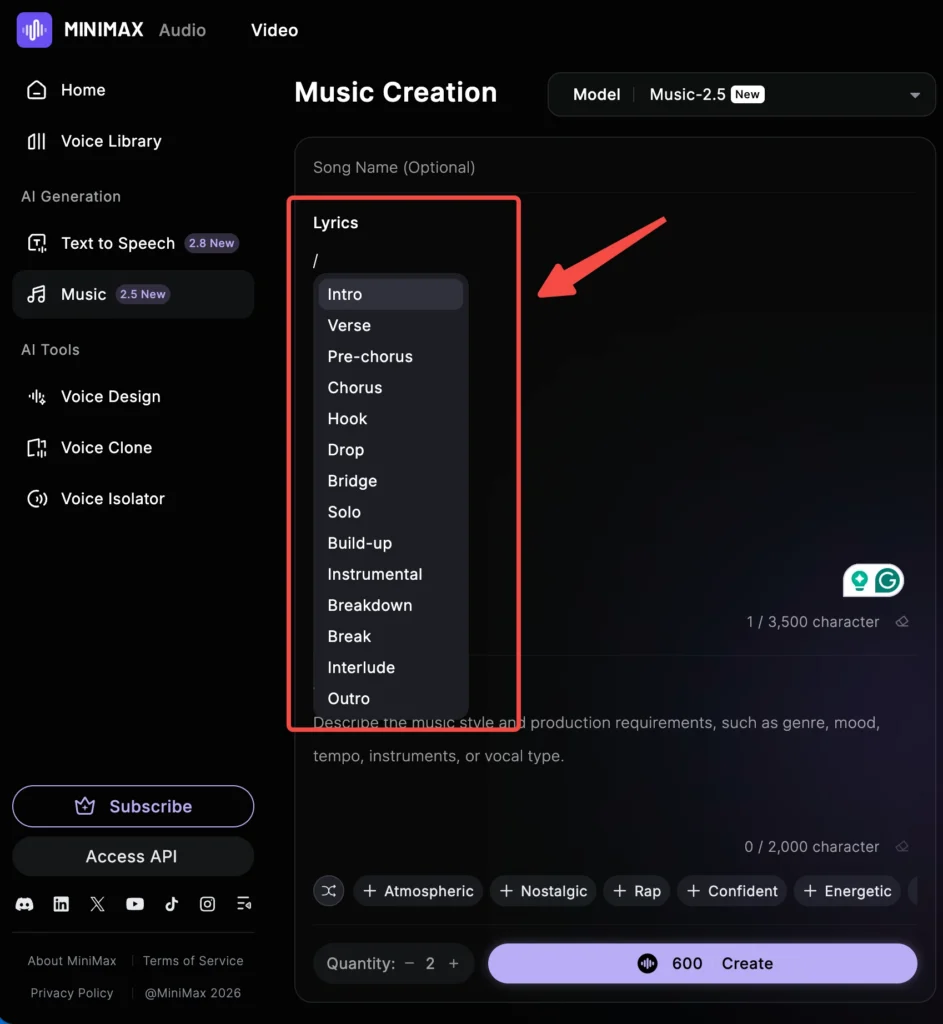
This granular control means you can plan emotional arcs, instrumental climaxes, and vocal dynamics before generation—functioning like a professional arranger rather than hoping for acceptable random outputs.
Physical-Grade High Fidelity
The model’s audio quality improvements span three critical areas:
Vocal Synthesis:
Smooth pitch transitions replace the robotic jumps common in earlier AI vocals. Natural vibrato evolves throughout phrases, and the system handles chest-to-head resonance shifts that give vocals authentic human warmth. The improvement becomes most apparent in challenging vocal passages—belt notes that require controlled intensity, soft falsetto moments demanding delicate delivery, and emotional climaxes where earlier AI systems produced flat, lifeless output.
Breathing patterns now integrate naturally between phrases. You can hear the intake before sustained notes and the subtle exhalation following intense passages. This attention to physiological detail addresses one of the most common complaints about AI vocals: the uncanny sense that something is missing even when individual notes sound correct.
Style-Adaptive Mixing:
MiniMax Music 2.5 recognizes genre characteristics and automatically adjusts its mixing approach. Rock tracks get appropriate power and distortion; 1980s-style productions receive authentic vintage warmth; jazz recordings capture the characteristic low-pass filtering and spatial depth.
This automatic adaptation extends to subtle production choices. Lo-fi tracks include the grainy vinyl texture and compressed midrange warmth that define the genre. Modern electronic productions receive the wide stereo imaging and precise transients expected in contemporary dance music. The model understands that a “1980s Minneapolis sound” means specific synth textures, particular drum machine timbres, and characteristic spatial treatments—not just generic retro filtering.
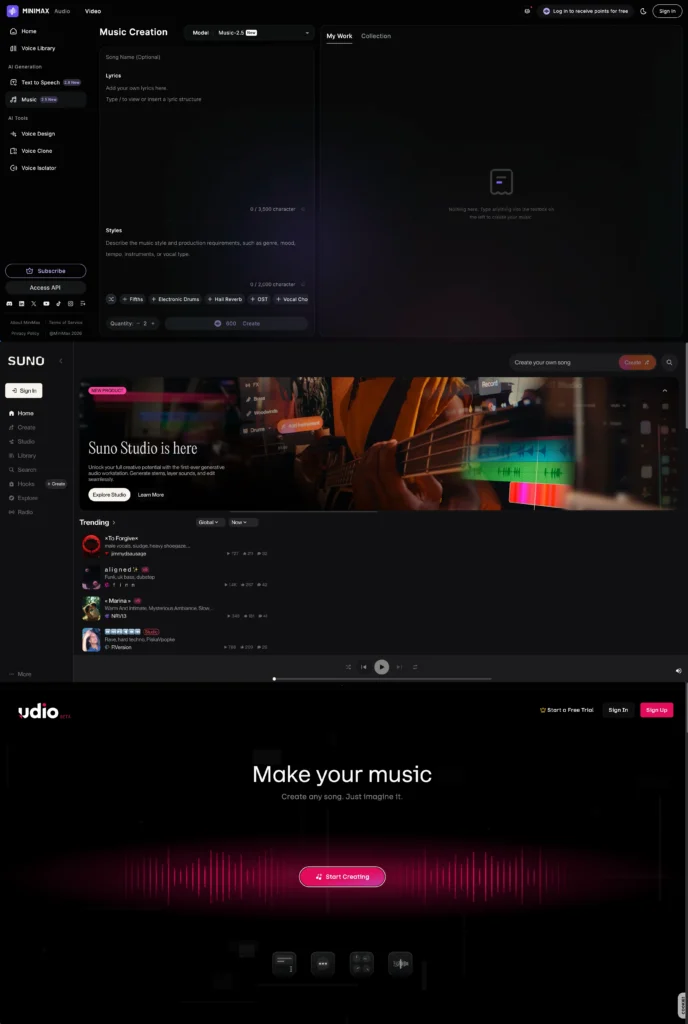
How MiniMax Music 2.5 Compares to Suno and Udio
| Feature | MiniMax Music 2.5 | Suno v5 | Udio |
| Structural Control | 14 tags | Basic tags | Moderate |
| Max Track Length | 5+ minutes | 4 minutes | 15 minutes (extended) |
| Vocal Realism | Excellent | Good | Very Good |
| Chinese Language | Excellent | Limited | Limited |
| Predictability | High | Moderate | Moderate |
| API Access | Yes | Yes | Limited |
| Free Tier | 10,000 credits | 50 credits/day | 10 credits/day |
MiniMax excels at predictable, controllable outputs—particularly valuable for professional workflows where specific results matter. Suno tends toward greater creative variation (which can be desirable or frustrating), while Udio offers longer track extensions but currently faces download limitations following its Universal Music Group partnership.
Choosing Between Platforms
Choose MiniMax Music 2.5 when you need:
- Precise structural control over song sections
- Excellent Chinese, Cantonese, or other Asian language vocals
- Predictable, repeatable results across multiple generations
- API integration for automated workflows
- Cost-effective high-volume production
Choose Suno when you need:
- Maximum creative variation and experimentation
- DAW-like editing tools for post-generation refinement
- Stem separation and export capabilities
- Strong performance across mainstream Western genres
Choose Udio when you need:
- Extended track lengths beyond 5 minutes
- Raw, dynamic vocal performances
- Complex structure building through modular extensions
The market has matured beyond “which is best” toward “which fits your specific use case.” Professional producers increasingly use multiple platforms, selecting the tool that matches each project’s requirements.
How to Create Music with MiniMax Music 2.5
Step 1: Access the Platform
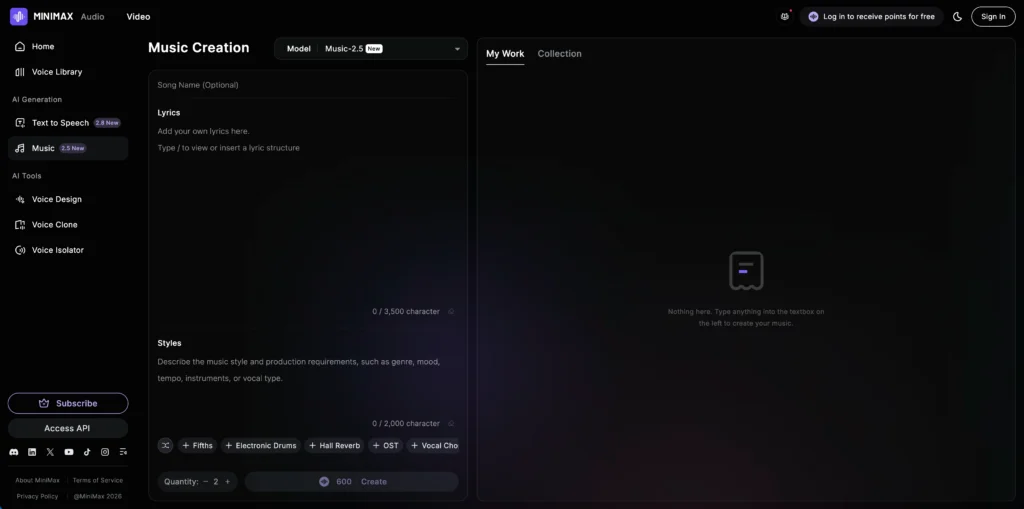
Navigate to minimax.io/audio/music and switch the model selector to “2.5” in the interface. The platform provides two primary input areas: a lyrics field and a style description field.
Step 2: Structure Your Lyrics
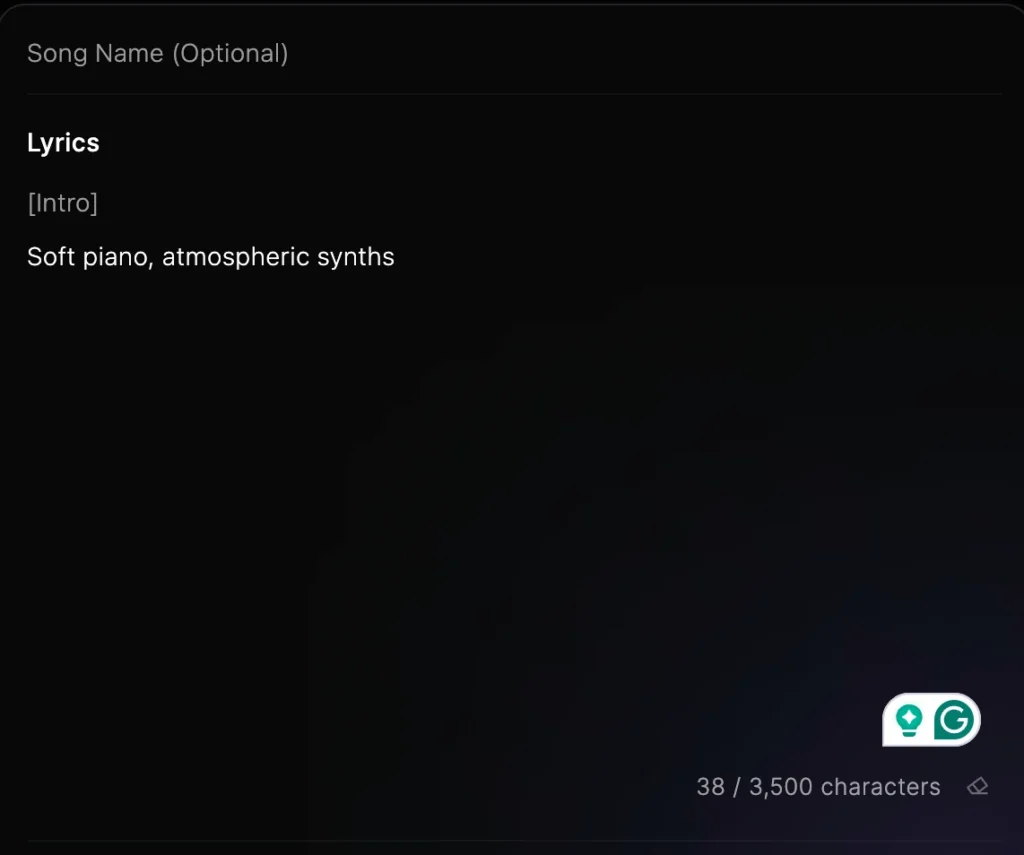
Add structural tags within your lyrics to control song sections:
| [Intro](Soft piano, atmospheric synths) [Verse 1]Walking through the city lightsEvery shadow tells a story tonight [Pre-Chorus]And I can feel it rising [Chorus]We’re alive in this momentNothing can break us down |
Pro tip: Use parenthetical notes like (guitar solo) or (building intensity) to guide instrumental sections and dynamic changes within tagged sections.
Step 3: Define Your Style Prompt
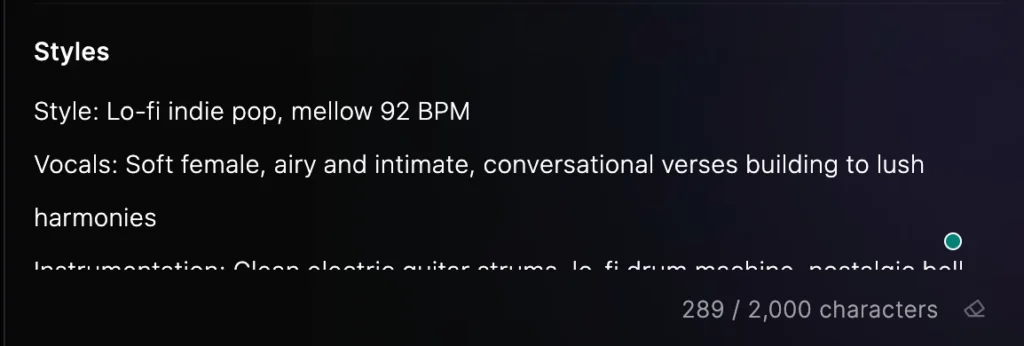
Use specific descriptors for best results:
- Genre keywords: indie pop, nu-metal, lo-fi jazz, Minneapolis sound
- Instrumentation: acoustic guitar, synth bass, trap hi-hats
- Vocal characteristics: breathy female vocal, gravelly male voice, emotional delivery
- Production style: vintage warmth, modern crisp, analog saturation
Effective prompt structure:
| Style: [genre], [tempo/energy] Vocals: [gender], [quality descriptors], [emotional tone] Instrumentation: [primary instruments], [secondary elements] Production: [era or style reference], [mixing characteristics] |
Example prompt:
Style: Lo-fi indie pop, mellow 92 BPM
Vocals: Soft female, airy and intimate, conversational verses building to lush harmonies
Instrumentation: Clean electric guitar strums, lo-fi drum machine, nostalgic bell synth
Production: Vinyl warmth, gentle compression, bedroom recording aesthetic
Step 4: Generate and Iterate
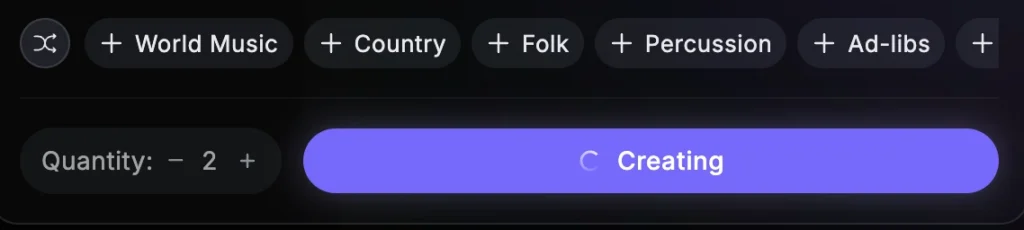
Click generate to create your track. Each generation costs approximately 300 credits. Review the output and refine your prompts based on results.
Iteration strategies:
- If vocals are too prominent, add “balanced mix” or “instrumentation-forward” to your prompt
- If energy is wrong, specify BPM and intensity descriptors explicitly
- If style isn’t matching, add era-specific references (“2010s blog-era indie” vs. “1990s alternative”)
Step 5: Export and Use
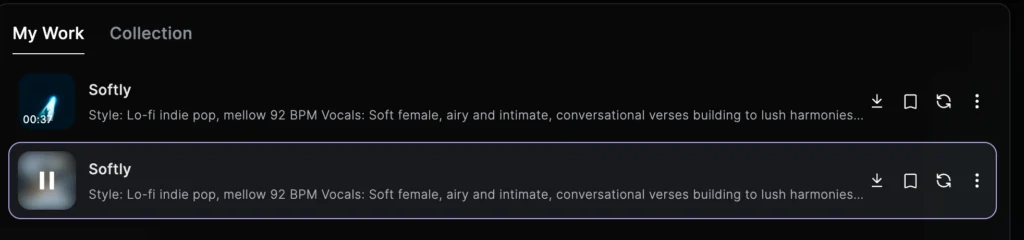
Download completed tracks for use in your projects. Review the current licensing terms for commercial applicatiresult-demoons.
Supported Languages and Vocal Capabilities
MiniMax Music 2.5 demonstrates exceptional multilingual performance, setting it apart from Western competitors:
- Chinese (Mandarin): Near-perfect pronunciation and natural flow, including complex rap verses with clear articulation of every character
- English: Strong performance across all genres with natural American and British accent options
- Cantonese: Authentic regional pronunciation with proper tonal delivery
- Wu (Shanghainese): Accurate tonal rendering for regional Chinese music styles
- Uyghur: Functional with minor connected-speech adjustments, demonstrating the model’s linguistic breadth
The Chinese language capability represents a significant advantage over Western competitors, making MiniMax the preferred choice for C-pop, Mandopop, and Chinese hip-hop production. Where Suno often struggles with complex Chinese characters (requiring workarounds like pinyin substitution), MiniMax handles standard lyrics without modification.
Rap Performance
MiniMax Music 2.5’s Chinese rap capability deserves special mention. Long-form verses with complex rhyme schemes generate consistently without the pronunciation errors that plague other platforms. The model maintains flow, emphasizes rhymes naturally, and handles the rapid articulation required for hip-hop delivery.
Professional Applications
Film Scoring
MiniMax Music 2.5’s structural control allows composers to design precise emotional arcs that align with visual narratives. The system generates cues that match scene-by-scene requirements without the randomness of earlier AI tools.
Practical workflow:
Create a structural map matching your edit timeline.
Use [Build-up] tags for tension sequences,
[Interlude] for transitional moments,
and precise [Hook] placements for emotional peaks.
Generate multiple versions of critical cues to provide editors with selection options.
Game Audio
Dynamic music systems benefit from MiniMax’s predictable outputs. Developers can generate variations that maintain stylistic consistency across different game states—battle themes, exploration music, and environmental ambience that share coherent sonic identities.
Implementation approach: Define a core style prompt that establishes your game’s audio identity. Generate variations using different structural tags and intensity levels while maintaining consistent instrumentation and production characteristics. The predictability of MiniMax outputs ensures variations sound related rather than randomly different.
Commercial Production
Brand sound design and advertising music benefit from the style-adaptive mixing. Request a “1980s Minneapolis sound” and receive authentic synth textures and drum programming; specify “modern trap” and get contemporary production values.
Efficiency gains: Generate multiple options for client review in hours rather than days. Iterate based on feedback without requiring additional studio time or musician availability.
Content Creation
YouTubers, podcasters, and social media creators can generate custom background music and theme songs without licensing concerns. The fast generation time supports rapid content production schedules.
Best practices: Create a consistent style prompt for your channel’s audio identity. Use it across intros, outros, background music, and special segments to build recognizable sonic branding.
Pricing and Credits
| Plan | Price | Credits | Cost Per Song |
| Free Tier | $0 | 10,000 | Free |
| Starter | $5/month | 100,000 | ~$0.10 |
| Creator | $15/month | 330,000 | $0.45 / 10k credits~400 mins of HD model~1,100 Songs generated30 Voice SlotsInstant Clone & Voice Design |
| Standard | $30/month | 750,000 | $0.4 / 10k credits~900 mins of HD model~2,500 Songs generated50 Voice SlotsInstant Clone & Voice Design |
| Pro | $99/month | 750,000 | 3 MILLION Credits$0.33 / 10k credits~3600 mins of HD mode~10,000 Songs generated250 Voice SlotsInstant Clone & Voice Design |
| API Access | Usage-based | Variable | See documentation |
New users receive 10,000 free credits—enough to generate approximately 33 songs for evaluation before committing to a paid plan.
Current Limitations
While MiniMax Music 2.5 represents significant advancement, several features remain unavailable:
- Section-by-section editing (available in Suno)
- Audio upload for remix and reference (planned for future release)
- Stem separation and export
- MCP (Model Context Protocol) integration for workflow automation
Users requiring these capabilities should consider complementary tools or wait for upcoming feature releases.
Bonus: Extend Your Music with Gaga AI Video Tools
Once you’ve created music with MiniMax Music 2.5, transform it into complete visual content using Gaga AI’s suite of tools. This combination enables creators to produce professional music videos, promotional content, and social media assets without traditional video production resources.
1. Audio to Video Conversion
Upload your MiniMax-generated track to Gaga AI and let the system create synchronized visual content. The platform analyzes audio characteristics—tempo, mood, intensity—and generates matching video sequences automatically.
Workflow:
a. Export your completed MiniMax track (MP3, WAV, OGG, AAC, or M4A formats supported, max 20MB)
b. Upload to Gaga AI’s audio-to-video interface
c. Provide visual direction through text prompts describing desired imagery
d. Generate synchronized video content
e. Export in platform-optimized formats (16:9 for YouTube, 9:16 for TikTok/Reels)
The system maintains beat synchronization, adjusting visual transitions and movement intensity to match your audio’s rhythmic structure.
2. Image to Video Generation
Turn album artwork or promotional images into dynamic video content. Gaga AI’s IT2V (Image-to-Video) model adds natural motion, camera movement, and atmospheric effects to static images.
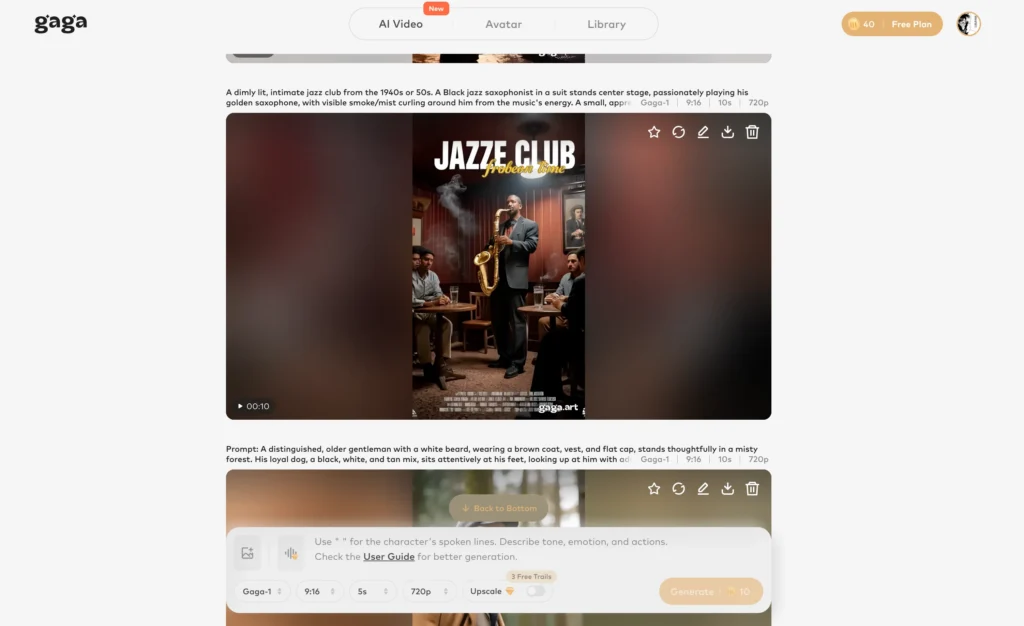
How it works:
a. Upload a portrait, product shot, or scene image (JPEG, PNG, or JPG, max 10MB)
b. Add a text prompt describing desired motion (“camera slowly pans left while light flickers”)
c. Generate video clips up to 60 seconds
d. Export in formats optimized for social platforms
Optimal image specifications:
- Vertical videos: 1080×1920 pixels
- Horizontal videos: 1920×1080 pixels
- Clear, well-lit images with high contrast produce best results
3. Audio-Visual Infusion with Gaga-1
Gaga AI’s Gaga-1 model represents a breakthrough in synchronized content creation. Unlike tools that generate audio and video separately and stitch them together, GAGA-1 co-generates voice, lip-sync, and facial expressions in a single pass.
This approach eliminates the “uncanny valley” effect common in AI-generated talking heads. Characters display natural breathing patterns, authentic emotional transitions, and precise lip synchronization across any language.
Technical advantages:
- Voice generated within the model’s generation process, not added post-production
- Lip movements born with audio rather than synchronized after the fact
- Emotional expressions calibrated to vocal intensity and meaning
- Natural gesture timing that matches speech rhythm
Generation times:
- 10-second videos: approximately 3-4 minutes
- 20-second videos: approximately 7 minutes
- Output resolution: 720p (optimized for social platforms)
4. Sound Effects Generation
Complete your production with AI-generated sound effects. Gaga AI supports ambient soundscape creation, foley-style effects, and environmental audio that matches your visual content’s mood and setting.
Use cases:
- Music video production from AI-generated tracks
- Podcast episode visualization with animated host avatars
- Marketing content with synchronized audio-visual elements
- Educational materials with animated presenters
- Social media content combining MiniMax music with dynamic visuals
- Product demonstrations with realistic talking avatars
5. Practical Integration Workflow
Complete music video creation:
a. Generate your track with MiniMax Music 2.5 using precise structural tags
b. Create or select key artwork for your visual identity
c. Use Gaga AI’s image-to-video to generate scene transitions and atmospheric backgrounds
d. Add talking avatar sequences for narrative elements using GAGA-1
e. Export and edit final assembly using your preferred video editor
This workflow enables independent artists and content creators to produce professional-quality music videos at a fraction of traditional production costs and timelines.
Troubleshooting Common Issues
Vocals Sound Robotic or Flat
Cause: Overly generic prompts or missing emotional guidance.
Solution: Add specific vocal quality descriptors. Instead of “female vocal,” try “intimate, breathy female vocal with emotional delivery and subtle vibrato.” Include emotional arc directions within your structural tags.
Wrong Genre Feel Despite Correct Keywords
Cause: Conflicting style elements in your prompt.
Solution: Check for contradictory descriptors. “Vintage lo-fi” combined with “crisp modern production” confuses the model. Commit to a coherent sonic vision.
Instrumental Sections Feel Empty
Cause: Lyrics-only input without instrumental direction.
Solution: Use parenthetical notes: (Guitar solo with building intensity) or (Atmospheric synth pad, drums drop out). The model responds to these embedded instructions.
Chinese Pronunciation Issues
Cause: Complex characters or unusual word combinations.
Solution: Try phonetic alternatives for problematic characters. MiniMax’s Chinese is excellent but occasionally struggles with uncommon terms.
Track Ends Abruptly
Cause: Missing [Outro] tag or incomplete structure.
Solution: Always include explicit ending structure: [Outro] followed by fade-out instructions or ending dynamics.
FAQ: MiniMax Music 2.5
Is MiniMax Music 2.5 free to use?
Yes. New users receive 10,000 free credits, which generate approximately 33 complete songs. Paid plans start at ¥36 per month for 100,000 credits.
How long can generated songs be?
MiniMax Music 2.5 generates tracks exceeding 5 minutes with coherent structure, a significant improvement over earlier models limited to 60 seconds.
Can I use MiniMax Music 2.5 for commercial projects?
Yes. Paid plan subscribers receive commercial usage rights for generated content. Review the current terms of service for specific licensing details.
How does MiniMax compare to Suno for Chinese music?
MiniMax demonstrates substantially better Chinese language performance, including accurate pronunciation for complex rap verses and natural tonal delivery. Suno’s Chinese capabilities remain limited.
What audio formats does MiniMax Music 2.5 export?
The platform exports high-quality audio files suitable for professional distribution. Check current documentation for specific format options.
Does MiniMax Music 2.5 support reference audio?
This feature is planned for future releases but not currently available in version 2.5.
How do structural tags work?
Add tags like [Verse], [Chorus], or [Bridge] directly in your lyrics. The model interprets these markers and generates appropriate musical sections with matching instrumentation and dynamics.
Can MiniMax generate instrumental-only tracks?
Yes. Omit lyrics and specify instrumental arrangements in your style prompt to generate music without vocals.
What genres does MiniMax Music 2.5 handle best?
The model performs strongly across pop, rock, hip-hop, R&B, jazz, electronic, and classical styles. It shows particular strength in Asian popular music genres and demonstrates authentic reproduction of specific era-based sounds (1980s synth-pop, vintage blues, lo-fi aesthetics).
How do I access the API?
Developer documentation and API keys are available at platform.minimax.io/docs/api-reference/music-generation.