Key Takeaways
- AI voice cloning creates synthetic replicas of human voices using machine learning, requiring as little as 30 seconds of audio in 2026
- ElevenLabs leads in natural-sounding speech synthesis with 32+ languages and emotion control
- Free AI voice cloning options include limited tiers from Resemble AI and Speechify (5-10 minutes monthly)
- Professional tools like Descript integrate voice cloning directly into video editing workflows
- Instant voice cloning (1-5 minutes of audio) works for quick projects; professional cloning (30+ minutes) delivers broadcast quality
Table of Contents
What Is AI Voice Cloning and Why It Matters in 2026
AI voice cloning is technology that analyzes voice recordings to generate synthetic speech that sounds identical to the original speaker. Modern AI voice clone systems use deep learning models trained on neural networks to capture pitch, tone, cadence, and emotional inflection.
The technology has evolved dramatically. In 2026, you can create a realistic voice clone with just 30-60 seconds of clear audio, compared to hours of recording required in earlier iterations. Businesses use voice cloning for content creation, audiobook narration, multilingual dubbing, and accessibility features—while individuals leverage it for personal projects and creative work.
Why voice cloning matters now: AI-generated voices have reached near-human quality, with use cases expanding from entertainment to healthcare (helping people who’ve lost their voice) and education (personalized learning experiences).
The 7 Best AI Voice Cloning Tools for 2026
Each tool below excels in different scenarios. Choose based on your specific needs: content creation, video production, or simple voice synthesis.
1. Gaga AI Voice Clone
Gaga AI offers accessible voice cloning with a focus on simplicity and quick results.
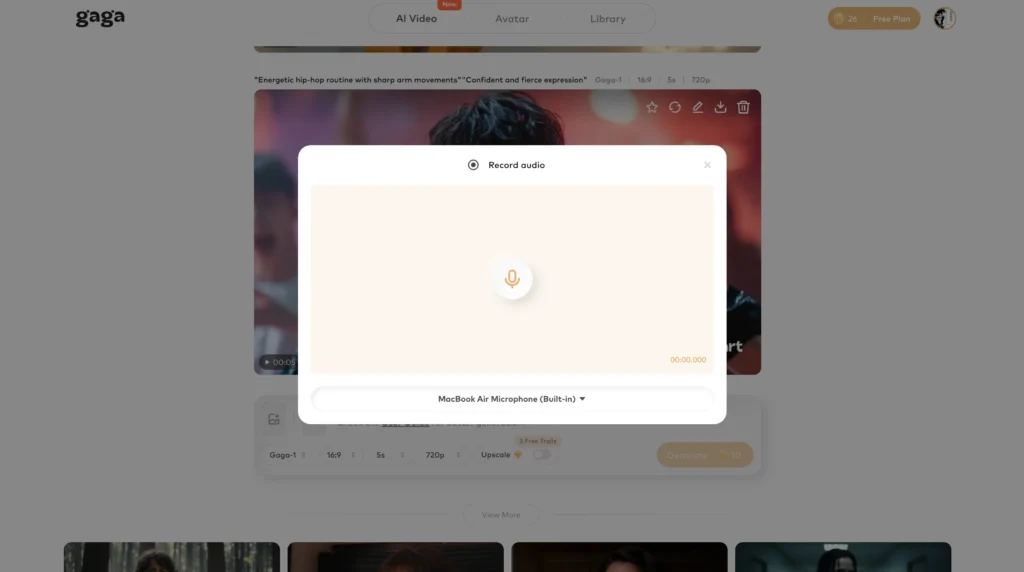
Key Features:
- One-Click Cloning: Upload audio and get a working voice model in under 2 minutes
- Text-to-Speech Editor: Simple interface for generating speech from text
- Voice Mixing: Blend characteristics from multiple voices
- Commercial License Options: Clear licensing for business use
Best For: Beginners, small businesses, and creators who want straightforward voice cloning without complex features
Unique Advantage: The fastest setup process—from account creation to usable voice clone in under 5 minutes
2. ElevenLabs AI Voice Cloning
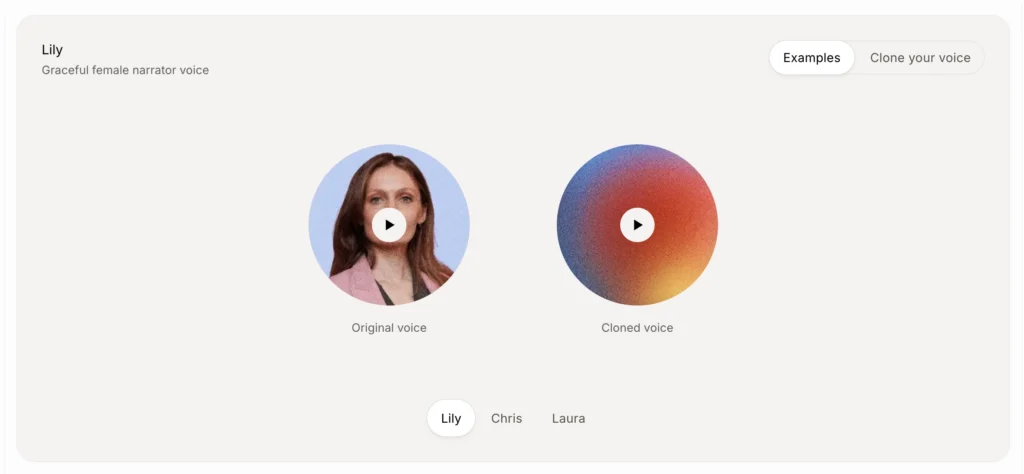
ElevenLabs delivers industry-leading voice cloning technology with perfect voice replicas that capture every nuance of your unique tone, inflection, and emotional range.
Key Features:
Two Cloning Options for Different Needs:
- Instant Voice Cloning: Clone any voice with 1-5 minutes of audio and get your voice replica ready in seconds. Perfect for rapid prototyping, personal projects, and content creators who need quick results
- Professional Voice Cloning: The highest-quality AI voice cloning option requiring 30+ minutes of clean audio samples. Creates results virtually indistinguishable from the original speaker—ideal for audiobooks, video games, and enterprise applications
Advanced Voice Technology:
- Multilingual Voice Clones: Your AI voice clone automatically works in 32+ languages including English, Japanese, Spanish, German, and more without recording new voice samples
- Precise Voice Control: Fine-tune your voice output with adjustable settings for stability, clarity, and style for consistent audio across all projects
- Lightning-Fast Processing: Get your cloned voice in seconds with instant voice cloning—no waiting days for results
- Enterprise-Grade Security: Voice data protected with encryption, supporting SOC 2, HIPAA, and GDPR compliance with voice verification system
Use Cases:
- Audiobooks: Create high-quality audiobook narration without expensive studio sessions
- Podcasts: Fix mistakes, add new segments, or create entire episodes using text to speech with your own voice
You may like: AI Podcast Generator: Turn Text Into Professional Audio Content in Minutes >>
- Video Voiceovers: Generate voiceovers for YouTube, social media, and marketing videos at scale
You may like: AI Voice Overs: The Free & Premium Voiceover Tools That Sound Human >>
- Video Games: Generate character dialogue with emotional depth for NPCs and protagonists
- Advertising: Produce localized ad campaigns maintaining consistent brand voice in any language
You may like: Best AI Ad Generators 2026: Top Tools for Marketing Videos >>
Best For: Professional creators, audiobook authors, game developers, and enterprises requiring broadcast-quality voice cloning with multilingual support
Pricing: Free tier available, paid plans start at competitive rates for creators and enterprises
Unique Advantage: The only platform offering both instant cloning (seconds) and professional cloning (broadcast-quality) with automatic compatibility across 32 languages while maintaining your unique vocal characteristics
3. Descript AI Voice Cloning
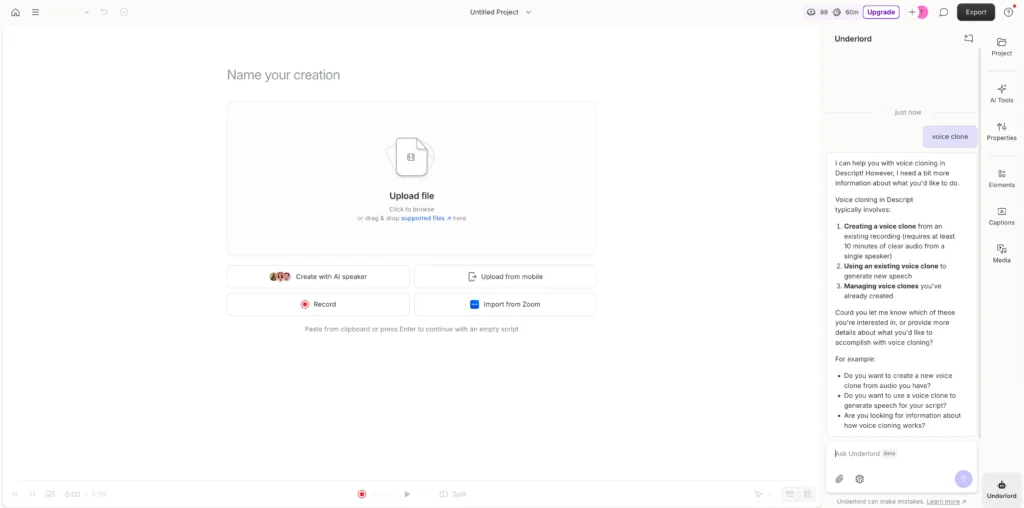
Descript integrates voice cloning directly into a comprehensive video and podcast editing platform.
Key Features:
- Overdub Technology: Clone your voice, then type corrections that automatically generate matching audio
- Script-Based Editing: Edit audio by editing text transcripts
- Video Integration: Sync voice cloning with video editing in one workflow
- Collaboration Tools: Share projects with teams and clients
- Stock AI Voices: Access pre-made voices if you don’t want to clone your own
Best For: Video editors, podcasters, and teams who need to quickly fix audio mistakes without re-recording
Unique Advantage: You can correct interview mistakes, remove filler words, or add forgotten points without returning to the recording studio
4. HeyGen AI Voice Cloning
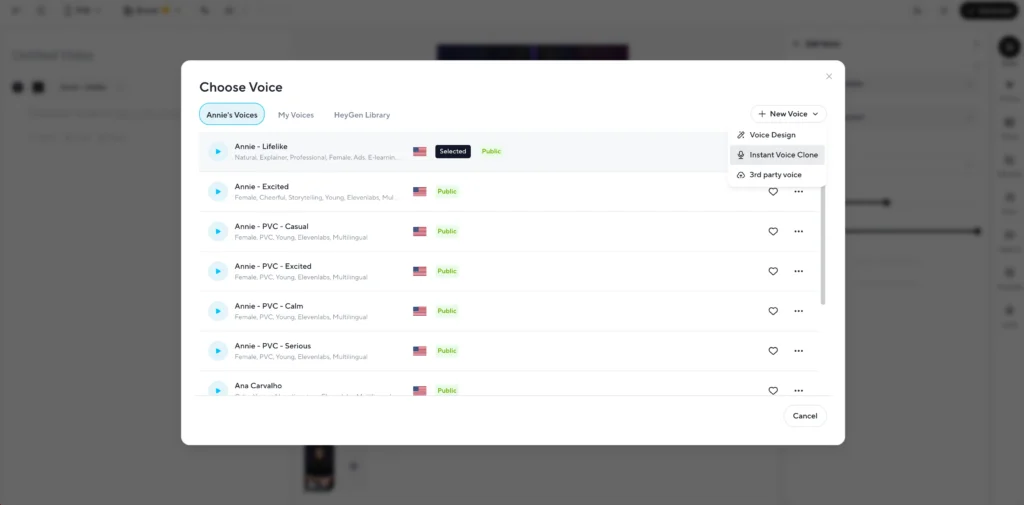
HeyGen combines voice cloning with AI avatars, creating complete video presentations from text.
Key Features:
- Avatar + Voice Pairing: Sync cloned voices with realistic digital avatars
- 40+ Avatar Templates: Professional presenters for business content
- 100+ Voice Options: Pre-built voices plus custom cloning
- Video Translation: Clone your voice in different languages while maintaining lip-sync
- Template Library: Pre-designed video formats for social media, training, and marketing
Best For: Marketing teams, educators, and businesses creating video content at scale
Unique Advantage: Generate personalized video messages with your cloned voice and a digital avatar in minutes—no camera required
5. Resemble AI Voice Cloning
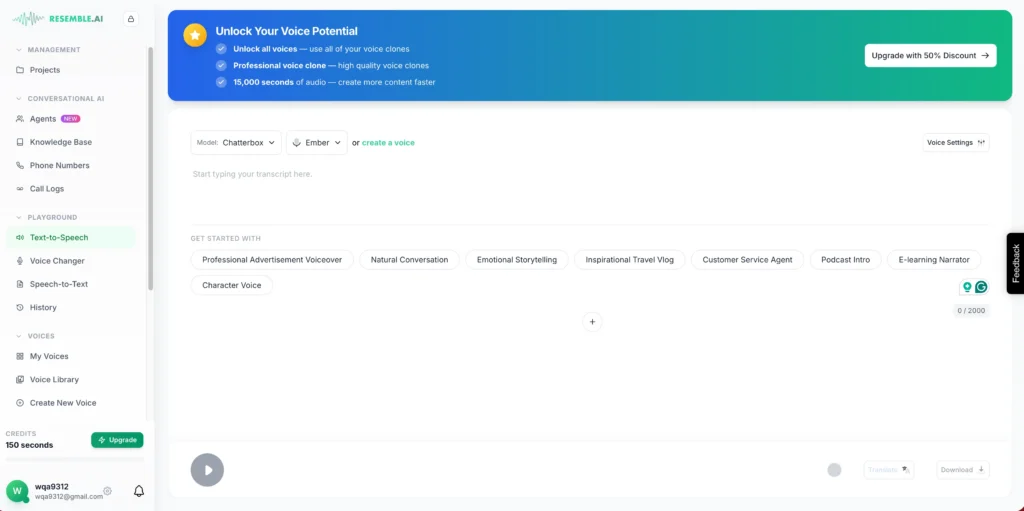
Resemble AI focuses on developer-friendly voice cloning with robust API access.
Key Features:
- Real-Time Voice Conversion: Clone and modify voices during live streaming
- Emotion Control API: Programmatically adjust happiness, sadness, anger levels
- Deepfake Detection: Built-in watermarking to identify AI-generated audio
- Localization Engine: Clone voices across 60+ languages
- Custom Deployment: On-premise solutions for enterprise security requirements
Best For: Developers, game studios, and enterprises building voice AI into products
Unique Advantage: The Neural Audio Editing feature lets you insert, delete, or replace words in existing recordings using the cloned voice
6. InVideo AI Voice Cloning
InVideo AI specializes in converting text scripts into complete videos with cloned voiceovers.
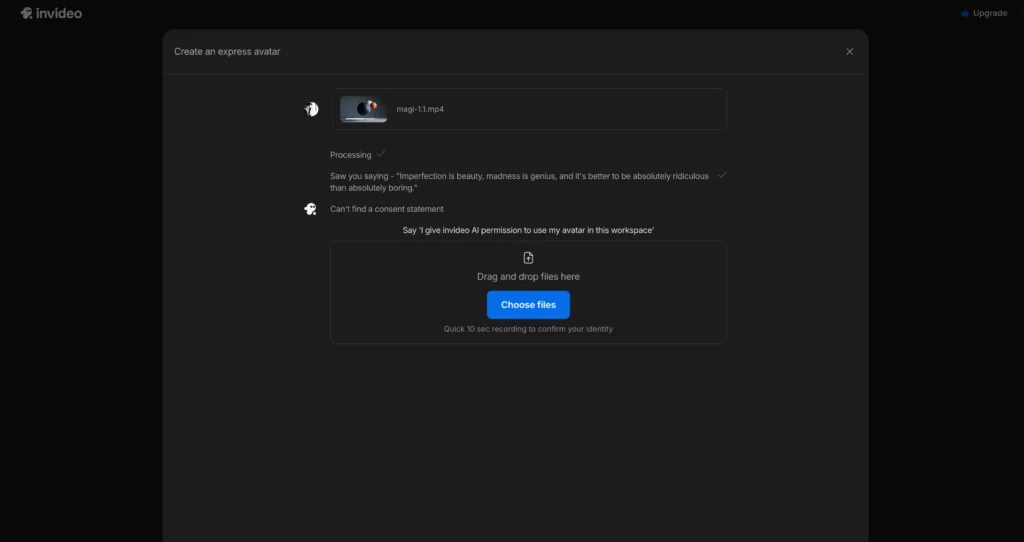
Key Features:
- Script-to-Video: Generate full videos from text prompts with AI voice narration
- Voice Cloning Integration: Add your own voice to automated video creation
- 8 Million+ Stock Assets: Combine voice with relevant B-roll automatically
- Automated Subtitles: Generate and sync captions with cloned voice
- Multi-Platform Optimization: Export in formats optimized for YouTube, TikTok, Instagram
Best For: Social media creators, marketers, and content creators producing high-volume video content
Unique Advantage: The AI understands context and automatically selects relevant video clips to match your voiceover script
7. Speechify AI Voice Cloning
Speechify extends its popular text-to-speech platform with custom voice cloning capabilities.
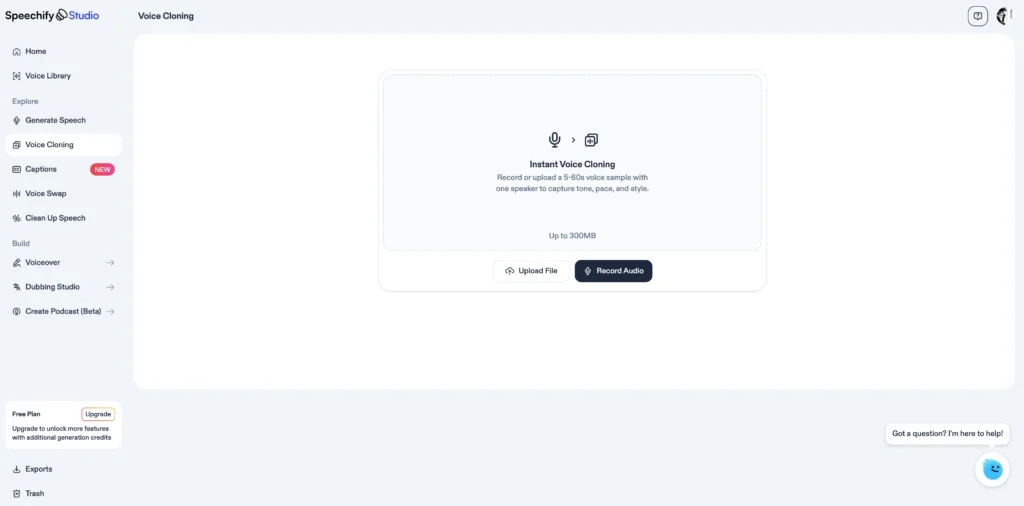
Key Features:
- Personal Voice Creation: Clone your voice for reading documents, articles, and books
- Reading Speed Control: Adjust playback from 0.5x to 4.5x speed
- Cross-Platform Sync: Access your cloned voice on web, iOS, Android, and Chrome extension
- Document Import: Upload PDFs, Word docs, web pages for AI voice reading
- Highlighting & Notes: Interactive reading experience with cloned voice narration
Best For: Students, professionals, and anyone who consumes large amounts of written content
Unique Advantage: Turn any written content into audio narrated in your own voice, perfect for creating personal audiobooks or reviewing your own writing
How to Choose the Right AI Voice Cloning Tool
Select your tool based on these decision criteria:
Choose Gaga AI if:
You want to generate the voice along with the visual
Choose ElevenLabs if:
You need the highest audio quality for professional content (audiobooks, podcasts, commercial voiceovers) with multilingual support and enterprise-grade security
Choose Descript if:
You’re already editing audio or video and want to fix mistakes without re-recording
Choose HeyGen if:
You’re creating video content and want to combine voice cloning with digital avatars
Choose Resemble AI if:
You’re a developer building voice AI into applications or need real-time voice conversion
Choose InVideo AI if:
You’re producing high-volume social media videos and want automated video creation with voice
Choose Speechify if:
Your primary use case is converting written content into audio in your own voice
Step-by-Step: Creating Your First AI Voice Clone
This process works across most platforms with minor variations.
Step 1: Prepare Your Voice Sample
- Record in a quiet environment with a decent microphone
- Speak naturally at your normal pace and volume
- Include varied sentence structures (questions, statements, exclamations)
- Aim for 1-5 minutes minimum, 30+ minutes for professional results
- Save as high-quality audio file (WAV or high-bitrate MP3)
Step 2: Upload and Process
- Create an account on your chosen platform
- Navigate to “Voice Cloning” or “Create Custom Voice”
- Upload your prepared audio file (30 seconds minimum for platforms like ElevenLabs)
- Add voice name and description (for organization)
- Wait 2-10 minutes for processing (instant cloning processes in seconds)
Step 3: Test and Refine
- Generate test phrases that weren’t in your original recording
- Listen for naturalness, pronunciation accuracy, and emotional tone
- If results are poor, re-record with better audio quality or more varied samples
- Adjust platform-specific settings (speaking rate, stability, clarity)
Step 4: Generate Content
- Input your script or text in the platform’s text-to-speech interface
- Adjust parameters (emotion, emphasis, pauses)
- Generate and download audio files
- Integrate into your videos, podcasts, or applications
Common Problems and How to Fix Them
Even the best AI voice cloning tools encounter issues. Here’s how to solve them.
| Problem | Root Cause | Solution |
| Robotic or Unnatural Sound | Low-quality or monotonous training data. | Improve Samples: Record in a professional, quiet environment. Increase the quantity of data and include emotional variety. Use high-tier models like ElevenLabs or Descript for better neural processing. |
| Mispronunciation | Misspelled input or lack of phonetic context. | Phonetic Guidance: Use phonetic spelling (e.g., “ay-eye” for AI) or SSML tags to control pronunciation. Add problematic words specifically to your training scripts. |
| Inconsistent Quality (Long Audio) | Model “drift” during extended generation. | Segmenting: Break long scripts into 500–1000 word chunks. Generate separately and splice them together in an audio editor to maintain a steady tone. |
| Background Noise | Poor isolation during the recording phase. | Clean Input: Re-record samples with better noise isolation. Use platform features like Gaga AI’s automatic cleaning or external tools like Adobe Podcast Enhance. |
| Lack of Emotional Range | “Flat” training data or default neutral settings. | Emotional Training: Record samples while happy, sad, or excited. Use platforms like Resemble AI or ElevenLabs that offer emotion sliders and stability parameters. |
Frequently Asked Questions (FAQ)
What is AI voice cloning and how does it work?
AI voice cloning analyzes voice recordings using deep learning algorithms to capture pitch, tone, accent, and rhythm. The technology processes your audio samples, learning unique characteristics that make your voice distinct including inflection, rhythm, and emotional delivery. Once trained, the AI model generates natural speech from any text input while maintaining your vocal characteristics.
How accurate is AI voice cloning in 2026?
AI voice cloning has reached 85-95% accuracy for trained listeners in controlled conditions. Top platforms like ElevenLabs produce voices indistinguishable from originals in short clips using their professional voice cloning option. However, extended listening may reveal subtle artifacts—slight inconsistencies in breath patterns or occasional unnatural emphasis compared to human speakers.
Can I clone a voice from any audio recording?
Yes, but quality matters significantly. Clear recordings with minimal background noise produce the best results. You can clone voices from podcasts, videos, or phone calls, but professional tools work best with studio-quality audio. Most platforms require at least 30 seconds of clean audio, though 1-5 minutes yields more versatile clones for instant cloning and 30+ minutes for professional-grade results.
Are there any quality free AI voice cloning tools available?
Yes, several platforms offer free tiers with legitimate functionality. ElevenLabs provides a free tier with voice cloning access. Resemble AI offers 300 seconds (5 minutes) monthly with API access. Speechify provides 10 minutes monthly of custom voice reading. Gaga AI includes 5 minutes per month. Free tiers typically include basic voice cloning, standard voices, and personal use licensing but have monthly generation limits.
How do I use an AI voice cloning tool?
Upload or record a clear voice sample (30 seconds to 5 minutes for instant cloning). The AI analyzes your audio and creates a voice model in seconds to minutes. Then type any text into the platform’s text-to-speech engine, and your cloned voice will speak it. Adjust settings like stability, clarity, and style for consistent results. Most platforms offer web interfaces, mobile apps, and API access.
What is the difference between instant and professional voice cloning?
Instant voice cloning uses 1-5 minutes of audio and creates voice replicas in seconds. It works well for consistent narration, content creation, and rapid prototyping. Professional voice cloning requires 30+ minutes of clean, varied audio samples and captures subtle intonation, emotion, and speaking patterns for broadcast-quality results. Professional cloning costs more and takes longer to process but delivers output suitable for audiobooks, video games, and commercial projects.
How long does it take to create a custom voice clone?
Processing time ranges from seconds to 2 hours depending on the cloning method. Instant cloning (1-5 minutes of audio) processes in seconds on platforms like ElevenLabs and Gaga AI. Professional cloning (30+ minutes of audio) requires 30-120 minutes of processing. After initial creation, generating new speech from text takes seconds to minutes depending on length.
Can AI voice cloning work in multiple languages?
Yes, advanced platforms support multilingual voice cloning. ElevenLabs offers 32+ languages with automatic compatibility—you can clone your English voice and generate Spanish, Japanese, German, or other language speech while maintaining your vocal characteristics. HeyGen supports 40+ languages for avatar-voice combinations. Resemble AI provides localization across 60+ languages. Pronunciation accuracy varies, with platforms performing best in widely-spoken languages.
How much audio do I need for high-quality voice cloning?
For instant cloning, 1-5 minutes of clear audio produces usable results for content creation and personal projects. For professional-grade voice cloning with broadcast quality, provide 30+ minutes of varied audio samples including different emotions, sentence structures, and speaking styles. More training data creates more versatile voice models with better emotional range and pronunciation accuracy.
Can AI voice cloning be used for creating realistic voiceovers?
Yes, AI voice cloning excels at creating realistic voiceovers for videos, podcasts, audiobooks, and advertisements. Professional voice cloning from platforms like ElevenLabs produces broadcast-quality voiceovers virtually indistinguishable from human narration. Content creators use voice cloning to scale video production, fix audio mistakes without re-recording, and create consistent brand voices across multilingual content.
Which languages does AI voice cloning support?
Top platforms support 32-60+ languages. ElevenLabs offers 32+ languages including English, Spanish, Japanese, German, French, Mandarin, Portuguese, Italian, and many more with automatic multilingual compatibility. Your voice clone maintains your unique vocal characteristics across all supported languages without requiring separate recordings for each language.