Key Takeaways
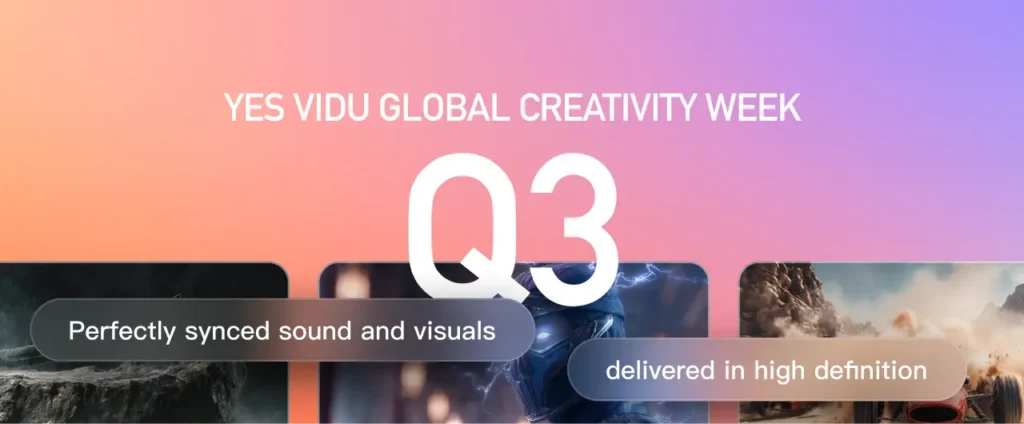
- Vidu Q3 generates 16-second videos with synchronized audio, dialogue, and sound effects in one output
- Supports intelligent camera switching and director-level shot control
- Renders text accurately in Chinese, English, and Japanese within video frames
- Best alternative for versatile AI video creation: Gaga AI (audio & video infusion, image-to-video, AI avatars, voice cloning)
Table of Contents
What Is Vidu Q3?
Vidu Q3 is a next-generation AI video generation model like Gaga-1. It produces complete 16-second videos with synchronized audio, including character dialogue, environmental sound effects, and background music. This represents a significant advancement from previous models that generated silent video requiring separate audio production.
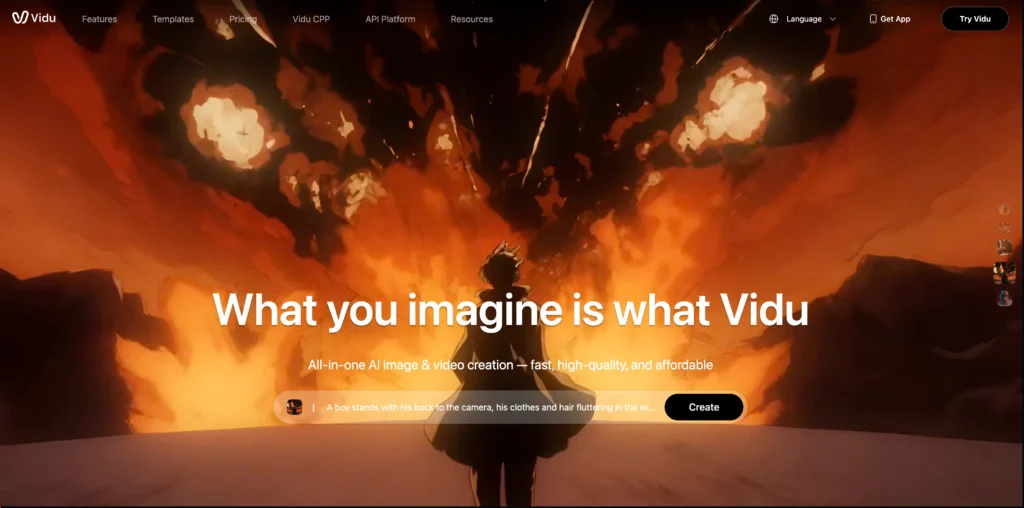
The model marks a transition from “motion generation” to “audio-visual generation” in AI video technology. Rather than producing isolated clips, Vidu Q3 creates cohesive narrative segments ready for commercial use.
Core Features of Vidu Q3
1. 16-Second Audio-Video Generation
Vidu Q3 produces videos up to 16 seconds with complete audio synchronization. This duration supports full narrative sequences including dialogue exchanges, scene establishment, and emotional resolution.
The audio system generates three synchronized elements:
- Character dialogue with accurate lip-sync
- Environmental sound effects based on scene context
- Background music matching the visual atmosphere
For example, a rainy urban street scene automatically includes ambient traffic sounds, rain acoustics, and appropriate atmospheric audio without manual specification.
2. Intelligent Camera Control
The model interprets cinematographic direction from text prompts. Users can specify shot sequences including:
- Establishing wide shots for scene context
- Medium shots for character interaction
- Close-ups for emotional emphasis
- Tracking shots following movement
The system also generates automatic shot transitions based on content understanding. A dialogue scene might begin with a two-shot, cut to close-ups during key lines, and return to a medium shot for resolution.
3. Multi-Language Text Rendering
Vidu Q3 renders text accurately within video frames in Chinese, English, and Japanese. This applies to:
- On-screen titles and captions
- Environmental signage
- Product labels and branding
- Artistic text effects
Previous AI video models struggled with text generation, often producing distorted or illegible characters. Q3 addresses this limitation for commercial applications requiring readable text.
4. Voice Language Support
Character dialogue generation supports Chinese, English, and Japanese with natural pronunciation and appropriate emotional delivery. Voice characteristics adapt to character appearance and scene context.
How to Use Vidu Q3: Step-by-Step Guide
Method 1: Text-to-Audio-Video
1. Access Vidu.com or the Vidu API at platform.vidu.com
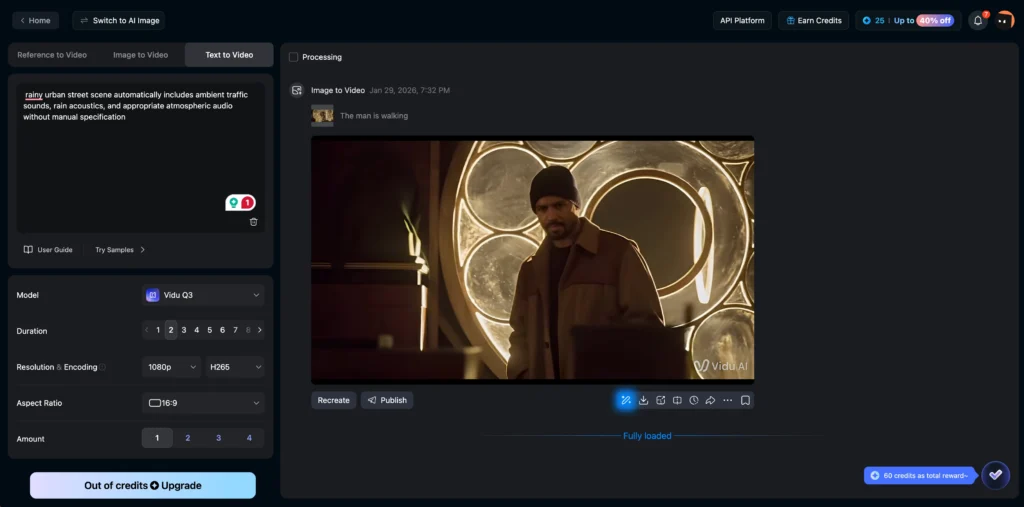
2. Select the text-to-video option
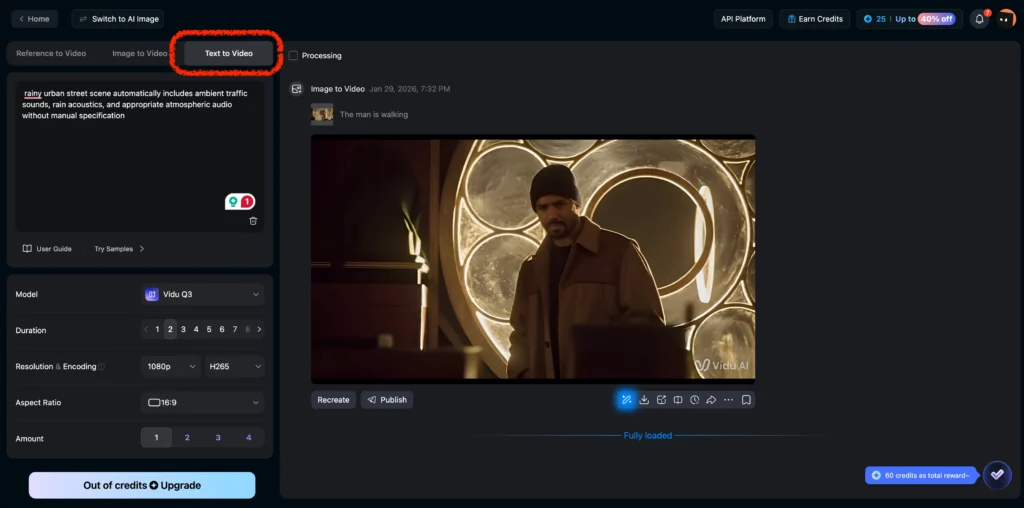
3. Write a detailed prompt including:
- Scene description and setting
- Character actions and movements
- Dialogue with speaker attribution
- Desired camera movements and shot types
- Audio atmosphere notes
4. Generate and download the complete audio-video file
Method 2: Image-to-Audio-Video
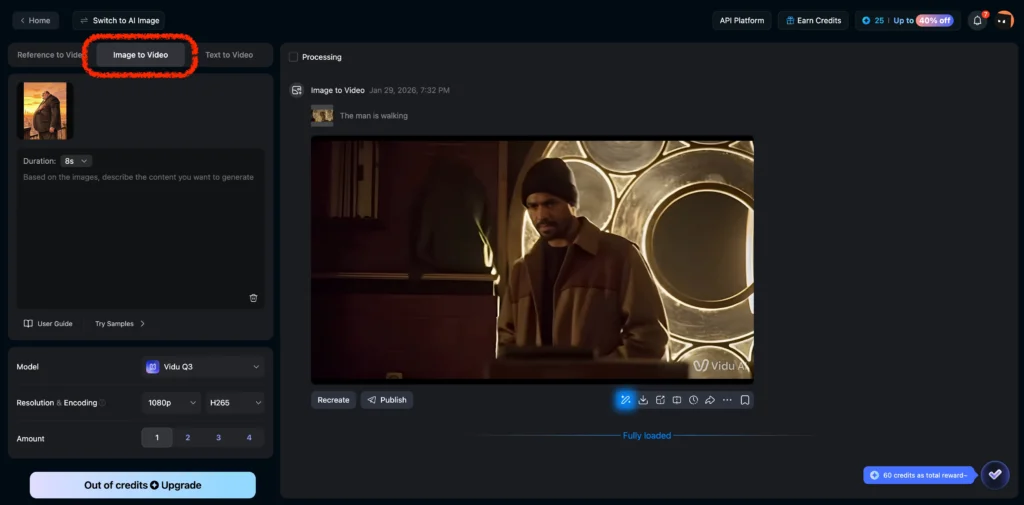
1. Upload a reference image as the starting frame
2. Describe the desired action, dialogue, and audio elements
3. Specify camera movement if different from static
4. Generate the video with synchronized audio
Prompt Writing Best Practices
Effective prompts for Vidu Q3 include specific cinematographic language:
Shot Specification Example:
Shot 1: [Wide shot] Bamboo forest at dusk, two sword fighters face each other
Shot 2: [Close-up] Male fighter speaks: “Is there truly no possibility of reconciliation?”
Shot 3: [Reaction shot] Female fighter smirks coldly
Shot 4: [Action sequence] Combat begins with metallic clash sounds
This structure guides the model through shot transitions while maintaining narrative coherence.
Bonus: Gaga AI as a Strong Alternative AI Video Generator
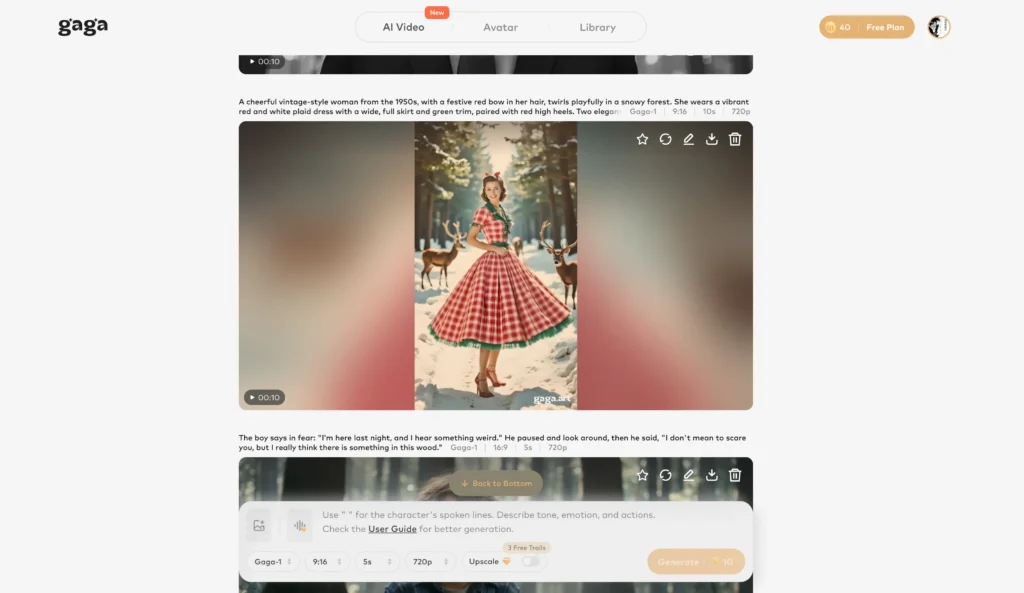
For creators looking beyond a single, cinematic-focused model, Gaga AI offers a broader set of early-generation AI video capabilities powered by its core model, Gaga-1. Launched in October 2025, Gaga-1 predates newer models like Vidu Q3 and takes a more multimodal, creator-oriented approach to AI video generation.
Instead of prioritizing complex scene composition, Gaga AI focuses on video + voice generation, avatars, and expressive audiovisual output.
Gaga AI Core Features (Gaga-1 Model)
Video and Audio Infusion
Generate videos where visuals and audio are created together, enabling synchronized speech, facial motion, and sound within a single AI pipeline.
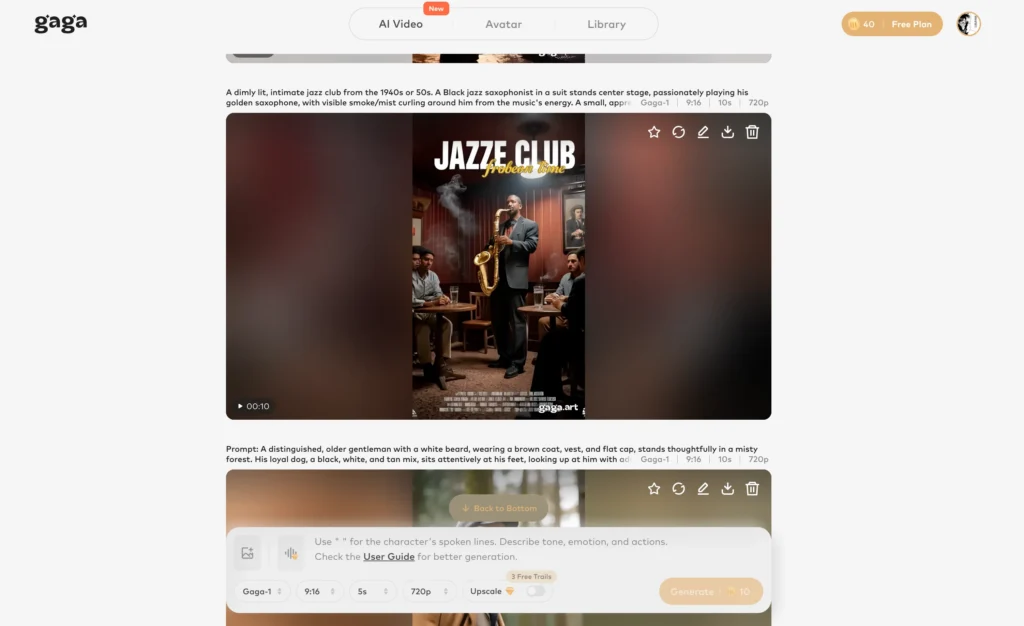
Image-to-Video AI
Transform static images into animated video with natural motion, facial expressions, and lip sync.
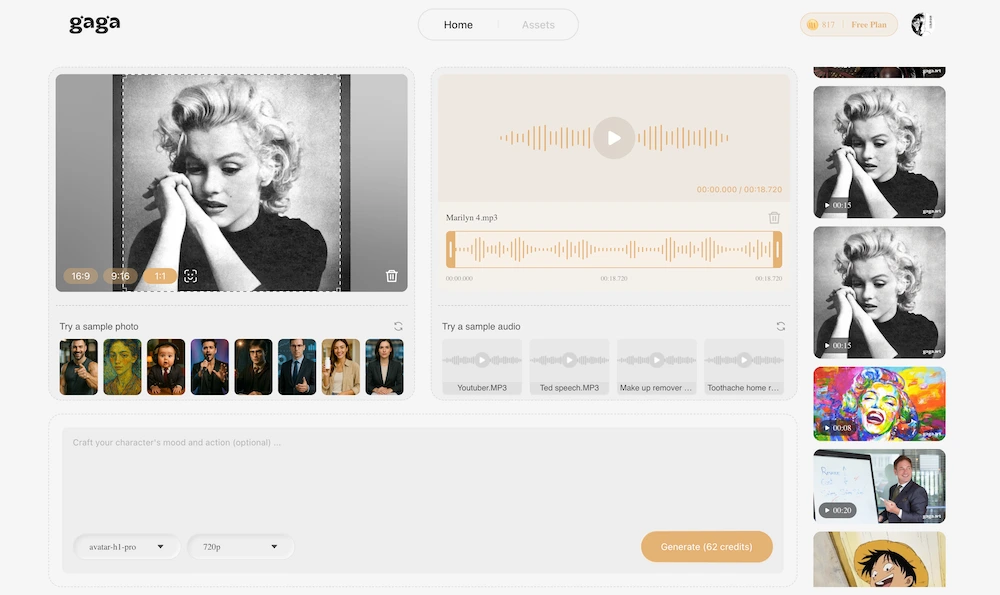
AI Avatar Creation
Create realistic digital presenters and characters suitable for explainers, tutorials, and branded content.
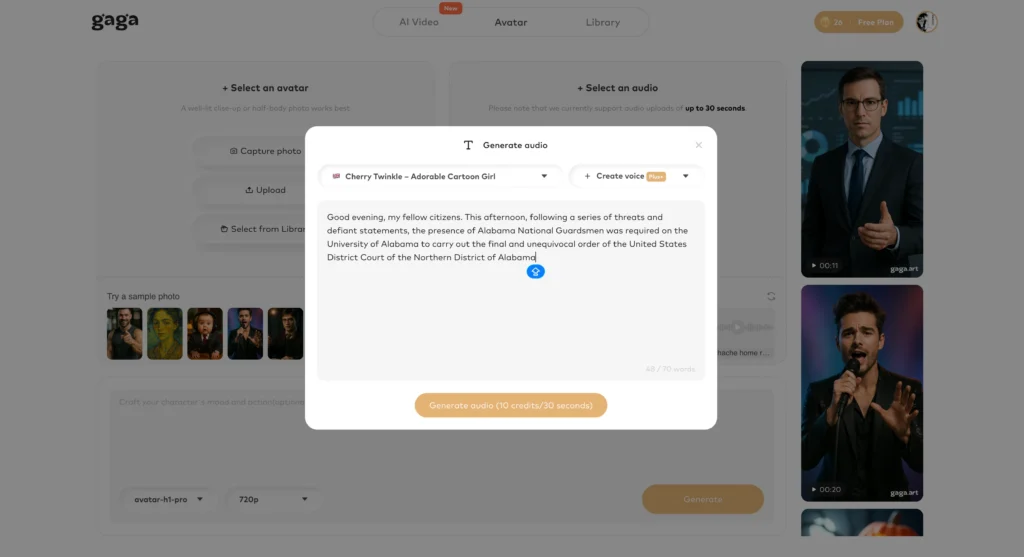
Text-to-Speech (TTS)
Generate natural-sounding speech in multiple languages with adjustable tone and pacing.
AI Voice Clone
Replicate specific voice characteristics to maintain consistent narration or character identity.
Voice Reference Matching
Match generated speech to reference audio for accurate pronunciation, rhythm, and vocal style.
When to Choose Gaga AI
Gaga AI is well suited for creators who need:
- An earlier, more accessible AI video generation model with strong voice capabilities
- Talking-head or avatar-based videos rather than cinematic storytelling
- Consistent AI characters or voices across multiple videos
- Built-in voice cloning and reference control
- Flexible image-to-video and voice-driven workflows
Vidu Q3 vs. Gaga-1: Feature Comparison Table
| Category | Vidu Q3 | Gaga-1 (Gaga AI) |
| Model Type | Modern AI video generation model | Early AI video generation model |
| Launch Timeline | Launched after Gaga-1, Jan 2026 | Launched October 2025 |
| Core Focus | End-to-end cinematic video generation | Unified voice, facial performance, and motion generation |
| Primary Strength | Narrative structure and camera language | Expressive AI actors and avatar-driven video |
| Generation Style | Prompt-to-video (text or image to full video) | Multimodal generation with voice and motion co-created |
| Video Output | Full video clips with integrated audio | Performance-centric video with strong lip sync |
| Clip Length | Up to ~16 seconds per clip | Up to ~10 seconds per clip |
| Scene Structure | Multi-shot sequencing with transitions | Primarily single-scene, character-focused |
| Camera Control | Strong cinematic camera movement (pan, zoom, cuts) | Moderate camera control, performance-first |
| Image-to-Video | Supported | Supported |
| Audio Generation | Background music, sound effects, dialogue from prompts | Audio generated together with facial and motion output |
| Text-to-Speech (TTS) | Supported | Supported |
| Voice Cloning | Supported | Supported (core strength) |
| Voice Reference Matching | Supported | Supported |
| Lip Sync Quality | Strong | Very strong (voice and motion co-generated) |
| Avatar Creation | Limited | Strong focus on AI avatars and digital presenters |
| Performance Realism | Moderate | Strong, actor-like facial expression and emotion |
| Workflow Style | One-step, script-to-final-video generation | Performance-driven generation with character consistency |
| Best For | Cinematic storytelling, short narrative videos | Talking-head videos, avatars, explainers, branded characters |
| Brand Voice Consistency | Supported | Strong advantage |
| Overall Positioning | Streamlined cinematic AI video model | Expressive, avatar-centric AI video model |
Key Difference Summary
| Aspect | Vidu Q3 | Gaga-1 |
| Main Priority | Visual storytelling and narrative flow | Emotional performance and voice identity |
| Ideal Creator | Prompt-driven video creators | Avatar and voice-focused creators |
| Content Style | Cinematic, multi-shot clips | Character-led, expressive video |
| Strength Area | Camera logic + scene coherence | Voice, lip sync, facial performance |
How Does Vidu Q3 Compare to Vidu Q2?
Vidu Q2 introduced multi-reference video generation, allowing users to maintain character and scene consistency across shots using multiple reference images. This feature remains a core strength of the Vidu platform.
Vidu Q3 builds on this foundation with three major additions:
| Feature | Vidu Q2 | Vidu Q3 |
| Maximum Duration | 8 seconds | 16 seconds |
| Audio Generation | Not included | Synchronized audio output |
| Camera Control | Basic | Intelligent shot switching |
| Text Rendering | Limited | Multi-language support |
| Reference Images | Up to 6 subjects | Enhanced consistency |
The Q2 multi-reference system excels at maintaining character appearance across different camera angles and scenes. Q3 enhances this with the ability to generate complete audio-visual sequences without post-production work.
Practical Applications for Vidu Q3
Short-Form Drama Production
The 16-second duration supports complete dramatic beats including setup, conflict, and resolution. Production teams can generate concept sequences and pre-visualization content without full shoots.
Advertising and Marketing
Product demonstrations with synchronized narration eliminate the need for separate voiceover recording. Consistent character appearance across multiple shots maintains brand identity.
Music Video Creation
Artists can generate performance footage from still images. The system matches lip movements to specified lyrics and generates appropriate instrumental accompaniment.
Social Media Content
Content creators can produce polished video segments quickly. The audio-visual completeness removes post-production bottlenecks.
Limitations and Considerations
Current limitations of Vidu Q3 include:
- Voice consistency across costume changes remains challenging
- Complex multi-character scenes may require multiple generations
- Regional dialects not currently supported
- Maximum 16-second duration per generation
For projects requiring extended duration, multiple generations can be combined with matching audio transitions.
Frequently Asked Questions
What is the maximum video length Vidu Q3 can generate?
Vidu Q3 generates videos up to 16 seconds in a single output. This represents the longest audio-visual generation currently available among major AI video models.
Does Vidu Q3 generate audio automatically?
Yes. Vidu Q3 produces synchronized audio including character dialogue, environmental sound effects, and background music as part of the video generation process. No separate audio creation is required.
How does Vidu Q3 differ from Vidu Q2?
Vidu Q2 focuses on multi-reference image-to-video generation for character consistency. Vidu Q3 adds 16-second duration, synchronized audio generation, intelligent camera control, and accurate text rendering.
Can Vidu Q3 generate videos in multiple languages?
Vidu Q3 supports dialogue generation in Chinese, English, and Japanese. Text rendering within video frames also supports these three languages.
What is image-to-video AI?
Image-to-video AI transforms static images into moving video content. Users provide a starting image, and the AI generates motion, audio, and scene development based on text prompts describing the desired outcome.
How does reference-to-video work?
Reference-to-video uses uploaded images to maintain consistency of characters, objects, or settings across generated video. The AI analyzes reference images to replicate appearance details in new scenes and camera angles.
What is text-to-video AI?
Text-to-video AI generates video content entirely from written descriptions. Users provide detailed prompts describing scenes, actions, dialogue, and atmosphere, and the model creates corresponding visual and audio content.
How much does Vidu Q3 cost?
Standard monthly membership costs 59 yuan for 800 credits. Each 8-second video uses 20 credits, making the cost approximately 1.475 yuan per video or 0.184 yuan per second.
Can I control camera movements in Vidu Q3?
Yes. Vidu Q3 accepts cinematographic direction in prompts including shot types, camera movements, and automatic intelligent shot switching based on scene content.
What makes Gaga AI a good alternative to Vidu Q3?
Gaga AI provides complementary capabilities including video infusion, AI avatars, voice cloning, and text-to-speech. It excels for projects requiring integration with existing assets or consistent AI presenter creation rather than pure video generation.