Key Takeaways
- OiiOii is the first AI animation tool capable of generating 60+ second narrative videos with consistent characters
- Seven specialized AI agents handle different production roles (writer, director, character designer, etc.)
- Over 150 animation styles available, from 2D anime to 3D stylized renders
- Two modes: Hosted (one-click generation) and Dialogue (full creative control)
- Current status: Invite-only beta with token-based pricing (~$10 USD for 1 minute of animation)
- Best for: Content creators, educators, small studios, and anyone wanting to create anime-style content without traditional animation skills
Table of Contents
What Is OiiOii AI?
OiiOii AI is a multi-agent animation platform that transforms text descriptions into complete animated videos. Unlike single-purpose AI video generators that produce 5-10 second clips, OiiOii orchestrates seven specialized AI agents to create narrative-driven animations lasting 60 seconds or longer.
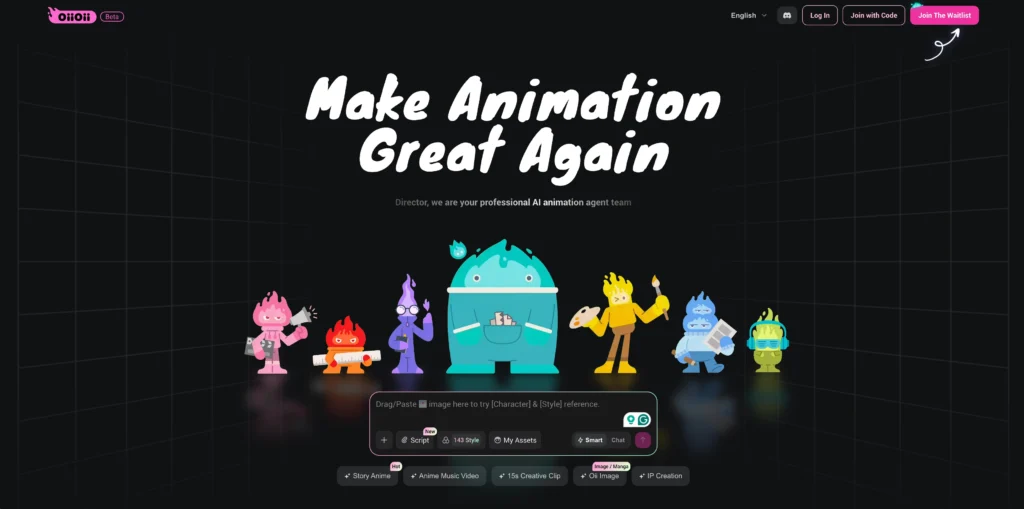
The platform operates at oiioii.ai and is currently in closed beta, requiring an invitation code to access.
Core capability: You provide a creative concept in plain language. OiiOii’s agent system handles script expansion, character design, storyboarding, scene creation, voice synthesis, music scoring, and final video assembly automatically.
How OiiOii Works: The 7-Agent System
OiiOii’s architecture differs fundamentally from tools like Runway or Pika. Instead of a single model generating frames, OiiOii deploys seven specialized AI agents that collaborate like a virtual animation studio:
Agent Breakdown
| Agent | Role | What It Controls |
| Art Director | Visual style consistency | Overall aesthetic, color palettes, mood |
| Writer | Script development | Story structure, dialogue, scene descriptions |
| Character Designer | Character assets | Appearance sheets, three-view references, consistency |
| Storyboard Artist | Shot composition | Camera angles, transitions, visual flow |
| Scene Designer | Environment creation | Backgrounds, props, atmospheric elements |
| Music Director | Audio scoring | Background music, sound effects, mood matching |
| Product Designer | Merchandise concepts | Figurines, keychains, apparel designs (optional feature) |
Why this matters: Traditional AI video tools struggle with character consistency across multiple shots. OiiOii’s character designer agent creates reference assets that persist throughout production, solving the “face drift” problem that plagues competing tools.
Getting Started: Two Modes Explained
OiiOii offers two distinct workflows depending on how much control you want:
#1. Hosted Mode (Fastest)
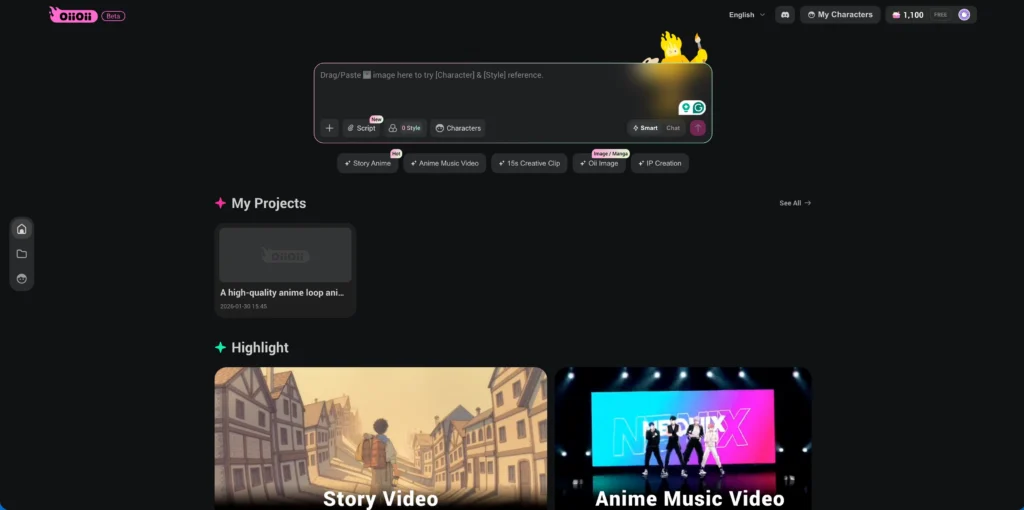
Best for: Quick tests, simple concepts, time-sensitive projects
Process:
1. Enter a one-sentence prompt
2. Select animation style from 150+ options
3. Choose video length and aspect ratio
4. Wait approximately 10 minutes
5. Receive finished video
Limitation: No mid-process intervention. Results depend entirely on initial prompt quality.
#2. Dialogue Mode (Recommended for Quality)
Best for: Complex narratives, precise creative control, professional output
Process:
1. Describe your concept in the chat interface
2. Art Director asks clarifying questions (video type, duration, format)
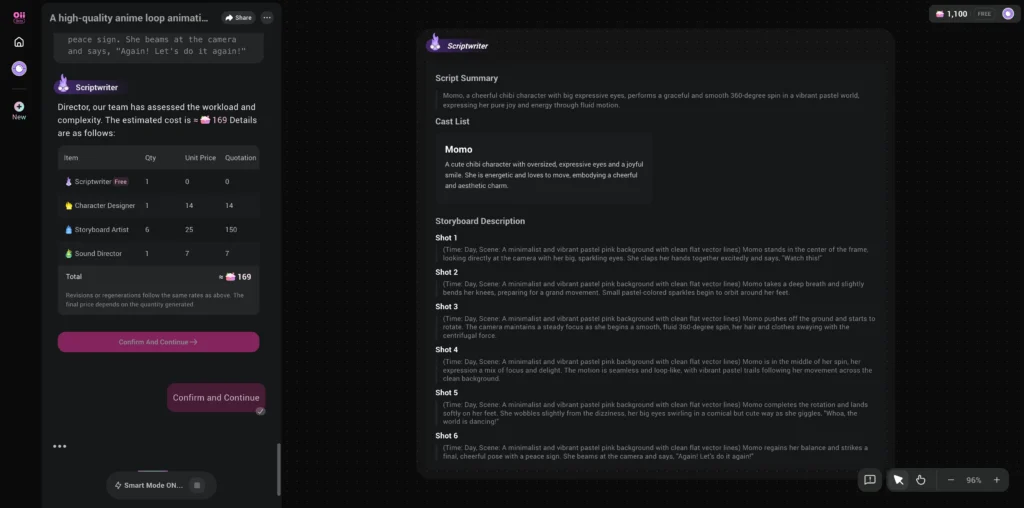
3. Writer generates script summary, character list, and shot descriptions
4. Review and modify any element before generation
5. Character Designer creates reference sheets for approval
6. Storyboard Artist generates individual shots
7. Preview and request revisions for specific shots
8. Export final video with music
Advantage: Each step allows intervention. You can adjust dialogue, reframe shots, or redesign characters before committing resources.
Step-by-Step: Creating Your First Animation
Step 1: Create Characters (Optional but Recommended)
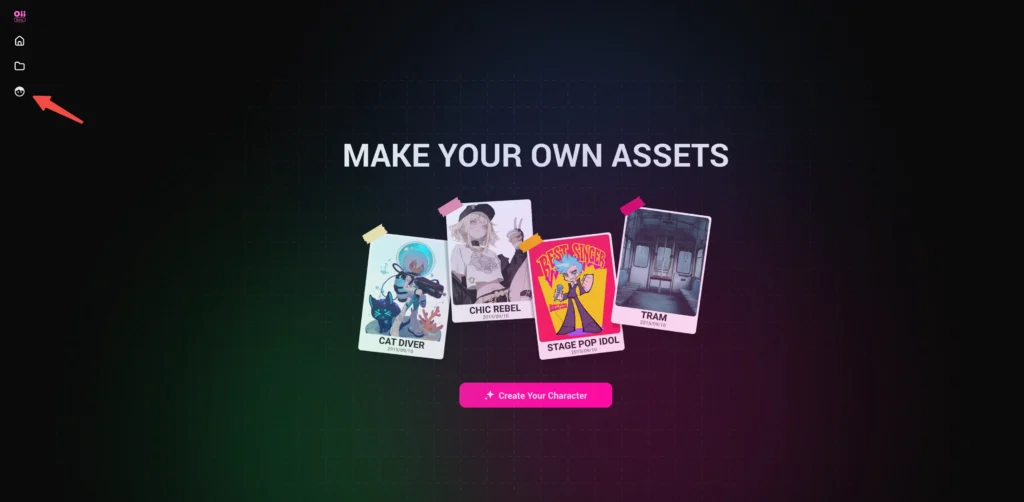
Cost: ~10 tokens
Time: 1-2 minutes
Start a “Create Character” project. Describe your character’s appearance, personality, and role. The Character Designer agent will:
- Generate a full-body character illustration
- Create a design sheet with costume details
- Produce a three-view reference for consistency
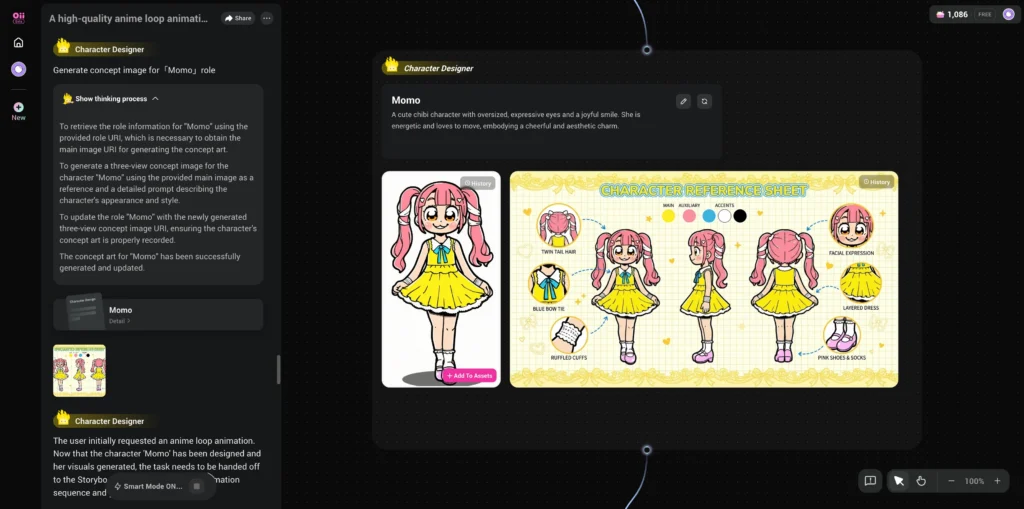
Save to your asset library. This character can appear in any future project with consistent appearance.
Step 2: Write Your Prompt
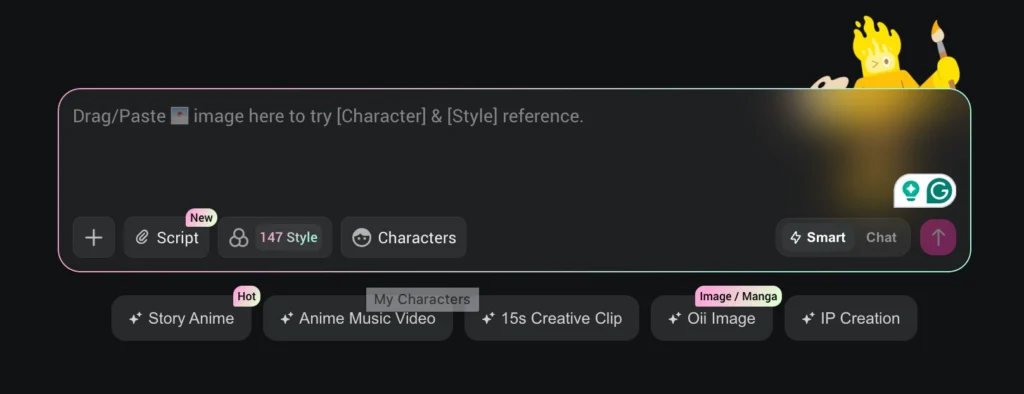
Effective prompt structure:
[Subject] + [Action] + [Setting] + [Mood/Style cues]
Example: “A young astronaut discovers an alien garden on a distant moon. The atmosphere is melancholic and dreamlike. Studio Ghibli style.”
Avoid: Overly technical camera directions in Hosted Mode. Save detailed shot descriptions for Dialogue Mode.
Step 3: Select Animation Style
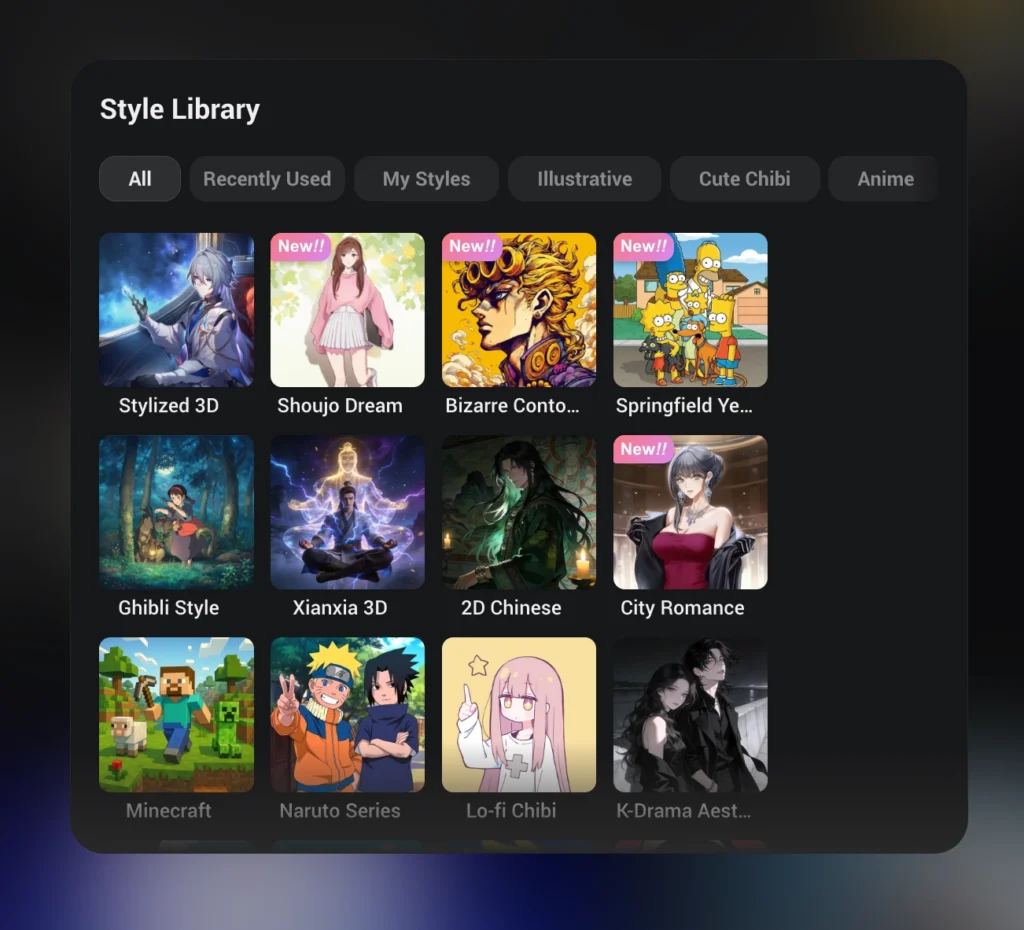
OiiOii offers 150+ preset styles organized by category:
- 2D Anime: Japanese classic, Shonen action, Slice-of-life
- 3D Stylized: Pixar-adjacent, Voxel, Low-poly
- Artistic: Watercolor, Oil painting, Sketch
- Regional: Chinese donghua, Korean manhwa, European animation
Tip: Style selection significantly impacts generation quality. Match your narrative tone to an appropriate visual style.
Step 4: Review Generated Assets
In Dialogue Mode, you’ll see:
- Script Summary: One-paragraph overview of the story
- Character List: Each character with description and motivation
- Shot Breakdown: Individual scene descriptions with implied camera work
Request changes conversationally: “Make the protagonist older” or “Add a chase sequence in shot 3.”
Step 5: Generate and Refine
The Storyboard Artist generates each shot sequentially. You can:
- Accept shots that meet expectations
- Request regeneration with specific feedback
- Adjust timing using the built-in trim tool
Average generation time: 5-10 minutes for a 30-second video in Dialogue Mode.
Step 6: Add Audio
The Music Director automatically scores your video based on detected mood. Options include:
- Accept generated background music
- Request a different genre or tempo
- Export video without audio for manual scoring
Real-World Use Cases
1. Content Creators
Application: Short-form social content, YouTube explainers, TikTok series
Advantage: Produce anime-style content without hiring animators. Test concepts quickly before investing in full production.
Example workflow: A creator making educational content about space exploration can generate a 30-second animated explainer about black holes in under an hour. The same concept produced traditionally would require weeks of illustration and animation work.
2. Educators
Application: Animated lesson content, historical reenactments, science visualizations
Advantage: Transform abstract concepts into engaging visual narratives. A physics teacher can animate gravitational mechanics in minutes.
Practical example: A history teacher creates a 60-second animation showing the daily life of medieval peasants. Students retain visual information better than text-based lessons, and the teacher produces new content weekly without art skills.
3. Marketing Teams
Application: Product demos, brand storytelling, event promotions
Advantage: Create custom animated content at a fraction of traditional agency costs.
Cost comparison: A 30-second animated brand video from a professional studio costs $5,000-$15,000. OiiOii produces comparable anime-style content for under $50 in tokens, allowing rapid iteration and A/B testing.
4. Indie Game Developers
Application: Cutscenes, trailers, promotional materials
Advantage: Generate consistent character animations for games without a dedicated art team.
Integration workflow: Export character reference sheets from OiiOii to use as concept art. Generate trailer footage before the game is playable. Create cutscenes that match your game’s aesthetic without frame-by-frame animation.
5. Webcomic Artists
Application: Motion comics, animated adaptations, promotional clips
Advantage: Transform static panels into dynamic video content for social media promotion.
Strategy: Upload existing character designs to OiiOii’s asset library. Generate short animated sequences featuring your characters. Use these clips to promote your webcomic on platforms where video content outperforms static images.
6. Music Artists
Application: Animated music videos, visualizers, lyric videos
Advantage: Create full-length music videos without video production budgets.
Feature highlight: OiiOii’s Music Concept Film mode synchronizes generated animation to uploaded audio tracks. Independent musicians can produce anime-style MVs that previously required significant budgets.
OiiOii vs. Competitors
| Feature | OiiOii | Runway Gen-3 | Kling | Pika |
| Max video length | 60+ seconds | 10 seconds | 5 seconds | 3 seconds |
| Character consistency | Strong (asset-based) | Limited | Limited | Limited |
| Style variety | 150+ presets | Style-agnostic | Style-agnostic | Limited presets |
| Narrative support | Full script generation | None | None | None |
| Best for | Anime/animation content | VFX shots | Realistic video | Loops/memes |
Summary: OiiOii excels at structured narrative content with consistent characters. Runway and Kling produce higher-fidelity single shots but lack story coherence tools.
Pricing and Token Economics
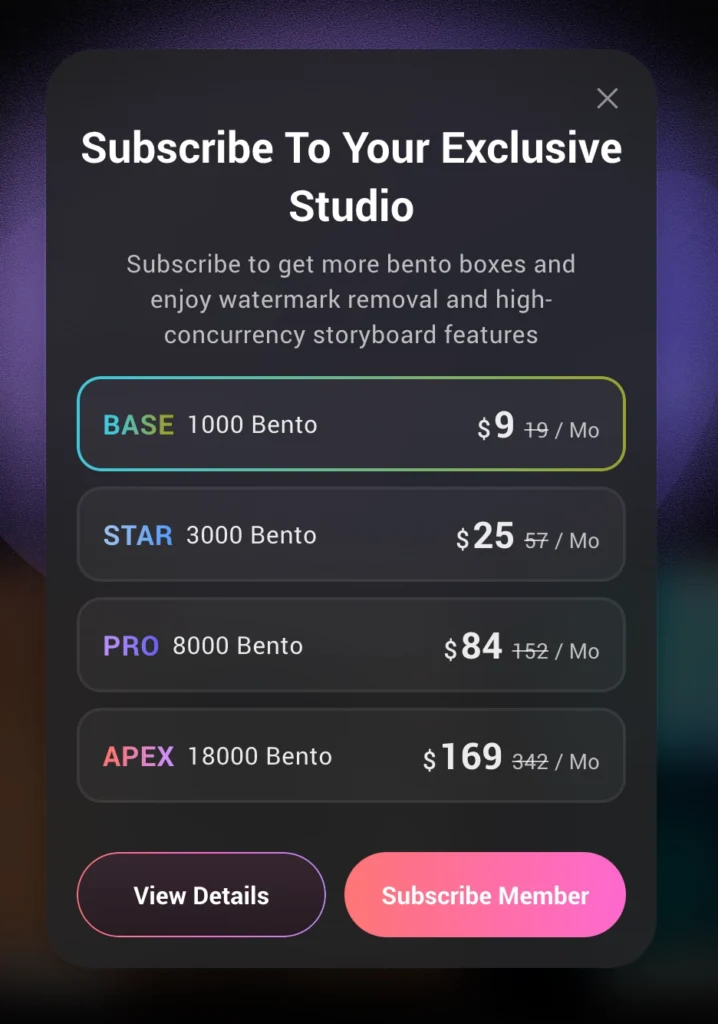
OiiOii uses a token system called “Bento Boxes”:
| Tier | Monthly Cost | Tokens Included | Concurrent Tasks |
| Free Trial | $0 | 1,000 | 1 |
| BASE | ~$9 | 1,000 | 3 |
| STAR | ~$25 | 3,000 | 10 |
| PRO | ~$84 | 8,000 | 20 |
| APEX | ~$169 | 18,000 | 30 |
Cost estimate: A 60-second animation typically costs 150-300 tokens depending on complexity. During beta pricing, this translates to roughly $10 USD per minute of finished animation.
Note: Pricing is approximate and subject to change as the platform exits beta.
Tips for Better Results
Prompt Engineering
Do:
- Specify emotional tone (“melancholic,” “energetic,” “mysterious”)
- Reference known animation styles by name
- Describe key visual elements explicitly
Avoid:
- Vague descriptions (“make it cool”)
- Contradictory instructions
- Overly complex multi-character scenes in a single shot
Workflow Optimization
1. Test in Hosted Mode first: Validate your concept cheaply before investing in Dialogue Mode refinement
2. Build a character library: Pre-create recurring characters to maintain consistency across projects
3. Use external scripts: For complex narratives, write your script in a separate tool (like DeepSeek or Claude), then paste it into OiiOii
Technical Settings
- Aspect ratio: 16:9 for YouTube, 9:16 for TikTok/Reels, 1:1 for Instagram
- Language: Chinese voiceover currently more natural than English
- Export: Download individual shots for external editing if needed
Advanced Techniques: Prompt Engineering for OiiOii
The Structured Prompt Template
Professional creators use a standardized format to maximize output quality:
| # Video Generation Prompt ## Core Definition **Task Type:** [30-second narrative / 15-second loop / music video] **Total Duration:** [30s] **Visual Style:** [8K cinematic / Ghibli watercolor / Cyberpunk neon] **Emotional Tone:** [Melancholic, hopeful, tense, whimsical] ## Environment **Scene Description:** [Detailed setting with time of day, weather, atmosphere] **Lighting:** [Natural sunlight through windows, neon glow, dramatic shadows] **Texture Details:** [Rough brick walls, polished metal, soft fabric] ## Characters **Protagonist:** [Physical description + costume + defining traits] **Supporting Cast:** [Optional additional characters] ## Timeline Breakdown – **00-05 seconds:** [Opening shot – wide establishing view] – **05-15 seconds:** [Development – character introduction] – **15-25 seconds:** [Climax – key action or emotional peak] – **25-30 seconds:** [Resolution – closing image] |
Camera Language Commands
OiiOii’s Director agent responds to specific cinematography instructions:
| Desired Effect | Prompt Code | Best Use Case |
| Push in slowly | [Camera: Dolly In, Speed: Slow] | Building tension, emotional reveals |
| Tilted frame | [Camera: Dutch Angle, Tilt: 15°] | Unease, villain introductions |
| Following shot | [Camera: Tracking Shot, Subject: Locked] | Chase sequences, movement |
| Focus shift | [Camera: Rack Focus, A to B] | Redirecting attention |
| Documentary feel | [Camera: Handheld, Shake: Medium] | Intense action, raw emotion |
Negative Prompts (What to Exclude)
Add these exclusions to prevent common generation issues:
Exclude: worst quality, low quality, 3D render (for 2D styles),
realistic style (for anime), lip sync errors, deformation,
missing limbs, extra fingers, watermarks, static images,
slideshow appearance, flickering
Complete Workflow: Creating a Complex Narrative
This walkthrough demonstrates OiiOii’s full capabilities using a multi-scene story.
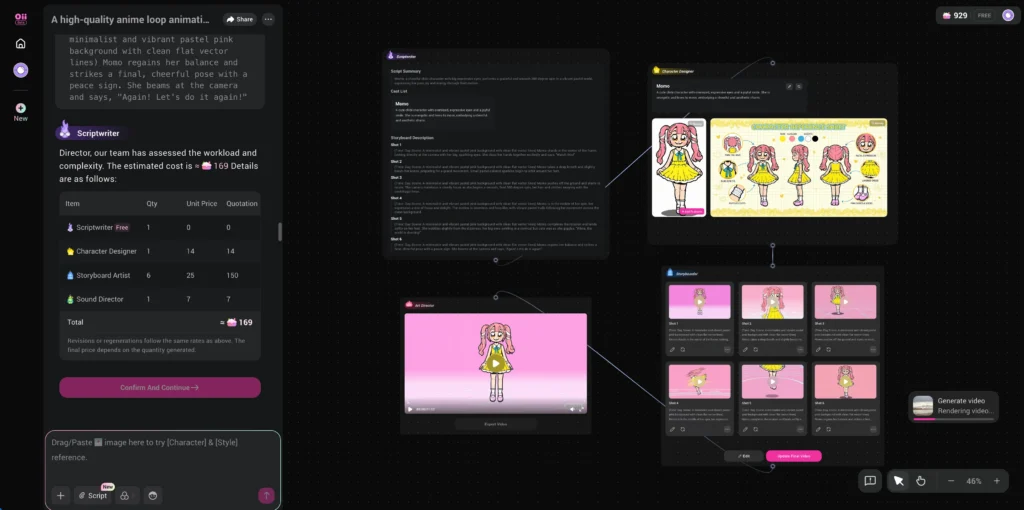
Phase 1: Story Development
Start with a concept. For this example:
“In a world called Memory Realm, human emotions crystallize into glowing Memory Gems. A high school boy named Lin Che can feel everyone’s emotions. He teams up with Bai Zhi, a girl who froze her own feelings after childhood trauma. Together they fight the Void Cult leader who wants to eliminate all emotion.”
Use an external AI (DeepSeek, Claude, GPT-4) to expand this into a full script with:
- Story summary
- Character profiles with motivations
- Shot-by-shot scene descriptions
Phase 2: Style Selection
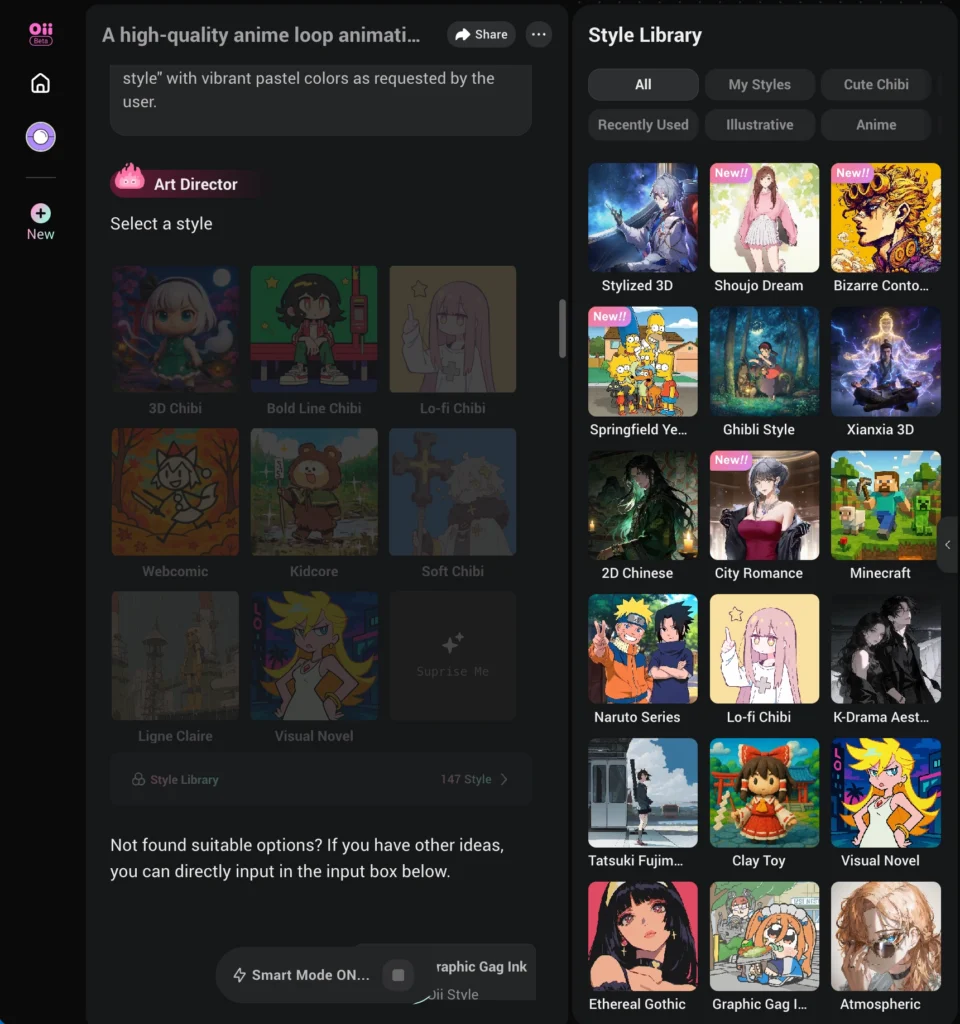
Browse OiiOii’s 150+ styles. For emotional anime narratives, consider:
- Japanese Retro: Warm, nostalgic, hand-drawn aesthetic
- Modern Shonen: Dynamic action lines, vibrant colors
- Atmospheric: Soft lighting, subtle movements, mood-focused
Phase 3: Character Creation
Create each main character separately:
Lin Che:
- 17-year-old high school student
- Brown hair, gentle expression
- School uniform with subtle glow effect when using powers
Bai Zhi:
- 16-year-old, ice-blue hair
- Calm demeanor, minimal expression
- Dark uniform, frost patterns on accessories
Save both to your asset library before starting video generation.
Phase 4: Script Input
Paste your expanded script into Dialogue Mode. The Writer agent will:
1. Confirm story summary
2. List all characters with descriptions
3. Generate shot breakdown
Review each element. Request changes naturally:
- “Make shot 3 more dynamic with faster camera movement”
- “Add rain to the outdoor scenes”
- “Change the ending from fade-out to a freeze frame”
Phase 5: Shot-by-Shot Generation
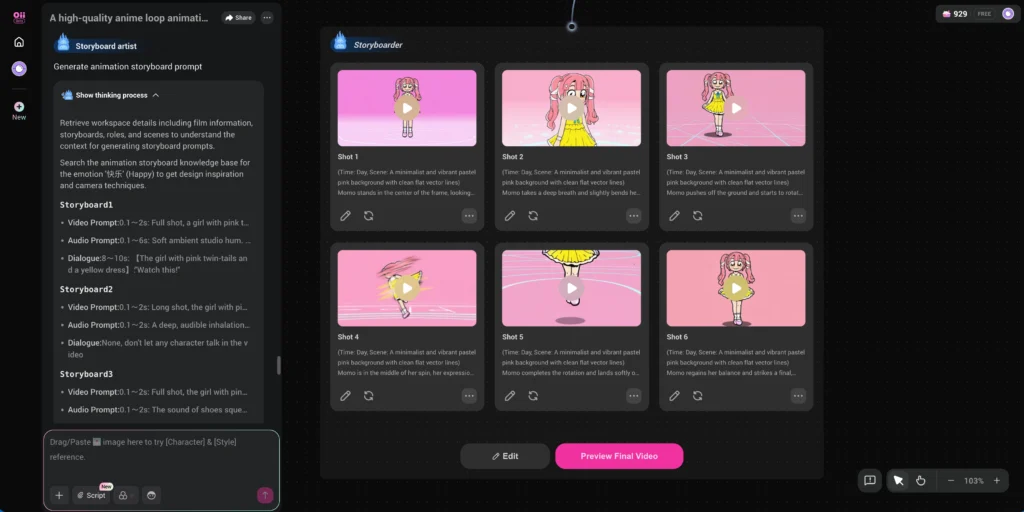
The Storyboard Artist generates each shot. For a 13-shot sequence:
1. Night cityscape with floating Memory Gems (establishing)
2. Lin Che and Bai Zhi receiving mission briefing
3. Veterans apartment with fading gems (emotional)
4. Bai Zhi’s memory flashback (traumatic reveal)
5. Training room confrontation (character conflict)
6. Void Cult headquarters introduction (antagonist setup)
7. Mo Yuan offers alternative philosophy (moral complexity)
8. Lin Che enters Bai Zhi’s frozen memory sea (visual showcase)
9. Childhood trauma revelation (emotional climax)
10. Central plaza with Soul Purifier device (action setup)
11.Final confrontation in memory hub (philosophical debate)
12. Combined power breaks through (resolution)
13. City restored, sunset ending (denouement)
Each shot can be individually revised before moving forward.
Phase 6: Audio Integration
The Music Director generates a score matching detected emotional beats. For dramatic narratives:
- Soft piano during emotional scenes
- Orchestral swells for action sequences
- Ambient soundscapes for atmospheric moments
Phase 7: Final Export
Preview the complete video. Use the timeline trimmer to adjust pacing. Export in your chosen format:
- 1080p standard quality
- 4K premium quality (uses more tokens)
- Individual shot exports for external editing
Known Limitations
- Voice quality: English TTS sounds robotic; consider disabling dialogue and adding voiceover manually
- Complex physics: Action scenes with intricate choreography may produce inconsistent motion
- Beta instability: Occasional generation failures; check history if a task stalls at 99%
- Invite-only access: Currently requires an invitation code to register
- Content moderation: Strict filters on violence and mature content; use indirect descriptions (“defeat” instead of “kill”)
- Generation caps: Complex scenes with many characters may hit quality limits
Bonus: Gaga AI for Extended Workflows
For creators wanting additional AI production tools, Gaga AI offers complementary capabilities that integrate well with OiiOii exports.
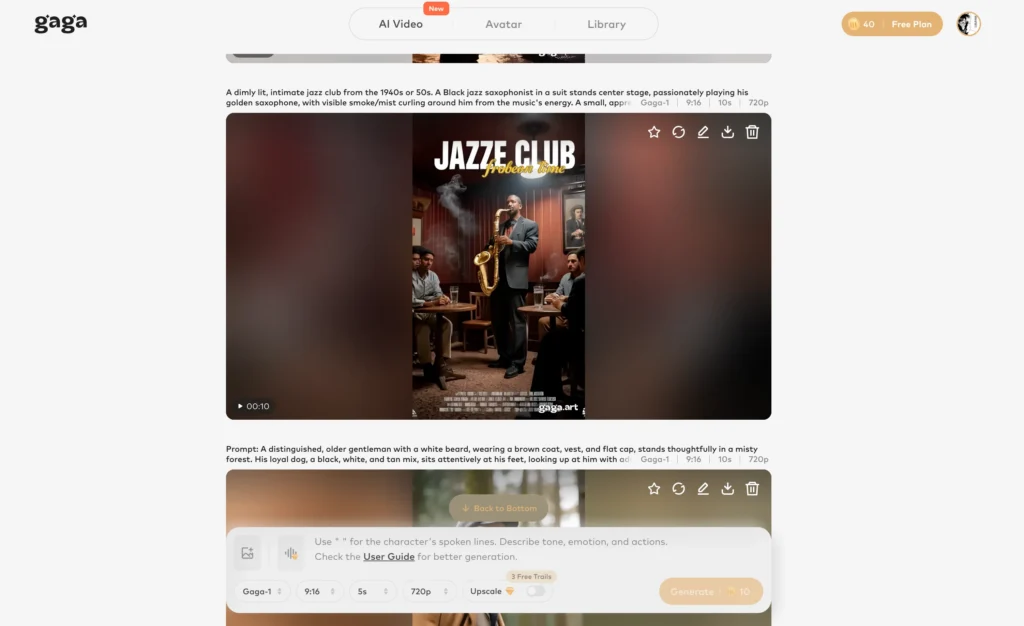
Image-to-Video AI
Transform static illustrations into animated sequences. This feature excels at:
- Adding subtle motion to character portraits (breathing, blinking, hair movement)
- Converting manga panels into animated motion comics
- Creating animated versions of fan art or original illustrations
Workflow integration: Design characters in OiiOii, export reference sheets, then use Gaga AI to create additional animated assets like profile pictures or social media headers.
Text-to-Speech (TTS)
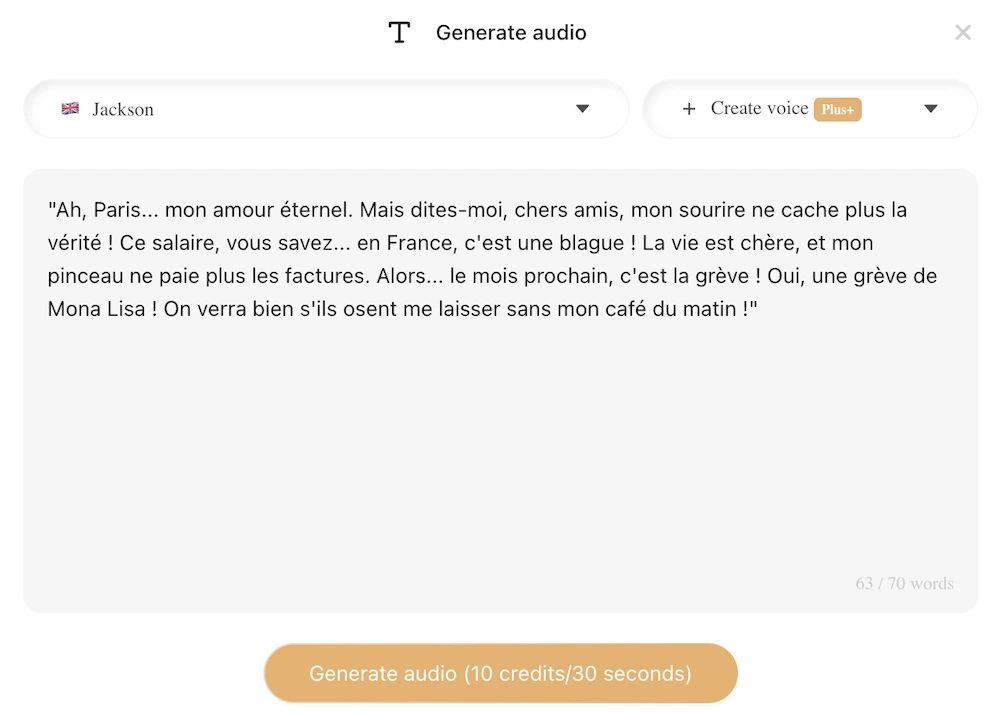
Generate natural-sounding voiceovers in multiple languages. Gaga AI’s TTS offers:
- More natural intonation than OiiOii’s built-in voice synthesis
- Support for emotional expression markers
- Multiple voice profiles per language
- Adjustable speaking speed and pitch
Use case: Export OiiOii videos without dialogue, then generate professional narration through Gaga AI’s TTS system for significantly improved audio quality.
Voice Cloning
Create custom voice profiles from audio samples. Features include:
- Clone voices from 30-second reference recordings
- Maintain consistent character voices across episodic content
- Generate dialogue in the cloned voice with new scripts
Application: Create a signature voice for your animated character once, then use that voice across all future content without re-recording.
Video and Audio Fusion
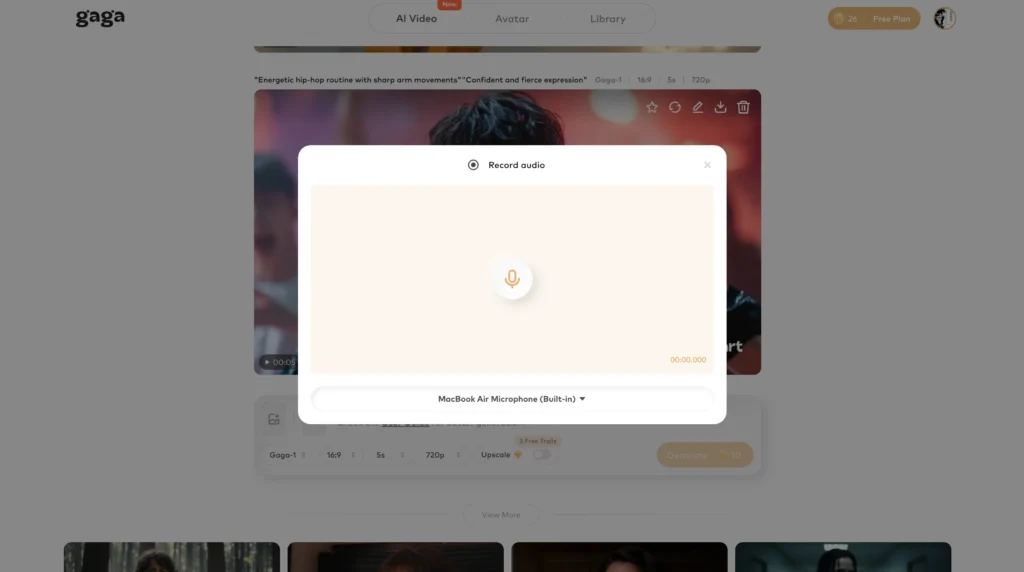
Combine separately generated video and audio tracks with automatic lip-sync alignment. This tool:
- Analyzes speech patterns in audio files
- Generates mouth movements matching the detected phonemes
- Applies corrections to imported video files
Integration tip: Export OiiOii videos without audio, generate superior voiceover through Gaga AI’s TTS, then use the fusion tool to add lip-sync. This three-step process produces significantly more polished results than OiiOii’s native audio.
Recommended Combined Workflow
1. Create characters and narrative in OiiOii
2. Export video without dialogue
3. Write final script with emotional cues
4. Generate voiceover in Gaga AI TTS
5. Apply lip-sync using Video Fusion
6. Add final music and sound effects
7. Export completed video
This workflow leverages OiiOii’s strengths (animation, consistency, narrative structure) while using Gaga AI to address its weaknesses (audio quality, voice naturalness).
FAQ
Is OiiOii free to use?
OiiOii offers 1,000 free tokens upon registration during beta. After depletion, paid subscriptions start at approximately $15/month.
How do I get an OiiOii invite code?
Invite codes are distributed through official social media channels, partner creators, and community events. Check the OiiOii Discord or X (Twitter) account for periodic code drops.
Can OiiOii create anime in any style?
OiiOii supports over 150 animation styles including Japanese anime, Chinese donghua, Western 3D, and artistic renders. You can also describe custom styles in your prompt.
How long does it take to generate a video?
Hosted Mode produces results in approximately 10 minutes. Dialogue Mode with revisions typically takes 30-60 minutes for a polished 30-second video.
Does OiiOii support English voiceover?
Yes, but English TTS quality is currently limited. For professional results, export without dialogue and add voiceover using external tools like Gaga AI.
Can I use OiiOii content commercially?
Commercial use terms depend on your subscription tier. Review the current terms of service on the OiiOii website before monetizing generated content.
What makes OiiOii different from Runway or Pika?
OiiOii focuses on narrative animation with consistent characters across multiple shots. Runway and Pika excel at short, standalone video clips but lack story coherence tools.
How does character consistency work?
OiiOii’s Character Designer agent creates reference assets stored in your library. These assets inform all subsequent generations, ensuring the same character appears identical across different scenes.
Can I edit generated videos?
OiiOii includes basic trimming tools. For advanced editing, export individual shots and assemble them in external software like DaVinci Resolve or Premiere Pro.
What are the system requirements?
OiiOii is a cloud-based platform accessible through any modern web browser. No local hardware requirements beyond a stable internet connection.
Can I upload my own character designs?
Yes. OiiOii accepts reference images that the Character Designer agent uses to maintain consistency. Upload high-resolution, clear images for best results.
How do I fix flickering or visual glitches?
Add “smooth motion, no flicker” to your prompt. If issues persist, regenerate the problematic shot with reduced complexity or different framing.
Does OiiOii work on mobile devices?
The platform is browser-based and functions on tablets. However, the interface is optimized for desktop use. Complex projects are easier to manage on larger screens.
Can I create series content with recurring characters?
Yes. This is one of OiiOii’s primary strengths. Save characters to your asset library and call them into any future project. Appearance remains consistent across episodes.
What file formats does OiiOii export?
Standard export is MP4 at 1080p. Individual shots can be downloaded separately. Some subscription tiers offer 4K export options.
How do I handle content moderation rejections?
OiiOii has strict content filters. Avoid explicit violence keywords. Use indirect descriptions: “confrontation” instead of “fight,” “vanished” instead of “killed.” Reframe mature themes abstractly.
Can multiple people collaborate on one project?
Current beta does not support real-time collaboration. Teams can share accounts or export assets for others to import into their own projects.
What happens if generation fails or stalls?
Check the History tab in your dashboard. Stalled jobs often complete in the background. If truly failed, you can retry without losing tokens for incomplete work.