Key Takeaways
- Nano Banana 2 (Gemini 3.1 Flash Image) launches February 26, 2026 as Google’s fastest, most capable image model yet
- It brings Nano Banana Pro’s advanced intelligence to a faster, more affordable model
- Pricing drops ~50% for 1K images (from $0.134 to $0.067 per image)
- Available across Gemini app, Google Search, AI Studio, Vertex AI, Flow, and Google Ads
- Subject consistency supports up to 5 characters and 14 objects in a single workflow
- Output defaults to 2K resolution with aspect ratios up to 8:1
Table of Contents
What Is Nano Banana 2?
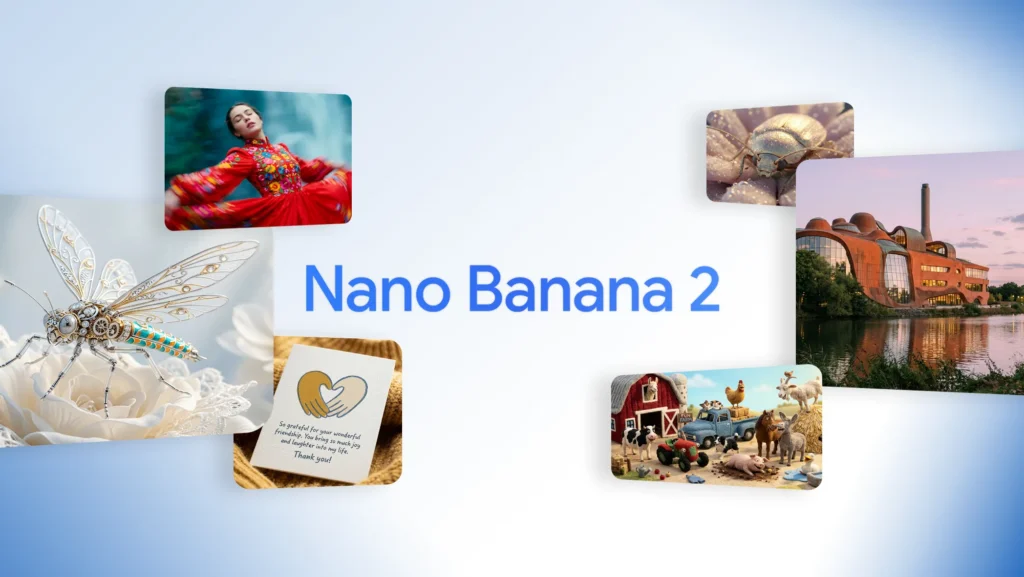
Nano Banana 2 is Google’s latest state-of-the-art image generation model, officially known as Gemini 3.1 Flash Image, released on February 26, 2026. It combines the high-quality intelligence of Nano Banana Pro with the lightning-fast speed of Gemini Flash — giving creators, developers, and marketers the best of both worlds at a significantly lower cost.
Think of it as a distilled, faster version of Pro that doesn’t sacrifice too much quality. If Nano Banana (the original) was the viral breakthrough and Nano Banana Pro was the premium studio tool, then Nano Banana 2 is the practical everyday workhorse most users actually needed.
How Does Nano Banana 2 Compare to Nano Banana Pro?
This is the question everyone’s asking, and the answer is nuanced.
| Feature | Nano Banana Pro | Nano Banana 2 |
| Speed | Standard | Flash (significantly faster) |
| Default Output | 1K | 2K |
| 1K Image Price | $0.134 | $0.067 |
| 4K Image Price | $0.240 | $0.151 |
| Max Aspect Ratio | 2:1 | 8:1 |
| Subject Consistency | Limited | Up to 5 chars / 14 objects |
| Text Accuracy | High | Slight regression at high text density |
| Target User | High-fidelity specialist tasks | Rapid generation, iteration, API use |
The headline improvement isn’t raw quality — it’s accessibility. Nano Banana Pro was, frankly, priced out of most production pipelines. At $0.134 per 1K image, generating 100 images in a single session costs developers roughly $13–14 USD, which makes it nearly impossible to build consumer-facing apps on top of it. Nano Banana 2 cuts that in half, making it viable for real-world API integrations.
One honest caveat: text rendering quality shows a slight regression when images contain dense text. Garbled characters appear more frequently compared to Pro under heavy-text conditions. For text-heavy outputs like infographics or marketing mockups, keep that in mind.
What’s New in Nano Banana 2?
Advanced World Knowledge
Nano Banana 2 pulls from Gemini’s real-world knowledge base and is grounded in real-time web search data. This means the model can accurately render specific real-world subjects — people, brands, landmarks — rather than hallucinating generic approximations. It also enables:
- Generating accurate infographics from structured data
- Turning handwritten or typed notes into clean diagrams
- Creating data visualizations from raw inputs
Precision Text Rendering and Translation
The model supports legible, accurate text generation for use cases like:
- Marketing mockups and product banners
- Greeting cards and social assets
- In-image text translation and localization for global campaigns
This is a significant capability for content teams working across multiple languages.
Subject Consistency Across a Workflow
One of the biggest workflow pain points in AI image generation is maintaining character consistency across multiple images. Nano Banana 2 solves this by preserving:
- The appearance of up to 5 characters across a sequence
- The fidelity of up to 14 objects within a single workflow
This makes it practical for storyboarding, comic-style narratives, product presentation decks, and branded content series.
Precise Instruction Following
The model adheres more strictly to complex, multi-part prompts. If your prompt specifies lighting style, subject placement, color palette, and mood simultaneously, Nano Banana 2 is more likely to honor all of them without selective interpretation.
Production-Ready Specs
- Resolution range: 512px up to 4K
- Aspect ratios: Fully flexible, including extreme ratios up to 8:1 — enabling ultra-wide cinematic banners or tall scroll-format visuals that were impossible with Pro’s 2:1 limit
- Default output: 2K (up from 1K in the original Nano Banana)
- Generation speed: Approximately 20 seconds per 2K image
Where Can You Use Nano Banana 2?
Nano Banana 2 is rolling out across Google’s full product ecosystem:
Gemini App — Replaces Nano Banana Pro across Fast, Thinking, and Pro models. Google AI Pro and Ultra subscribers can still access Nano Banana Pro for specialized tasks via the three-dot regeneration menu.
Google Search — Available in AI Mode and Lens, through the Google app, and on mobile and desktop browsers. Rolling out to 141 new countries and territories across 8 additional languages.
AI Studio + Gemini API — Available in preview. Pricing has dropped dramatically on input tokens too, from $2.00 to $0.25 per million tokens. Also available in Google Antigravity.
Google Cloud / Vertex AI — Available in preview via the Gemini API in Vertex AI.
Flow — Nano Banana 2 is now the default image model in Flow and is available to all users at zero credits.
Google Ads — Live now, powering image suggestions when creating ad campaigns.
How to Get Started with Nano Banana 2
Using Nano Banana 2 in the Gemini App
- Open the Gemini app (web or mobile)
- Start a new conversation or image generation task
- Nano Banana 2 is now the default model — no toggle required
- For Pro-level output on specialized tasks, click the three-dot menu after generation and select “Regenerate with Pro”
Using Nano Banana 2 via API (Developers)
- Go to AI Studio and navigate to the API section
- Select the gemini-3.1-flash-image model
- Structure your request with your image prompt and desired aspect ratio
- Review the updated pricing: $0.067 per 1K image output; $0.25 per million input tokens
- For production pipelines with bulk generation, test throughput at your expected volume before scaling
Getting the Best Results from Nano Banana 2
- Be specific in your prompts. The improved instruction-following rewards detailed, structured prompts over vague ones.
- Use subject references. Upload reference images of characters or products to take advantage of subject consistency features.
- Specify aspect ratio explicitly. With support up to 8:1, define your canvas dimensions upfront rather than cropping after.
- For text-heavy images, consider running the output through a light manual review pass — text rendering is functional but not flawless at high density.
- Batch generation works well in Lovart, which offers a canvas-style interface that many users find more comfortable for managing multiple images in a single session.
BONUS: Take Your Visuals Further with Gaga AI
Once you’ve generated stunning images with Nano Banana 2, Gaga AI lets you transform them into fully produced video content — no studio required.

Gaga AI is an all-in-one AI video production platform built for creators who need to move fast without sacrificing quality. Here’s what it brings to the table:
Image to Video AI — Upload any Nano Banana 2 output and animate it into a dynamic video clip. Static product shots, illustrated characters, and stylized scenes all come alive with motion in seconds.
Video and Audio Infusion — Layer background music, sound effects, or ambient audio directly onto your AI-generated video. Gaga AI’s audio engine syncs timing automatically, so you don’t need a separate editing tool.
AI Avatar — Create a lifelike on-screen presenter from a single photo. Use it for product explainers, social content, or branded announcements without ever turning on a camera.
AI Voice Clone — Record a short voice sample and Gaga AI replicates your vocal style for narration, ads, or voiceovers — consistent across every video you produce.
Text-to-Speech (TTS) — No voice recording? No problem. Type your script and choose from a library of natural-sounding AI voices across multiple languages, accents, and tones.
For creators pairing AI image generation with video content workflows, Gaga AI bridges the gap between a single great image and a fully produced, publish-ready asset.
FAQ: Nano Banana 2 Explained
What is Nano Banana 2?
Nano Banana 2 is Google’s latest AI image generation model, released on February 26, 2026. It is powered by Gemini 3.1 Flash and is designed to deliver Pro-level image quality at significantly faster speeds and lower costs.
Is Nano Banana 2 better than Nano Banana Pro?
It depends on the task. Nano Banana 2 is faster, cheaper, and more practical for bulk generation and API use. Nano Banana Pro still edges it out for maximum factual accuracy and text-heavy image tasks. For most everyday workflows, Nano Banana 2 is the better choice.
How much does Nano Banana 2 cost?
As of launch, Nano Banana 2 costs approximately $0.067 per 1K image and $0.151 per 4K image via API. Input tokens are priced at $0.25 per million tokens. This is roughly 40–50% cheaper than Nano Banana Pro.
Where is Nano Banana 2 available?
It is available in the Gemini app, Google Search (AI Mode and Lens), AI Studio, Gemini API, Vertex AI, Google Flow, and Google Ads. It is also accessible via Lovart.
Can Nano Banana 2 generate 4K images?
Yes. Nano Banana 2 supports resolutions from 512px up to 4K, with flexible aspect ratios up to 8:1.
Does Nano Banana 2 support multiple characters in one image?
Yes. It supports subject consistency for up to 5 characters and maintains fidelity for up to 14 objects within a single workflow — a significant upgrade for storyboarding and narrative content.
Is Nano Banana 2 free to use?
In Google Flow, Nano Banana 2 is available to all users at zero credits. In the Gemini app, it is available on free and paid tiers. API usage is billed per image and per token.
How fast is Nano Banana 2?
Nano Banana 2 generates approximately one 2K image in around 20 seconds, which is considerably faster than Nano Banana Pro.
Can I still access Nano Banana Pro?
Yes. Google AI Pro and Ultra subscribers can still access Nano Banana Pro via the three-dot regeneration menu in the Gemini app for specialized high-fidelity tasks.
Does Nano Banana 2 support text translation inside images?
Yes. The model supports translating and localizing text within an image, which is useful for adapting marketing assets across different languages without regenerating the full image.