Key Takeaways
- Lucy 2 is a real-time world transformation model that generates and edits 1080p video at 30fps with near-zero latency (<100ms per frame)
- Operates continuously for hours without quality degradation using Smart History Augmentation technology
- Pure diffusion architecture learns physics from video data without requiring depth maps or 3D models
- Cost-effective at approximately $3 per hour for sustained real-time video generation
- Supports live editing through text prompts and reference images while video streams
Table of Contents
What Is Decart AI Lucy 2?
Decart AI Lucy 2 is a real-time video transformation model that shifts high-fidelity video editing from offline rendering to live, interactive experiences. Unlike traditional video generators that create pre-rendered clips, Lucy 2.0 operates as a persistent system that continuously generates and modifies video streams while they’re running.
The model processes incoming video at 1080p resolution and 30 frames per second with latency under 100 milliseconds per frame, enabling seamless live transformations that respond instantly to user commands. This represents a fundamental shift in how AI handles video: from static artifact generation to dynamic, mutable streaming.
Core Capabilities
Lucy AI enables users to:
- Replace characters in real-time during live streams
- Swap clothing and accessories without interrupting video flow
- Insert products dynamically for instant product placement
- Transform entire environments including backgrounds and lighting
- Control motion while maintaining visual coherence
- Run indefinitely for multi-hour streaming sessions
Key Features and Performance Metrics
Real-Time Processing
- Resolution: 1080p (Full HD)
- Frame Rate: 30 fps
- Latency: <100 milliseconds per frame
- Continuous Operation: Hours of stable generation without degradation
Edit Types Supported
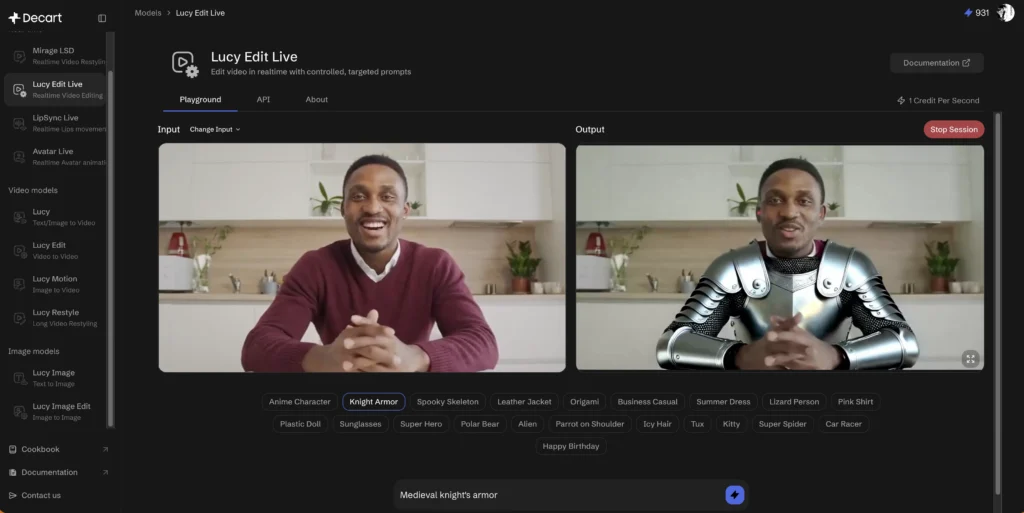
Lucy 2 AI handles diverse transformation categories:
1. Character Replacement: Swap people with other characters, creatures, or avatars while maintaining realistic movement
2. Wardrobe Changes: Modify clothing, add accessories like glasses or hats
3. Product Insertion: Place products naturally within scenes for real-time marketing
4. Environment Transformation: Replace backgrounds, adjust lighting, change entire scenes
5. Motion Control: Guide object trajectories and movements
Technical Performance
Decart positions Lucy 2.0 as a live system transforming the visual world with high fidelity at 30fps and 1080p resolution with near-zero latency, representing what the company calls “persistent generation” that operates as a single continuous system.
Independent testing confirms the model maintains temporal consistency superior to batch-based generators like OpenAI’s Sora, which typically maintains coherent scenes for approximately 60 seconds before degradation begins.
How to Use Decart AI Lucy 2
Access Methods
1. Web Interface: Try Lucy 2 directly at lucy.decart.ai for immediate experimentation
2. API Integration: Access through Decart’s API platform for developers
3. Delulu Stream Tools: Use for Twitch, TikTok, YouTube Live, and Kick streaming integration
Basic Workflow
1. Input Video Source: Connect webcam, smartphone camera, or RTMP stream
2. Enter Text Prompt: Describe desired transformation (e.g., “replace background with New York City skyline”)
3. Add Reference Images: (Optional) Provide visual references for precise styling
4. Apply Real-Time: Changes happen instantly while video continues streaming
5. Iterate Live: Modify prompts on-the-fly for continuous creative exploration
Pricing Structure
Estimated runtime costs approximately $3 per hour for sustained 1080p real-time generation, though API pricing varies by tier:
- Lucy-Pro T2V 480p: $0.04 per second
- Lucy-Pro T2V 720p: $0.08 per second
- Lucy-Pro V2V 720p: $0.15 per second
- Lucy-Dev: Lower-cost prototyping tier with reduced resolution
Use Cases and Applications
1. Live Streaming Enhancement
Streamers on platforms like Twitch and TikTok can transform their appearance into any character in real-time, responding to chat commands instantly. Using Decart’s Delulu Stream tools powered by Lucy 2, livestreamers can dynamically adjust appearance and instantaneously insert brand products.
Benefits:
- Increase viewer engagement through interactive transformations
- Eliminate post-production editing time
- Create unique branded content on demand
- Respond to audience requests in real-time
2. Content Creation and Virtual Production
Creators can preview visual effects during filming rather than waiting for post-production. Adjusting scene style, lighting, and environment with text prompts brings post-production capabilities into the live filming process.
Applications:
- Virtual film production with dynamic backgrounds
- Music video creation with instant style changes
- Commercial filming with real-time product visualization
- Educational content with adaptive visual aids
3. Virtual Try-On and E-Commerce
Retailers can offer realistic virtual fitting experiences where shoppers see clothing modeled in different poses and environments instantly, improving conversion rates and reducing returns.
Features:
- Real-time outfit visualization on customer video
- Dynamic product placement in lifestyle contexts
- Instant material and color variations
- Multi-angle modeling without reshoots
4. Robotics Training and Data Augmentation
Lucy 2 addresses a critical bottleneck in robotics: data scarcity. The model acts as a real-time simulation engine, transforming materials, lighting, and environments while preserving physical consistency, expanding single demonstrations into thousands of training variants.
Robotics Benefits:
- Generate diverse training scenarios from limited real-world data
- Vary textures, lighting, and object properties in real-time
- Maintain physical consistency across transformations
- Improve visual-language-action (VLA) model robustness
- Reduce sensitivity to spurious visual cues
Best Alternative Tools to Lucy AI
For Real-Time Streaming Applications
1. Mirage LSD (by Decart)
If you’re already using Decart products, Mirage LSD is Lucy’s sibling model focused on unlimited-duration real-time video restyling. It excels at maintaining visual continuity with <40ms latency per frame, ideal for live stream style transfer.
2. Krea.ai Real-Time Video
Popular for screen capture and webcam input transformation with extremely high refresh rates. Excellent for instant style changes but less sophisticated for complex character swaps.
3. LivePortrait / Avatar Live
Specialized for real-time face and avatar animation. If your primary goal is driving virtual characters with facial expressions, these models offer tighter synchronization than general-purpose tools.
For Precision Video Editing
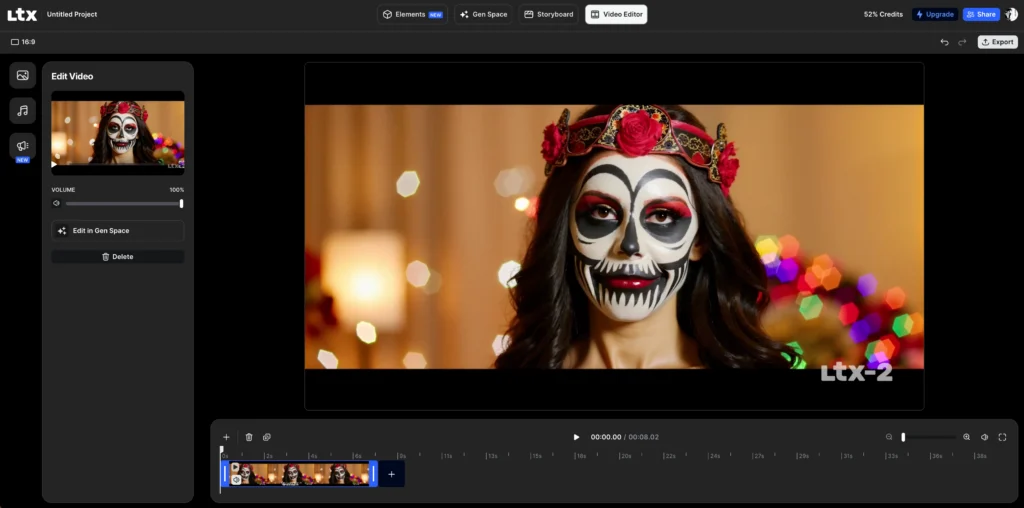
1. LTX Pro (Lightricks)
Comprehensive video creation suite allowing deep control over specific elements (characters, lighting, SFX) with fast generation times (10-20 seconds). Better for refined editing than pure real-time streaming.
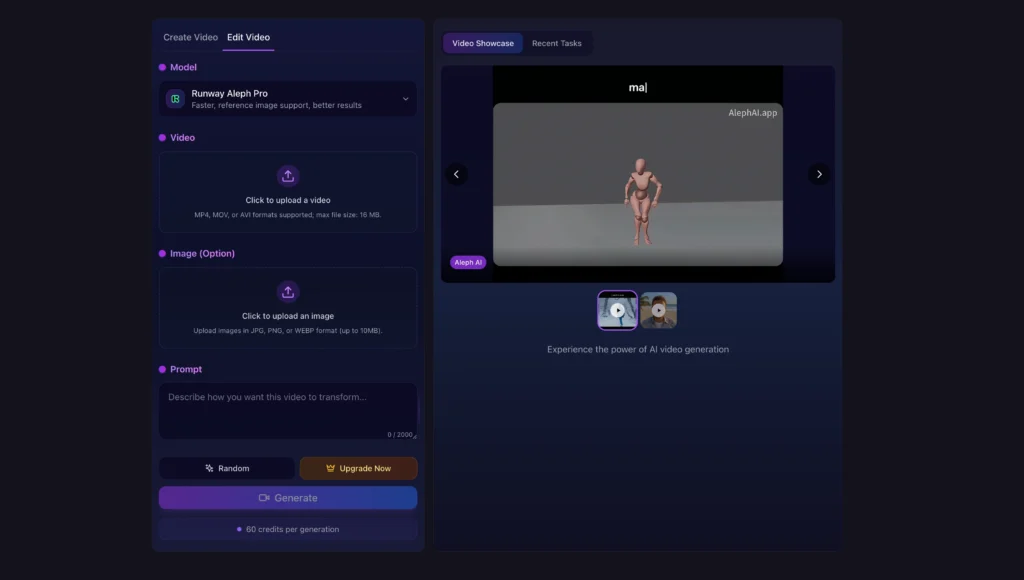
2. Aleph AI
Focuses on semantic-level editing with strong motion preservation. Upload video and transform via instructions like “change background to Mars” while maintaining original actions.
3. Runway Gen-4
Industry leader for film-grade quality with mature editing features (inpainting, motion brush). Less real-time capable than Lucy 2 but superior for final output quality.
For High-Quality Generation (Non-Real-Time)
Gaga AI

Advanced video and audio infusion AI video generator offering image-to-video conversion, text-to-speech, and AI avatar creation. Excellent for creating polished video content with integrated audio capabilities.
For Interactive Avatar Agents
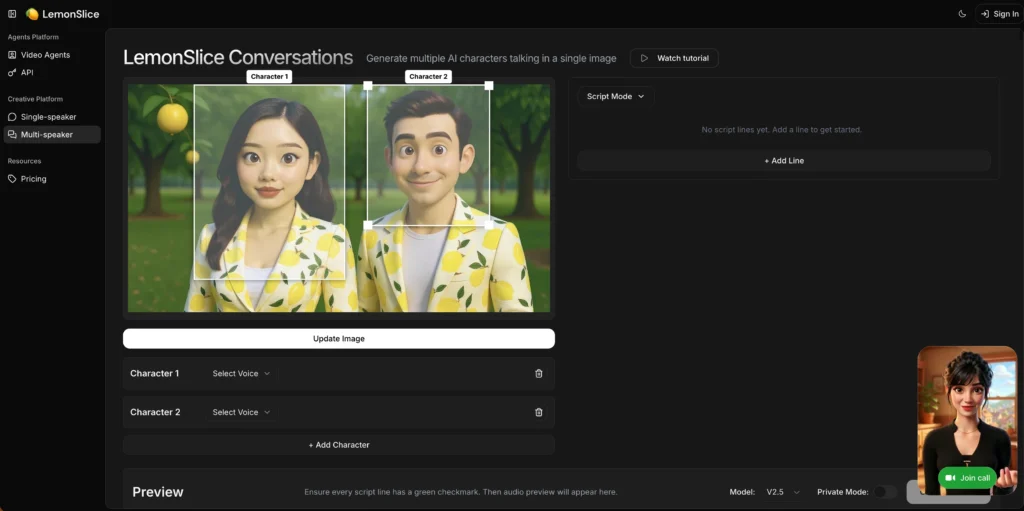
Lemonslice Live-2
State-of-the-art streaming model for conversational AI avatars. Unlike Lucy 2’s focus on visual transformation, Lemonslice specializes in interactive talking avatars you can have real conversations with.
Key Features:
- Ultra-fast response times with SOTA streaming performance
- 30+ language support with voice cloning and custom voice design
- Unlimited agents with extensive voice library
- Easily embeddable widget—upload any image to create talking avatars
- Access to premium LLMs for intelligent conversations
Best For: Customer service avatars, virtual assistants, educational content, and interactive marketing experiences where users need to engage in dialogue with AI characters.
Bonus: Best Real-Time AI Voice Changers to Pair with Lucy 2
For creators using Lucy 2 for visual transformation, pairing it with a real-time voice changer creates complete character immersion. Here are the top AI voice transformation tools:
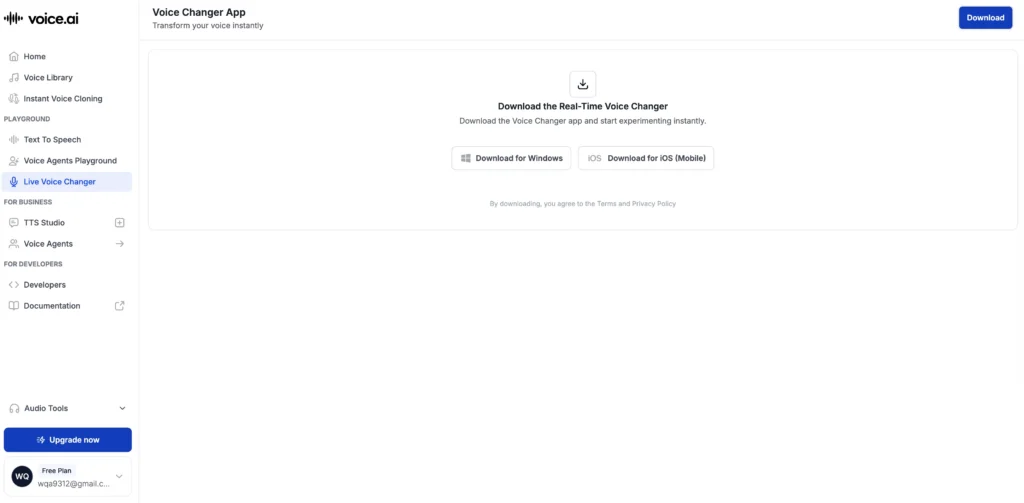
1. Voice.ai – Best Overall Comprehensive Solution (App)
Currently the most popular real-time AI voice changer with the largest user base and most extensive voice library.
Core Strengths:
- Massive Voice Universe with user-uploaded voices—instantly transform into celebrities, game characters, or singers
- Optimized for streaming and gaming with extremely low latency
- Real-time processing suitable for Discord, gaming sessions, and live commerce
Use Cases: Discord chat, gaming, live streaming
Limitations: Requires decent GPU hardware; low-end systems may experience noticeable lag
2. Voicemod – Streamers’ and Gamers’ First Choice (App)
Voicemod established industry leader that fully integrated AI voice technology in its 2026 version.
Core Strengths:
- Ultimate ease of use with integrated soundboard for one-click sound effects and background music
- Minimal system resource usage—won’t impact game frame rates
- Not just voice changing—complete audio enhancement suite
Real-Time Performance: Excellent with very low system overhead
Use Cases: Twitch/YouTube streaming, role-playing games
3. Altered AI – Professional/Ultra-Low Latency Solution (App)
Altered AI is the industry benchmark for studio-grade real-time voice transformation.
Core Strengths:
- Changes vocal nuances, not just pitch—processes breathing sounds, accent conversion, and can restore voices for speech-impaired users
- Industry-leading P90 latency (typically under 200ms)—virtually imperceptible lag
- Professional-grade quality suitable for commercial applications
Use Cases: Professional content creation, business meeting privacy, high-end virtual avatar performance
4. RVC (Retrieval-based Voice Conversion) – Advanced Customization for Tech Users
Open-source framework offering maximum flexibility for users with technical expertise.
Core Strengths:
- Completely free and runs locally—train your own models or download community-created ultra-realistic models
- Conversion quality typically exceeds commercial software
- Full control over every parameter
Recommended Tool: W-Okada voice changer client—the most mature graphical local real-time voice conversion tool based on RVC
Best For: Users comfortable with technical setup seeking maximum quality and customization
Pairing Voice AI with Lucy 2
Combining Lucy 2’s visual transformation with real-time voice changing creates seamless character embodiment:
- For streaming: Lucy 2 handles visual avatar + Voicemod/Voice.ai for voice = complete character transformation
- For professional content: Lucy 2 + Altered AI = broadcast-quality virtual personas
- For maximum quality: Lucy 2 + RVC custom models = unparalleled realism
This combination enables creators to deliver fully immersive experiences where both appearance and voice transform in perfect synchronization.
Technical Requirements and Setup
System Requirements
Supported Platforms:
- Nvidia GPUs (optimized configurations)
- AWS Trainium3 accelerators (best performance)
- Google Cloud infrastructure support
Input Sources:
- Webcams and smartphone cameras
- RTMP streams
- Screen capture
- Video files
Integration Options
Developer API:
| import { createDecartClient, models } from “@decartai/sdk”; const client = createDecartClient({ apiKey: “your-api-key” }); const result = await client.queue.submitAndPoll({ model: models.video(“lucy-2”), prompt: “Replace character with astronaut”, data: videoBlob, }); |
Streaming Platforms:
- Direct integration with Twitch, TikTok Live, YouTube Live, Kick
- OBS plugin support via Delulu Stream
- Custom RTMP endpoint configuration
Frequently Asked Questions
What makes Lucy 2 different from other AI video models?
Lucy 2 operates as a persistent, continuous system rather than generating video in batches. This architectural difference enables real-time transformation with near-zero latency while maintaining visual coherence indefinitely—addressing the degradation issues that affect batch-based generators after 60 seconds.
Can Lucy AI run on consumer hardware?
While Lucy 2 is optimized for cloud infrastructure (particularly AWS Trainium3), it can run on Nvidia GPUs. However, achieving real-time 1080p performance at 30fps typically requires professional-grade hardware or cloud deployment for optimal results.
How much does it cost to use Decart AI Lucy 2?
Pricing varies by tier and resolution. Sustained 1080p real-time generation costs approximately $3 per hour. API pricing includes Lucy-Pro T2V at $0.04-$0.08 per second depending on resolution, and V2V at $0.15 per second for 720p. Development tiers offer lower-cost prototyping options.
Is Lucy 2 AI open source?
The core Lucy 2 model is proprietary, but Decart released Lucy Edit Dev as an open-weight video editing model on Hugging Face. This 5B parameter model built on Wan2.2 architecture allows developers to experiment with instruction-guided video editing.
What video platforms work with Lucy 2?
Lucy 2 integrates with major streaming platforms including Twitch, TikTok Live, YouTube Live, and Kick through Decart’s Delulu Stream tools. It also supports standard inputs like webcams, RTMP streams, and video files.
Can Lucy AI handle long-form video generation?
Yes, this is one of Lucy 2’s key innovations. Using Smart History Augmentation, the model can run continuously for hours without identity collapse or quality degradation—unlike competing models that typically maintain coherence for only 60 seconds.
What are the best use cases for Lucy Decart AI?
Lucy 2 excels in applications requiring real-time transformation: live streaming, virtual try-on experiences, real-time content creation, product placement during broadcasts, and robotics training data augmentation. It’s less suitable for applications requiring absolute maximum quality in offline rendering.
Does Lucy 2 require 3D models or depth maps?
No. Lucy 2 uses a pure diffusion architecture that learns physics and spatial relationships entirely from video data. It doesn’t require depth maps, 3D meshes, or explicit physics engines, which simplifies setup and expands creative possibilities.
How does Smart History Augmentation work?
During training, Lucy 2 is deliberately exposed to its own imperfect outputs and penalized when quality drifts. This teaches the model to recognize when it’s generating implausible content and self-correct, rather than blindly following previous frames that might contain errors.
Can I use Lucy 2 for commercial projects?
Yes, Lucy 2 is available for commercial use through Decart’s API platform. Different licensing tiers exist for development and production use. The open-weight Lucy Edit Dev model has specific research licensing—check Hugging Face for current terms.
In the End
Decart AI Lucy 2 represents a paradigm shift in AI video generation, moving from offline batch processing to persistent real-time transformation. Its pure diffusion architecture, Smart History Augmentation technology, and hardware optimization enable unprecedented live editing capabilities that operate continuously without quality degradation.
For creators focused on live streaming, virtual production, or applications requiring instant visual feedback, Lucy 2 offers capabilities unavailable in competing models. While tools like Runway Gen-4 may deliver superior cinematic quality for offline rendering, Lucy AI’s real-time performance and cost-effectiveness make it uniquely suited for interactive applications.
As the model ecosystem expands through open-source initiatives and enhanced platform integrations, Lucy 2 is positioned to become essential infrastructure for real-time visual content creation across streaming, e-commerce, and robotics domains.
Try Lucy 2: Visit lucy.decart.ai to experience real-time video transformation firsthand.