Key Takeaways
- AI video transcription converts spoken audio in videos into accurate, searchable text within minutes.
- The best tools in 2026 — Otter.ai, Riverside, ElevenLabs, and Evernote — each serve distinct use cases from meeting notes to professional media production.
- You can transcribe video to text for free using entry-level tiers on multiple platforms.
- For creators who want to go further, AI tools now support video generation, voice cloning, and avatar creation (see the Bonus section).
Table of Contents
What Is AI Video Transcription?
AI video transcription is the automated process of converting the audio track of a video into written text using machine learning models. Unlike manual transcription, which requires a human to listen and type, AI systems analyze speech patterns, vocabulary, and context in real time to produce a transcript of any video in a fraction of the time.
Modern AI transcription engines are trained on billions of hours of audio. They can identify different speakers, handle accents, filter background noise, and support dozens of languages — making them suitable for everything from corporate meetings to YouTube content and academic research.
The practical applications are broad:
- Content creators repurpose video scripts into blog posts, social captions, or newsletters.
- Businesses generate searchable records of client calls, webinars, and internal meetings.
- Researchers and journalists extract quotes from interviews without rewinding.
- Educators produce transcripts for accessibility and study materials.
The 4 Best AI Video Transcription Tools in 2026
1. Otter.ai — Best for Meetings and Collaboration
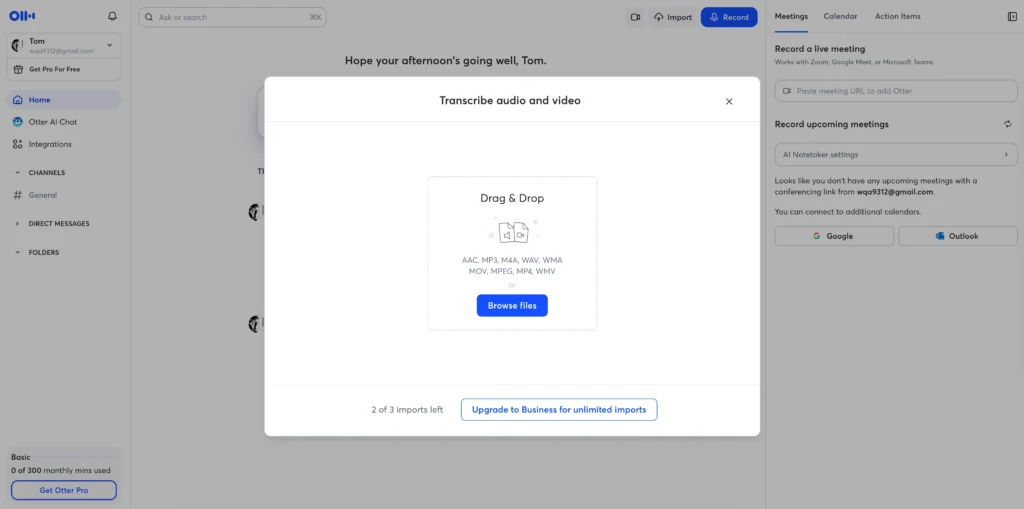
Otter.ai is the leading AI video transcription tool for real-time meeting documentation. It integrates directly with Zoom, Google Meet, and Microsoft Teams, joining calls as an automated note-taker.
What makes it stand out:
- Live transcription — Produces a rolling transcript of any video or audio call as it happens.
- Speaker identification — Labels each speaker automatically after a brief calibration.
- AI summary — Generates a meeting summary and action items after each session.
- Search — Every transcript is fully searchable, so you can locate any spoken word across months of recordings.
- Free tier — 300 minutes of transcription per month at no cost, making it a solid video transcription free option for light users.
Best for: Sales teams, remote workers, journalists, and students in lectures.
Limitations: Accuracy drops with heavy accents or low-quality audio. The free plan limits export formats.
2. Riverside.fm — Best for Podcast and Video Production
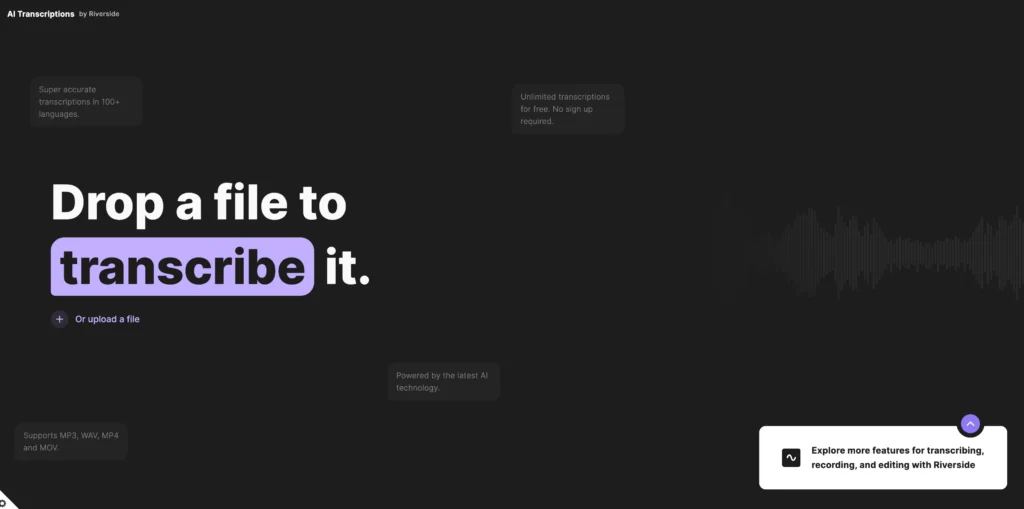
Riverside is an AI video transcription platform built specifically for high-quality media production. It records local audio and video tracks at up to 4K and 48kHz separately, then layers AI transcription on top.
What makes it stand out:
- Studio-quality recording + transcription — You get a pristine audio file alongside your transcript, not a compressed stream.
- Text-based video editing — Delete words in the transcript and the corresponding video clip is cut automatically — no timeline scrubbing required.
- Automatic captions — Burn subtitles into the video or export them as an SRT file for platforms like YouTube or LinkedIn.
- Multi-language support — Transcription and translation across 100+ languages for global content.
- Transcription and translation video — One workflow handles both converting speech to text and localizing content for international audiences.
Best for: Podcasters, video producers, content agencies, interview-based content.
Limitations: Pricing is higher than general-purpose tools. Best value is realized when you use both recording and transcription features together.
3. ElevenLabs — Best for Audio Transcription and Voice Intelligence
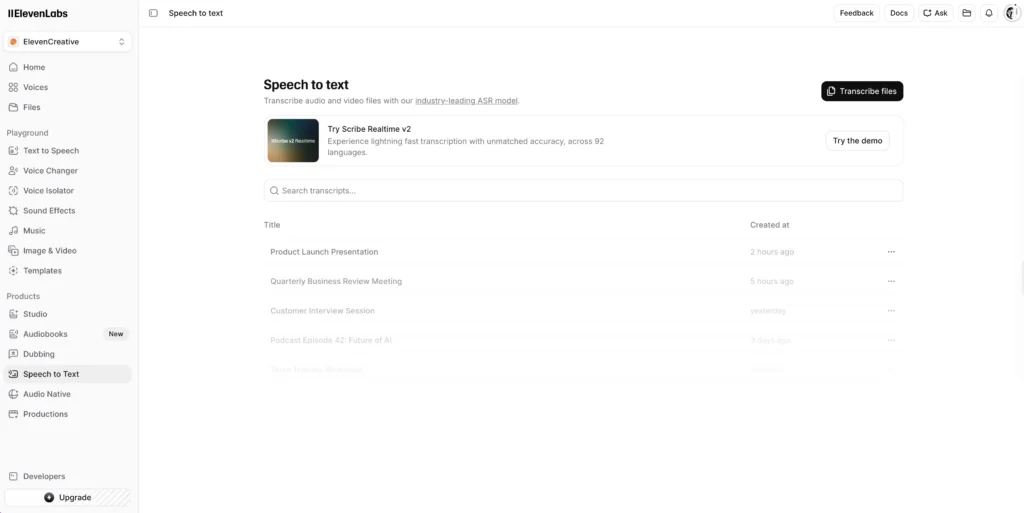
ElevenLabs is an AI audio transcription platform that combines speech recognition with advanced voice synthesis capabilities. It is the tool of choice when you need transcription and audio production in the same ecosystem.
What makes it stand out:
- High-accuracy audio transcription — Handles complex audio environments, including podcasts with multiple speakers and noisy backgrounds.
- Scribe model — ElevenLabs’ dedicated transcription model supports 99 languages with word-level timestamps.
- Voice cloning integration — Transcribed content can feed directly into ElevenLabs’ voice synthesis pipeline, enabling dubbed or re-narrated versions of existing video content.
- API access — Developers can build transcription directly into their apps, workflows, or media pipelines.
Best for: Developers, localization teams, audio producers, and anyone working at the intersection of transcription and voice generation.
Limitations: The interface is more developer-oriented. Non-technical users may find Otter.ai or Riverside more accessible for day-to-day transcription.
4. Evernote — Best for Note-Takers Who Want Transcription Built In
Evernote integrates AI transcription directly into its note-taking workspace, making it the best choice for users who want to capture, transcribe, and organize information in one place.
What makes it stand out:
- Audio-to-note workflow — Record audio inside Evernote, and AI transcription converts it to text that lives alongside your other notes.
- Search within transcripts — Evernote’s powerful search indexes transcribed text, making voice notes as searchable as typed notes.
- Cross-device sync — Transcripts are available on all devices instantly.
- Contextual organization — Tag, link, and stack transcripts alongside related documents, images, and web clips.
Best for: Personal knowledge management, students, solo professionals, and anyone already living in Evernote.
Limitations: Evernote is not a dedicated media production tool. It lacks multi-speaker diarization and subtitle export. For professional video workflows, Riverside or Otter.ai is the better fit.
Tool Comparison at a Glance
| Feature | Otter.ai | Riverside | ElevenLabs | Evernote |
| Real-time transcription | ✅ | ❌ | ❌ | ✅ |
| Speaker diarization | ✅ | ✅ | ✅ | ❌ |
| Subtitle/SRT export | ✅ | ✅ | ✅ | ❌ |
| Translation support | Limited | ✅ | ✅ | ❌ |
| Free tier | ✅ | ✅ | ✅ | ✅ |
| API access | ✅ | ✅ | ✅ | ❌ |
| Video editing via transcript | ❌ | ✅ | ❌ | ❌ |
| Voice synthesis integration | ❌ | ❌ | ✅ | ❌ |
How to Transcribe Video to Text: A Step-by-Step Guide
This workflow applies to most AI transcription tools, with minor variation.
Step 1 — Choose your tool.
Match the tool to your use case: Otter.ai for meetings, Riverside for media production, ElevenLabs for developer or voice workflows, Evernote for personal notes.
Step 2 — Upload or connect your video.
Most platforms accept MP4, MOV, M4A, and MP3. Some tools (Otter.ai, Riverside) allow you to paste a YouTube link or record directly in-browser.
Step 3 — Set your language.
Select the spoken language before processing. For transcription and translation video projects, also select your target language if the platform supports it.
Step 4 — Run transcription.
Click “Transcribe” or equivalent. Processing time varies: a 30-minute video typically takes 2–5 minutes on most AI platforms.
Step 5 — Review and edit.
No AI transcription is perfect. Scan for misheard proper nouns, technical terms, or overlapping speech. Most platforms let you click a word in the transcript and hear the corresponding audio, making correction fast.
Step 6 — Export.
Choose your format: plain text (.TXT), Word document (.DOCX), subtitle file (.SRT or .VTT), or JSON with timestamps for developer use.
Getting a Free Video Transcription: What to Expect
You can transcribe video to text for free on Otter.ai, Riverside, ElevenLabs, and Evernote — each with specific limits on usage, export, or advanced features.
Here is what free tiers typically include and exclude:
- Otter.ai Free — 300 transcription minutes per month, limited export options, no custom vocabulary.
- Riverside Free — 2 hours of recording per month, watermarked video exports, transcript access.
- ElevenLabs Free — Limited API calls per month; Scribe transcription included at reduced usage.
- Evernote Free — Basic audio recording and transcription within two connected devices.
For occasional transcription of short videos, free tiers are fully sufficient. For high-volume use, recurring professional content, or translation, paid plans starting at $8–$20/month are typically necessary.
Transcription and Translation Video: One Workflow, Two Outputs
AI tools like Riverside and ElevenLabs can produce both a transcript and a translated version of your video audio in a single workflow. This is especially valuable for global content distribution.
The process works as follows:
- Upload or record your video.
- The AI generates a transcript of the original language.
- A translation model converts the transcript to the target language.
- Optionally, a text-to-speech or voice synthesis engine re-narrates the video in the new language.
This has reduced localization timelines from weeks to hours for teams producing multilingual training videos, product walkthroughs, and international marketing content.
Common Transcription Problems and How to Fix Them
Problem: Low accuracy on technical or industry-specific terms.
Fix: Use platforms with custom vocabulary support (Otter.ai, Riverside). Add the specific terms before running transcription so the model learns to recognize them.
Problem: Speakers are not labeled correctly.
Fix: Ensure each speaker has a clear microphone and is not speaking simultaneously. In post-processing, use the manual re-labeling feature most platforms offer.
Problem: Filler words clutter the transcript.
Fix: Enable the “remove filler words” or “clean transcript” option available in Otter.ai and Riverside before exporting.
Problem: Background music or noise is transcribed as words.
Fix: Use audio cleaning tools (such as Adobe Podcast Enhance or Krisp) to strip noise before uploading to the transcription platform.
Problem: The video file is too large to upload.
Fix: Compress the video to a smaller file size using HandBrake, or extract just the audio track using FFmpeg before uploading. Most transcription engines only need the audio.
Bonus: Gaga AI — The All-in-One AI Video Generation Suite
Transcription is one part of a modern video workflow. If you want to create, not just document — Gaga AI is a platform worth knowing.

Gaga AI combines several AI video production capabilities under one roof:
Image to Video AI
Upload a static image and Gaga AI animates it into a fluid video clip. This is useful for turning product shots, portraits, or illustrations into motion content without filming anything.
Video and Audio Infusion
Gaga AI can merge separate video and audio tracks — syncing AI-generated voiceover, background music, or sound effects directly to a video timeline. The result is a production-ready clip without a dedicated video editor.
AI Avatar
Gaga AI generates a realistic on-screen presenter from a text prompt or reference image. The avatar speaks, gestures, and maintains lip sync with the audio — suitable for training videos, explainers, or personalized marketing at scale.
AI Voice Clone
Provide a short audio sample and Gaga AI creates a digital voice clone that sounds like the original speaker. The cloned voice can narrate new scripts, replace sections of existing recordings, or power multilingual versions of your content.
Text-to-Speech (TTS)
Gaga AI’s TTS engine converts written scripts into natural-sounding voiceover in multiple languages and voice styles. Combined with the transcription-to-text pipeline, you can transcribe an existing video, rewrite the script, and re-narrate it with a different voice — all inside one platform.
Why AI Transcription Is Now the Industry Standard
Manual transcription averages four to six hours of work for every one hour of audio. AI video transcription tools slash that to minutes, with accuracy rates now exceeding 95% for clear English speech.
Three forces have pushed AI transcription into mainstream adoption:
- Model accuracy — Transformer-based speech models (like OpenAI Whisper and Google’s USM) have closed the gap with human accuracy.
- Affordable pricing — Many platforms offer video transcription free on entry tiers, lowering the barrier for individuals and small teams.
- Integration depth — Transcription now connects directly with video editors, note-taking apps, and project management tools.
The result: transcribing video to text is no longer a specialized skill. It is a one-click workflow.
How AI Video Transcription Works: A Technical Overview
Understanding the pipeline helps you choose the right tool and troubleshoot errors.
Step 1 — Audio extraction.
The tool isolates the audio track from your video file (MP4, MOV, MKV, etc.) or a streaming URL.
Step 2 — Speech-to-text inference.
The audio waveform is converted into phoneme sequences using acoustic models, then mapped to words using a language model that predicts likely word sequences based on context.
Step 3 — Speaker diarization (optional).
The system identifies who is speaking when by analyzing voice characteristics — critical for multi-person interviews or conference calls.
Step 4 — Timestamps and formatting.
Each word or sentence is tagged with a start time and end time, producing a time-coded transcript useful for subtitles or searchable video players.
Step 5 — Post-processing.
Grammar correction, punctuation insertion, and filler-word removal are applied, depending on the platform.
Frequently Asked Questions
What is AI video transcription?
AI video transcription is the automated conversion of spoken words in a video’s audio track into written text, performed by machine learning models without human involvement.
What is the most accurate AI tool to transcribe video to text?
Riverside and ElevenLabs currently offer the highest accuracy for professional audio, particularly for multi-speaker content. Otter.ai leads for real-time meeting transcription accuracy.
Can I get a transcript of any video for free?
Yes. Otter.ai, Riverside, ElevenLabs, and Evernote all offer free tiers that allow you to generate a transcript of any video within their monthly usage limits. For longer videos or higher volumes, paid plans are required.
How long does it take to transcribe a one-hour video?
Most AI transcription tools process a one-hour video in 3–8 minutes, depending on server load, audio quality, and the platform.
Does AI transcription support multiple languages?
Yes. Riverside supports 100+ languages, ElevenLabs supports 99, and Otter.ai supports English, French, and Spanish primarily. For deep multilingual support, ElevenLabs or Riverside are the strongest options.
Can AI tools handle transcription and translation video in one step?
Yes. Riverside and ElevenLabs both support end-to-end transcription and translation workflows, outputting both the original-language transcript and the translated version.
Is audio transcription the same as video transcription?
Functionally yes — both processes analyze spoken audio. The distinction is the source file. AI tools extract the audio track from a video file and process it identically to a standalone audio file.
What file formats do AI transcription tools accept?
Most platforms accept MP4, MOV, MKV, MP3, M4A, and WAV. Some accept YouTube links or Google Drive URLs for direct import.
How accurate is free video transcription?
Free tiers use the same underlying models as paid tiers in most platforms. Accuracy typically ranges from 90–96% for clear English speech. Complex audio, heavy accents, or domain-specific terminology may reduce accuracy.
What is the best AI transcription tool for podcasts?
Riverside.fm is the most purpose-built platform for podcast transcription, combining studio-quality recording, automatic transcription, text-based video editing, and subtitle export in one workflow.