Key Takeaways
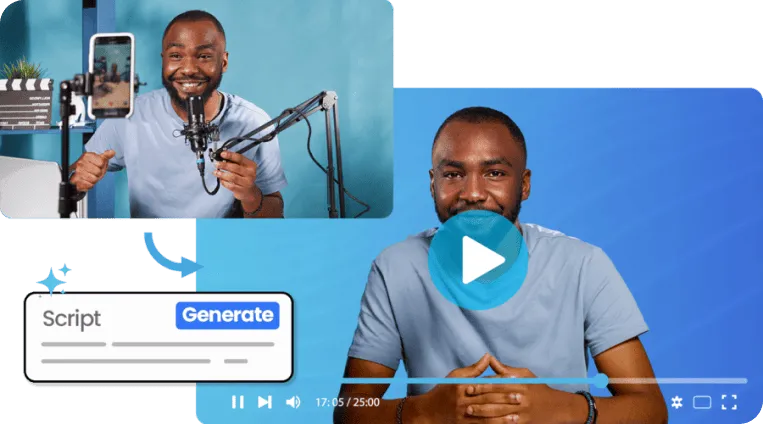
- An AI avatar generator lets you create realistic, speaking digital personas from text or photos—no camera or studio required.
- The best tools in 2026 offer advanced facial expression controls, background removal, voice cloning, mobile access, and built-in analytics.
- Gaga AI leads the pack for all-in-one creators: it combines AI avatar generation, image-to-video AI, video and audio infusion, AI voice cloning, and TTS in a single platform.
- Other strong contenders include HeyGen (micro-expressions), Synthesia (corporate training), and DeepBrain AI (largest template library).
- Most platforms offer a free trial with premium plans, so you can test before committing.
Table of Contents
Why AI Avatar Generators Matter in 2026
The shift is clear: video is the dominant content format, yet production costs remain a barrier. AI avatar tools solve this by making broadcast-quality video creation accessible to individuals and small teams.
Key drivers pushing adoption right now:
- Localization at scale — Clone a voice once, publish in 100+ languages without re-recording.
- Personalization — Generate thousands of unique outreach videos, each addressed to a specific person.
- Speed — Go from script to published video in under 10 minutes.
- Cost reduction — Replace recurring studio and talent costs with a single SaaS subscription.
Gaga AI: The All-in-One AI Avatar Platform
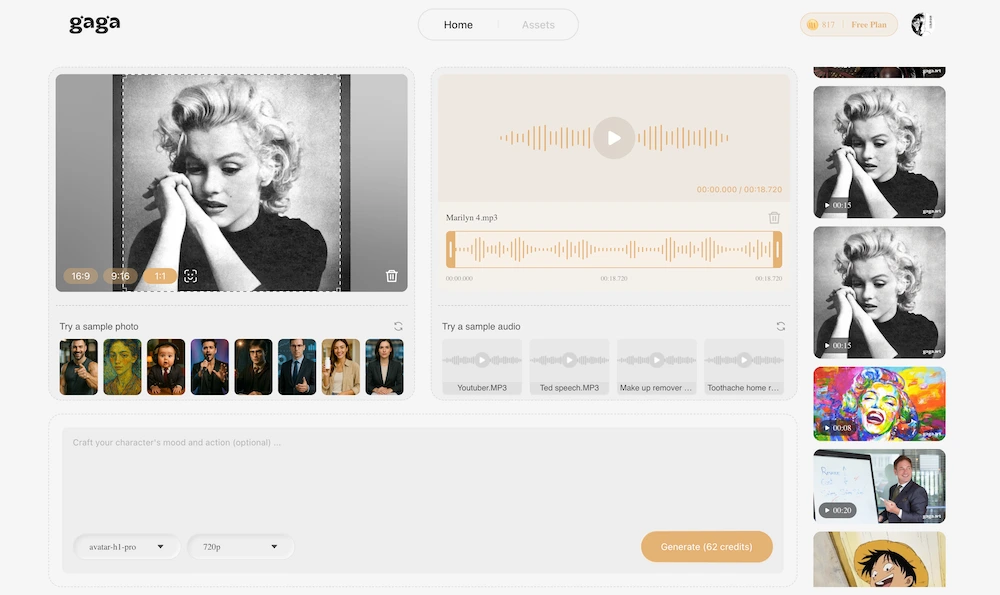
Gaga AI is the most complete AI avatar solution available in 2026. It is purpose-built for creators who need every production capability in a single workflow—without switching between multiple apps.
AI Avatar Generation
Gaga AI generates lifelike digital avatars from a photo or from scratch. The avatars handle natural lip-sync, blink patterns, and subtle head movement automatically, so the result reads as genuine rather than robotic.
Image to Video AI
Gaga AI’s image-to-video engine transforms static images—product shots, portraits, illustrations—into smooth, animated video sequences. You upload the image, write a motion prompt, and the platform handles the rest. This makes it uniquely powerful for e-commerce, social ads, and storytelling where you want motion without raw footage.
Video and Audio Infusion
One of Gaga AI’s standout capabilities is its video and audio infusion pipeline. You can layer a generated avatar over existing video footage, blend background music, sync sound effects, and adjust audio levels—all within the same timeline. This replaces a multi-tool editing workflow with a unified interface.
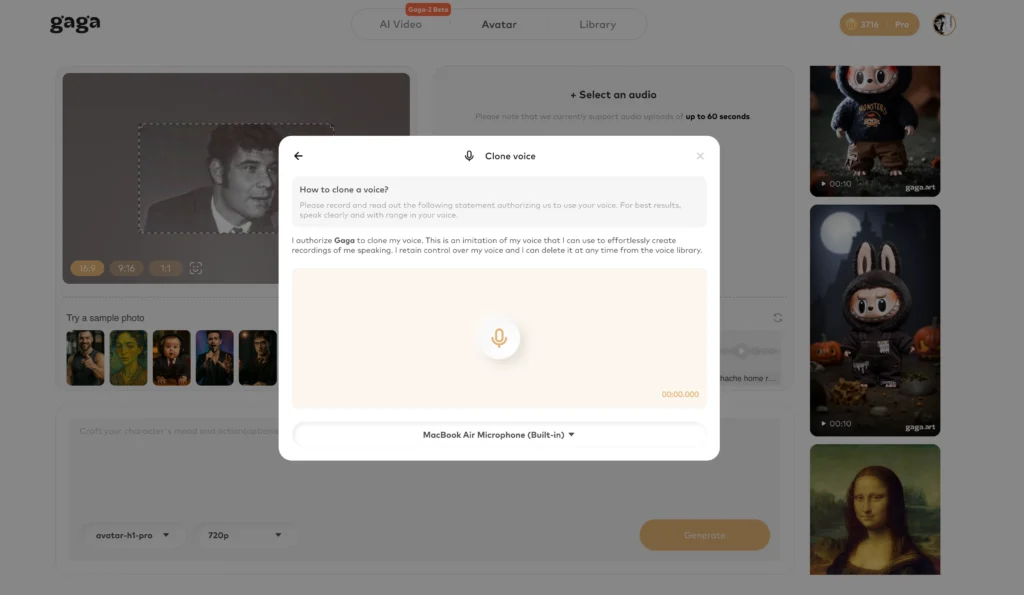
AI Voice Clone
Gaga AI’s voice cloning requires as little as 15 seconds of sample audio. The resulting clone preserves your natural pitch, accent, and cadence. Once created, the voice clone can be reused across unlimited projects, making it ideal for brand consistency or personal creators who want every video to sound authentically like them.
Text-to-Speech (TTS)
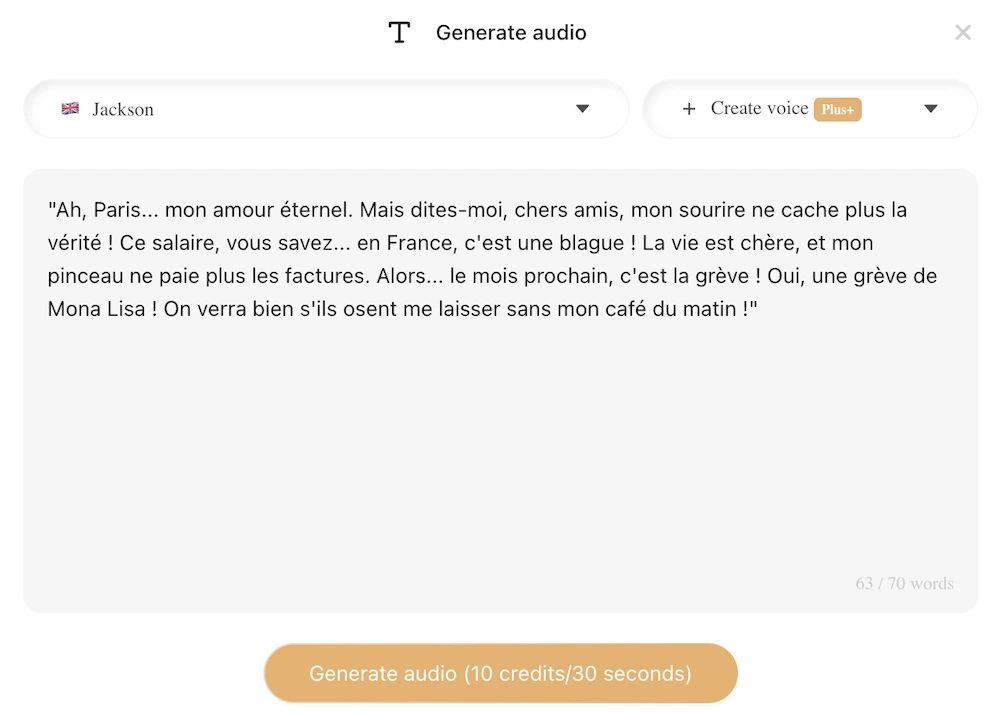
For users without a voice sample, Gaga AI’s TTS engine offers a wide library of pre-built voices across genders, accents, and emotional tones. The TTS output supports SSML-style controls so you can add pauses, emphasize words, and adjust speaking rate directly in the script editor.
Bottom line: Gaga AI is the strongest choice for creators who want avatar generation, video production, voice cloning, and TTS under one roof—with a free trial and premium plans to match any budget.
Top AI Avatar Software with Advanced Facial Expression Controls
The best AI avatar software with advanced facial expression controls is HeyGen, followed closely by Synthesia and Zoice. Each takes a different approach to making avatars feel emotionally believable.
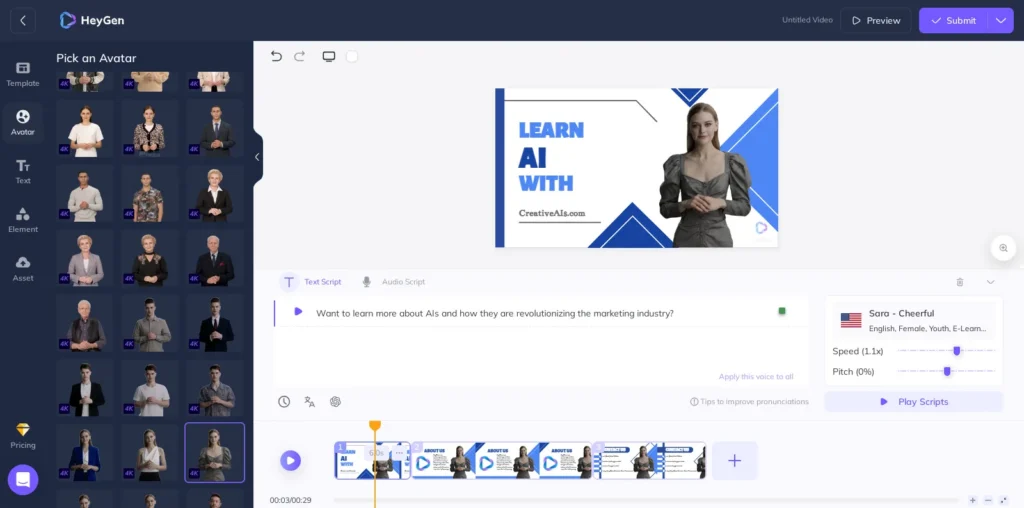
HeyGen — Best for Realism and Micro-Expressions
HeyGen’s generative models are optimized to avoid the “uncanny valley.” Its Expressive mode automatically maps emotion to your script, so an avatar delivering exciting news will naturally widen its eyes and lift its brows without manual adjustment. The Video Agent feature enables avatars to respond with real-time facial reactions, making HeyGen the top pick for influencers and high-end marketing ads.
Synthesia — Best for Programmatic Gestures
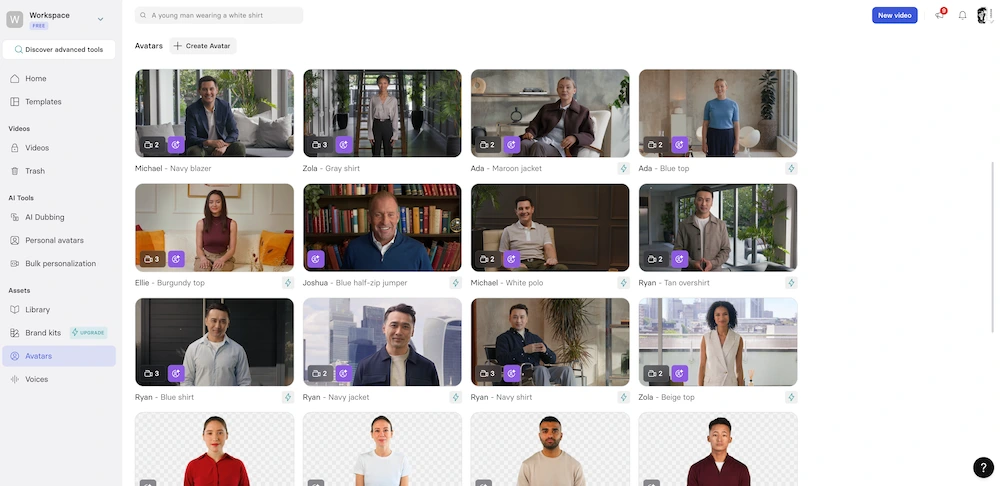
Synthesia’s Express-2 avatars let you insert “markers” at exact points in your script to trigger specific gestures: nod, head shake, raised eyebrows, or a subtle smile. This level of scriptable control is unmatched for corporate training content where emphasis on particular phrases matters.
DeepBrain AI (AI Studios)
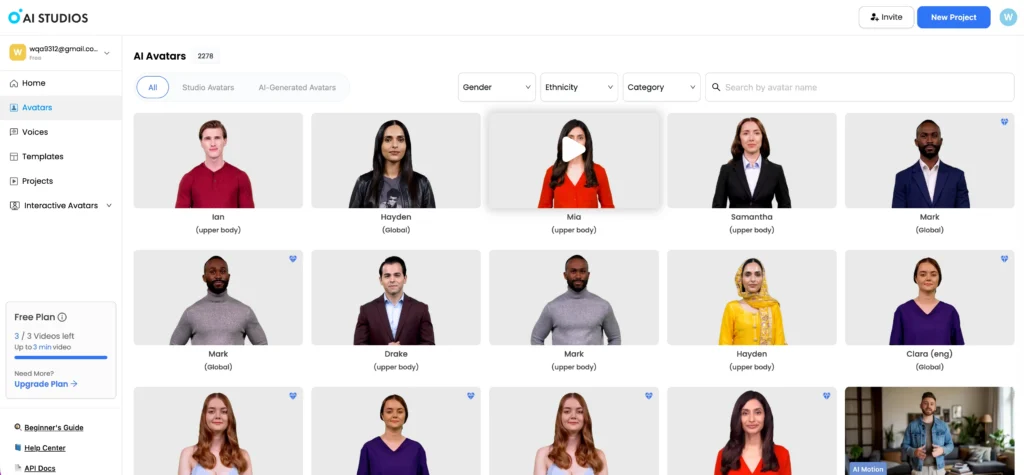
DeepBrain’s library of over 2,000 hyper-realistic avatars is paired with high-fidelity lip-syncing and a “Digital Twin” feature that replicates your specific facial tics. Gesture controls are accessible in a browser-based editor with no technical skill required, making it the enterprise standard for news broadcasting and global announcements.
AI Avatar Generators with Automatic Background Removal
The best AI avatar generators with automatic background removal are Elai.io, Adobe Express, Canva, and CapCut. Each handles background removal differently depending on your workflow.
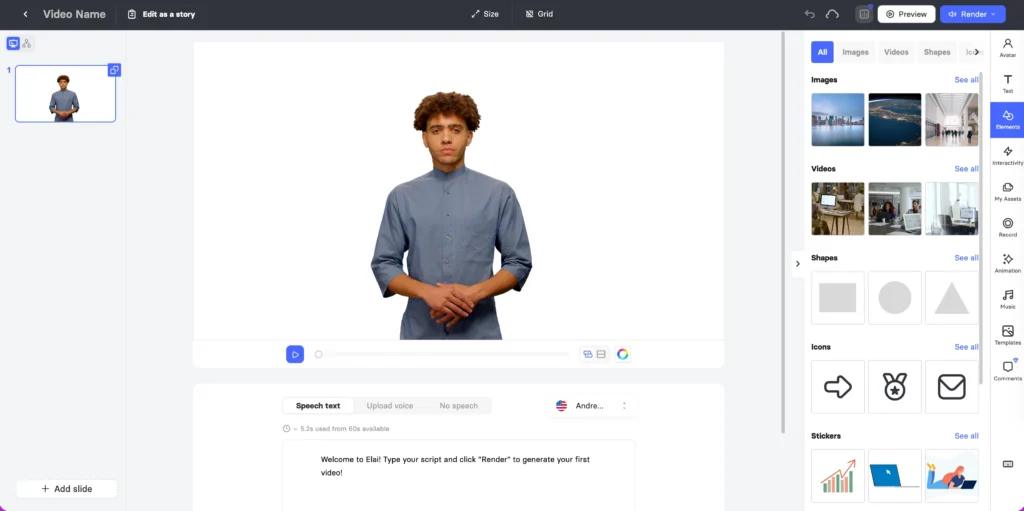
Elai.io treats video creation like building slides, which means swapping backgrounds across an entire presentation happens in one click. Its background removal is baked directly into the core editor rather than being an afterthought.
Adobe Express provides a dedicated AI video background remover for short-form social content. Upload a clip, wipe the background, and layer the character over a new scene or design—the workflow is fast and non-destructive.
Canva offers one-click background removal for both images and videos inside its AI video generation environment. It is the most beginner-friendly option for creators building branded Instagram Reels or presentations.
CapCut is the most popular mobile-first choice. Its AI-powered Remove Background feature is particularly robust for human subjects, making it the default for creators who need to swap avatar backgrounds quickly on a phone.
AI Avatar Generators with a Rich Template Library
The platform with the richest template library for AI avatar generators is DeepBrain AI, with over 7,000 templates across industries. Here is how the top platforms compare:
| Platform | Template Count | Best For |
| DeepBrain AI (AI Studios) | 7,000+ | News, retail, UGC ads |
| Synthesia | Large (corporate focus) | L&D, compliance, onboarding |
| HeyGen | Large (social focus) | TikTok, Reels, sales outreach |
| Colossyan | Niche scenarios | Healthcare, construction, hospitality |
| Elai.io | Moderate | Real estate, e-commerce, education |
DeepBrain’s URL-to-video template is particularly notable: paste a product link and the AI generates a complete video ad with an avatar presenter. Synthesia’s templates stand out for including built-in interactive quizzes and branching scenarios—features that no other platform matches for corporate training. HeyGen’s Brand Kit integration lets social media managers apply company colors and logos to any template in a single click.
AI Avatar Services with Customizable Voice Tones
The best AI avatar services with customizable voice tones are HeyGen (Voice Director), ElevenLabs integrated with Creatify, Synthesia (Express-Voice), and Zoice (Intensity Sliders).
HeyGen’s Voice Director lets you highlight individual lines in a script and apply emotional presets—Sarcastic, Empathetic, Authoritative, Whispering. If presets fall short, you record yourself delivering the line; HeyGen’s Avatar IV model then mirrors your exact pacing and pitch shifts onto the AI voice.
ElevenLabs + Creatify is the integration route for users who need highly specific vocal profiles. You design the voice in ElevenLabs with sliders controlling Stability, Clarity, and Style Exaggeration, then sync the result to an avatar in one dashboard. This combination produces the most “character-specific” voices available anywhere.
Synthesia’s Express-Voice technology uses a Diffusion Transformer model to analyze script sentiment and apply appropriate emphasis and pauses automatically. Its standout capability is accent preservation—unlike many AI voice tools, it does not “whitewash” a natural regional dialect when cloning a voice.
Zoice’s Intensity Slider is the simplest control model: one slider lets you ramp vocal excitement from 10% to 100% for a product reveal, then slide it back for a serious disclaimer. It is especially reliable for long-form content where voice consistency over 20+ minutes is critical.
AI Avatar Tools with Mobile App Support
The best AI avatar tools with mobile app support are HeyGen, D-ID Creative Reality, DeepBrain AI, and DreamFace. All four offer iOS and Android apps, but their use cases differ significantly.
HeyGen is the most capable mobile app for professional creators. You can record a 15-second training video inside the app to create a custom avatar of yourself, use Voice Mirroring to drive the avatar with your own recorded voice, and access the Video Agent to auto-generate scripts from a prompt.
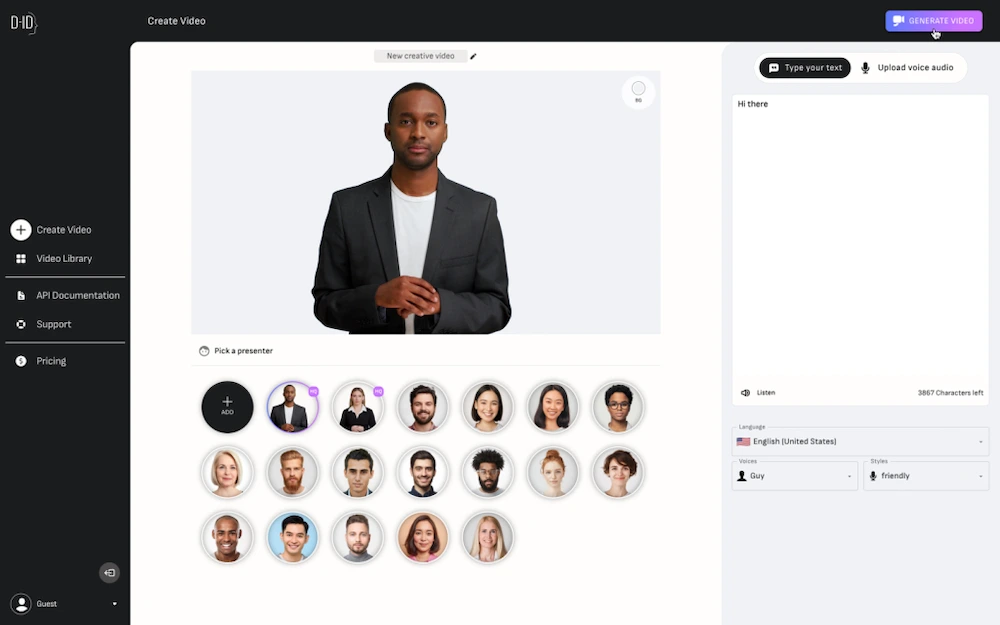
D-ID Creative Reality specializes in photo-to-avatar on mobile. Take a selfie, and D-ID animates it with text or a voice recording in seconds. Its Video Translate feature lets you upload existing footage and re-lip-sync it in 120+ languages while on the go—a standout capability for global content teams.
DeepBrain AI’s mobile app targets enterprise users who need to make text edits to corporate projects or convert a PowerPoint into an avatar-led video while traveling.
DreamFace is the entertainment-first mobile option, built for TikTok creators who want avatars that sing or mimic real-time facial expressions via the phone’s front camera.
AI Avatar Tools with Support for Custom Transitions
The best AI avatar tools with support for custom transitions are HeyGen, Synthesia, DeepBrain AI, and Zoice. Each platform handles scene-to-scene movement differently.
HeyGen provides a dedicated Transitions tab in the timeline with Flow, Cross-fade, Zoom, and Slide options. You control direction and exact duration, and can also animate how the avatar itself enters or exits the frame—perfect for fast-paced marketing videos.
Synthesia’s Fade to Scale transition is its 2026 standout: the avatar smoothly resizes while the background transitions, eliminating the jarring “teleportation” effect that plagued earlier AI tools. This makes it the right choice for professional training content where subtlety matters.
DeepBrain AI mirrors a traditional video editor experience most closely. Right-click any scene thumbnail to edit its transition, and use In-Script Effect Markers to trigger animations at a precise word in the transcript—essential for news-style broadcasts where timing is everything.
Zoice takes a narrative approach: you can prompt the AI with instructions like “transition with a cinematic blur,” and it applies a story-aware effect that matches the script’s emotional tone.
AI Avatar Solutions with a Free Trial and Premium Plans
Most major AI avatar solutions offer a free trial with premium plans, allowing you to test quality before paying.
A standard breakdown across platforms:
- Free tier / trial: Limited video minutes per month, watermarked output, access to a subset of avatars and templates.
- Starter / Pro plan: Removes watermarks, increases video minutes, unlocks premium avatars, and often adds voice cloning.
- Enterprise plan: Custom pricing, API access, SSO, advanced analytics, and dedicated support.
Gaga AI offers a free trial that includes access to its core avatar, image-to-video, and TTS features so you can evaluate quality without a credit card. Premium plans unlock AI voice cloning, higher resolution exports, and extended video length—making the upgrade path clear and value-driven.
When comparing pricing, watch for per-minute video generation costs versus seat-based licensing, as the right model depends on your volume.
AI Avatar Platforms with Built-In Analytics
The best AI avatar platforms with built-in analytics are Synthesia (L&D tracking), HeyGen (sales tracking), Creatify (ad performance), and D-ID (interaction tracking).
Synthesia’s analytics are built for HR and L&D teams. Engagement heatmaps show precisely where viewers drop off in training modules, completion rates track progress across teams, and interactive quiz data feeds back into your LMS via SCORM integration.
HeyGen’s analytics serve sales and outreach use cases. Real-time notifications alert you when a prospect opens a personalized video, CTR tracking monitors CTA clicks, and Watch Time by Region reveals which language versions of a campaign perform best.
Creatify is the 2026 leader for performance marketing analytics. It pulls data directly from TikTok and Meta ad managers, runs A/B comparisons across avatar variants, and provides AI-generated recommendations—”the blue background with the female avatar performs 34% better”—to guide your next creative decision.
D-ID’s enterprise analytics focus on real-time agent interactions: how long users engage with an AI avatar in a live chat context, and a sentiment analysis layer that gauges customer mood during the conversation.
FAQ
What is an AI avatar generator?
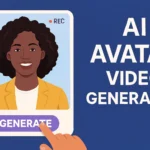
An AI avatar generator is a software tool that creates a digital human persona—either photorealistic or animated—capable of speaking from a script, reacting with facial expressions, and presenting video content without a real actor or camera.
Which AI avatar generator is best for beginners?
Canva and Elai.io are the most beginner-friendly options due to their slide-based or drag-and-drop workflows. For an all-in-one experience that is still accessible, Gaga AI’s interface is designed to get a finished video from a script in under 10 minutes.
Can I create an AI avatar of myself?
Yes. HeyGen, D-ID, and Gaga AI all allow you to record a short video or upload a photo to create a personalized digital twin that speaks in your voice and replicates your likeness.
What is the best free AI avatar generator?
Most platforms offer limited free tiers. Canva’s free plan includes basic AI avatar features. Gaga AI offers a free trial with access to its core features including TTS and avatar generation. HeyGen and Synthesia offer free trials but require account creation.
How does AI voice cloning work in avatar tools?
Voice cloning analyzes a short audio sample—typically 15 to 60 seconds—to capture pitch, cadence, accent, and tonal quality. The model then synthesizes new speech in that voice from any written text. Gaga AI requires as little as 15 seconds of sample audio for its clone.
Are AI avatar generators suitable for commercial use?
Most premium plans include commercial usage rights for generated content. Always review the platform’s terms of service, as free tier outputs sometimes carry restrictions. Enterprise plans universally include full commercial rights.
What makes Gaga AI different from other AI avatar tools?
Gaga AI combines four capabilities that are usually separate products: AI avatar generation, image-to-video AI, AI voice cloning, and TTS—plus a video and audio infusion layer that lets you blend all of these into a finished production inside one platform.
Do AI avatar generators support multiple languages?
Yes. Leading platforms support 100+ languages. Synthesia supports 140+ languages with accent preservation. D-ID’s mobile app handles video translation with lip-sync in 120+ languages.
What industries use AI avatar generators most?
The top sectors are corporate training (L&D), marketing and advertising, e-commerce, customer service, news broadcasting, education, and social media content creation.
Do I need video editing experience to use an AI avatar generator?
No. Most platforms are designed for non-editors. Elai.io, Canva, and Gaga AI all use point-and-click or script-to-video workflows that require no prior editing knowledge.