Key Takeaways
- Uncensored AI video generators create videos from text or images without content restrictions, typically used for adult content, experimental art, or niche storytelling
- Popular platforms include FunFun.ai, ChatUp AI, SoulGen, Gaga AI, and Republic Labs, each offering different features for unfiltered video creation
- Privacy and responsibility are critical concerns when using uncensored generators, as uploaded content and generated videos are entirely user-controlled
- These tools use diffusion models and GANs trained on unrestricted datasets to create videos without safety layers
Table of Contents
What Is an Uncensored AI Video Generator?
An uncensored AI video generator is a software tool that creates videos from text prompts, images, or other inputs without applying content moderation filters. Unlike mainstream AI video platforms that block nudity, violence, or sensitive themes, these generators operate without built-in censorship mechanisms.
These tools typically work by:
- Converting text descriptions into animated video sequences
- Transforming static images into motion videos with AI-generated animation
- Applying style transfers and character movements without content restrictions
- Processing requests locally or on remote servers without filtering algorithms
The core difference between censored and uncensored generators lies in their content policies. Standard platforms like Runway ML or Pika Labs implement safety filters that reject prompts containing explicit keywords or prohibited themes. Uncensored alternatives remove these barriers entirely, placing full responsibility on the user.
Primary Use Cases
Uncensored AI video generators serve several distinct purposes:
Adult content creation: Artists and adult content producers use these tools to generate mature videos for entertainment or commercial purposes. Platforms like FunFun.ai and ChatUp AI specifically cater to this market segment.
Experimental storytelling: Writers and filmmakers exploring taboo subjects, psychological horror, or unconventional narratives benefit from unrestricted creative tools that won’t flag controversial themes.
Artistic expression: Digital artists working with provocative imagery, body positivity projects, or censorship-critical work need platforms that don’t automatically reject their creative vision.
Research and education: Academic researchers studying AI behavior, content moderation, or digital ethics sometimes require access to unfiltered systems for comparative analysis.
How Do Uncensored AI Video Generators Work?
Uncensored AI video generators use diffusion models, GANs (Generative Adversarial Networks), or transformer architectures trained on unrestricted datasets to create videos without safety layers. The technical process mirrors standard AI video tools, but with one critical difference: the absence of content classifiers.
The Technical Pipeline
1. Input processing: The system receives your text prompt or uploaded image and converts it into numerical representations (embeddings) that the AI model can interpret.
2. Latent space generation: The AI model generates video frames in a compressed mathematical space, creating the foundation for your video based on patterns learned from training data.
3. Frame synthesis: The generator produces individual video frames, applying motion algorithms to create smooth transitions between keyframes.
4. Temporal coherence: Advanced models ensure that characters, objects, and backgrounds maintain consistency across frames, preventing flickering or morphing artifacts.
5. Output rendering: The final video is compiled, upscaled to the selected resolution (typically 720p or 1080p), and made available for download.
The key technical difference is that uncensored generators skip the content moderation layer that typically sits between input processing and generation. Standard AI video tools employ neural networks trained to detect and reject prohibited content before rendering begins. Uncensored platforms either disable this layer or never implement it.
Training Data Considerations
These models are trained on datasets that include adult content, unfiltered internet imagery, and material that mainstream platforms exclude. This training approach enables them to generate unrestricted content but also raises questions about consent, copyright, and ethical sourcing of training materials.
13 Uncensored AI Video Generators: Comprehensive Analysis
1. Gaga AI
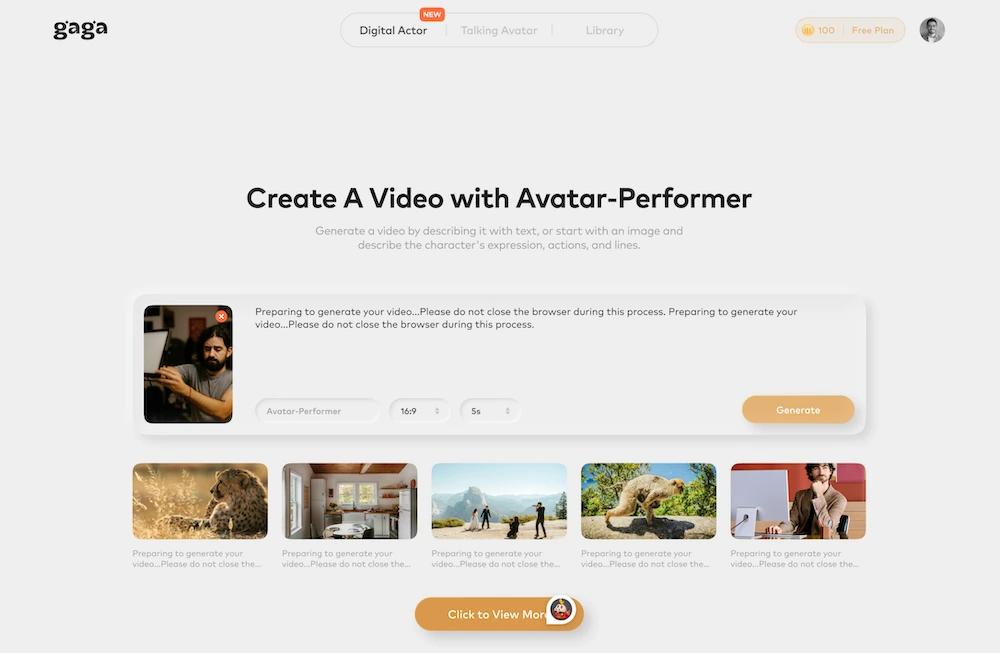
Gaga AI provides text-to-video and image-to-video generation with emphasis on character consistency and scene control. The platform offers advanced customization options for creating narrative-driven content with recurring characters.
Key features:
- Character template library for consistent character generation
- Scene composition tools for multi-element videos
- Style presets ranging from realistic to anime aesthetics
- Batch generation capabilities for multiple variations
- Motion intensity controls for subtle or dramatic animation
- 4K resolution support for premium subscribers
Gaga AI distinguishes itself through its character persistence system, which allows users to save character designs and reuse them across multiple video generations. This makes it particularly valuable for creators developing ongoing stories or series with consistent visual elements. The platform also includes motion preview features that let users see approximate animations before committing to full generation.
Best for: Content creators developing character-driven narratives, adult animation series, or projects requiring visual consistency across multiple videos.
2. FunFun.ai
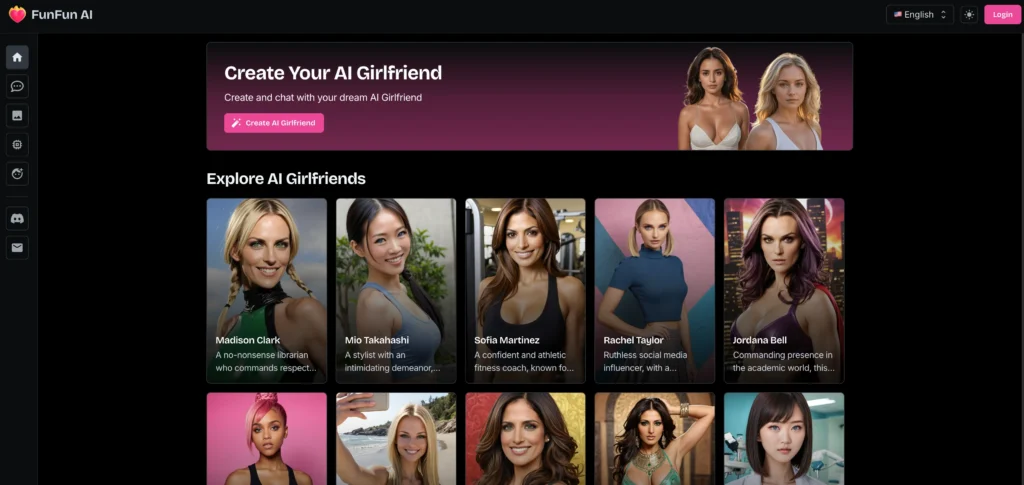
FunFun.ai specializes in converting static images into animated adult-style videos using browser-based processing. The platform targets users who need image-to-video transformation for mature content without server-side storage.
Key features:
- Browser-based processing with no downloads required
- Local computation that doesn’t store uploaded content
- Image-to-video animation using built-in motion models
- Real-time generation with immediate results
The platform explicitly prohibits illegal content and materials that violate its terms of service, despite its NSFW focus. Users must upload their own images as starting points, and the AI adds motion and detail based on those inputs. Processing happens directly in your browser, providing both speed and privacy.
Best for: Artists and designers who need quick image-to-video animation for adult projects while maintaining privacy through local processing.
3. ChatUp AI
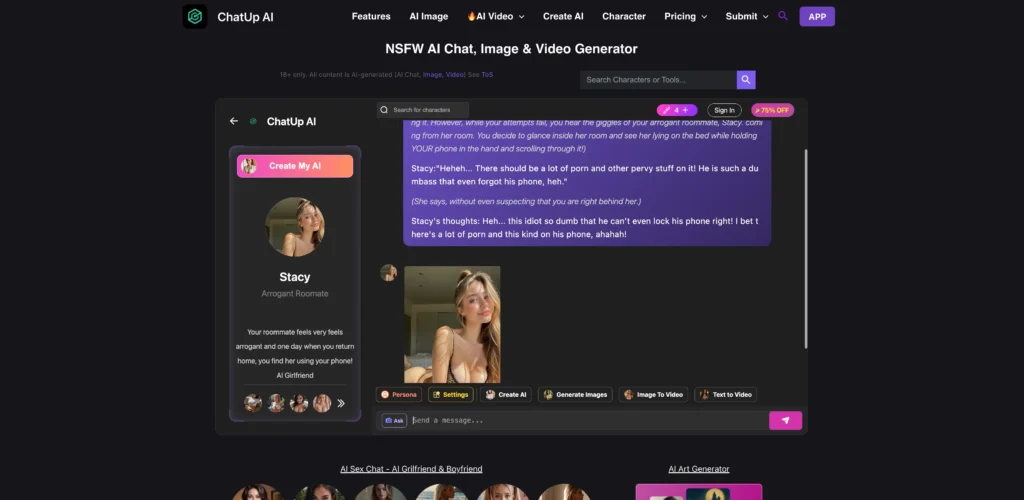
ChatUp AI creates uncensored videos from text prompts and images without requiring user registration. The platform emphasizes accessibility and customization, allowing immediate generation without signup barriers.
Key features:
- No registration required for basic use
- Multiple style options (dreamer, asian, mature, etc.)
- Adjustable aspect ratios and video lengths
- Real-time generation with no watermarks
- Downloadable results without restrictions
ChatUp’s interface provides more control over output than many competitors. You can set video length, aspect ratio, and animation style before generation. The platform processes requests quickly and doesn’t lock features behind paywalls for basic functionality.
Best for: Users who need quick prototyping for NSFW marketing materials, adult storytelling, or experimental video projects without account commitments.
4. SoulGen
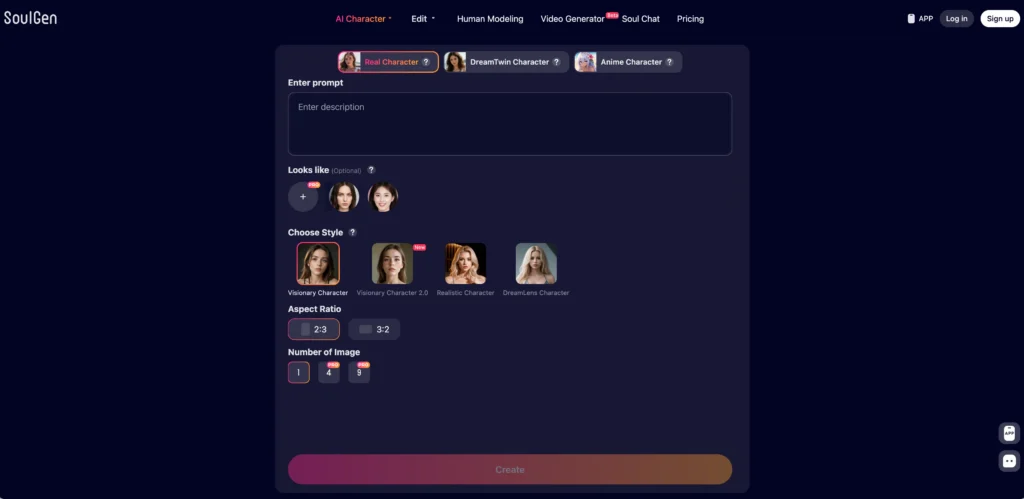
SoulGen offers text-to-video and image-to-video generation with a minimal interface and no apparent content filters. The platform uses a “Key Frame” system where users upload an initial image and provide text prompts to guide video creation.
Key features:
- Dual input system (image upload plus text prompt)
- Automatic image generation option for starting frames
- Minimal interface with no tutorials or popups
- Countdown timer showing generation progress
- No visible content restrictions
The platform’s simplicity is both its strength and limitation. There’s no hand-holding, but also no unnecessary complexity. Users who understand the basics of prompt engineering can start generating immediately.
Best for: Experienced users who want straightforward uncensored video generation without navigating complex interfaces or learning curves.
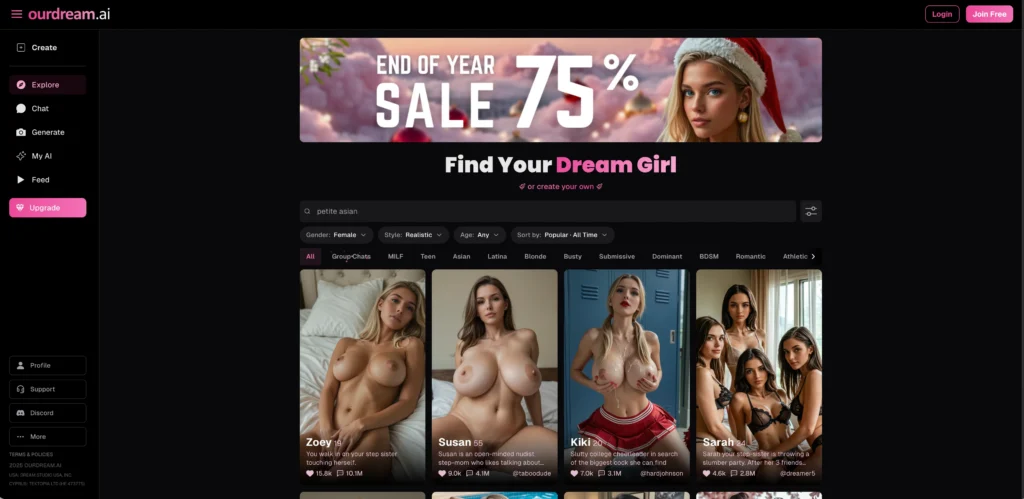
5. OurDream.ai
OurDream.ai focuses on character-based video creation with customizable scenes and actions. The platform requires character selection before generation and offers optional details like outfits, backgrounds, and scene types.
Key features:
- Character-first generation workflow
- Optional customization for outfits and backgrounds
- Custom prompt field for specific scene details
- Account required to save and view videos
- Clear focus on mature character animation
The platform’s character-centric approach makes it ideal for creating consistent characters across multiple videos. However, the mandatory account requirement may deter users seeking anonymous generation.
Best for: Creators developing ongoing character-driven adult content or animated series requiring visual consistency.
6. Republic Labs.ai
Republic Labs provides multi-model video generation that lets users compare results from different AI engines simultaneously. The platform supports text-to-video and image-to-video with models including Luma, Minimax, Hunyuan, and Pyramid Flow.
Key features:
- Multiple AI model options for comparison
- 10 free credits for new users
- No charge if generation fails
- User ownership of all generated content
- Downloads allowed for personal use
Republic Labs stands out by allowing model comparison, helping users identify which AI produces results closest to their vision. The platform maintains that users own their creations and can use them freely after subscribing, though NSFW content cannot be posted on the platform itself.
Best for: Technical users who want to experiment with different AI models and compare output quality for uncensored projects.
7. Getimg.ai
Getimg.ai offers text-to-video and image-to-video features with quality controls and aspect ratio customization. The platform uses a frame-based approach where users upload first and last frames, and the AI generates motion between them.
getimg nsfw ai video generator
Key features:
- First-frame and last-frame upload system
- Quality selection (720p or 1080p)
- Duration control (5-10 seconds)
- Multiple aspect ratio options (16:9, 9:16, 1:1)
- Drag-and-drop interface
The frame-based system gives users precise control over start and end points, making it suitable for projects requiring specific visual outcomes. The interface consolidates all settings on one page for efficient workflow.
Best for: Users who need precise control over video start and end points for animation projects with specific visual requirements.
8. AvatarOne
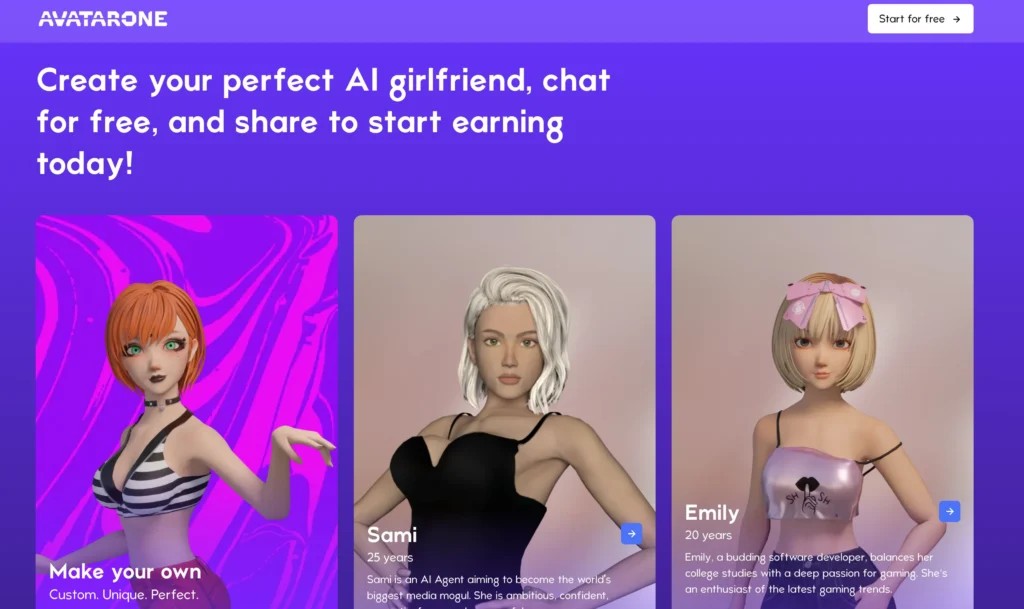
AvatarOne creates interactive AI companions that users can customize, chat with, and share, with a focus on romantic and adult interactions. Unlike pure video generators, this platform blends character creation, conversation, and video generation.
Key features:
- Character creation with personality customization
- Interactive chat with generated companions
- Publishing system with reward mechanisms
- Community sharing of created characters
- Explicit “Naughty Chat” sections
AvatarOne operates differently from other platforms on this list by combining video generation with interactive AI chatbots. Users create companions, engage in conversations, and can generate videos featuring these characters. The platform encourages sharing and includes a reward system based on how many chats your published characters receive.
Best for: Users interested in interactive AI companions rather than pure video generation, particularly those seeking ongoing romantic or adult-themed interactions.
9. Giz.ai
Giz.ai combines text-to-video generation with AI image editing tools, offering a comprehensive creative suite for uncensored content. The platform provides both standalone video generation and image-to-video conversion with advanced editing capabilities.
Key features:
- Integrated image editor with AI enhancement tools
- Text-to-video with natural language prompts
- Image-to-video with motion customization
- Style mixing and blending options
- Background replacement and object manipulation
- Export in multiple resolutions up to 1080p
Giz.ai differentiates itself by offering pre-generation image editing, allowing users to refine their source material before converting to video. The platform includes AI-powered tools for background removal, object enhancement, and style application that work seamlessly with the video generation pipeline.
Best for: Creators who need both image editing and video generation in a single workflow, particularly those refining visual elements before animation.
10. AITubo.ai
AITubo.ai specializes in anime-style and stylized video generation with extensive customization options. The platform focuses on 2D animation aesthetics and offers fine-grained control over character design and movement.
Key features:
- Anime and manga art style specialization
- Character pose and expression controls
- Multiple animation styles (smooth, frame-by-frame, cinematic)
- Scene layering for complex compositions
- Lip-sync capabilities for dialogue scenes
- Custom color palette tools
AITubo.ai excels at creating anime-influenced content with attention to stylistic details like line weight, shading techniques, and motion blur effects common in Japanese animation. The platform’s pose library includes hundreds of reference positions for character positioning.
Best for: Anime and manga creators, visual novel developers, and artists working in stylized 2D animation aesthetics.
11. AiChattings.com
AiChattings.com provides conversational AI-powered video generation where users interact with AI characters to create custom video scenarios. The platform blends chatbot interaction with video generation for dynamic content creation.
Key features:
- Conversational interface for video requests
- Character dialogue integration in videos
- Scenario-based generation templates
- Real-time chat with AI during creation process
- Multiple character interaction support
- Voice synthesis options for generated characters
The platform’s unique approach allows users to describe scenarios conversationally rather than through structured prompts. The AI interprets requests, asks clarifying questions, and generates videos based on the conversation flow, making it accessible for users unfamiliar with technical prompt engineering.
Best for: Users who prefer conversational interfaces over technical prompts, and creators developing dialogue-driven narrative content.
12. A2E.ai
A2E.ai offers audio-to-expression video generation, creating videos where characters respond to audio input with appropriate facial expressions and movements. The platform specializes in lip-syncing and emotion-driven animation.

Key features:
- Audio file upload for automatic lip-syncing
- Emotion detection from voice tone
- Facial expression generation matching audio mood
- Multiple voice-to-video models
- Background music integration
- Real-time preview of audio mapping
A2E.ai analyzes uploaded audio for speech patterns, emotional tone, and pacing, then generates video content where characters naturally respond to the audio input. This makes it particularly valuable for creating voiced content without manual animation work.
Best for: Content creators producing voiced narratives, audiobook visualizations, or any project requiring synchronized speech and character animation.
13. Nastia.ai
Nastia.ai offers AI companion-based video generation with emotional intelligence features and personalized interaction. The platform creates videos featuring customizable AI companions that respond to user preferences and conversation history.

Key features:
- Emotionally responsive AI companions
- Personalization based on interaction history
- Memory system remembering user preferences
- Emotional support and companionship focus
- Video generation featuring your AI companion
- Privacy-focused with encrypted conversations
Nastia.ai emphasizes the relationship aspect of AI interaction, allowing users to develop ongoing connections with AI companions that influence generated video content. The platform learns from conversations to create increasingly personalized video experiences over time.
Best for: Users seeking emotional connection with AI companions and personalized video content that evolves based on relationship development.
Privacy and Security Considerations
When using uncensored AI video generators, your uploaded images, prompts, and generated content may be stored, analyzed, or potentially exposed depending on the platform’s privacy practices. Privacy risks vary significantly between services.
Data Collection Practices
Most uncensored AI video generators collect:
- Uploaded images and videos used as inputs
- Text prompts describing desired outputs
- Generated video files and their associated metadata
- Account information including email addresses and payment details
- Usage patterns and generation histories
Platforms like FunFun.ai claim to process content locally in your browser, theoretically providing better privacy. However, most platforms process data on remote servers where your inputs and outputs pass through their systems.
Privacy Red Flags
Be cautious of platforms that:
- Lack clear privacy policies or terms of service
- Don’t specify data retention periods
- Reserve rights to use your content for training or other purposes
- Operate from jurisdictions with weak data protection laws
- Require excessive permissions or account information
Protection Strategies
To minimize privacy risks:
Use disposable email addresses when creating accounts to limit linkage to your primary identity.
Avoid uploading recognizable images of real people without their explicit consent, as this creates both legal and ethical issues.
Review privacy policies carefully before using any platform, particularly sections regarding data retention and usage rights.
Consider browser-based tools like FunFun.ai that claim local processing, though verify these claims through technical analysis if possible.
Use VPNs or privacy-focused browsers when accessing these platforms to add a layer of anonymity, though remember that uploaded content still passes through the service.
Never upload sensitive personal information in images or prompts that could be used for identity theft or harassment.
Ethical Responsibilities When Using Uncensored Generators
Users of uncensored AI video generators bear full ethical responsibility for their creations, as these platforms intentionally remove safeguards that prevent harmful content generation. This freedom requires heightened awareness and self-regulation.
Consent and Likeness Rights
The most critical ethical consideration involves using real people’s likenesses. Creating videos depicting real individuals without their knowledge or consent, particularly in intimate scenarios, constitutes a serious ethical violation regardless of legality in your jurisdiction.
Never create content depicting:
- Real people in sexual or compromising situations without explicit consent
- Celebrities or public figures in defamatory or intimate scenarios
- Coworkers, classmates, or acquaintances in any non-consensual context
- Anyone who cannot provide informed consent
Even if you have permission to use someone’s image for general purposes, that doesn’t extend to creating adult content with their likeness. Explicit, specific consent is required for such uses.
Harm Prevention
Uncensored platforms enable content creation that can cause real harm:
Relationship damage: Creating fake intimate videos of someone can destroy their relationships, careers, and mental health.
Harassment and blackmail: AI-generated content is increasingly used as a harassment tool or for extortion.
Normalization of harmful content: Some generated content, while fictional, normalizes scenarios involving exploitation or non-consent.
Misinformation: Realistic AI videos can be used to spread false information or manipulate public opinion.
Responsible Use Guidelines
If you choose to use uncensored AI video generators, commit to these ethical principles:
Create only original characters that don’t resemble real people, or use your own likeness with full awareness of consequences.
Clearly label AI-generated content when sharing it publicly to prevent deception.
Avoid generating content normalizing exploitation, even with fictional characters, as it contributes to harmful cultural attitudes.
Consider the downstream effects of your creations, including who might access them and how they might be used.
Respect platform terms of service even on uncensored sites, as they often prohibit the most harmful content types.
Technical Comparison: Censored vs. Uncensored AI Video Generation
The primary technical difference between censored and uncensored AI video generators lies in the content classification layer, not the underlying generation capabilities. Both use similar AI architectures with different post-processing steps.
Generation Architecture
Both platform types typically use:
Diffusion models: These gradually add detail to random noise until a coherent video emerges, guided by your prompt or input image.
Transformer networks: Language understanding models that interpret your text prompts and convert them into visual concepts.
Temporal coherence systems: Algorithms ensuring smooth transitions between frames and consistent object appearance.
Upscaling networks: AI models that enhance resolution and add detail to generated videos.
The Content Filter Layer
Censored platforms add a classification step:
1. Input screening: Text prompts are analyzed for prohibited keywords, concepts, or combinations before generation begins.
2. Image content analysis: Uploaded images are scanned for nudity, violence, or other restricted content.
3. Output verification: Generated videos are analyzed frame-by-frame to detect prohibited content that may have emerged despite input filtering.
4. Rejection and notification: If prohibited content is detected, generation stops and users receive notification explaining the rejection.
Uncensored platforms simply skip these steps, allowing direct passage from input to generation to output.
Performance Implications
Removing content filters affects performance:
Faster generation: Uncensored platforms eliminate processing overhead from content analysis, potentially reducing generation time by 10-30%.
Fewer rejections: Users don’t face frustrating rejections due to false positives in content detection.
Lower server costs: Platforms save computational resources by skipping classification steps, potentially allowing lower pricing.
However, these performance gains come with the responsibility burden shifted entirely to users.
Common Use Cases for Uncensored AI Video Generators
Understanding why people use uncensored AI video generators helps contextualize the technology beyond assumptions.
Adult Entertainment Production
The adult entertainment industry represents the largest user base for uncensored AI video generators. Producers use these tools for:
- Creating animated adult content without hiring performers
- Prototyping scenes before live production
- Generating fantasy scenarios impossible or expensive to film
- Producing personalized content for niche markets
This use case is legal in most jurisdictions when content depicts only fictional characters or consenting adults who’ve contracted for their likeness to be used.
Artistic Expression
Digital artists working with provocative themes use uncensored generators for:
- Body positivity projects featuring nudity
- Psychological horror exploring taboo subjects
- Censorship criticism artwork demonstrating AI capabilities
- Gallery installations examining AI and human sexuality
Museums and galleries increasingly feature AI-generated art that explores mature themes, requiring tools without arbitrary content restrictions.
Creative Writing and Worldbuilding
Authors developing mature fiction benefit from visualizing:
- Fantasy world inhabitants and cultures with different norms around nudity
- Historical periods with different standards of decency
- Science fiction scenarios exploring alternative human societies
- Horror content featuring graphic violence integral to storytelling
Visual references help writers maintain consistency in descriptions and can serve as cover art or promotional material for mature fiction.
Research and Education
Academic researchers study uncensored AI systems to:
- Understand bias in AI training data and generation
- Analyze content moderation effectiveness by comparing filtered and unfiltered systems
- Study AI ethics and the consequences of removing safety measures
- Investigate the technical capabilities and limitations of generation models
This research contributes to developing better content moderation systems and understanding AI’s societal impacts.
Commercial Applications
Some legitimate businesses require uncensored tools:
- Age-restricted product marketing (alcohol, cannabis, adult products)
- Medical and anatomical education materials
- Fashion design featuring provocative concepts
- Entertainment industry concept art for mature-rated productions
FAQs: Uncensored AI Video Generator
What is an uncensored AI video generator used for?
An uncensored AI video generator is used for creating videos without content restrictions, primarily serving adult content production, experimental art, fantasy storytelling, and research purposes. These tools allow creation of mature content, provocative artistic work, and scenarios that mainstream AI platforms would filter or reject.
Do I need to pay to use uncensored video generators?
Payment requirements vary by platform. ChatUp AI and SoulGen offer limited free generation, while Republic Labs provides 10 free credits to new users. However, most platforms require paid subscriptions for higher resolution outputs, longer videos, faster processing, or unlimited generations. Free tiers typically limit video length to 5-10 seconds at 720p resolution.
Is it safe to use uncensored AI video generators?
Safety depends on how you use them and which platform you choose. Technical safety concerns include data privacy, as many platforms store your inputs and outputs on their servers. Legal safety requires ensuring your generated content doesn’t violate laws regarding non-consensual deepfakes, child safety, or intellectual property. Ethical safety means avoiding content that harms real people or normalizes exploitation.
Can I create videos of real people using uncensored AI generators?
Technically yes, but legally and ethically you should not create intimate or defamatory content of real people without their explicit consent. Many jurisdictions have enacted laws specifically targeting non-consensual deepfakes, with penalties including fines and imprisonment. Even where not explicitly illegal, creating such content violates platform terms of service and causes real harm to depicted individuals.
How long does it take to generate an uncensored AI video?
Generation times range from 30 seconds to 10 minutes depending on video length, resolution, platform server load, and model complexity. Simple 5-second clips at 720p typically generate in 1-3 minutes, while 10-second videos at 1080p may take 5-10 minutes. Browser-based platforms like FunFun.ai offer near-instant processing for short animations.
What file formats do uncensored AI video generators support?
Most platforms output MP4 files with H.264 encoding, the standard for web video. Some also support MOV, AVI, or WebM formats. Input formats for image-to-video typically include JPG, PNG, and sometimes GIF or WebP. Always verify format compatibility before starting projects requiring specific technical specifications.
Do uncensored AI video generators leave watermarks?
Watermark policies vary by platform. ChatUp AI explicitly states no watermarks on free generations, while other platforms may add branding to free tier outputs and remove it for paid subscribers. Always check platform policies before generating content intended for commercial use or public distribution.
Can I monetize videos created with uncensored AI generators?
Monetization rights depend on the platform’s terms of service and your subscription level. Republic Labs explicitly states users own their generated content and can monetize it after subscribing. However, distribution platforms like YouTube, Instagram, or TikTok have their own content policies that may prohibit AI-generated adult content regardless of ownership. Always verify both generator and distribution platform policies.
What’s the difference between NSFW AI and uncensored AI?
NSFW (Not Safe For Work) AI specifically targets adult content generation, while uncensored AI more broadly removes content filters across all categories including violence, controversial topics, and mature themes. NSFW platforms like FunFun.ai focus exclusively on adult content, while uncensored platforms like Republic Labs allow any content type without filtering.
How can I ensure my generated content stays private?
Privacy protection requires choosing platforms with appropriate data policies and taking personal precautions. Use platforms like FunFun.ai that claim local browser processing, read privacy policies to understand data retention periods, use disposable email addresses for accounts, access services through VPNs, and avoid uploading identifying information in prompts or images.
Related Posts:
 AI Video Maker: Complete Guide to Creating Professional Videos in 2025
 Kling O1: Complete Guide to the World’s First Unified Multimodal Video Generation Model (2026)
 Runway Gen-4.5: The World’s Top-Rated AI Video Generation Model
 Text to Video AI: The Complete 2025 Guide to Creating Videos From Text