Key Takeaways
- Pika AI Selves is a system for creating a persistent, evolving AI version of yourself — not just a chatbot session that resets.
- Your AI Self is built from your selfie, cloned voice, and personality mapping, and it remembers, talks, posts, and grows over time.
- Unlike regular AI bots (task-first), Selves are identity-first — built to represent you consistently across platforms.
- You can connect your AI Self to Slack, Telegram, WhatsApp, Discord, Signal, iMessage, and Google Chat.
- Getting started is free at pika.me.
Table of Contents
What Is Pika AI Selves?
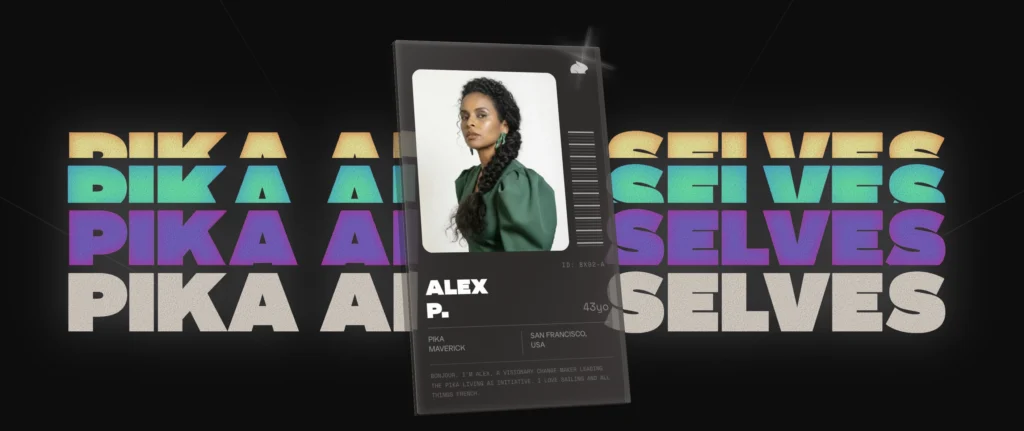
Pika AI Selves is a product from Pika that lets you create a persistent, living AI version of yourself — one that remembers your style, speaks in your voice, and can post, message, and create like a real extension of you.
Most people know Pika for its text-to-video and image-to-video tools on pika.art. Pika AI Selves is a different product entirely, housed at pika.me. Instead of generating a one-off clip, you’re building a digital identity — an AI Self that can grow, adapt, and operate across platforms without resetting every time you open an app.
Pika’s own description puts it simply:
“Create a living AI version of you, or whoever you want to be. Your AI Self talks, posts, remembers, and grows.”
That’s the shift. This is not a chatbot you prompt and discard. This is a persistent persona you shape over time.
How Pika AI Selves Works (Step-by-Step)
Step 1 — Give It “You”
Head to pika.me and click “Birth Your AI Self.” Sign in with Google or email. The onboarding collects three types of inputs:
- Selfie capture — your appearance
- Voice clone — record a sample of your voice
- Personality mapping — answer questions like “shy or bold?” to define tone, humor style, and communication preferences
The more accurate and specific your inputs here, the more “you” your Self will feel from day one.
Step 2 — Calibrate Through Feedback
Once your Self is active, you train it through short feedback loops. Pika’s UI shows interactions like:
- “Let’s go for more of a candid, effortless feel in our posts.”
- “Yay or nay?”
- “Plz read through my texts to sound more like me.” → “On it!”
This is a training-by-preference loop. Your Self generates a draft, you rate or adjust it, and it learns. Over time, it should apply your style constraints automatically without being reminded each session.
Step 3 — Connect It to Your Platforms
Your AI Self is designed to extend beyond a single app. Inside pika.me, look for the Integrations section to connect your Self to:
- Slack
- Telegram
- Discord
- Signal
- iMessage
- Google Chat
Once connected, your Self can adapt its communication style per context — professional tone on Slack, playful updates in your group chat — while staying true to your core identity.
Setting Up Your Self: Best Practices
Getting the most from Pika AI Selves means treating onboarding like training a creative partner — not just filling in a profile.
Choose your Self type before you start. Decide whether you want a Mirror Self (as close to the real you as possible), a Polished Self (you on your best day), a Character Self (a persona or mascot version), or a Utility Self (focused on one job, like drafting travel captions). Your choice matters because early decisions become sticky in the memory system.
Be intentional with voice. Voice cloning is part of the onboarding. Decide whether you want it to sound exactly like you or a “safer adjacent” voice if privacy is a concern.
Define what’s off-limits. If your Self can post or message semi-autonomously, give it a clear “do not cross” list: topics to avoid, personal info not to share, and humor style boundaries.
Use short feedback loops. Ask for a draft → give a quick “yay or nay” → add one correction → repeat. This is the most efficient way to train any AI system, and it’s exactly the style Pika shows in its own UI.
Bonus: Gaga AI — The All-in-One AI Video Creator
If Pika AI Selves is about building who you are online, Gaga AI is about creating the content that shows it — with a full suite of video creation tools in one place.

What Gaga AI Does
Image to Video AI — Upload any still image and Gaga AI animates it into a smooth, cinematic video clip. Perfect for turning travel photos, product shots, or portraits into short-form content without filming anything new.
Video and Audio Infusion — Drop in a video clip and infuse it with AI-generated audio: ambient sound, music, voiceover, or sound effects synced to the visual pacing. No editing experience needed.
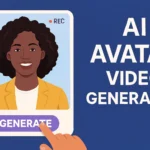
AI Avatar — Create a photorealistic or stylized digital avatar that can present, narrate, or perform on camera in your place. Useful for creators who want a consistent on-screen persona without always being on camera.
AI Voice Clone — Record a short voice sample and Gaga AI creates a cloned voice model. Use it to narrate videos, record audio messages, or produce voiceovers that sound genuinely like you — even in multiple languages.
Text-to-Speech (TTS) — Type any script and convert it to natural-sounding speech instantly. Choose from multiple voice styles or use your cloned voice. Ideal for YouTube Shorts narrations, Reel voiceovers, and explainer content.
How Gaga AI and Pika AI Selves Work Together
Think of them as two layers of the same system. Pika AI Selves defines and maintains your digital identity — your personality, memory, and communication style. Gaga AI produces the media — video, audio, and visual content that expresses that identity at scale.
A practical workflow:
- Use Pika AI Selves to draft a travel caption in your voice
- Feed the script into Gaga AI’s TTS to generate a natural voiceover
- Apply it to a short video using Gaga’s image-to-video or audio infusion tools
- Publish with your AI avatar narrating the content — consistent brand, minimal production time
Together, these tools move you from “AI chatbot user” to “AI-powered content creator.”
Frequently Asked Questions
What is Pika AI Selves?
Pika AI Selves is a product from Pika that lets you create a persistent AI version of yourself with memory, voice, and personality. Unlike one-session chatbots, your AI Self learns over time and can operate across platforms like WhatsApp, Telegram, Slack, and Discord.
Is Pika AI Selves the same as Pika’s video generator?
No. Pika’s video generation tools live on pika.art. Pika AI Selves is a separate identity product at pika.me. They are part of the same company but serve different purposes.
Where do I sign up for Pika AI Selves?
Visitpika.me and click “Birth Your AI Self.” You can sign up with Google or email. The base experience is free during early beta.
Does my AI Self really have persistent memory?
Yes — Pika explicitly claims persistent memory and shows a learning loop in its UI. Your Self should remember your tone, preferences, and past instructions. How deep that memory goes depends on your settings and current product features.
Can I create an AI Self that isn’t me?
Yes. Pika’s platform says you can create “a living AI version of you, or whoever you want to be.” You can create a character, persona, or brand mascot rather than a direct digital twin. Always ensure you have consent if basing a Self on a real person.
What platforms can I connect my AI Self to?
Currently supported: Slack, Telegram, WhatsApp, Discord, Signal, iMessage, and Google Chat. Integration availability may vary by account access and rollout stage.
How much does Pika AI Selves cost?
During early beta, the web app is free to start. Paid features and pricing tiers will be added over time and communicated inside the app.
Can my AI Self post on social media automatically?
Pika’s vision is for Selves to operate across platforms including social, but exact automation capabilities depend on current beta features. Always check what’s available before setting up autonomous posting.
Is my selfie and voice data safe?
Check the current privacy policy and terms inside pika.me. Treat your voice and selfie as sensitive personal identity data. Use public-facing content for training rather than private documents or personal information.
What if my AI Self says something wrong or inappropriate?
Stop the conversation, report the content in-app using the flag or report option, and adjust your Self’s training rules to set clearer boundaries. If inappropriate content is generated by someone else’s Self, report it immediately.
Can children use Pika AI Selves?
Check Pika’s current age requirements and safety policies inside the app. Do not create Selves based on minors, and follow regional laws regarding children’s data and online identity.
Do my Pika credits or subscription carry over to Selves?
No. Pika AI Selves (pika.me) is a separate product from Pika’s video generation tools (pika.art). You’ll need a new account, and existing credits or subscriptions do not transfer.