Key Takeaways
- Best for: Content creators needing quick text to speech conversion and PowerPoint to video automation
- Voice library: 900 AI voices across 100 languages
- Pricing: Pay-per-minute model starting at $6 for 30 minutes ($0.20/min) with no subscription required
- Primary tools: Text to audio, speech to text, slides to video, markdown to video
- Main limitation: No voice cloning, limited customization compared to premium alternatives
- Top alternative: ElevenLabs offers superior voice quality and cloning capabilities
Table of Contents
What Is Narakeet?
Narakeet is a web-based text to speech and video automation platform designed for creators who need fast voiceover production without recording equipment. The platform converts written scripts into audio files using AI-generated voices and transforms PowerPoint presentations into narrated videos automatically.
The service targets educators, marketers, and content creators who prioritize speed and simplicity over advanced customization. Unlike professional voice synthesis platforms, Narakeet focuses on accessibility—users can generate audio without registration or technical expertise.
Narakeet Features: What Can You Actually Do?
1. Text to Audio Conversion
The core Narakeet AI voice generator functionality converts written content into spoken audio. Supported input formats include plain text, Word documents (.doc, .docx), PDFs, EPUB files, and subtitle files (SRT, VTT).
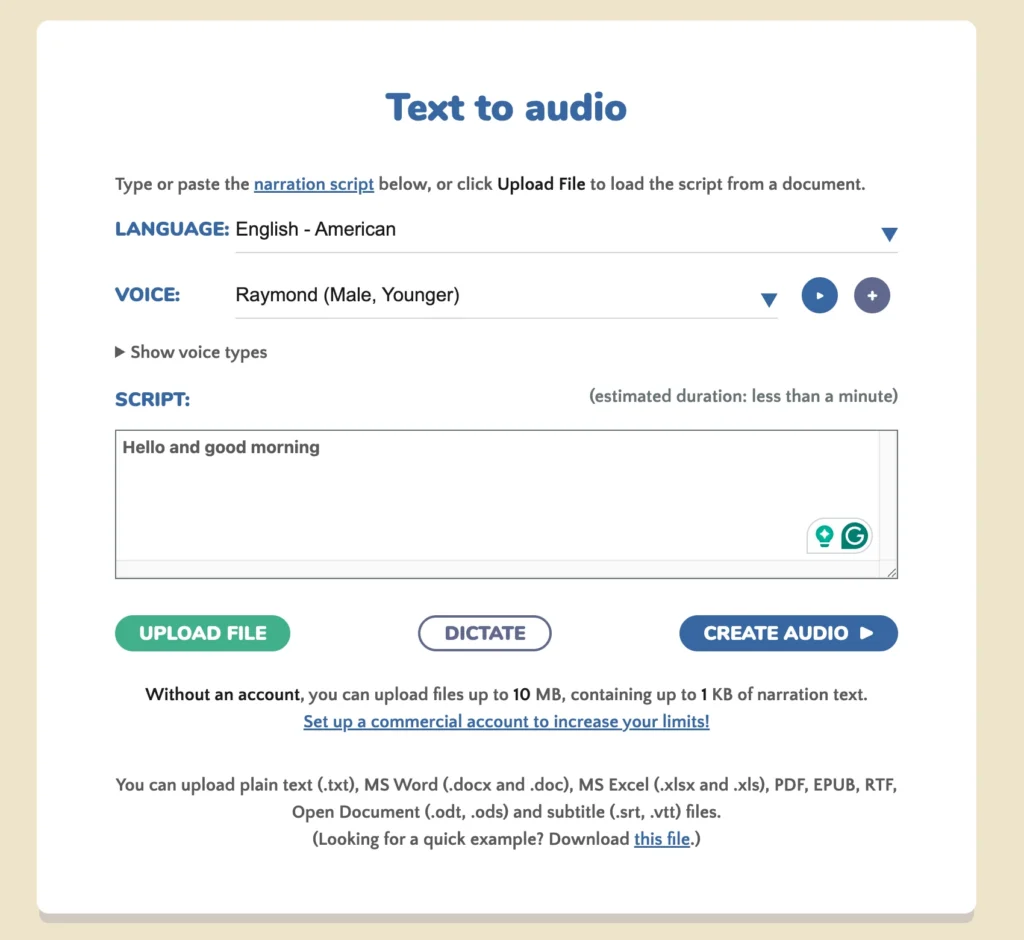
Key capabilities:
- Batch processing for creating hundreds of audio files from spreadsheets
- Subtitle-to-audio conversion with timestamp synchronization
- Voice speed, pitch, and volume adjustments
- Maximum text limit of 1 million characters for commercial accounts
2. Slides to Video (PowerPoint to Video)
Narakeet’s slides to video feature transforms static presentations into narrated videos. The platform reads speaker notes from each slide and generates corresponding voiceover.
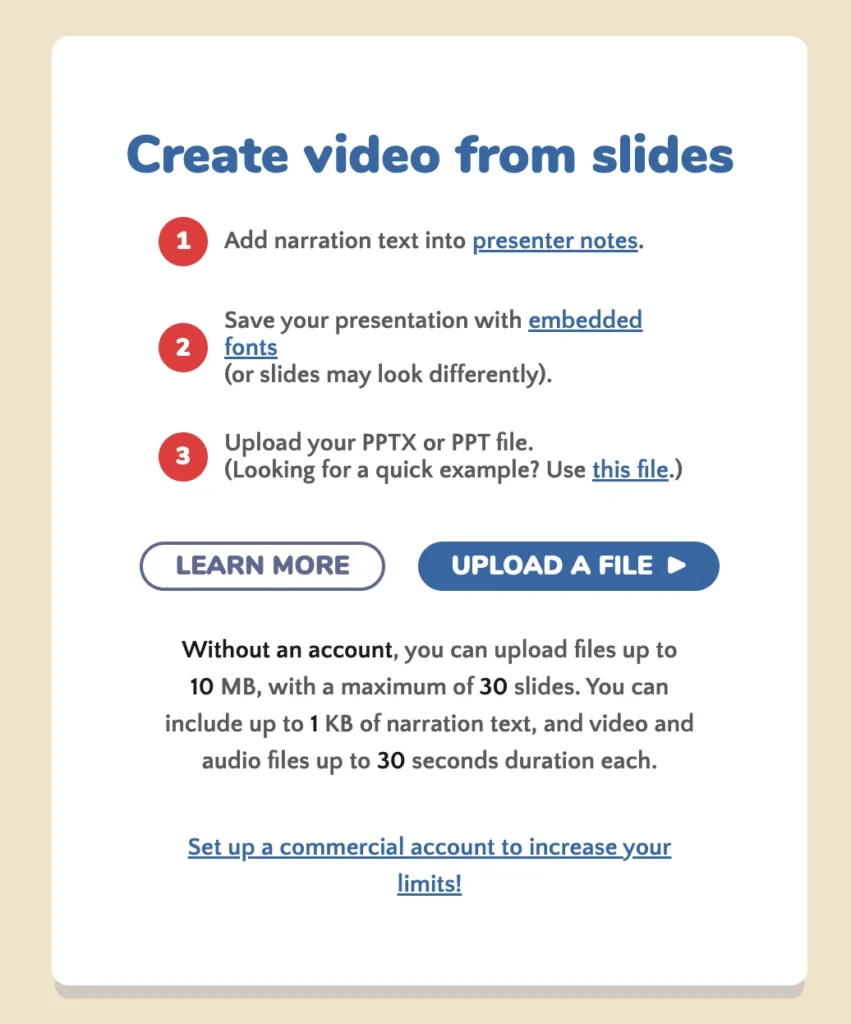
Supported input formats: PPTX, PPT, PPSX, ODP, Google Slides (exported as PPTX), Keynote (exported as PPTX)
Output options include: 720p HD video, custom aspect ratios for social media platforms (Instagram, LinkedIn, Facebook, Twitter), and automatic subtitle generation.
3. Markdown to Video
For developers and technical content creators, Narakeet converts Markdown files into videos. Users script entire videos using plain text, embedding references to images, video clips, and audio files.
This feature supports: Ken Burns animations, text overlays, syntax-highlighted code snippets, and custom scene transitions.
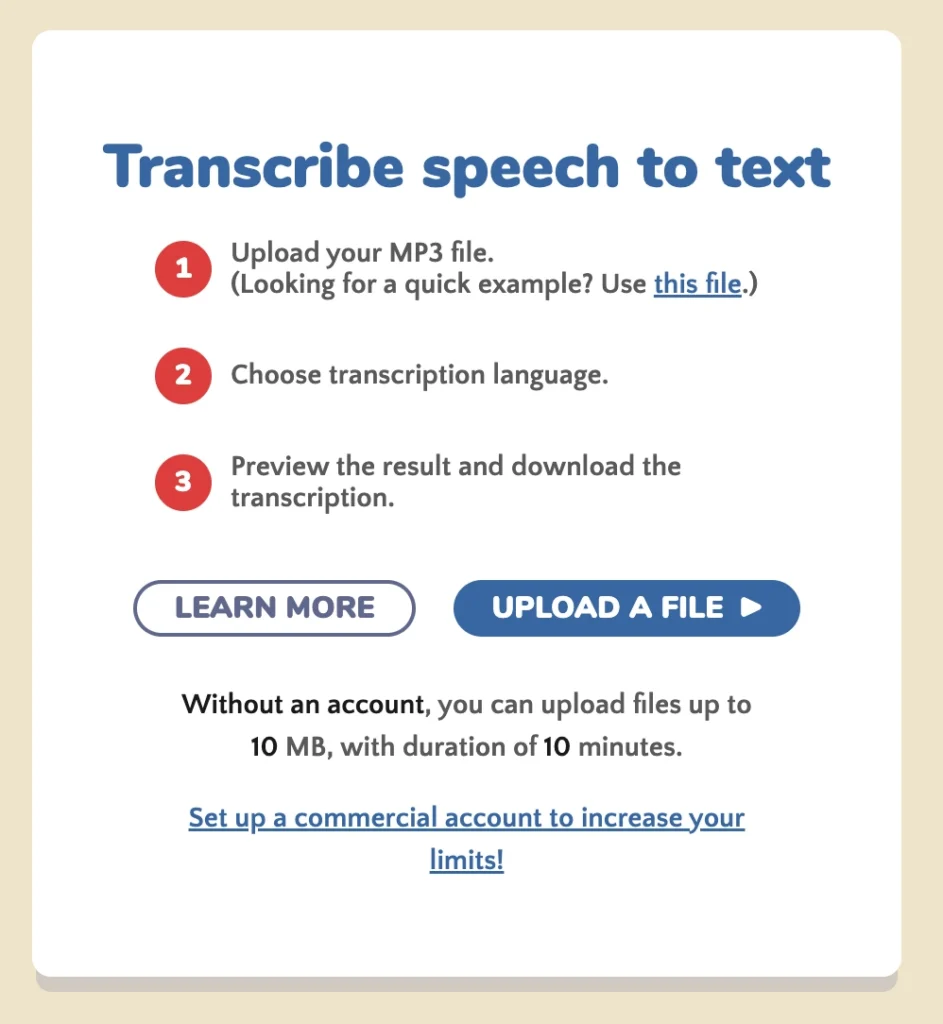
4. Speech to Text
Narakeet offers transcription services that convert audio recordings into text. This complements the primary text to speech functionality for users needing to repurpose existing audio content.
How Does Narakeet Text to Speech Work?
Narakeet text to speech operates through a straightforward three-step process:
1. Upload or type your script directly into the web interface (supports plain text, Word documents, or subtitle files)
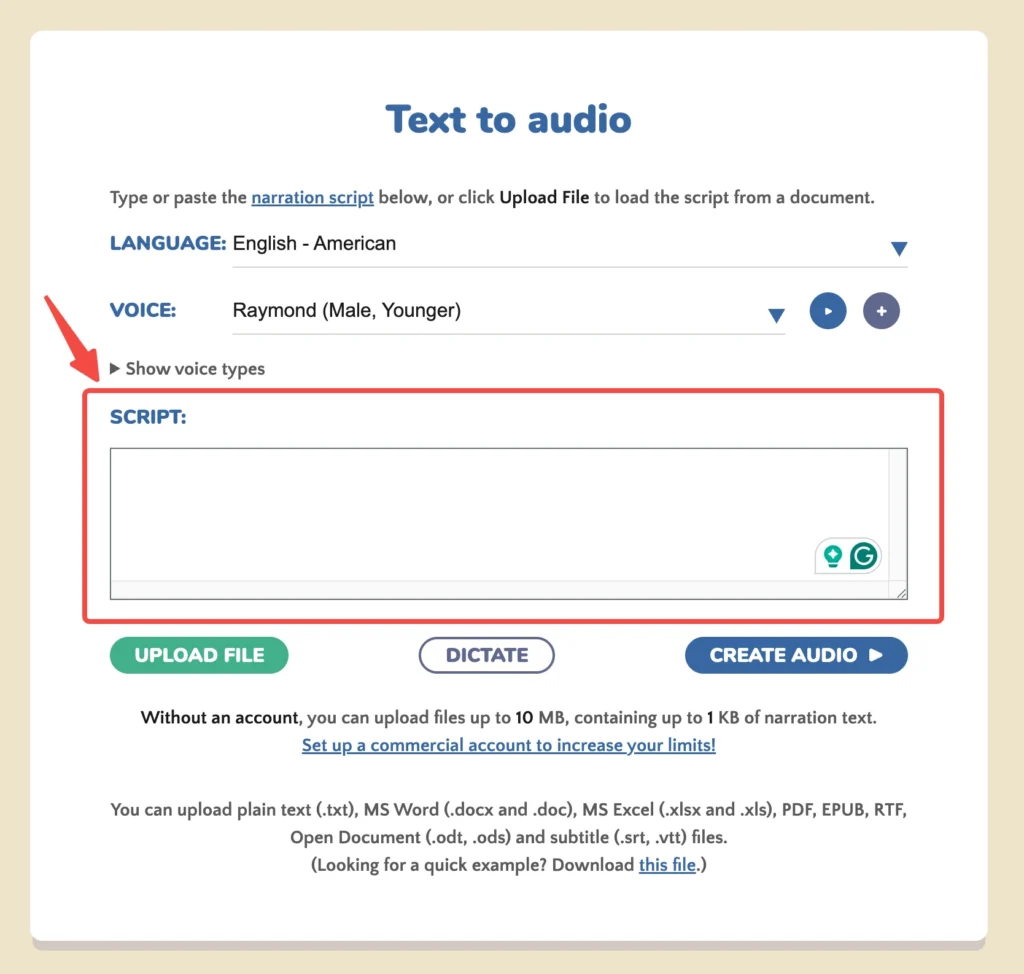
2. Select a voice from the 900 available options across 100 languages
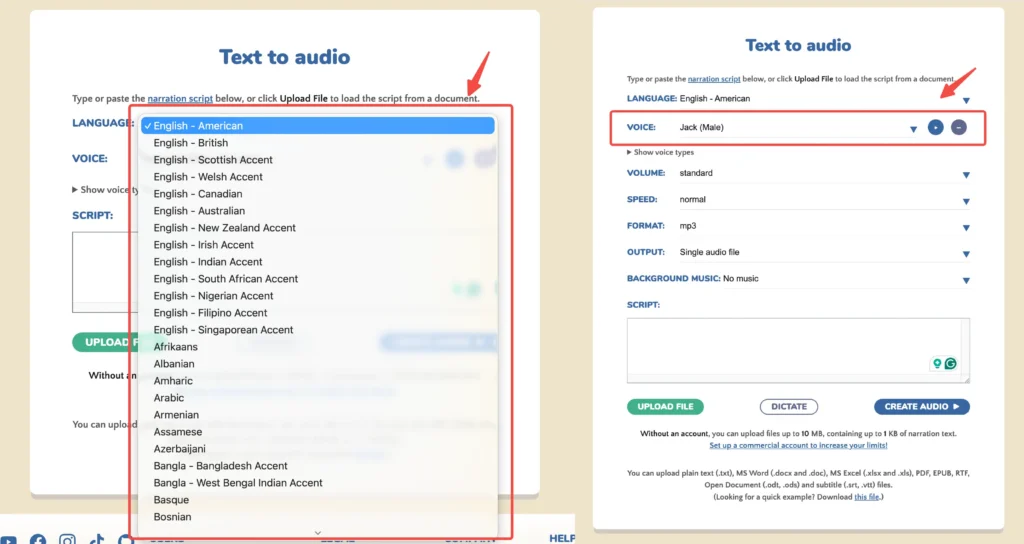
3. Configure the voice, including the volume, speed, format, output and BG music
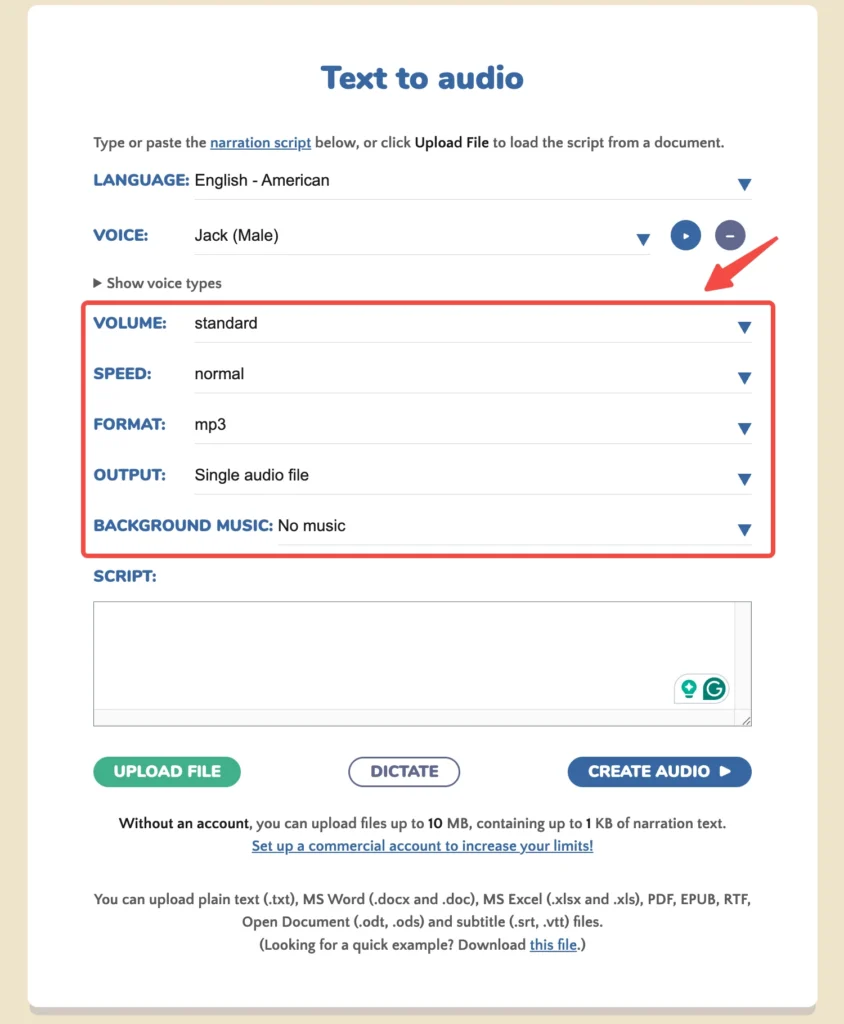
4. Click “Create Audio” to generate your voiceover file
The platform processes text through neural network-based voice synthesis, producing speech that mimics natural human patterns including pauses, intonation, and emphasis. Users can download completed files in MP3 or WAV format.
For video creation, Narakeet integrates the text to voice feature with slide automation. Upload a PowerPoint file with speaker notes, and the platform generates a narrated video where each slide’s duration matches the voiceover length automatically.
Narakeet Pricing: How Much Does It Cost?
Narakeet uses a pay-per-minute pricing model with one-time purchases rather than recurring subscriptions. This structure benefits users with irregular production needs.
| Audio/Video Duration | Price | Cost Per Minute |
| 30 minutes | $6 | $0.20 |
| 300 minutes | $45 | $0.15 |
| 1,000 minutes | $100 | $0.10 |
| 2,500 minutes | $200 | $0.08 |
| 10,000 minutes | $500 | $0.05 |
Free tier limitations: Users can create 20 audio files without registration, with a maximum of 1,000 characters per file. Free files cannot be used commercially or monetized on social media.
Commercial licensing: Paid plans include full commercial rights, allowing distribution, monetization, and use in client projects without restrictions.
Narakeet vs ElevenLabs: Which Is Better?
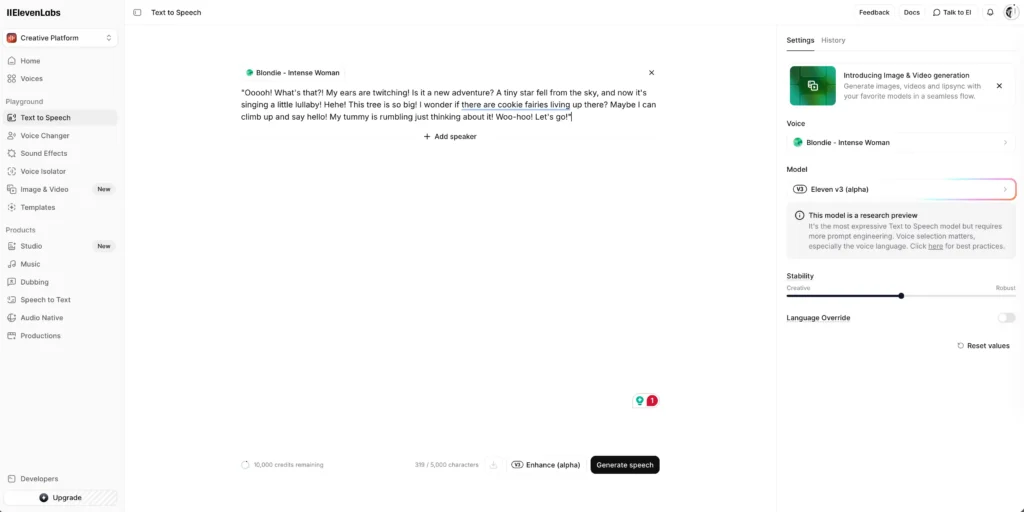
ElevenLabs represents the current benchmark for AI voice generation quality. Here’s how Narakeet compares:
| Feature | Narakeet | ElevenLabs |
| Voice quality | Mid-range, consistent | Premium, human-like |
| Voice count | 900 voices | 29 stock + unlimited clones |
| Languages | 100 | 32 |
| Voice cloning | Not available | Yes, with 30 seconds of audio |
| Pricing model | Pay-per-minute | Subscription + pay-per-character |
| Video creation | Built-in slides to video | Requires third-party tools |
| Learning curve | Minimal | Moderate |
Choose Narakeet if: You need quick, affordable voiceovers for educational or corporate content and value the integrated video creation tools.
Choose ElevenLabs if: Voice quality is your priority, you need custom voice cloning, or you’re producing content where natural-sounding speech drives engagement.
Narakeet Limitations and Workarounds
1. No Voice Cloning
Limitation: Narakeet does not offer custom voice creation. All users share the same 900-voice library.
Workaround: For brand-specific voice needs, generate Narakeet audio as a rough draft, then re-record with human voice actors or switch to ElevenLabs for final production.
2. Limited Emotional Range
Limitation: Voices maintain consistent tone regardless of content sentiment.
Workaround: Use SSML-style stage directions in your script. Commands like (pause: 2) add timing control. Vary voice speed settings between sections to simulate emphasis.
3. No Real-Time Generation
Limitation: Audio files must be downloaded after processing. No live streaming or real-time synthesis.
Workaround: For applications requiring real-time voice, integrate a dedicated API service like ElevenLabs or Google Cloud Text-to-Speech.
Bonus: Gaga AI Video Generator — A More Advanced Alternative
For creators seeking capabilities beyond basic text to speech, Gaga AI Video Generator offers a comprehensive suite of AI-powered tools that address Narakeet’s limitations while adding features Narakeet doesn’t provide.

1. Gaga AI Text to Speech
Gaga AI’s text to speech engine delivers higher fidelity voice synthesis with improved emotional expression. The platform processes scripts with context awareness, adjusting tone and pacing based on content sentiment.
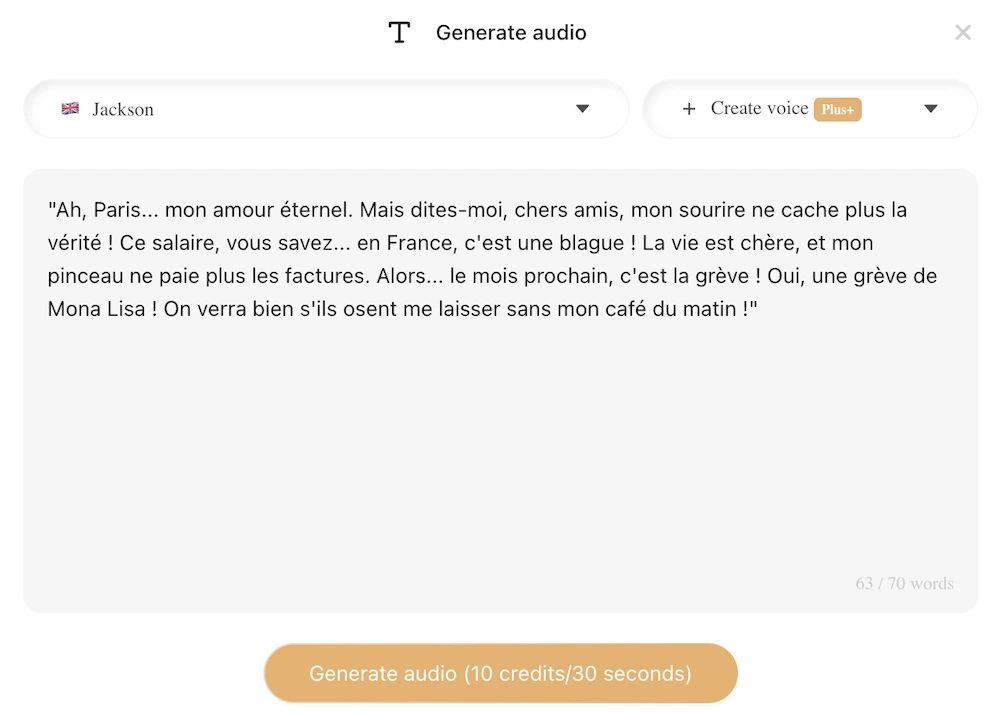
2. Voice Cloning
Unlike Narakeet, Gaga AI enables custom voice creation. Upload a short audio sample, and the platform generates a synthetic clone that captures the speaker’s unique characteristics. This feature enables brand voice consistency across all content.
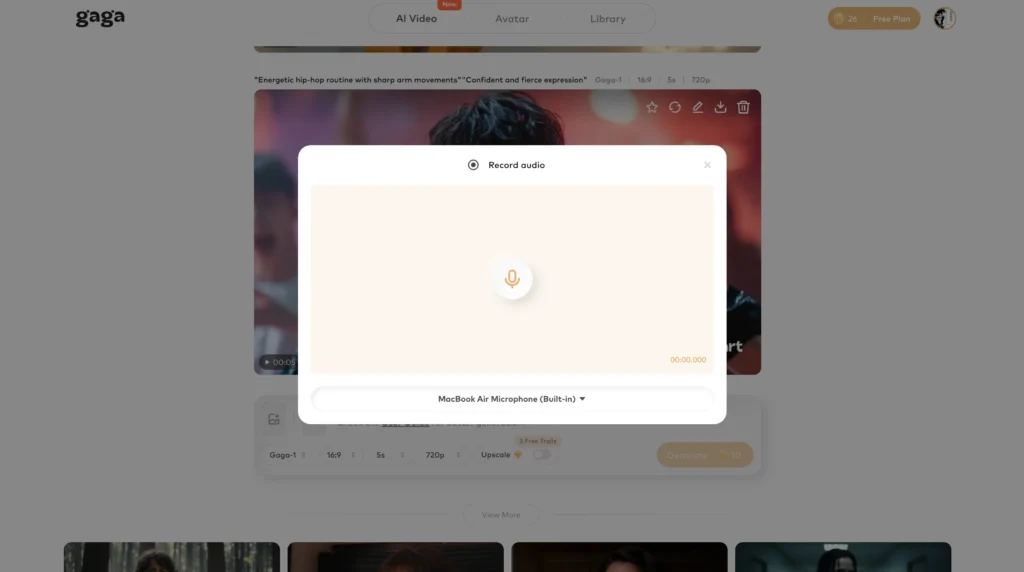
3. Video & Audio Infusion
Gaga AI’s audio infusion technology synchronizes voiceovers with existing video content intelligently. The platform analyzes visual cues and adjusts audio timing to match on-screen action, eliminating manual synchronization work.
4. Image to Video AI
Transform static images into dynamic video content. Gaga AI animates photographs and illustrations with realistic motion, enabling video creation without filming. Product images become rotating showcases; portraits gain subtle movements that hold viewer attention.
5. AI Avatar Features
Create digital presenters that deliver your script with human-like gestures and expressions. Gaga AI avatars support multiple customization options including appearance, attire, and presentation style. This eliminates the need for on-camera talent while maintaining visual engagement.
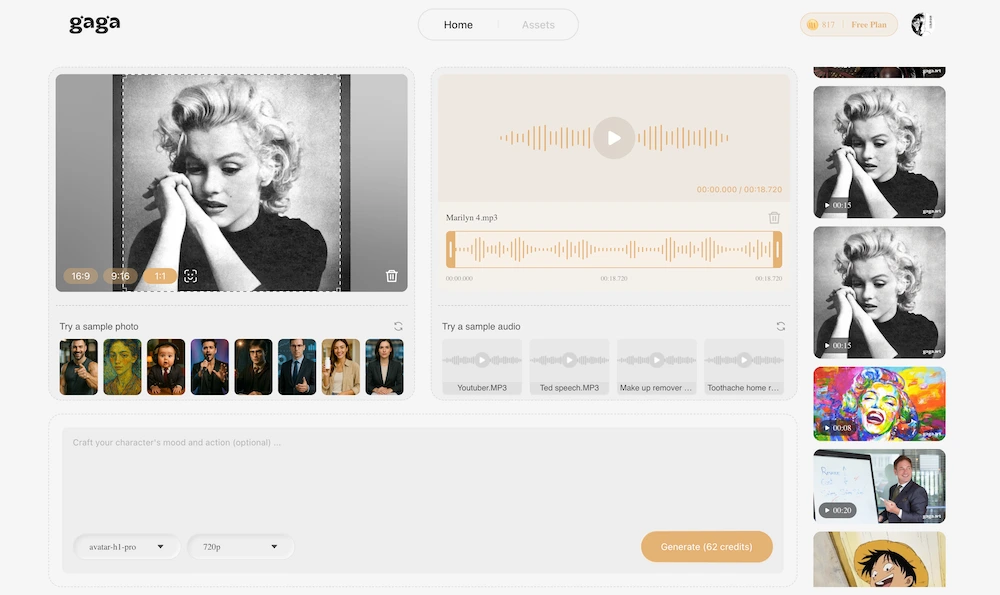
For creators who have outgrown Narakeet’s capabilities or require features like voice cloning and AI avatars from the start, Gaga AI represents a more complete production platform.
Frequently Asked Questions
Is Narakeet free to use?
Narakeet offers a limited free tier allowing 20 audio files without registration. Free files have a 1,000-character limit and cannot be used commercially. Paid plans start at $6 for 30 minutes of audio/video content.
How many voices does Narakeet have?
Narakeet provides 900 AI voices across 100 languages. Voice options include multiple accents per language and both male and female speakers.
Can Narakeet clone my voice?
No, Narakeet does not offer voice cloning functionality. All users access the same shared voice library. For custom voice creation, alternatives like ElevenLabs or Gaga AI provide cloning capabilities.
What file formats does Narakeet support?
For text input: plain text, Word documents (.doc, .docx), PDF, EPUB, SRT subtitles, VTT subtitles. For audio output: MP3, WAV. For video input: PPTX, PPT, PPSX, ODP, Markdown. For video output: MP4.
Is Narakeet text to speech good for YouTube videos?
Narakeet works adequately for informational YouTube content like tutorials, explainers, and documentary-style videos. For entertainment content requiring emotional range or personality, premium voice generators produce better results.
How does Narakeet pricing compare to competitors?
Narakeet’s pay-per-minute model is cost-effective for occasional users. At $0.05-$0.20 per minute depending on volume, it undercuts subscription services for light usage. Heavy users (50+ hours monthly) may find subscription models more economical.
Can I use Narakeet for commercial projects?
Yes, all paid Narakeet plans include commercial usage rights. Free tier content is restricted to personal and educational use only.
Does Narakeet work with Google Slides?
Narakeet doesn’t import Google Slides directly. Export your Google Slides presentation as a PowerPoint file (File → Download → Microsoft PowerPoint), then upload the PPTX file to Narakeet.
How long does Narakeet take to generate audio?
Processing time depends on content length. Short clips (under 1 minute) typically process in 10-30 seconds. Longer content may take several minutes. Video generation takes longer than audio-only due to rendering requirements.
What languages does Narakeet support?
Narakeet supports 100 languages including English, Spanish, French, German, Chinese, Japanese, Korean, Portuguese, Italian, Russian, Arabic, Hindi, and many more. Each language includes multiple voice options with regional accent variations.