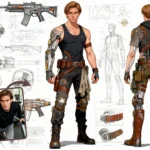
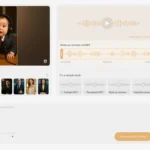
Static images are boring; video engages. In a world where attention spans are shrinking, relying on motionless photos for your content is a missed opportunity. Whether you are a marketer, an educator, or a creator, you’ve likely felt the pain of needing high-quality video content but lacking the budget for cameras, actors, or studios.
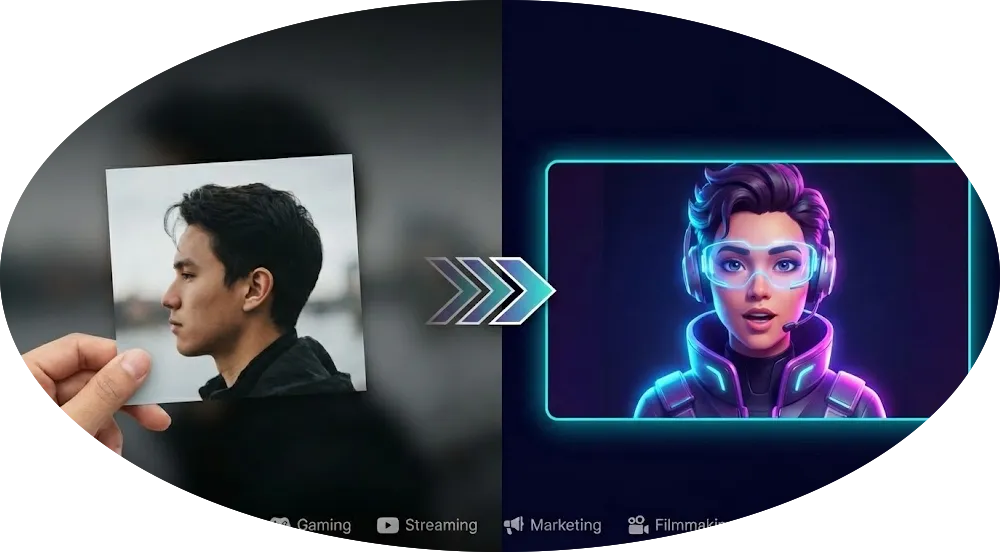
Imagine if you could turn a picture into an avatar that speaks, moves, and emotes with human-like realism—all in just a few clicks.
Welcome to the future of content creation. In this guide, we’ll show you exactly how to make an avatar from a photo using Gaga AI, the industry’s most advanced video generation tool to make avatar from photo. Forget complex animation software; creating a digital identity is now as easy as uploading a selfie.
Table of Contents
Why Turn a Picture into an Avatar?
Before we dive into the “how,” let’s look at the “why.” Transforming a simple avatar image into a dynamic video asset offers massive advantages for digital growth:
- Anonymity & Privacy: Create a professional digital identity without revealing your real face or filming environment.
- Content Scaling: Once you create an avatar from a picture, you can generate hundreds of videos from a script in minutes, rather than hours of recording.
- Consistent Branding: Use a consistent spokesperson (or mascot) across all your social channels to build instant brand recognition.
- Higher Engagement: Social media algorithms prioritize video. A talking avatar stops the scroll far more effectively than a static text post.
The Best AI Avatar Video Generator in 2025-2026
When looking for an avatar maker from photo tools, technology moves fast. Gaga AI has established itself as the leader in the 2025-2026 landscape by solving the biggest problem in the industry: robotic, stiff movements.
Here is why Gaga AI stands out as the premier avatar generator from photo solution:
- Nano Banana for Avatar Generation: Gaga AI is powered by the revolutionary Nano Banana model. This underlying technology allows for unprecedented fluidity in facial muscles and micro-expressions, eliminating the “uncanny valley” effect found in older tools.
- Hyper-Realistic Output: Your avatar doesn’t just move its mouth; it blinks, nods, and emotes naturally.
- Long Duration Generation: Unlike competitors that limit you to short clips, Gaga AI supports long duration generation (up to 30 seconds per segment), perfect for TikToks, Reels, or quick explainers.
- Text to Speech & Multilingual Support: Type your script in English, Spanish, Japanese, or dozens of other languages. Gaga AI automatically syncs the lips to the chosen language with near-perfect accuracy.
How to Make an Avatar from a Photo with Gaga AI
Ready to bring your image to life? Follow this simple step-by-step tutorial to make an avatar with photo assets you already own.
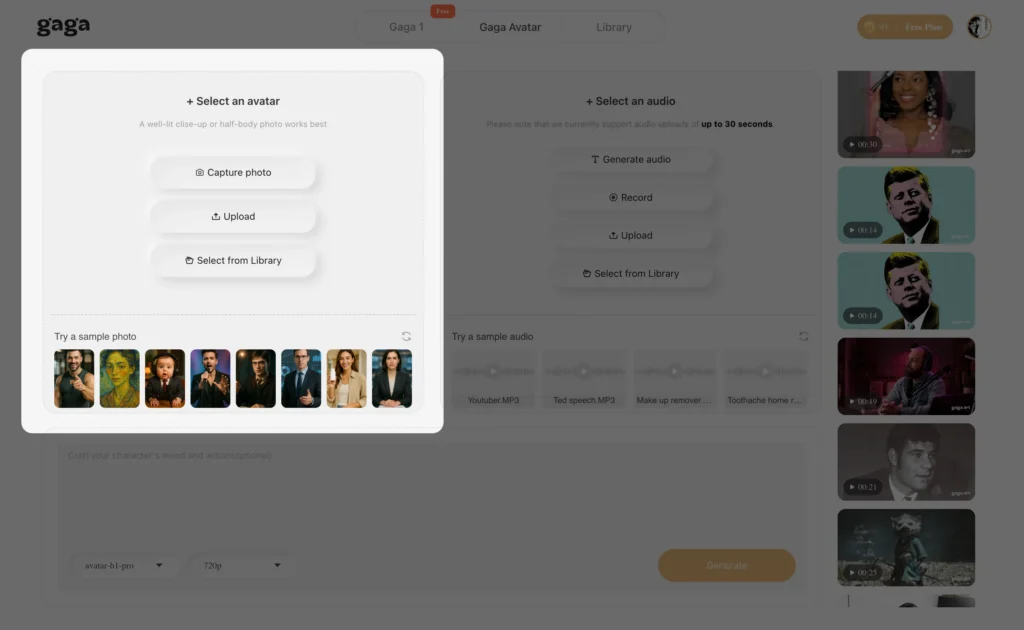
Step 1: Uploading Your High-Quality Photo
The quality of your input determines the quality of your output. For the best results, choose a front-facing photo with good lighting. Avoid heavy shadows or hair covering the eyes.
- Log in to your Gaga AI dashboard.
- Click on “Gaga Avatar”.
- Upload your image (JPEG, PNG or WEBP).
Pro Tip: Ensure the mouth is closed and the expression is neutral or slightly smiling for the most versatile animation results.
Step 2: Uploading Your Reference Voice
You can use Gaga AI’s library of premium AI voices, but for a truly personal touch, you can clone your own voice.
- Navigate to the “Audio” tab.
- Upload a 1-minute sample of your voice (or the voice you want the avatar to have).
- The system will analyze the tone and pitch to match the avatar’s lip movements perfectly.
selecting voice options in avatar maker from photo
Step 3: Choosing Your Settings
Now, customize how your video will look and sound.
- Input Script: Type the text you want your avatar to speak.
- Language: Select your target language (e.g., English, French, Mandarin).
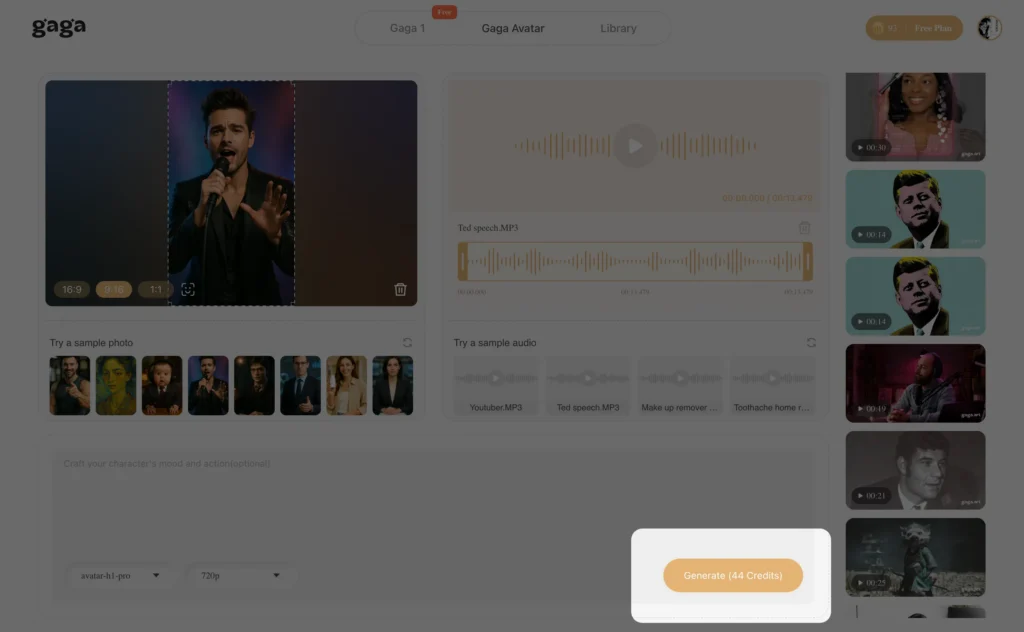
Step 4: Generating the Video
Click the “Generate” button. Thanks to the Nano Banana engine, rendering is lightning fast. In just a few moments, you will turn a picture into an avatar video ready for download.
6 Creative Ways to Use Your AI Avatar
Once you have mastered how to make an avatar from a photo, you unlock a new world of content creation. Here is how different industries are using Gaga AI to revolutionize their workflows:
- Gaming & RPGs:
- NPC Creation: Game developers and dungeon masters can turn a picture into an avatar to create realistic Non-Player Characters (NPCs) with unique dialogue and backstories, adding depth to quests without hiring voice actors.
- Roleplay Assets: Gamers can visualize their Dungeons & Dragons or MMORPG characters, giving them a moving, speaking face for character sheets and lore videos.
- Streamers & Content Creators:
- Faceless Channels: Want to start a YouTube or Twitch channel but value your privacy? Create an avatar from a picture to act as the “face” of your brand.
- Channel Assets: Generate professional intros, “Stream Starting Soon” updates, or social media clips using an avatar that matches your channel’s aesthetic perfectly.
- VTubers (Virtual YouTubers):
- Low Barrier to Entry: Traditional VTubing rigs cost thousands of dollars. With Gaga AI, you can start your VTuber journey instantly. Simply upload an anime-style or stylized avatar image, and use our avatar generator from photo to create your debut video content.
- Character Lore: Produce high-quality lore videos to introduce your persona to new audiences on TikTok or Twitter/X.
- Indie Filmmaking & Short Films:
- Digital Casting: Casting actors is expensive. Use Gaga AI to cast realistic characters for your short films. Our “Nano Banana” engine handles subtle micro-expressions, allowing your avatar to convey sadness, joy, or anger effectively.
- Animated Storyboards: Directors can bring static storyboards to life, helping crews visualize scenes with dialogue before a single real camera rolls.
- Marketing & Personalized Sales:
- The “Digital Twin”: Founders and sales teams can create a “Digital Twin” of themselves. This allows you to send thousands of personalized video emails to leads—addressing them by name—without recording yourself thousands of times.
- A/B Testing: Marketers can quickly swap out avatar presenters to see which demographic resonates best with their audience (e.g., using a casual avatar for Gen Z ads vs. a professional avatar for B2B).
- E-Learning & Education:
- Consistent Training: Create a dedicated “AI Tutor” for your course. If you need to update a lesson next year, you don’t need to re-hire a presenter or set up lights; just type the new script, and your avatar delivers the update instantly.
Top Features to Look for in an Avatar Maker from Photo
Not all tools are created equal. If you are shopping around to make an avatar from photo online free or paid, ensure the tool has these non-negotiable features:
1. Lip-Sync Accuracy: The lips must match the phonemes (sounds) of the speech, not just open and close randomly.
2. HD Resolution: Your video should be crisp (1080p or 4K), suitable for YouTube or large monitors.
3. Natural Head Movement: A static head with a moving mouth looks creepy. Look for tools like Gaga AI that add subtle head tilts and shoulder movements.
4. Fast Rendering: You shouldn’t have to wait an hour for a 30-second clip.
5. User-Friendly Interface: You shouldn’t need a degree in animation to create avatar from picture assets.
FAQ: Making Avatars from Photos
Q: Can I make an avatar from a photo online free?
A: Yes! Gaga AI offers a free trial model that allows you to test the avatar generator from photo capabilities. This lets you experience the speed and quality of our Nano Banana tech before committing to a premium plan for higher resolution and longer duration limits.
Q: What is the best avatar generator from photo?
A: While there are many options, Gaga AI is currently rated the best for 2025 due to its “Nano Banana” generation engine, which delivers superior realism and longer video durations (30s) compared to standard market tools.
Q: How long does it take to render?
A: For a standard 30-second clip, Gaga AI typically renders the video in under 60 seconds, making it one of the fastest tools to make an avatar with photo inputs.
Final Thoughts
The barrier to high-quality video production has officially been broken. You no longer need cameras, lights, or confidence on camera to build a massive video presence. You simply need to make an avatar from a photo.
With Gaga AI, you are equipping yourself with the most advanced avatar image technology available. Whether for business, fun, or influence, your photo is ready to start talking.
Ready to bring your photos to life? Try Gaga AI for free today and create your first realistic avatar video in minutes!