Key Takeaways
- Krea AI is an all-in-one AI creative platform for generating images, videos, and 3D objects — and enhancing them with upscaling tools — trusted by over 30 million users across 191 countries.
- The krea ai free plan gives 100 compute units/day with no credit card required, including real-time image generation and limited access to other tools.
- Krea upscale supports resolutions up to 22K (Max plan), powered by 7 upscaling models including Topaz Photo and Topaz Gigapixel.
- The krea ai enhancer can restore old photos, sharpen portraits, upscale 3D renders, and add fine skin texture — all from a single interface.
- Krea image to video gives access to Veo 3, Kling, Hailuo, Wan, Runway, and Seedance — the best video model roster of any aggregator platform.
- Krea ai pricing runs from $0 (Free) → Basic → Pro → Max, with yearly plans saving 20%. The Pro plan is the most popular for solo creators.
- The krea ai image generator includes 64+ models, 1,000+ styles, native 4K output, and the proprietary Krea 1 model — with a generation speed of 3 seconds per 1024px Flux image.
- Bonus at the end: How Gaga AI extends your Krea output with image-to-video, audio infusion, AI avatar, and voice cloning.
Table of Contents
What Is Krea AI?
Krea AI is an AI creative suite that combines image generation, video creation, 3D object generation, upscaling, generative editing, and LoRA fine-tuning into a single subscription — built for creatives who don’t want to manage 10 different tools.
The platform launched with a focus on real-time image generation and has since expanded into one of the most comprehensive AI creative aggregators available. As of 2026, it serves over 30 million users from 191 countries, with enterprise clients including Lego, Samsung, Nike, Microsoft, and Shopify.
The core value proposition is simple: instead of subscribing to Midjourney for images, Runway for video, Topaz for upscaling, and a separate fine-tuning tool, Krea AI provides all of these under a single compute-unit system.
Where to access it: krea.ai — browser-based, no download required.
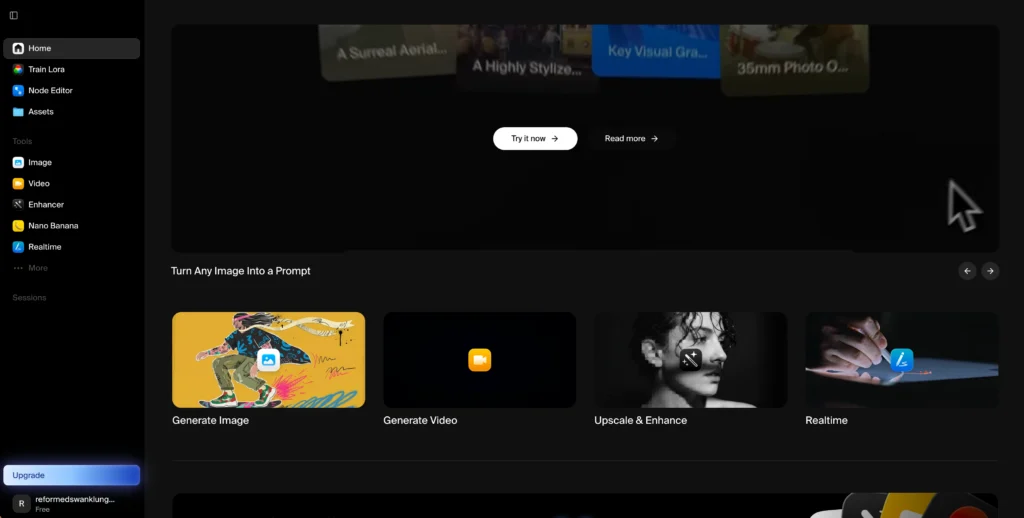
Krea AI Features: What Can It Actually Do?
Krea AI covers seven distinct creative capabilities — each accessible from the same interface with the same compute credits.
1. Krea AI Image Generator
The krea ai image generator produces images via text prompts with native 4K resolution, 1,000+ style presets, and access to 64+ models including Krea 1, Flux, and Ideogram.
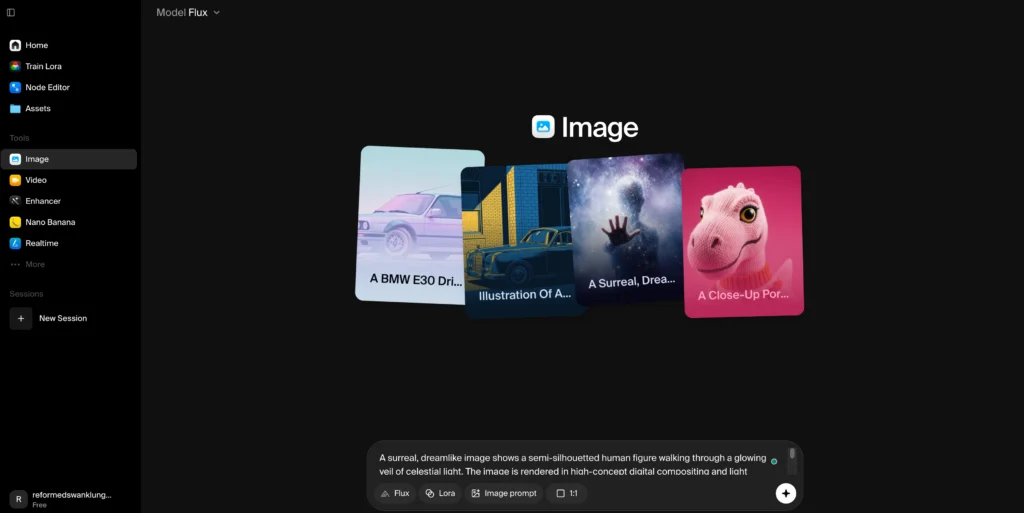
Key details:
- Generation speed: 3 seconds per 1024px Flux image at FP16 — described as industry-leading
- Models included: Krea 1 (proprietary), Flux, Ideogram, Gemini Imagen, and 60+ more
- Resolution: Up to 4K native; upscaled to 22K via the enhancer
- 1,000+ style presets covering photography, illustration, architecture, fashion, 3D, and fine art
- Image prompts: Use an existing image as a visual reference alongside your text prompt
- Realtime canvas: Generate images as you type or sketch — updates in under 50ms
What makes Krea 1 different: Krea’s proprietary flagship model (Krea 1) is engineered for photorealistic skin textures, accurate colour science, extreme camera angles (fisheye, macro, aerial), and artistic “imperfection” — grain, bloom, depth-of-field blur. It avoids the clinical look common in most AI generation models.
2. Krea AI Enhancer (Upscaler)
The krea ai enhancer — also called krea upscale — can increase image resolution up to 22K and video resolution up to 8K, using 7 different upscaling models including Topaz Photo and Topaz Gigapixel.
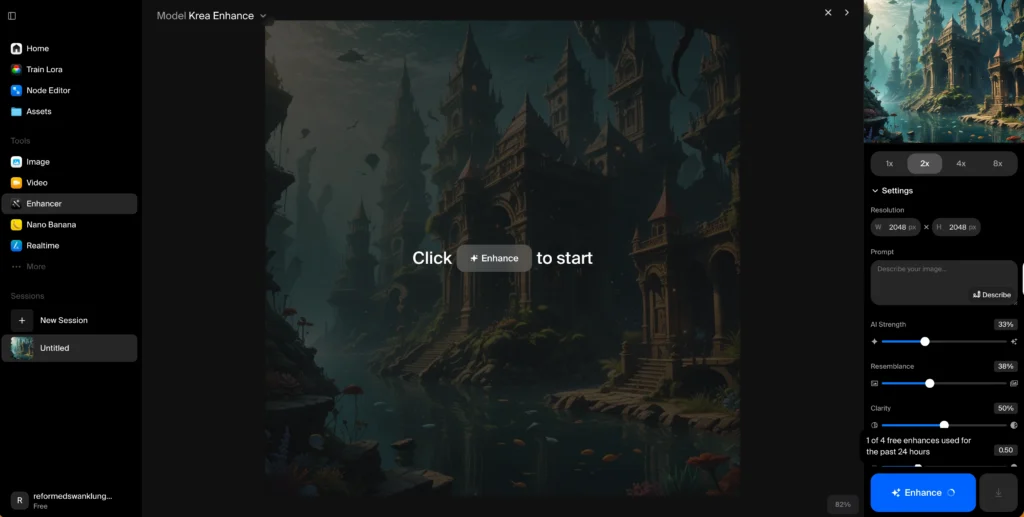
Use cases the enhancer is specifically designed for:
| Use Case | What Krea Does |
| Blurry photos | Sharpens and recovers edge detail |
| Portrait photography | Adds ultra-fine skin texture, eye detail |
| 3D renders → photorealism | Converts flat CGI into photo-like architecture visualisations |
| Old film scans | Restores grain, removes scratches, increases resolution |
| Social media crops | Upscales small images to print or billboard resolution |
Available upscaling models:
- Topaz Photo AI
- Topaz Gigapixel AI
- Krea native upscaler
- 4 additional models (plan-dependent)
Resolution limits by plan:
| Plan | Max Image Upscale | Max Video Upscale |
| Free | 2K | Limited |
| Basic | 4K | 4K |
| Pro | 8K | 8K |
| Max | 22K | 8K |
3. Krea Image to Video
Krea image to video works by animating a static image using one of several top-tier video models — including Veo 3, Kling, Hailuo, Wan, Runway, and Seedance — all accessible from the same interface.
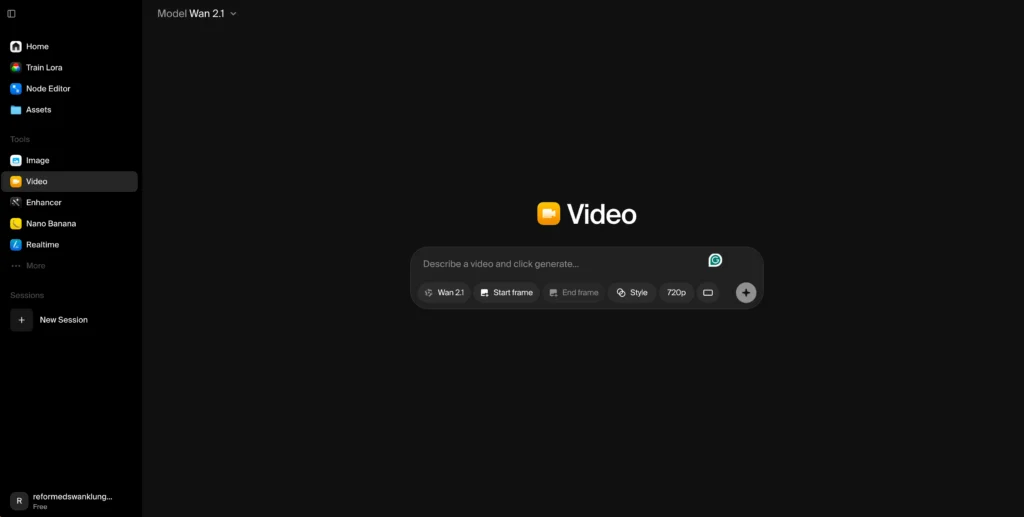
This is where Krea’s aggregator model delivers its clearest value. Instead of paying separately for Runway Gen 4, Kling, and Veo 3 subscriptions, Pro and Max plan users access all of them in one place.
Video generation capabilities:
- Text to video: Describe a scene in plain language
- Image to video: Animate any image with a motion prompt
- Motion transfer: Apply motion patterns from one video to another
- Video style transfer: Change the visual style of an existing video
- Frame interpolation: Increase frame rate smoothly (up to 120fps)
- Video upscaling: Increase video resolution up to 8K
Video models included (Pro/Max):
- Google Veo 3 / Veo 3.1
- Kling (multiple versions)
- Hailuo (MiniMax)
- Wan
- Runway
- Seedance
- Luma
⚠️ Note: Free and Basic plan users have limited access to video models. Full access to all video models — including Veo 3 and Sora — requires the Pro plan or above.
4. Real-Time Rendering
Krea’s real-time rendering generates a new image within 50ms of each keystroke — letting you iterate visually as you think rather than waiting for batch results.
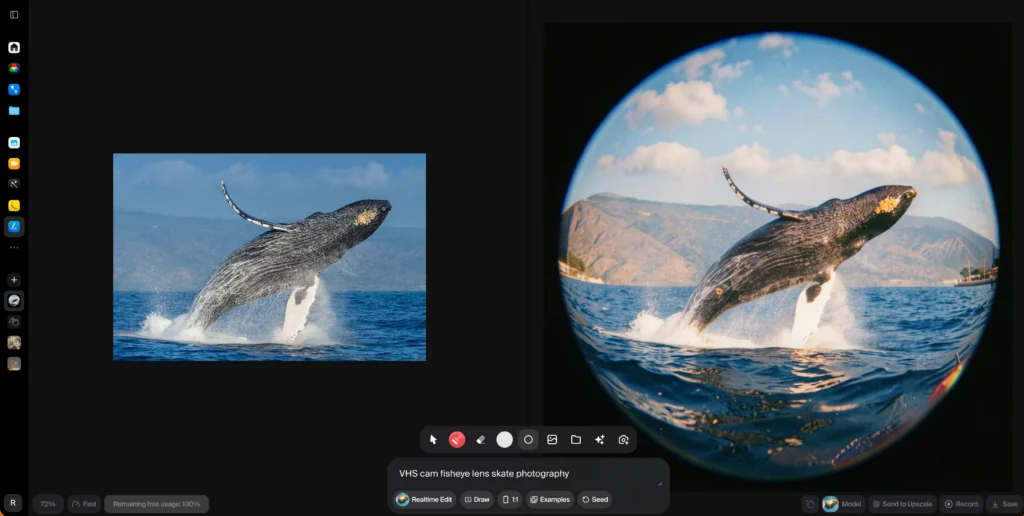
This is one of Krea’s most differentiated features. The Realtime Canvas works like a sketchpad: as you draw shapes or type prompt words, the image updates instantly. It’s also available for video with frame consistency.
Best for: Concept artists, architects, product designers, and anyone who iterates rapidly before committing to a final prompt.
5. Generative Editing
Krea’s generative editing lets you modify existing images using 10 AI editing models, including Nano Banana, Flux Kontext, and Qwen.
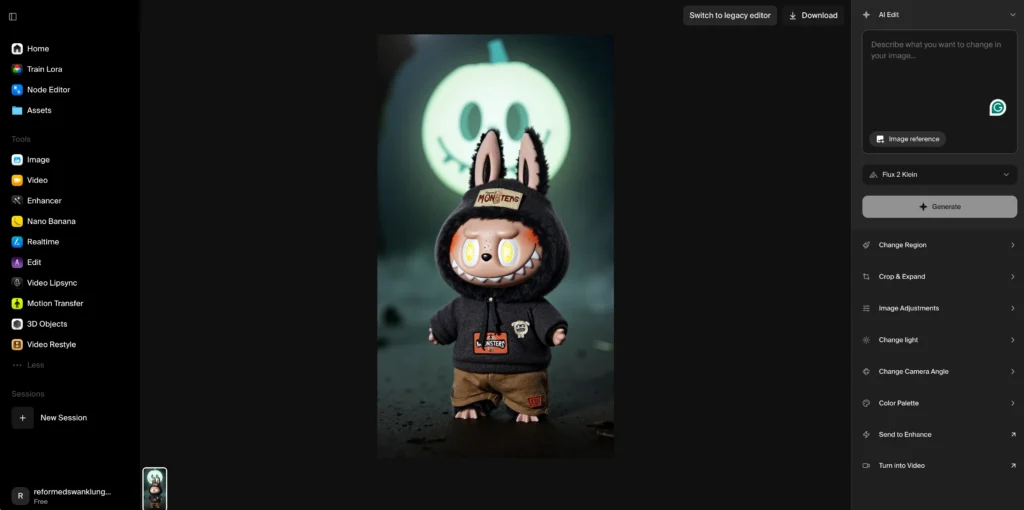
What you can do in generative editing:
- Add or remove objects from a scene
- Change character expressions
- Swap lighting conditions
- Merge two images
- Recolour specific elements
- Resize and extend canvas (outpainting)
Editing models available:
- Nano Banana (Krea’s own model)
- Flux Kontext
- Qwen
- 7 additional models
6. LoRA Fine-Tuning
Krea AI’s LoRA fine-tuning lets you train a custom model on your own images — teaching the system to generate a specific face, product, or visual style on demand.
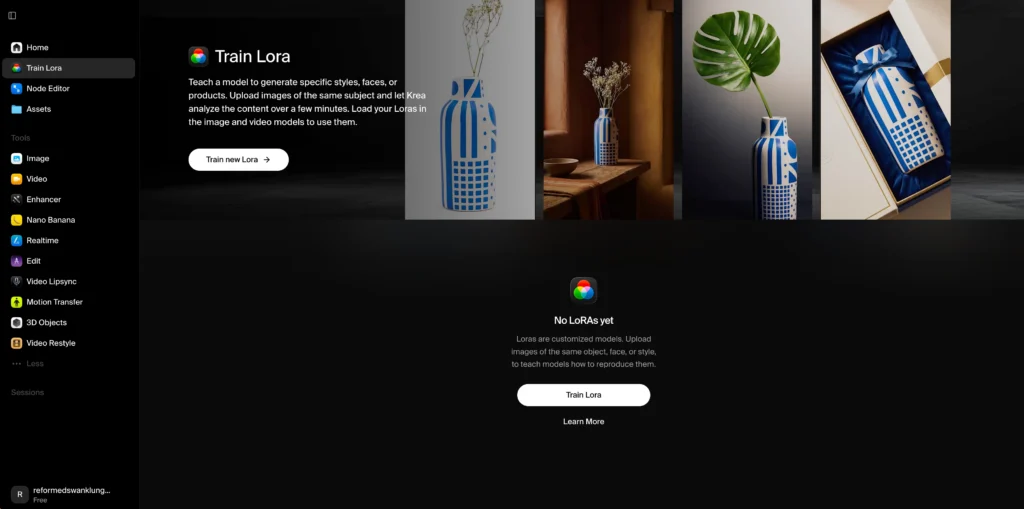
How it works:
- Upload 10–2,000 images of the same face, product, or style
- Krea trains a lightweight LoRA (Low-Rank Adaptation) model in the background
- Use that LoRA model in any subsequent generation to maintain visual consistency
Fine-tuning limits by plan:
- Free: Limited (very few images, basic models)
- Basic: Up to 50 images per LoRA
- Pro: Up to 50 images per LoRA + bulk compute discounts
- Max: Up to 2,000 images per LoRA, unlimited training jobs
- Business: Up to 20,000 images per LoRA
Use cases: Brand asset generation, consistent character creation for webtoons/comics, product photography at scale, personalised avatar creation.
7. AI 3D Generation
Krea AI generates 3D objects from text prompts or converts a 2D image into a 3D mesh — accessible on Basic plan and above.
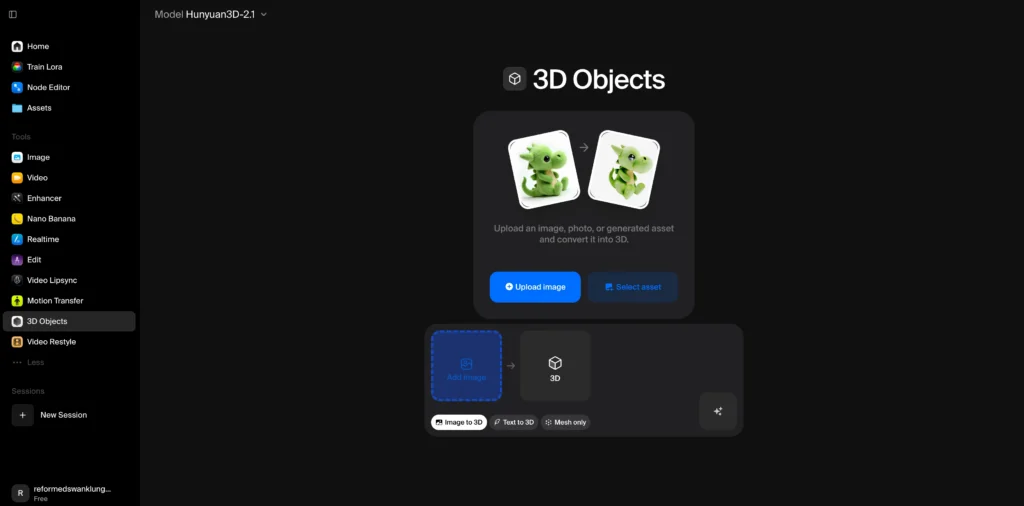
The output 3D objects can be exported and used in 3D software, game engines, or rendered within Krea. Combined with the image upscaler, 3D renders can be converted to photorealistic stills.
Krea AI Pricing: All Plans Explained
Krea AI pricing runs from $0 per month (Free) to custom Enterprise pricing, with four core plans for individual users and two for teams.
All prices below are monthly billed rates. Yearly billing saves 20% across all plans.
Free Plan — $0/month
The krea ai free plan gives 100 compute units per day with no credit card required.
What’s included:
- Full access to real-time image generation models
- Limited access to image, video, 3D, and lipsync models
- Image upscaling up to 2K resolution
- Limited LoRA training (basic models, limited images)
- No commercial licence
Best for: Testing the platform before committing. The 100 daily compute units refresh every 24 hours.
Basic Plan
The Basic plan provides 5,000 compute units/month with a commercial licence and full access to image, 3D, and lipsync models.
What’s added over Free:
- Commercial licence (use outputs in client work and products)
- Full access to all image generation models including Krea 1
- LoRA fine-tuning with up to 50 images
- Image upscaling up to 4K
- Access to selected video models (not all)
Best for: Freelancers and hobbyists who need commercial rights and regular generation volume.
Pro Plan — Most Popular
The Pro plan adds full access to all video models, workflow automation via Nodes, and 8K upscaling — making it the recommended plan for professional content creators.
What’s added over Basic:
- Full access to all video models: Veo 3, Sora, Kling, Runway, Seedance, Hailuo, Wan, Luma
- Workflow automation with Nodes and App Builder
- Bulk discounts on additional compute unit packs
- Image upscaling up to 8K
- 20,000 compute units/month
Best for: Professional video creators, social media content studios, and anyone who needs access to Veo 3 or other top-tier video models.
Max Plan
The Max plan is for power users who need unlimited LoRA training, 22K image upscaling, unlimited concurrent generations, and the highest compute allocations.
What’s added over Pro:
- Unlimited LoRA fine-tunings with up to 2,000 training images each
- Unlimited concurrency (run as many parallel jobs as the system supports)
- Unlimited “relaxed” generations using Krea’s in-house models (Krea 1, Flux, Z-image, Qwen) even after your compute units are exhausted
- Image upscaling up to 22K resolution
- 60,000–100,000 compute units/month (tiered pricing)
Best for: Studios, agencies, and power users who generate at high volume.
Business & Enterprise Plans
- Business: Flat team pricing for up to 50 seats, shared workspace, private Node Apps, role-based access control, LoRA training with up to 20,000 images
- Enterprise: Custom pricing, custom terms, SLA support, audit logs, Slack connect, per-member spend limits, Analytics API
Add-On Compute Packs
If you exhaust your monthly compute units, one-time packs are available:
| Pack Size | Cost | Validity |
| 2,000 units | Login required to see pricing | 90 days |
| 5,000 units | Login required | 90 days |
| 10,000 units | Login required | 90 days |
| 24,000 units | Login required | 90 days |
| 50,000 units | Login required | 90 days |
Credits are applied immediately after purchase and expire after 90 days.
How to Use Krea AI: Step-by-Step for New Users
New users can generate their first AI image in Krea in under 2 minutes without any prior experience.
Step 1 — Create a Free Account
Go to krea.ai → click “Sign up for free” → register with email or Google. No credit card required.
Step 2 — Choose Your Tool
From the left sidebar, select:
- Image → text-to-image generation
- Video → text-to-video or image-to-video
- Enhancer → upscale/enhance an existing image or video
- Realtime → live canvas generation
- Train LoRA → fine-tune a custom model
Step 3 — Generate an Image
- Click Image from the sidebar
- Type your prompt in the text field (example: “Cinematic photo of a woman in a red linen jacket, golden hour lighting, 35mm film”)
- Select a style preset from the 1,000+ options, or leave blank
- Choose your model (Krea 1 for photorealism, Flux for versatility)
- Set aspect ratio and resolution
- Click Generate
Step 4 — Upscale Your Output
- Click the generated image
- Select “Enhance / Upscale”
- Choose your upscaling model (Topaz Gigapixel for maximum detail, Krea upscaler for speed)
- Select your target resolution (up to your plan’s maximum)
- Click Upscale
Step 5 — Animate with Krea Image to Video
- After generating or uploading an image, select “Animate”
- Choose your video model (Veo 3 for realism, Kling for consistency, Wan for creative motion)
- Write a motion prompt (example: “Camera slowly pushes forward, hair blows gently in the wind”)
- Set duration and aspect ratio
- Click Generate Video
Step 6 — Fine-Tune a Custom Model (Optional)
- Click “Train LoRA” from the sidebar
- Upload 10–50 images (Basic/Pro) of your face, product, or style
- Name the LoRA and set training parameters
- Wait for training (typically 10–30 minutes)
- Use your LoRA in any future generation by selecting it from the model dropdown
Krea AI vs Competitors: Honest Comparison
Krea AI’s primary strength is breadth — it aggregates more top-tier models than any single-purpose tool. Its weakness is that specialists tools may still outperform it in their specific domain.
| Tool | Krea AI | Midjourney | Runway | Leonardo AI | Topaz (standalone) |
| Image generation | ✅ 64+ models | ✅ Best artistic quality | ✅ Good | ✅ Good photorealism | ❌ No |
| Video generation | ✅ 10+ models (Veo 3, Kling, Runway) | ✅ Limited | ✅ Specialized | ✅ Good | ❌ No |
| Image upscaling | ✅ Up to 22K, 7 models | ❌ No | ❌ No | ✅ Limited | ✅ Best-in-class |
| Video upscaling | ✅ Up to 8K | ❌ No | ❌ No | ❌ No | ✅ Best-in-class |
| LoRA fine-tuning | ✅ Yes (up to 20K images) | ❌ No | Limited | ✅ Yes | ❌ No |
| 3D generation | ✅ Yes | ❌ No | ❌ No | ❌ No | ❌ No |
| Realtime canvas | ✅ Unique feature | ❌ No | ❌ No | ❌ No | ❌ No |
| Free plan | ✅ 100 units/day | ❌ No free plan | Limited trial | ✅ Free tier | ❌ No |
| Single subscription | ✅ Yes | ❌ Image only | ❌ Video only | Partial | ❌ Upscaling only |
The verdict: Krea AI is the best choice for creators who want one subscription to cover image generation, video creation, and upscaling. Midjourney is still better for pure artistic image quality. Topaz standalone still outperforms Krea’s upscaler in absolute quality at maximum settings. But for most users, Krea’s all-in-one value proposition wins.
Common Questions About Krea AI
Is Krea AI Free to Use?
Yes. The krea ai free plan gives 100 compute units per day with no credit card. It includes full access to real-time generation models and limited access to image generation, video, and upscaling features.
What Is a Compute Unit in Krea AI?
A compute unit is Krea’s credit system. Each generation costs a variable number of compute units depending on the model, resolution, and task. A simple 1K image generation costs fewer units than a Veo 3 video generation. Units refresh daily on the Free plan and monthly on paid plans.
Can I Use Krea AI Outputs Commercially?
Yes, but only on paid plans. The Basic, Pro, Max, and Business plans all include a commercial licence. The krea ai free plan does not include commercial rights. If you plan to use Krea outputs in client work, advertising, or products, you need at least the Basic plan.
Does Krea AI Train on My Images?
Krea does not train their models on user content for Business plan and above (covered under Business Terms of Service). For Free and standard paid plans, check the current Privacy Policy at krea.ai for the most up-to-date data usage terms.
Bonus: Extend Your Krea Outputs with Gaga AI
Krea AI handles generation, enhancement, and animation. Gaga AI picks up where Krea leaves off — adding voice, audio, an on-screen presenter, and TTS narration to your Krea-generated visuals.

Here’s how the two platforms pair:
Image-to-Video AI
Gaga AI’s image-to-video engine animates a still — including any image generated or upscaled in Krea — into a motion video clip driven by a text prompt.
While Krea’s image-to-video tool is excellent for natural scene animation, Gaga AI’s engine handles presenter-style and scripted motion particularly well.
Pipeline: Generate image in Krea → upscale to 4K with krea ai enhancer → import to Gaga AI → animate with motion prompt.
Best for: Product demos, social media reels, animated ad creative.
Video and Audio Infusion
Gaga AI analyzes your Krea-generated video and generates synchronized audio — ambient sound, music beds, or environmental effects matched to the visual content.
After animating a Krea image in video, Gaga AI’s audio infusion adds the audio layer that makes it feel like a real production: wind for outdoor scenes, crowd ambience for street footage, music for branded content.
Best for: Social video publishing, YouTube Shorts, branded campaigns that need a polished audio-visual package.
AI Avatar
Gaga AI generates a photorealistic, lip-synced talking avatar from a reference photo — driven by any audio or script — adding an on-screen presenter to your Krea-generated backgrounds.
Pipeline: Generate a background scene in Krea → animate it as a video → composite a Gaga AI avatar into the foreground → the avatar speaks your script in front of your AI-generated environment.
Best for: E-learning, product explainer videos, AI influencer content, multilingual brand videos.
AI Voice Clone + TTS
Gaga AI clones a speaker’s voice from a 30-second sample and converts any text to narration in that voice — making Krea’s visual output speak with a consistent, branded voice.
Workflow:
- Record 30–60 seconds of your voice (or your brand spokesperson’s voice)
- Upload to Gaga AI’s voice cloning module
- Paste any script as plain text
- Download narration audio in the cloned voice — in any language
- Layer it over your Krea-generated video
Best for: Multilingual product videos, consistent brand voiceovers across ad campaigns, AI-generated spokesperson content.
The Combined Pipeline: Krea AI + Gaga AI
Text Prompt / Brand Brief
↓
Krea AI Image Generator ── Generate 4K visual
↓
Krea AI Enhancer ── Upscale to 8K / photorealistic detail
↓
Krea AI Image to Video ── Animate with Veo 3 or Kling
↓
Gaga AI Audio Infusion ── Add synchronized ambient audio
↓
Gaga AI AI Avatar ── Add lip-synced presenter
↓
Gaga AI Voice Clone + TTS ── Narrate in cloned voice
↓
Final Video ── Publish-ready, studio-quality output
Frequently Asked Questions
What is Krea AI used for?
Krea AI is used for AI image generation, image and video upscaling, video generation, 3D object creation, LoRA model fine-tuning, and generative image editing — all within a single subscription platform.
Is there a Krea AI free plan?
Yes. The krea ai free plan provides 100 compute units per day with no credit card. It includes full access to real-time image generation and limited access to other tools. It does not include a commercial licence.
What is Krea upscale and how does it work?
Krea upscale (also called the krea ai enhancer) uses AI upscaling models — including Topaz Photo AI and Topaz Gigapixel AI — to increase image resolution up to 22K and video resolution up to 8K. It adds detail, sharpens edges, restores texture, and removes compression artifacts.
How much does Krea AI cost?
Krea AI pricing starts at $0 (Free plan). Paid plans begin with Basic, which offers full image model access and 4K upscaling, then Pro, which adds all video models including Veo 3 and 8K upscaling, and Max, which adds 22K upscaling and unlimited LoRA training. Yearly plans save 20%.
What AI models does Krea AI include?
Krea AI includes 64+ AI models across image, video, and 3D generation. Image models include Krea 1 (proprietary), Flux, Ideogram, Nano Banana, Gemini Imagen, and more. Video models include Veo 3, Veo 3.1, Kling, Runway, Hailuo, Wan, Seedance, and Luma. Upscaling models include Topaz Photo AI, Topaz Gigapixel AI, and the Krea native upscaler.
What is Krea 1?
Krea 1 is Krea’s proprietary flagship image generation model. It is engineered for photorealistic skin textures, accurate colour science, extreme camera angles, and an artistic rendering style that embraces grain, bloom, and depth-of-field blur — unlike the clinical look common in most AI image models.
Can I animate images with Krea AI?
Yes. Krea’s image-to-video feature allows you to upload or generate an image and then animate it using a motion prompt and one of several video models including Veo 3, Kling, Hailuo, Wan, and Runway.
Does Krea AI support commercial use?
Yes, but only on paid plans. The Basic, Pro, Max, and Business plans all include a commercial licence. The free plan does not include commercial rights.
What is LoRA fine-tuning in Krea AI?
LoRA fine-tuning in Krea AI lets you train a custom AI model on your own images — a specific face, product, or visual style. Once trained, that LoRA model can be applied to any future generation to maintain visual consistency. Basic and Pro plans support up to 50 training images; Max supports up to 2,000; Business supports up to 20,000.
How does Krea AI compare to Midjourney?
Krea AI is a broader platform covering image, video, upscaling, 3D, and fine-tuning in one subscription. Midjourney specializes in image generation with consistently high artistic quality but has no video generation, upscaling, or LoRA fine-tuning. For pure image quality and artistic style, Midjourney is strong; for an all-in-one creative workflow, Krea AI offers more value.
Official Resources
| Resource | Link |
| Krea AI Main App | krea.ai/app |
| Krea AI Pricing Page | krea.ai/pricing |
| Krea AI Image Generator | krea.ai/image |
| Krea AI Video Generator | krea.ai/video |
| Krea AI Enhancer / Upscaler | krea.ai/enhancer |
| Krea Realtime Canvas | krea.ai/realtime |
| Krea LoRA Training | krea.ai/train |
| Krea API Documentation | krea.ai/features/api |
| Krea Enterprise | krea.ai/enterprise |