Key Takeaways
- Dubbing AI automatically translates and voice-overs video content into multiple languages while preserving the original speaker’s voice characteristics
- Leading platforms include ElevenLabs (29 languages), Rask AI (130+ languages with lip-sync), and Murf AI (40+ languages)
- Most tools offer voice cloning, automatic speaker detection, and editable transcripts for precise localization
- Free tiers typically provide 100 minutes of dubbing for testing before requiring paid subscriptions
- Best for content creators, educators, businesses, and media companies seeking global audience reach
Table of Contents
What Is Dubbing AI?
Dubbing AI is an automated technology that translates video or audio content into different languages while maintaining the original speaker’s voice, tone, and emotional delivery. Unlike traditional dubbing that requires hiring voice actors for each language, dubbing AI uses machine learning to clone voices and generate speech that sounds natural in the target language.
The technology combines three core components: speech recognition to transcribe original audio, neural machine translation to convert text between languages, and advanced text-to-speech synthesis to generate dubbed audio that matches the original speaker’s vocal characteristics.
Best Dubbing AI Tools Compared
1. Gaga AI
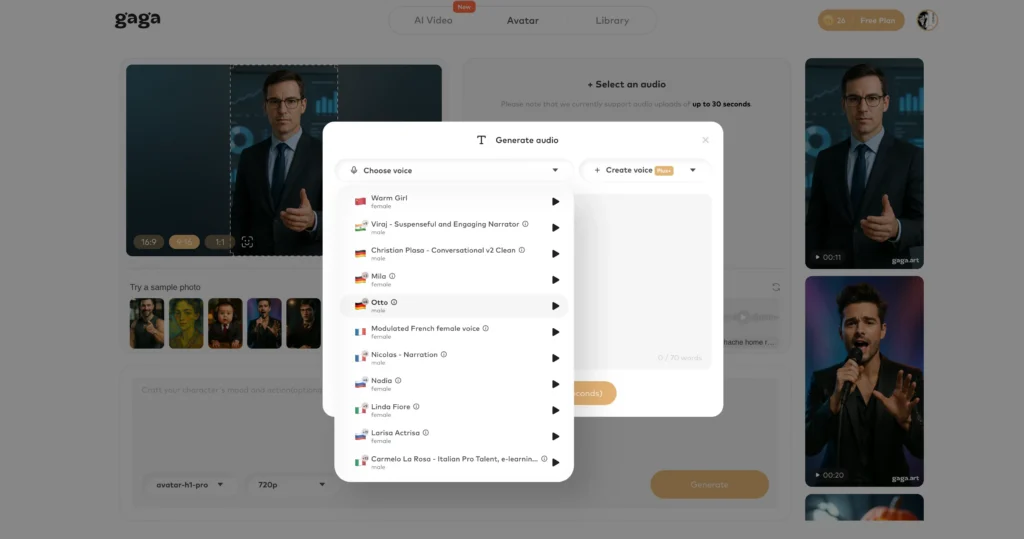
Gaga AI provides a comprehensive suite of voice and video AI tools including dubbing, voice cloning, and visual content generation.
Core capabilities:
- Text-to-speech with custom voice creation
- Voice cloning technology for personalized dubbing
- Image-to-video AI for creating visual content
- AI avatar generation for presenter-style videos
- Integrated workflow combining audio and visual elements
Best for: Content creators who need both dubbing and visual content creation in a single platform. Particularly useful for creating avatar-based educational content or marketing videos in multiple languages.
2. ElevenLabs Dubbing AI
ElevenLabs offers professional-grade dubbing AI with exceptional voice preservation across 29 languages, making it a leading choice for content creators prioritizing audio quality.
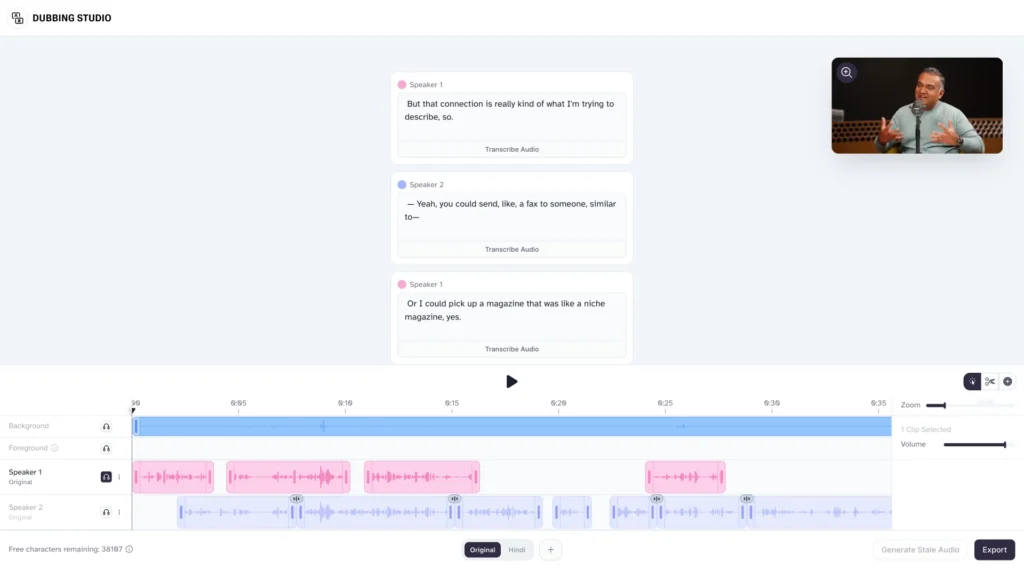
Core capabilities:
- Original voice preservation across all supported languages with emotional and tonal authenticity
- Automatic speaker detection that identifies and maintains distinct voices throughout content
- Instant dubbing from multiple sources: YouTube, X/Twitter, TikTok, Vimeo, or direct URL upload
- Video transcript and translation editing for manual refinement and synchronization
- Customizable audio tracks with adjustable stability, similarity, and style parameters
- Clip management tools: merge, split, delete, or reposition audio segments
- Flexible timeline editor for precise audio-visual synchronization
- Regenerate individual clips with updated settings without redoing entire projects
ElevenStudios for Professional Dubbing:
For high-stakes content requiring absolute accuracy, ElevenLabs offers fully managed dubbing services where dubbing AI works alongside bilingual experts to ensure perfect localization for global audiences.
Workflow:
1. Upload video or provide URL from any major platform
2. Dubbing AI automatically transcribes, translates, and generates dubbed audio
3. Review and edit transcript or translation as needed
4. Adjust voice settings and regenerate specific segments
5. Fine-tune timeline synchronization
6. Export final dubbed video
Best for: YouTubers, filmmakers, and businesses creating premium video content where voice quality and emotional authenticity are critical. The 29-language support covers major global markets.
3. Rask AI
Rask AI distinguishes itself with the broadest language support and advanced lip-sync technology, making it ideal for large-scale multilingual content operations.
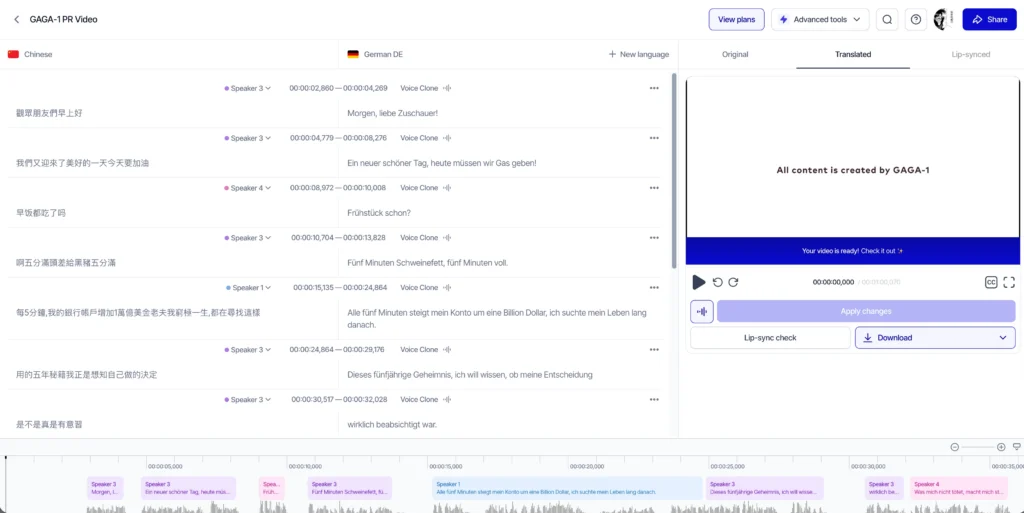
Key features:
- AI translation across 130+ languages, the widest coverage available
- Lip-sync technology that adjusts mouth movements to match dubbed audio
- Voice cloning support for 32 languages
- Editable SRT subtitle files with multi-speaker support and timestamp control
- Dedicated teamspaces for collaborative projects
- API integration for platform-level localization workflows
- Real-time collaboration features for team-based projects
Unique advantage: The lip-sync capability sets Rask AI apart from competitors. This feature is crucial for close-up shots or content where viewers can clearly see speakers’ faces, as it eliminates the uncanny valley effect of mismatched lip movements.
Best for: Media companies, e-learning platforms, and enterprises needing to localize content into less common languages or requiring lip-sync accuracy. The API makes it suitable for businesses integrating dubbing into existing content management systems.
4. Murf AI
Murf AI balances accessibility with professional features, offering rapid dubbing with consistent quality across 40+ languages.
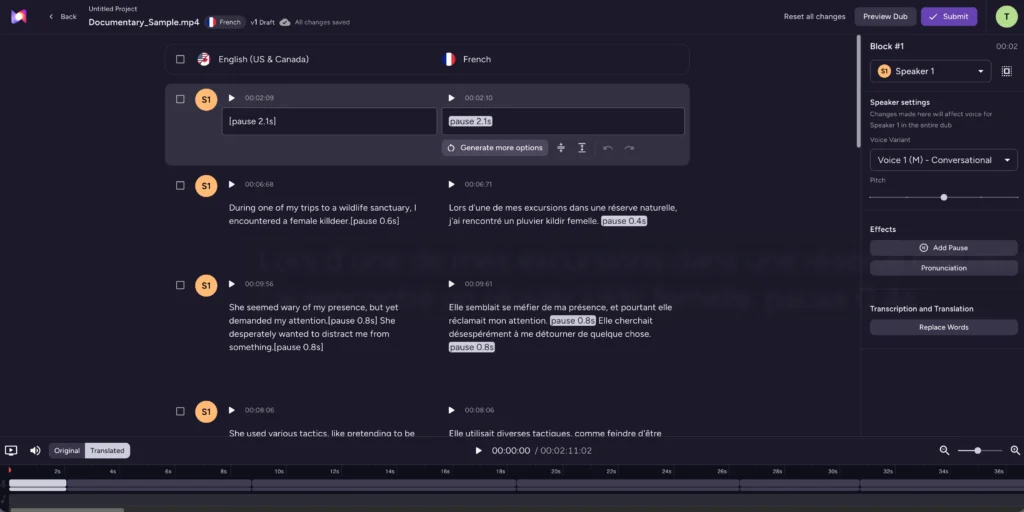
Primary capabilities:
- Instant dubbing in 40+ languages with quick turnaround
- 100 free minutes of dubbing after signup for testing
- Translation edits processed instantly without re-recording entire projects
- Consistent accuracy and tone using trained AI models
- Generated synced voice tracks delivered within hours
- User-friendly interface designed for non-technical users
Workflow efficiency: Murf AI emphasizes speed without sacrificing quality. The dubbing AI platform generates fully synced voice tracks in hours rather than days, making it valuable for content creators with tight publishing schedules.
Best for: Marketing teams, online course creators, and small-to-medium businesses needing reliable dubbing without extensive editing requirements. The generous free tier makes it accessible for testing and occasional use.
5. Descript
While primarily known as a video editing platform, Descript offers powerful AI voice and dubbing capabilities integrated into a comprehensive content creation suite.
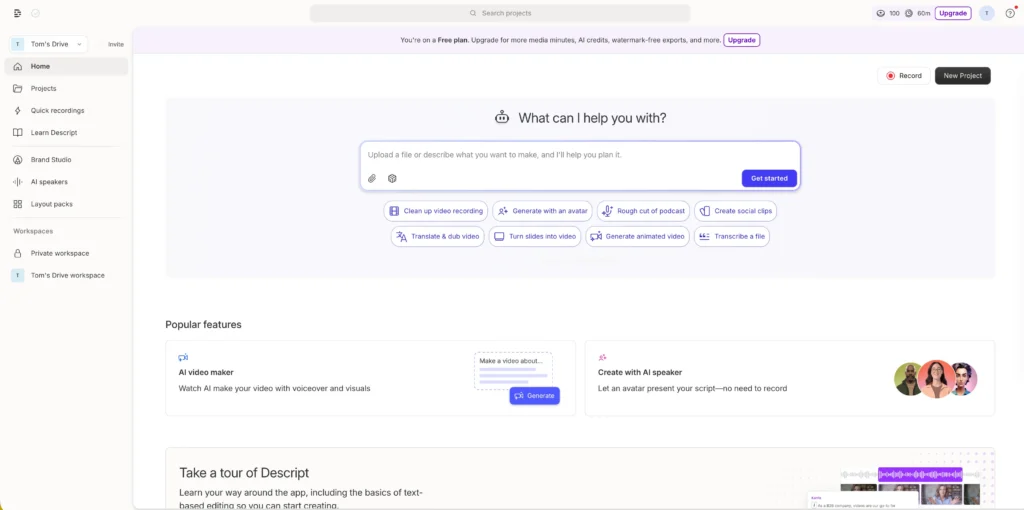
Voice and dubbing features:
- Voice cloning in under 60 minutes with multiple clone creation for different tones and emotions
- Text-to-speech in 20+ languages with natural pacing and personality
- Regenerate feature that fixes audio errors by generating new speaker audio instantly
- Script-based editing where you edit audio by editing text transcripts
- AI voices with life-like rhythm, tone variation, and emotional range
- Seamless blending of AI-generated audio with original recordings
Unique approach: Descript treats audio editing like document editing. You correct mistakes or add narration by simply typing, and the dubbing AI generates matching audio in your cloned voice. This is revolutionary for fixing errors without re-recording.
Best for: Podcasters, video creators, and content producers who need an all-in-one editing and dubbing solution. Particularly valuable when you need to correct mistakes or add content after initial recording.
How Dubbing AI Technology Works
Dubbing AI operates through a sophisticated multi-stage pipeline:
Speech-to-Text Conversion: The system analyzes the source video and transcribes all spoken content, identifying individual speakers, timing, and contextual information. Advanced platforms automatically detect multiple speakers and separate their audio tracks.
Translation Engine: Neural machine translation converts the transcribed text into the target language while preserving meaning, cultural context, and idiomatic expressions. The system maintains timing constraints to ensure translated speech fits the original video duration.
Voice Synthesis with Cloning: Dubbing AI generates speech in the target language using voice cloning technology that replicates the original speaker’s unique vocal characteristics including pitch, tone, cadence, and emotional range. This ensures the dubbed version sounds authentic rather than robotic.
Synchronization and Timing: The platform adjusts speech pacing, pauses, and rhythm to match the original video’s lip movements and scene timing. Advanced systems include lip-sync capabilities that modify facial animations to match the dubbed audio.
How to Use Dubbing AI: Step-by-Step Guide
Using ElevenLabs Dubbing AI
Step 1: Prepare Your Source Video
Ensure your original video has clear audio with minimal background noise. The dubbing AI performs best with well-produced source material. If dubbing from platforms like YouTube, simply copy the video URL.
Step 2: Upload or Link Your Content
Navigate to ElevenLabs dubbing tool and either upload your video file directly or paste a URL from YouTube, TikTok, X/Twitter, or Vimeo. The platform supports most major video formats.
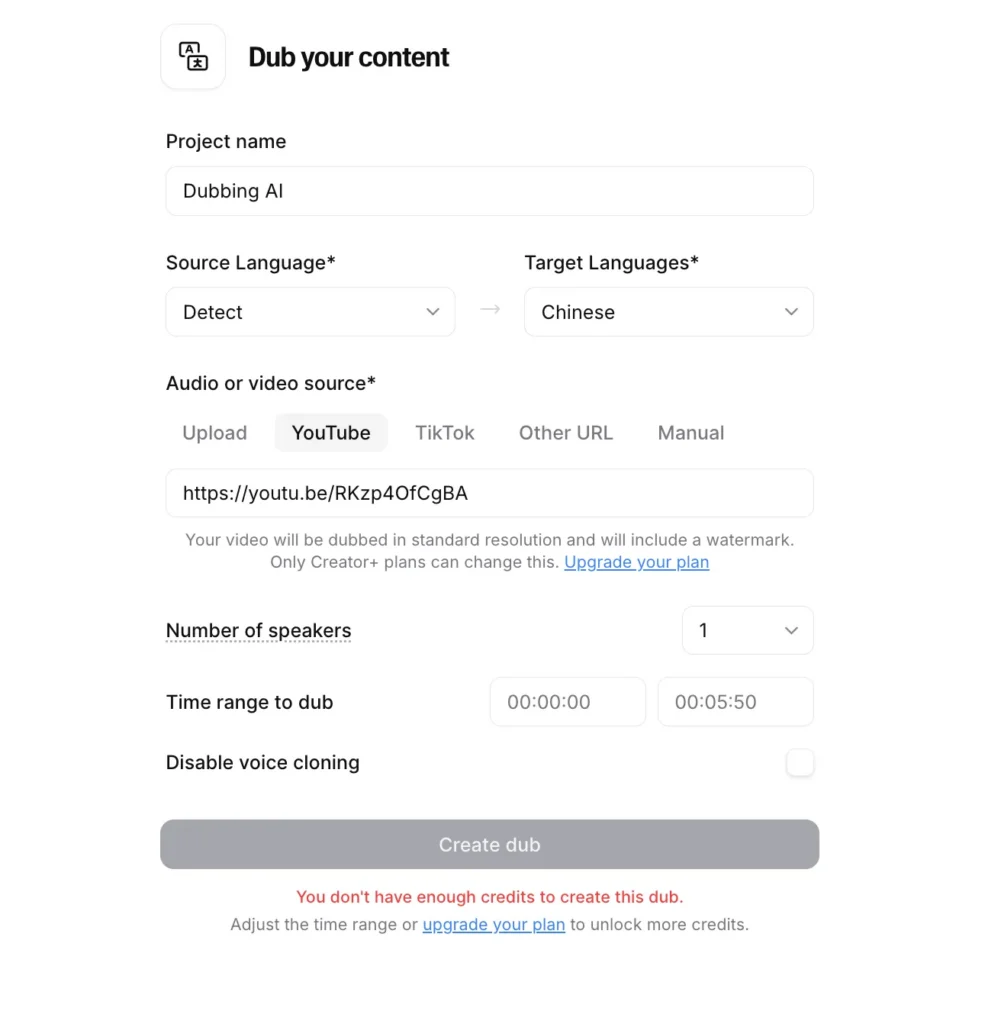
Step 3: Select Target Languages
Choose which of the 29 supported languages you want to dub into. You can select multiple languages to create several versions simultaneously, saving significant time for multi-market releases.
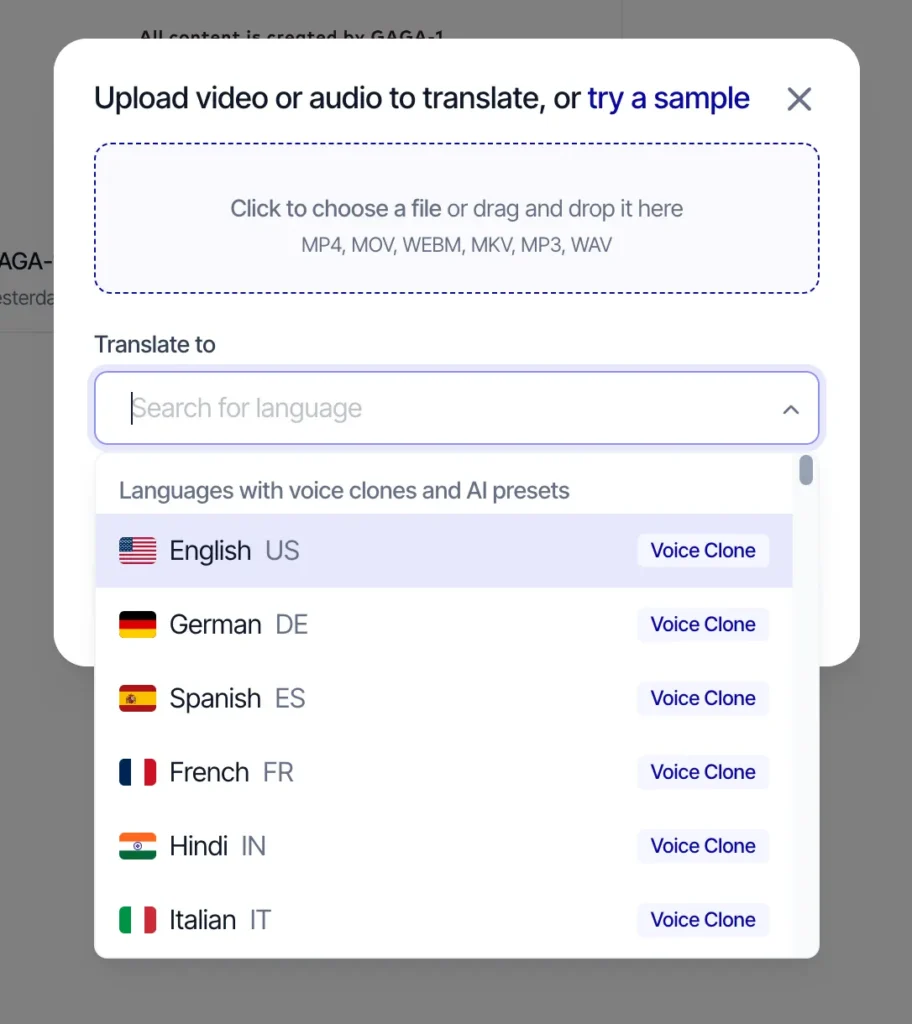
Step 4: Configure Voice Settings
Adjust stability (consistency of voice characteristics), similarity (how closely the AI matches the original voice), and style (emotional expressiveness). Start with default settings and refine based on results.
Step 5: Review Automatic Transcription
The dubbing AI generates a transcript of your original audio. Review this carefully for accuracy, especially with technical terms, proper nouns, or industry jargon. Correct any transcription errors before proceeding.
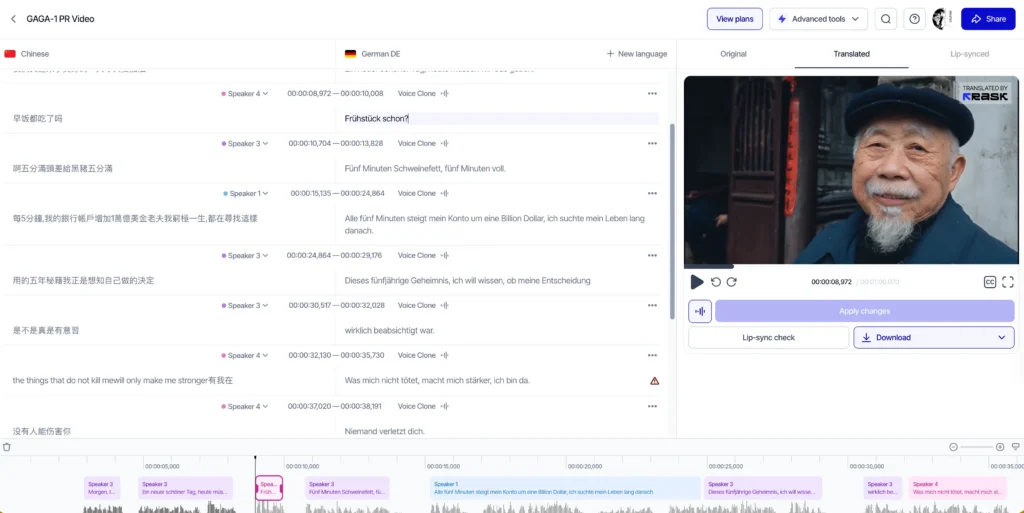
Step 6: Edit Translation
Review the automatically translated text. While dubbing AI translation is highly accurate, cultural nuances, idioms, or brand-specific terminology may need adjustment. Edit directly in the platform’s interface.
Step 7: Generate Initial Dub
Process the dubbing. Depending on video length, this typically takes 5-15 minutes. The dubbing AI generates dubbed audio matching your original speaker’s voice in the target language.
Step 8: Fine-Tune Individual Clips
Listen to the complete dubbed version. Identify segments that need refinement—perhaps pacing feels off, or a specific word sounds unnatural. Use clip management tools to:
- Regenerate specific segments with adjusted settings
- Split clips for more granular control
- Adjust timing on the flexible timeline
- Modify voice parameters for individual sections
Step 9: Sync and Export
Use the timeline editor to ensure perfect synchronization between audio and visual elements. Once satisfied, export your final dubbed video ready for publication.
Amazon AI Dubbing and Banana Fish: What You Need to Know
Recent developments in dubbing AI have sparked interest around major tech companies entering the space. Amazon has been exploring AI dubbing technology, particularly for its Prime Video content library. While specific consumer-facing Amazon AI dubbing tools remain limited compared to specialized platforms like ElevenLabs or Rask AI, the company’s investment signals the technology’s growing importance.
The connection between “Amazon AI dubbing” and “Banana Fish” relates to viewer interest in accessing this popular anime series through dubbed versions. Banana Fish, a critically acclaimed psychological thriller anime, has significant global appeal, and fans frequently search for high-quality dubbed versions in various languages.
How Dubbing AI Affects Anime Content: Anime series like Banana Fish traditionally required expensive professional dubbing studios and voice actor contracts for each language release. Dubbing AI now makes it feasible to:
- Create fan-created dubs in languages not officially supported
- Localize anime content for niche markets cost-effectively
- Experiment with multiple voice styles before committing to professional dubbing
- Provide accessibility to fans in underserved language markets
For content creators seeking Amazon-related dubbing solutions, the best approach currently involves using established dubbing AI platforms to prepare content, then distributing dubbed versions through Amazon’s video services or using dubbed content for Amazon product videos and marketing materials.
Dubbing AI Voice Changer: Understanding the Technology
What Is a Dubbing AI Voice Changer? A dubbing AI voice changer combines language translation with vocal modification capabilities. While standard dubbing AI preserves the original speaker’s voice, a dubbing AI voice changer allows you to alter vocal characteristics while translating content into different languages.
How It Differs from Standard Dubbing:
- Standard Dubbing AI: Translates language while maintaining original voice identity
- AI Voice Changer: Modifies voice characteristics without language translation (tools like Voice.ai, Clownfish Voice Changer)
- Dubbing AI Voice Changer: Combines both—translates language AND changes vocal style
Use Cases for Dubbing AI Voice Changer:
- Creating character voices for animated content in multiple languages
- Adjusting vocal age, gender, or style while localizing content
- Privacy protection while sharing multilingual content
- Creative projects requiring specific vocal aesthetics across languages
- Gaming content where character consistency matters more than speaker authenticity
Leading Platforms: While most dubbing AI tools focus on voice preservation, some platforms offer voice modification options:
- ElevenLabs allows voice customization through stability and style parameters
- Gaga AI provides custom voice creation alongside dubbing capabilities
- Descript offers multiple voice clone creation with varying emotional tones
When to Use Each Approach:
- Use standard dubbing AI for professional content where speaker identity matters (corporate videos, personal brands, educational content)
- Use dubbing AI voice changer for creative projects, entertainment content, or when you want different vocal characteristics in target languages
- Use standalone AI voice changers (like Voice.ai or Clownfish) for real-time voice modification during gaming or streaming without language translation
Image to Video AI: Expanding Dubbing Capabilities
While primarily focused on audio translation, some dubbing AI platforms now integrate image-to-video AI capabilities, creating comprehensive content creation ecosystems.
How Image to Video AI Works with Dubbing: These tools generate moving video content from static images using AI animation and interpolation. When combined with dubbing AI, creators can build complete multilingual video content starting from minimal source material—just images and a script.
Practical Applications:
- Creating avatar-based educational videos in multiple languages using dubbing AI
- Generating product demonstrations without filming, then dubbing into target markets
- Building multilingual marketing content from product photos with dubbed voiceovers
- Developing explainer videos from slide decks or infographics with multilingual narration
Platforms Offering Both: Gaga AI provides integrated image-to-video and dubbing AI capabilities, allowing streamlined workflows from static content to finished multilingual videos. This convergence represents the future of AI-powered content creation where a single platform handles the entire production pipeline.
Workflow Example:
1. Create visual content using image-to-video AI
2. Generate script or upload existing narration
3. Use dubbing AI to translate into multiple languages
4. Export complete multilingual video library
This approach is particularly valuable for businesses creating product tutorials, online courses, or marketing materials that need global distribution without expensive video production in each market.
Best Practices for High-Quality AI Dubbing
| Phase | Best Practice | Key Action Item |
| Preparation | Source Audio Quality | Record in a “dead” room (no echo) with a high-quality mic; use AI noise removal tools if the original has background hum. |
| Transcription | Human-in-the-Loop | Manually correct 5–10% of the AI transcript. Focus on technical jargon, proper nouns, and speaker identification. |
| Localization | Cultural Adaptation | Don’t just translate; adapt idioms and humor. Use “Cultural Intelligence” engines to ensure the message resonates locally. |
| Consistency | Voice Presets & Guides | Save specific stability/style settings and maintain a “Pronunciation Glossary” for brand names (e.g., “iPhone” vs “i-Phone”). |
| Production | Frame-Perfect Lip-Sync | Use platforms with generative lip-sync (like Rask or HeyGen) to map mouth movements to the new audio track. |
| Optimization | Platform Tailoring | Export in WAV (48kHz) for high-end production or 320kbps MP3 for social media to avoid compression artifacts. |
Common AI Dubbing Challenges and Solutions
| Challenge | Impact | Solutions & Workarounds |
| Unnatural Pacing | Content feels rushed or has awkward pauses due to varying translation lengths. | Use timeline editing tools to stretch/compress audio, or edit the translated text to match the original timing. |
| Mispronunciations | AI struggles with industry jargon, technical terms, or specific brand names. | Use phonetic spelling in transcripts and create a custom pronunciation glossary within the platform. |
| Lost Emotion | Dubbed audio sounds “flat” compared to the original speaker’s passion. | Increase expressiveness parameters, regenerate specific segments, or use human overdubs for critical emotional peaks. |
| Voice Inconsistency | Vocal characteristics “drift” or change over long videos or across a series. | Process content in single batches and save voice presets to ensure the same settings are applied to every project. |
| Lip-Sync Mismatch | Audio obviously doesn’t match the speaker’s visible mouth movements. | Utilize platforms with dedicated lip-sync technology (like Rask AI) or use B-roll footage to mask the speaker’s mouth. |
AI Dubbing for Different Content Types
| Content Type | Key Benefits | Best Practices & Tips |
| YouTube Content | Drastically expands audience reach without needing separate video uploads. | Use YouTube’s multi-audio track feature to let viewers toggle languages. |
| E-Learning & Courses | Multiplies market reach; clear narration style is a perfect fit for AI voices. | Leverage the naturally well-paced source audio for high-quality results. |
| Marketing & Ads | Enables global brand consistency and rapid localization of product demos. | Use the same AI platform across all materials to maintain a consistent “brand voice.” |
| Social Media | Fast turnaround for TikTok/Reels; easy to quality control due to short length. | Test dubbed versions in different regions to see which markets engage most. |
| Corporate Comms | Streamlines internal training and announcements for multinational teams. | Ideal for professional, straightforward messaging where clarity is the priority. |
Frequently Asked Questions (FAQ)
What is AI dubbing?
AI dubbing is an automated technology that translates video or audio content into different languages while preserving the original speaker’s voice characteristics, tone, and emotional delivery. It uses machine learning to clone voices and generate natural-sounding speech in target languages without requiring human voice actors.
How accurate is AI dubbing?
AI dubbing accuracy typically ranges from 85-95% for well-produced source material with clear audio. Accuracy depends on source audio quality, language pair complexity, and whether the content includes technical terminology. Leading platforms like ElevenLabs, Rask AI, and Murf AI provide editable transcripts and translations, allowing users to refine accuracy before generating final dubbed audio.
Is AI dubbing free?
Many AI dubbing platforms offer free tiers for testing. Murf AI provides 100 free minutes after signup. ElevenLabs offers limited free credits for basic dubbing. However, professional-quality dubbing with advanced features, longer content, and multiple languages typically requires paid subscriptions ranging from $20-100+ monthly depending on usage volume and features needed.
What’s the difference between AI dubbing and AI voice changer?
AI dubbing translates content into different languages while maintaining the original speaker’s voice characteristics. AI voice changers modify existing audio to sound like different people or characters without language translation. A dubbing AI voice changer combines both, translating language and changing vocal characteristics simultaneously. Use pure AI dubbing for authentic localization, voice changers for same-language modifications, and combined tools for creative projects.
Which AI dubbing tool is best?
The best AI dubbing tool depends on specific needs. ElevenLabs excels for voice quality and preservation across 29 languages with professional editing tools. Rask AI offers the widest language support (130+) with advanced lip-sync technology. Murf AI provides the best balance of accessibility and quality with generous free tier. Descript works best for creators needing integrated video editing and dubbing capabilities.
How long does AI dubbing take?
AI dubbing typically generates initial dubbed audio in 5-15 minutes for standard-length videos. A 10-minute video usually processes in under 10 minutes on platforms like ElevenLabs or Murf AI. However, total production time including transcript review, translation editing, and quality refinement usually adds 30-60 minutes per video depending on accuracy requirements and number of target languages.
Can AI dubbing handle multiple speakers?
Yes, advanced AI dubbing platforms automatically detect and handle multiple speakers. ElevenLabs and Rask AI identify individual speakers, maintain distinct voices throughout content, and allow separate voice customization for each speaker. This is essential for interviews, panels, or narrative content with multiple characters.
What languages does AI dubbing support?
Language support varies by platform. ElevenLabs supports 29 languages with high-quality voice cloning. Rask AI offers the broadest coverage with 130+ languages, though voice cloning is available for 32 languages. Murf AI supports 40+ languages. Most platforms prioritize major global languages like English, Spanish, Mandarin, French, German, Japanese, and Portuguese, with expanding support for additional languages.
Does AI dubbing include lip-sync?
Not all AI dubbing platforms include lip-sync technology. Rask AI specifically features advanced lip-sync that adjusts mouth movements to match dubbed audio, crucial for close-up shots. Most other platforms focus purely on audio translation without modifying visual elements. For content where speakers’ faces are prominently visible, choose platforms with lip-sync capabilities or use editing techniques to minimize visible lip-movement mismatches.
Can I use AI dubbing for commercial content?
Yes, AI dubbing can be used for commercial content, but verify licensing terms with your chosen platform. Most professional AI dubbing services include commercial usage rights in paid plans. Ensure you own rights to the original content and that any voice cloning complies with applicable regulations. Some platforms require explicit consent for voice cloning, even of your own voice, for commercial use.
How does Amazon AI dubbing work?
Amazon has been developing AI dubbing technology primarily for its Prime Video content, but consumer-facing Amazon AI dubbing tools remain limited. Content creators should use established platforms like ElevenLabs, Rask AI, or Murf AI to create dubbed content, then distribute through Amazon’s video services or use for Amazon product listings and marketing materials.
What is dubbed AI vs regular AI dubbing?
“Dubbed AI” and “AI dubbing” refer to the same technology—using artificial intelligence to translate and voice-over content in different languages. The terms are used interchangeably. Both describe automated dubbing processes that leverage machine learning, voice cloning, and neural translation rather than traditional human voice actor recording sessions.
Related Posts:
 Uncensored AI Video Generators: What They Are, How They Work, and 13 Tested Platforms for Creative Projects
 AI Boyfriend Video Generator: Complete Guide to Creating Your Digital Companion
 Best Lip Sync AI Tools: Complete Comparison Guide for Video Creators
 AI Celebrity Voice & Video Generator: Create Realistic Celebrity Content