Key Takeaways
- AI video translators convert videos to multiple languages in 5-15 minutes using automatic speech recognition and neural machine translation
- Free ai video translator options provide 10-30 minutes monthly with basic subtitle translation, while paid plans start at $10-30/month
- AI powered translation accuracy reaches 90-95% for major languages with clear audio quality
- Gaga AI leads in natural voice cloning and maintains speaker personality across languages
- Cost savings average 85-95% compared to human translation ($50 vs. $1,500+ per video)

Table of Contents
What Is an AI Video Translator?
An AI video translator automatically converts video content from one language to another by transcribing speech, translating text, and generating subtitles or dubbed audio in your target language. This ai powered translation happens in minutes instead of days required for traditional human translation.
The process involves three steps:
1. Transcription: AI converts speech to text
2. Translation: Neural networks translate while preserving context
3. Output: Creates subtitles, dubbed audio, or both
Modern AI video translators support 80-130+ languages and process videos up to 4K resolution.
Best AI Video Translator Tools in 2026
Gaga AI (Best Overall)
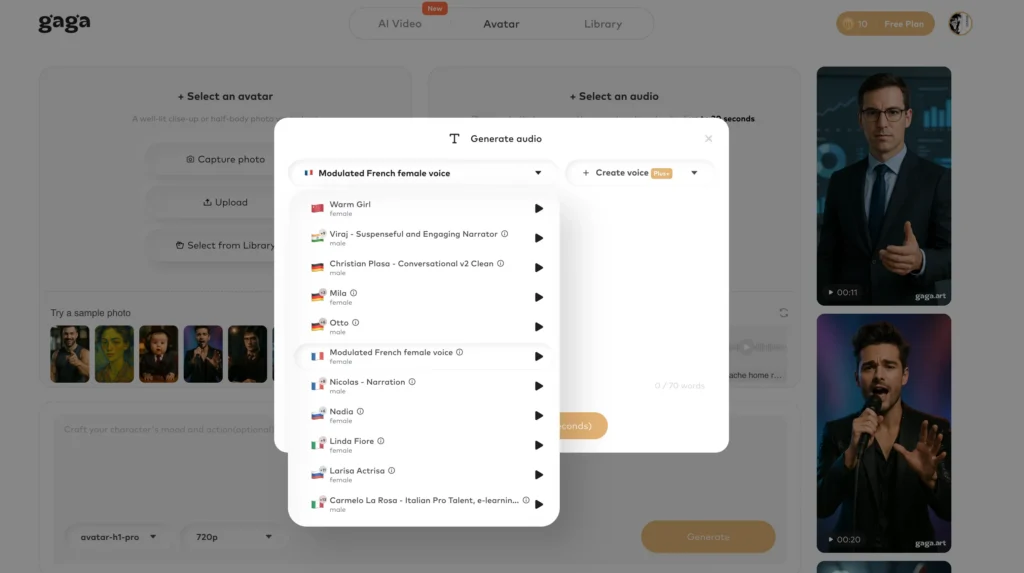
Gaga AI leads in ai powered translation quality for professional content.
Key advantages:
- Voice cloning: Maintains original speaker’s voice and speaking style across languages
- Lip-sync accuracy: Adjusts mouth movements to match translated speech
- Multi-speaker handling: Automatically detects and assigns appropriate voices
- 130+ languages: Covers all major global languages plus regional dialects
Best for: YouTube creators, corporate training, marketing content, educational courses
Pricing: $29/month for 120 minutes
Processing time: 10-15 minutes for a 10-minute video
Quick Comparison Table
| Tool | Languages | Free Tier | Starting Price | Best For |
| Gaga AI | 130+ | No | $29/month | Professional dubbing |
| CapCut | 30+ | 10 min/month | Free | Social media clips |
| Kapwing | 70+ | 15 min/month | $16/month | Browser-based editing |
| Descript | 25+ | 1 hour free | $12/month | Podcast translation |
Best Free AI Video Translator Options
CapCut (Most Generous Free Tier)
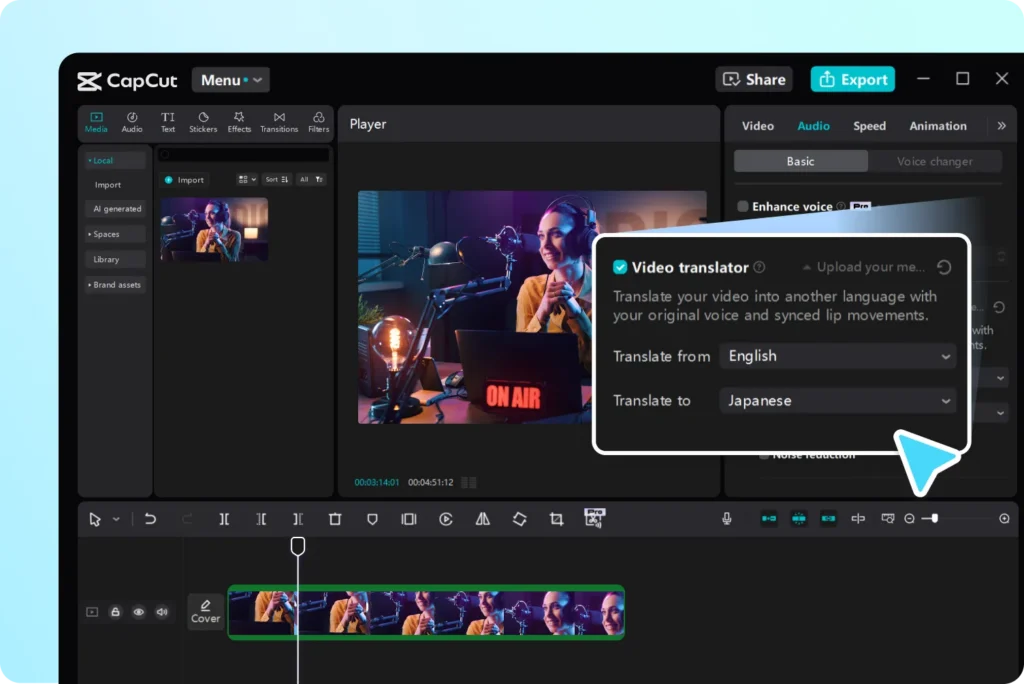
What’s included:
- 10 minutes of translation monthly
- 30+ language pairs
- Auto-generated subtitles with editing
- Mobile and desktop apps
Limitations:
- Watermark on exports
- Subtitle-only (no dubbing)
- 720p maximum resolution
Best for: Social media creators, students, personal projects
Kapwing Free Tier
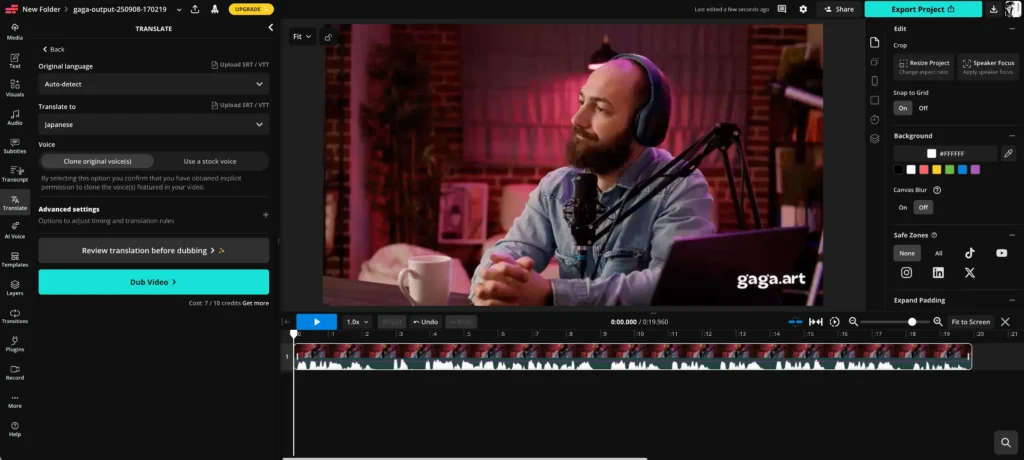
What’s included:
- 15 minutes monthly quota
- 70+ languages
- Browser-based (no installation)
- Subtitle styling options
Limitations:
- Kapwing branding
- 250MB file size limit
Best for: Quick translations, podcast clips
YouTube Auto-Translate (Unlimited Free)
What’s included:
- Unlimited translation for your YouTube videos
- 100+ language options
- No watermarks
Limitations:
- YouTube-only
- 70-85% accuracy (lower than paid tools)
- No dubbing capability
Best for: YouTube creators
Free vs. Paid: When to Upgrade
Stick with free ai video translator tools if:
- You translate less than 20 minutes monthly
- Subtitles alone meet your needs
- Watermarks don’t affect your brand
- Content is personal or educational
Upgrade to paid when:
- You need 30+ minutes monthly
- Voice dubbing is essential
- You require watermark-free exports
- Videos generate revenue
How to Translate Videos Using AI
Method 1: Adding Translated Subtitles (Fastest)
Step 1: Upload Your Video
- Supported formats: MP4, MOV, AVI, MKV
- Recommended: 1080p, clear audio
Step 2: Generate Subtitles
- Click “Auto-generate captions”
- Select source language
- Wait 2-5 minutes
Step 3: Translate
- Choose target language(s)
- Review translated text
- Edit technical terms and proper nouns
Step 4: Customize Appearance
- Font: Sans-serif (Arial, Helvetica)
- Color: White with black outline
- Position: Bottom center
- Timing: 3-5 seconds per subtitle
Step 5: Export
- Burn into video or export SRT/VTT files
Processing time: 5-10 minutes for 10-minute video
Method 2: Creating AI-Dubbed Videos
Step 1: Select Tool with Dubbing
- Gaga AI (best quality)
- HeyGen (fast processing)
- Rask AI (bulk translation)
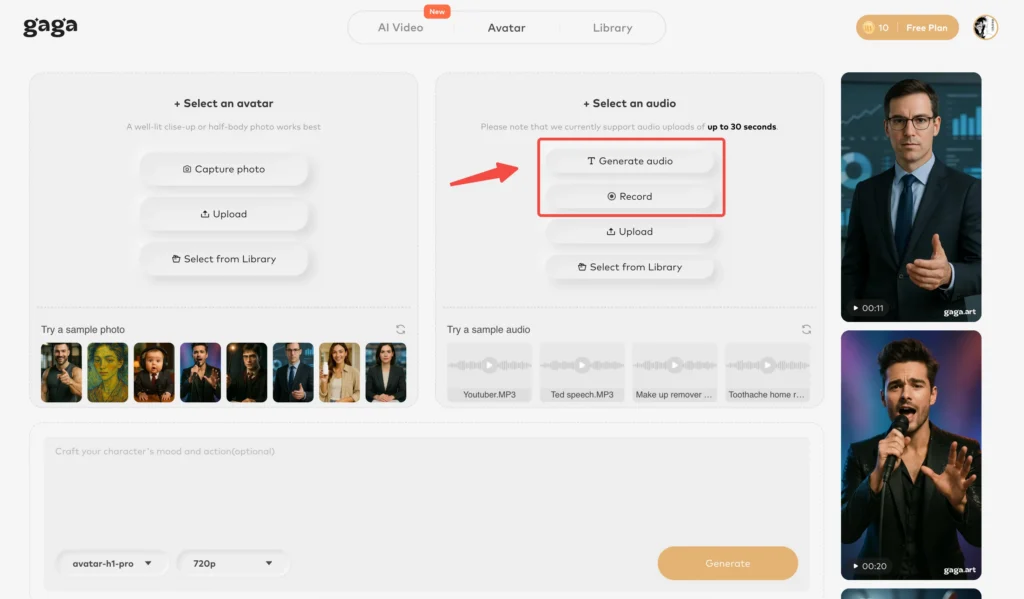
Step 2: Configure Settings
- Enable “Dubbing” feature
- Select languages
- Choose voice settings
- Enable voice cloning (maintains your voice)
Step 3: Review Generated Dub Listen for:
- Mispronounced names/brands
- Awkward pacing
- Tone mismatches
Step 4: Apply Advanced Features
- Lip-sync (for talking head videos)
- Multi-speaker voices
- Background audio preservation
Step 5: Export
- Choose resolution (up to 4K)
- Download final video
Processing time: 20-40 minutes for 10-minute video
Maximizing Translation Quality
Before Recording
Audio Quality Matters:
- Use external microphone
- Record in quiet space
- Speak 150-160 words per minute
- Pause 2 seconds between major points
Script for Translation:
- Avoid idioms and slang
- Use simple sentences (15-20 words)
- Define acronyms on first use
- Use universal examples
After Translation: QA Checklist
- [ ] Numbers and dates match exactly
- [ ] Proper nouns are correct
- [ ] Tone matches original
- [ ] Subtitles are readable in time
- [ ] Cultural references appropriate
Best practice: Native speaker review (10 minutes) catches 90% of issues.
Common Use Cases
YouTube Content
- Add multi-language subtitles to increase reach by 20-40%
- Dub top-performing videos into Spanish, Hindi, Portuguese
- Target languages based on YouTube analytics
Online Courses
- 73% of learners prefer native language content
- Add subtitles in 5-10 major languages
- Completion rates increase 40-60% with translations
Marketing Videos
- Localized videos achieve 2-3x higher engagement
- Use dubbing for testimonials (voice builds trust)
- Create market-specific versions
You may like: Best AI Video Generators for Creating Marketing Content >>
Corporate Training
- Save $50,000-200,000 annually vs. recreating content
- Deploy instant translations in 20-30 languages
- Update centrally and refresh all versions
Troubleshooting Common Problems
Subtitles Too Fast
- Adjust to 3-5 seconds per subtitle
- Limit to 42 characters per line
- Use timing adjustment tools
AI Mispronounces Names
- Edit text with phonetic spelling
- Use custom pronunciation dictionary
- Regenerate specific segments
Background Noise Issues
- Use audio enhancement tools first (Descript, Audacity)
- Test 30-second clip before full translation
- Re-record if accuracy below 85%
Unnatural Translation
- Enable voice cloning
- Edit text before audio generation
- Have native speaker review phrasing
Frequently Asked Questions
How accurate is AI powered translation?
AI powered translation achieves 90-95% accuracy for major language pairs (English-Spanish, English-French) with clear audio. Accuracy drops to 80-90% for complex pairs or technical content. Human translation remains superior for legal documents and creative marketing copy.
Can AI handle multiple speakers?
Yes, advanced tools like Gaga AI automatically detect and separate speakers, assigning appropriate voices. Accuracy ranges 85-95% depending on audio clarity. Free tools typically lack this feature—paid plans ($25+/month) required.
Does it work with accents or background noise?
Major accents achieve 85-92% accuracy. Background noise significantly impacts results—quiet environments yield 90-95% accuracy while noisy settings drop to 60-75%. Use audio enhancement tools before uploading for best results.
How long does translation take?
Subtitle-only: 3-5 minutes for 10-minute video. Voice dubbing: 20-40 minutes. Lip-sync: 30-60 minutes. Factors include video length, number of languages, and quality settings.
Can I use translated videos commercially?
Yes, with paid plans that include commercial rights. Verify in terms of service—most paid plans include this, some free tiers restrict to personal use. You must own rights to original content.
What’s the difference between dubbing and subtitles?
Subtitles display text while preserving original audio—faster, cheaper, preferred by 60% of viewers. Dubbing replaces audio with translated speech—better accessibility, higher immersion, requires paid plans. Modern ai powered translation dubbing includes voice cloning and lip-sync.
Can AI keep my original voice in other languages?
Yes, voice cloning in premium tools (Gaga AI, HeyGen) preserves your voice characteristics in translated languages. Requires paid plans ($29+/month). Best for talking head videos, podcasts, and brand consistency. Adds 10-15 minutes processing time.
Is my content secure?
Reputable services offer SOC 2 compliance, encryption, and automatic deletion after 24-72 hours. Free tools may retain content for training. For confidential content, use enterprise plans with data processing agreements and GDPR compliance.
Which languages are supported?
Modern ai video translator tools support 80-130+ languages including Hindi, Arabic, Chinese, Japanese, Korean. Accuracy varies: English-Spanish (92-97%), English-Arabic (85-92%), less common languages (75-85%). Regional dialects available for major languages.