Key Takeaways
- An AI explainer video maker converts text, scripts, URLs, or ideas into finished videos — complete with voiceover, AI avatars, B-roll, and subtitles — without a camera or editor.
- The best tools for 2026 are Synthesia (enterprise-grade avatars, 160+ languages), InVideo AI (25M+ users, fastest script-to-video), Vyond (animated characters), and Pictory (text-to-video from long-form content).
- Search interest in “AI explainer video” has grown +250% year-over-year (RepublicLabs, 2026), making this one of the fastest-rising B2B content formats.
- A typical AI explainer takes 3–15 minutes to produce end-to-end, vs. 2–5 days with traditional production.
- Most tools offer a free tier — Synthesia’s free plan includes full access to its explainer video generator with no credit card required.
- Bonus at the end: How Gaga AI extends your explainer further with image-to-video, audio infusion, AI avatar, and voice cloning.
Table of Contents
What Is an AI Explainer Video Maker?
An AI explainer video maker is a tool that automatically converts written content — a script, URL, idea, or document — into a structured, narrated video with visuals, voiceover, and on-screen text, requiring no filming or manual editing.
The traditional explainer video workflow involves a scriptwriter, a voice actor, a motion designer, and a video editor. That process costs $1,500–$10,000 per video and takes one to four weeks.
AI explainer tools compress that entire workflow into a single prompt box.
You type what you want to explain. The AI writes (or uses your) script, selects or generates visuals, attaches a voiceover, adds subtitles and background music, and exports a finished video — in minutes.
The result isn’t a rough cut. Tools like Synthesia and InVideo AI produce publish-ready video that Fortune 500 companies use for customer onboarding, product walkthroughs, training content, and marketing campaigns.
The 7 Best AI Explainer Video Makers in 2026
The best AI explainer video makers in 2026 are Synthesia, InVideo AI, Gaga AI, Vyond, Pictory, Colossyan, and VEED — each optimized for a different use case and budget.
1. Synthesia — Best Overall for Enterprise and B2B
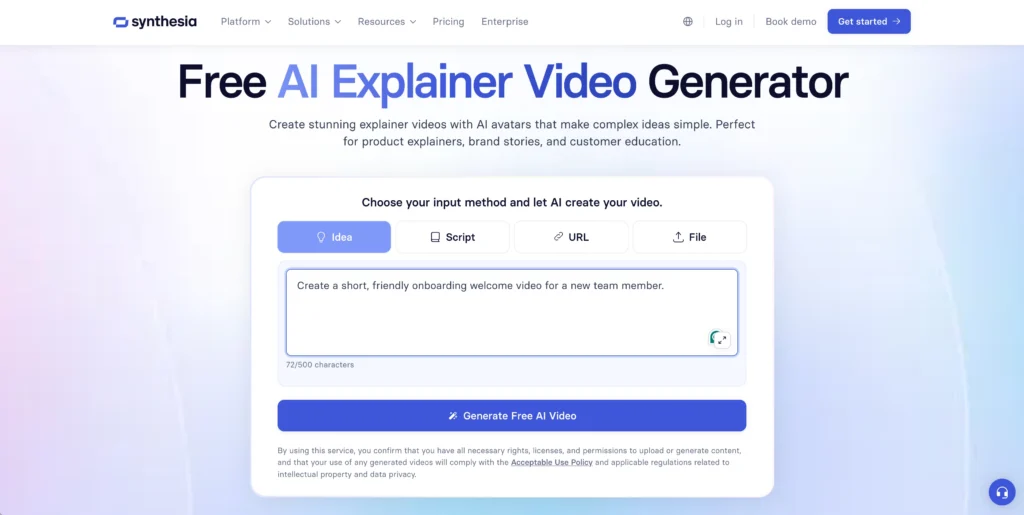
Synthesia is the leading AI explainer video generator for business use, trusted by over 90% of Fortune 100 companies and supporting 160+ languages.
Key features:
- 240+ realistic AI avatars (diverse ethnicities, ages, styles)
- Custom AI avatar — create a digital version of yourself
- Input methods: text prompt, script, URL, or file upload
- Native Sora 2 and Veo 3 integration for cinematic B-roll
- 160+ languages, 140+ voice accents
- Voice cloning for personalised global delivery
- Video templates for explainers, onboarding, training, and marketing
Best for: Product explainers, customer onboarding, internal training, multilingual campaigns
Pricing: Free plan available (limited). Paid plans from ~$29/month.
What it does well: The avatar quality and lip sync are the most realistic available. The script-to-video pipeline is the fastest tested.
Limitation: Less flexible for highly animated or stylised content. Better suited to talking-head and B-roll formats than cartoon-style explainers.
2. InVideo AI — Best for Speed and Volume
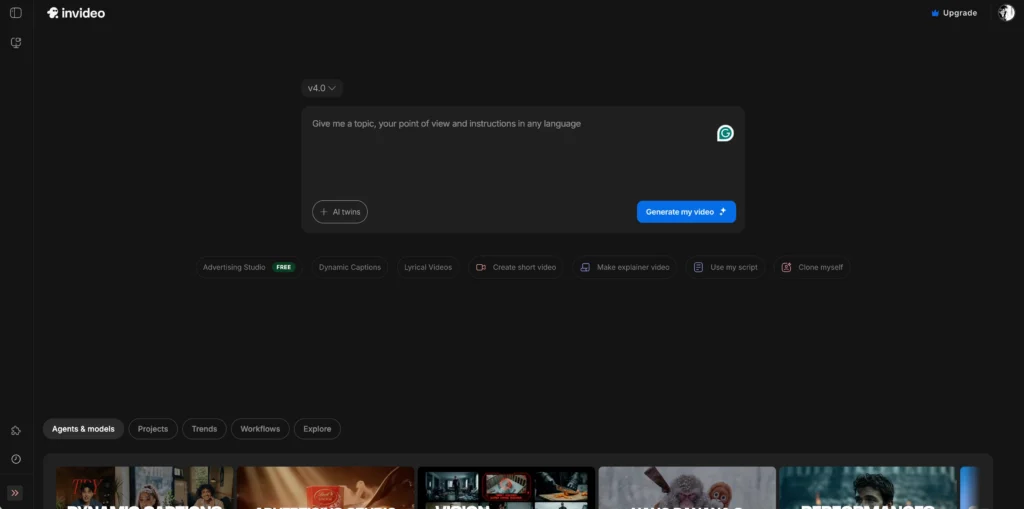
InVideo AI is the fastest AI explainer video generator for high-volume content, serving 25 million users across 190 countries with a fully automated script-to-video pipeline.
Key features:
- AI writes the script from a simple idea or prompt
- Diverse AI actor library (real actors from 6 continents)
- 16 million+ stock photos and videos
- Auto-adds voiceover, subtitles, background music, SFX
- Text-command editing: say what to change and it changes
- 50+ language support
- Digital clone / custom AI avatar creation
- Real-time multiplayer editing (coming soon)
Best for: Social media content teams, YouTubers, marketers producing explainers at volume
Pricing: Free tier (2 video minutes/week, watermarked). Paid plans from ~$25/month.
What it does well: Speed. A basic explainer goes from prompt to finished video in under 5 minutes. The AI actor library feels natural.
Limitation: Less control over individual scene composition than editing-based tools. Not ideal for highly technical or long-form explainers.
3. Gaga AI — Best for Cinematic Avatar Explainers with Audio
Gaga AI is the best AI explainer video maker for creators who need a custom branded presenter, precise lip sync, and scene-matched audio — all from a single image and script, with no filming required.

Built by Sand AI, Gaga AI specialises in the full audio-visual pipeline: it animates a portrait into a talking, emoting video presenter, infuses ambient audio that matches the scene, and supports voice cloning so every explainer sounds like your brand — in any language.
Key features:
- Image-to-video AI — animates any still image (portrait, product shot, illustration) into a dynamic motion clip
- AI avatar with precise lip sync — photorealistic talking head driven by your script, with natural head movement and facial expressions
- Video and audio infusion — generates scene-matched ambient sound, music, and effects automatically synced to the video
- AI voice clone — clones a speaker’s voice from a 30-second sample; all future narration uses that voice
- TTS (Text-to-Speech) — converts any script to natural-sounding narration in 30+ languages without re-recording
- Custom digital presenter — unlike avatar libraries, Gaga AI builds the presenter from your actual face or brand character
Best for: Brand explainers with a custom AI spokesperson, multilingual content at scale, product demo videos where generic stock avatars fall short
Pricing: Free tier available. Paid plans via gaga.art/en/pricing.
What it does well: Gaga AI uniquely combines the presenter (avatar), the voice (clone + TTS), and the audio environment (infusion) in one workflow — eliminating the need to stitch together outputs from multiple tools. The lip sync and emotional expression quality consistently test above standard avatar platforms.
Limitation: Less suited to fully animated or cartoon-style explainers. Strongest results come from portrait-based or product-image inputs rather than abstract illustrations.
5. Vyond — Best for Animated Explainer Videos
Vyond is the best AI explainer video maker for cartoon-style and animated character videos, widely used for training, HR communications, and educational content.
Key features:
- Proprietary animated character system with thousands of props and scenes
- AI writing assistant for script generation
- Customisable character appearances, outfits, and expressions
- Scene library organised by industry and use case
- Voice sync and text-to-speech integration
- SCORM-compatible exports for LMS platforms
Best for: HR training, e-learning courses, compliance videos, educational explainers
Pricing: Starts at ~$58/month. No permanent free tier.
What it does well: The animated character format avoids uncanny valley entirely — useful when realistic avatars feel inappropriate (e.g., medical, legal, or compliance contexts).
Limitation: More expensive. The animated style looks dated compared to realistic avatar tools for consumer-facing content.
4. Pictory — Best for Long-Form to Short Explainer Conversion
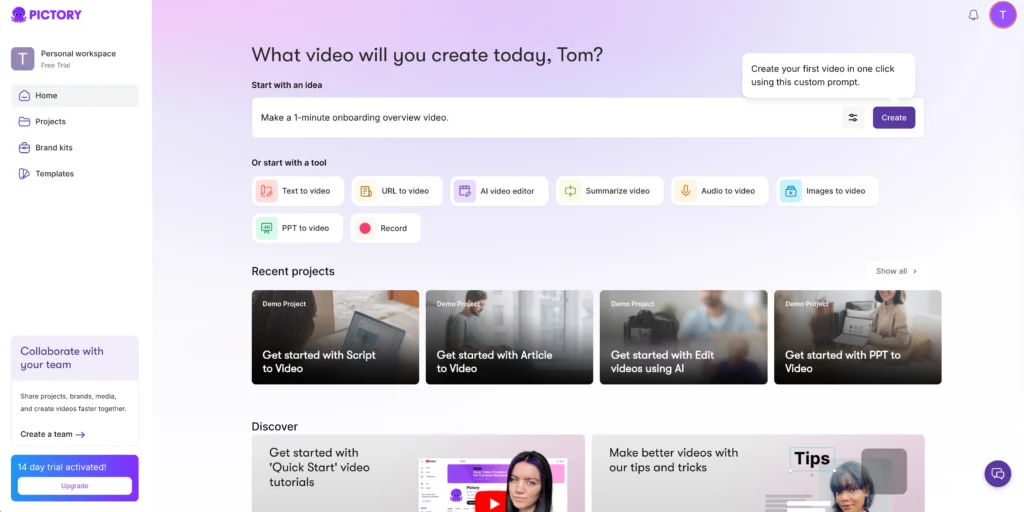
Pictory is the best AI explainer tool for converting existing long-form content — blog posts, webinars, PDFs — into short, shareable explainer clips.
Key features:
- Paste a URL, blog article, or script → auto-generates video
- AI selects relevant stock footage to match each sentence
- Auto-captions and branded text overlays
- Video summarisation from long recordings
- Highlight reel creation from webinars and Zoom calls
Best for: Content repurposing teams, bloggers, marketers extracting video from existing content
Pricing: Free trial. Paid plans from ~$23/month.
What it does well: Zero video editing required. Best-in-class for turning written content into video without producing anything from scratch.
Limitation: Output depends heavily on the quality of stock footage matching. Less suitable for custom or branded visual explainers.
6. Colossyan — Best for Corporate Training Explainers
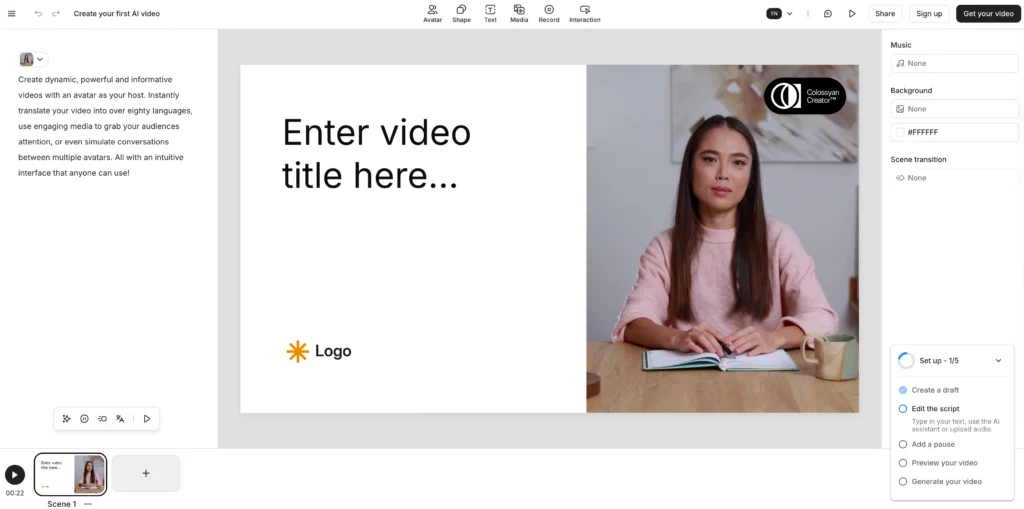
Colossyan is purpose-built for corporate learning and development teams, offering realistic AI avatars with enterprise-grade compliance and collaboration features.
Key features:
- 140+ diverse AI avatars with natural expressions
- Scenario-based video templates for training
- Auto-translation and dubbing into multiple languages
- SCORM/xAPI export for LMS integration
- Version control and approval workflows for teams
Best for: L&D departments, compliance training, internal communications
Pricing: From ~$22/month per seat.
7. VEED.IO — Best for Quick Browser-Based Explainers
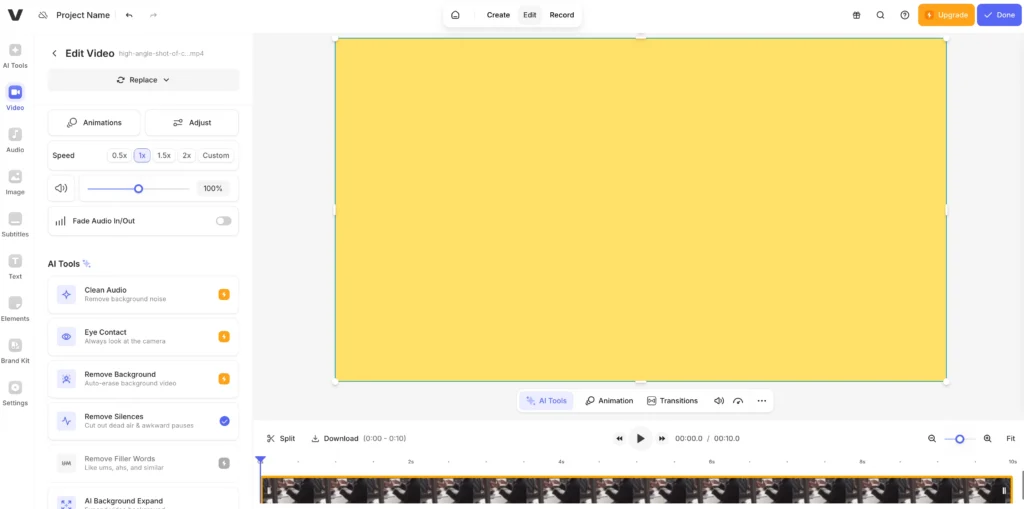
VEED.IO is the most accessible all-in-one browser tool for creating simple AI explainer videos, offering AI script generation, auto-subtitles, and avatars in one workflow.
Key features:
- AI script generator from a topic or URL
- AI avatar presenter for talking-head explainers
- Auto-subtitles in 100+ languages
- Screen recording + annotation tools
- Background removal, noise reduction
- One-click social media resize
Best for: Solo creators, small teams, quick turnaround explainers without a dedicated budget
Pricing: Free plan available. Paid from ~$18/month.
AI Explainer Video Tools Compared
| Tool | Best For | Avatars | Languages | Free Plan | Starting Price |
| Synthesia | Enterprise B2B | ✅ 240+ realistic | 160+ | ✅ Yes | ~$29/mo |
| InVideo AI | Volume + speed | ✅ Real actors | 50+ | ✅ Yes (limited) | ~$25/mo |
| Gaga AI | Custom avatar + audio | ✅ Custom portrait-based | 30+ | ✅ Yes | Free / Paid |
| Vyond | Animated training | ✅ Animated chars | 20+ | ❌ No | ~$58/mo |
| Pictory | Content repurposing | ❌ Limited | 30+ | ✅ Trial | ~$23/mo |
| Colossyan | Corporate L&D | ✅ 140+ realistic | 70+ | ❌ No | ~$22/mo |
| VEED.IO | Quick creation | ✅ AI avatar | 100+ | ✅ Yes | ~$18/mo |
How to Make an AI Explainer Video: Step-by-Step
You can create a complete AI explainer video in under 15 minutes using any of the tools above. Here is the full workflow using Synthesia as the primary example.
Step 1 — Define Your Explainer Goal
Before opening any tool, answer three questions:
- Who is the audience? (customers, employees, prospects)
- What one concept needs to be explained?
- What action should the viewer take after watching?
A well-scoped explainer covers one idea in 60–120 seconds. Longer videos lose viewer attention rapidly.
Step 2 — Write or Generate Your Script
Option A — AI generates the script: In Synthesia or InVideo AI, type a topic prompt:
“Explain how our project management tool reduces team meeting time by 40%, for a small business audience. Keep it under 90 seconds.”
The AI writes a structured script: hook → problem → solution → proof → call to action.
Option B — Paste your own script: Paste your existing copy directly. The tool structures it into scenes automatically.
Script length guide:
- 60 seconds ≈ 120–130 words
- 90 seconds ≈ 180–200 words
- 2 minutes ≈ 240–260 words
Step 3 — Choose Your Visual Style
Select one of three approaches based on your needs:
- Realistic AI avatar — A lifelike presenter delivers the script. Best for product demos, sales explainers, onboarding.
- B-roll + voiceover — No avatar; relevant footage plays while narration runs. Best for concept explainers and tutorials.
- Animated characters — Cartoon-style figures. Best for training, e-learning, or when the topic is abstract.
Most tools let you combine all three within the same video.
Step 4 — Select an Avatar and Voice
- In Synthesia: choose from 240+ AI avatars or create your own digital twin
- In InVideo AI: select a real AI actor or build your own digital clone
- Set language and accent — most major tools support 50–160 languages natively
Voice cloning option: Both Synthesia and InVideo AI allow you to clone your own voice from a short recording. The output is narration in your voice, in any language, without re-recording.
Step 5 — Customise Visuals, Timing, and Branding
For each scene:
- Add brand logo, colour palette, and fonts
- Adjust on-screen text overlays
- Generate or swap B-roll footage (text prompt → cinematic clip via Veo 3 / Sora 2)
- Set scene duration to match script pacing
This step takes 5–10 minutes for a standard explainer. Longer for heavy brand customisation.
Step 6 — Add Captions, Music, and Final Touches
- Auto-captions: Generated automatically. Review for accuracy.
- Background music: Choose from royalty-free libraries built into each tool
- Sound effects: Optional; InVideo AI adds SFX automatically based on scene context
- Call to action: Add a CTA card or overlay at the end of the video
Step 7 — Export and Publish
Export in your required format (MP4, GIF, embeddable link). Most tools offer direct sharing to:
- YouTube / social channels
- Email embed (via shareable link)
- Website embed code
- LMS/SCORM package (Colossyan and Vyond)
Production time: 3–15 minutes for a 60–90 second explainer, depending on customisation level.
AI Explainer Video Use Cases: Where They Work Best
AI explainer videos work best in six contexts where video is needed at scale, update frequency is high, or budget constraints make traditional production impractical.
| Use Case | Why AI Works Well | Recommended Tool |
| SaaS product walkthroughs | Update whenever the UI changes without reshoot | Synthesia |
| Customer onboarding | One video per user segment, multilingual | Synthesia / Colossyan |
| Internal training | Compliance, HR, process explainers at scale | Vyond / Colossyan |
| Landing page explainers | Increase conversions on product pages | InVideo AI / VEED |
| Content repurposing | Turn blog posts into video summaries | Pictory |
| Social media explainers | Short-form product education for Reels / Shorts | InVideo AI |
Common Mistakes to Avoid
Mistake 1: Writing Scripts Too Long
Most AI explainer tools are optimised for 60–120 second outputs. Scripts longer than 300 words produce videos that lose viewers before the key message lands.
Fix: Cut to one concept per video. Create a series rather than a single long video.
Mistake 2: Using the Wrong Avatar Style for the Audience
Cartoon avatars feel inappropriate in financial or medical contexts. Overly polished AI presenters can feel inauthentic in casual community content.
Fix: Match avatar style to brand voice and audience expectation. Test with a small sample before publishing at scale.
Mistake 3: Ignoring Caption Accuracy
AI-generated captions have a 2–5% error rate on technical terminology, product names, and abbreviations.
Fix: Always review auto-captions before export. Manually correct product names and technical terms.
Mistake 4: One Video for All Languages
Simply dubbing a video into another language without adapting the cultural context or examples produces low-quality localisation.
Fix: Use tools with cultural adaptation prompts (Synthesia supports this), or create separate scripts per major market.
Frequently Asked Questions
What is the best AI explainer video maker in 2026?
The best AI explainer video maker in 2026 is Synthesia for enterprise and B2B use — it offers 240+ realistic AI avatars, 160+ language support, and native integration with Sora 2 and Veo 3 for cinematic visuals. InVideo AI is the best option for speed and volume, with a faster script-to-video pipeline and a larger audience (25 million users). Vyond is the best choice specifically for animated-style explainers.
Is there a free AI explainer video generator?
Yes. Synthesia, InVideo AI, and VEED.IO all offer free plans. Synthesia’s free explainer video generator requires no credit card and produces a full video from a text prompt. InVideo AI’s free tier allows 2 video minutes per week with a watermark. VEED.IO also has a permanently free plan for short explainers.
How long does it take to make an AI explainer video?
A 60–90 second AI explainer video takes 3–15 minutes to produce using tools like Synthesia or InVideo AI, from prompt input to export. Longer or more heavily customised videos (custom avatar, branded templates, multiple scenes) take 15–45 minutes.
What is the difference between an AI explainer video and a traditional explainer video?
A traditional explainer video requires a script writer, voice actor, illustrator or motion designer, and video editor — costing $1,500–$10,000 and taking 1–4 weeks. An AI explainer video generates all those elements automatically from a text prompt, costs $0–$50 (or a tool subscription), and takes under 15 minutes.
Can AI explainer videos be multilingual?
Yes. Synthesia supports 160+ languages; InVideo AI supports 50+; VEED.IO supports 100+ for captions. Most tools can generate voiceover in the target language natively, or dub an existing track. Voice cloning tools like Gaga AI extend this further by delivering narration in a cloned voice across all languages.
What is the best AI explainer video maker for SaaS companies?
Synthesia is the best AI explainer video maker for SaaS companies. It supports avatar-based product walkthroughs, customer onboarding videos, help documentation, and feature announcements — all updatable without reshooting. It integrates with Sora 2 and Veo 3 for cinematic product B-roll and offers SCORM export for LMS integration.
How much does an AI explainer video maker cost?
AI explainer video maker pricing ranges from free (Synthesia free plan, InVideo AI free tier, VEED free) to $18–$58/month for paid plans. Vyond starts at ~$58/month. InVideo AI and Pictory start at ~$23–$25/month. Enterprise plans for Synthesia, Colossyan, and Vyond are priced on request.
Can I use my own voice in an AI explainer video?
Yes. Synthesia and InVideo AI both support voice cloning — you record a short sample (typically 1–3 minutes), and the AI generates narration in your voice for any future script. Gaga AI also offers voice cloning as a standalone capability, with output in 30+ languages from a 30-second reference recording.
What is the word count for a 60-second explainer video?
A 60-second AI explainer video requires approximately 120–130 words of script. At a natural speaking pace, 120 words takes about 55–65 seconds. For a 90-second explainer, write 180–200 words. Keeping scripts to this length ensures the viewer receives the core message before attention drops.