Key Takeaways
- VidQu AI is a browser-based platform combining AI face swap, AI girlfriend chat, character generation, and image-to-video tools under one roof.
- VidQu face swap handles photos, videos, GIFs, and group shots — free daily uses are available, with paid credits unlocking HD output and watermark removal.
- VidQu AI girlfriend lets users chat with customizable virtual companions (realistic or anime) without sign-up, though advanced features require credits.
- VidQu AI chat is built around persona-driven conversations where users define the character’s personality, appearance, and voice.
- Free alternatives like Vidwud face swap, JoyFun AI, Remaker AI, Nastia AI, and Gaga AI each outperform VidQu in specific areas — the best choice depends on your exact use case.
Table of Contents
What Is VidQu AI?
VidQu AI is an all-in-one AI creative platform available at vidqu.ai. It bundles face-swapping technology, AI-powered image generation, virtual companion chat, and video tools into a single web-based interface that also has a companion mobile app.
Unlike platforms that specialize in one task, VidQu positions itself as a creative hub. Its toolset spans three categories:
AI Chat Tools — AI Girlfriend, AI Boyfriend
AI Photo Tools — AI Photo Editor, AI Photo Face Swap, AI Multiple Photo Face Swap, Hot Character Generator, AI Image Generator, Virtual Try on Clothes, Undress AI, AI Head Swap, AI Attractiveness Test, AI Kissing Photo
AI Video Tools — AI Video Face Swap, AI Multiple Video Face Swap, AI Undress Video, AI Video Translator, AI Image Animator
The platform runs on a credit-based pricing model. Users get limited free daily uses, and paid subscriptions unlock higher resolution, faster processing, no watermarks, batch generation, and private mode.
How Does VidQu Face Swap Work?
VidQu face swap uses deep-learning algorithms to detect, map, and replace faces in photos and videos. The process takes three steps and requires zero editing skills.
Step-by-Step: Using VidQu Face Swap
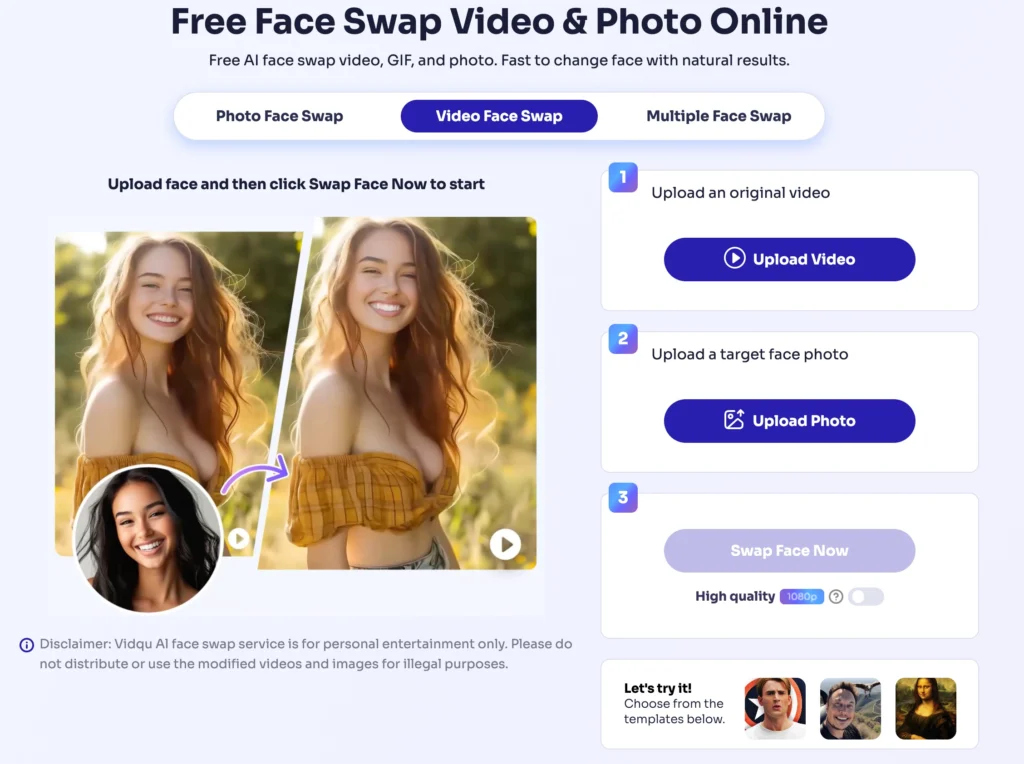
1. Upload a base image or video.
Supported formats include JPG, PNG, WebP for images and MP4, MOV, WebM, GIF for video.
2. Upload a target face photo.
Use a clear, front-facing image for the best results.
3. Click to generate.
The AI processes the swap and delivers the output — typically within seconds for images and a few minutes for video.
What VidQu Face Swap Supports
- Single face swap in photos and video clips
- Multiple face swap for group photos and scenes with several people
- GIF face swap for shareable meme-style content
- Video face swap with expression matching across frames
- Live face swap for pre-recorded video content (real-time swap is not yet available)
The AI attempts to preserve the original lighting, head angle, and expression in the swapped output. Results are generally convincing for casual and social media use, though professional-grade deepfake quality may require more specialized tools.
Best VidQu AI Alternatives in 2026
If VidQu does not fully meet your needs, these alternatives each excel in specific areas.
1. Vidwud Face Swap — Best Free Face Swap Tool
Vidwud offers completely free face swapping for both photos and videos with no subscription, no credits, and no coins required. Processing takes just a few seconds, and outputs are delivered without watermarks. It supports single and multiple face swaps and works entirely in the browser.
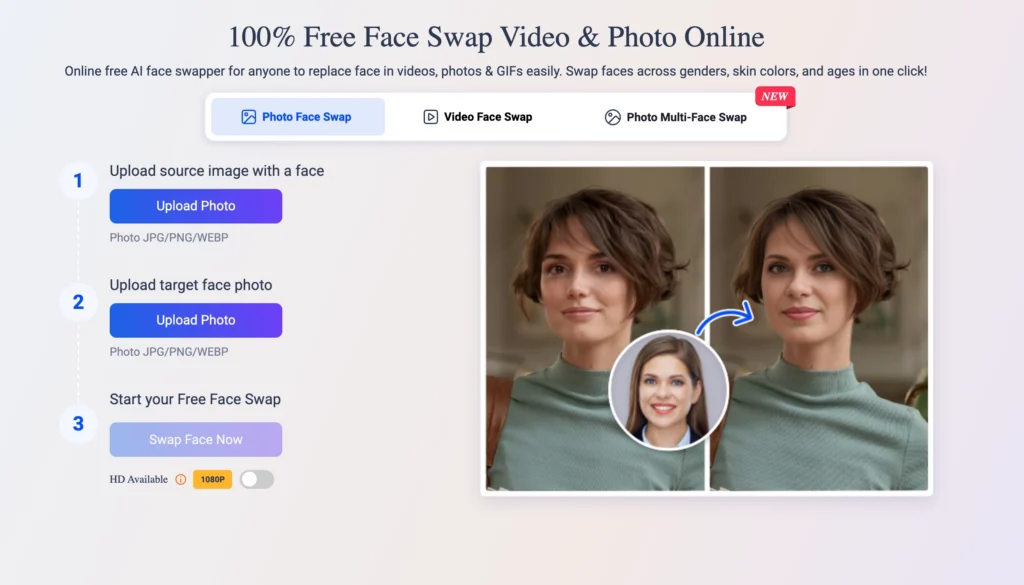
Best for: Users who want truly free, no-strings-attached face swapping without creating an account.
2. JoyFun AI — Best for Video Face Swap
JoyFun AI focuses specifically on video face swap with optimized processing for longer clips and more complex scenes. It handles dynamic expressions, head movements, and lighting changes effectively across video frames.
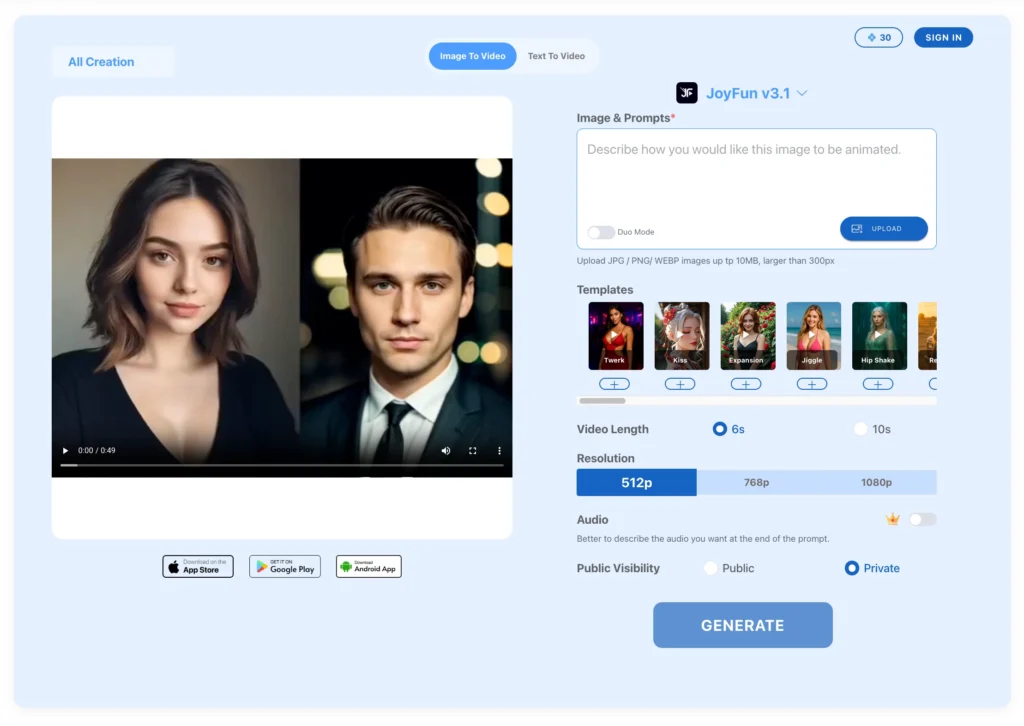
Best for: Creators who primarily work with video content and need reliable, high-quality face replacement in motion.
3. Nastia AI — Best AI Companion Chat
Nastia AI is a dedicated AI companion platform that prioritizes conversational depth, emotional intelligence, and ongoing relationship memory. Unlike VidQu’s chat feature, Nastia is built from the ground up as a companion experience rather than an add-on to image tools.
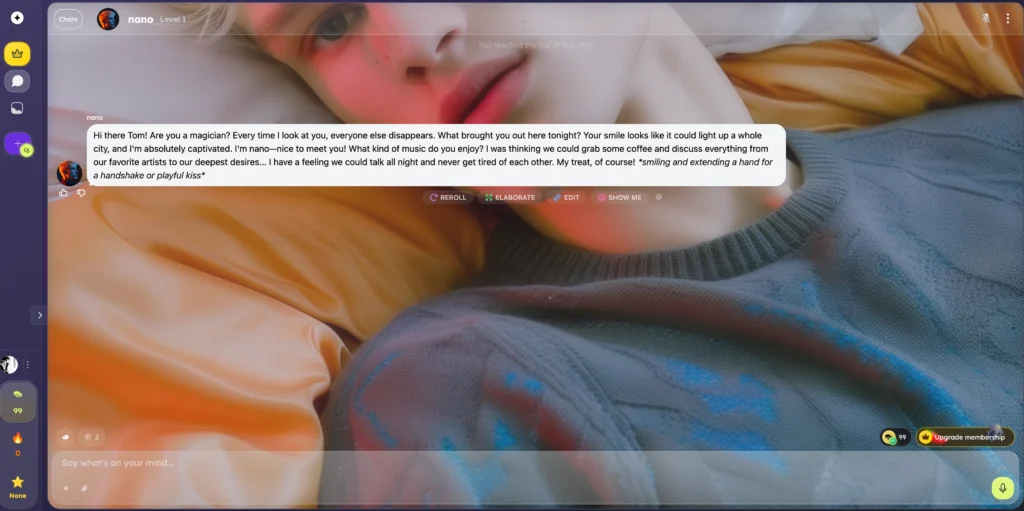
Best for: Users looking for a more emotionally nuanced and memory-capable AI chat companion.
4. Remaker AI — Best for Image Face Swap Online
Remaker AI specializes in high-quality image face swap with strong emphasis on seamless blending, natural skin tones, and accurate lighting matching. It provides a focused, streamlined experience for still-image face replacement.
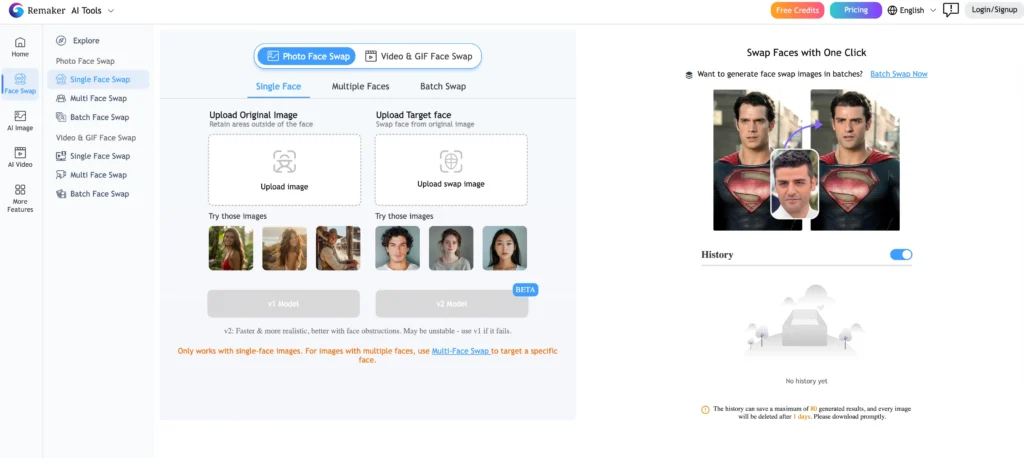
Best for: Users who need polished, realistic photo face swaps without the distraction of unrelated tools.
5. Gaga AI — Best for AI Avatar and Image-to-Video
Gaga AI stands out for its video and audio infusion capabilities, AI avatar creation, and image-to-video conversion. It transforms static images into animated video content with lip-sync and movement, making it a strong choice for dynamic avatar creation and presentation-style video.

Best for: Creators who want to turn still images into talking, animated video content or build custom AI avatars.
Quick Comparison Table
| Platform | Primary Strength | Free Tier | Face Swap | AI Chat | Video Tools |
| VidQu AI | All-in-one hub | Limited daily uses | Photo + Video | Yes (AI Girlfriend) | Yes |
| Vidwud | Free face swap | Fully free | Photo + Video | No | Limited |
| JoyFun AI | Video face swap | Varies | Video-focused | No | Yes |
| Nastia AI | AI companion | Free tier available | No | Yes (advanced) | No |
| Remaker AI | Image face swap | Free tier available | Photo-focused | No | No |
| Gaga AI | Avatar + video | Free tier available | No | No | Yes (advanced) |
VidQu AI Girlfriend: What It Offers
VidQu AI girlfriend is an interactive chatbot feature that lets users create and converse with virtual companions. It is one of the platform’s most searched features, often queried alongside terms like “VidQu AI chat” and “VidQu girlfriend.”
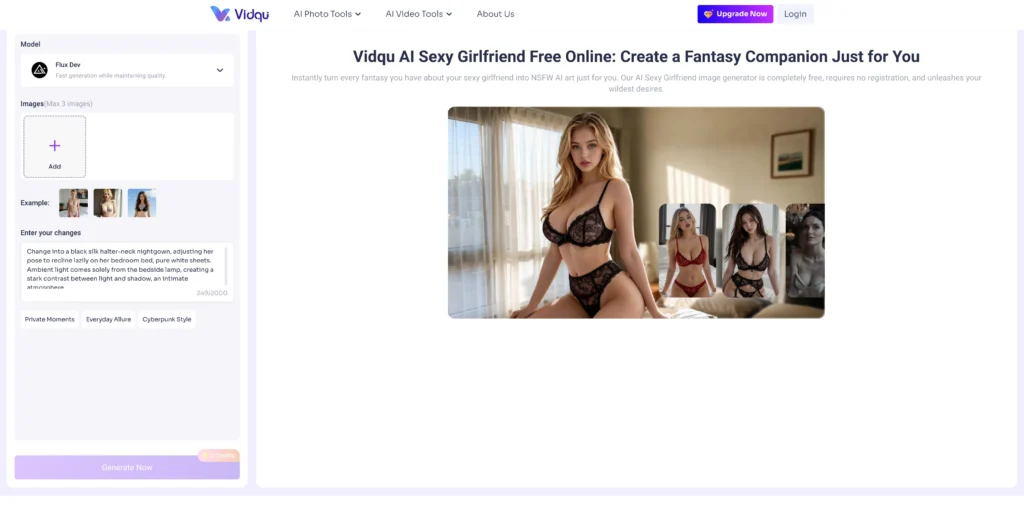
How VidQu AI Girlfriend Works
The experience starts by selecting a pre-built character from the gallery or building a custom one. Customization options include:
- Appearance — realistic or anime art style
- Personality traits — playful, kind, serious, flirty, and more
- Age, occupation, and background — shapes how the AI responds
- Voice — selectable voice styles for audio-enabled chat
- Relationship dynamic — defines the conversational tone between user and character
Once configured, the AI responds to messages in real time using natural language processing. The platform claims to adapt its responses over time based on conversational patterns.
Key Details About VidQu AI Chat
- No sign-up required for basic access.
- Unlimited messages on the free tier for text chat.
- 100+ pre-made character personas are browsable by “Hot,” “Top,” or “New” categories.
- Custom character creation is available — users upload an avatar image and define the persona from scratch.
- Privacy claim — VidQu states it does not use conversations for AI training.
VidQu AI Strengths and Weaknesses
What VidQu Does Well
- Breadth of tools — Few platforms combine face swap, image generation, video animation, and AI chat in one place.
- Low barrier to entry — No account required for basic use; the interface is straightforward.
- Character customization — The AI girlfriend/boyfriend feature offers more creative control than many standalone chatbot apps.
- Cross-format support — Works with photos, videos, GIFs, and text across desktop and mobile browsers.
Where VidQu Falls Short
- Free tier is restrictive — Daily limits, watermarks, and lower resolution push users toward paid plans quickly.
- No free trial for premium features — Users cannot fully test paid capabilities before committing.
- Limited advanced editing — The platform handles basic swaps well but lacks fine-grained control (partial face swap, manual blending adjustments).
- Credit expiration on cancellation — Losing unused credits when you cancel can feel punitive.
- Adult branding limits professional use — The heavy emphasis on NSFW content makes it less suitable for business or educational applications.
How to Get the Most Out of VidQu AI
Tips for Better Face Swap Results
- Use well-lit, front-facing photos for both the source and target face. Side angles and shadows reduce accuracy.
- Match resolution — upload a target face image at a similar resolution to the base image or video.
- Keep faces unobstructed — remove sunglasses, hats, or hair covering key facial features before uploading.
- For video swaps, choose shorter clips first to test quality before processing longer content.
- Use the multiple face swap tool for group photos rather than swapping faces one at a time.
Tips for Better AI Girlfriend Conversations
- Define the persona thoroughly — the more detail you provide in personality traits and background, the more coherent the responses.
- Set the relationship dynamic early — this shapes the AI’s tone and boundaries from the first message.
- Restart conversations if the AI seems off-track — beginning fresh often produces better results than trying to redirect mid-conversation.
- Experiment with different character styles — switching between realistic and anime personas can yield very different conversational experiences.
Frequently Asked Questions (FAQ)
Is VidQu AI free to use?
VidQu AI offers limited free daily uses across its tools, including face swap, image generation, and AI chat. Free outputs typically include watermarks and standard resolution. Full access to HD output, batch generation, and premium features requires a paid credit subscription.
Can I use VidQu AI on mobile?
Yes. VidQu operates as a web-based platform accessible through mobile and desktop browsers (Chrome, Safari, Edge, Firefox). A dedicated mobile app is also available on the Apple App Store for iOS users, offering face swap, AI chat, and other tools.
What are the best free alternatives to VidQu face swap?
Vidwud is the strongest free alternative for face swapping — it offers completely free photo and video face swap with no watermarks, no sign-up, and fast processing. JoyFun AI is a strong option for video-specific face swaps, while Remaker AI excels at high-quality image face replacement online.
Can I create my own AI character on VidQu?
Yes. VidQu’s character creation tool lets you upload a custom avatar image and define the character’s name, description, personality traits, voice, and initial greeting. Created characters can be used in the AI girlfriend/boyfriend chat interface.
How does VidQu compare to dedicated AI companion apps like Nastia AI?
VidQu offers AI chat as one feature within a larger creative toolkit. Dedicated companion platforms like Nastia AI typically provide deeper conversational memory, more nuanced emotional responses, and longer-term relationship continuity. If companionship is your primary goal, a specialized app may deliver a better experience.