Key Takeaways
- PixVerse AI is a comprehensive AI video and image generator offering text-to-video, image-to-video, and advanced editing features
- Latest Model: PixVerse V5.5 delivers enhanced quality and performance, with PixVerse R1 introducing real-time world modeling capabilities
- Free Tier Available: Users can access basic features without cost, with premium plans starting at $10/month
- NSFW Policy: PixVerse AI has content moderation policies that restrict explicit content generation
- Best Alternative: Gaga AI offers competitive features including AI avatars, voice cloning, and text-to-speech capabilities
Table of Contents
What is PixVerse AI?
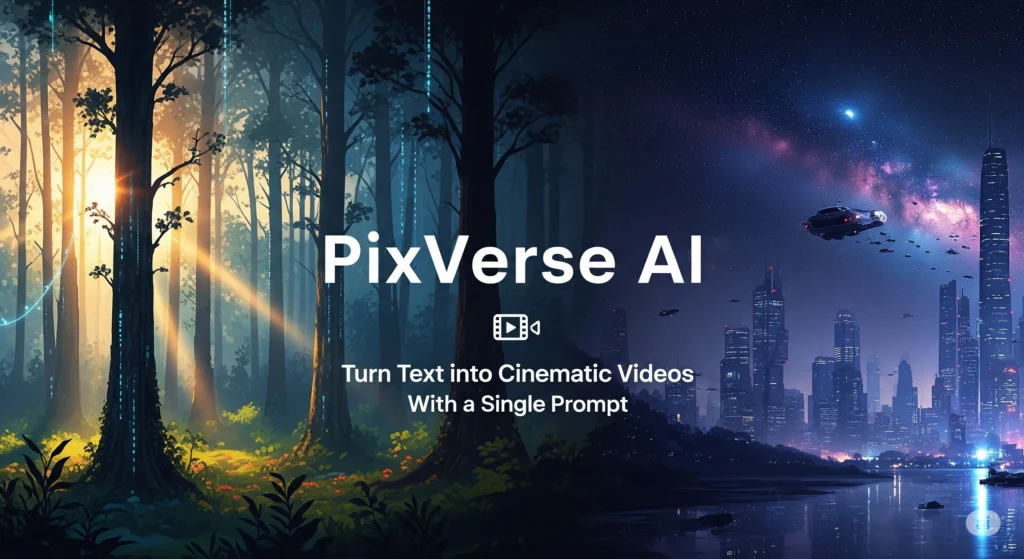
PixVerse AI is an advanced video and image generation platform that transforms text prompts and static images into dynamic video content using artificial intelligence. The platform democratizes video creation by eliminating the need for traditional filming equipment, editing software expertise, or professional production teams.
Built on cutting-edge multimodal foundation models, PixVerse AI processes natural language descriptions and visual inputs to generate high-quality videos up to 1080P resolution. The platform serves content creators, marketers, educators, and businesses seeking efficient video production workflows without technical barriers.
What distinguishes PixVerse from conventional video generators is its native multimodal architecture—the Omni foundation model unifies text, image, video, and audio into a continuous token stream, enabling seamless cross-modal generation and maintaining physical consistency across extended sequences.
PixVerse AI Features
Video Generation Features
Text-to-Video
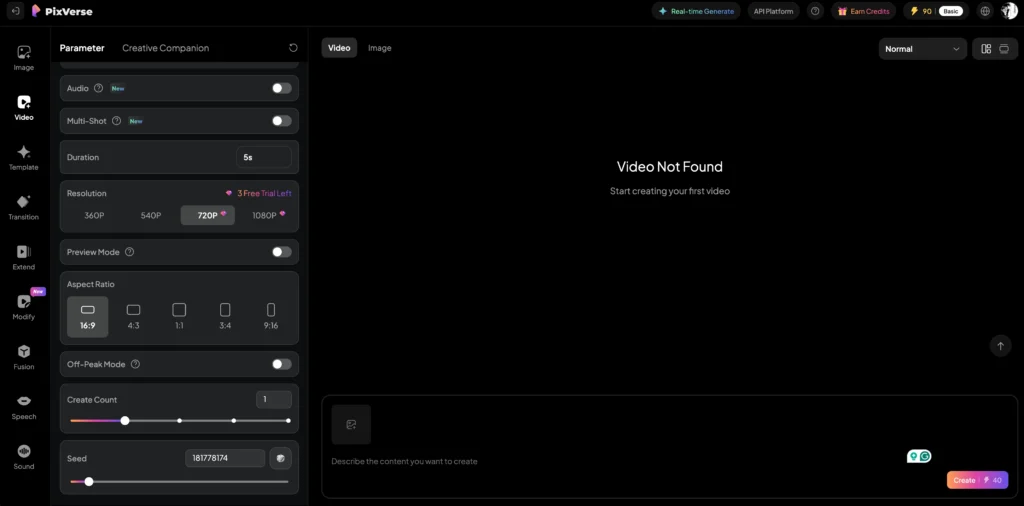
The pixverse ai video generator converts written descriptions directly into video sequences. Users input detailed prompts describing scenes, actions, camera movements, and visual styles, and the AI synthesizes corresponding footage. This feature supports multiple aspect ratios and durations, making it suitable for social media content, advertisements, and storytelling projects.
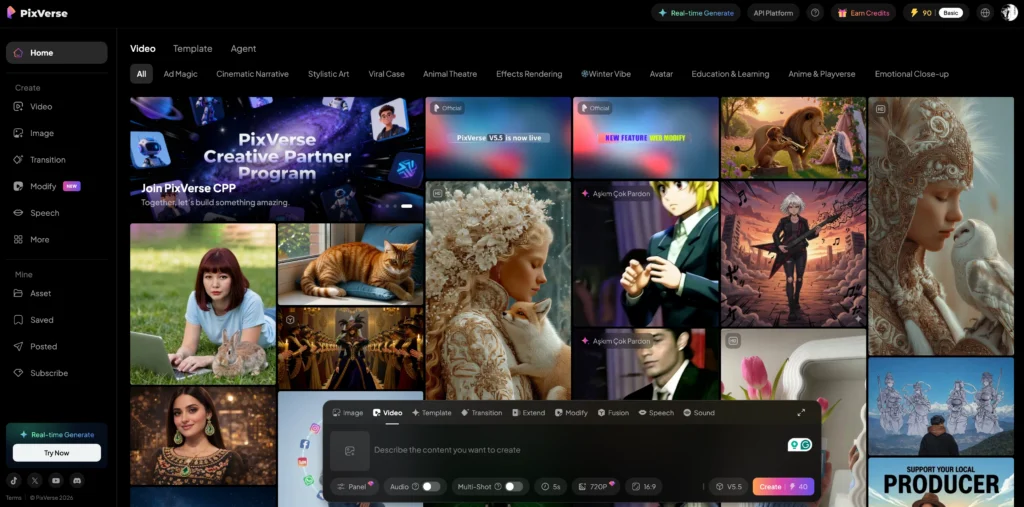
Image-to-Video
Transform static images into animated sequences by uploading reference images and providing motion descriptions. The AI analyzes the visual content and applies realistic motion dynamics, breathing life into photographs, illustrations, or concept art. This proves particularly valuable for animating product shots, creating dynamic presentations, or developing animated storyboards.
Visual Effects Generation
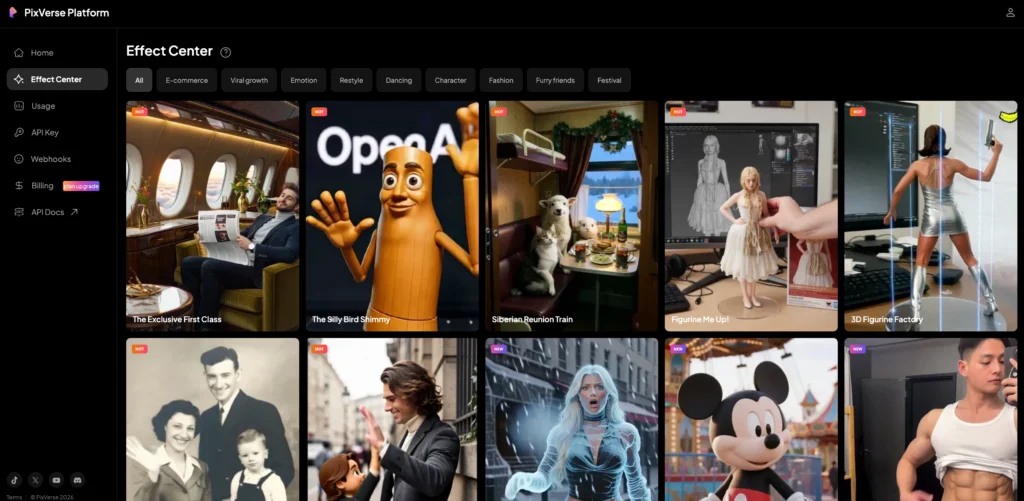
Apply professional-grade visual effects without manual keyframing or compositing knowledge. The platform offers preset effect templates and custom effect creation, enabling users to add cinematic flair, particle systems, lighting effects, and atmospheric enhancements to generated videos.
AI Lip Sync
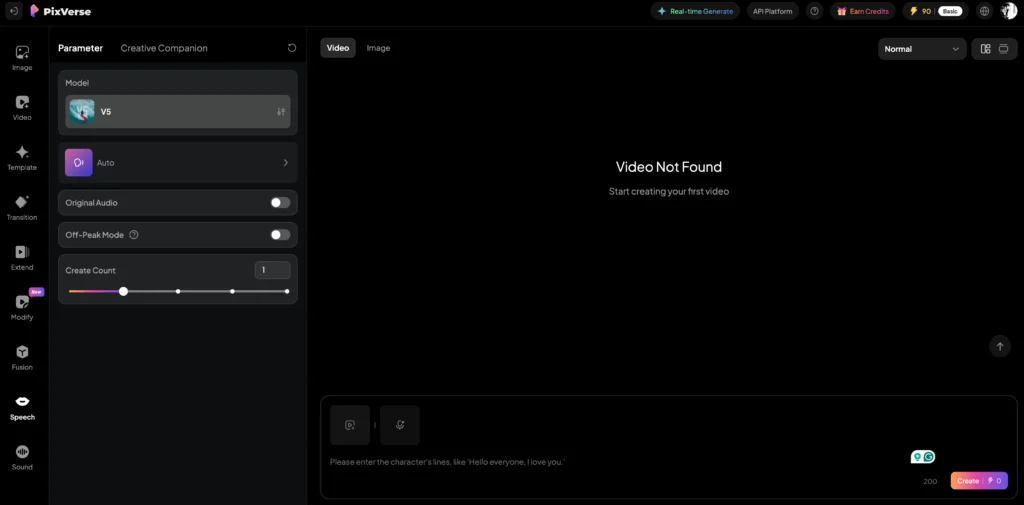
Synchronize character lip movements with audio tracks automatically. This feature analyzes speech patterns and generates corresponding facial animations, making it ideal for dubbing, multilingual content creation, and character animation workflows where precise lip synchronization is essential.
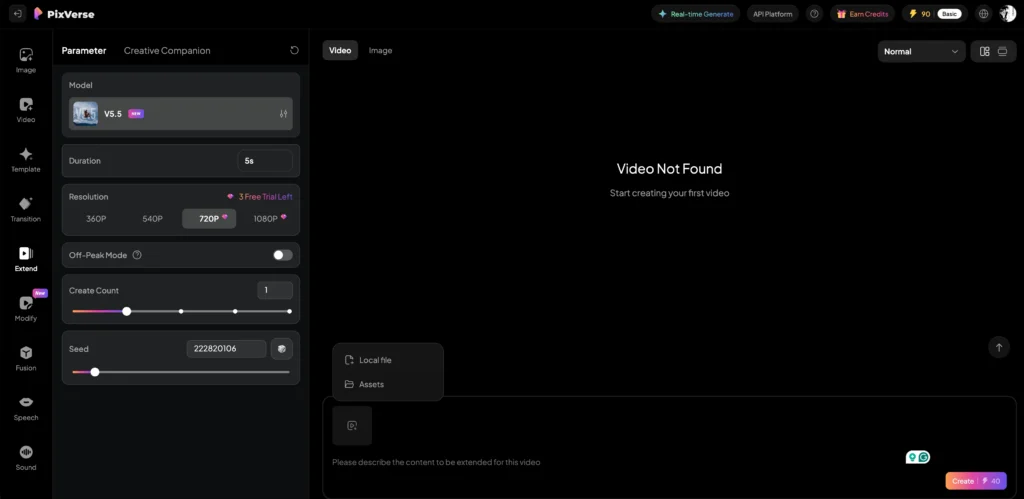
Extend
Seamlessly extend video duration beyond initial generation limits. The autoregressive modeling approach maintains visual and narrative consistency when lengthening clips, ensuring smooth transitions without jarring cuts or style shifts.
Camera Movement
Control virtual camera dynamics including pans, tilts, zooms, and tracking shots through text prompts. This cinematographic control adds professional polish and directs viewer attention without requiring physical camera equipment or motion control systems.
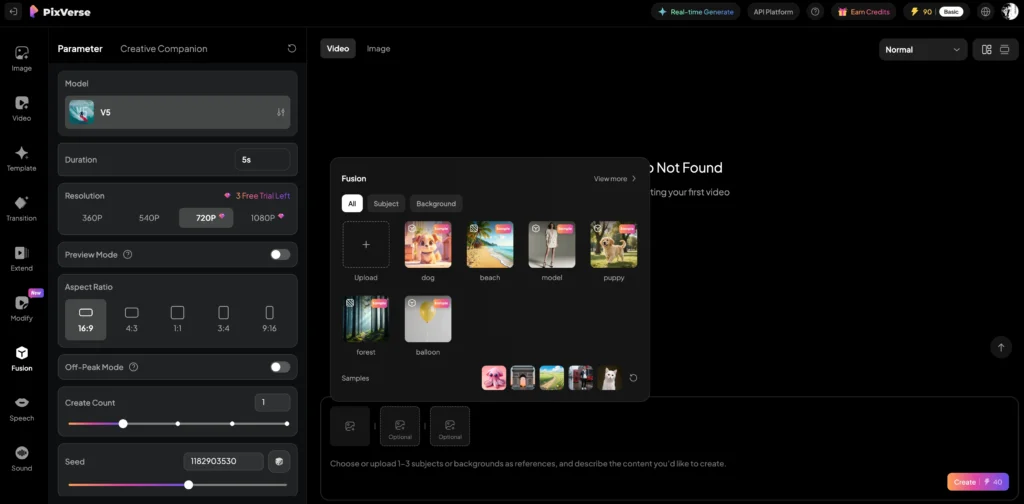
Fusion
Blend multiple visual elements, styles, or concepts within a single generation. Fusion enables complex compositions that combine different artistic influences, merge realistic and stylized elements, or create hybrid visual aesthetics.
Restyle
Apply different artistic styles to existing videos while preserving motion and composition. Transform footage into various visual treatments—from photorealistic to animated, impressionistic to cyberpunk—without regenerating from scratch.
Face Swap
Replace faces in generated or uploaded videos with alternative subjects. This feature maintains facial expressions, lighting conditions, and head movements while substituting the identity, useful for character variations, privacy protection, or creative experimentation.
Multiple Transition
Create smooth scene transitions between disparate video segments. The AI generates intermediate frames that bridge visual gaps, producing professional transitions that maintain temporal coherence and narrative flow.
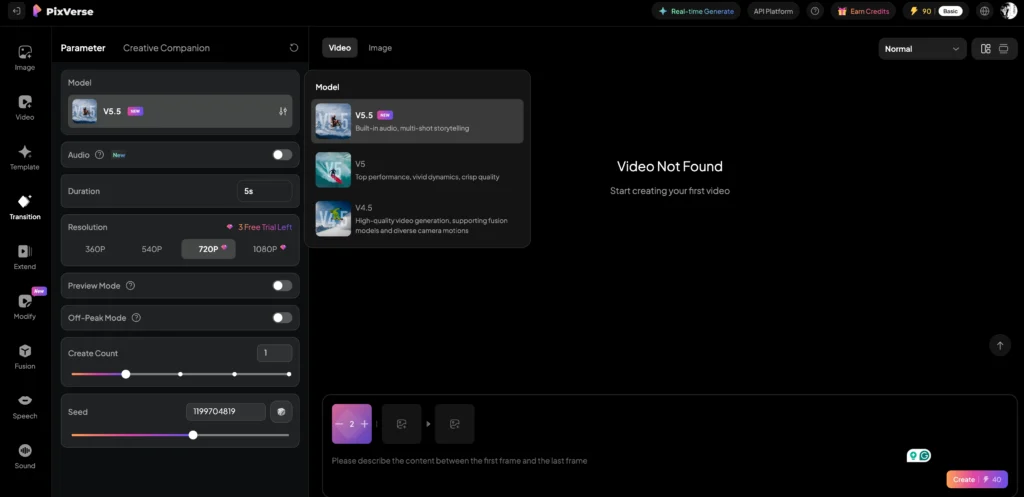
Image Generation Features
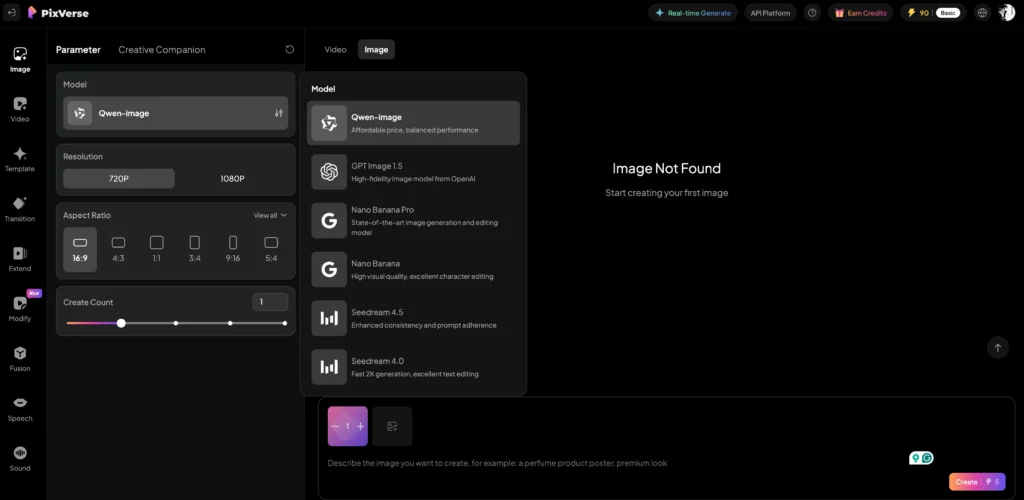
Text-to-Image
Generate static images from text descriptions using specialized image models. While primarily a video platform, PixVerse includes robust image generation capabilities for creating reference materials, thumbnails, or standalone visual content.
PixVerse AI Models
Video Models
PixVerse V5.5 (Latest Version)
The most advanced video generation model currently available on the platform. PixVerse V5.5 delivers improved motion coherence, enhanced detail preservation, and better prompt adherence compared to previous iterations. It processes complex scenes with multiple subjects and intricate actions while maintaining visual consistency across frames.
PixVerse R1
PixVerse R1 represents a next-generation real-time world model that fundamentally reimagines video generation. Built on the Omni native multimodal foundation model, R1 enables real-time video synthesis where visual content responds instantly to user input.
Key R1 capabilities include:
- Real-time 1080P generation: Instantaneous Response Engine produces high-resolution video with minimal latency
- Infinite streaming: Autoregressive mechanism enables continuous, unbounded visual streaming without fixed-length constraints
- Physical consistency: Memory-augmented attention maintains world coherence over extended horizons
- Interactive responsiveness: Video generation adapts dynamically to user intent in real-time
This architecture marks a paradigm shift from pre-rendered clips to persistent, stateful audiovisual systems—enabling AI-native gaming, interactive cinema, and immersive simulations.
PixVerse V5
The predecessor to V5.5, offering solid performance for general video generation tasks. While superseded by newer versions, V5 remains available for users requiring specific compatibility or preferring its particular visual characteristics.
Image Models
The pixverse ai free tier and premium plans provide access to multiple image generation models:
- Qwen-image: Specialized for text-to-image synthesis with strong semantic understanding
- GPT Image 1.5: Advanced image model with enhanced detail rendering
- Nano Banana Pro: Professional-grade image generation with fine-grained control
- Nano Banana: Streamlined version balancing quality and generation speed
- Seedream 4.5: Latest iteration offering improved photorealism and artistic flexibility
- Seedream 4.0: Established model known for consistent, high-quality outputs
Each model offers distinct strengths—users can select based on desired output style, generation speed, or specific use case requirements.
PixVerse AI Pros and Cons
| Category | Advantages (Pros) | Limitations (Cons) |
| Technology | Real-Time Generation (R1): The new R1 model allows for interactive, near-instant 1080p video streams with 1–4 sampling steps. | Output Variability: Like most generative AI, identical prompts can yield inconsistent results, often requiring multiple “rolls” to get the perfect shot. |
| Features | All-in-One Toolkit: Includes Text/Image-to-Video, Lip Sync, Face Swap, and viral “Magic FX” (e.g., AI Hug, Muscle Pro, and Dance Revolution). | Duration Caps: Base clips are typically limited to 5–10 seconds. While an “Extend” feature exists, creating long-form narrative content remains a manual stitching process. |
| Performance | Model Flexibility: Users can switch between engines like V5.5 (best for stability/physics) and R1 (best for speed/interaction). | Hardware & Connection: Being 100% cloud-based, it requires a high-speed internet connection; no official local installation exists for offline use. |
| Pricing | Generous Free Tier: Offers daily credit refreshes (approx. 60–90 credits), allowing new users to test even premium models like R1 with a watermark. | Resolution Paywalls: Access to true 1080p and 4K upscaling is typically restricted to “Pro” or “Advanced” tiers ($30+/mo). Standard plans often cap at 720p. |
| Usability | Intuitive Multi-modal Input: Native support for combining text, images, and audio into a unified “Fusion Mode” for better character consistency. | Learning Curve: While the basic UI is simple, mastering advanced “Motion Brush” and “Multi-clip Camera” controls requires significant experimentation. |
| Safety | Strict Ethics Filters: Robust NSFW blocking ensures a brand-safe environment for professional creators and agencies. | Strict NSFW Restrictions: The zero-tolerance policy for explicit content makes it unsuitable for users seeking unrestricted or “uncensored” creative freedom. |
PixVerse AI Pricing
PixVerse offers tiered subscription plans designed to accommodate individual creators through enterprise teams:
| Feature | Standard | Pro | Premium | Enterprise |
| Monthly Price | $10 | $30 | $60 | From $100 |
| Monthly Credits | 1,200 | 6,000 | 15,000 | Custom / Volume |
| Max Resolution | HD (720P) | Full HD (1080P) | Full HD (1080P) | 1080P+ / Custom |
| Watermark | Watermark-Free | Watermark-Free | Watermark-Free | Watermark-Free |
| Concurrency | 3 Generations | 5 Generations | 8 Generations | High-Limit Custom |
| Generation Speed | Priority | Priority | Fastest | Dedicated Priority |
| Batch Creation | No | Yes | Yes | Yes |
| Off-Peak Savings | No | 30% Savings | 50% Savings | Custom |
| Top-up Bonus | 10% Extra | 30% Extra | 50% Extra | Custom Discounts |
| API Access | No | No | No | Full API Access |
| Best For | Casual creators & hobbyists. | Regular content creators. | Agencies & high-volume users. | Large teams & developers. |
Choosing the Right Plan: Casual creators typically find Standard sufficient for occasional projects. Content creators producing regular video output benefit from Pro’s increased credits and 1080P resolution. Premium serves high-volume users and agencies, while Enterprise addresses organizational needs requiring API integration and custom configurations.
Best PixVerse AI Alternative: Gaga AI
Gaga AI emerges as the premier alternative to PixVerse, offering a comprehensive suite of AI-powered media creation tools. While PixVerse focuses primarily on video and image generation, Gaga AI expands capabilities to include advanced avatar creation, voice synthesis, and multimodal content production.
Gaga AI Core Features
AI Avatar Creation: Generate photorealistic digital avatars for virtual presentations, social media content, and interactive applications. Gaga’s avatar technology creates lifelike digital personas with customizable appearances and expressions.
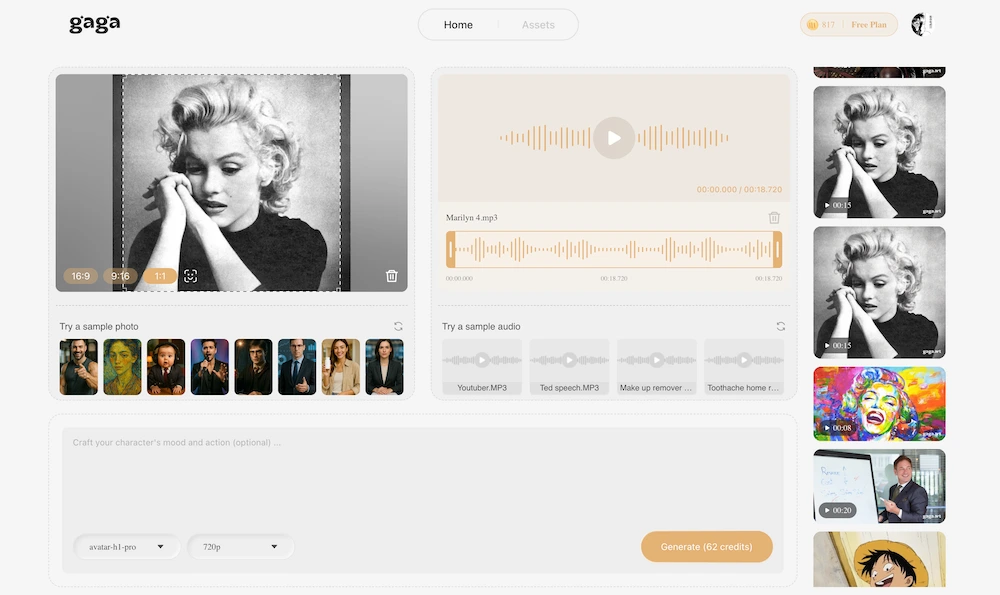
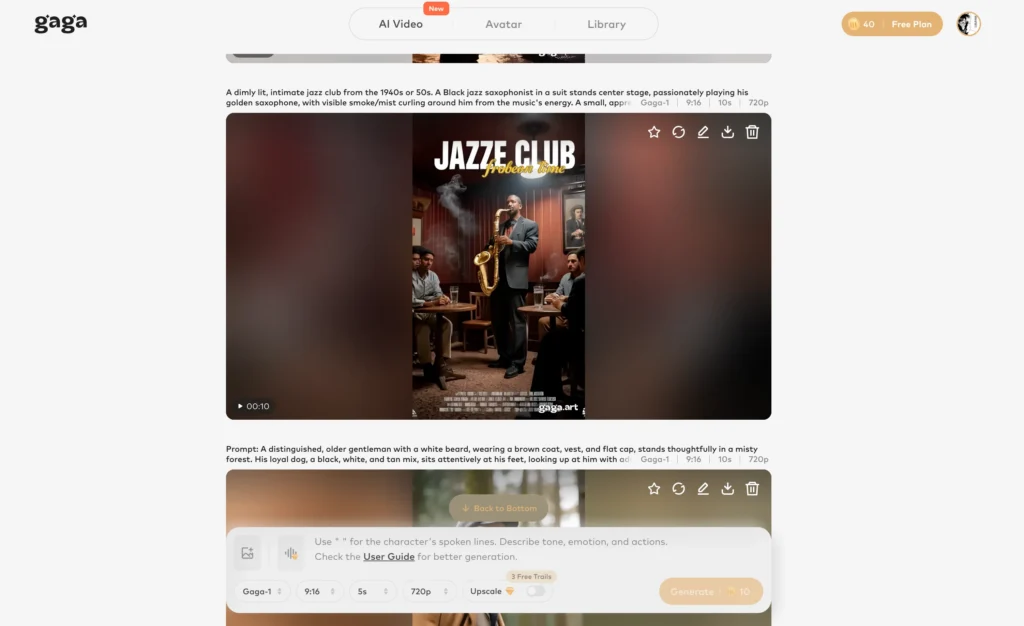
Text-to-Video AI: Similar to PixVerse’s flagship feature, Gaga converts text prompts into video content with competitive quality and flexible styling options.
Image-to-Video AI: Animate static images with motion dynamics comparable to PixVerse’s capabilities, suitable for product demonstrations and creative projects.
Voice Clone: Replicate human voices with remarkable accuracy, enabling personalized narration, dubbing, and content localization without re-recording.
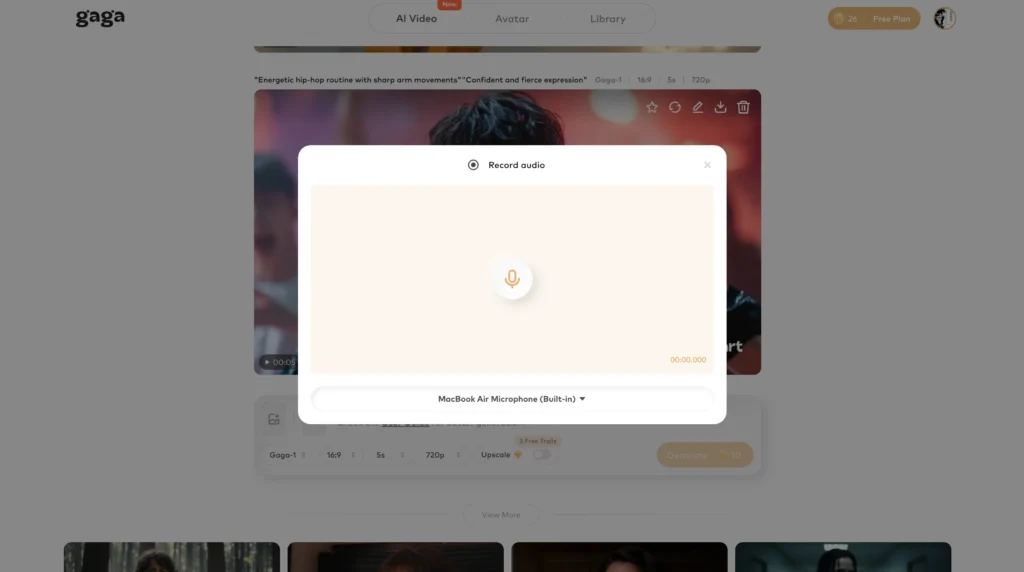
Text-to-Speech: Convert written content into natural-sounding speech across multiple languages and voice profiles, ideal for accessibility, audiobooks, and voiceovers.
When to Choose Gaga AI Over PixVerse
Select Gaga AI when projects require:
- Voice integration: Voice cloning and text-to-speech aren’t PixVerse strengths
- Avatar-based content: Digital presenter creation for educational or marketing videos
- Unified audio-visual workflow: Single-platform solution for video, voice, and avatar generation
- Specific feature needs: If Gaga’s unique capabilities align better with project requirements
When to Stick with PixVerse
Remain with PixVerse when prioritizing:
- Cutting-edge video models: PixVerse R1’s real-time generation is currently unique
- Advanced video editing: Face swap, restyle, and fusion features offer sophisticated control
- Model variety: Multiple specialized video and image models for different use cases
- Established ecosystem: Longer market presence means more tutorials and community resources
Frequently Asked Questions
Is PixVerse AI completely free to use?
PixVerse AI offers a free tier with limited credits, allowing users to test features and generate content without payment. However, the free allocation is modest—serious content production requires a paid subscription. Free users receive basic access to models and features but face restrictions on resolution, concurrent generations, and watermark removal.
Can I use PixVerse AI for NSFW content?
No, PixVerse AI implements content moderation policies that prohibit explicit NSFW content generation. The platform filters prompts and rejects requests that violate community guidelines. Users seeking unrestricted content creation should explore alternative platforms with permissive policies or consider local installation options that provide complete control over content filters.
What is pixverse ai mod apk, and should I use it?
A pixverse ai mod apk refers to a modified Android application package that purportedly bypasses PixVerse’s subscription requirements or content restrictions. Using modified applications violates PixVerse’s terms of service, poses security risks (malware, data theft), and may result in account suspension. Additionally, mod APKs typically lack official updates, leaving users with outdated features and potential vulnerabilities. Legitimate free tier access or paid subscriptions represent safer, legal alternatives.
How does PixVerse V5.5 compare to previous versions?
PixVerse V5.5 delivers measurable improvements over V5 including enhanced motion coherence, better prompt interpretation, and refined detail preservation. The model handles complex multi-subject scenes more effectively and maintains visual consistency across longer sequences. Users report fewer artifacts, improved physics simulation, and more reliable adherence to specified camera movements and stylistic directions.
Are there local alternatives to PixVerse?
Yes, several open-source projects enable local video generation, providing offline capability and complete control. Options include AnimateDiff (extends Stable Diffusion for video), ModelScope (text-to-video models), and Zeroscope (open-source video generation). These pixverse local alternatives require technical expertise for installation, substantial computational resources (high-end GPUs), and often produce lower-quality outputs compared to commercial platforms. However, they offer privacy, unlimited generation, and freedom from subscription costs.
What credit costs should I expect for typical projects?
Credit consumption varies significantly based on parameters. A 4-second 720P text-to-video typically costs 40-80 credits, while 1080P outputs or longer durations consume proportionally more. Advanced features (face swap, restyle) add premium costs. A Standard plan’s 1,200 monthly credits might yield 15-30 short videos depending on settings. Pro and Premium plans accommodate higher-volume production proportionate to their credit allocations.
Can PixVerse AI generate videos longer than a few seconds?
Yes, using the Extend feature enables video lengthening beyond initial generation limits. PixVerse’s autoregressive approach maintains consistency when extending clips, though extended generations consume additional credits. For truly long-form content, users typically generate multiple segments and use editing software for final assembly, as single uninterrupted multi-minute generations remain computationally expensive.
How does PixVerse R1’s real-time generation work?
PixVerse R1 employs an Instantaneous Response Engine that optimizes sampling through temporal trajectory folding, guidance rectification, and adaptive sparse attention. These techniques reduce sampling steps from dozens to 1-4 iterations while maintaining quality, enabling real-time 1080P generation with minimal latency. The autoregressive mechanism supports infinite streaming where video responds dynamically to user input, creating persistent interactive experiences rather than fixed-length clips.
Which industries benefit most from PixVerse AI?
Marketing and advertising agencies use PixVerse for rapid concept visualization and social media content. E-commerce businesses animate product demonstrations without photography costs. Educators create engaging instructional videos and visual explanations. Entertainment studios prototype scenes and storyboard concepts. Real estate professionals generate property tours and architectural visualizations. Game developers preview cinematics and environmental concepts. Essentially, any field requiring video content benefits from reduced production timelines and costs.
What makes Gaga AI a better alternative for some users?
Gaga AI excels when projects demand integrated voice capabilities alongside video generation. The platform’s voice cloning and text-to-speech features enable complete audio-visual content creation within a single ecosystem. Users producing avatar-based presentations, multilingual content, or narrated videos may find Gaga’s unified workflow more efficient than combining PixVerse with separate audio tools. Feature alignment with specific project needs ultimately determines the optimal platform choice.
Related Posts:
 Google Veo 3.1 vs. Sora 2: Sound, Physics, and the Next Generation of AI Video
 LongCat AI Video Generator: Open-Source Model Creates 4-Minute Videos | Complete Guide
 Waver 1.0: ByteDance’s Revolutionary AI Video Generator Explained
 AI Video Maker: Complete Guide to Creating Professional Videos in 2025