Key Takeaways
- Video to video AI uses machine learning to transform, enhance, or repurpose existing video content by changing styles, movements, or visual elements while preserving core motion and structure
- Leading platforms include Runway Gen-3 for cinematic transformations, Hedra for lip-sync video editing, HunyuanVideo for open-source control, and Veo 3 for photorealistic conversions
- Applications range from content repurposing and style transfer to motion editing, video enhancement, and format conversion
- Most professional tools operate on credit systems ($10-95/month), while free options exist with watermarks and limitations
- Best results require clear source videos, specific text prompts, and understanding each tool’s strengths (stylization vs. realism vs. lip-sync)
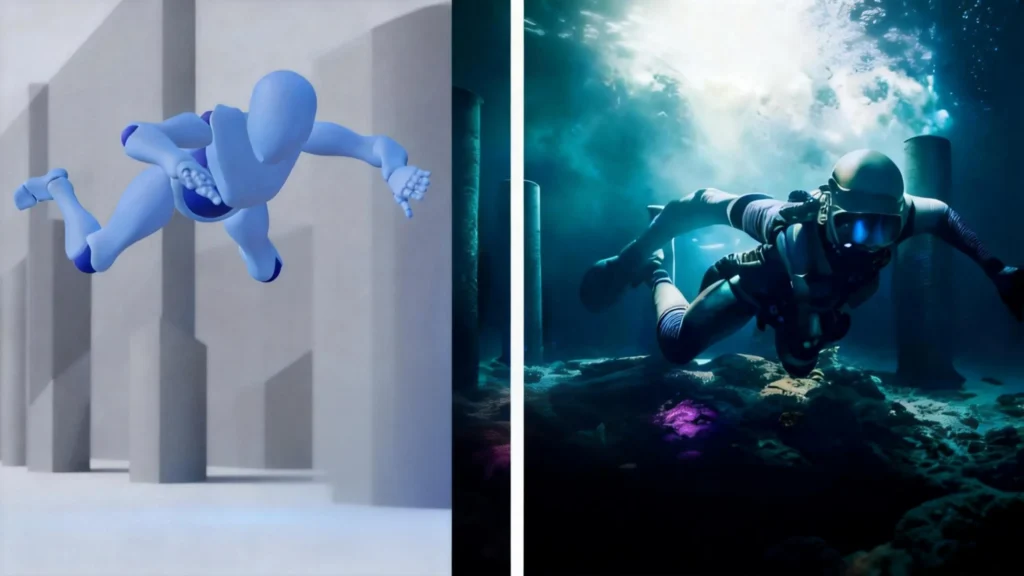
Table of Contents
What Is Video to Video AI?
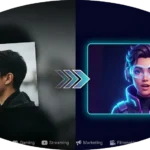
Video to video AI is a technology that uses artificial intelligence models to transform existing video content by applying new visual styles, changing subjects, synchronizing lip movements, or enhancing quality while maintaining the original motion and temporal coherence. Unlike text-to-video generation that creates footage from scratch, video-to-video AI uses your existing video as a structural foundation.
The technology works by analyzing the input video’s motion, composition, and key frames, then applying AI models to reinterpret these elements according to your instructions. This process—called temporal consistency modeling—ensures that transformations remain smooth across frames without flickering or distortion.
Core Capabilities of Video to Video AI:
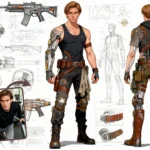
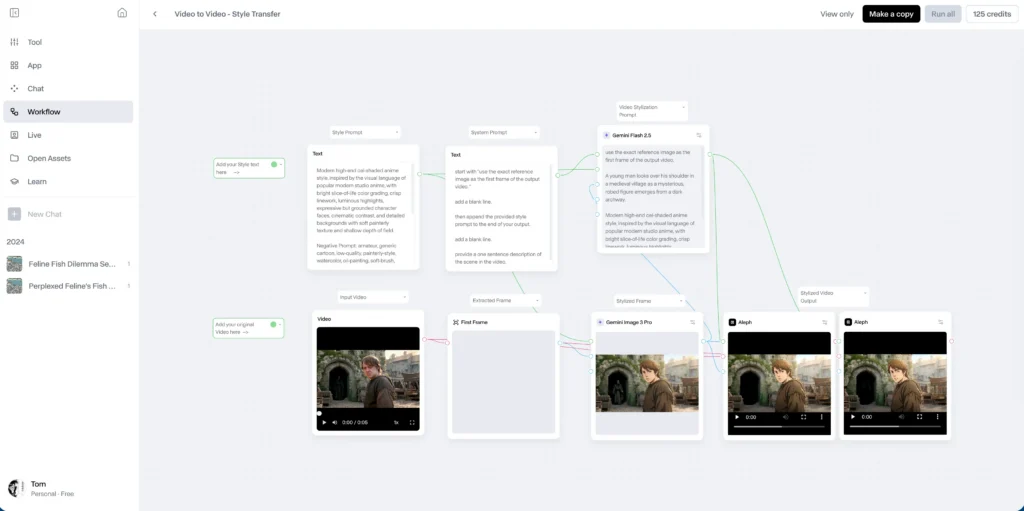
- Style Transfer: Convert realistic footage into animated, artistic, or cinematic styles
- Subject Replacement: Change people, objects, or environments while keeping original movements
- Motion Editing: Modify actions, gestures, or camera movements in existing clips
- Lip-Sync Adjustment: Match mouth movements to new audio or dialogue
- Quality Enhancement: Upscale resolution, improve lighting, or stabilize shaky footage
- Format Conversion: Transform videos between aspect ratios, formats (MP4, MOV), or compression standards
What Are the Top Video to Video AI Tools in 2026?
1. Runway Gen-4.5 Video to Video (World Model)
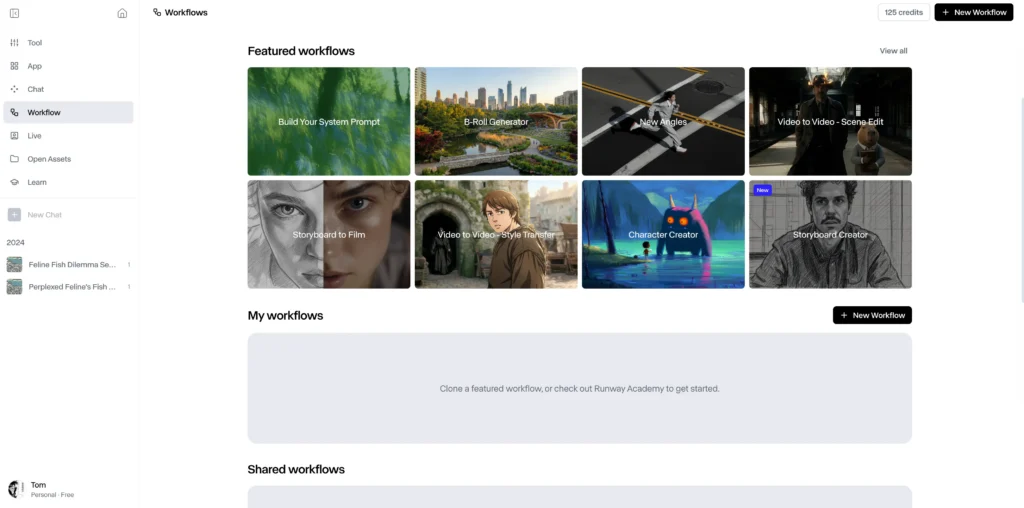
Runway Gen-4.5 provides the industry’s first Physics-Aware World Model, moving beyond simple cinematic filters to deliver deep physical and temporal realism. It is designed for high-end VFX and narrative storytelling, offering a 1,247 Elo rating on global benchmarks for motion quality and prompt adherence. Unlike its predecessors, Gen-4.5 understands momentum, fluid dynamics, and weight, making it capable of generating footage indistinguishable from reality.
Key Features:
- Physical Fidelity: Realistic simulation of weight, inertia, and collisions (e.g., hair moving naturally in wind or water splashing with accurate gravity).
- Native Audio & Dialogue: Integrated audio engine that generates synchronized ambient sound and character dialogue within the same pass.
- Extended Temporal Consistency: Generate coherent sequences up to 60 seconds with zero flickering or “AI melting.”
- Adobe Ecosystem Integration: Native API support within Adobe Premiere Pro and After Effects, allowing for seamless AI-to-timeline workflows.
- GWM-Worlds: Create interactive 3D environments from source video, allowing you to “re-shoot” the scene from different virtual angles.
Pricing:
- Base Plan: Starts at $12/month (625 credits).
- Usage: Gen-4.5 is a premium high-compute model using 25 credits per second (Gen-3 Alpha Turbo remains available at 5 credits/sec for rapid prototyping).
Best For:
VFX supervisors, narrative filmmakers, high-end commercial agencies, and Adobe Creative Cloud professionals requiring production-ready assets.
2. Hedra Video to Video with Lip-Sync
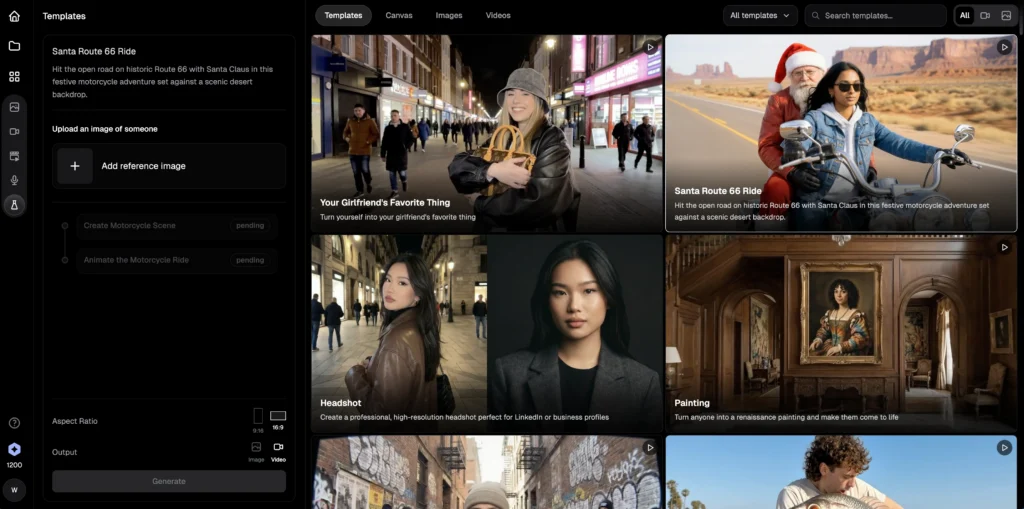
Can you do video to video to lip-sync on Hedra? Yes—Hedra specializes in audio-driven facial animation, making it the premier choice for dialogue replacement and multilingual content adaptation. Unlike general video-to-video tools, Hedra analyzes phoneme patterns in your audio track to generate photorealistic mouth movements synchronized frame-by-frame.
Unique Capabilities:
- Audio-reactive lip-sync that matches any language or accent
- Facial expression preservation while changing dialogue
- Voice cloning integration for consistent character voices
- Batch processing for dialogue-heavy content like tutorials or interviews
Pricing: Free tier with watermarks; Pro at $10/month removes branding
Best For: Content localization, dubbing projects, educational videos, podcast video adaptations
Workflow Example:
1. Upload your talking-head video
2. Provide new audio script or upload replacement audio file
3. Hedra maps phonemes to facial muscle movements
4. Review lip-sync accuracy (typically 95%+ match rate)
5. Fine-tune timing if needed, then export
3. HunyuanVideo Video to Video (Open-Source)
Hunyuan video to video offers open-source flexibility with Stable Diffusion integration for developers and researchers requiring customizable AI video pipelines. Built on diffusion model architecture, it provides fine-grained control over transformation parameters that commercial platforms don’t expose.

Technical Advantages:
- ControlNet compatibility for precise edge, depth, or pose guidance
- Custom model training on proprietary visual styles
- Local processing for sensitive or confidential video content
- API access for workflow automation and batch processing
Requirements: Python environment, CUDA-compatible GPU (12GB+ VRAM recommended), technical ML knowledge
Best For: AI researchers, studios with proprietary style requirements, privacy-sensitive projects
4. Stable Diffusion Video to Video
Stable Diffusion video to video extends the popular image generation model to temporal sequences using frame interpolation and consistency algorithms. While more technically demanding than consumer platforms, it delivers unmatched customization through community-developed extensions and LoRA models.
Implementation Options:
- Automatic1111 WebUI with Temporal Kit extension
- ComfyUI with AnimateDiff nodes for video workflows
- Deforum Stable Diffusion for keyframe-based transformations
Strengths:
- Completely free and open-source
- Thousands of community style models available
- Full control over sampling methods, CFG scale, and denoising strength
Limitations:
- Steep learning curve for non-technical users
- Requires powerful hardware (RTX 3090 or better)
- Manual frame consistency tuning often needed
5. Google Veo 3.1 AI Video Generator
Google Veo 3.1 is Google’s most advanced generative video model, prioritizing native audio-visual synchronization and high-fidelity physics. Unlike earlier iterations, Veo 3.1 doesn’t just “filter” video; it uses a 3D Convolutional Architecture to understand the relationship between space, time, and sound. This makes it the leading choice for “talking head” content, commercials, and narrative shorts where lip-sync and environmental sound are critical.
Key Features:
- Native Audio & Lip-Sync: Generates synchronized dialogue, ambient soundscapes, and sound effects (SFX) in a single pass. AI characters feature near-perfect lip-syncing for any language.
- Ingredients to Video: Upload up to three reference images (character, object, and style) to ensure 100% visual consistency across multiple shots—solving the “drifting character” problem.
- First & Last Frame Control: Provide a starting image and an ending image; Veo 3.1 generates a seamless, physics-accurate transition between them, complete with bridging audio.
- Scene Extension (60s+): While base clips are 8 seconds, the Extend tool allows creators to chain sequences into continuous narratives lasting over a minute.
- Advanced AI In-Painting (Insert/Remove): Within the Google Flow interface, users can highlight areas to insert new objects or remove unwanted elements while the AI reconstructs the background.
Pricing:
- Access: Publicly available via the Gemini App (Advanced) and Google AI Studio (Vertex AI).
- Usage-Based Pricing:
- Veo 3.1 Standard: ~$0.40 per second (High-fidelity 1080p).
- Veo 3.1 Fast: ~$0.15 per second (Optimized for rapid storyboarding).
Best For:
Ad agencies (VML/WPP partners), social media managers creating “talking” avatars, and narrative filmmakers requiring deep character and audio consistency.
How Does Video to Video AI Differ from Other AI Video Tools?
Video to video AI requires an input video as reference material, whereas text-to-video generates footage from written descriptions alone and image-to-video animates static pictures. This distinction matters because video-to-video offers significantly more control over final output—you’re guiding transformation rather than hoping an AI interprets your text correctly.
Comparison Table:
| Feature | Video to Video AI | Text to Video | Image to Video |
| Input Required | Existing video clip | Text description only | Single static image |
| Motion Control | High (preserves original) | Low (AI-generated) | Medium (limited animation) |
| Consistency | Excellent temporal coherence | Variable frame quality | Good for short clips |
| Use Cases | Repurposing, style changes, editing | Concept visualization | Product demos, thumbnails |
| Typical Duration | 5-30 seconds processed | 3-5 seconds generated | 2-4 seconds animated |
BONUS: Gaga AI for Comprehensive Video Creation
Gaga AI stands out as a multi-functional powerhouse that goes beyond traditional video-to-video transformation by combining image-to-video, text-to-video, and voice reference capabilities in a unified platform. This makes it an exceptional choice for creators who need end-to-end video production workflows without switching between multiple specialized tools.
Why Gaga AI Deserves Special Attention:
Unlike single-purpose platforms, Gaga AI enables complete video storytelling workflows from concept to final output. Whether you’re starting with a script, a static image, or existing footage, Gaga AI provides the tools to bring your vision to life with professional-quality results.

Core Capabilities That Set Gaga AI Apart:
1. Image to Video Generation:
- Transform static images, concept art, or photographs into dynamic video sequences
- Ideal for product demonstrations where you have high-quality product shots but need motion
- Perfect for breathing life into illustrations, artwork, or storyboard frames
2. Text to Video Creation:
- Generate original video content from written descriptions
- Excellent for rapid prototyping of video concepts before full production
- Useful for creating B-roll footage or establishing shots based on scene descriptions
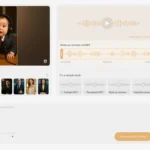
3. Voice Reference Technology (Game-Changing Feature):
- Clone and reference specific vocal characteristics for consistent narration across your video projects
- Upload a voice sample, and Gaga AI generates narration that matches the tonal quality, accent, and speaking style
- Maintains brand consistency for corporate content or character consistency for storytelling projects
- Supports multiple languages while preserving the original voice’s unique qualities
The Gaga AI Integrated Workflow:
Step 1: Concept Development Start with text-to-video to visualize your initial ideas. Generate multiple concepts quickly to find the direction that resonates with your vision.
Step 2: Visual Refinement Use image-to-video for specific shots that require precise visual control. Upload reference images or generated stills, then animate them with controlled motion.
Step 3: Audio Integration Apply the voice reference feature to add professional narration. Upload a reference voice sample (your own, a voice actor’s with permission, or generate a custom voice), then Gaga AI produces dialogue that matches perfectly.
Step 4: Final Assembly Export individual components and combine them in your preferred editing software, or use Gaga AI’s built-in sequencing tools for simpler projects.
Getting Started with Gaga AI:
1. Sign up at the Gaga AI platform and explore the dashboard
2. Start with text-to-video to understand the AI’s interpretation of prompts
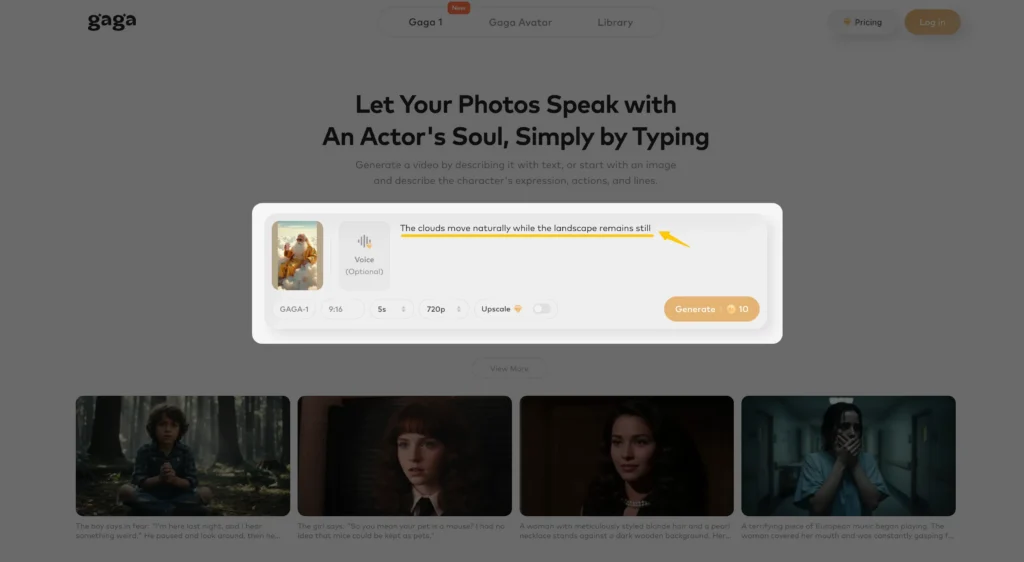
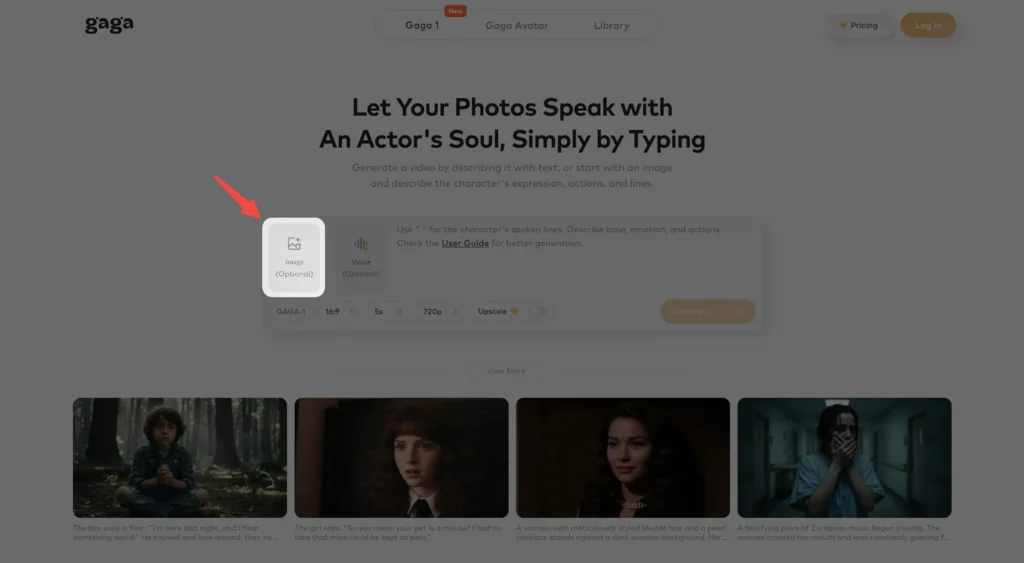
3. Upload reference images to test image-to-video capabilities
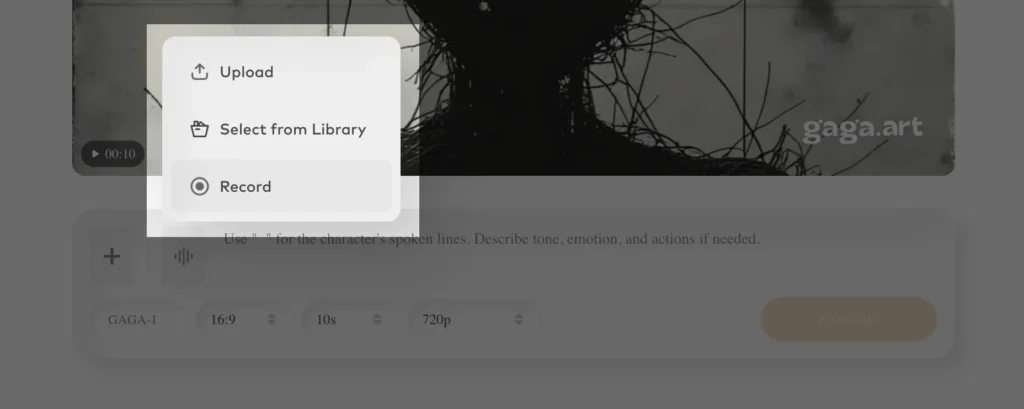
4. Experiment with voice reference by uploading a 30-60 second voice sample
5. Combine features in your first complete project to experience the integrated workflow
Gaga AI represents the future of accessible, comprehensive AI video production—where creators can move seamlessly between generation methods without sacrificing quality or creative control. Its voice reference technology particularly addresses a gap in the market: maintaining consistent audio branding across varied video content.
What Are the Primary Use Cases for Video to Video AI?

Content Repurposing and Localization
Video to video AI allows creators to adapt existing content for different platforms, audiences, or markets without complete reshoots. A YouTube tutorial can become a stylized Instagram Reel, or English-language content can be lip-synced to Spanish dialogue using Hedra’s technology.
Example: A fitness instructor’s live-action workout video transforms into an anime-style version for younger demographics while preserving the original exercise demonstrations.
Style Transfer for Branding
Brands use video-to-video AI to maintain consistent visual identity across diverse video assets. Convert stock footage into proprietary aesthetic styles, ensuring all marketing materials reflect brand guidelines.
Motion Reference for Animation
Animators use real footage as motion reference, then apply AI video to video transformation to generate base animation layers. This technique—sometimes called rotoscoping 2.0—accelerates production timelines by 60-70% compared to manual frame-by-frame animation.
Video Enhancement and Restoration
Older content receives quality upgrades through AI upscaling, color correction, and stabilization features. Archival footage from lower resolutions transforms into HD or 4K outputs suitable for modern distribution.
A/B Testing Creative Concepts
Marketing teams generate multiple visual variations from single video shoots to test audience response. Test whether realistic, illustrated, or stylized versions drive better engagement without additional filming costs.
Step-by-Step: Creating Your First Video to Video AI Transformation
Phase 1: Preparation (Critical for Quality)
1. Select source video carefully:
- Use well-lit footage with minimal motion blur
- Ensure stable camera work (or stabilize in pre-processing)
- Verify resolution is 1080p or higher for best results
- Keep initial tests to 3-5 seconds while learning
2. Export in optimal format:
- MP4 with H.264 codec (universal compatibility)
- 30fps minimum (24fps for cinematic styles acceptable)
- Bitrate: 10-20 Mbps for clean encoding
Phase 2: Transformation Process
3. Write effective prompts:
- Be specific about desired style: “watercolor painting with visible brush strokes” not just “artistic”
- Include technical details: “shallow depth of field, 35mm film grain, golden hour lighting”
- Reference known aesthetics: “Studio Ghibli style” or “Wes Anderson symmetrical composition”
4. Configure transformation parameters:
- Motion strength (0-100%): 30-50% preserves original details, 70-100% allows radical changes
- Prompt adherence: Higher values follow instructions more literally but may reduce natural flow
- Seed values: Save seed numbers from successful generations to reproduce similar results
Phase 3: Refinement
5. Iterate systematically:
- Change ONE variable at a time (prompt, motion strength, or aspect ratio)
- Keep notes on what works—AI video generation isn’t perfectly deterministic
- Test 3-5 variations before committing to long exports
6. Post-processing integration:
- Import AI-generated clips into editing software for trimming and sequencing
- Add transitions that complement the AI-generated style
- Consider color grading to unify AI output with traditionally shot footage
Is There a Free Video to Video AI Converter?
Yes—several free video to video converters exist, though they typically include limitations like watermarks, resolution caps, or processing queues. Here’s what’s actually available without payment:
Free Options with Trade-offs:
Stable Diffusion (Completely Free):
- Requires local installation and compatible GPU
- No watermarks, unlimited usage
- Steep learning curve—expect 5-10 hours learning investment
Runway (Free Tier):
- 125 credits monthly (approximately 12 seconds of Gen-3 video)
- Watermark on exports
- Good for testing before paid commitment
Hedra (Free Tier):
- Limited lip-sync generations per month
- Watermarked output
- Single video at a time processing
Gaga AI (Free Tier):
- Monthly credit allocation for testing image-to-video, text-to-video, and voice reference features
- Watermarked outputs on free plan
- Excellent for exploring multi-modal video creation before subscribing
- Particularly valuable for creators who want to test voice reference technology without immediate commitment
Google Colab Notebooks:
- Community-shared implementations of various models
- Free GPU access (with session limits)
- Requires Python knowledge
“Free” Video to Video Converter Caution:
Many websites advertising “free video to video converter” or “video to video maker free” are actually:
- Basic format converters (MP4 to AVI) without AI capabilities
- Trial offers that require payment after initial use
- Low-quality implementations with heavy compression
Recommendation: For serious projects, budget $15-30/month for quality platforms. For learning and experimentation, invest time in Stable Diffusion’s free but technical approach. If you need multi-functional capabilities with voice integration, Gaga AI’s free tier offers excellent value for exploring comprehensive video creation workflows.
Frequently Asked Questions (FAQ)
What is video to video AI generator?
A video to video AI generator is software that uses machine learning models to transform existing video footage by applying new visual styles, changing subjects, or enhancing quality while preserving the original motion and timing. Unlike creating videos from scratch, it uses your uploaded video as a structural template.
Can you do video to video chat?
Video to video chat refers to video conferencing (Zoom, Google Meet), not AI transformation. However, AI video-to-video technology could theoretically enhance video calls with real-time background changes or appearance filters, though this application is still emerging.
What’s the difference between Runway Gen-3 video to video and text to video?
Runway Gen-3 video to video requires an input video and transforms it according to your text prompt, while text-to-video generates completely new footage from descriptions alone. Video-to-video provides more control and consistency because it preserves the original motion and composition.
Is AI video to video generator free to use?
Most professional AI video to video generators operate on paid credit systems, though free tiers exist with limitations. Runway offers 125 free monthly credits, Hedra provides limited free lip-sync generations, Gaga AI offers free credits for multi-modal video creation, and Stable Diffusion is completely free but requires technical setup and powerful hardware.
How long does video to video AI processing take?
Processing time varies by platform and quality settings. Runway Gen-3 Turbo processes approximately 1 second of video in 15-30 seconds. Standard quality modes take 30-60 seconds per video second. Stable Diffusion with custom models may require 5-10 minutes per second depending on hardware.
Can Hedra do video to video lip-sync with any language?
Yes, Hedra’s video to video lip-sync technology works with multiple languages by analyzing phoneme patterns in your audio regardless of language. The system generates mouth movements matching the audio’s speech patterns, making it effective for content localization and multilingual dubbing.
What file format should I use for video to video AI?
MP4 with H.264 codec is universally supported across all platforms. Export at 1080p or higher resolution, 30fps minimum, with 10-20 Mbps bitrate. Avoid heavily compressed or low-resolution source videos, as they produce poor transformation results.
Can video to video AI remove watermarks?
No, video to video AI tools should not be used to remove watermarks from copyrighted content. While AI transformation might obscure watermarks, this constitutes copyright violation. These tools are intended for transforming your own original content or properly licensed footage.
How does HunyuanVideo compare to commercial platforms?
HunyuanVideo is open-source and offers more customization potential through ControlNet integration and custom model training, but requires significant technical expertise and powerful local hardware. Commercial platforms like Runway provide easier interfaces and cloud processing but with less flexibility and ongoing subscription costs.
What’s the maximum video length for AI video to video processing?
Current platforms typically handle 10-30 seconds per generation. Runway Gen-3 supports up to 10 seconds, with extensions possible through iterative processing. Longer videos require breaking into segments, processing separately, then reassembling in editing software.
Can I use video to video AI for commercial projects?
Licensing varies by platform. Runway’s paid plans include commercial usage rights. Stable Diffusion is open-source but custom models may have restrictions. Always review each platform’s terms of service regarding commercial use, and ensure you have rights to the source footage you’re transforming.
What makes Gaga AI different from other video to video tools?
Gaga AI differentiates itself by offering image-to-video, text-to-video, and voice reference capabilities in one platform, making it ideal for comprehensive video production workflows. Its voice reference technology allows creators to maintain consistent narration across projects without re-recording, which is particularly valuable for series content, educational materials, and brand consistency.