Key Takeaways
- HeyGen is an AI video generator that creates talking avatar videos from text, images, or audio with advanced lip-sync technology
- Avatar IV technology represents HeyGen’s most advanced model, generating full videos from single images with natural voice sync and expressive gestures
- Pricing starts at $0/month for 3 videos, with Creator ($29/mo) and Team ($39/seat/mo) plans offering unlimited video creation
- 175+ languages supported with AI video translator maintaining original voice tone and natural lip-sync across languages
- Gaga AI offers a competitive alternative with similar avatar and lip-sync capabilities at different price points
Table of Contents
What Is HeyGen Lip Sync AI?
HeyGen lip sync AI is a video generation platform that synchronizes AI avatar mouth movements with voice audio to create realistic talking videos. The technology analyzes speech patterns and automatically generates corresponding facial animations, eliminating the need for manual video editing or studio recording.
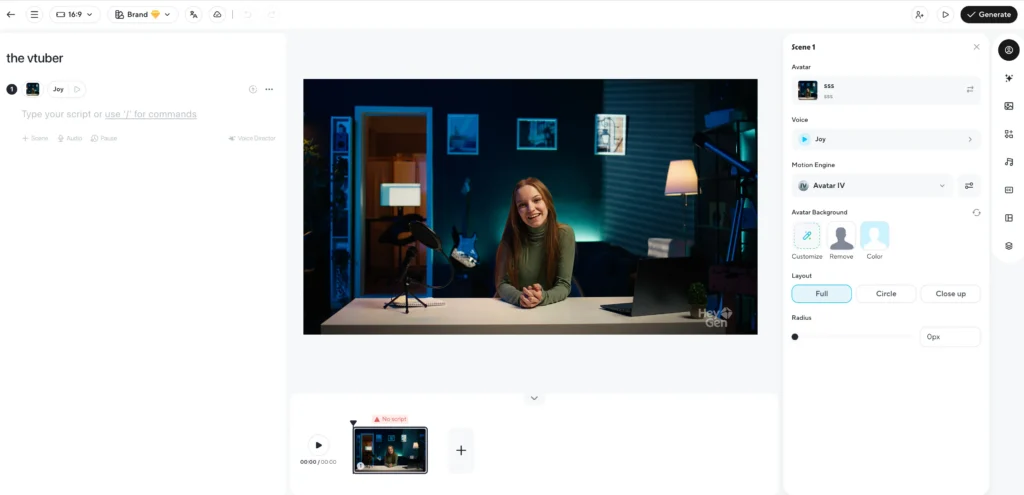
The platform processes text scripts, uploaded images, or audio files and outputs complete videos with avatars that exhibit natural speech timing, facial expressions, and lip movements that match the audio track. HeyGen has generated over 86 million videos and 62 million avatars since launch.
How HeyGen’s Lip Sync Technology Works
The Avatar IV Model
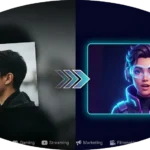
Avatar IV represents HeyGen’s most sophisticated lip-sync system. The technology transforms a single photograph into a full video by:
- Analyzing facial structure and features from the input image
- Generating natural voice synchronization based on the script or audio
- Creating expressive face dynamics including eye movements and micro-expressions
- Adding authentic hand gestures that correspond to speech patterns
Unlike earlier models that produced static or limited animations, Avatar IV generates videos up to 3 minutes long with continuous natural movement.
Voice Cloning Integration
HeyGen’s lip-sync accuracy improves through voice cloning capabilities. The system:
1. Records or uploads a voice sample
2. Analyzes vocal characteristics including tone, pitch, and pacing
3. Generates speech in the cloned voice across 175+ languages
4. Synchronizes lip movements precisely to the generated or cloned audio
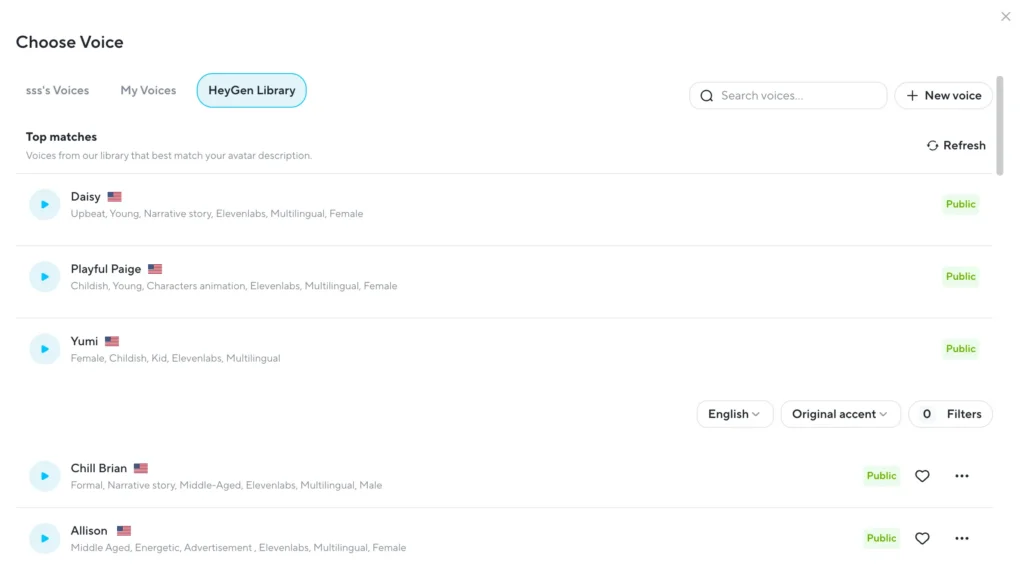
This combination ensures mouth movements align with the specific speaker’s voice characteristics rather than generic speech patterns.
HeyGen AI Avatars: Types and Capabilities
Stock Video Avatars
HeyGen provides over 700 pre-made avatars (500+ on the free plan) designed for immediate use. These avatars cover diverse demographics, professions, and presentation styles. Each stock avatar includes:
- Multiple outfit and background options
- Gesture and expression variations
- Optimized lip-sync for all supported languages
Custom Video Avatars
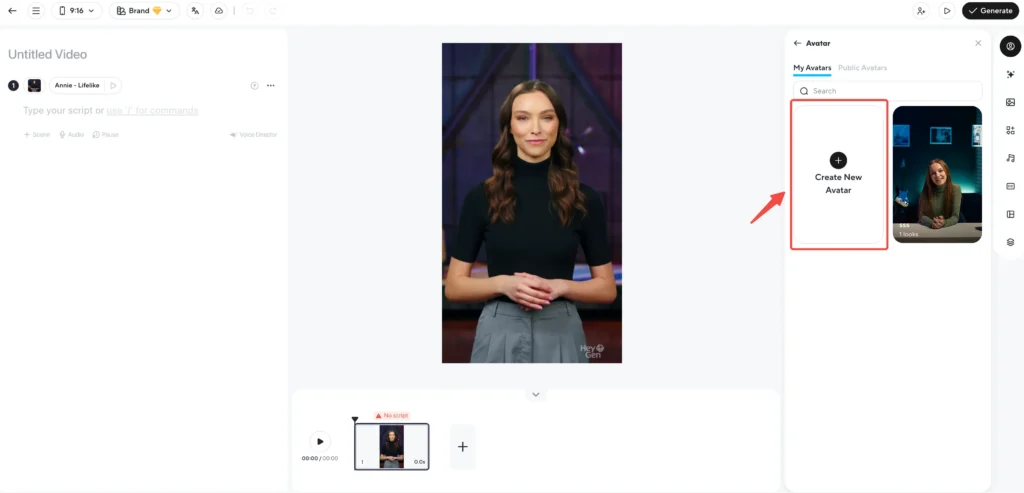
Custom video avatars replicate your actual appearance. The creation process requires:
- Recording a 2-5 minute video of yourself speaking
- Uploading the footage to HeyGen’s platform
- Waiting for AI processing (typically 24-48 hours)
- Receiving a digital duplicate that mimics your voice, expressions, and mannerisms
Creator plans include 1 custom video avatar, while Team plans provide 1 per seat with options to purchase additional avatars.
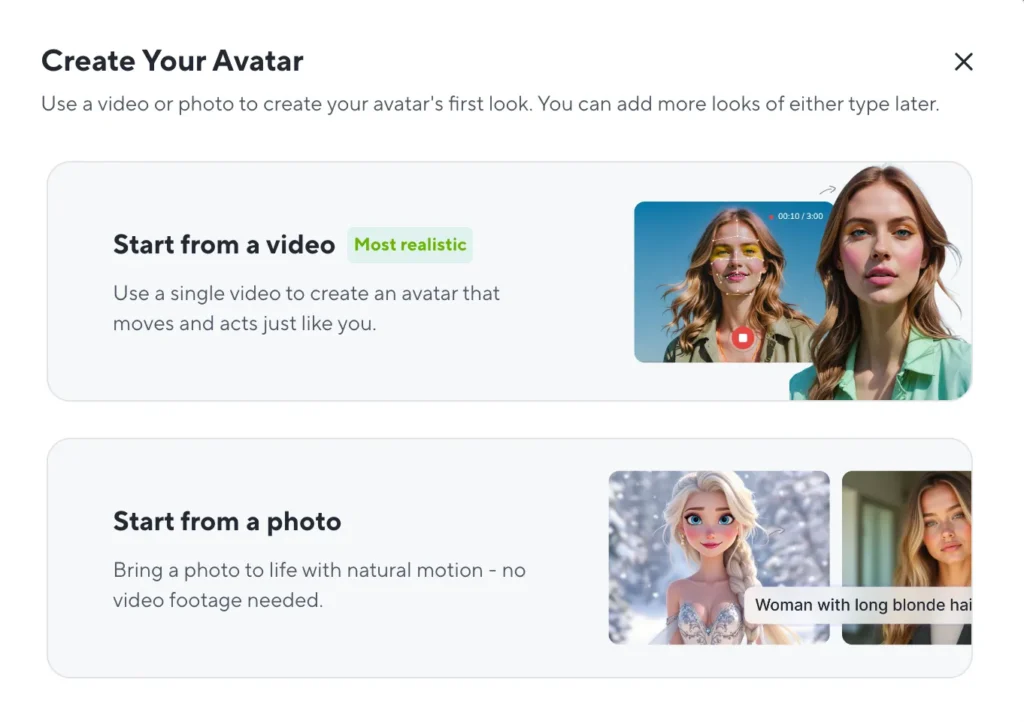
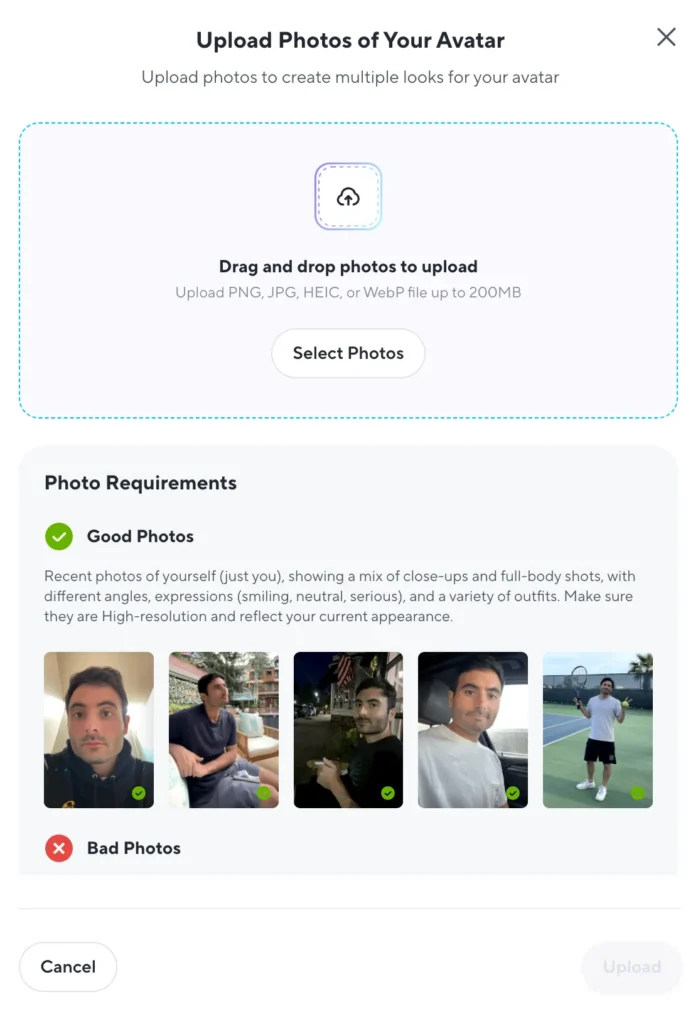
Photo Avatars
Photo avatars generate unlimited AI versions from a single photograph. Upload an image and provide text-based instructions to:
- Adjust facial expressions
- Modify clothing and backgrounds
- Change avatar positioning and angle
- Create variations for different video contexts
This feature (unlimited on Creator and Team plans) enables rapid avatar generation without video recording.
Interactive Avatars
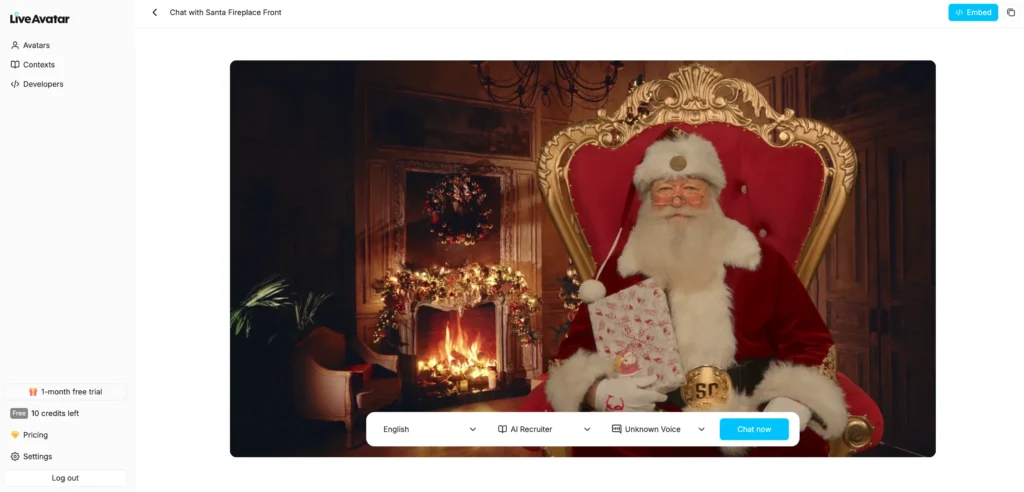
Interactive avatars respond in real-time during conversations. These avatars:
- Join Zoom meetings as virtual participants
- Answer questions using connected knowledge bases
- Stream with unlimited session duration on paid plans
- Provide 10-minute sessions on the free plan
Team plans include 1 custom interactive avatar per seat, enabling branded virtual assistants or customer service representatives.
HeyGen AI Video Generator: Core Features
Text to Video AI
Type a script and HeyGen’s text-to-video system automatically generates:
- Complete video with selected avatar
- AI voiceover matching your chosen voice style
- Background scenes and visual elements
- Text overlays and transitions
The system produces videos up to 3 minutes (free plan) or 30 minutes (paid plans) in 720p, 1080p, or 4K resolution depending on your subscription tier.
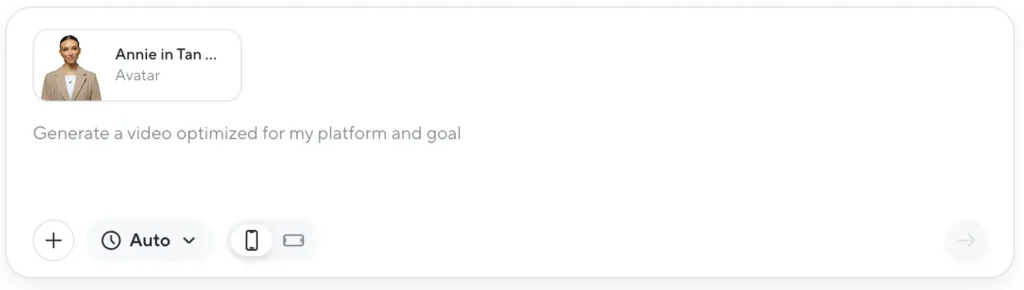
Image to Video AI
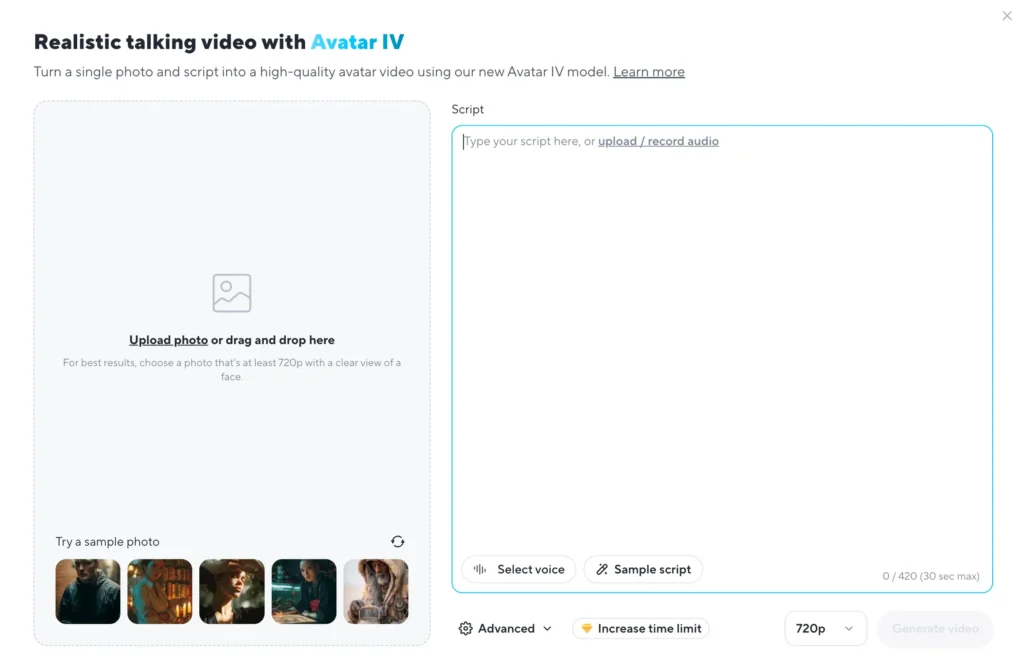
Transform static images into talking videos by:
1. Uploading a photograph
2. Adding your script or audio file
3. Selecting voice accent and language
4. Generating the animated video
HeyGen’s image-to-video AI adds lip-sync, facial animations, and optional background music without manual editing. This feature works with portraits, product images, or illustrations.
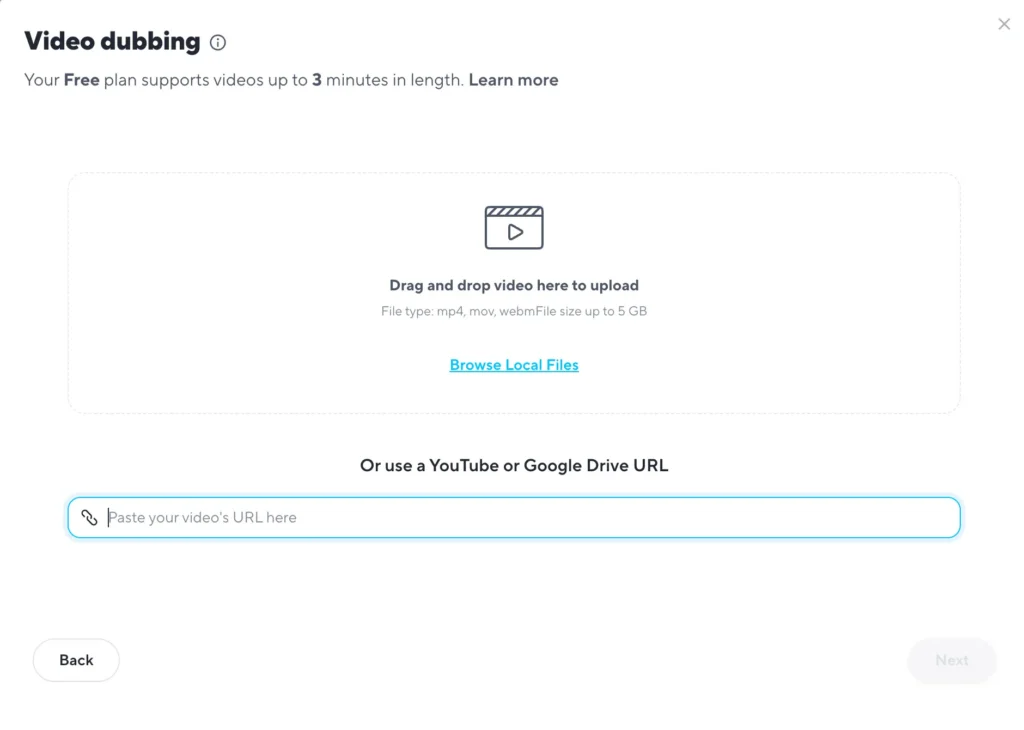
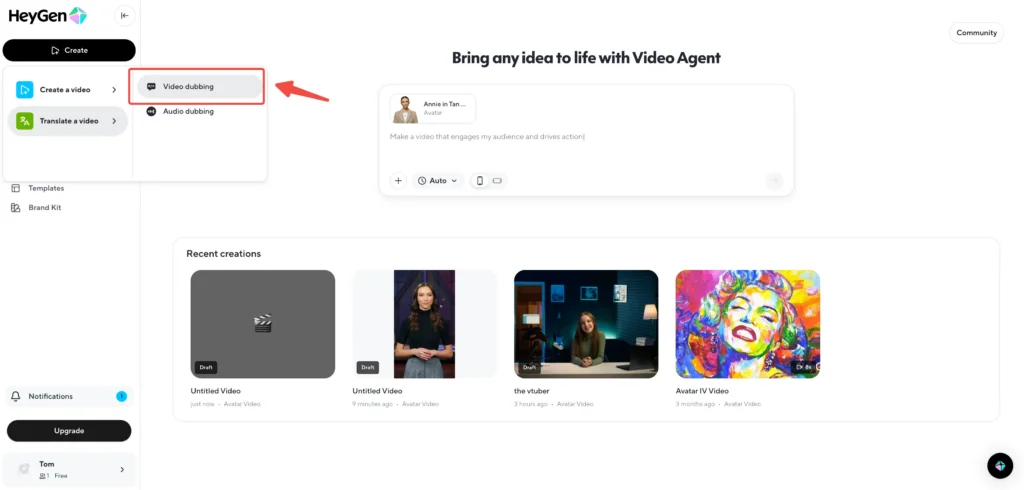
Video Translation with Lip Sync
HeyGen’s AI video translator converts existing videos into 175+ languages while:
- Maintaining the original speaker’s voice characteristics
- Automatically adjusting lip movements to match the new language
- Preserving tone, pacing, and delivery style
- Adding synchronized subtitles
Upload a video in English, for example, and generate versions in Spanish, Mandarin, or French with lip movements that naturally match each language’s phonetics. This eliminates the need to re-record content or hire voice actors for international markets.
HeyGen Pricing: Plans and Features Comparison
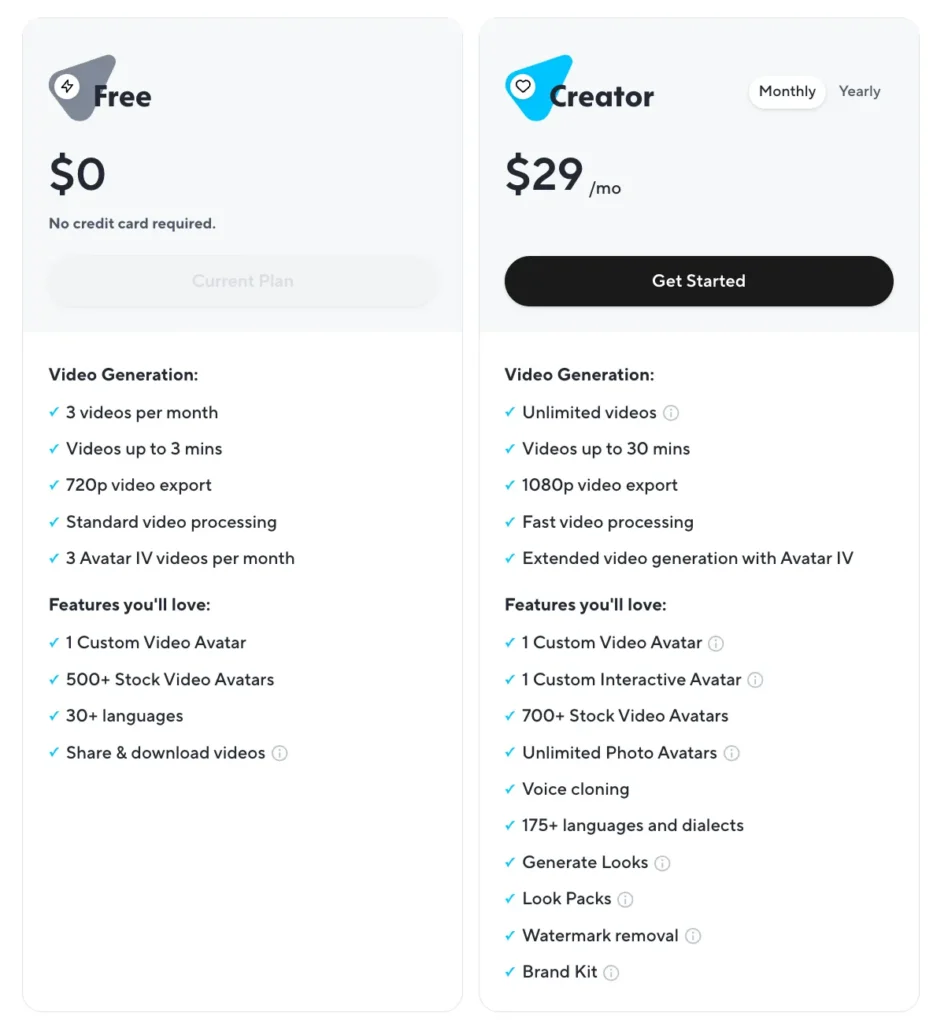
Free Plan ($0/month)
The free tier allows you to test HeyGen’s core capabilities:
- 3 videos per month (3-minute maximum duration)
- 720p video export with standard processing speed
- 1 custom video avatar and 500+ stock avatars
- 30+ languages and Avatar IV access (30-second max)
- 3 photo avatars and 10-minute interactive avatar sessions
Ideal for individuals exploring AI video generation without financial commitment.
Creator Plan ($29/month or $24/month annually)
Designed for solo content creators producing regular video content:
- Unlimited video creation (30-minute maximum per video)
- 1080p export with fast processing
- 1 custom video avatar and 700+ stock avatars
- 175 languages with voice cloning (1 clone included)
- Unlimited photo avatars and Avatar IV (3-minute max)
- Watermark removal and brand kit access
Best for YouTubers, marketers, and educators creating frequent short-to-medium-form videos.
Team Plan ($39/seat/month or $30/seat/month annually)
Built for collaborative video production:
- Everything in Creator, plus:
- 4K video export with fastest processing speeds
- 2 seats minimum with collaborative workspace
- 2 custom video avatars and 1 custom interactive avatar per seat
- Video draft commenting for team feedback
- Advanced translation editing with script proofing
Recommended for marketing teams, training departments, and agencies requiring brand consistency and multi-user access.
Add-Ons and Enterprise
HeyGen offers API access for developers integrating video generation into applications. Enterprise plans provide custom avatar limits, advanced security controls, and dedicated support for large-scale video production.
How to Create Videos with HeyGen: Step-by-Step
Creating Your First Avatar Video
1. Sign up at HeyGen’s website (no credit card required for free plan)
2. Choose your avatar type: Select from stock avatars or create a custom avatar
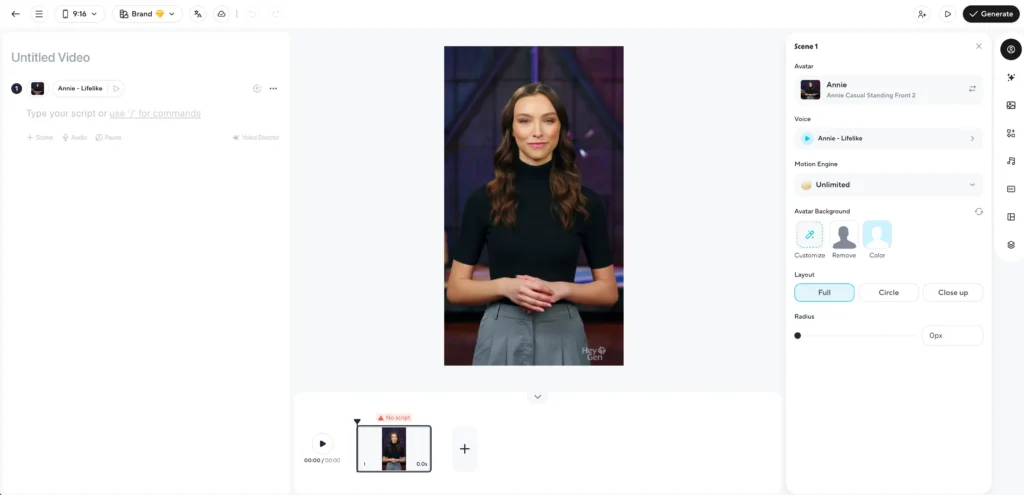
3. Write your script: Enter text up to your plan’s character limit
4. Select voice and language: Pick from 1,000+ AI voices in 175+ languages
5. Customize settings: Adjust avatar expressions, backgrounds, and gestures
6. Generate video: Click generate and wait for processing (3-10 minutes typically)
7. Download or share: Export your video or share directly from HeyGen’s platform
Creating Custom Video Avatars
To generate a custom avatar that looks and sounds like you:
1. Record consent video: Film yourself reading HeyGen’s consent script
2. Record training footage: Provide 2-5 minutes of video with varied expressions
3. Upload to HeyGen: Submit footage through the custom avatar creation tool
4. Wait for processing: Avatar generation takes 24-48 hours
5. Test your avatar: Generate a test video to verify quality
6. Start creating: Use your custom avatar across unlimited videos
Using AI Video Translation
To translate existing videos with natural lip-sync:
1. Upload your video: Import content in your source language
2. Select target language: Choose from 175+ languages and dialects
3. Review translation: Edit the auto-generated script if needed (Team plan)
4. Apply voice cloning: Maintain your voice characteristics in the new language
5. Generate translated video: HeyGen processes and syncs lip movements
6. Download localized content: Export videos for different markets
HeyGen vs Synthesia: Key Differences
Avatar Quality and Customization
HeyGen offers Avatar IV technology with full-body animations, hand gestures, and dynamic expressions from single images. Custom avatars require video recording but deliver highly realistic replication.
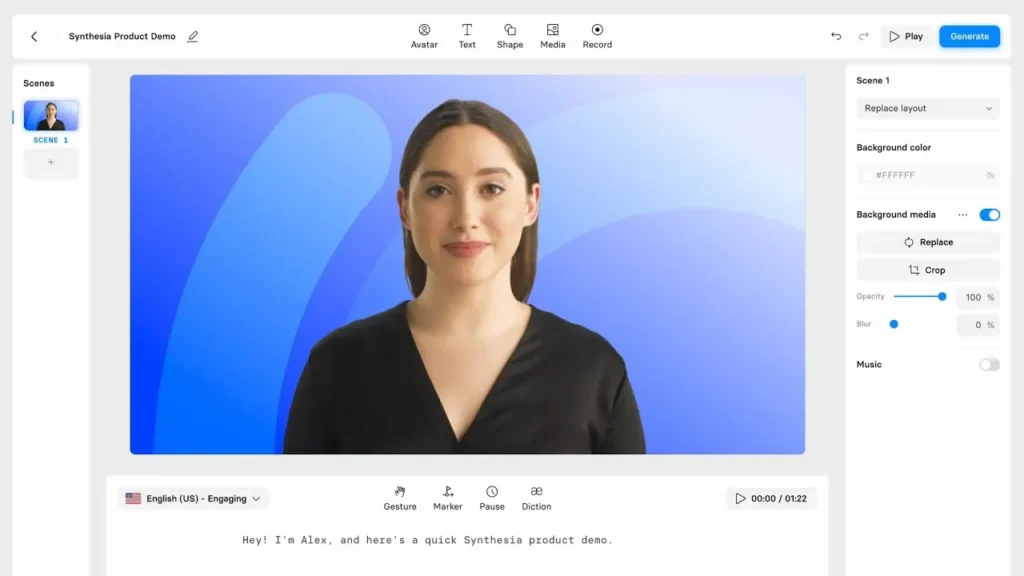
Synthesia focuses on upper-body avatars with more limited gesture options but offers faster custom avatar creation with shorter recording requirements.
Language and Translation
HeyGen provides 175 languages with advanced video translation that maintains original voice characteristics and natural lip-sync across languages.
Synthesia supports 120+ languages with strong text-to-speech but less sophisticated video translation features.
Pricing Structure
HeyGen starts at $29/month for unlimited videos with 1080p export and includes voice cloning.
Synthesia begins at $29/month (Starter) but limits video minutes and charges separately for premium features like custom avatars.
Best Use Cases
Choose HeyGen for: E-learning content, international marketing campaigns, social media videos requiring expressive avatars, and projects needing video translation.
Choose Synthesia for: Corporate training videos, professional presentations, standardized avatar appearances, and simpler video production workflows.
HeyGen Alternatives: Top Competitors
Gaga AI (Recommended Alternative)
Gaga AI provides comparable lip-sync and avatar generation with competitive pricing. Key features include:
- Natural lip synchronization with multiple avatar styles
- Text-to-video and image-to-video conversion
- Voice cloning and multi-language support
- More affordable pricing tiers for individual creators
Gaga AI works well for users seeking HeyGen-like capabilities at lower cost points or those preferring different avatar aesthetic styles.
Other Notable Alternatives
D-ID specializes in photo animation with strong lip-sync accuracy but offers fewer customization options than HeyGen.
Colossyan focuses on learning and development videos with AI avatars, providing better collaboration tools but higher pricing.
Hour One delivers enterprise-grade avatar videos with advanced security features but requires annual contracts for full capabilities.
Elai.io offers presentation-focused avatar videos with simpler editing but less sophisticated translation features.
Common HeyGen Use Cases
Sales and Marketing
- Personalized outreach videos: Create prospect-specific videos with custom avatars addressing individual pain points
- Product demonstrations: Generate explainer videos showing product features in multiple languages
- Social media content: Produce TikTok, Instagram, and LinkedIn videos at scale without filming
Training and Education
- Employee onboarding: Develop standardized training videos with consistent messaging across departments
- Course content: Transform text-based lessons into engaging avatar-led video modules
- Compliance training: Update policy videos quickly by editing scripts rather than re-filming
Content Creation
- YouTube videos: Maintain consistent upload schedules without appearing on camera
- Podcast video versions: Add visual elements to audio content by generating avatar videos
- News and updates: Deliver company announcements through branded avatar spokespersons
International Expansion
- Localized marketing: Translate promotional videos into regional languages with natural lip-sync
- Global training programs: Provide training content in employees’ native languages
- Customer support: Create FAQ videos in multiple languages for international customer bases
Technical Considerations and Limitations
Video Quality Factors
Lip-sync accuracy depends on several variables:
- Audio quality: Clear audio produces better lip synchronization
- Script complexity: Natural conversational language generates more realistic results than technical jargon
- Avatar selection: Custom avatars trained on extensive footage perform better than single-photo avatars
Processing Time
Video generation speed varies by:
- Plan tier (standard, fast, or fastest processing)
- Video length (3-minute videos process faster than 30-minute videos)
- Avatar complexity (Avatar IV takes longer than standard avatars)
- Server load (peak usage times may extend processing)
Copyright and Usage Rights
HeyGen users retain full commercial rights to generated videos, provided:
- Source materials (uploaded images, audio) don’t violate copyrights
- Avatar creation follows consent guidelines for recognizable individuals
- Content complies with HeyGen’s acceptable use policy (no sensitive or harmful content)
Tips for Maximizing HeyGen Lip Sync Quality
Script Optimization
Write scripts that enhance natural lip-sync:
- Use conversational language with contractions (it’s, we’re, don’t)
- Include natural pauses with punctuation (periods, commas)
- Avoid overly long sentences that reduce expressive variation
- Test pronunciation of technical terms or brand names
Avatar Selection
Choose avatars strategically:
- Match avatar demographics to target audience for better engagement
- Use custom avatars for branded content requiring authentic representation
- Select stock avatars with expressions appropriate to content tone
- Test multiple avatars to find best lip-sync performance for your voice
Voice Configuration
Optimize voice settings for natural results:
- Clone your voice for consistent brand presence across videos
- Select AI voices that match avatar appearance and content context
- Adjust speech speed to allow natural lip movements (avoid overly fast delivery)
- Preview voice samples before generating full videos
Frequently Asked Questions
How accurate is HeyGen’s lip sync technology?
HeyGen’s lip-sync accuracy rates exceed 95% for major languages using Avatar IV technology. The system analyzes phonemes and automatically synchronizes mouth shapes with audio. Accuracy depends on audio quality, language selection, and avatar type, with custom video avatars achieving the most realistic results.
Can I use HeyGen to create deepfakes?
HeyGen prohibits creating non-consensual deepfakes or impersonating individuals without permission. Custom avatar creation requires recording a consent video, and the platform monitors for policy violations. Users retain rights to their own likeness but cannot generate avatars of other people without explicit authorization.
Does HeyGen work for languages with different mouth shapes like Japanese or Arabic?
Yes. HeyGen supports 175 languages including Japanese, Arabic, Mandarin, Hindi, and other non-Latin languages. The lip-sync engine recognizes language-specific phonemes and adjusts mouth movements accordingly. Arabic right-to-left text is supported, and languages with significantly different lip patterns receive specialized processing.
How long does it take to generate a video with HeyGen?
Generation time varies by plan and video length. Standard processing (free plan) takes 5-15 minutes for a 3-minute video. Fast processing (Creator plan) reduces this to 3-8 minutes. Fastest processing (Team plan) generates videos in 2-5 minutes. Avatar IV videos with complex animations require additional processing time.
Can I edit HeyGen videos after generation?
HeyGen provides text-based editing through AI Studio, allowing you to modify scripts, adjust timing, and regenerate sections without starting over. You can also export videos and edit them in traditional video editing software like Adobe Premiere or Final Cut Pro. Team plans include collaborative commenting for feedback-driven revisions.
What’s the difference between video avatars and photo avatars in HeyGen?
Video avatars are created from recorded footage of a person speaking, capturing realistic movements, expressions, and mannerisms. They deliver the most lifelike results but require initial video recording. Photo avatars generate from single images and text instructions, offering unlimited variations but with slightly less natural movement. Video avatars excel for branded content, while photo avatars work well for rapid content creation.
Is HeyGen’s voice cloning ethical and legal?
HeyGen’s voice cloning follows ethical AI guidelines requiring explicit consent. Users must record consent statements before cloning voices. The platform prohibits using voice clones to impersonate others or create misleading content. Voice data is encrypted and stored securely. Users own their voice clones and can request deletion at any time.
How does HeyGen compare to traditional video production costs?
Traditional video production costs $1,000-$10,000+ per video including talent, equipment, studio rental, and editing. HeyGen’s unlimited plan at $29-$39/month enables hundreds of videos monthly, reducing per-video costs to under $1. The platform saves production time from days or weeks to minutes, though traditional video still offers superior quality for high-budget productions.
Can I integrate HeyGen into my existing workflow or application?
Yes. HeyGen offers API access for developers to integrate video generation into applications, websites, or automated workflows. The API supports programmatic video creation, avatar management, and translation features. HeyGen also integrates with HubSpot, Zapier, YouTube, and Loom for streamlined content distribution.
What happens to my custom avatars if I cancel my subscription?
Your custom avatars remain accessible as long as you maintain an active paid subscription. If you cancel, you’ll retain access until the billing cycle ends, after which you cannot generate new videos using custom avatars. Existing videos remain yours permanently and are not deleted. Resubscribing restores access to previously created custom avatars.
Does HeyGen support real-time avatar conversations?
Yes, through Interactive Avatars. These avatars join video calls, respond to questions using connected knowledge bases, and stream with unlimited duration on paid plans. Free plans allow 10-minute sessions. Interactive avatars work in Zoom meetings and can be embedded in websites for customer service or sales applications.
What file formats does HeyGen support for export?
HeyGen exports videos in MP4 format at 720p (Free), 1080p (Creator), or 4K (Team) resolution. The platform also supports direct sharing via links and embedding on websites. Audio can be extracted separately, and subtitles export in SRT format for use with video platforms.