Key Takeaways
- Haiper AI is permanently offline as of February 2025; the consumer web app no longer exists
- Core team joined Microsoft AI, shifting focus from consumer to enterprise solutions
- Video generation models sold to NetMind.AI for future B2B integration
- Multiple powerful alternatives available, including Gaga AI, Runway AI, Kling AI, Sora, and Veo 3.1
- Enterprise/API access still exists for business clients, but individual access is gone
- Former capabilities included text-to-video, image-to-video, video enhancement, and duration extension
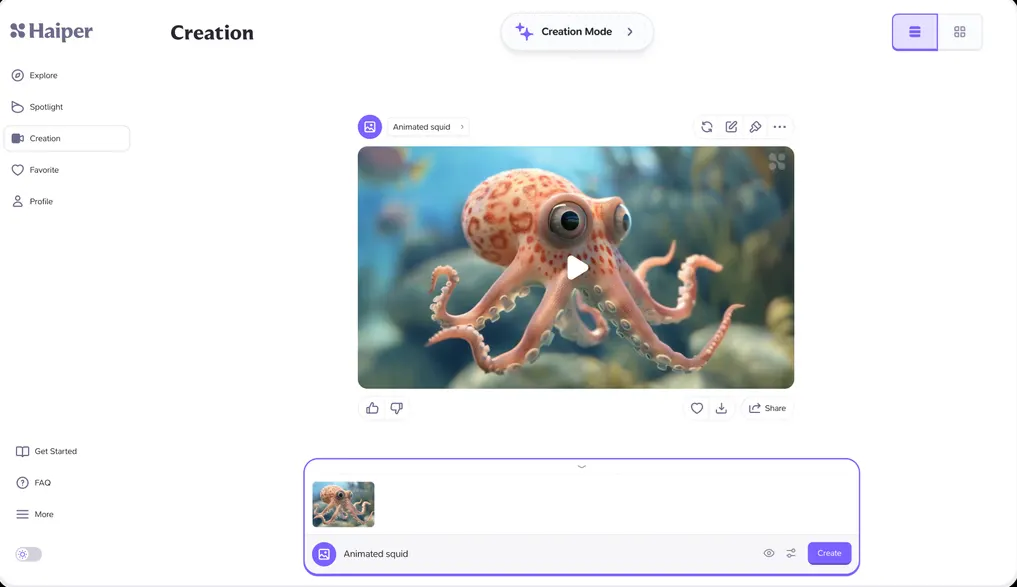
Table of Contents
What Happened to Haiper AI? Understanding the Shutdown
Haiper AI shut down its consumer web application in February 2025, ending public access to what was once a promising AI video generation platform. The website now returns a 404 error after the company officially closed its consumer web app and shifted focus to enterprise solutions.
The shutdown unfolded in three phases:
February 2025: Consumer Platform Closure The company’s cofounders and key staff joined Microsoft AI in early 2025, prompting the immediate shutdown of the public-facing web application. Users lost access to all stored projects and video generation capabilities.
March 2025: Leadership Transition to Microsoft Cofounders Yishu Miao and Ziyu Wang, both former Google DeepMind researchers, joined Microsoft AI as technical staff, along with machine learning researcher Edward Hayes. This strategic hire followed Microsoft’s pattern of acquiring talent from promising AI startups.
June 2025: Technology Asset Sale NetMind.AI acquired Haiper’s video-generation model for an undisclosed sum, with plans to recruit additional employees. The technology will be integrated into NetMind’s decentralized AI compute platform for future B2B applications.
Why the Shutdown Matters: Founded in 2021 by DeepMind alumni with $13.8 million in seed funding, Haiper was positioned as a European challenger to American AI video tools. The rapid transition from consumer product to enterprise-only solution reflects broader consolidation trends in the generative AI sector, where larger tech companies acquire promising talent and technology rather than allowing independent platforms to compete.
What Was Haiper AI? A Look at Its Core Capabilities
Before its shutdown, Haiper AI was an advanced AI video and image generator that used foundation models trained on visual data and physics simulations. The platform offered several specialized tools for content creation:
Primary Features
Text-to-Video Generation Users could create videos up to several seconds long by entering descriptive text prompts. The AI interpreted natural language descriptions to generate motion, lighting, and scene composition.
Image-to-Video Animation Static images could be transformed into dynamic video content with realistic motion applied to elements within the frame.
Text-to-Image Creation The platform generated four high-quality images from a single text prompt, providing multiple creative options for users.
Video Enhancement An AI-powered enhancement tool improved resolution, color correction, and visual details in existing videos.
Duration Extension Users could extend video length while maintaining visual consistency and quality across the extended frames.
Video-to-Video Transformation Existing videos could be restyled with different aesthetic treatments (cinematic, anime, vintage) while preserving core content.
Technical Strengths
Haiper was recognized for producing videos with realistic motion, vibrant colors, and intricate details. The platform’s interface was designed for accessibility, allowing users with minimal technical expertise to generate professional-quality content quickly.
Known Limitations
User reviews prior to shutdown indicated several constraints: videos were limited to short durations, occasional generation bugs occurred, and advanced editing capabilities were minimal compared to professional video editing software. Quality consistency varied depending on prompt complexity and subject matter.
The 7 Best Haiper AI Alternatives for AI Video Generation
With Haiper AI permanently offline, creators need reliable alternatives that match or exceed its capabilities. Here are the top platforms for AI-powered video generation in late 2025:
1. Gaga AI — Best Overall Haiper AI Replacement
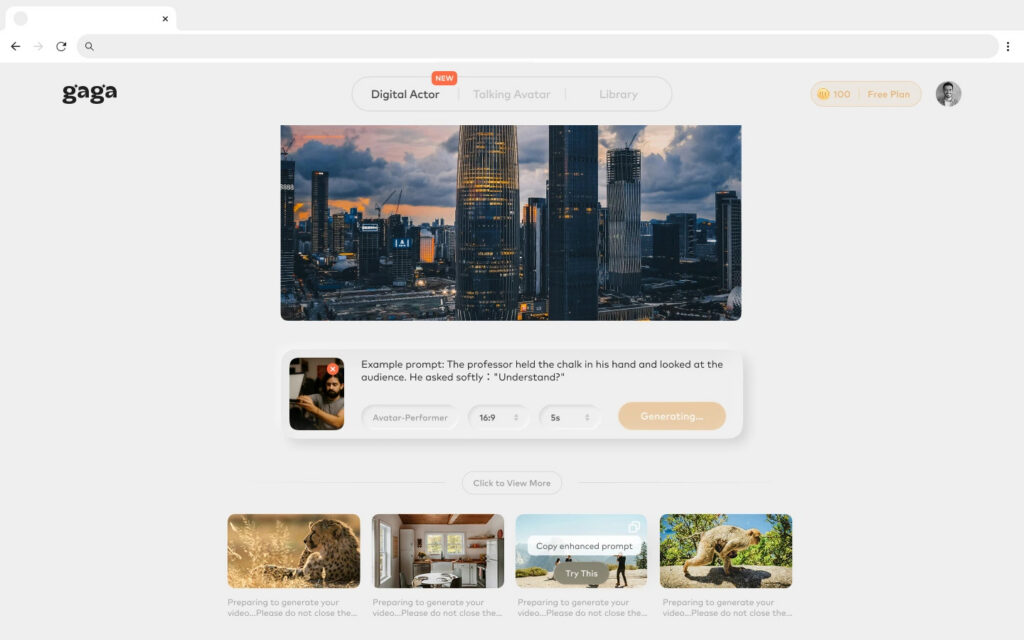
Why Choose Gaga AI: Gaga AI emerges as a comprehensive AI video generation platform that closely mirrors Haiper AI’s original feature set while offering enhanced capabilities and reliability.
Key Features:
- Text-to-video generation with natural language understanding
- Image-to-video animation for bringing static visuals to life
- Video enhancement tools for upscaling and quality improvement
- User-friendly interface designed for creators of all skill levels
- Fast processing times with queue priority options
- Consistent output quality across different prompt types
Best For: Former Haiper AI users seeking a direct replacement with similar workflows, content creators needing versatile video generation tools, and marketers producing social media content at scale.
Pricing: Offers both free and premium tiers with flexible credit systems.
2. Runway AI (RunwayML) — Best for Professional Video Creation
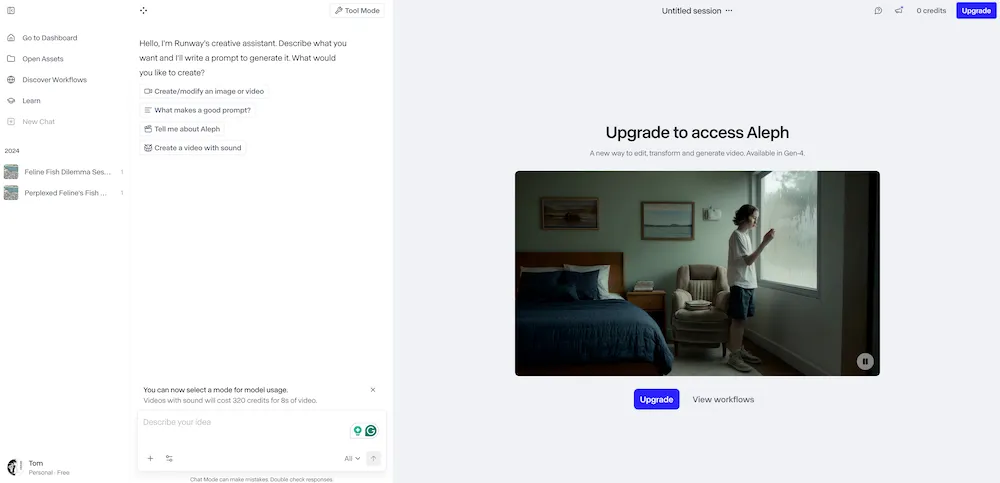
Why Choose Runway: Runway AI has established itself as the industry leader for professional AI video generation, offering the Gen-3 Alpha model with superior motion coherence and visual quality.
Key Features:
- Advanced text-to-video generation with detailed scene control
- Motion brush for precise animation control over specific elements
- Camera controls for simulating professional cinematography
- Depth-based generation for realistic 3D spatial relationships
- Comprehensive editing suite including background removal, video extension, and lip sync
- Image-to-image transformation with style transfer capabilities
Best For: Professional content creators, filmmakers, and agencies requiring fine-grained control over video output and advanced editing capabilities.
Pricing: Subscription-based with multiple tiers; free trial available.
3. Sora (OpenAI) — Best for Photorealistic Long-Form Video
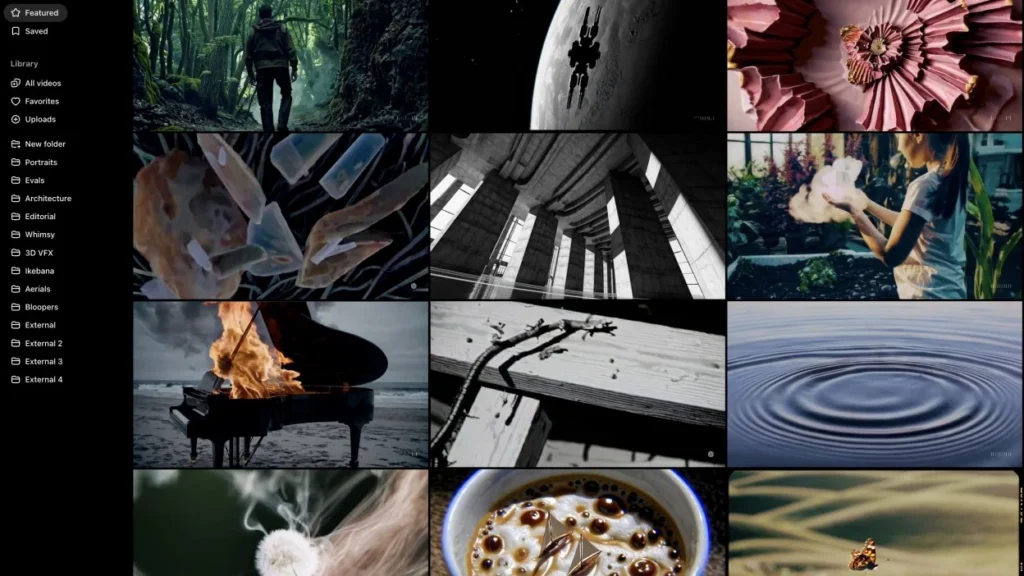
Why Choose Sora: Sora generates highly realistic videos up to 20 seconds long with exceptional consistency in characters, environments, and lighting across scenes.
Key Features:
- Extended video duration (up to 20 seconds) with scene consistency
- Remix tool for modifying existing videos
- Re-cut functionality for rearranging and extending video segments
- Storyboard mode for multi-scene narrative planning
- Multimodal input accepting text, image, and video prompts
- Physics simulation for realistic object interactions and movement
Best For: Creators needing longer, cinema-quality videos with complex narratives and consistent character presence.
Pricing: Available through ChatGPT Plus and Pro subscriptions.
4. Kling AI — Best for Fast, Realistic Motion
Why Choose Kling: Kling AI specializes in high frame coherence and realistic 3D character motion, making it ideal for social media content and quick iterations.
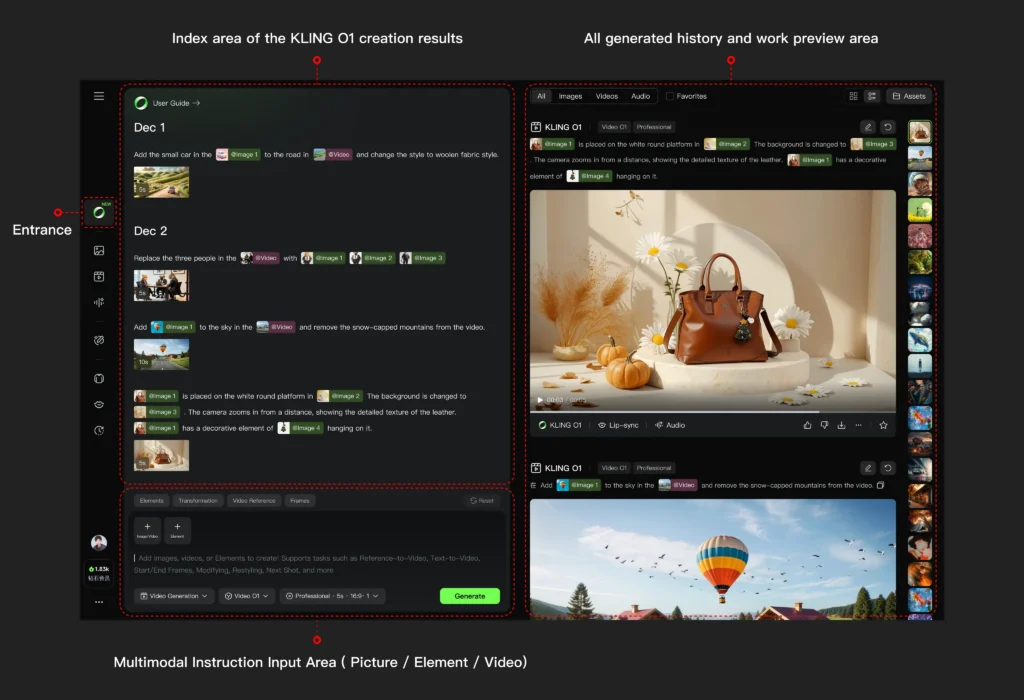
Key Features:
- High-speed generation with minimal wait times
- Motion brush control for directing specific element movement
- 3D character animation with natural motion physics
- Text-to-video with detailed prompt understanding
- Image-to-video animation for bringing stills to life
- AI voiceover and sound effects for complete audio-visual production
- One-stop workflow from script to storyboard to final video
Best For: Social media creators, marketers needing rapid content turnaround, and creators focusing on character-driven content.
Pricing: Credit-based system with monthly subscription options.
5. Pika Labs — Best for Stylized and Artistic Content
Why Choose Pika: Pika excels at generating stylized, animated, and abstract video content, making it popular among artists and creative professionals.
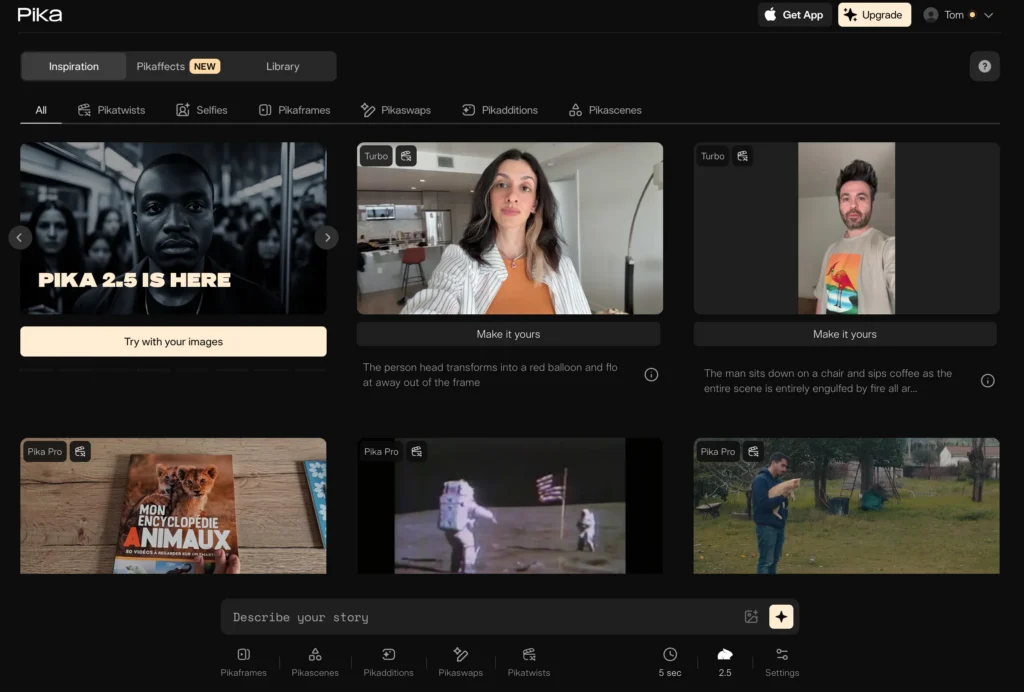
Key Features:
- Text-to-video and image-to-video generation
- Video inpainting technology for modifying specific elements without regenerating entire scenes
- Advanced lip-syncing for realistic voiceover integration
- Customizable templates for quick project starts
- Style transfer for artistic video transformations
- Community-driven platform with shared creations for inspiration
Best For: Artists, animators, and creators focusing on stylized or abstract visual content rather than photorealism.
Pricing: Free tier available; paid plans for increased generation capacity.
6. Vidu AI — Best for Multimodal Video Creation
Why Choose Vidu AI: Vidu AI offers strong multimodal capabilities with its Multi-Entity Consistency feature, ensuring all uploaded elements maintain consistency throughout generated videos.
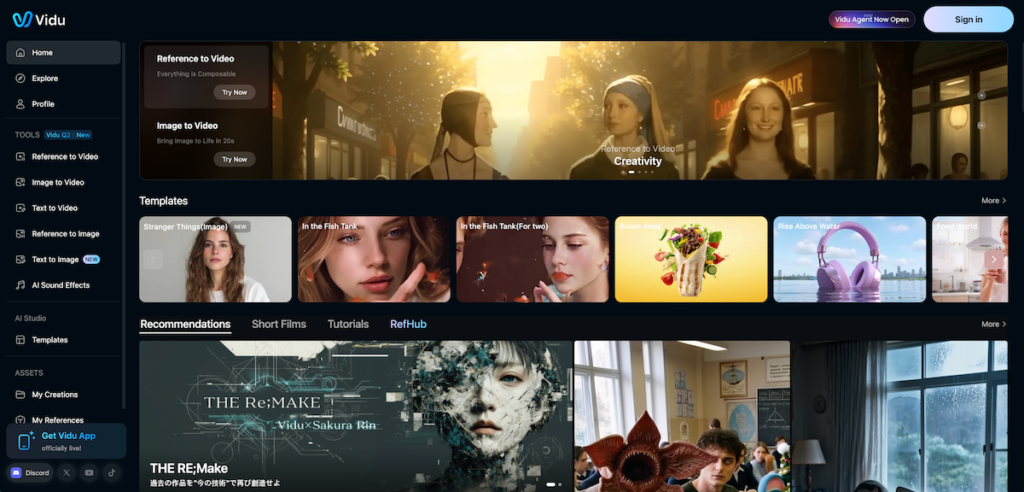
Key Features:
- Text-to-video with detailed control
- Reference-to-video generation maintaining consistency across multiple input elements
- Multi-Entity Consistency for coherent integration of multiple subjects
- Vast template library for various industries and use cases
- Image synthesis alongside video generation
- Flexible editing and customization tools
Best For: Marketers and businesses creating branded content requiring consistent visual elements across multiple video assets.
Pricing: Subscription-based with tiered feature access.
7. HeyGen — Best for AI Avatar and Presenter Videos
Why Choose HeyGen: HeyGen specializes in creating videos with realistic AI avatars and voiceovers, perfect for presentations, training materials, and personalized messages.
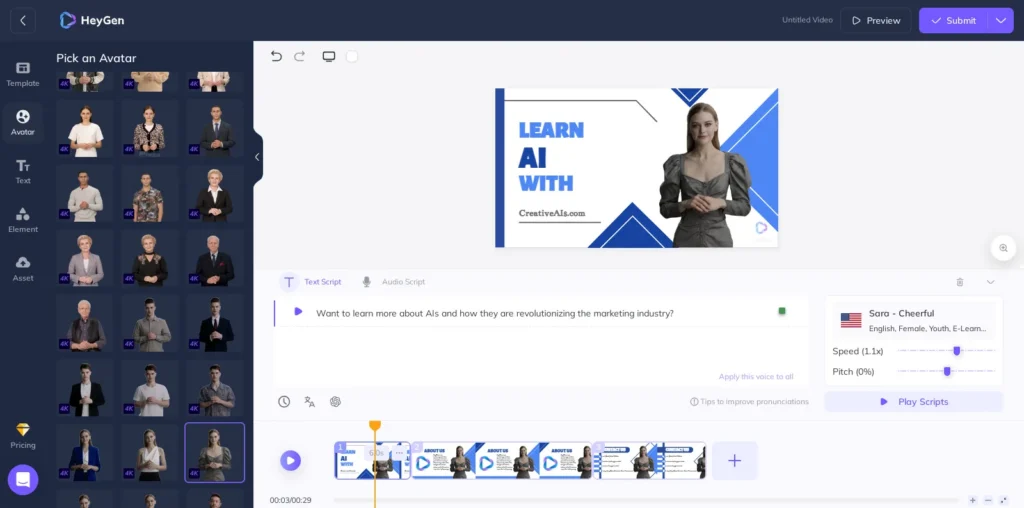
Key Features:
- 100+ AI-generated avatars in diverse styles and appearances
- Custom avatar creation from user photos
- 175+ languages and accents for global reach
- Real-time editing with instant preview capabilities
- Accessibility features including automated subtitles and captions
- Template library for business, education, and marketing content
- Lip-sync technology matching avatar mouth movements to audio
Best For: Businesses creating training videos, sales presentations, educational content, and personalized customer communications without hiring actors.
Pricing: Free trial available; paid plans scale with avatar customization and video output.
8. Veo 3.1 (Google DeepMind) — Best for Cinematic Quality and Realism
Why Choose Veo 3.1: Veo 3.1 represents Google DeepMind’s latest advancement in AI video generation, delivering exceptional cinematic quality with advanced understanding of real-world physics and cinematography principles.
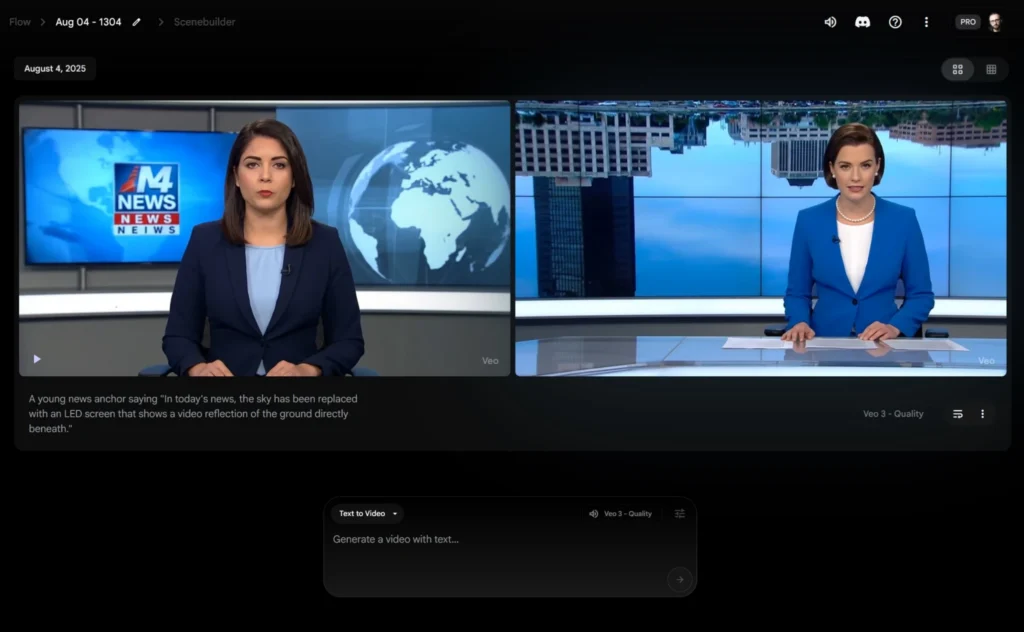
Key Features:
- Ultra-high resolution output with superior visual fidelity
- Extended video duration supporting longer sequences than most competitors
- Advanced physics simulation for realistic movement and interactions
- Cinematic camera controls including focal length, depth of field, and camera movement
- Text-to-video generation with nuanced prompt understanding
- Image-to-video capabilities with exceptional motion coherence
- Multi-shot consistency maintaining visual continuity across scenes
- Google integration seamless access through Google’s ecosystem
Best For: Filmmakers and content creators prioritizing cinematic quality, brands requiring premium advertising content, and creators needing sophisticated camera control and realistic physics.
Pricing: Access through Google AI Studio and Vertex AI; pricing varies based on usage and enterprise agreements.
How to Choose the Right Haiper AI Alternative
Selecting the best alternative depends on your specific needs:
Choose Gaga AI if:
- You want the closest replacement to Haiper AI’s original workflow
- You need a balanced mix of features without overwhelming complexity
- Budget-friendly pricing is important
Choose Runway AI if:
- You need professional-grade output with advanced controls
- Video editing features are essential
- Budget allows for premium pricing
Choose Sora if:
- Photorealism is your top priority
- You need longer video durations (up to 20 seconds)
- You already have a ChatGPT subscription
Choose Kling AI if:
- Speed and efficiency matter most
- You create high-volume social media content
- Character animation is central to your work
Choose Pika Labs if:
- Artistic and stylized content is your focus
- You prefer abstract over photorealistic output
- Community collaboration enhances your workflow
Choose Vidu AI if:
- Brand consistency across multiple videos is critical
- You work with multiple visual elements simultaneously
- Template-based workflows accelerate your production
Choose HeyGen if:
- Human presenters are central to your content
- You need multilingual capabilities
- Training or explainer videos dominate your output
Choose Veo 3.1 if:
- Cinematic quality is your absolute priority
- You need sophisticated camera controls and physics simulation
- You’re already integrated into Google’s ecosystem
- Premium advertising or film production is your focus
Advanced Use: Haiper AI via ComfyUI (For Developers)
For developers and technical users who previously integrated Haiper AI into workflows, the ComfyUI-HaiperAI-API custom nodes provided programmatic access to Haiper’s capabilities.
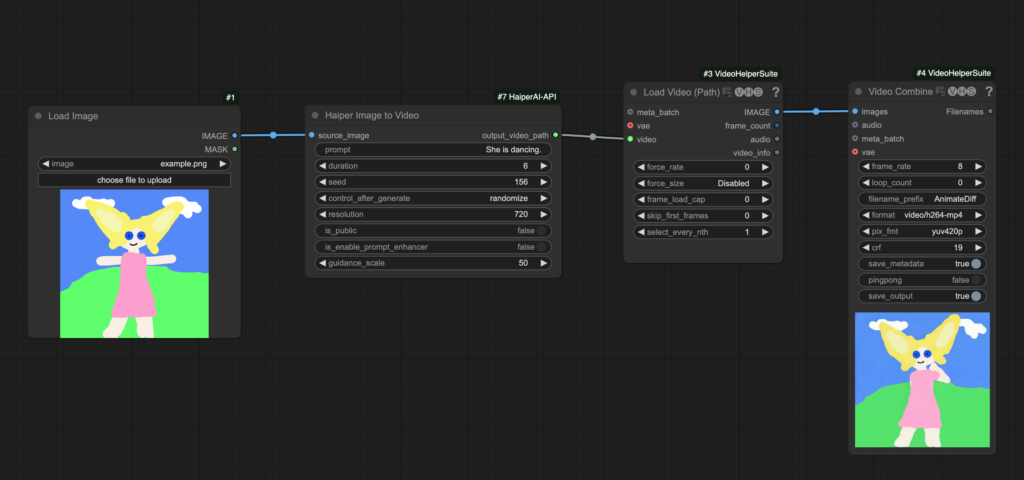
What Was ComfyUI Integration?
ComfyUI is a node-based interface for AI workflows. The Haiper AI custom nodes allowed users to:
- Generate videos from text prompts programmatically
- Animate images through automated pipelines
- Create image batches from text descriptions
- Control keyframe-based video generation
Current Status
With Haiper AI’s consumer platform shutdown, the ComfyUI integration no longer functions for public users. However, the underlying technology may still be accessible through:
1. NetMind.AI Enterprise Solutions — The acquirer of Haiper’s technology may offer API access for B2B clients
2. Alternative ComfyUI Integrations — Platforms like Runway AI and Kling AI offer their own API and ComfyUI nodes
Alternative Developer Solutions
If you built workflows around Haiper’s API, consider these alternatives:
Runway ML API
- Comprehensive REST API for video generation
- Well-documented with Python and JavaScript SDKs
- Supports text-to-video, image-to-video, and video editin
Stability AI Video
- Open-source models available
- Self-hosting options for privacy-sensitive applications
- Active developer community
Replicate Platform
- Unified API access to multiple AI video models
- Pay-per-use pricing
- Easy model switching without code changes
Frequently Asked Questions (FAQ)
Is Haiper AI still available in 2026?
No, Haiper AI’s consumer web application permanently shut down in February 2025 and is no longer accessible to individual users. The website returns 404 errors, and all user accounts and projects were discontinued.
Can I still access my Haiper AI projects?
No, once the platform shut down in February 2025, all user projects became permanently inaccessible. The company did not provide data export options or transition periods for users to retrieve their content.
Why did Haiper AI shut down?
Haiper AI shut down due to a strategic pivot toward enterprise solutions. The company’s cofounders and key engineers were hired by Microsoft AI in early 2025, and the core video-generation technology was later sold to NetMind.AI. This reflects broader industry consolidation where large tech companies acquire AI talent and technology rather than supporting independent consumer platforms.
Is there enterprise or API access to Haiper AI technology?
Possibly, but not through the original Haiper platform. NetMind.AI, which acquired Haiper’s video-generation models in June 2025, plans to integrate the technology into its decentralized AI compute platform for B2B solutions. Direct enterprise access details have not been publicly announced.
What is the best free alternative to Haiper AI?
Pika Labs offers the most comparable free tier with text-to-video and image-to-video generation. Gaga AI and FlexClip also provide free plans with AI-assisted tools, making them accessible options for budget-conscious creators.
Which Haiper AI alternative produces the highest quality videos?
Runway AI’s Gen-3 Alpha model currently leads in professional video quality, offering superior motion coherence, visual fidelity, and advanced editing controls. For photorealism specifically, OpenAI’s Sora excels at creating cinema-quality output.
What is the closest replacement to Haiper AI?
Gaga AI offers the most similar feature set and workflow to the original Haiper AI platform, making it the most direct replacement for former Haiper users seeking familiar functionality.
Can I use AI video generators for commercial purposes?
Yes, but licensing depends on the specific platform and pricing tier. Gaga AI, Runway AI, Kling AI, and HeyGen all offer commercial licenses in their paid plans. Always review each platform’s terms of service regarding commercial usage rights, especially for client work or monetized content.
How long can AI-generated videos be?
Video length limits vary by platform:
- Sora: Up to 20 seconds
- Runway AI: Typically 4-10 seconds, extendable
- Kling AI: 5-10 seconds standard
- Gaga AI: 5-10 seconds standard
- Pika Labs: 3-4 seconds, extendable
- Duration extension features available on most platforms allow you to create longer content by chaining or extending segments
Do AI video generators require technical skills?
No, most modern AI video generators are designed for users without technical backgrounds. Platforms like Gaga AI, Pika Labs, HeyGen, and Vidu AI offer intuitive interfaces with simple text prompt inputs. However, achieving professional results often requires practice in prompt engineering and understanding platform-specific features.
Are there copyright issues with AI-generated videos?
Potential copyright concerns exist in two areas:
1. Input materials: Using copyrighted images or videos as inputs may violate terms of service and copyright law
2. Generated content: Most platforms grant users rights to generated content, but outputs resembling copyrighted characters or trademarked designs can create legal issues
Always review platform terms regarding ownership, commercial use, and content that may resemble existing intellectual property.
Can AI video generators create consistent characters across multiple videos?
Character consistency remains challenging for most AI video generators. Vidu AI’s Multi-Entity Consistency feature and Kling AI’s character animation capabilities offer the best current options for maintaining character appearance across multiple generations. For projects requiring perfect consistency, HeyGen’s custom avatar creation provides the most reliable solution.
How do AI video generators compare to traditional video editing?
AI video generators and traditional editing serve different purposes:
- AI generators: Best for creating entirely new content from descriptions, rapid prototyping, and concept visualization
- Traditional editing: Superior for precise control, complex narratives, and polished professional productions
Many creators use hybrid workflows, generating base content with AI and refining it in traditional editing software like Adobe Premiere Pro or DaVinci Resolve.
Key Takeaways: Moving Forward After Haiper AI
The shutdown of Haiper AI marks a significant shift in the AI video generation landscape, but the technology continues to advance through competing platforms. Here’s what creators should know:
For Former Haiper AI Users:
- Transition to Gaga AI for the most similar user experience and feature set
- Consider Runway AI for professional-grade alternatives with advanced controls
- Explore Kling AI if speed and social media focus were your primary use cases
- Try Pika Labs for stylized content similar to Haiper’s artistic capabilities
For Businesses:
- Enterprise AI video technology continues to evolve through platforms like NetMind.AI
- The consolidation trend suggests partnerships with established tech companies may offer more stability than standalone platforms
- Evaluate multiple platforms before committing to annual subscriptions
For Developers:
- API access remains available through alternative platforms
- ComfyUI integrations exist for Runway AI and other major platforms
- Monitor NetMind.AI announcements for potential B2B access to former Haiper technology
Industry Implications: The rapid acquisition of Haiper AI by Microsoft and subsequent technology sale to NetMind.AI reflects the broader AI industry’s consolidation phase. Independent consumer-facing AI platforms face intense competition from well-funded tech giants, making platform longevity uncertain. Creators should diversify their toolsets across multiple platforms and avoid vendor lock-in.
Related Posts:
 The Complete Guide to Stable Diffusion AI Video: From Image Generation to Advanced Video Creation
 AI Movie Generator: Complete Guide to Creating Videos with Artificial Intelligence in 2026
 Invideo AI Video Generator: Complete Guide to Features, Pricing & Free Alternatives
 AI Twerk Generator: 5 Free Tools to Create Viral Videos