Bottom Line Up Front (BLUF): An avatar maker is a software tool, increasingly powered by artificial intelligence, that allows users to create digital representations of humans or characters. These tools range from static profile picture creators to advanced AI avatar video generators that synthesize realistic talking heads from text or audio. The current market leaders for video generation are HeyGen and Gaga AI, which offer hyper-realistic lip-syncing and voice cloning capabilities.
Key Takeaways
- Core Function: Modern avatar makers convert text-to-video, animating a digital character to speak your script with perfect lip-sync.
- Top Tools: HeyGen (best for professional/business use) and Gaga AI (strong contender for emotional realism).
- Cost: Most high-end AI avatar generators operate on a freemium model; truly free AI avatar generators often include watermarks or credit limits.
- Use Cases: Ideal for marketing videos, L&D (Learning & Development) training modules, customer support agents, and anonymous social media content.
Table of Contents
What is an AI Avatar Maker?
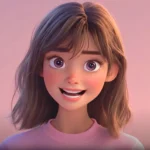
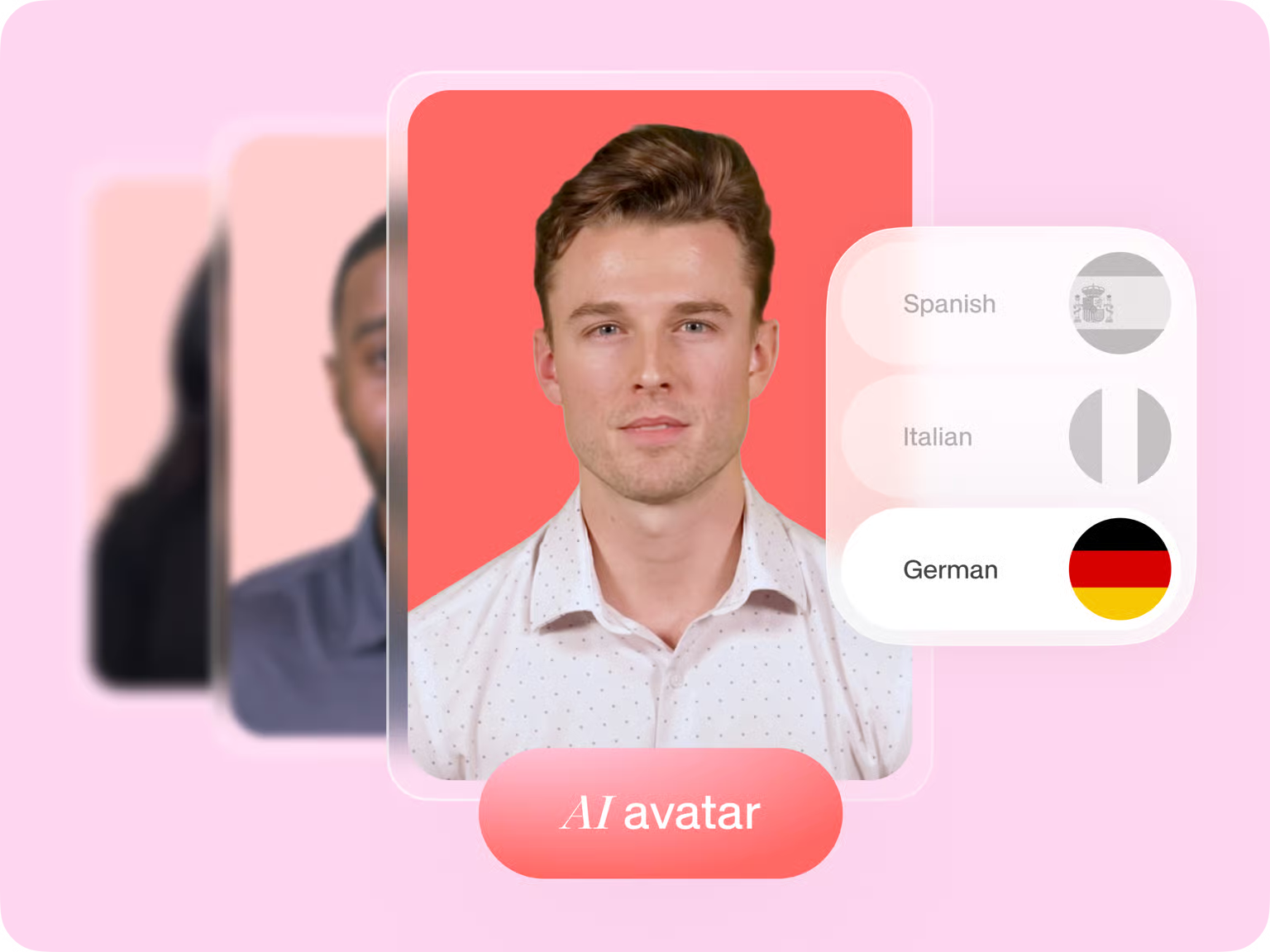
An AI avatar maker is a platform that uses machine learning to generate lifelike digital characters. Unlike traditional “character creators” used in gaming (which build 3D models), AI avatar generators primarily focus on video synthesis. They take a still photo or a video recording and animate the face to match a provided audio track or text script.
Types of Avatar Generators
1. Video Synthesis Engines (Talking Heads): These tools (like Gaga AI) create photorealistic videos where an avatar delivers a speech.
2. Static Profile Generators: Tools that create stylized 2D images (cartoons, anime, professional headshots) from selfies.
3. Real-Time Interactive Avatars: AI agents that can hold live conversations with users, often used in customer service kiosks.
Top Product Spotlight: HeyGen vs. Gaga AI
When selecting the best AI avatar generator, two names currently dominate the conversation for their realism and ease of use.
1. HeyGen
HeyGen is widely considered the industry standard for professional AI avatar video creation. It is best known for its “Instant Avatar” feature, which allows you to clone yourself using just 2 minutes of footage.
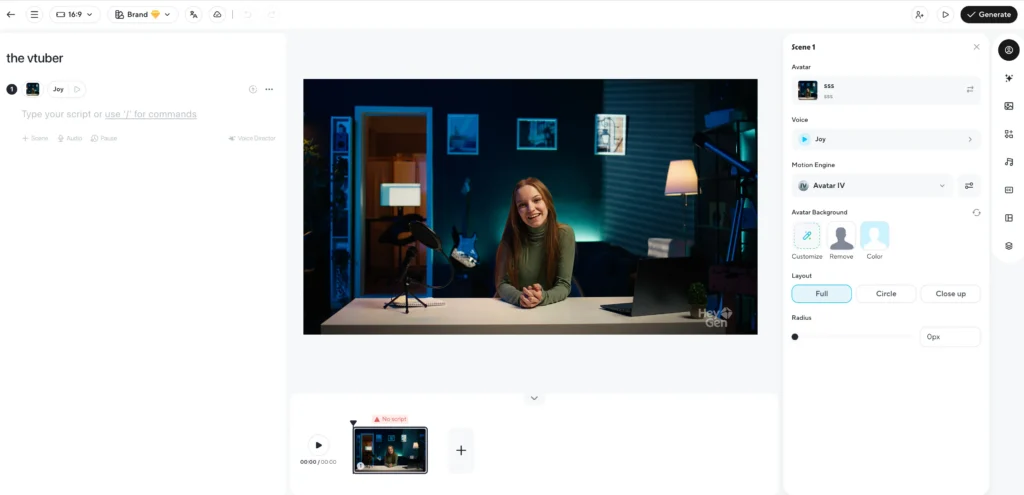
- Best For: Enterprise, marketing teams, and creators needing high-fidelity 4K output.
- Key Feature: Video Translate—automatically translates your video into other languages while adjusting lip movements to match the new language.
- Pricing: Freemium (Free credits to start; paid plans unlock watermark removal and 4K resolution).
2. Gaga AI
Gaga AI is an emerging competitor focusing on accessibility and expressive motion. It is often cited as a strong alternative for users looking for an AI avatar maker free of complex enterprise tiers.
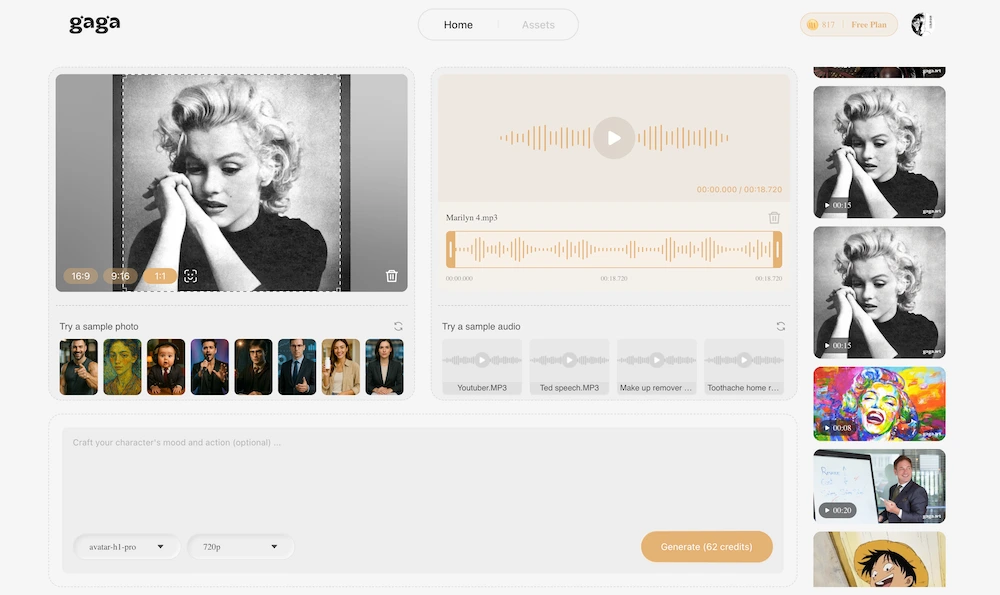
- Best For: Social media content creators and quick character animations.
- Key Feature: High emotional range in facial expressions, making avatars feel less robotic.
- Pricing: Competitive credit-based system, often more accessible for casual users than enterprise tools.
| Feature | HeyGen | Gaga AI |
| Realism | 8.5/10 (Studio Quality) | 9.5/10 (High Quality) |
| Speed | Fast (Cloud rendering) | Fast |
| Custom Avatar | Yes (Instant Twin) | Yes |
| Ideal User | Businesses & Professionals | Content Creators & Hobbyists |
How to Create an AI Avatar (Step-by-Step)
Creating a professional AI avatar video follows a similar workflow across most major platforms. Here is the standard process:
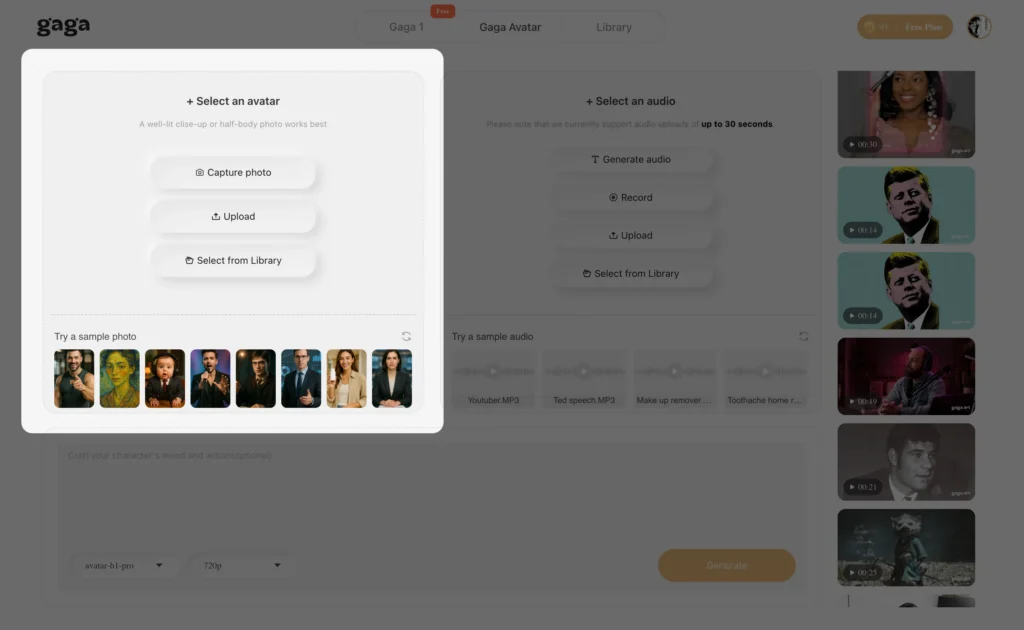
Step 1: Choose Your Source
You generally have three options to start:
- Stock Avatar: Select a pre-made actor from the library (diverse ages, ethnicities, and attire).
- Upload Photo: Use a create avatar from image feature to animate a static photo (e.g., the Mona Lisa or a midjourney creation).
- Custom Clone: Record yourself for 2-5 minutes to create a digital twin.
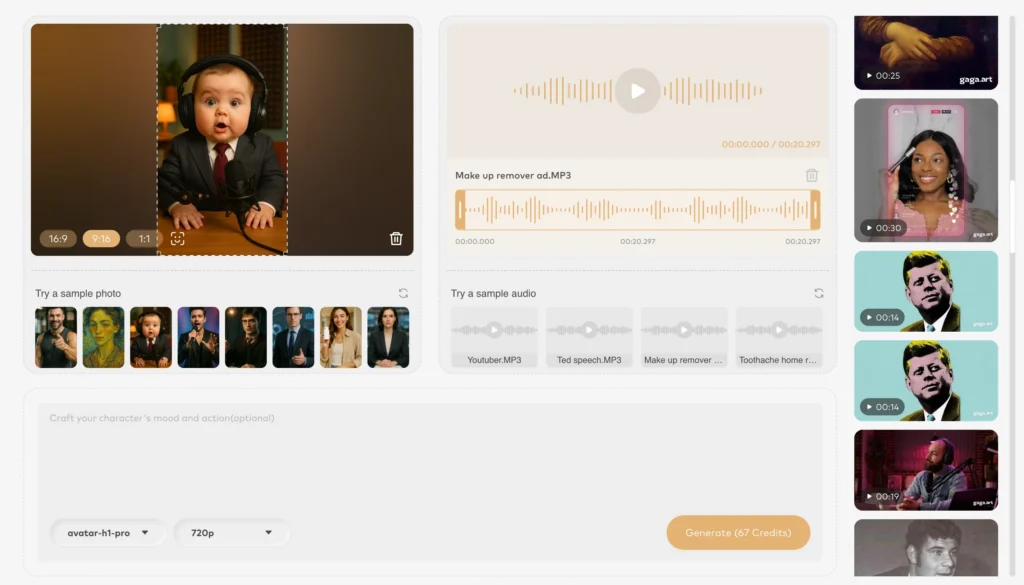
Step 2: Input Your Script
Type the text you want the avatar to speak. Most AI avatar online tools also allow you to upload an audio file (voiceover) if you prefer to use your own voice or a professional recording.
Step 3: Select a Voice
Choose an AI voice that matches your avatar’s persona.
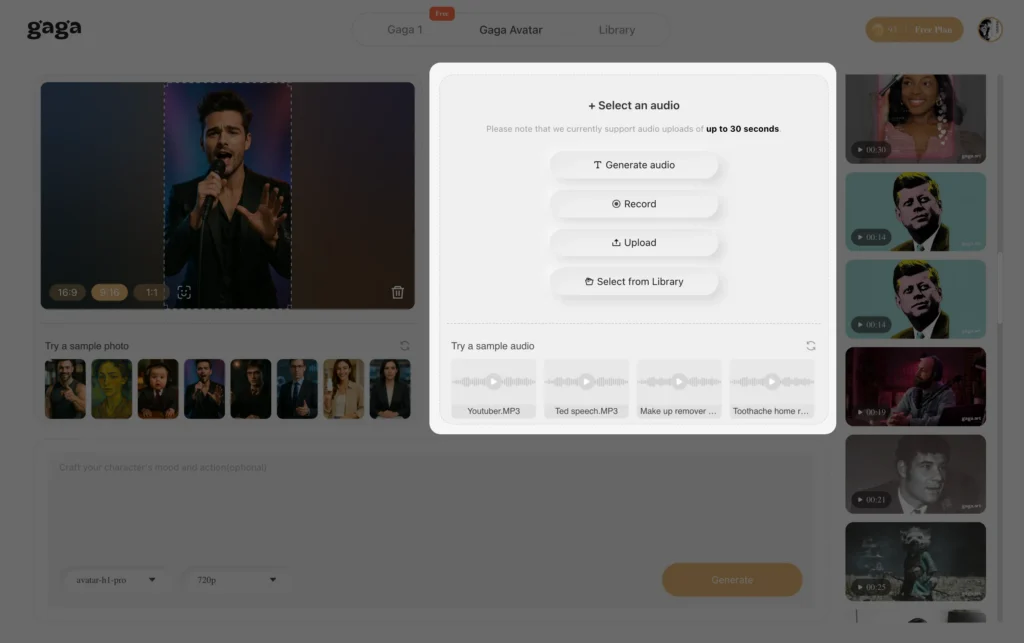
- Tip: If using Gaga AI or HeyGen, look for “emotional” voice settings (e.g., cheerful, serious, whispering) to increase realism.
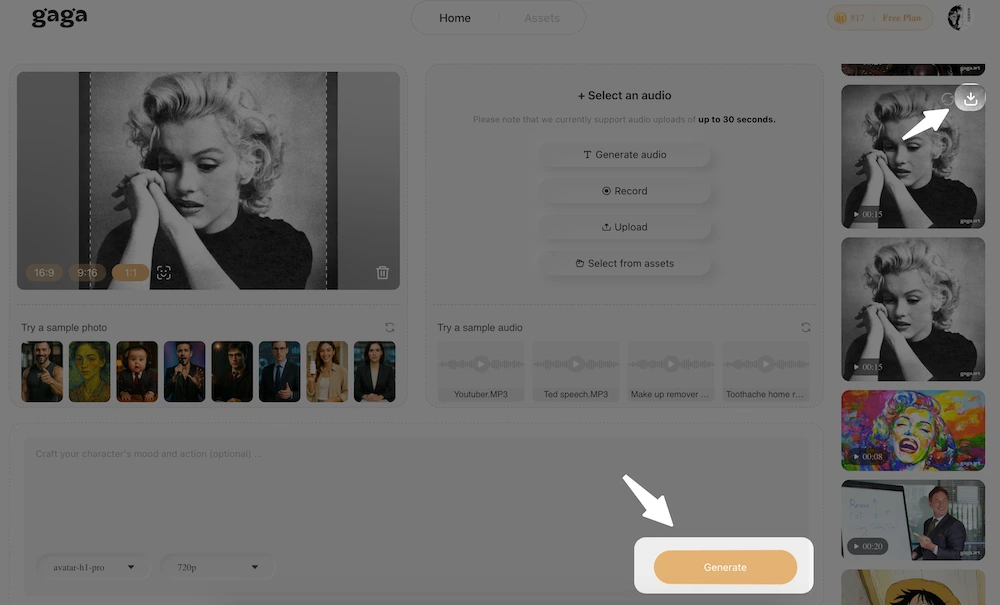
Step 4: Generate and Edit
Click “Generate.” The AI will synthesize the lip movements (lip-sync) and facial gestures. Once rendered, you can usually edit the background, add text overlays, or combine the video with presentation slides.
Troubleshooting Common Issues
Why does my AI avatar look robotic?
Answer: Robotic movement usually stems from a lack of “micro-gestures” or a mismatch between voice energy and facial expression.
- Fix: Use a platform like HeyGen that supports “Fine-Tune” gestures (nods, blinking). Ensure your script includes punctuation (commas, periods) to force the AI to pause and breathe naturally.
Can I make an AI avatar for free?
Answer: Yes, but with limitations.
- Reality Check: A truly free AI avatar generator without watermarks is rare because video rendering is computationally expensive. Most “free” tools offer a trial (e.g., 1 minute of video) or include branding. For completely free results, you may need to use open-source tools on a local machine (requires high technical skill).
My custom avatar is blurry.
Answer: This is usually due to low-quality input footage.
- Fix: When recording your source video for a custom avatar:
- Use a 4K camera or high-quality webcam.
- Ensure lighting is even (no harsh shadows on the face).
- Keep your head movement minimal and slow.
FAQ: Common Questions About Avatar Makers
What is the best AI avatar generator?
For professional quality and voice cloning accuracy, HeyGen is currently the top-rated choice. For users prioritizing expressive characters or ease of entry, Gaga AI is a strong alternative.
Is there a completely free AI avatar generator?
Most high-quality tools operate on a “Freemium” model. You can often generate 1-3 minutes of video for free to test the software, but removing watermarks and accessing high-definition downloads typically requires a subscription.
Can I create an avatar from a photo?
Yes. Features labeled as create avatar from image or “Talking Photo” allow you to upload a still image (JPEG/PNG) and animate it. This is popular for bringing historical figures or paintings to life.
How do I use my own face for an AI avatar?
You need to use a “Custom Avatar” or “Instant Avatar” feature. This requires you to record a short video of yourself (usually 2-5 minutes) reading a consent script. The AI analyzes your facial geometry and voice to create a reusable digital model.
Are AI avatars legal to use on YouTube?
Yes, you can use AI avatar video generators for YouTube content. However, YouTube now requires creators to disclose if content is “synthetically modified.” Always check the platform’s specific policy on AI disclosure.