Key Takeaways
- AI short video generators automate content creation by combining text-to-video, automated editing, and AI voiceovers to produce platform-ready clips in minutes
- Top tools include Dreamina (Seedance 2.0), Kling Video 3.0, and Runway AI, each offering unique features for different content needs
- Free AI short video generators exist with limitations on watermarks, export quality, and monthly credits
- Most effective for social media platforms like YouTube Shorts, TikTok, Instagram Reels, and Facebook Stories
- Quality depends on input prompts – detailed descriptions generate better results than vague instructions
- Commercial licensing varies by platform – always verify usage rights before monetizing content
Table of Contents
What Is an AI Short Video Generator?
An AI short video generator is a software tool that uses artificial intelligence to automatically create short-form videos (typically 15-90 seconds) from text prompts, scripts, or existing content. These tools leverage machine learning models to generate visuals, add transitions, sync audio, and produce polished video content without manual editing.
The technology combines several AI capabilities: natural language processing to understand your input, computer vision to generate or select appropriate visuals, and audio synthesis for voiceovers or music selection. The result is a complete video ready for platforms like TikTok, YouTube Shorts, or Instagram Reels.
Best AI Short Video Generators in 2026
1. Dreamina (Seedance 2.0)
Dreamina represents the evolution of Seedance’s video generation technology, focusing on short-form content creation with enhanced motion quality. The platform excels at creating narrative-driven shorts from text descriptions.
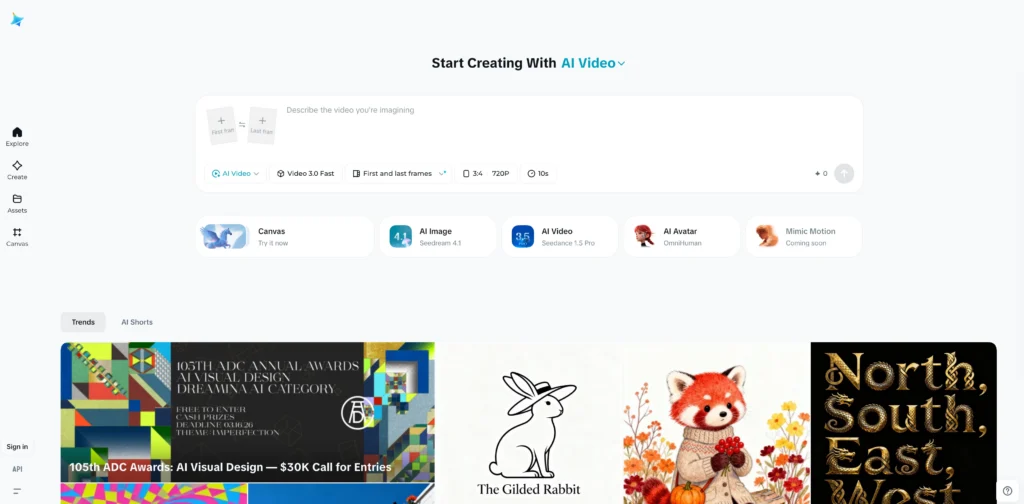
Best for: Story-based content and character-consistent videos
Key features:
- Advanced text-to-video with natural motion
- Character consistency across scenes
- Customizable aspect ratios for different platforms
- AI-powered scene transitions
- Integrated music library
Pricing: Free tier available with watermark; paid plans start at $20/month
2. Kling Video 3.0
Kling Video 3.0 offers photorealistic video generation with exceptional attention to physics and lighting. The latest version includes improved temporal consistency and faster rendering times.
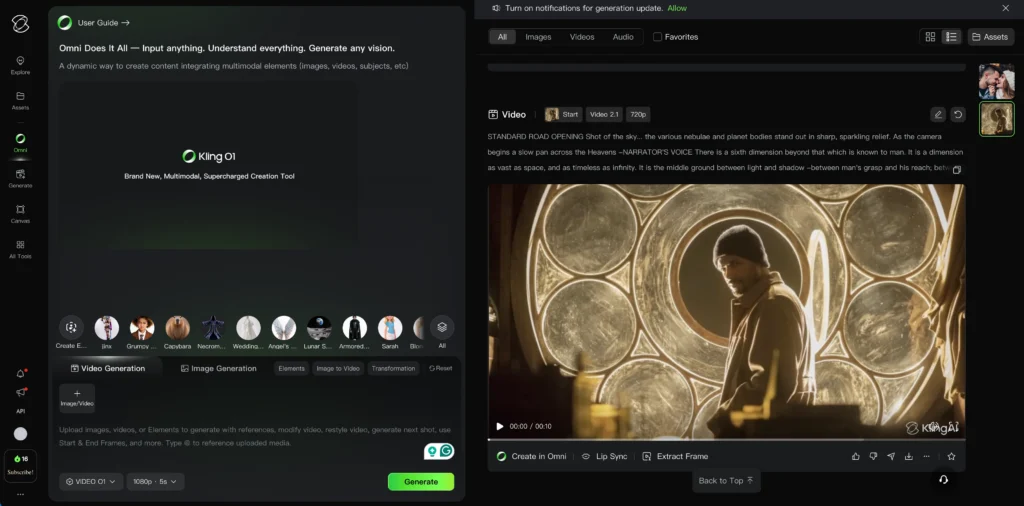
Best for: Realistic product demonstrations and nature content
Key features:
- High-fidelity visual generation
- Physics-accurate motion
- Extended video lengths (up to 2 minutes)
- Multi-camera angle support
- Commercial licensing included in paid tiers
Pricing: Credit-based system; ~100 credits for standard generation
3. Runway AI
Runway AI pioneered accessible AI video tools and continues innovating with Gen-4.5. The platform offers the most comprehensive suite of video editing and generation features.
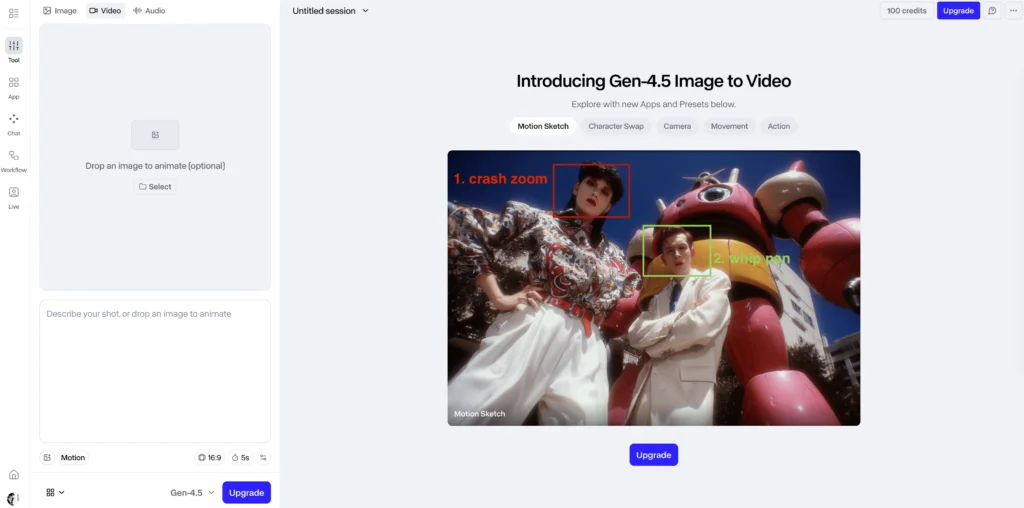
Best for: Professionals needing advanced editing controls
Key features:
- Text-to-video and image-to-video capabilities
- Frame-by-frame editing control
- Green screen removal
- Motion tracking
- Team collaboration tools
Pricing: Free tier with 125 credits; Standard plan at $12/month
4. Sora AI (OpenAI)
Sora represents OpenAI’s entry into video generation, offering exceptional prompt understanding and long-form coherence. Currently in limited access with planned broader release.
Best for: Complex narrative videos requiring scene continuity
Key features:
- Superior prompt interpretation
- Up to 60-second videos
- Multiple character management
- Cinematic quality outputs
- Style consistency
Pricing: Pricing structure not yet publicly announced
5. Veo 3.1 (Google DeepMind)
Veo 3.1 focuses on realistic human motion and accurate physics simulation. Google’s video model excels at generating content with proper lighting, shadows, and environmental interactions.
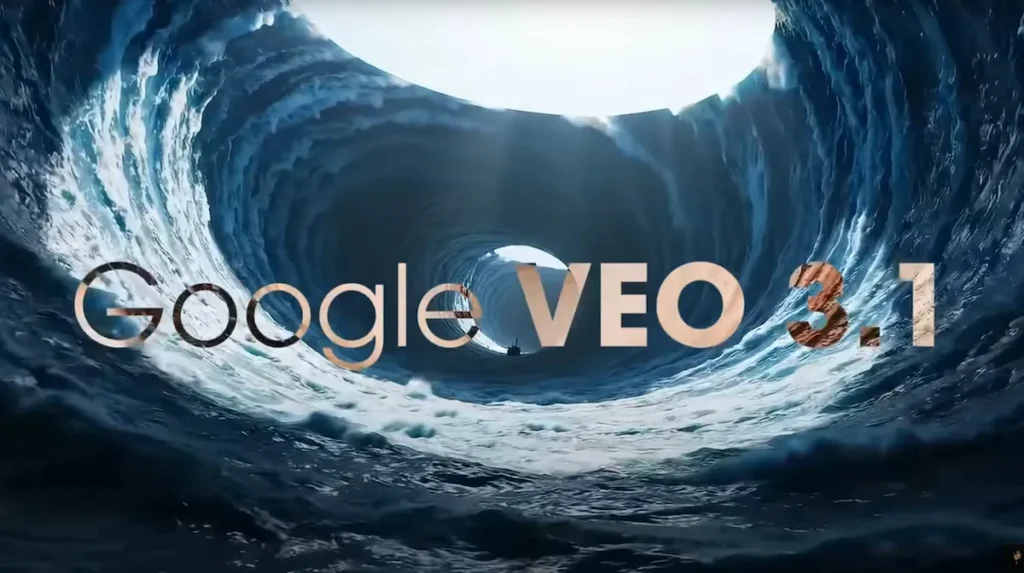
Best for: Content requiring human subjects and realistic environments
Key features:
- Photorealistic human generation
- Accurate physics simulation
- Natural lighting calculation
- High resolution output (1080p standard)
- Integration with Google Workspace
Pricing: Access through Google AI Studio; usage-based pricing
6. Gaga AI
Gaga AI specializes in rapid social media content creation with platform-specific optimization. The tool prioritizes speed and trending content formats over photorealism.

Best for: High-volume social media posting
Key features:
- Audio and video infusion
- AI avatar
- Image to video AI
- Voice clone
Pricing: Free for basic use; Pro plan at $7/month
How to Create Videos with an AI Short Video Maker
Step-by-Step Workflow
1. Define your concept
Before touching any AI tool, clarify your video’s purpose. Answer these questions:
- What action should viewers take after watching?
- Who is your target audience?
- Which platform will host this video?
- What emotion or message should dominate?
2. Write an effective prompt
Quality input determines quality output. Structure your AI short video generator prompts with:
- Subject specification – “A young woman in athletic wear”
- Action description – “performing yoga on a beach at sunrise”
- Environmental details – “with calm waves, soft pink sky, and palm trees”
- Camera instruction – “medium shot, slow dolly-in”
- Style guidance – “cinematic, warm color grading, 24fps feel”
Bad prompt: “Make a fitness video”
Good prompt: “30-second video of a 25-year-old Asian woman in navy blue yoga attire performing sun salutations on a quiet beach at golden hour, shot from a low angle with gentle waves in background, cinematic color grading with warm tones, smooth camera movements”
3. Select your AI tool
Match tools to content types:
- Photorealistic content → Veo 3.1 or Kling Video 3.0
- Animated explainers → Runway AI or Dreamina
- Bulk social content → Gaga AI
- Narrative storytelling → Sora AI or Dreamina
4. Generate and iterate
Most AI short film generators require multiple attempts:
- Generate 3-5 variations
- Identify the best elements from each
- Refine your prompt based on what worked
- Regenerate with improved specifications
5. Post-generation enhancement
Even AI-generated videos benefit from minor adjustments:
- Trim – Remove weak opening or closing seconds
- Add text overlays – Captions for accessibility and platform algorithm preference
- Color correction – Slight adjustments for brand consistency
- Audio mixing – Balance voiceover and background music levels
- Export optimization – Use platform-specific settings (9:16 for Reels, 1:1 for feeds)
Time-Saving Tips
- Create prompt templates for recurring content types
- Build a swipe file of successful generated videos with their prompts
- Batch generate multiple videos in one session
- Use style reference images when tools support them
- Set up project presets for consistent branding
Free AI Short Video Generator Options
Several platforms offer free AI short video creation with varying limitations. Understanding these constraints helps manage expectations and choose the right tool for your budget.
1. Runway AI (Free Tier)
Monthly allocation: 125 credits (approximately 5-8 videos)
Limitations:
- Watermark on exports
- 720p maximum resolution
- 5-second generation limit
- No commercial licensing
Best use: Testing concepts before committing to paid tools
2. Gaga AI (Basic Plan)
Monthly allocation: 10 video generations
Limitations:
- Platform logo watermark
- Limited template access
- No priority rendering
- Community support only
Best use: Casual social media creators with modest posting frequency
3. Dreamina Free Access
Monthly allocation: Variable credit system
Limitations:
- Lower resolution outputs
- Watermarked content
- Queue-based generation (slower processing)
- Limited customization options
Best use: Learning the platform before upgrading
4. Removing Watermarks
For truly free, watermark-free AI short videos, options are limited. Most platforms use watermarks as a conversion mechanism. Alternatives include:
- Trial periods – Many paid tools offer 7-14 day trials with full access
- Educational licenses – Some platforms provide free access for students and educators
- Open-source tools – Projects like Stable Video Diffusion (requires technical setup)
- Credit promotions – Platforms occasionally offer bonus credits for referrals or early adoption
Reality check: Professional content marketing typically requires investment in paid tools for watermark-free, commercial-licensed output.
Creating AI-Generated Short Stories for Video
Text-based storytelling combined with AI video generation creates compelling narrative content. The process requires both an AI short story generator and a video production tool.
Two-Stage Workflow
Stage 1: Script Development
Use AI writing tools to create your narrative:
- ChatGPT, Claude, or specialized story generators
- Provide genre, tone, length, and key themes
- Request scene-by-scene breakdowns
- Include visual descriptions for each scene
Example prompt for story generation:
“Write a 60-second mystery story about a detective discovering a clue in an abandoned library. Include 4 scenes with detailed visual descriptions. Target tone: suspenseful yet accessible. Each scene should be 15 seconds.”
Stage 2: Visual Production
Convert each scene description into video prompts:
- Break story into individual shots
- Add camera movements and framing
- Specify lighting and color mood
- Include character consistency details
Maintaining Narrative Coherence
AI video generators struggle with consistency across cuts. Strategies to improve coherence:
- Use consistent character descriptions – Copy-paste exact physical descriptions for each scene featuring the same character
- Maintain environmental continuity – Reference the same location details across related scenes
- Leverage style references – Many tools allow uploading reference images for visual consistency
- Plan transition points – Generate scenes with natural connection points (character exits, camera pans)
- Use audio continuity – Continuous music or narration helps bridge visual inconsistencies
Platform-Specific Optimization
Different platforms prioritize different content attributes. Your AI short maker strategy should account for these variations.
| Platform | Technical Requirements | Algorithm Priorities | AI Generation Tips |
| YouTube Shorts | 9:16 ratio; Up to 60s; Vertical mandatory. | Hooks (first 2s); Watch time; Click-through rate (CTR). | Aim for 45–60s; Use text overlays; Create series/playlists. |
| TikTok | 9:16 preferred; 15–60s optimal; 1080×1920 min. | Completion rate; Rewatches; Shares/Comments; Trending audio. | Front-load value (3s); A/B test variations; Use trending music. |
| Instagram Reels | 9:16 ratio; 15–90s recommended; 1080×1920. | Entertainment value; Original audio; Story shares; High engagement. | Visually striking openings; Aesthetically cohesive; Optimize for sound-off. |
| 1:1 or 16:9 often better; 15–30s optimal; Professional context. | Educational value; Dwell time; Meaningful comments; Prof. relevance. | Polished visuals; Use data visualizations; Add professional lower-thirds. |
Key Takeaways for AI Creators
- The Hook is Universal: Whether it’s 2 seconds (YouTube) or 3 seconds (TikTok), your AI-generated scripts must lead with the most compelling visual or statement immediately.
- Accessibility Matters: Always include text overlays or captions. This isn’t just for accuracy; it’s essential for the “sound-off” scrolling habits of Instagram and LinkedIn users.
- Context is King: While you can repurpose the core video, the packaging (professional lower-thirds for LinkedIn vs. trending audio for TikTok) determines your reach.
Maximizing Results: Advanced Strategies
| Category | Key Strategy | Implementation Details |
| Prompt Engineering | Specificity over Generality | Define Shot Composition (angles), Lighting (time of day/quality), Color (temperature/hues), and Motion (speed/type). |
| Batch Processing | Volume Efficiency | Prepare 5–10 prompt variations per topic; queue generations in sequence; identify top performers for your content calendar. |
| Hybrid Workflows | Premium Integration | Combine AI-generated b-roll or backgrounds with real-world product footage; use AI for storyboarding and upscaling. |
| Performance Tracking | Data-Driven Iteration | Analyze which specific prompt styles (e.g., “cinematic” vs. “vibrant”) yield the highest engagement and retention. |
Comparison: Prompting Levels
The difference between a “good” and “great” AI output usually lies in the technical vocabulary used in the prompt.
| Feature | Generic Prompt | Advanced Prompt (Cinematic) |
| Subject | “A cup of coffee” | “Steaming espresso poured into a ceramic mug” |
| Setting | “On a table” | “Rustic wooden table with morning god rays” |
| Camera | No specification | “Macro close-up, 24fps, shallow depth of field” |
| Lighting | Standard | “Golden hour, soft focus, warm color temperature” |
Optimization Checklist
- Layering: Are you using AI for the background while keeping the product real for authenticity?
- The “Feel”: Does your prompt include “atmospheric elements” like dust motes, steam, or lens flares?
- Workflow: Have you queued your variations to run overnight or in the background to maximize your daily quota?
Frequently Asked Questions (FAQ)
What is the best free AI short video generator?
Runway AI offers the most robust free tier, providing 125 monthly credits suitable for 5-8 short videos. The free version includes access to Gen-3 Alpha generation with a watermark and resolution limitations. Gaga AI provides a simpler alternative for social media content with 10 free monthly generations. For educational purposes, Dreamina offers variable free credits with lower resolution outputs.
Can AI short video makers create videos with real people?
Current AI video generators can create photorealistic human representations but face ethical and legal restrictions on generating videos of specific real individuals. You can generate generic people matching detailed descriptions (age, ethnicity, appearance) but cannot replicate identifiable public figures or private individuals. Some platforms allow uploading reference images with proper consent. For content featuring real people, combining AI backgrounds with traditionally filmed subjects creates legally safer results.
What video formats do AI short generators support?
Standard export formats include MP4 (H.264 codec), MOV, and WebM. Most platforms default to MP4 due to universal compatibility. Aspect ratios vary by tool and plan: 16:9 (landscape), 9:16 (vertical), 1:1 (square), and 4:5 (portrait) are common. Resolution options typically range from 720p (free tiers) to 1080p (paid plans), with select platforms offering 4K exports. Frame rates usually include 24fps (cinematic), 30fps (standard), and 60fps (smooth motion).
How do I remove the AI look from generated videos?
Reducing the “AI-generated” appearance requires several techniques: Add film grain or subtle noise in post-production to replicate camera sensor imperfections. Apply gentle color grading rather than hyper-saturated default outputs. Include intentional camera imperfections like slight shake or focus breathing. Combine AI footage with real-world elements. Use human voiceovers instead of AI-generated speech. Add authentic sound design with environmental audio. Edit at a natural pace rather than perfectly timed transitions. The goal is introducing subtle imperfections that characterize human-created content.
Can AI generate videos from existing images?
Yes, image-to-video capabilities exist in Runway AI, Gaga AI, Kling Video 3.0, and other platforms. Upload a reference image, then describe desired motion, camera movement, or scene evolution. The AI animates your static image according to instructions. This feature works well for: product demonstrations (rotating views), environmental scenes (adding motion to landscapes), character animation (breathing, subtle movements), and logo animations. Results vary significantly based on image quality and complexity—simple compositions with clear subjects generate better results than busy, complex images.
Are there AI tools specifically for YouTube Shorts?
While no major AI short generator exclusively targets YouTube Shorts, several optimize for vertical video formats essential for Shorts. Gaga AI includes YouTube Shorts templates with appropriate aspect ratios and duration limits. Runway AI allows custom aspect ratio selection including 9:16 vertical format. Most platforms generate content suitable for YouTube Shorts when you specify vertical orientation and keep duration under 60 seconds. The more important consideration is creating content that matches YouTube Shorts’ algorithm preferences: strong hooks, high retention, and engaging visuals.
Related Posts:
 Haiper AI Video Generator Review: The Complete Guide (Dec 2026 Update)
 The Complete Guide to Stable Diffusion AI Video: From Image Generation to Advanced Video Creation
 AI Movie Generator: Complete Guide to Creating Videos with Artificial Intelligence in 2026
 Turn Photos into Dance Videos: Top AI Dance Generator That Actually Work