Key Takeaways
- AI face swap uses deep learning algorithms to map and replace faces in images or videos while preserving expressions, lighting, and movement
- Video face swap requires advanced processing for frame consistency and motion tracking, while photo face swap is simpler and faster
- Free options like Reface and Vidnoz face swapper offer basic capabilities, while premium tools (HeyGen, Gaga AI) deliver professional-grade results
- Multiple face swap can replace 2-5 faces simultaneously in one video, though processing time increases significantly
- Ethical and legal risks include deepfakes and non-consensual content—many jurisdictions now criminalize malicious face swapping
Table of Contents
What Is AI Face Swap?
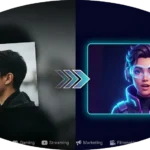
AI face swap is deep learning technology that detects, extracts, and replaces human faces in digital media by mapping facial features from a source image onto a target face. The technology uses convolutional neural networks (CNNs) and generative adversarial networks (GANs) trained on millions of facial images to understand facial geometry, skin texture, and expressions.
How Face Swapping AI Works
The face swap process involves four technical steps:
1. Face Detection: AI identifies facial landmarks using algorithms like MTCNN or RetinaFace
2. Feature Mapping: The system maps 68-468 facial keypoints to create a 3D mesh
3. Face Alignment: Source and target faces align by rotation, scale, and perspective
4. Blending: GANs generate realistic skin texture and seamless edge integration
The difference between basic and professional face swap AI lies in handling edge cases: partial occlusions (sunglasses, hands), extreme angles, varying lighting, and maintaining temporal consistency across video frames.
Video Face Swap vs Photo Face Swap
Photo Face Swap
Photo face swapping processes single static frames, making it computationally simple and mobile-accessible. Best for social media content, memes, and quick entertainment.
Top tools: Canva Face Swap, Remaker AI, Imagine Art, Reface, Higgsfield
Video Face Swap
Video face swap requires frame-by-frame processing with temporal consistency to prevent flickering, maintain lip-sync, and track faces through motion. Modern AI video face swap processes 24-30 frames per second.
Technical challenges:
- Temporal coherence preventing frame jumping
- Motion blur during fast movements
- Occlusion management when faces are temporarily hidden
- Audio-visual sync for speaking videos
Best tools: Gaga AI, HeyGen, PixNova AI, Viggle AI
The 10 Best AI Face Swap Tools
For Video Face Swap
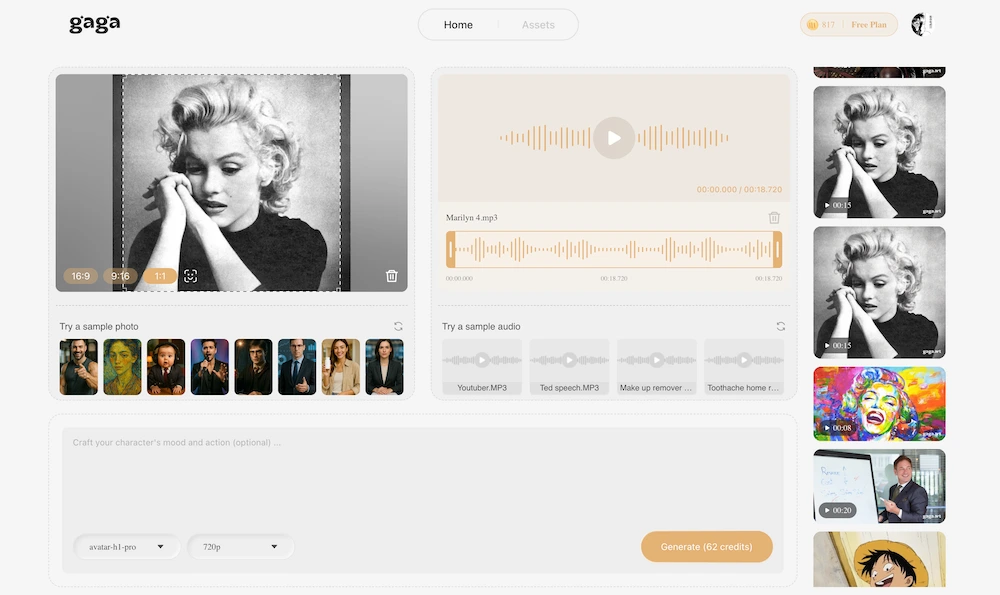
1. Gaga AI – High-fidelity video replacement with batch processing for multi-person videos. Professional-grade output reduces flickering by 85%. Best for long-form content and film production.
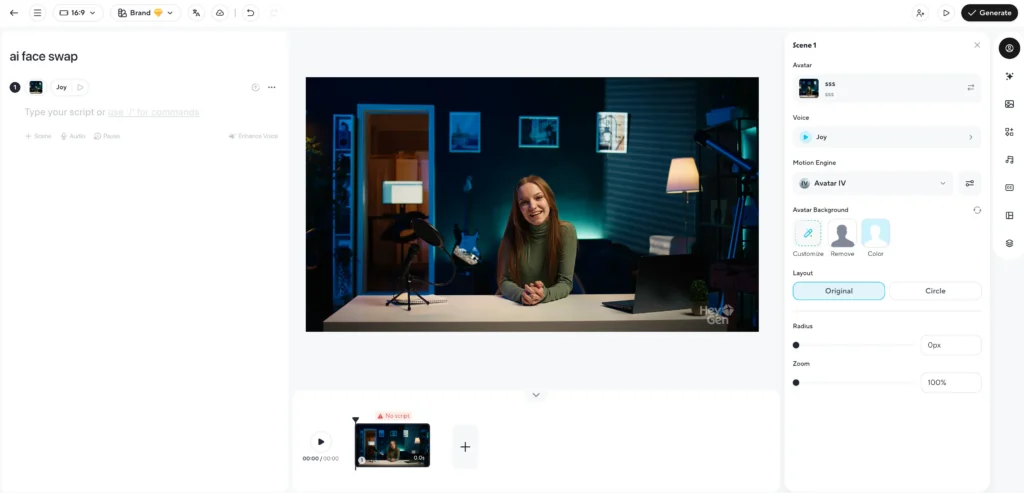
2. HeyGen – Combines face swap with AI avatars, excels at natural micro-expressions during speech. Multi-language lip-sync capabilities. Starts at $29/month. Ideal for corporate training and video localization.
3. PixNova AI – User-friendly interface for photo and video face swap. Processes videos up to 5 minutes at 1080p. Free tier offers 3 video swaps monthly. Perfect for social media creators.
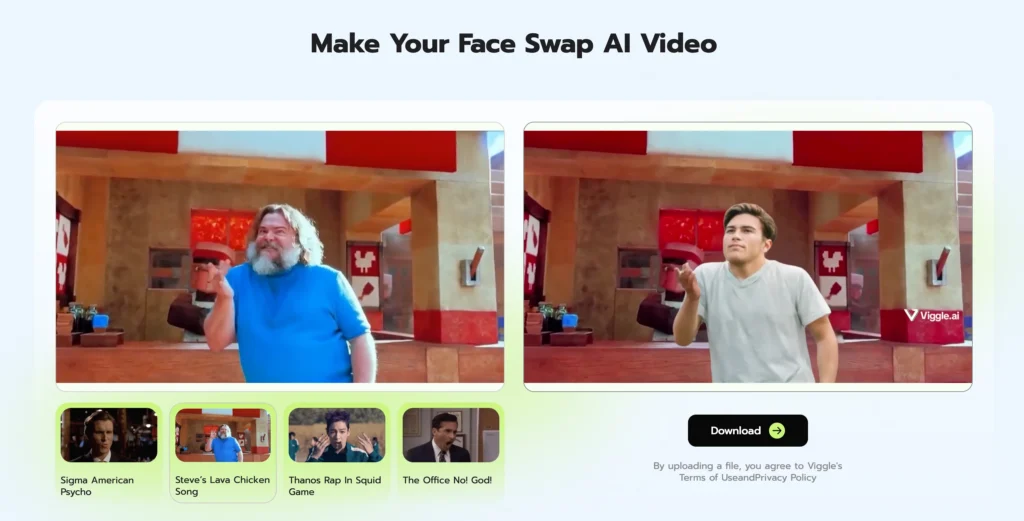
4. Viggle AI – Specializes in motion-based video manipulation, advanced tracking for high-movement scenarios like dance videos and action sequences.
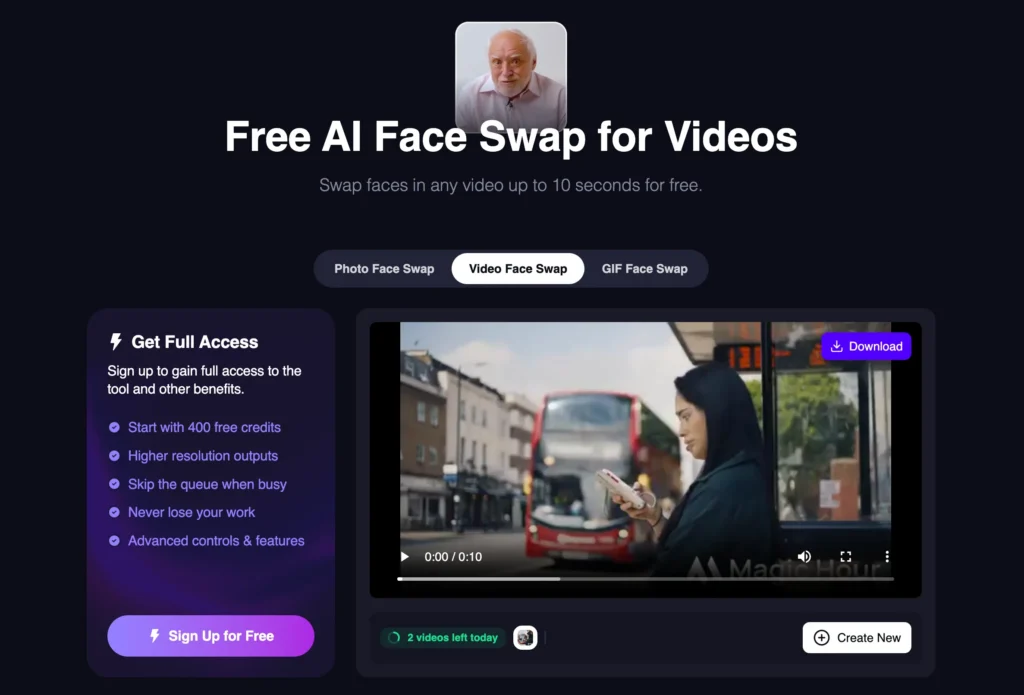
5. Magic Hour – All-in-one AI video studio combining face swap with other editing tools. Best for multi-tool video projects.
For Photo Face Swap
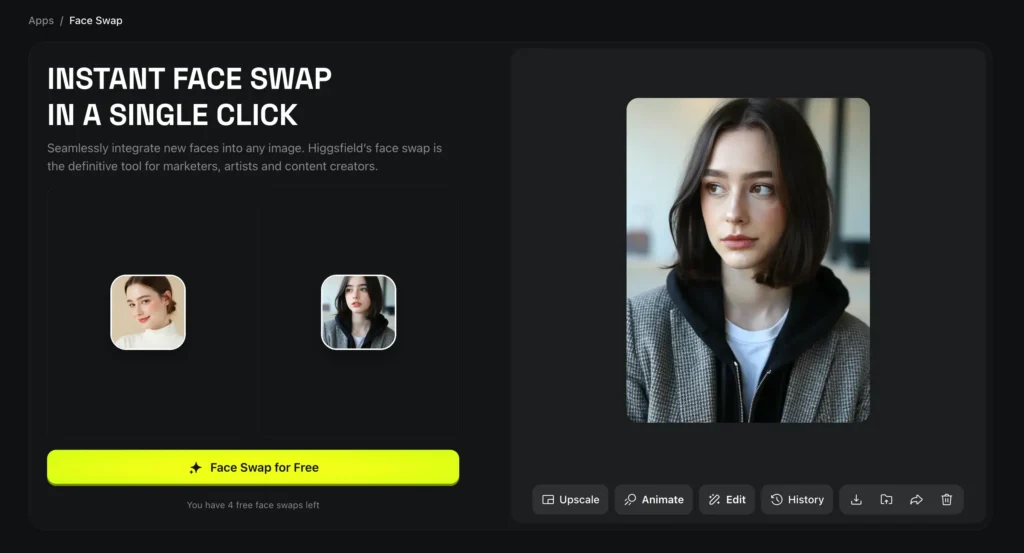
6. Higgsfield – Higgsfield provides GPU-accelerated photo face swap with real-time processing capabilities, enabling instant preview and adjustment before finalizing swaps.
7. Reface – Mobile-first face swap app with 200M+ downloads. Extensive template library with celebrity faces. Free version includes watermarks. Best for quick social content.
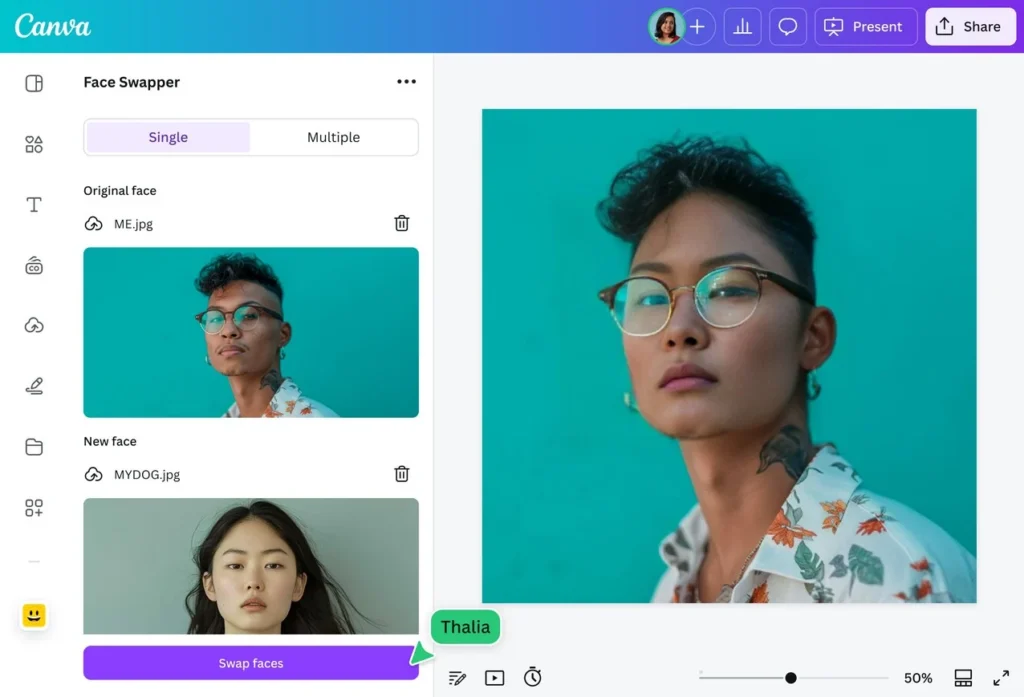
8. Canva Face Swap – Integrated into Canva’s design platform for seamless workflow. Limited to Canva Pro subscribers. Ideal for marketing materials and presentations.
9. Remaker AI – Free face swap for photos with no account required. Claims not to store uploaded images. Best for quick one-off swaps prioritizing privacy.
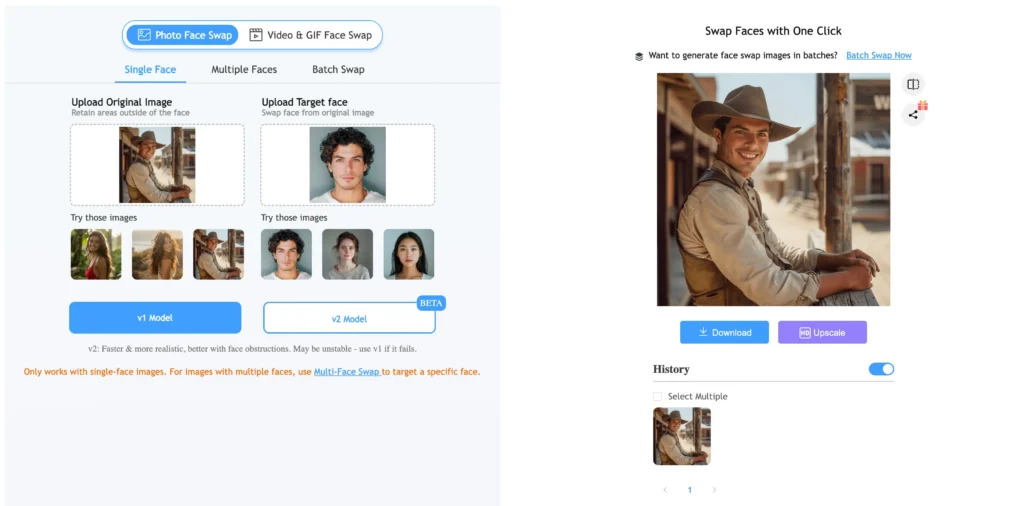
10. Imagine Art – Artistic face swaps blending faces with AI-generated art styles. Perfect for creative projects and unique social content.

How to Use Face Swap AI: Step-by-Step
For Photo Face Swap
Step 1: Choose your face swap AI tool based on needs (free vs paid, quality, privacy). Beginners should try Reface or Remaker AI.
Step 2: Prepare high-quality materials
- Minimum 512×512 resolution (1024×1024 recommended)
- Clear frontal or 3/4 angle face view
- Even lighting without harsh shadows
- No obstructions covering facial features
Step 3: Upload both images (source face and target image). Most tools auto-detect faces.
Step 4: Process and review (5-30 seconds). Check for artifacts, color mismatches, or distorted features.
Step 5: Export in PNG format for best quality preservation.
For Video Face Swap
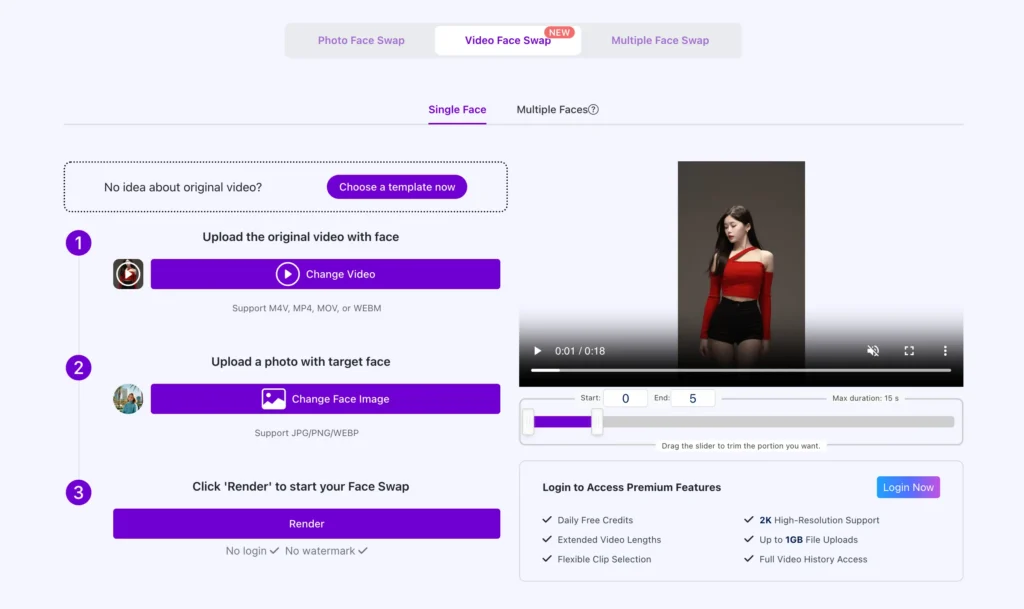
Step 1: Select video-capable platform (Gaga AI, HeyGen, PixNova AI)
Step 2: Prepare your video
- Trim to essential portions
- Ensure consistent lighting
- Recommended: MP4, H.264 codec, 30fps, 1080p
Step 3: Upload high-quality frontal source photo and target video
Step 4: Configure settings (face tracking sensitivity, blending strength, temporal smoothing)
Step 5: Process and wait. Expected times:
- 30-second video: 2-5 minutes
- 2-minute video: 10-20 minutes
- 5-minute video: 30-60 minutes
Step 6: Quality check entire output for flickering, sync issues, or artifacts
Creative Use Cases for AI Face Swap
Photo Face Swap Use Cases
Swap Head: Fix Group Photos
Head swapping solves the common problem of group photos where individuals have closed eyes or unflattering expressions. Using multiple face swap features, you can correct several faces in the same group photo at once, ensuring everyone looks their best in the final image.
Applications:
- Family gathering portraits with perfect expressions for everyone
- Corporate headshots and team photos for marketing materials
- Wedding photography where some guests blinked during the shot
- Professional photography requiring polished, cohesive results
Best practice: Take multiple shots of the same group, then swap the best version of each person’s face into a single perfect composite photo.
Gender Swap: Social Media Trends
Gender swap transforms your appearance by swapping gender characteristics in photos, allowing you to explore different looks and participate in viral TikTok, Snapchat, and Instagram trends.

Popular uses:
- Participating in gender swap challenges across social platforms
- Creating conversation-starting content that attracts new followers
- Exploring alternative appearances for creative expression
- Generating engagement through trendy, shareable transformations
Pro tip: Fine-tune colors, lighting, and details using photo editors after the swap to make transformations look more realistic and polished.
Celebrity Face Swap: Transform Your Look
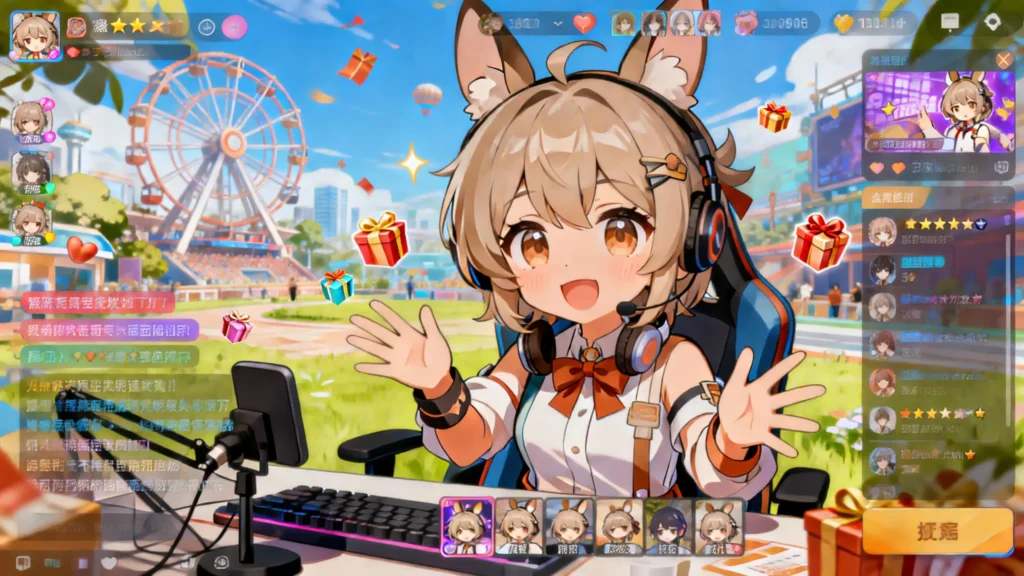
Celebrity face swap places your face onto photos of famous personalities, blending your features with Hollywood stars, pop icons, or legendary figures to create intriguing shareable content.
Use cases:
- See yourself styled like your favorite celebrities
- Create “what if” scenarios with famous faces
- Generate entertaining social media posts
- Experiment with different aesthetic styles embodied by celebrities
Tools: Reface offers extensive celebrity templates, while Canva Face Swap integrates celebrity swaps into broader design projects.
Meme Face Swap: Viral Content Creation
Meme face swap injects your face into classic or trending meme templates, personalizing humor and making your content stand out in crowded social feeds.
Applications:
- Creating personalized versions of popular meme formats
- Adding friends’ faces to inside jokes and shared humor
- Generating viral-potential content with familiar templates
- Building engagement through relatable, funny posts
Workflow tip: Use background removal tools first to create clean face cutouts, ensuring faces drop perfectly into meme templates without awkward edges.
Face Swap on Painting: Artistic Personalization
Swapping your face into classic paintings transforms timeless masterpieces into personalized works of art, creating unique fusion content that blends art history with modern technology.
Creative applications:
- Seeing yourself as the Mona Lisa or other iconic portraits
- Creating Renaissance-style family portraits
- Designing unique profile pictures with artistic flair
- Developing distinctive personal branding that stands out
Enhancement tip: Use photo enhancement tools after swapping to improve clarity, colors, and texture, making the final artwork look cohesive and professional.
GIF Face Swap: Animated Expressions
GIF face swap turns static face replacement into animated content, allowing you to insert your face into popular reaction GIFs and animated moments for dynamic, shareable content.
Use cases:
- Creating personalized reaction GIFs for messaging
- Developing branded animated content for social media
- Making memorable, shareable moments from popular culture
- Expressing emotions through celebrity or character reactions
Video Face Swap Use Cases
Movie Role Replacement: Cinematic Transformations
Swapping faces with movie characters lets you step into iconic roles, transforming yourself into superheroes, romantic leads, or legendary villains for entertaining video content.
Applications:
- Creating fan tribute videos featuring yourself in beloved roles
- Producing trailer parodies with friends as the cast
- Developing unique movie review content with personal appearances
- Engaging movie fandoms with creative character swaps
Advanced feature: Video multi face swap enables replacing several characters at once, so entire friend groups can appear as a movie’s complete cast in the same scene.
Video Multi Face Swap: Group Scene Editing
Multi face replacement in videos allows swapping multiple people simultaneously in group scenes, enabling complex creative projects where friend groups replace entire casts.
Professional uses:
- Corporate training videos featuring actual team members
- Marketing content with employees replacing actors
- Educational content personalizing instruction with familiar faces
- Entertainment videos featuring multiple friends in coordinated scenes
Best tools for videos face swap: Gaga AI handles up to 5 faces, HeyGen excels at maintaining natural group dynamics, PixNova AI offers accessible multi-person swapping.
Content Creation and Streaming
Real-time video face swap powers streaming and content creation, enabling creators to maintain privacy, embody characters, or create unique on-screen personas during live broadcasts.
Use cases through stream face changer:
- Anonymous streaming while maintaining facial expressions
- Character-based content without physical costumes
- Privacy-preserving video communication
- Creating consistent on-screen personas across content
Platform: SwapFace AI (swapface.ai) specializes in real-time streaming applications with minimal latency.
Free Face Swap AI: Best No-Cost Options
Free faceswap AI tools impose limitations on resolution, processing time, or watermarking, but several offer genuinely usable free tiers.
| Tool | Free Features | Best For |
| Remaker AI | Unlimited photo swaps, face swap no sign up | Quick testing |
| Reface | 5 swaps/month, photo + short video | Mobile users |
| PixNova AI | 3 video swaps/month, 720p max | Casual creators |
| Vidnoz Face Swapper | Daily free credits | Regular hobbyists |
Best free video face swap: PixNova AI offers 3 monthly swaps at 720p—the best quality-to-limitation ratio for free video faceswap.
Best face swap video online free: Remaker AI provides unlimited photo swaps without watermarks or accounts, though quality is standard definition.
Privacy warning: “Swap face free online” tools without sign-up may store, use for training, or inadequately protect uploaded photos. Review privacy policies before uploading identifiable images.
Multiple Face Swap: Multi-Face Replacement
Multiple face swap (multi face swap) detects and replaces 2-5 faces simultaneously in one image or video. This requires sophisticated AI tracking multiple facial keypoint sets without cross-contamination.
Tools Supporting Multi Face Replacement
- Gaga AI: Up to 5 faces in video
- PixNova AI: 3 faces in photos, 2 in videos
- Remaker AI: 2 faces in photos
- Magic Hour: 4 faces with premium subscription
For multiple face swap video online free, PixNova AI’s free tier supports 2-face swaps within monthly limits.
Best Practices for Multiface Swap
- Use distinct source faces (similar faces confuse detection)
- Ensure all target faces are clearly visible
- Process at higher resolution for better detection
- Expect 3-5x longer processing for multi face swap
Face Swap Apps: Best Mobile Solutions
Face swap apps prioritize speed and convenience, using on-device AI or streamlined cloud processing for near-instant results.
Top Face Switch App Options
Reface (iOS & Android) – Largest template library, 2-5 second processing, GIF face swap capability. The best face swap apps free option with watermarked outputs.
Face Swap Live (iOS) – Real-time face swap for video calls, 30fps on iPhone 12+. Perfect for live streaming.
Snapchat – Real-time peer-to-peer face swap between two people in the same video during recording.
Best face swap app for Android: Reface offers optimal quality, speed, and features with adaptive processing for devices from budget to flagship models.
Advanced Face Swap Capabilities
Real-Time Face Swap (Stream Face Changer)
Real-time face swap processes video at 30+ fps with under 100ms latency, enabling live applications. Requires powerful GPU acceleration.
Use cases: Virtual meetings, live streaming, gaming avatar animation
Leading tools: SwapFace AI (swapface.ai), specialized stream face changers
Deep Face Swap
Deep face swap uses sophisticated neural networks producing near-photorealistic results indistinguishable from real footage. Features sub-pixel skin texture matching, accurate lighting adaptation, and micro-expression preservation.
Powers: Hollywood VFX, high-end commercial production, professional video face swap
AI Face Changer vs Face Swap
- Face swap: Replaces entire face while maintaining expressions
- AI face changer: Modifies specific attributes (age, gender, features) while keeping identity foundation
Face changers use different architectures (StyleGAN) manipulating latent space rather than overlaying faces.
Comparing Face Swap Tools: Selection Guide
Choose based on priorities:
- Quality priority → Gaga AI, HeyGen (professional)
- Cost constraint → Remaker AI, Vidnoz face swapper, free faceswap AI options
- Speed needed → Reface app, Higgsfield
- Privacy critical → Canva, on-premise ai faceswap software
- Multiple faces → Gaga AI, PixNova AI (multi face replacement)
- Mobile workflow → Reface, best face swapping ai apps
- No sign-up → Remaker AI (face swap no sign up)
Professional vs Consumer Comparison
| Feature | Consumer | Professional |
| Resolution | Up to 1080p | Up to 4K |
| Accuracy | 85-90% | 95-98% |
| Processing (1-min video) | 3-10 min | 10-30 min |
| Pricing | Free-$15/mo | $29-$300/mo |
Troubleshooting Common Issues
Face Not Detected
Solutions: Ensure faces occupy 15%+ of image, use frontal angles under 70° rotation, improve lighting, remove obstructions, increase resolution to minimum 200×200 pixels for face area.
Unnatural Results
Solutions: Match lighting between source and target, use similar resolutions, try frontal source photos, adjust blending strength, test different source images.
Video Flickering
Solutions: Enable temporal smoothing, reduce motion in source footage, increase quality settings, stabilize video before swapping, upgrade to professional video face swap tools.
Lip Sync Problems
Solutions: Use audio-aware tools (HeyGen, Gaga AI), ensure clear audio, use neutral expression source photos, process at 30fps or higher for better videofaceswap results.
Frequently Asked Questions
Is AI face swap illegal?
The technology is legal, but creating non-consensual intimate imagery, fraud, identity theft, or defamation violates laws. Educational, entertainment, and artistic uses with consent remain legal.
Can face swap AI be detected?
Yes, deepfake detection AI identifies face swaps with 85-95% accuracy by analyzing blinking patterns, pixel artifacts, lighting mismatches, and physiological impossibilities.
What is the best free face swap AI?
Remaker AI for photos (no watermarks, no account). PixNova AI for free video face swap (3 monthly swaps at 720p). Reface for mobile users despite watermarking.
How do I do face swap video online free?
Use PixNova AI or Vidnoz: Upload target video, upload source face photo, click “Swap Face,” wait 2-10 minutes, download. Free tiers limit length to 2-3 minutes at 720p.
Does face swap work with multiple people?
Yes, multiple face swap video tools can replace 2-5 faces simultaneously. Gaga AI handles 5 faces, PixNova AI supports 2-3. Processing time increases significantly per additional face.
What is SwapFace AI used for?
SwapFace.ai specializes in real-time face swapping for live streaming, allowing creators to replace faces during broadcasts, recordings, or video calls while maintaining facial expressions.
Can I swap faces without signing up?
Yes, Remaker AI processes photo face swaps with no sign up required. Many “face swap video online free” tools offer limited functionality without registration, but have privacy concerns.
What’s the best face swap video editor?
HeyGen and Gaga AI lead for professional face swap video editing with 4K support, temporal consistency, and audio-visual sync. For consumer use, PixNova AI balances quality and affordability.
Is there a face swap generator for adult content?
No legitimate platform allows this. Creating non-consensual intimate content is illegal in most jurisdictions with serious criminal penalties. Victims can pursue legal action with courts awarding significant damages.
How long does video AI face swap take?
30-second 1080p video: 2-5 minutes on consumer platforms, 5-15 minutes on professional tools. Multiple-face videos take 3-5x longer. Real-time tools process instantly with some quality trade-offs.