Key Takeaways
- Invideo AI is an AI-powered video generator available at invideo.io that transforms text prompts into professional-quality videos using OpenAI’s GPT-4.1, image generation, and text-to-speech models
- Production time is reduced by 10x – users create videos in 30 minutes instead of full workdays with this invideo AI video creator
- Invideo AI free plan available with limited exports; invideo AI pricing for paid plans ranges from $35-$999/month for commercial use
- Over 50 million users generate 7+ million videos monthly with the invideo AI video generator
- Invideo AI image to video, animation generator, and AI voiceover included across all plans
- No video editing experience required – the entire invideo workflow uses natural language instructions
Table of Contents
What Is Invideo AI?
Invideo AI is an artificial intelligence video generator accessible at invideo.io that creates complete, professional videos from text descriptions alone. This invideo AI video creator uses a multi-agent system powered by OpenAI models to handle every aspect of video production—from scriptwriting and visual selection to voiceover generation and platform-specific optimization.
Unlike traditional video editing software requiring manual timeline work, the invideo AI video generator operates through natural language. Simply describe your vision, and the AI handles the technical execution.
The platform targets businesses, marketers, content creators, and solo entrepreneurs who need high-quality video content but lack time, technical skills, or creative resources. Whether you’re producing TikTok ads, YouTube explainers, product demos, or social media content, invideo AI eliminates the technical barriers to video creation.
Invideo AI Features: Image-to-Video, Animation Generator, and More
Invideo AI Image to Video Conversion
Invideo AI image to video is a standout feature that transforms static images into dynamic video content. Upload product photos, infographics, or brand imagery to invideo.io, and the AI adds motion, transitions, context, and narration to create engaging video sequences.
The invideo AI image to video capability is particularly useful for:
- Creating an avatar video with the provided photo
- Converting product catalog images into video ads
- Building video albums from photo collections using invideo.io
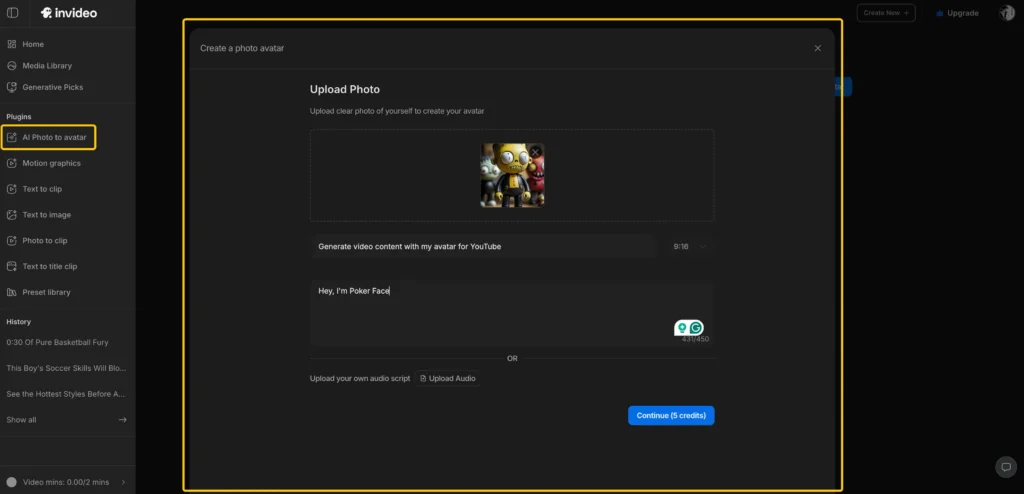
The invideo AI image to video feature analyzes your images and generates appropriate motion, zoom effects, and transitions that match your specified tone and platform requirements.
Invideo AI Animation Generator
The invideo AI animation generator creates animated explainer content without requiring After Effects skills or dedicated animation software. This invideo feature generates:
- Character animations for storytelling
- Kinetic typography for text-heavy content
- Icon and diagram animations for educational videos
- Motion graphics for data visualization
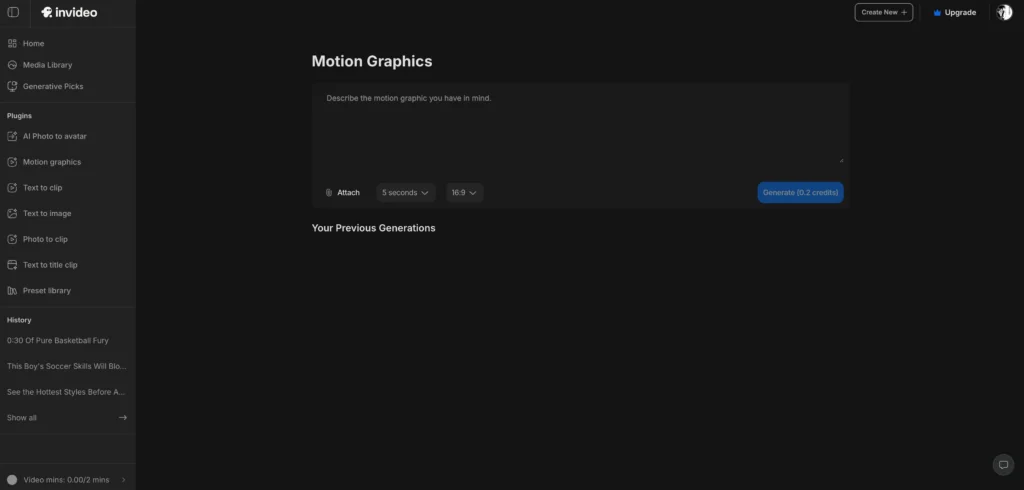
The invideo AI animation generator style adapts to your prompt—from playful cartoon aesthetics for children’s content to clean, professional motion graphics for B2B materials. This makes invideo a versatile animation solution alongside its video creation capabilities.
Stock Media Integration at Invideo.io
Invideo AI includes access to millions of stock video clips, images, and music tracks from iStock and other libraries. The invideo AI video generator automatically selects contextually appropriate media based on your script and visual needs—no manual searching required on invideo.io.
Invideo ai stock media
How to Use Invideo AI: Step-by-Step Workflow
Creating a video with the invideo AI video generator at invideo.io involves three core stages: prompting, reviewing, and refining through conversation. The entire invideo process happens through natural language—no technical video editing required.
Step 1: Access Invideo.io and Create Your Initial Prompt
Visit invideo.io and sign up for your invideo account.
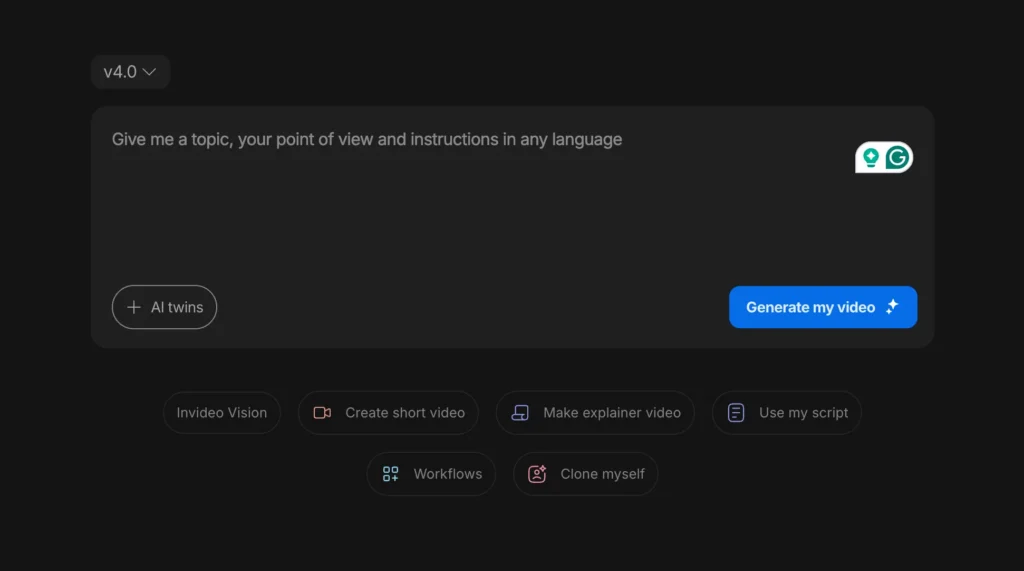
A strong prompt for the invideo AI video creator includes:
- Video type and purpose (e.g., “product demo,” “TikTok ad,” “explainer video”)
- Target audience (e.g., “small business owners,” “Gen Z consumers”)
- Key message or goal (e.g., “showcase ease of use,” “drive website clicks”)
- Duration preference (e.g., “30 seconds,” “2 minutes”)
- Platform or format (e.g., “Instagram Reels,” “YouTube shorts,” “LinkedIn”)
- Tone and style (e.g., “professional,” “playful,” “urgent”)
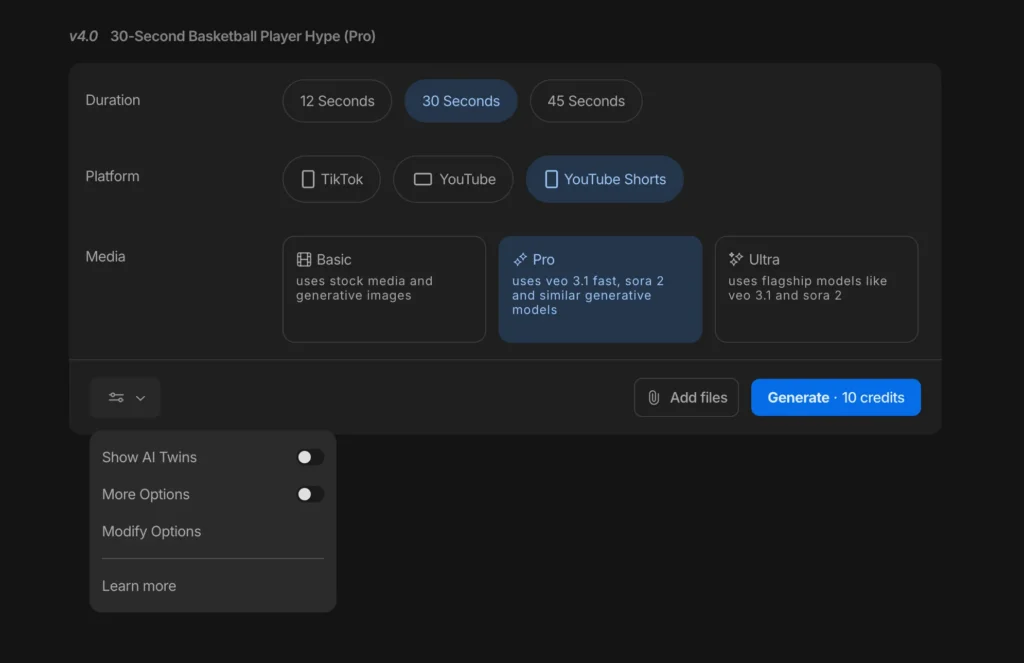
Step 2: Review the AI-Generated Video
The invideo AI video generator produces a complete first draft including:
- Script with AI voiceover
- Visuals (stock footage, AI-generated images, or uploaded assets)
- Background music
- Text overlays and transitions
- Platform-optimized formatting
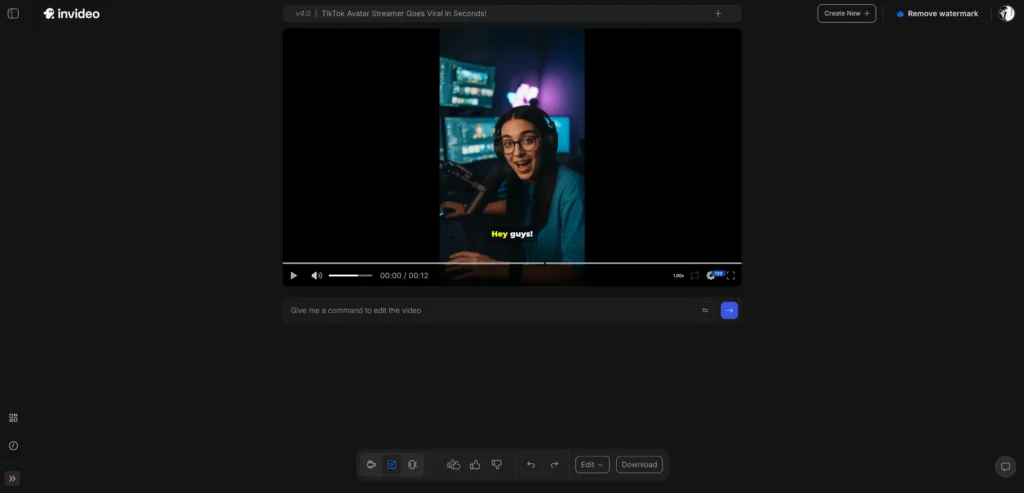
Watch the preview on invideo.io to assess alignment with your vision.
Step 3: Refine Using Conversational Edits in Invideo
This is where the invideo AI video creator excels. Instead of learning timeline editing, you make changes by describing them:
- “Make the opening hook more energetic”
- “Replace the third scene with footage of a family dinner”
- “Change the voiceover to a British accent”
- “Add text overlay with pricing at the 45-second mark”
- “Make this version optimized for TikTok instead”
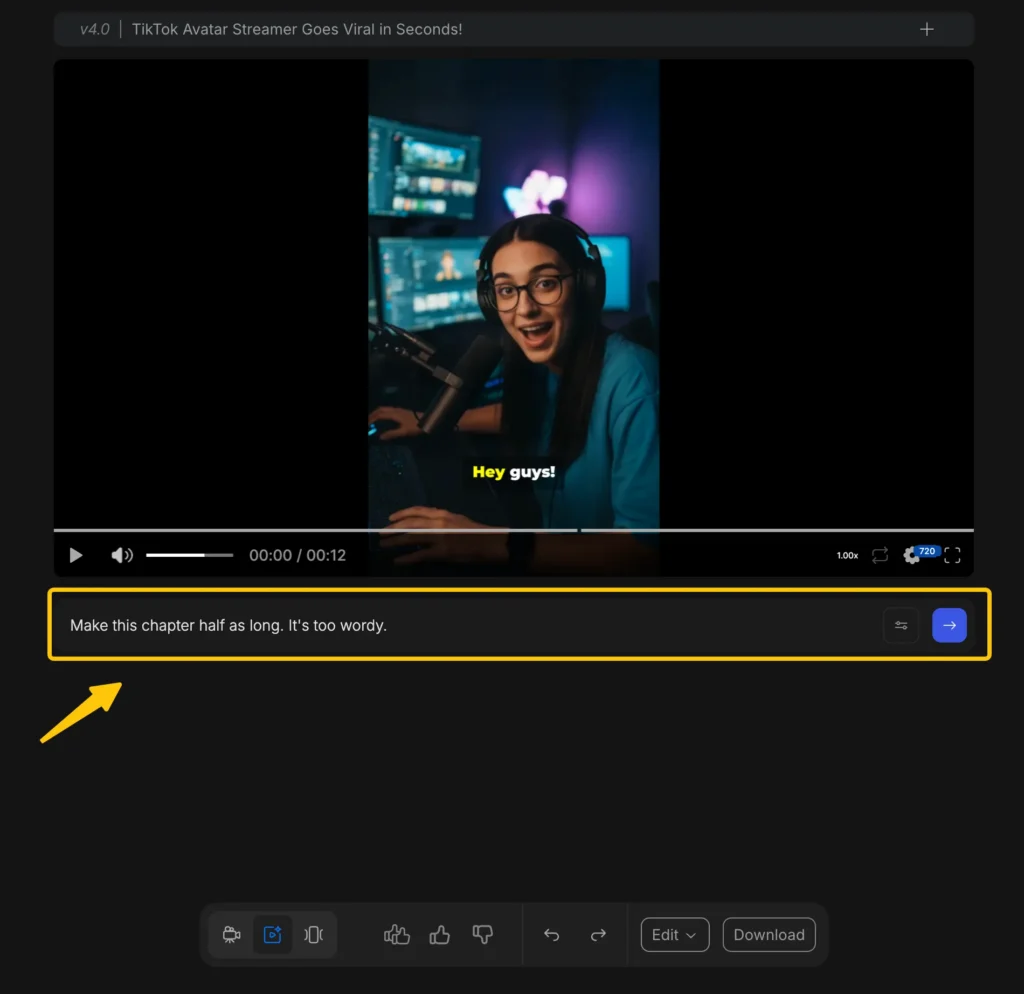
The invideo AI understands context and applies changes across the video intelligently—adjusting pacing if you change duration, reselecting visuals if you shift tone, or reformatting if you change platforms.
Step 4: Export Your Video from Invideo.io
Once satisfied, export from invideo.io in your desired resolution and download for use across marketing channels, social media, websites, or presentations.
How Invideo AI Works: The Technology Behind the Video Generator
The invideo AI video creator uses a multi-agent architecture where different OpenAI models specialize in specific production tasks. This orchestrated system mirrors how a traditional video production team operates, but entirely through AI.
The Multi-Agent Production System
1. OpenAI o3 (The Director): Functions as the creative planner and orchestrator. It analyzes your prompt to understand purpose, target audience, and platform requirements, then builds the overall creative strategy and coordinates which models handle which tasks.
2. GPT-4.1 (The Scriptwriter): Structures the narrative by converting the creative plan into an engaging script with proper pacing, tone, and messaging hierarchy. This is the core intelligence powering invideo AI’s understanding of your requests.
3. Search-Augmented GPT Models (The Researcher): Enriches scripts with current information, relevant data, and contextual insights before production begins.
4. Moderation Models (The Content Strategist): Reviews output for brand safety, platform compliance, and tonal alignment using OpenAI’s Moderation API.
5. gpt-image-1 (The Visual Designer): Generates custom backgrounds, cutaway visuals, branded assets, and contextual imagery for the invideo AI video generator.
6. Text-to-Speech Models (The Voice Actor): Delivers human-like narration across multiple tones, accents, and languages.
Platform-Specific Optimization
Invideo AI doesn’t just create generic videos—it optimizes for specific platforms and audiences. When you specify “make this for TikTok” at invideo.io, the system:
- Adjusts pacing for short-form attention spans (GPT-4.1)
- Selects vibrant, high-conversion visuals (gpt-image-1)
- Fine-tunes voiceover energy and timing (text-to-speech)
- Applies platform-specific aspect ratios and safe zones
A product ad for the same headphones will look and feel different when optimized for LinkedIn versus Instagram Reels—different tone, pacing, visual style, and call-to-action placement.
Free Invideo AI Alternatives: Best Alternatives to Invideo AI
When evaluating free invideo AI alternatives or paid alternatives to invideo AI, consider your specific needs and how they compare to invideo’s feature set.
Best Free Invideo AI Alternatives
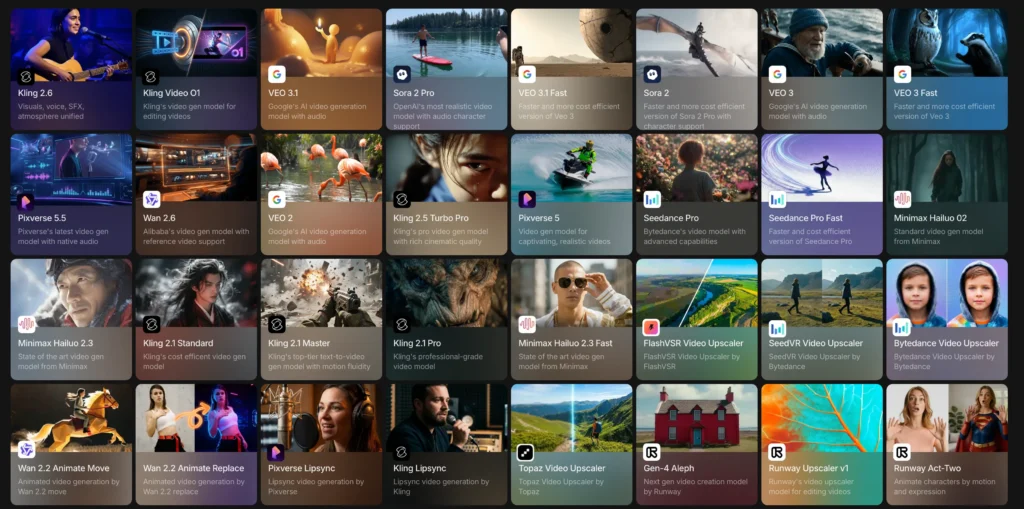
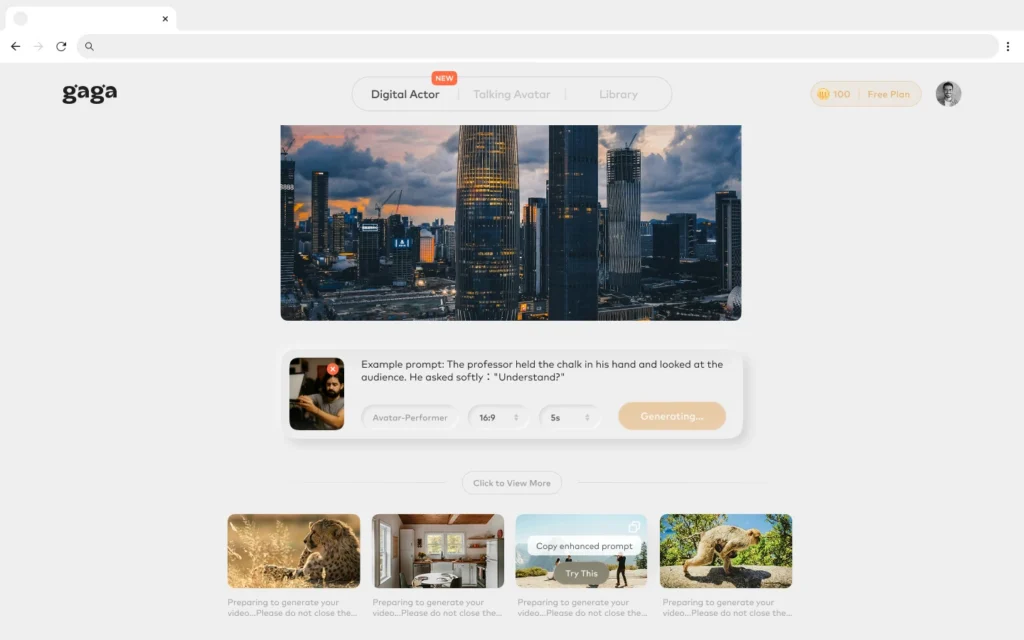
1. Gaga AI – Emerging AI video platform with competitive features to invideo AI
- More focus on the AI actor and AI movie than invideo
- Competitive pricing vs. invideo AI price
- Growing feature set comparable to invideo.io
2. Canva Video – Template-based with basic AI features
- More limited AI than invideo AI video generator
- Better for template-based workflows vs. invideo’s AI approach
- Lower learning curve but less flexibility than invideo
3. Descript – Text-based video editing with AI transcription
- Different workflow from invideo AI video creator
- Excellent for editing existing videos vs. invideo’s generation focus
- Not a direct invideo AI alternative for creation from scratch
4. Kapwing – Browser-based editing with some AI assistance
- More manual than invideo AI video generator
- Good free tier like invideo AI free plan
- Less sophisticated AI orchestration than invideo
Paid Alternatives to Invideo AI
Pictory AI
- Similar use case to invideo AI video creator
- Comparable invideo AI pricing ($23-59/month)
- Stronger at converting articles to videos vs. invideo’s broader creation
- Focused on AI avatar presenters unlike invideo
- Higher pricing than invideo AI price ($29-89/month)
- Better for talking-head content, invideo better for varied formats
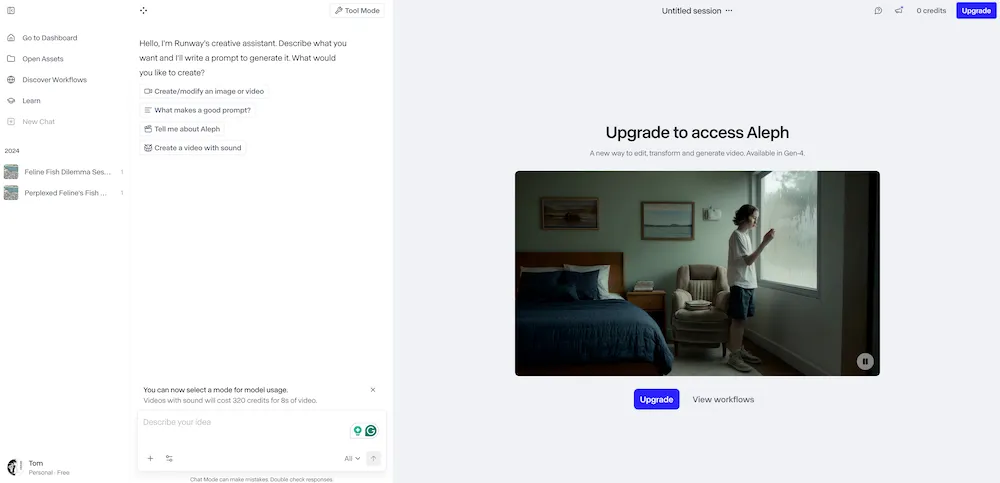
- More advanced AI features than invideo AI animation generator
- Steeper learning curve than invideo.io
- Better for experimental/creative vs. invideo’s marketing focus
Why Choose Invideo AI Over Alternatives
Users choose invideo AI video generator over alternatives for:
- More sophisticated AI orchestration with invideo (multi-agent system)
- Better natural language understanding in invideo AI
- Platform-specific optimization at invideo.io
- Stronger integration of script, visuals, and voiceover in invideo
- Invideo AI image to video quality
- Comprehensive invideo AI animation generator
- Better balance of power and simplicity than alternatives to invideo AI
Why Choose Alternatives to Invideo AI
Users choose free invideo AI alternatives when:
- Budget is primary concern (though invideo AI free plan exists)
- Template-based workflows preferred over invideo’s AI generation
- Specific features like AI avatars not in invideo
- Existing workflow integration with non-invideo tools
- Lower monthly volume needs than invideo AI pricing accommodates
Invideo AI Pricing: Complete Cost Breakdown
Understanding invideo AI pricing is essential for budget planning. The invideo AI price structure includes a free tier with limitations and three paid subscription levels for commercial use. Invideo AI pricing is based on export quality, video length, usage volume, and advanced features.
Current Invideo AI Pricing Structure
| Plan | Invideo AI Price | Key Features | Best For |
| Free | $0 | 10 minutes/week video generation, watermarked exports, 720p quality | Testing the invideo AI video generator |
| Plus | $35/month | 50 minutes/week, no watermark, 1080p exports, iStock media access | Solo creators using invideo regularly |
| Max | $60/month | 200 minutes/month, 4K exports, priority generation, voice cloning | Agencies and high-volume invideo users |
| Generative | $120/month | Unlimited generation, premium features, enterprise support, API access | Large teams and enterprise invideo users |
Invideo AI Price Comparison with Competitors
When evaluating invideo AI pricing against alternatives, consider both cost and feature parity:
Invideo AI vs. Gaga AI Pricing
Gaga AI offers aggressive pricing as a free invideo AI alternative:
| Gaga AI Plan | Price | Credits/Month | Videos | Cost Per Video | Key Features |
| Plus | $7.90/month (20% off) | 500 credits | ~50 videos | $0.16 | 1080p, 10s videos, no watermark, commercial use |
| Pro | $29.90/month (40% off) | 4,000 credits | ~400 videos | $0.07 | Voice cloning, image upscaling, fast queue |
| Premium | $99.90/month (33% off) | 20,000 credits | Unlimited Gaga-1 | — | Ultra-fast generation, unlimited basic model |
Gaga AI vs. Invideo AI Price Analysis:
- Lower entry point: Gaga AI Plus at $7.90/month vs. invideo Plus at $35/month
- Higher volume efficiency: Gaga AI Pro ($29.90) offers more videos than invideo Max ($60)
- Different models: Gaga AI uses a credit-based system; invideo uses time-based minutes
- Feature differences: Invideo AI offers superior multi-agent orchestration and platform optimization
Winner depends on use case:
- Choose Gaga AI for: High-volume production on a budget, simple video generation needs
- Choose invideo AI for: Platform-specific optimization, advanced scripting, enterprise features, sophisticated multi-agent AI system
Invideo AI vs. Other Competitors
Pictory AI
- Pricing: $23-59/month (comparable to invideo AI price range)
- Strengths: Article-to-video conversion, auto-captioning
- vs. Invideo: Similar pricing, but invideo offers stronger AI orchestration and platform optimization
Synthesia
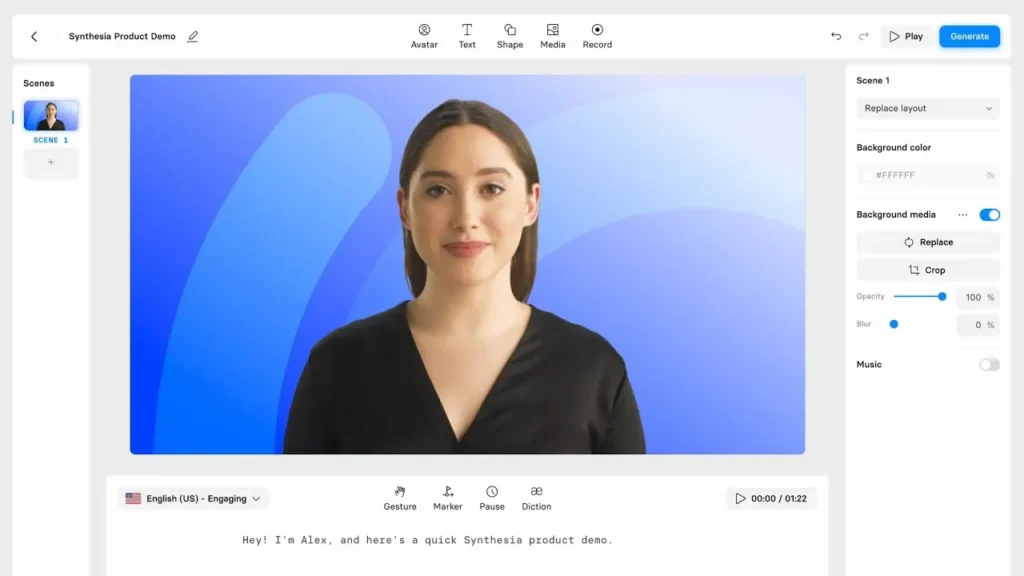
- Pricing: $29-89/month (higher than invideo AI pricing)
- Strengths: Photorealistic AI avatars, enterprise focus
- vs. Invideo: More expensive, specialized for talking-head videos vs. invideo’s versatile video formats
Canva Video
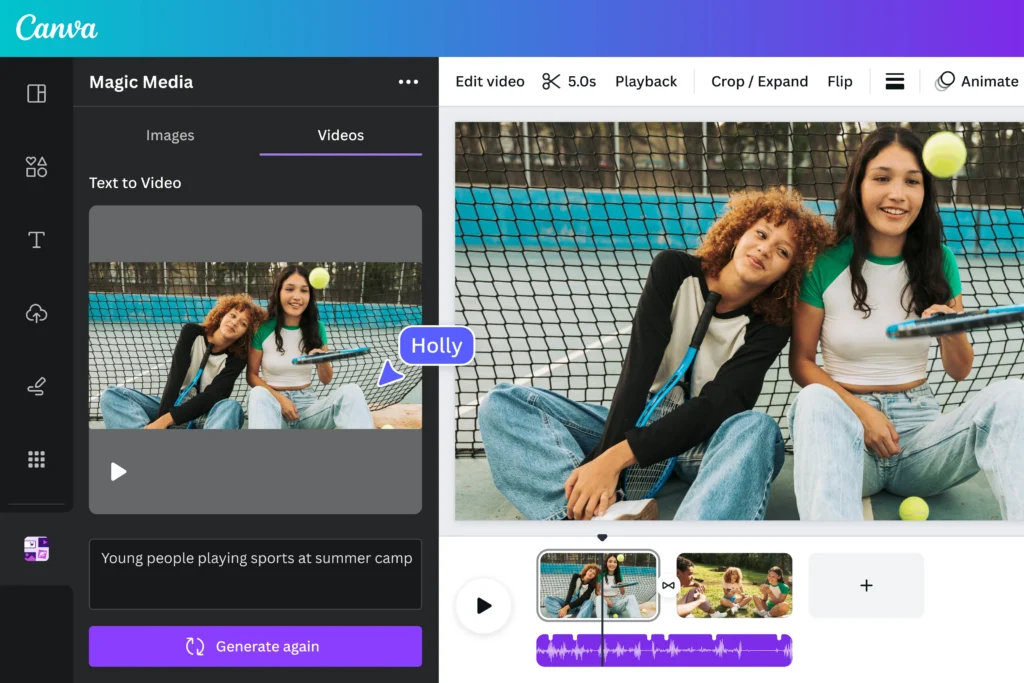
- Pricing: $13/month (lower than invideo AI price)
- Strengths: Template library, graphic design integration
- vs. Invideo: Limited AI features, template-based vs. invideo AI’s generation-from-scratch capability
Runway ML
- Pricing: $12-76/month (variable based on AI features)
- Strengths: Advanced AI video effects, experimental tools
- vs. Invideo: Steeper learning curve, creative focus vs. invideo’s marketing-optimized workflow
Value Analysis: Is Invideo AI Pricing Worth It?
The invideo AI price-to-feature ratio is competitive, especially considering:
Time savings value:
- Traditional production: 4-8 hours × $50-150/hour = $200-1,200 per video
- Invideo AI Plus ($35/month): 50+ videos/month = $0.70 per video
- ROI: Invideo pays for itself with 1-2 videos monthly vs. freelancer rates
Feature sophistication:
- Multi-agent AI system (GPT-4.1 + gpt-image-1 + TTS)
- Platform-specific optimization
- Invideo AI image to video capability
- Invideo AI animation generator
- Voice cloning (Max/Generative)
Compared to alternatives:
- More AI intelligence than Canva (lower price but limited features)
- More accessible than Synthesia (higher price, narrower use cases)
- More video-focused than Runway (similar price, different strengths)
- Less cost-efficient than Gaga AI (for high-volume simple videos)
Which Invideo AI Pricing Plan Should You Choose?
Choose Free if:
- Testing invideo AI video generator capabilities
- Creating 1-2 personal videos weekly
- Watermarks are acceptable
- No commercial use needed
Choose Plus ($35/month) if:
- Creating 5-10 professional videos monthly
- Need watermark-free invideo exports
- Solo creator or small business
- 1080p quality sufficient
Choose Max ($60/month) if:
- Producing 20+ videos monthly with invideo
- Need 4K quality exports
- Want voice cloning for brand consistency
- Agency serving multiple clients
Choose Generative ($120/month) if:
- Enterprise-scale production at invideo.io
- Need API integration
- Managing team workflows
- Unlimited generation requirements
Consider Gaga AI instead if:
- Producing 50+ simple videos monthly on tight budget
- Don’t need advanced platform optimization
- Prefer credit-based over time-based system
- Want lower cost-per-video ($0.07-0.16 vs. invideo’s $0.70+)
Hidden Costs and Considerations
What’s NOT included in invideo AI pricing:
- Custom music licensing (if going beyond stock library)
- Extended stock footage beyond iStock integration
- Professional voiceover talent (though AI voices included)
- Video hosting (need separate platform like YouTube, Vimeo)
What IS included that adds value:
- Commercial licensing for all content generated with invideo
- Regular AI model updates and improvements
- Platform optimization intelligence
- Unlimited revisions during generation process
- Stock library access (iStock integration on paid plans)
The invideo AI price structure balances accessibility with professional capabilities, making it suitable for creators at various scales—from solo entrepreneurs testing the invideo AI free plan to enterprises leveraging the Generative tier’s unlimited capacity.
Invideo AI Use Cases: What Can You Create with This Video Generator?
The invideo AI video generator handles virtually any short-to-medium form video content where the primary challenge is production speed and resource constraints, not cinematic artistry.
Marketing and Advertising with Invideo
- Social media ads (Facebook, Instagram, TikTok, LinkedIn)
- Product launch videos created at invideo.io
- Brand story content using the invideo AI video creator
- Promotional campaigns
Educational and Explainer Content
- Tutorial videos with invideo AI voiceover
- How-to guides generated at invideo.io
- Course content from the invideo platform
- Concept explanations
E-commerce and Sales
- Product demonstrations using invideo AI video generator
- Feature highlights
- Customer testimonial compilations
- Unboxing presentations
Social Media Content
- YouTube Shorts optimized by invideo
- Instagram Reels from invideo.io
- TikTok videos with invideo AI
- LinkedIn thought leadership
Corporate and Internal Communications
- Training materials via invideo AI video creator
- Company announcements
- Onboarding content
- Presentation support
What the invideo AI video generator is NOT suited for:
- Feature films or long-form documentary production
- Projects requiring precise manual control over every frame
- Content needing custom 3D animation beyond invideo’s capabilities
- Videos where production value is the primary differentiator
Invideo AI Prompts Generator: Tips for Better Results
While invideo doesn’t offer a standalone “invideo AI prompts generator” tool, understanding prompt optimization is crucial for getting the best results from the invideo AI video creator. The quality of your output directly correlates to prompt specificity and strategic direction.
Prompt Structure Best Practices for Invideo AI
Basic Invideo AI Prompts Generator Template:
Create a [duration] for [platform]
targeting [audience] about [topic].
Use a [tone] style with [mood/energy] pacing.
Include [specific elements].
Advanced Invideo AI Prompts Generator Techniques
For better storytelling with invideo AI video generator:
- Specify narrative structure in invideo: “Use a problem-solution-result framework”
- Define emotional arc for invideo AI: “Start with frustration, build to relief and satisfaction”
- Request specific hooks: “Open with a surprising statistic”
For platform optimization at invideo.io:
- “Make this TikTok-native with fast cuts and trending audio”
- “Optimize for LinkedIn with professional tone and subtitle emphasis”
- “Create a YouTube Short optimized for watch time retention”
For brand consistency using invideo:
- Upload brand assets to invideo.io and reference them: “Use our brand colors and logo”
- Define voice for invideo AI: “Match the tone of our previous videos”
- Specify terminology: “Use ‘clients’ not ‘customers’ throughout”
Meta-Prompting Strategy for Invideo AI Prompts Generator
To simulate an invideo AI prompts generator workflow:
1. Start with a basic idea on invideo.io
2. Ask the invideo AI video creator: “What additional information would improve this video?”
3. Incorporate suggested elements into your invideo prompt
4. Generate the video with the enriched prompt
Alternatively, use ChatGPT or Claude as an invideo AI prompts generator to refine your prompt before submitting to invideo.io:
Example meta-prompt for invideo AI prompts generator:
“I want to create a video about sustainable fashion for Gen Z on TikTok using invideo AI. Generate a detailed prompt that includes tone, pacing, key messages, and visual style preferences that will work well with the invideo AI video generator.”
Frequently Asked Questions About Invideo AI
Is Invideo AI Free?
Yes, invideo AI free plan is available, making it one of the few professional AI video generators with no-cost access. However, the invideo AI free tier has significant limitations:
- Watermarked videos (invideo branding appears on exports)
- 10 minutes per week of generation time at invideo.io
- 720p resolution maximum
- No commercial use rights for certain stock assets
The invideo AI free plan is suitable for testing the platform or creating personal content, but businesses and professional creators will need paid invideo AI pricing tiers to remove watermarks and access higher quality exports.
Is invideo AI completely free?
No, invideo AI free plan exists but with limitations. The invideo AI free tier allows 10 minutes of video generation per week with watermarked exports at 720p resolution. For professional use without watermarks from invideo.io, you need paid invideo AI pricing starting at $20/month.
What is the invideo AI price for commercial use?
Invideo AI pricing for commercial use starts at $20/month (Plus plan) with the invideo AI price scaling to $60/month for the Max plan. The invideo AI free plan restricts commercial use of certain stock assets. Check invideo.io for current invideo AI pricing.
How do I access invideo AI?
Access invideo AI by visiting invideo.io and creating an account. The invideo platform is web-based, so you can use the invideo AI video generator from any browser without downloading software.
Can I use invideo AI for commercial purposes?
Yes, with paid invideo AI pricing plans. The Plus ($20/month) and Max ($60/month) invideo tiers include commercial licensing for generated content. The invideo AI free plan restricts commercial use.
What languages does the invideo AI video creator support?
Invideo AI supports 50+ languages for both script generation and voiceover. This includes major languages like Spanish, French, German, Mandarin, Hindi, Arabic, and Portuguese on invideo.io.
How long does invideo AI take to generate a video?
Most videos generate in 5-10 minutes at invideo.io depending on length and complexity. Simple 30-second videos from the invideo AI video creator may complete in 2-3 minutes, while 5-minute explainers can take 10-15 minutes.
Can I edit invideo AI videos after generation?
Yes, editing in invideo happens through conversational instructions. You don’t manually edit timelines—instead, you describe changes to the invideo AI video creator like “make the opening faster” or “change the voiceover tone.”
How does invideo AI image to video work?
Invideo AI image to video transforms static images into dynamic video content by uploading photos to invideo.io. The invideo AI analyzes your images and generates appropriate motion, zoom effects, transitions, and narration to create engaging video sequences.
Does the invideo AI animation generator create custom animations?
Yes, the invideo AI animation generator creates animated content including character animations, kinetic typography, icon animations, and motion graphics. The invideo animation style adapts to your prompt—from playful cartoons to professional motion graphics.
What are the best free invideo AI alternatives?
Top free invideo AI alternatives include Gaga AI, Canva Video, Descript, and Kapwing. Each alternative to invideo AI has different strengths—Gaga AI offers similar multi-agent features, while Canva focuses on templates. Compare features against invideo AI free plan limitations.
Is there an invideo AI prompts generator tool?
Invideo doesn’t offer a separate invideo AI prompts generator, but you can optimize prompts by being specific about duration, platform, audience, tone, and visual style. Alternatively, use ChatGPT or Claude as an invideo AI prompts generator to refine prompts before submitting to invideo.io.
How does invideo AI pricing compare to competitors?
Invideo AI pricing ($20-60/month) is competitive with Pictory AI ($23-59/month) and lower than Synthesia ($29-89/month). The invideo AI price includes more features than many alternatives to invideo AI, making it strong value for the invideo AI video creator capabilities.
Can I try invideo AI before paying?
Yes, use the invideo AI free plan to test the platform at invideo.io. The invideo AI free tier provides 10 minutes/week of generation time with watermarked exports, letting you evaluate the invideo AI video generator before committing to paid invideo AI pricing.
What video formats does invideo AI export?
Invideo export options depend on your invideo AI pricing tier:
- Invideo AI free: 720p MP4 with watermark
- Plus invideo plan: 1080p MP4 without watermark
- Max invideo tier: Up to 4K resolution MP4
All invideo.io exports are platform-ready with embedded audio.
Can invideo AI create YouTube videos?
Yes, invideo AI video generator is excellent for YouTube content, particularly YouTube Shorts, explainer videos, product reviews, educational content, and channel trailers. For longer-form content (10+ minutes), create multiple videos with invideo and stitch together.
How does invideo AI compare to Pictory or Synthesia?
Invideo AI uses more sophisticated multi-agent orchestration compared to Pictory’s template approach and offers broader content types than Synthesia’s AI avatar focus. The invideo AI video creator excels at full production from scratch, while Pictory emphasizes converting existing content and Synthesia specializes in talking-head videos.
What happens if I cancel my invideo subscription?
Your previously exported videos from invideo.io remain yours to use commercially. However, you lose access to watermark-free exports from invideo, higher resolutions, generation credits, and invideo platform features. You can re-export existing projects on the invideo AI free plan, but they’ll include watermarks.
Does invideo work on mobile devices?
Invideo AI is primarily web-based at invideo.io and works on mobile browsers, but the invideo experience is optimized for desktop. Creating videos with the invideo AI video creator is easier on larger screens.
Can I use my own voice instead of invideo AI voiceover?
Yes, you can upload custom audio to invideo.io including your own voice recordings. The Max invideo AI pricing tier ($60/month) also includes voice cloning for the invideo AI video generator.
Is there a limit to how many videos I can create with invideo?
Invideo AI pricing limits are based on generation minutes, not video count. The Plus invideo plan includes 50 minutes/week, which translates to approximately 50-100 short videos or 10-25 longer videos per week with the invideo AI video creator.