Table of Contents
Key Takeaways
- Best practices include using prompt generators, negative prompts, and specialized upscalers for optimal results
- Stable Diffusion AI video extends image generation capabilities to dynamic video content, producing 2-5 second clips at up to 30 FPS
- Stable Video Diffusion offers both 14-frame and 25-frame models for image-to-video and text-to-video generation
- RTX 4090 generation time for 25 frames in ComfyUI: 1-3 minutes at optimal settings
- NovelAI img2img best settings for 3D to 2D anime conversion deliver professional results
- The technology supports multiple workflows: img2img, upscaling, face swap, animation, and style transfer
- Veo2 Stable Diffusion integration and alternatives provide enhanced realism and extended video capabilities
- Community resources on Stable Diffusion Reddit provide ongoing support, custom models, and troubleshooting
What is Stable Diffusion AI Video?
Stable Diffusion AI video is an extension of the foundational image generation model that creates dynamic video content from static inputs. The stable diffusion ai video generator transforms text prompts or images into coherent video sequences using advanced diffusion algorithms that process temporal data alongside spatial information.
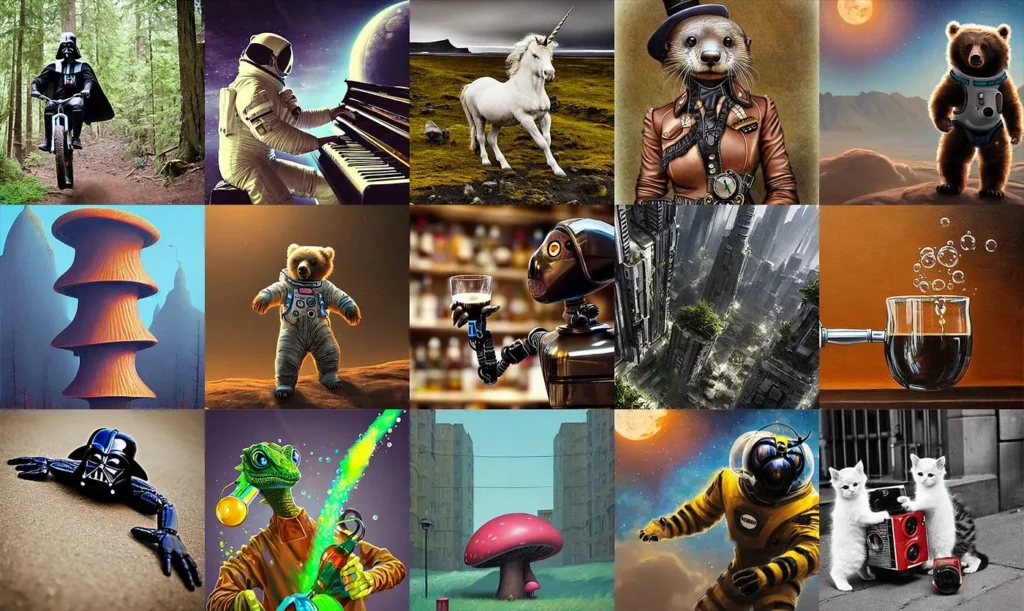
Released by Stability AI, Stable Video Diffusion consists of two image-to-video models capable of generating 14 and 25 frames at customizable frame rates between 3 and 30 frames per second. This represents a significant evolution from static image generation to time-based media creation.
Core Capabilities of Stable Diffusion Video Generation
Image to video stable diffusion enables creators to animate still images with realistic motion and temporal consistency. The stable diffusion text to video functionality allows direct creation from descriptive prompts without requiring source imagery.
Key features include:
- Duration: 2-5 seconds per generation cycle
- Frame rates: Configurable from 3-30 FPS for different use cases
- Processing speed: Under 2 minutes for most video generations on RTX 4090
- Number of frames: 14-frame model for quick tests, 25-frame model for production-quality output
- Resolution: Up to 1024×576 with SDXL-based models
- Extensibility: Compatible with ControlNet, LoRA training, and custom models
Stable Video Diffusion Frame Count: 14 vs 25 Frames
The stable video diffusion number of frames significantly impacts output quality and generation time:
14-Frame Model (SVD):
- Faster generation (40-50% quicker than 25-frame)
- Ideal for rapid prototyping and testing
- Best for 2-3 second clips at 6-7 FPS
- Lower VRAM requirements (works on 12GB cards)
- Generation time RTX 4090: 45-90 seconds
25-Frame Model (SVD-XT):
- Superior motion smoothness
- Professional-quality output at higher frame rates
- Optimal for 3-5 second clips at 5-8 FPS
- Can achieve 30 FPS with frame interpolation
- Stable video diffusion 25 frames generation time RTX 4090: 1-3 minutes in ComfyUI
- Requires 16GB+ VRAM for optimal performance
RTX 4090 Performance Benchmarks
Stable video diffusion ComfyUI RTX 4090 generation time 25 frames:
- Standard settings (512×512): 1-2 minutes
- High resolution (1024×576): 2-3 minutes
- With upscaling: Add 1-2 minutes
- Batch processing: ~2.5 minutes per video
Optimization tips for RTX 4090:
- Enable xFormers for 30% VRAM reduction
- Use FP16 precision for faster processing
- Optimal batch size: 1 for video (unlike images)
- ComfyUI workflow efficiency: 25-35% faster than A1111
How Stable Diffusion AI Video Generation Works
The Video Diffusion Process
While the original Stable Diffusion operates in 2D latent space (Channels × Height × Width), video models extend this to 3D space (Channels × Time × Height × Width). This architectural change enables the model to learn motion patterns, temporal consistency, and frame-to-frame transitions.
The stable diffusion video generation workflow:
1. Input processing: Text prompts encode via CLIP, while images process through the VAE encoder
2. Temporal noise initialization: Random noise populates the 3D latent tensor across time dimension
3. Iterative denoising: U-Net architecture with 3D convolutions predicts noise across spatial and temporal dimensions
4. Frame consistency: Attention mechanisms ensure coherent transitions between frames
5. Decoding: VAE decoder converts latent representations to pixel-space video frames
Technical Architecture Components
3D Convolutional Layers: Process patterns across space and time simultaneously, enabling motion learning
Temporal Attention: Maintains consistency across frame sequences, preventing visual discontinuities
Motion Conditioning: Guides movement patterns based on optical flow predictions or explicit motion parameters
Stable Diffusion Video on Hugging Face
The stable diffusion video hugging face repository provides free access to video generation models and tools. The Stable Video Diffusion Space offers a straightforward approach: upload an image and hit generate, making it accessible for users without local hardware.
stable video diffusion
Accessing Stable Video Diffusion Models
Visit the Stability AI organization page on Hugging Face to find:
- SVD-XT (Extended): 25-frame model for longer, smoother videos
- SVD: Standard 14-frame model for faster generation
- SV3D: Multi-view synthesis for 3D object rotation
- SV4D: Novel view video synthesis with enhanced consistency
The models support both web-based generation through Spaces and local deployment via downloaded weights.
Stable Diffusion AI Generator: Beyond Video
While this guide focuses on video, the stable diffusion ai generator encompasses multiple creation modes that enhance video workflows.
Image-to-Image (Stable Diffusion Img2Img)
The stable diffusion img2img technique transforms existing images using AI guidance. This forms the foundation of video generation, where each frame can be modified while maintaining continuity.
Applications for video workflows:
- Creating consistent keyframes before video generation
- Style transfer across image sequences
- Correcting or enhancing frames in generated videos
- Establishing visual direction for text-to-video prompts
Denoising strength parameter (0.0-1.0) controls transformation intensity. Lower values preserve more original content, crucial for maintaining consistency in video frame sequences.
Stable Diffusion Upscaler Technology
The stable diffusion upscaler enhances resolution beyond generation limits, essential for professional video output.
Best upscaler stable diffusion options:
1. Ultimate SD Upscale: Tiles large images efficiently, ideal for 4K video frame enhancement
2. 4x-UltraSharp: Optimized specifically for AI-generated content, maintains coherence
3. Real-ESRGAN: General-purpose upscaling for photorealistic content
4. ESRGAN 4x+: Detail enhancement with minimal artifacts
Video workflows benefit from consistent upscaling across all frames. The tiling approach prevents memory limitations when processing high-resolution video sequences.
NovelAI Img2Img Best Settings for 3D to 2D Anime Conversion
For creators looking to convert 3D renders to anime-style frames, NovelAI img2img best settings for 3D to 2D anime conversion deliver exceptional results:
Optimal Settings:
- Denoising Strength: 0.45-0.65 (0.55 recommended for balanced conversion)
- Steps: 28-35 (30 optimal for quality/speed balance)
- CFG Scale: 7-11 (9 recommended for strong style transfer)
- Sampler: Euler a or DPM++ 2M Karras
- Resolution: Match source or slight upscale (1024×1024 ideal)
Prompt Structure for 3D to 2D Anime:
anime style, 2d animation, cell shading, clean lineart, [character description], [scene details], high quality, masterpiece, official art
Negative: 3d, realistic, photorealistic, cg, depth of field, blurry, low quality
Workflow Tips:
1. Start with denoising 0.50 for first pass
2. If too much 3D remains, increase to 0.60-0.65
3. If character features lost, decrease to 0.45-0.50
4. Use ControlNet Lineart for maintaining structure
5. Apply consistent settings across all frames for video
Frame-by-Frame Conversion for Video:
- Extract 3D animation frames
- Apply identical NovelAI settings to each frame
- Use seed control for consistency
- Reassemble with temporal interpolation
Stable Diffusion Prompt Engineering for Video
Crafting Effective Prompts for Video Generation
The stable diffusion prompt generator tools assist in creating optimized descriptions, but understanding prompt structure improves results dramatically.
Optimal prompt structure:
[Action/Motion] + [Subject] + [Environment] + [Style] + [Technical Parameters] + [Camera Movement]
Example for stable diffusion ai video:
“Slow motion tracking shot, woman walking through autumn forest, golden hour lighting, leaves falling gently, cinematic depth of field, Arri Alexa look, 24fps feel, camera dolly forward”
Stable Diffusion Prompts for Realistic Photos (Video Applications)
Stable diffusion prompts for realistic photos require specific technical terminology that translates to video realism:
“RAW photo quality, natural lighting, film grain, shot on RED camera, 8K resolution, shallow depth of field, professional color grading, realistic skin texture, atmospheric haze, natural shadows”
For video, add temporal descriptors:
“smooth camera pan, natural motion blur, consistent lighting throughout, realistic physics, temporal consistency”
Best Negative Prompts for Stable Diffusion Video
The best negative prompts for stable diffusion prevent common video artifacts:
“jittery motion, frame flickering, temporal inconsistency, morphing objects, distorted faces, warping, discontinuous movement, static frames, stuttering, compression artifacts, watermark, logo, timestamp, unnatural physics”
Understanding the Stable Diffusion Break Keyword
The stable diffusion break keyword separates prompt concepts for independent processing. In video contexts, BREAK helps maintain distinct elements:
“wide establishing shot of Tokyo street BREAK neon signs reflecting on wet pavement BREAK people walking with umbrellas BREAK cinematic rain effect BREAK blade runner aesthetic”
This prevents concept bleeding where descriptions merge undesirably.
Stable Diffusion Prompt
For Chinese-language users, stable diffusion prompt follow similar principles with cultural and linguistic adaptations. Key considerations include describing motion patterns, aesthetic preferences specific to East Asian cinematography, and technical terminology translations that maintain intent.
Grok Imagine 30 FPS Prompts
When using grok imagine 30 fps workflows, incorporate these elements:
- Specify “30 fps smooth motion” explicitly in prompts
- Add “high frame rate” or “fluid movement”
- Include “temporal consistency” for frame coherence
- Mention “cinematic motion blur” for realistic 30 fps feel
Specialized Stable Diffusion Video Techniques
Stable Diffusion Face Swap and Faceswap
Both stable diffusion face swap and stable diffusion faceswap enable identity replacement in generated videos.
stable diffusion ai face swap
Methods for video face replacement:
1. Roop extension: Real-time face swapping with single reference image
2. FaceSwapLab: Frame-by-frame control with blending optimization
3. Video-specific workflows: Process entire sequences maintaining lighting and angle consistency
Video faceswap challenges:
- Maintaining temporal consistency across frames
- Handling profile changes and occlusions
- Preserving natural motion and expressions
- Managing varying lighting conditions
Stable Diffusion Animation Workflows
Stable diffusion animation creates extended sequences through multiple techniques:
Deforum: Frame-by-frame generation with camera controls (zoom, pan, rotation) and 3D camera movement simulation. Deforum enables complex animations with scheduled prompt changes and motion parameters.
AnimateDiff: Adds temporal modules to standard Stable Diffusion models, enabling motion without training new models from scratch. Compatible with existing checkpoints and LoRAs.
TemporalKit: Maintains consistency across longer sequences through advanced attention mechanisms and frame interpolation.
Stable Diffusion Style Transfer for Video
Stable diffusion style transfer applies artistic or photographic styles consistently across video frames:
Video style transfer methods:
- ControlNet-based: Uses edge maps or depth information to maintain structure
- IP-Adapter: Transfers style from reference images while preserving video content
- Video-to-video processing: Applies style frame-by-frame with temporal consistency checks
Popular video styles: Anime aesthetics, oil painting effects, pencil sketch animation, vintage film looks, cyberpunk visuals, watercolor motion
Stable Diffusion for Anime and Specialized Content
Stable Diffusion Anime Video Generation
Stable diffusion anime models like NovelAI, Anything V5, and CounterfeitXL specialize in Japanese animation aesthetics.
Anime video considerations:
- Frame consistency more critical due to distinct character features
- Line art stability across frames
- Color palette consistency
- Character expression continuity
- Background/foreground separation
Anime-specific workflows:
1. Generate keyframes with anime checkpoint models
2. Use ControlNet Lineart for structure preservation
3. Apply temporal consistency through AnimateDiff
4. Upscale with anime-optimized upscalers (4x-AnimeSharp)
Content Policy Considerations
When generating content like stable diffusion bikini or other fashion-related imagery, platforms enforce different content policies. Focus on artistic merit, fashion photography techniques, and professional presentation. Many services restrict explicit content while permitting tasteful fashion, swimwear, and artistic nude studies within their terms of service.
Always review platform-specific guidelines before generating potentially sensitive content for video projects.
Accessing Stable Diffusion Video Tools
Online Platforms for Video Generation
Cloud-based stable diffusion ai video generator options:
- DreamStudio: Official Stability AI platform with video preview access
- Shakker AI: Comprehensive tools including video generation, A1111 WebUI integration, and ComfyUI support
- Hugging Face Spaces: Free community-hosted instances with varying capabilities
- Replicate: Pay-per-generation model with API access
Advantages: No hardware requirements, automatic updates, immediate access
Limitations: Usage costs, generation queues, limited customization
Local Deployment for Video
Running video generation locally provides unlimited control but requires substantial hardware.
Minimum requirements:
- GPU: NVIDIA RTX 3060 12GB (RTX 4090 recommended for 4K workflows)
- RAM: 32GB system memory for video processing
- Storage: 50GB+ for models, dependencies, and output files
- VRAM: 12GB minimum, 24GB optimal for high-resolution video
Installation options:
1. Automatic1111 WebUI: Extensions like Deforum and AnimateDiff enable video workflows
2. ComfyUI: Node-based system with dedicated video generation nodes
3. Pinokio: One-click installer supporting Stable Video Diffusion models
ComfyUI Workflows for RTX 4090
Stable video diffusion ComfyUI generation time RTX 4090 25 frames optimization:
1. Node Configuration:
- Use CheckpointLoaderSimple for SVD-XT
- Set motion_bucket_id: 127 (standard motion)
- fps: 6-8 for base, interpolate to 30 fps later
- augmentation_level: 0.0-0.2
2. Performance Settings:
- Enable “auto” VRAM management
- Use “fp16” for VAE encoding
- Batch size: 1 (optimal for video)
- Tiled VAE for high-res output
3. 25-Frame Generation Timeline:
- Encoding: 10-15 seconds
- Denoising: 60-120 seconds
- VAE Decode: 15-25 seconds
- Total: 1.5-2.5 minutes average
Stable Diffusion 2.1 and Version History
Understanding Stable Diffusion 2.1
Stable diffusion 2.1 represented a significant update from v1.5 with improved text encoding and reduced artifacts. Released in late 2022, it introduced better prompt understanding and expanded style diversity.
Technical improvements in 2.1:
- Enhanced CLIP text encoder with improved semantic understanding
- Refined training data curation reducing problematic content
- Better composition and framing in generated images
- Reduced tendency toward common artifacts
Current relevance: While functional, SDXL (version 3) and SD 3.5 offer substantially superior quality. Use SD 2.1 only for compatibility with specific workflows or when hardware limitations prevent running newer models.
Veo2 Stable Diffusion: Next-Generation Integration
What is Veo2 Stable Diffusion?
Veo2 is a high-quality, realistic model for Stable Diffusion that improves human anatomy, skin texture, and fine details, making it ideal for fashion, portraits, and product photography. In the video context, Veo represents Google’s AI video generation competing with Stable Video Diffusion, with Veo’s photorealism and integrated audio ideal for client-facing versions.
Veo2 vs Stable Video Diffusion Comparison
Veo2 (Google’s approach):
- Integrated audio generation with dialogue and sound effects
- Longer duration support (up to 8 seconds per generation)
- Superior prompt adherence and physics simulation
- Closed-source commercial platform
- Higher photorealism in generated content
Stable Video Diffusion (Stability AI):
- Open-source with full customization capability
- Extensive community model ecosystem
- LoRA training and fine-tuning support
- Lower cost through local deployment
- Modular integration with VFX pipelines
For VFX work requiring layer-based control, Stable Diffusion’s open-source nature provides pixel-level control, while Veo excels at quick high-quality concept generation.
Combining Technologies
Professional workflows increasingly combine multiple tools:
1. Concept generation: Use Veo for initial high-quality concepts
2. Variation creation: Import to Stable Diffusion for customization
3. Element generation: Use AnimateDiff for specific animated components
4. Compositing: Integrate AI elements with live footage in traditional VFX software
Stable Diffusion Alternatives for Video
Leading Stable Diffusion Alternatives
For those seeking options beyond Stable Video Diffusion:
Runway Gen-3: Professional video editing with AI-powered tools, motion brush, inpainting/outpainting, and 10-second generation capacity. Best for iterative editing workflows.
Pika 1.5: User-friendly interface with style presets, effects library (Pikaffect), and beginner-accessible controls. Excellent for quick social media content.
Dream Machine (LumaAI): Cinematic quality with exceptional texture rendering. 5-second generations optimized for professional productions.
Haiper: High frame-rate support with rapid processing. 4-second videos with seamless creative integration.
Gaga AI: Emerging alternative focusing on simplified workflows and preset-based generation for non-technical users.

Comparison: When to Choose Alternatives
Choose Runway when: You need extensive editing tools and iterative refinement in one platform
Choose Pika when: Simplicity and speed matter more than advanced customization
Choose LumaAI when: Cinematic quality and texture realism are priorities
Choose Haiper when: High frame-rate content requires fast turnaround
Choose Gaga AI when: Minimal learning curve matters more than advanced features
Choose Stable Diffusion when: Open-source flexibility, local control, and customization are essential
Community Resources: Stable Diffusion Reddit
The Stable Diffusion Reddit Community
Stable diffusion reddit communities provide invaluable support, tutorials, and shared resources:
r/StableDiffusion (500k+ members): Primary hub for discussions, troubleshooting, model releases, and technique sharing. Daily posts cover new workflows, optimization tips, and community model releases.
r/sdforall: Focused on tutorials and educational content for beginners
r/StableDiffusionInfo: News and announcements about model updates and releases
r/stablediffusion_anime: Specialized community for anime generation techniques
Key resources from Reddit:
- Custom model recommendations and comparisons
- Hardware optimization guides and settings
- Troubleshooting common generation issues
- Prompt libraries and style guides
- Extension and plugin recommendations
- Community challenges and showcases
The Reddit community rapidly shares discoveries about optimal settings, new techniques, and workaround solutions before they appear in official documentation.
Practical Workflows: From Concept to Video
Workflow 1: Text-to-Video Creation
Complete stable diffusion ai video workflow:
1. Concept development: Write detailed prompt using proper structure
2. Keyframe generation: Create initial image with standard Stable Diffusion
3. Motion planning: Define camera movement and subject animation
4. Video generation: Process through Stable Video Diffusion or AnimateDiff
5. Enhancement: Upscale frames using stable diffusion upscaler tools
6. Post-processing: Color grade and add audio in traditional video software
Workflow 2: Image-to-Video Transformation
Converting static images to video:
1. Source preparation: Generate or prepare high-quality starting image
2. Motion definition: Specify camera movement (pan, zoom, rotation)
3. SVD processing: Use image-to-video model with motion parameters
4. Consistency check: Review temporal stability across frames
5. Frame interpolation: Add intermediate frames for smoother motion
6. Final rendering: Export at desired resolution and frame rate
Workflow 3: Animation Sequence Creation
Extended animation using stable diffusion animation techniques:
1. Storyboard planning: Define key moments and transitions
2. Keyframe generation: Create critical frames with prompt scheduling
3. Motion parameters: Set up camera paths and subject movements in Deforum
4. Initial render: Generate animation with temporal consistency settings
5. Refinement pass: Use img2img on problematic frames
6. Upscaling: Enhance resolution while maintaining consistency
7. Assembly: Compile frames with proper frame rate and transitions
Workflow 4: Animation Sequence Creation
Extended animation using stable diffusion animation techniques:
1. Storyboard planning: Define key moments and transitions
2. Keyframe generation: Create critical frames with prompt scheduling
3. Motion parameters: Set up camera paths and subject movements in Deforum
4. Initial render: Generate animation with temporal consistency settings
5. Refinement pass: Use img2img on problematic frames
6. Upscaling: Enhance resolution while maintaining consistency
7. Assembly: Compile frames with proper frame rate and transition
Optimization and Best Practices
Quality Optimization for Video
Achieving professional results:
1. Consistent prompting: Maintain similar prompt structure across related generations
2. Seed control: Use fixed seeds for reproducible results and variations
3. Temporal consistency: Enable all available consistency features in your toolchain
4. Frame interpolation: Use tools like RIFE for smooth intermediate frames
5, Resolution planning: Generate at target resolution when possible, upscale strategically
6, Batch processing: Generate multiple variations for selection and blending
Hardware Optimization
Maximizing generation speed:
- xFormers: Memory-efficient attention mechanism reducing VRAM usage by 30%
- Automatic mixed precision: FP16 operations for faster processing
- Tiled processing: Handle high-resolution video without VRAM overflow
- Batch size adjustment: Balance speed vs quality based on available resources
- Model pruning: Use pruned models for faster loading and inference
Common Issues and Solutions
Flickering between frames: Increase temporal consistency strength, use ControlNet for structure guidance, enable smooth interpolation
Motion artifacts: Lower denoising strength, add “smooth motion” to prompts, use higher frame counts
Face distortion: Apply faceswap after generation, use ADetailer for face fixing, employ face-specific ControlNet
Style inconsistency: Lock seeds across generations, use style LoRAs consistently, maintain prompt structure
Advanced Applications
Professional Video Production
Commercial applications:
- Product demonstrations: 360-degree views and feature showcases
- Marketing content: Social media videos and advertisement b-roll
- Educational videos: Concept visualization and instructional content
- Game cinematics: In-game sequences and promotional trailers
- Architecture visualization: Walkthrough animations and design presentations
Creative and Artistic Projects
Experimental uses:
- Music videos: Lyric-driven visual sequences
- Art installations: Generative video art for exhibitions
- Storytelling: Short narrative films and animated stories
- Abstract animation: Non-representational motion graphics
- Mixed media: Combining AI video with traditional footage
Research and Development
Technical applications:
- Dataset generation: Creating synthetic training data for computer vision
- Simulation: Generating scenarios for AI model testing
- Prototyping: Rapid visualization of design concepts
- Analysis: Understanding diffusion model capabilities and limitations
Future Directions and Limitations
Current Limitations
Technical constraints:
- Duration limits: Most models generate 2-5 seconds per cycle
- Resolution caps: Native generation typically maxes at 1024×576
- Temporal consistency: Longer sequences show increasing instability
- Complex motion: Fast or intricate movements generate poorly
- Physics accuracy: Unrealistic object interactions and gravity
- Character consistency: Maintaining appearance across shots
Practical challenges:
- Computational requirements: High-end hardware necessary for local use
- Generation time: Minutes per clip limits iterative workflows
- Prompt sensitivity: Small changes produce drastically different results
- Copyright concerns: Legal gray areas around generated content
- Control limitations: Difficulty achieving precise visual outcomes
Emerging Capabilities
Future developments:
- Extended duration: Multi-minute coherent video generation
- 4K native generation: High-resolution video without upscaling
- Real-time generation: Interactive video creation with immediate feedback
- Audio-visual integration: Native sound generation synchronized with visuals
- Character persistence: Maintaining actors across scenes and shots
- Physics simulation: Accurate real-world physics in generated content
- 3D consistency: Proper spatial relationships and camera movement
Industry Evolution
The video generation landscape evolves rapidly. While Stable Video Diffusion pioneered open-source video generation, newer models like Veo2, Sora, and others push capabilities forward. The trend toward longer durations, higher resolutions, and better consistency continues accelerating.
Integration with traditional pipelines: Professional workflows increasingly blend AI-generated elements with conventional VFX, using Stable Diffusion for specific components rather than complete video generation.
BONUS: Gaga AI Alternative Platform

What is Gaga AI?
Gaga AI represents an emerging alternative to Stable Diffusion focusing on simplified workflows and preset-based generation for non-technical users. While less powerful than Stable Diffusion’s open-source ecosystem, Gaga AI offers accessibility advantages for beginners and rapid content creation.
Gaga AI Features
Key Capabilities:
- Simplified interface with minimal learning curve
- Preset-based video generation
- Cloud-only processing (no local installation)
- Limited customization compared to Stable Diffusion
- Faster onboarding for non-technical creators
Best Use Cases:
- Social media content creation
- Quick mockups and concepts
- Users without technical background
- Projects not requiring advanced customization
- Teams prioritizing speed over control
When to Choose Gaga AI vs Stable Diffusion
Choose Gaga AI when:
- You need immediate results without setup
- Technical complexity is a barrier
- Budget allows for subscription costs
- Advanced customization isn’t required
- You’re creating social media content
Choose Stable Diffusion when:
- You have RTX 4090 or similar hardware
- Open-source flexibility is essential
- You need precise control over output
- Custom models and LoRAs are required
- Long-term cost savings matter
- You’re working with NovelAI conversions or anime content
Gaga AI Limitations
- No local deployment option
- Limited frame count and duration control
- Fewer customization options
- Subscription-based pricing
- Smaller community and resource base
- No access to custom checkpoints or LoRAs
- Cannot leverage RTX 4090 hardware advantages
Frequently Asked Questions
Is Stable Diffusion AI video generation free?
Yes, the open-source nature of Stable Diffusion enables free video generation when running locally. Cloud platforms may charge for computational resources and convenience. Models, weights, and code are freely available through Hugging Face and GitHub repositories. Electricity costs for local generation are typically minimal.
How do I get started with stable diffusion ai video?
Begin with cloud platforms like Hugging Face Spaces or DreamStudio for immediate access without installation. Once familiar with prompting and workflows, consider local deployment using Automatic1111 WebUI or ComfyUI with video extensions. Start with image-to-video before attempting text-to-video for easier results.
What hardware do I need for local video generation?
Minimum viable setup requires an NVIDIA GPU with 12GB VRAM (RTX 3060 12GB), 32GB system RAM, and 50GB storage. Optimal setup uses RTX 4090 (24GB VRAM), 64GB RAM, and NVMe SSD storage. Lower-spec hardware can generate shorter, lower-resolution videos with adjusted settings.
How long does video generation take?
Generation time varies by hardware, resolution, and frame count. Typical 14-frame, 512×512 video takes 1-3 minutes on RTX 4090, 5-10 minutes on RTX 3060. Cloud platforms show similar timing depending on queue and server load. Upscaling and post-processing add additional time.
Can I use stable diffusion video commercially?
Yes, under the CreativeML Open RAIL-M license with restrictions on harmful applications. Individual models may have different licenses. Verify specific model licenses before commercial use. Some cloud platforms impose additional terms on commercial usage.
How does stable diffusion video compare to other AI video generators?
Stable Diffusion offers maximum customization and local control at zero ongoing cost but requires technical knowledge. Commercial alternatives like Runway, Pika, and Veo provide easier interfaces and sometimes better quality but involve subscription costs and less flexibility. Choose based on technical ability, budget, and control requirements.
What is the difference between stable diffusion image to video and text to video?
Image-to-video starts with an existing image and adds motion, providing more control over starting composition. Text-to-video generates both the initial frame and motion from description alone, offering more creative freedom but less predictability. Image-to-video typically produces more consistent results.
Where can I find prompts and models for video generation?
Stable diffusion reddit communities share prompt libraries and tested workflows. CivitAI hosts custom models and LoRAs specifically optimized for video. Hugging Face contains official models and community contributions. PromptHero and Lexica.art provide searchable prompt databases with examples.
How can I improve consistency in my generated videos?
Use ControlNet for structural guidance, enable all temporal consistency features, maintain similar prompts across frames, use fixed seeds for reproducibility, apply face-specific tools for character shots, and consider frame interpolation for smoothness. Lower denoising strength when using img2img on sequential frames.
What are the best settings for realistic video?
Include camera-specific terminology in prompts (shot on RED, ARRI Alexa), specify natural motion blur and realistic physics, use photographic lighting descriptors, enable high CFG scale (7-11) for prompt adherence, generate at higher frame counts (25 vs 14), and include “smooth motion” and “temporal consistency” in prompts.
Final Words
Stable Diffusion AI video technology represents a transformative shift in content creation, democratizing professional-grade video generation through open-source accessibility. From basic text-to-video generation to advanced animation workflows incorporating face swap, style transfer, and upscaling, the ecosystem provides comprehensive tools for creators at every level.
The stable diffusion ai video generator continues evolving through community contributions, with new models, techniques, and applications emerging constantly. Whether using cloud platforms for convenience, deploying locally for control, or exploring alternatives like Veo2 for enhanced capabilities, creators now possess unprecedented power to transform ideas into dynamic visual content.
Success with stable diffusion video requires understanding core concepts—prompting techniques, technical workflows, hardware optimization, and community resources like stable diffusion reddit. Master these fundamentals, experiment with specialized techniques like stable diffusion animation and stable diffusion faceswap, and leverage tools like the stable diffusion prompt generator and best upscaler stable diffusion options to achieve professional results.
The future promises longer durations, higher resolutions, better consistency, and deeper integration with traditional video production pipelines. As the technology matures, the barrier between imagination and realization continues dissolving, empowering a new generation of visual storytellers to create content previously requiring extensive resources and expertise.
Begin your journey today: Start with simple image-to-video experiments, explore community resources, refine your prompting skills, and progressively advance toward complex animation workflows. The tools are accessible, the community is supportive, and the creative potential is limitless.
Related Posts:
 Midjourney Video Generator: The Ultimate Guide, Prompts, and the Best AI Alternative
 Haiper AI Video Generator Review: The Complete Guide (Dec 2026 Update)
 AI Movie Generator: Complete Guide to Creating Videos with Artificial Intelligence in 2026
 Best AI Ad Generators 2026: Top Tools for Marketing Videos