Key Takeaways
- 3 free AI video tools cover every use case: horizontal, vertical, audio, and high-end model access — all without paying.
- Meta AI is the most underrated option — use the image-first trick to unlock horizontal video generation for free and unlimited.
- Grok (by xAI) generates videos with real sound, no watermarks, and includes an upscale option — currently the best free tool for audio-enabled video.
- Higgsfield solves Grok’s daily limits by bundling multiple premium video models (including Grok’s) in one platform — watermark-free.
- Arena (LMSYS) gives you free access to the most powerful AI video models in the world through a battle-style interface — ideal for testing top-tier models at no cost.
- The best workflow: generate an image first, then animate it — this consistently produces better results than text-to-video alone.
- Bonus: Gaga AI handles both text-to-image and image-to-video in one platform — ideal for an end-to-end free workflow without switching tools.
Table of Contents
Why Most People Waste Money on AI Video Tools
The AI video space is noisy. Dozens of platforms compete for your subscription with bold claims, and it’s genuinely hard to tell which tools deliver real quality — and which ones just look good in a demo.
The good news: the best free AI video tools in 2026 are genuinely impressive. Some of them rival paid tools that cost hundreds of dollars per month. You do not need to pay to start creating high-quality AI video content.
This guide covers the only 3 free AI video generators worth your time right now — what each one does, how to use it, and when to use which one.
Tool #1: Meta AI — Free, Unlimited, and Deeply Underrated
What Most People Get Wrong About Meta AI
Most people write off Meta AI as just a chatbot, or assume it only generates low-quality vertical videos. That’s a mistake. Meta AI has a specific workflow that unlocks horizontal video generation — for free, with no watermark, and no hard limits.
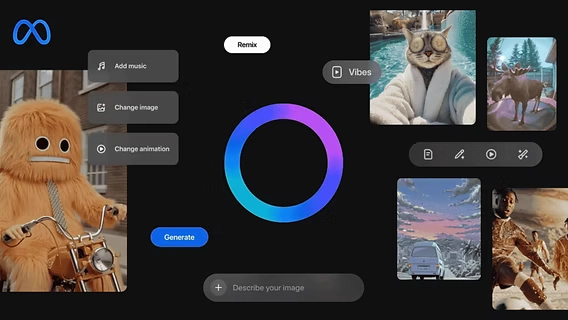
Here is exactly how to do it.
The Image-First Trick for Horizontal Video
The default Meta AI video generator always outputs vertical content. If you go to Create → Generate Video and type a prompt, you’ll get a vertical clip every time. That’s why most people give up on Meta AI for YouTube or ad content.
The fix is simple:
- Go to the video section, but instead of generating a video directly, switch to Image mode first.
- You’ll now see an aspect ratio selector — 9:16 (vertical) or 16:9 (horizontal).
- Select 16:9. Write your prompt as if you’re describing the video scene you want.
- Meta AI generates four image options at solid quality.
- Pick the best one, then click Animate.
The result is a high-quality horizontal video — because you converted a horizontally framed image into a video, rather than trying to force the video generator to output the wrong format.
Going Further with Custom Animation
If the default animation isn’t quite right, Meta AI also offers Custom Animate — you describe exactly what motion you want to happen in the scene. Want the camera to slowly push forward? A character to turn their head? A background crowd to move? Type it in.
For vertical content (TikTok, Reels), the process is the same — just select 9:16 in the aspect ratio before generating the source image.
Meta AI’s Limitations
- No audio: Videos generated by Meta AI do not include sound by default.
- Inconsistent quality: Results can vary across generations — plan to iterate a few times.
- No granular control: You cannot set duration, frame rate, or video style directly.
Meta AI is best for: Unlimited horizontal or vertical video generation with zero cost, when audio is not required.
Tool #2: Grok — The Best Free AI Video Tool With Audio
Why Grok Stands Out
Grok, the AI platform from xAI (Elon Musk’s AI company), is primarily known as a text AI on X (formerly Twitter). But its image and video generation features are among the best free options available in 2026 — for one key reason: it generates videos with real, AI-generated audio.
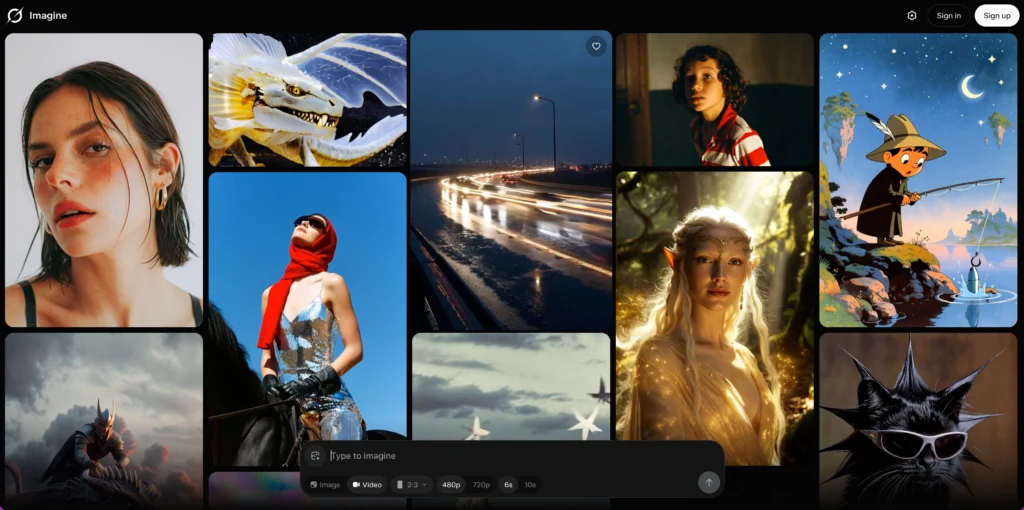
What Grok offers that most free tools don’t:
- Video generation with synchronized sound
- No watermarks on output
- Solid video duration (longer than many free tools)
- Built-in upscale option to boost output quality
- Direct text-to-video in any aspect ratio (horizontal or vertical)
How to Use Grok for AI Video
Option A — Direct text-to-video:
- Go to grok.com and open the Image section.
- Write your prompt. Unlike Meta AI, you can choose horizontal or vertical format directly from the text prompt.
- Hit generate. If the result isn’t right, simply regenerate.
Option B — Image-first workflow (recommended):
The best results come from generating a strong image first, then animating it. Here’s why: Grok’s image generation is genuinely powerful, and a precise image gives the video model a stronger starting point.
- Generate your image in Grok’s image section.
- Once you have an image you like, click Video Options.
- Choose from preset animation styles, or select Customize Video to describe the exact motion you want.
- If the image is close but not perfect, use Generate More Like This — Grok will keep generating variations as you scroll, endlessly.
- Hover over the variation you like most, click Make a Video, and it animates instantly.
- If a specific detail in the image isn’t right, use Edit Image to change that element before animating.
What the Audio Sounds Like
Grok generates ambient audio that matches the visual scene — wind for outdoor landscapes, crowd noise for city scenes, music-like textures for cinematic shots. It’s not perfect for dialogue or voice-over, but for atmospheric sound it significantly improves the perceived quality of the final video.
Grok’s Limitations
- Daily limit: The free version has a daily cap on video seconds generated. Heavy use will temporarily restrict you.
- Traffic throttling: During peak hours, generation can slow down or be temporarily blocked.
Grok is best for: High-quality free video generation with audio, when you can work within the daily limits.
Bridging the Gap: Higgsfield
If Grok’s daily limit is a problem for your workflow, Higgsfield is the recommended solution.
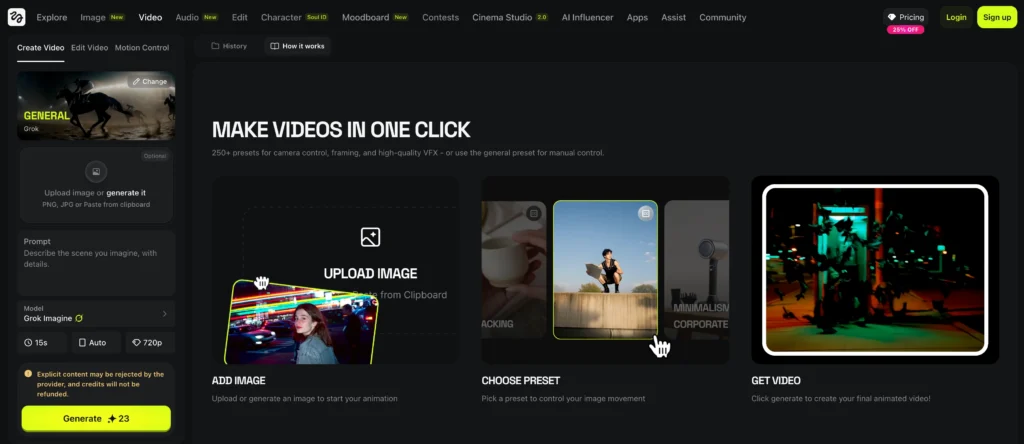
Higgsfield is an AI video platform that bundles multiple premium models in one place — including the Grok video model — but without the same daily restrictions. It was the sponsor of the original video this guide is based on.
What Higgsfield adds:
- Access to the Grok video model with up to 15-second clips (longer than standard free Grok)
- Ability to upload your own images and animate them with Grok or other models
- Access to other premium models (Nano Banana, Soul 2.0 for image generation) in one dashboard
- Image generation with full control over aspect ratio, quality settings, and batch count
- A clean image → animate workflow that doesn’t require jumping between websites
- No watermarks
The workflow inside Higgsfield mirrors the best practice covered above: generate the image first (using Nano Banana or Soul 2.0 for ultra-realistic results), pick the best one, click Animate, select your video model, set duration and quality, write a motion prompt, and render.
Tool #3: Arena (LMSYS) — Access the World’s Most Powerful Models for Free
What Is Arena?
Arena, built by LMSYS, is best known for its AI model leaderboard — a ranking system where users vote to determine which AI models perform best across different tasks. What fewer people know is that Arena also gives you free access to the actual models through a battle-style interface.
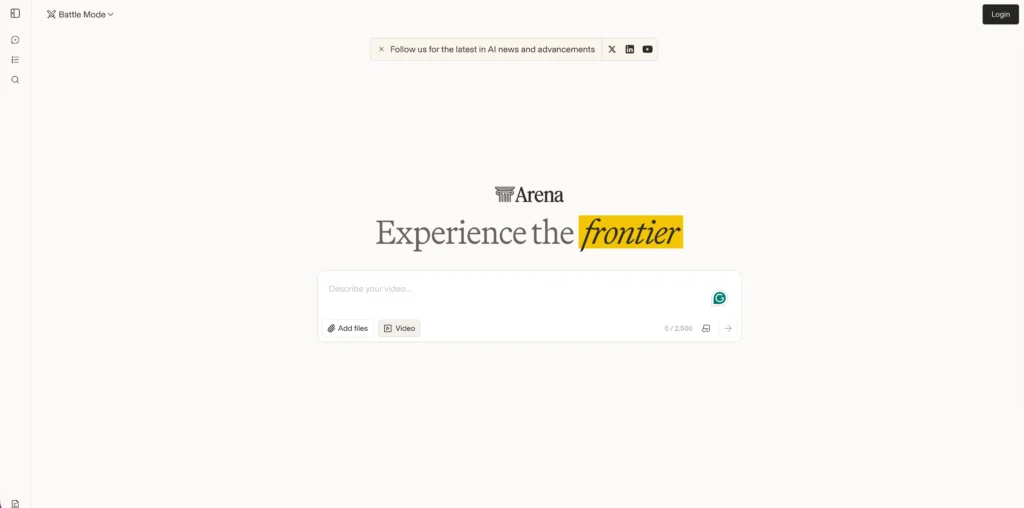
For video, this is significant. The models that appear on Arena’s video leaderboard include some of the most powerful AI video generators in the world — the same models that cost hundreds of dollars per month on their native platforms.
How to Use Arena for Free Video Generation
- Go to lmarena.ai (formerly chat.lmsys.org).
- Switch to Battle Mode and enable Video Generation.
- Type your video prompt.
- Arena simultaneously generates two videos using two different models — side by side.
- Watch both. Vote for the one you prefer.
- Arena then reveals which models were used — you’ll often see names like Sora, Veo, Kling, or Runway.
- You can download both videos if you like them.
Why Arena Is Valuable
Most AI video tools keep their models separate. To compare Sora vs Veo vs Kling, you’d need accounts on three different platforms and a significant amount of money. Arena removes that friction entirely.
The battle format also means you’re not just generating blindly — you’re making quality judgments that help you understand which models work best for your specific type of content.
Arena’s Limitations
- Short video length: Free generation caps are relatively short.
- No audio: Arena’s video generation does not currently include audio.
- No format control: Limited options for aspect ratio or style selection.
Arena is best for: Testing the world’s best AI video models for free, comparing model outputs side by side, and generating high-quality clips when daily limits on other tools are exhausted.
How to Combine All Three Tools
Each tool has a different strength. The most effective workflow uses all three in sequence:
| Step | Tool | Purpose |
| Ideation & unlimited drafts | Meta AI | Generate horizontal/vertical images and animate freely — no limits |
| Final quality with audio | Grok | Take your best concept and produce a polished, audio-enabled version |
| Premium model access | Arena | When you need the absolute best output — use battle mode to access Sora, Veo, or Kling for free |
| Removing limits | Higgsfield | Bundle all models in one place, bypass daily caps, extend clip length |
Which Free AI Video Tool Should You Use?
Use Meta AI if:
- You need unlimited generations with no daily cap
- You’re making horizontal YouTube content or vertical social content
- Audio is not required
- You want a zero-friction, always-available tool
Use Grok if:
- Audio matters — you want the video to include ambient sound
- You want no watermarks and solid video duration
- You’re comfortable working within a daily generation limit
- You want strong image editing and variation tools built in
Use Arena if:
- You want access to the most powerful models in the world (Sora, Veo, Kling) for free
- You want to compare model quality side by side before committing
- You’ve hit your daily limits on other tools and need more generations
- You’re evaluating which premium tool is worth subscribing to
Bonus Tool: Gaga AI — Best All-in-One Free Platform for Image & Video
If you want a single platform that handles both text-to-image and image-to-video in one clean workflow — without jumping between tools — Gaga AI is worth bookmarking.

What Makes Gaga AI Different
Most free AI video tools are either image generators or video generators. Gaga AI does both, which means you can complete the entire image-first workflow (generate image → animate to video) without ever leaving the platform.
What Gaga AI offers:
- Text-to-image generation — create your source image from a prompt
- Image-to-video animation — animate any image into a cinematic video clip
- Cinematic motion styles — camera pan, zoom, parallax, subject movement
- No watermark on free-tier generations (within daily quota)
- No complex setup — browser-based, works instantly
How to Use Gaga AI for Free Video Creation
- Go to Gaga AI and open the Image Generation section.
- Write a detailed prompt describing the scene you want — include lighting, subject, and environment.
- Select your preferred aspect ratio: 16:9 for horizontal (YouTube, ads) or 9:16 for vertical (Reels, TikTok).
- Generate and pick the best image from the results.
- Click Animate or Image to Video to convert the still image into a video clip.
- Add a motion prompt if desired (e.g., “slow camera push forward, leaves rustling in wind”).
- Download your final video — no watermark on eligible free generations.
When to Choose Gaga AI Over the Other Tools
| Situation | Best Tool |
| Need unlimited free video with no limit | Meta AI |
| Need video with audio | Grok |
| Need to test Sora / Veo / Kling for free | Arena |
| Want image + video in one platform with clean workflow | Gaga AI |
| Need longer clips with premium models | Higgsfield |
Gaga AI is especially well-suited for creators who want an end-to-end AI video workflow — from blank canvas to animated video — without managing multiple accounts or workflows across different sites.
Frequently Asked Questions
Are these free AI video tools actually free — or is there a catch?
All three tools — Meta AI, Grok, and Arena — are genuinely free to use, with no credit card required. Meta AI has no hard daily limit. Grok has a daily seconds cap on video generation, and Arena limits clip length. None of them require payment to access the core video generation features described in this guide.
Can I use AI-generated videos commercially for free?
It depends on the tool’s terms of service. Meta AI and Grok generally allow personal use but may restrict commercial applications on free tiers. Always review the platform’s ToS before publishing AI-generated videos in commercial contexts. Higgsfield’s paid plans include commercial licensing.
Do these free AI video tools add watermarks?
Meta AI adds no watermark. Grok adds no watermark. Arena adds no watermark. This is one of the key reasons these three tools stand out — most competitors add visible watermarks on free tiers.
What is the best free AI video tool for YouTube content?
Meta AI is the best free tool for YouTube content because it generates horizontal (16:9) video with no daily limit and no watermark. Use the image-first trick outlined above to unlock horizontal format — the default video mode only generates vertical.
What is the best free AI video generator with audio?
Grok is currently the best free AI video generator that includes audio. It generates ambient sound synchronized to the visual scene — making it significantly more cinematic than tools that produce silent video.
How long are the videos generated by free AI tools?
- Meta AI: Typically 3–5 seconds per clip
- Grok: Up to ~8 seconds on free tier; up to 15 seconds via Higgsfield
- Arena: Short clips, typically 3–5 seconds depending on the model assigned
Is Higgsfield free?
Higgsfield offers a free tier with access to multiple AI video models, including the Grok video model. It removes some limitations of the standalone free tools — such as daily caps and watermarks — and adds access to premium image models like Nano Banana and Soul 2.0.
What is the image-first workflow and why does it work better?
The image-first workflow means generating a still image before animating it into a video, rather than using text-to-video directly. It works better because:
- You can visually evaluate and refine the scene before committing to a video generation
- The video model has a precise visual reference instead of interpreting a text prompt cold
- You can iterate on the image cheaply before spending generation quota on video
This approach consistently produces more accurate, higher-quality output across all three tools.