Key Takeaways
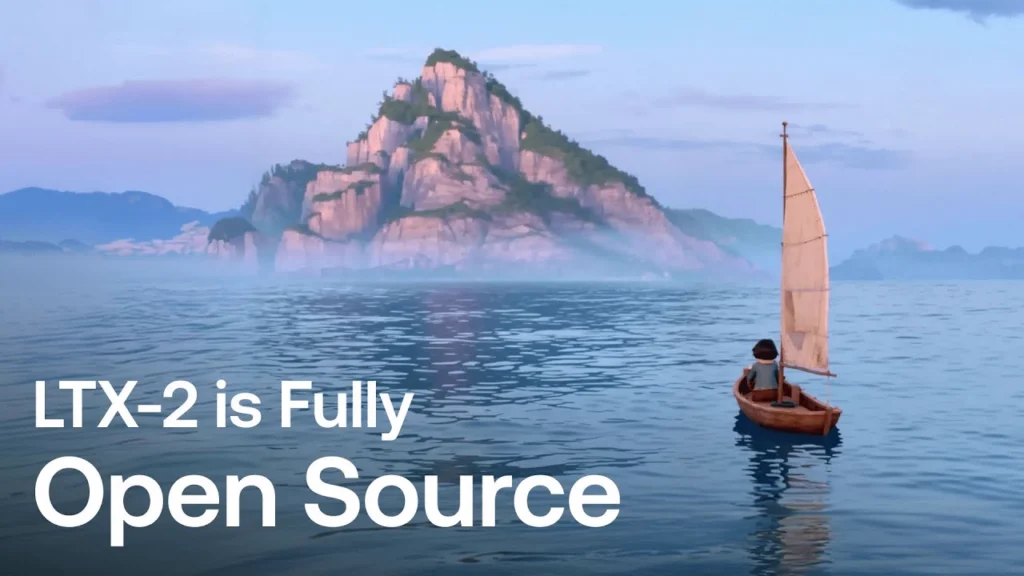
- LTX-2-19B is the first DiT-based (Diffusion Transformer) foundation model that generates synchronized video and audio in a single pass
- The model supports both text to video AI and image to video AI generation up to 20 seconds at 1080p resolution
- Audio is generated natively with video—not added in post-production—creating natural sound that matches visual content
- LoRA fine-tuning support gives creators control over camera movements, styles, and visual aesthetics
- As an open-source model, LTX-2-19B is free to use for local deployment and commercial applications
Table of Contents
What Is LTX-2-19B?
LTX-2-19B is a 19-billion parameter AI video generator developed by Lightricks that produces high-fidelity video with synchronized audio from text prompts or reference images. Unlike conventional AI video tools that generate silent clips requiring separate audio work, LTX-2-19B creates both visual and audio elements simultaneously within a single model architecture.
The model uses a Diffusion Transformer (DiT) architecture, which represents a significant advancement over earlier video generation approaches. This architecture enables the model to maintain temporal consistency across frames while generating audio that precisely matches on-screen actions—footsteps sync with walking, ambient sounds match environments, and percussion hits align with visible impacts.
Direct answer: LTX-2-19B is an open-source foundation model that generates production-ready video clips with native audio synchronization, supporting resolutions up to 1080p and durations up to 20 seconds.
How Does LTX-2-19B Work as a Text to Video AI?
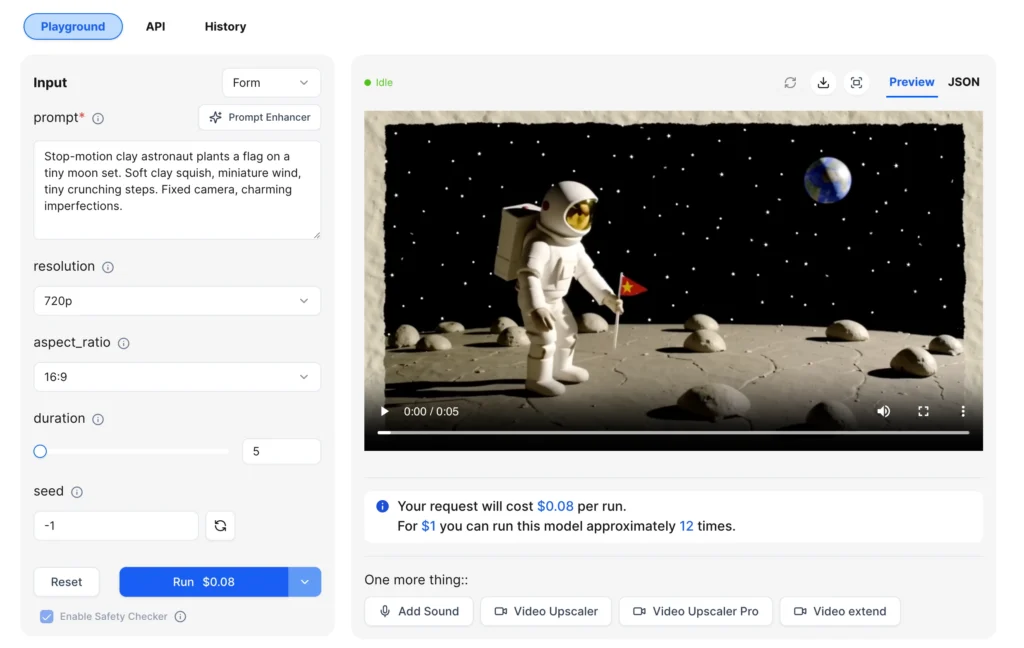
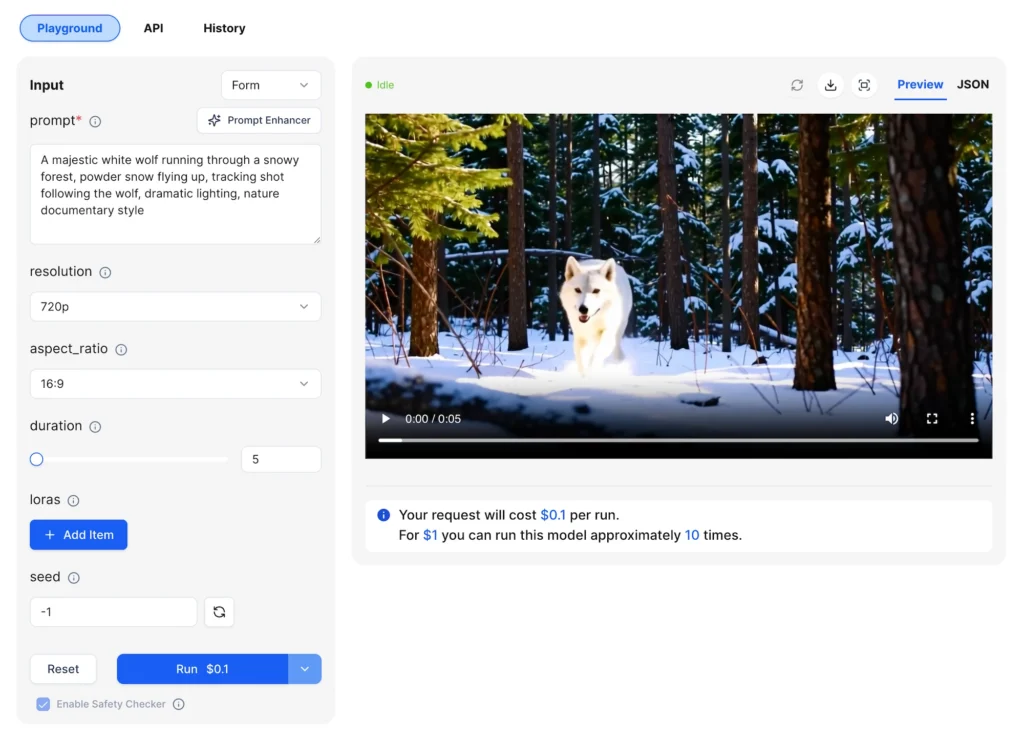
The text to video AI functionality converts written descriptions into fully realized video clips with matching audio. Users provide a text prompt describing the scene, action, and optionally specific audio cues. The model then generates frames and audio waveforms together, ensuring they remain synchronized throughout.
Text-to-Video Process
1. Write a detailed prompt describing the scene, actions, and desired audio elements
2. Select output resolution (480p, 720p, or 1080p)
3. Choose aspect ratio (16:9 for landscape or 9:16 for vertical content)
4. Set duration between 5 and 20 seconds
5. Submit the prompt and receive a complete video with audio
The model interprets prompts at multiple levels—visual composition, camera movement, action timing, and acoustic characteristics. Prompts like “jazz band performing in a dimly lit club, saxophone solo with audience applause” guide both the visual rendering and the audio generation.
Pro tip: Audio generation happens automatically based on visual content and prompt context. You don’t need to request audio explicitly, but describing specific sounds (e.g., “thunderstorm,” “crowd cheering”) helps guide the output.
How Does Image to Video AI Work with LTX-2-19B?
The image to video AI capability animates static images into video sequences while preserving the original composition, subject positioning, and lighting characteristics. This feature transforms product photos, portraits, concept art, or any reference image into moving video with synchronized audio.
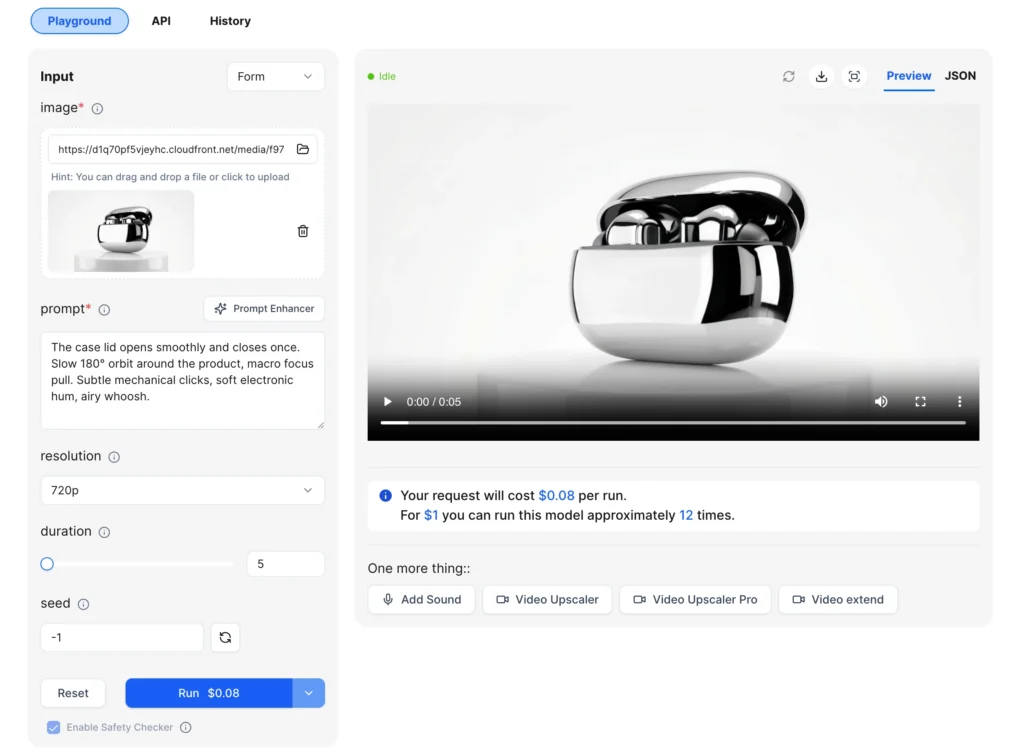
Image-to-Video Parameters
| Parameter | Required | Description |
| Image | Yes | Reference image (JPG or PNG) that defines the starting composition |
| Prompt | Yes | Text description of motion, camera movement, and audio cues |
| Resolution | No | Output quality: 480p, 720p (default), or 1080p |
| Duration | No | Video length from 5 to 20 seconds |
| Seed | No | Random seed for reproducible results |
The model maintains fidelity to the input image while adding natural motion. A product shot transforms into a rotating showcase. A portrait gains subtle head movements and blinking. A landscape painting comes alive with swaying trees and drifting clouds.
Key benefit: The aspect ratio of output video is influenced by your input image, ensuring the animation fits your original composition without unwanted cropping or stretching.
What Makes LTX-2-19B Different from Other AI Video Generators?
Several technical capabilities distinguish LTX-2-19B from competing AI video generator solutions:
Native Audio-Video Synchronization
Most AI video tools produce silent output, requiring creators to source and sync audio separately. LTX-2-19B generates audio as part of the same diffusion process that creates video frames. The model learns the relationship between visual actions and their corresponding sounds, producing results where:
- Footstep sounds align with walking motion
- Ambient environmental audio matches the scene
- Impact sounds sync with visible collisions
- Speech-like tones follow lip movements
This represents genuine audio-video co-generation, not post-processing or library matching.
Extended Duration Support
The 20-second maximum duration provides enough time for narrative content, product demonstrations, or complete short-form social media clips. This extended window supports storytelling that shorter AI video tools cannot accommodate.
Resolution Flexibility
Output options include:
- 480p — Fast iteration and previews at lowest cost
- 720p — Balanced quality for most use cases (default setting)
- 1080p — Maximum detail for final production
Open-Source Availability
LTX-2-19B is released with open weights, allowing local deployment without API dependency. Organizations can run the model on their own infrastructure, fine-tune it for specific applications, and integrate it into custom workflows.
How to Use LoRA Fine-Tuning with LTX-2-19B
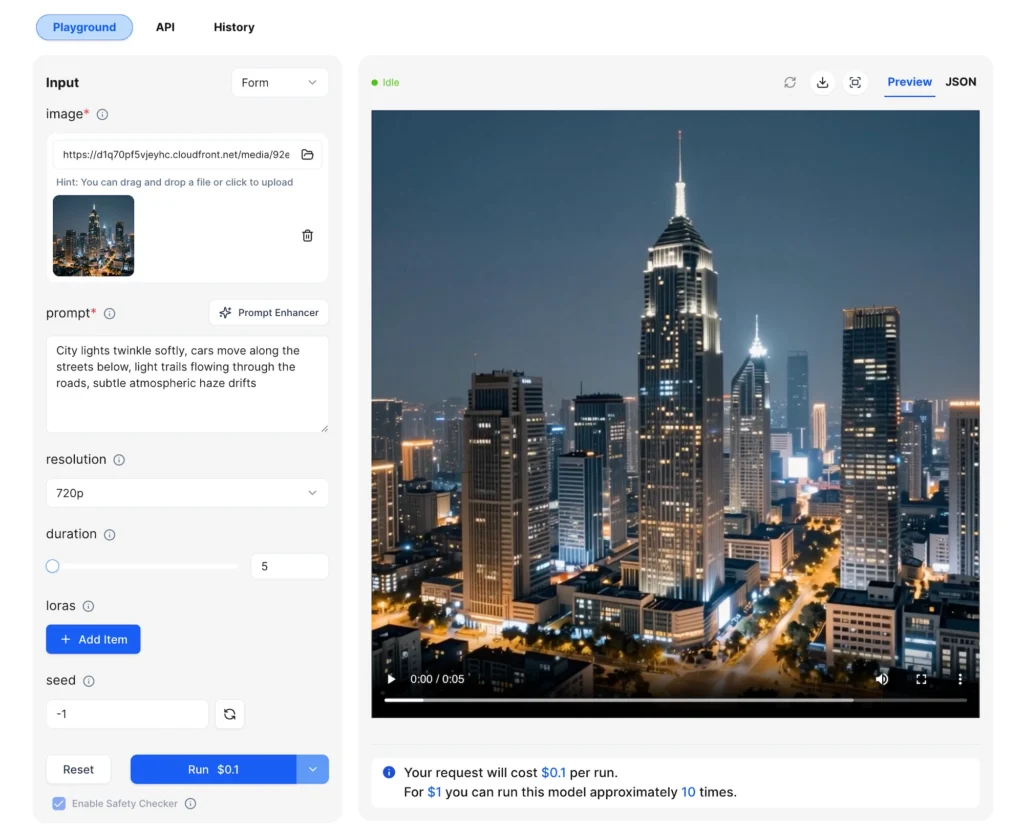
LoRA (Low-Rank Adaptation) support enables customization of the model’s output style without retraining the full 19 billion parameters. This feature provides creator control over visual aesthetics, camera behavior, and content characteristics.
What LoRA Enables
- Camera LoRAs — Train specific camera movements like dolly zooms, tracking shots, or crane movements
- Style LoRAs — Apply consistent visual styles such as anime aesthetics, film grain, or color grading
- Character LoRAs — Maintain character consistency across multiple video generations
- Environment LoRAs — Ensure consistent settings across a project
LoRA Configuration
Each LoRA adapter requires:
- Path — URL to the LoRA weights file
- Scale — Weight multiplier from 0 to 4 (default: 1)
Up to three LoRAs can be applied simultaneously, allowing combinations like a style LoRA plus a camera movement LoRA.
LoRA Usage Tips
| Scale Value | Effect |
| 0.5 – 1.0 | Subtle influence, maintains model defaults |
| 1.0 – 2.0 | Moderate effect, style becomes prominent |
| 2.0 – 4.0 | Strong influence, may reduce prompt adherence |
Start with scale 1.0 and adjust based on results. Multiple LoRAs can conflict, so test combinations before production use.
LTX-2-19B Pricing and Specifications
Technical Specifications
| Specification | Value |
| Parameters | 19 billion |
| Architecture | Diffusion Transformer (DiT) |
| Maximum Resolution | 1080p |
| Maximum Duration | 20 seconds |
| Aspect Ratios | 16:9, 9:16 |
| Audio | Native synchronized generation |
| LoRA Support | Up to 3 adapters simultaneously |
| License | Open weights for commercial use |
API Pricing (via WaveSpeed AI)
| Resolution | 5 seconds | 10 seconds | 15 seconds | 20 seconds |
| 480p | $0.06 | $0.12 | $0.18 | $0.24 |
| 720p | $0.08 | $0.16 | $0.24 | $0.32 |
| 1080p | $0.12 | $0.24 | $0.36 | $0.48 |
LoRA versions carry a 25% price premium.
Step-by-Step: Generate Your First Video with LTX-2-19B
Text-to-Video Workflow
Step 1: Write a descriptive prompt
Focus on scene composition, action, and audio elements. Example: “A motorcycle racing through a desert highway at sunset, engine roaring, dust trailing behind, wide tracking shot following the rider.”
Step 2: Select technical parameters
- Choose 480p for testing iterations
- Use 720p for final drafts
- Reserve 1080p for delivery-ready output
Step 3: Set duration appropriately
- 5 seconds for loops and short clips
- 10-15 seconds for product demos
- 20 seconds for narrative content
Step 4: Generate and iterate
Use a fixed seed when comparing prompt variations to isolate the effect of your changes.
Image-to-Video Workflow
Step 1: Prepare your source image
Use high-quality, sharp, well-exposed images with clear subjects. The model preserves composition, so ensure framing works for video.
Step 2: Write a motion-focused prompt
Describe the movement, not the scene (the image already defines that). Example: “Camera slowly pushes in, subject turns head slightly to the right, gentle wind moves hair.”
Step 3: Match resolution to use case
The output aspect ratio follows your input image, so vertical images produce vertical video.
LTX-2-19B Use Cases
Content Creation
Short-form social media platforms (TikTok, Reels, Stories) benefit from the vertical 9:16 output option and native audio, eliminating post-production audio work.
Marketing and Advertising
Product demonstrations, concept visualizations, and promotional clips can be prototyped rapidly at 480p, then rendered at 1080p for final delivery.
Film and Video Production
Pre-visualization, concept development, and b-roll generation use cases leverage the 20-second duration and cinematic aspect ratios.
Game and Interactive Media
Cutscene prototyping, background video elements, and promotional trailers can be generated without traditional production pipelines.
Can LTX-2-19B Create AI Avatars?
While LTX-2-19B excels at general video generation, its capabilities extend to avatar-style content with some considerations.
Portrait Animation
The image-to-video function can animate portrait images with natural head movements, expressions, and speech-like motion. When provided with a portrait image and an appropriate prompt, the model generates realistic human motion while preserving the subject’s appearance.
Dual-Person Dialogue Generation
Recent updates enable the model to generate scenes with two people conversing. This includes natural turn-taking, realistic lip movement, and ambient audio that creates an authentic interview or conversation feel.
Limitations for AI Avatar Use
LTX-2-19B is a generalist video model, not a specialized AI avatar system. For consistent character identity across multiple videos, talking head applications with precise lip-sync to external audio, or real-time avatar generation, dedicated avatar tools may be more appropriate.
Best practice: For avatar-style content, use high-quality portrait images with clear facial features, and keep prompts focused on simple, natural movements rather than complex expressions.
Bonus: Try Gaga AI for AI Avatar Generation
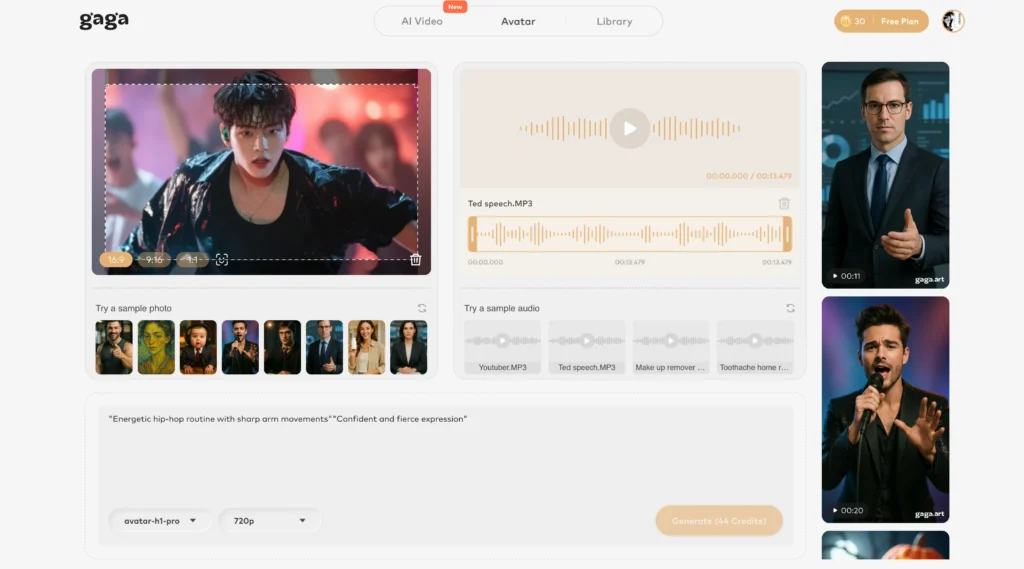
For creators specifically focused on AI avatar applications, Gaga AI offers specialized tools designed for talking head videos and avatar-based content. While LTX-2-19B excels at general video generation with native audio, Gaga AI provides:
- Dedicated AI avatar generation optimized for consistent character identity
- Talking head video creation with lip-sync capabilities
- Avatar customization tools for branded content
Consider Gaga AI when your primary use case involves avatar-centric video content, and LTX-2-19B when you need versatile video generation with synchronized audio across diverse content types.
Frequently Asked Questions
What is LTX-2-19B?
LTX-2-19B is a 19-billion parameter open-source AI model developed by Lightricks that generates video with synchronized audio from text prompts or reference images. It uses a Diffusion Transformer architecture and produces clips up to 20 seconds at resolutions up to 1080p.
Is LTX-2-19B free to use?
Yes, LTX-2-19B is released with open weights under a permissive license that allows commercial use. You can run the model locally on your own hardware or access it through API platforms like WaveSpeed AI for pay-per-use pricing starting at $0.06 per generation.
How does LTX-2-19B generate audio with video?
The model generates audio and video simultaneously within a single diffusion process. Rather than adding audio in post-production, the model learns relationships between visual content and corresponding sounds during training, producing naturally synchronized output.
What is the maximum video length LTX-2-19B can generate?
The maximum supported duration is 20 seconds per generation. For longer content, creators generate multiple clips and edit them together.
Can I use LTX-2-19B as a text to video AI?
Yes, the text-to-video function accepts written prompts describing scenes, actions, and audio cues, then generates complete video with synchronized sound matching your description.
Does LTX-2-19B support image to video AI conversion?
Yes, the image-to-video function animates static images into video sequences while preserving the original composition. Provide a reference image and a motion prompt to generate animated video with audio.
What resolutions does LTX-2-19B support?
The model supports 480p (fast iteration), 720p (balanced quality, default), and 1080p (maximum detail) output resolutions.
Can LTX-2-19B create AI avatars?
LTX-2-19B can animate portrait images and generate human subjects in video, but it is a general-purpose video model rather than a specialized AI avatar system. For dedicated avatar applications with precise lip-sync or consistent character identity, consider purpose-built avatar tools.
What are LoRAs and how do they work with LTX-2-19B?
LoRAs (Low-Rank Adaptations) are small adapter files that modify the model’s behavior without retraining all 19 billion parameters. They enable customization of camera movements, visual styles, and character appearances. LTX-2-19B supports up to three simultaneous LoRAs.
Where can I access LTX-2-19B?
LTX-2-19B is available through multiple channels: direct download from Hugging Face for local deployment, API access through WaveSpeed AI for cloud-based generation, and integration with creative tools like ComfyUI.