Key Takeaways
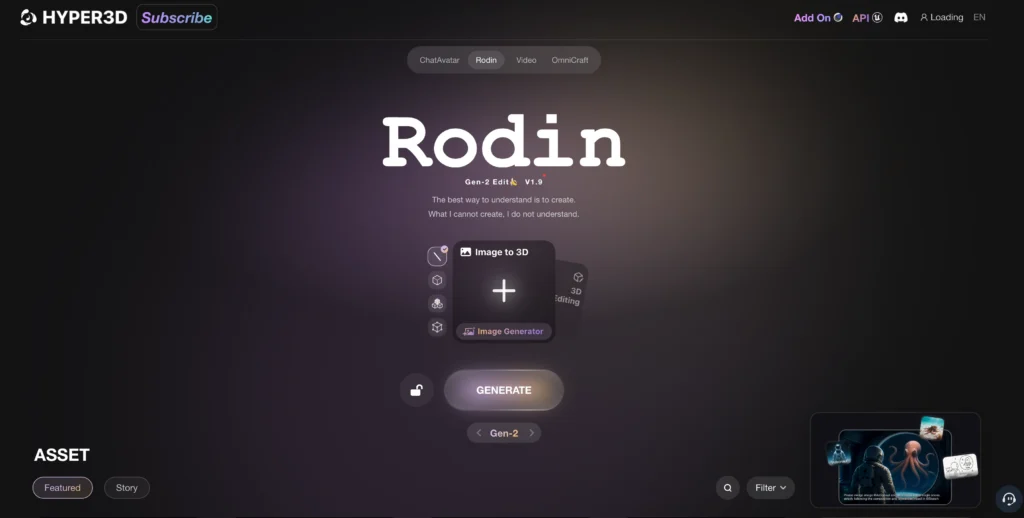
- Rodin Gen-2 is a 10-billion parameter AI model that converts images to production-ready 3D models with 4X improved mesh quality over previous versions
- The model uses BANG architecture for recursive part-based generation, creating complex 3D assets from single images or text prompts
- Native 3D texture generation produces seamless textures with “no dead angles”—a first in AI 3D generation
- Users can edit existing 3D models using natural language prompts, enabling precise local modifications without destroying existing work
- Supported export formats include FBX, GLB, and OBJ for direct integration with Unity, Unreal Engine, and Blender
Table of Contents
What Is Rodin Gen-2?
Rodin Gen-2 is an AI-powered 3D generation model developed by Deemos that converts images and text prompts into production-ready 3D assets. Released on August 5, 2025, and upgraded on November 20, 2025, it represents the most advanced iteration of the Rodin model family.
The model operates on a 10-billion parameter architecture called BANG (Bilateral Algorithmic Neural Generation), which enables recursive part-based generation. This means the AI intelligently divides objects into coherent components, creating structured 3D assets that maintain proper topology and clean meshes.
Core Capabilities
Rodin Gen-2 delivers four primary functions:
1. AI image to 3D conversion — Upload any 2D image and receive a textured 3D model within approximately two minutes
2. Text-to-3D generation — Describe what you want in natural language and the AI builds it
3. 3D model editing via prompts — Upload existing models (OBJ, FBX) and modify them using conversational commands
4. High-poly to low-poly baking — Automatically convert detailed meshes to optimized versions with normal maps for real-time applications
How Does Rodin Gen-2 Compare to Previous Versions?
The Rodin model family has evolved rapidly since its initial launch in June 2024. Each version addressed specific limitations while adding new capabilities.
Evolution Timeline
| Version | Release Date | Key Advancement |
| Rodin Gen-1 | June 1, 2024 | First launch of Rodin |
| Rodin Gen-1 (0722) | July 22, 2024 | Better similarity to input images |
| Rodin Gen-1 (0919) | September 19, 2024 | Improved surface detail |
| Rodin Gen-1 RLHF | October 26, 2024 | Stability via Reinforcement Learning from Human Feedback |
| Rodin Gen-1.5 | January 1, 2025 | Sharper edge representation |
| Rodin Gen-1.5 RLHF | April 23, 2025 | Three generation modes (Focal/Zero/Speedy) |
| Rodin Gen-2 | August 5, 2025 | 4X mesh quality, recursive part generation, HD textures |
| Rodin Gen-2 (1120) | November 20, 2025 | Smoother surfaces, native 3D texture architecture |
What Changed in the November 2025 Update?
The 1120 update introduced a native 3D texture generation architecture that produces seamless textures from every viewing angle. Previous versions occasionally showed visible seams or texture inconsistencies when models were rotated—the new system eliminates these artifacts entirely.
How to Convert an AI Image to 3D Model Using Rodin Gen-2
Converting a 2D image to a 3D model follows a straightforward five-step process. The entire workflow typically completes in under three minutes.
Step 1: Access the Platform
Navigate to hyper3d.ai and create a free account. New users receive complimentary credits to test the system before committing to a paid plan.
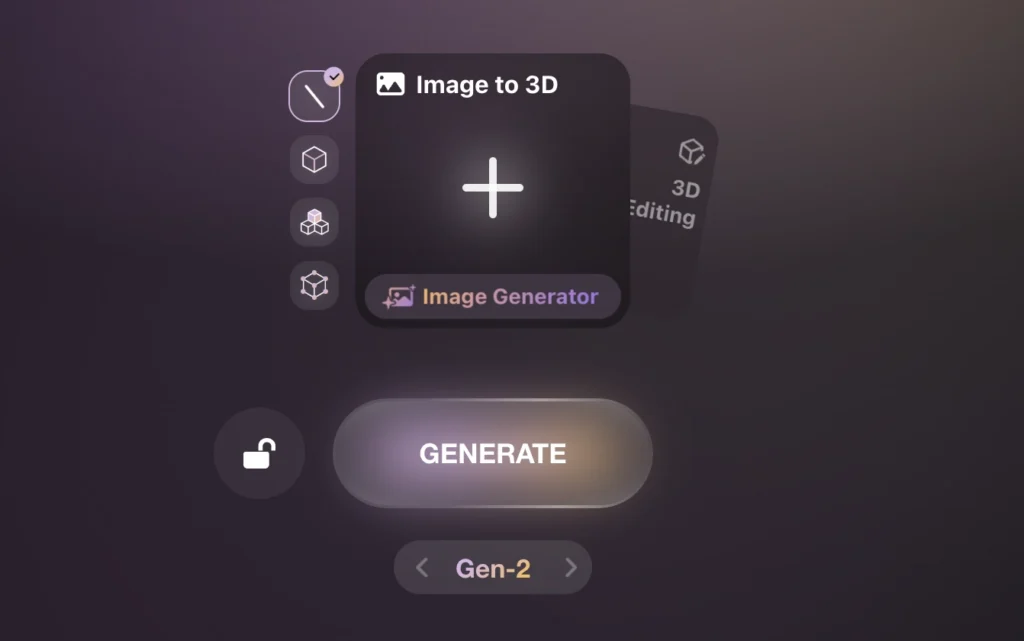
Step 2: Select Your Input Method
Choose between two primary workflows:
- Image to 3D — Upload a single image or multiple images of your subject
- Edit existing model — Upload an OBJ, FBX, or similar 3D file for modification
Step 3: Upload Your Image
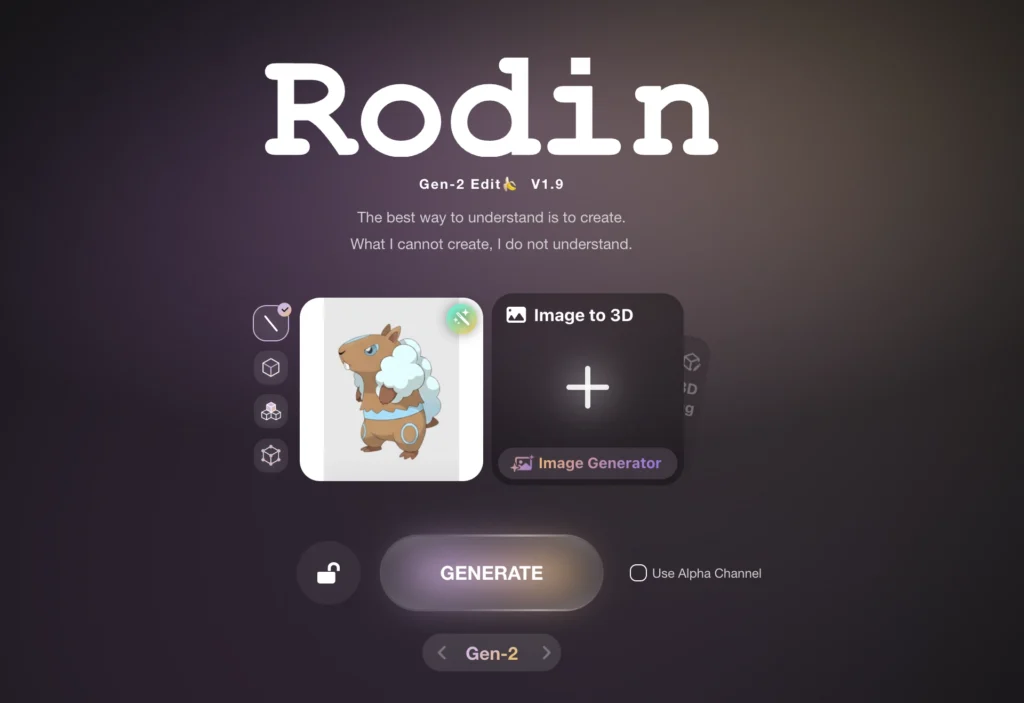
For optimal results when using AI image to 3D conversion:
- Use high-resolution images (minimum 512×512 pixels recommended)
- Ensure the subject has clear, even lighting without harsh shadows
- Isolate single objects against clean backgrounds
- Provide multiple angles if available (multi-image feature improves accuracy significantly)
Step 4: Configure Generation Settings
Select your generation mode:
- Gen-2 for maximum quality (recommended for final assets)
- Gen-1.5 Speedy for rapid prototyping
- Gen-1.5 Focal for balanced speed and quality
Adjust mesh optimization settings based on your target platform—lower polygon counts for mobile games, higher for film or rendering.
Step 5: Export Your Model
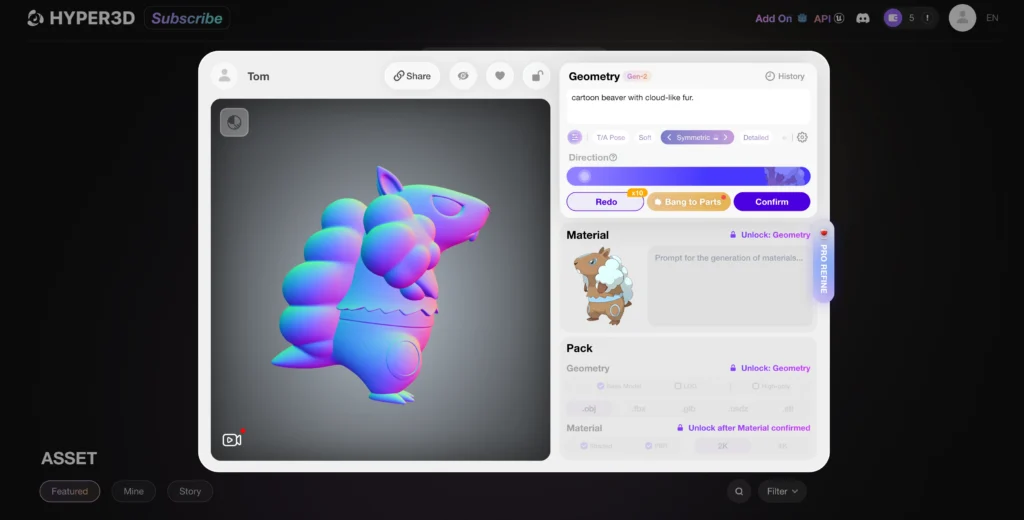
Once generation completes, download your model in the format appropriate for your workflow:
- FBX — Best for animation and rigging workflows
- GLB — Ideal for web and real-time applications
- OBJ — Universal format compatible with most 3D software
What Makes Rodin Gen-2 Different from Other AI 3D Generators?
The AI 3D generation market includes several alternatives. Rodin Gen-2 distinguishes itself through production-ready output quality and professional workflow integration.
Competitive Comparison
| Feature | Rodin Gen-2 | Meshy.ai | Luma AI Genie | Kaedim |
| Primary Strength | Production-quality assets | Rapid prototyping | Fast, free generation | Artist-refined meshes |
| Topology Quality | Clean quad mesh | Requires cleanup | Variable | Good |
| Cost Model | Premium (credit-based) | Freemium | Free | High subscription ($400+/month) |
| Output Accuracy | 85-95% | 80-90% | Variable | 85-90% |
| Generation Time | Under 2 minutes | Fast | Seconds | Hours (human review) |
Why Topology Matters
Clean quad-based topology—where the model surface consists of four-sided polygons—is essential for professional applications. It enables smooth deformation during animation, predictable behavior when subdividing surfaces, and efficient real-time rendering.
Many AI generators produce triangulated meshes that require manual retopology before use in production. Rodin Gen-2 outputs animation-ready quad meshes directly.
How Does the Natural Language Editing Feature Work?
The ability to edit 3D models using conversational prompts represents Rodin Gen-2’s most distinctive capability. This feature addresses a fundamental limitation in traditional 3D workflows.
The Problem with Regeneration
When working with 3D assets in professional pipelines, models often include invisible but critical data: UV mapping coordinates, material assignments, rigging skeletons, animation keyframes, and physics properties. Regenerating a model from scratch destroys all of this associated work.
How Prompt-Based Editing Preserves Assets
Rodin Gen-2’s editing system performs localized modifications while preserving untouched regions. The workflow operates as follows:
1. Upload an existing 3D model to the platform
2. Use the selection interface to define the region for modification
3. Enter a natural language command describing the change
4. The system modifies only the selected area
Practical Editing Examples
The system supports three editing operations:
Add — Introduce new elements to existing models
- “Add wings to the back of this character”
- “Place a helmet on this figure”
Remove — Delete selected components
- “Remove the weapon from this character’s hand”
- “Delete the antlers from this deer model”
Modify — Transform existing elements
- “Change this axe into a sword”
- “Replace the character’s head with a different style”
What Technical Architecture Powers Rodin Gen-2?
Rodin Gen-2 builds on award-winning research recognized at SIGGRAPH, the premier computer graphics conference.
The BANG Architecture
BANG (announced alongside Rodin Gen-2) enables “Generative Exploded Dynamics”—the model understands objects as collections of coherent parts rather than monolithic shapes. This produces several advantages:
- Objects decompose naturally into printable or manufacturable components
- Generated assets maintain logical internal structure
- Complex multi-part objects retain correct spatial relationships
Foundation: The CLAY Model
The underlying technology stems from CLAY (Controllable Large-scale Generative Model for Creating High-quality 3D Assets), which received Best Paper Honorable Mention at SIGGRAPH 2024. CLAY combines:
- A multi-resolution Variational Autoencoder (VAE) that encodes 3D geometry into compressed representations
- A Latent Diffusion Transformer that generates new shapes by iteratively refining random noise into structured output
This “3D-native” approach differs from competitors that attempt to lift 2D image generation into three dimensions. Training directly on 3D data produces geometrically consistent results.
What Are Practical Applications for Rodin Gen-2?
The tool addresses specific pain points across multiple industries.
Game Development
- Generate hero assets from concept art in minutes rather than days
- Produce background props and environmental details at scale
- Create variations of base assets for procedural generation systems
- Prototype character designs before committing to manual modeling
Film and Animation
- Rapidly visualize concept designs in three dimensions
- Generate stand-in models for previs and layout
- Create background elements for crowd scenes
- Produce reference geometry for VFX integration
3D Printing and Manufacturing
- Convert 2D designs directly to printable models
- Generate pre-separated components ready for printing
- Prototype product designs before engineering review
- Create custom merchandise from illustrations
E-commerce and Product Visualization
- Convert product photography to interactive 3D models
- Generate color and material variations efficiently
- Produce AR/VR-ready assets for virtual try-on experiences
What Are the Limitations of Rodin Gen-2?
Despite its capabilities, the system has constraints that affect certain use cases.
Current Limitations
- Organic complexity — Highly detailed organic forms (faces, hands, fabric folds) may require manual refinement
- Precise dimensions — Generated models approximate proportions but may not match exact measurements
- Material accuracy — Certain materials (glass, subsurface scattering, complex transparency) may need manual material adjustment
- Cost at scale — Credit-based pricing can become expensive for high-volume production
When to Use Traditional Modeling
Rodin Gen-2 accelerates workflows but doesn’t replace skilled 3D artists for:
- Hero characters requiring precise expression control
- Technical models with exact dimensional requirements
- Assets requiring complex rigging and deformation
- Projects with specific style guides that require artistic interpretation
How Much Does Rodin Gen-2 Cost?
The platform operates on a tiered credit system accessible through hyper3d.ai.
Pricing Structure
| Plan | Monthly Cost | Credits Included | Notable Features |
| Free | $0 | Limited trial credits | Test platform capabilities |
| Education | $15 | 30 | Unlimited private models |
| Creator | $30 | 30 | Advanced fusion tools |
| Business | $120 | 208 | 4K textures, ChatAvatar exports |
| Enterprise | Custom | Custom | API access, on-premise deployment |
Commercial Rights
All plans, including free trial credits, grant full commercial rights to generated assets. This removes licensing concerns for indie developers and freelancers.
Bonus: Turn Your Rodin Gen-2 Renders into Videos with Gaga AI (Image → Video)
Once you’ve generated a high-quality 3D model with Rodin Gen-2, the next logical step is bringing it to life. This is where Gaga AI Video to Image becomes a powerful companion tool.

What Is Gaga AI Video to Image?
Gaga AI is an AI-powered image-to-video generator that converts a single image into a short, animated video clip using motion-aware diffusion models. By feeding in renders or turntable frames exported from Rodin Gen-2, creators can produce cinematic animations without manual keyframing or complex rigs.
Why Gaga AI Pairs Perfectly with Rodin Gen-2
Rodin Gen-2 focuses on clean topology, accurate geometry, and seamless textures, which makes its outputs ideal inputs for Gaga AI’s video generation engine.
Key advantages of this combo:
- No rigging required — Gaga AI infers motion directly from the image
- Preserves surface detail — high-quality meshes and textures reduce flickering artifacts
- Fast iteration — generate multiple animation styles from the same 3D render
Typical Workflow: Rodin Gen-2 → Gaga AI
1. Generate a 3D model in Rodin Gen-2 (Image-to-3D or Text-to-3D)
2. Render a still image (or turntable frame) in Blender, Unreal, or Unity
3. Upload the image to Gaga AI
4. Enter a motion prompt, such as:
- “Slow cinematic rotation, studio lighting”
- “Character breathing subtly, dramatic side light”
- “Product floating with soft camera dolly-in”
5. Export a short video clip for marketing, social media, or presentation use
Practical Use Cases
- Game & film pitches
Turn static 3D concepts into animated previews for stakeholders
- Product marketing
Create looping product videos from a single 3D render
- Social media content
Convert 3D assets into eye-catching short-form videos
- E-commerce & AR previews
Add motion to product visuals without full animation pipelines
Why This Matters
Traditional 3D animation requires:
- Rigging
- Weight painting
- Keyframe animation
- Lighting and camera setup
By combining Rodin Gen-2 (structure) with Gaga AI (motion), creators can jump straight from idea → 3D → video in minutes instead of days.
When to Use Gaga AI Instead of Full Animation
Gaga AI is ideal for:
- Concept previews
- Marketing visuals
- Mood and style exploration
- Fast A/B creative testing
For long-form animation or gameplay-ready assets, traditional animation pipelines still apply.
Frequently Asked Questions
Can Rodin Gen-2 convert any image to a 3D model?
Yes, Rodin Gen-2 can process most 2D images and generate corresponding 3D models. Results quality depends on input image clarity—high-contrast images of single subjects with minimal background noise produce optimal results.
Does Rodin Gen-2 generate textures automatically?
Yes, the system produces PBR (Physically Based Rendering) textures including albedo, roughness, and metallic maps. The November 2025 update introduced native 3D texture generation that eliminates visible seams.
What file formats does Rodin Gen-2 support for export?
The platform supports FBX, GLB, and OBJ formats. Support for STL (3D printing) and USDZ (AR applications) is planned.
How long does generation take?
Standard generation completes in approximately one to two minutes. Speed varies based on model complexity and selected quality settings.
Can I edit models created outside Rodin Gen-2?
Yes, the platform accepts third-party models in OBJ, FBX, and similar formats for prompt-based editing. This allows modification of existing assets without access to original source files.
Is Rodin Gen-2 suitable for game development?
Yes, the model specifically targets game development workflows. It outputs production-ready meshes with proper topology for animation and supports high-poly to low-poly baking with normal maps for real-time performance.
How does Rodin Gen-2 handle complex multi-part objects?
The BANG architecture enables recursive part-based generation, meaning the system understands objects as collections of coherent components. This produces naturally separated parts for manufacturing or 3D printing applications.
What’s the difference between Rodin Gen-2 and ChatAvatar?
Rodin focuses on general 3D asset generation from images and text. ChatAvatar, available on the same platform, specializes specifically in character and avatar creation with additional features for facial expression and customization.