The AI video generation landscape has exploded in 2026, but most creators face a frustrating dilemma: subscribe to five different platforms at $30-50 each, or settle for a single tool that can’t handle diverse projects. Higgsfield AI claims to solve this with a bold approach—aggregating 15+ premium AI models under one $75 subscription. Instead of building yet another proprietary model, Higgsfield integrates industry leaders like OpenAI’s Sora 2, Kling 2.6, and Google Veo 3.1, then layers on professional controls (camera simulation, character consistency, lip-sync) that standalone tools lack.
But does bundling actually deliver better value, or are you paying for bloated features you’ll never use? This comprehensive review examines Higgsfield’s real-world performance, cost efficiency (4x more generations than competitors?), and whether it’s genuinely replacing expensive photoshoots—or just creating more mediocre content faster. If you’re deciding between Higgsfield and alternatives like Runway, Freepik AI, or direct Sora access, here’s everything you need to know.
Table of Contents
Key Takeaways
- Higgsfield AI is a unified creative platform that aggregates 15+ leading AI models (Sora 2, Kling 2.6, Google Veo 3.1, FLUX.2) for both image and video production under one subscription
- Creator Plan costs $75/month and delivers 4x more generations than standalone platforms like Freepik, Krea, or OpenArt for the same budget
- Not a single-model tool — Higgsfield functions as a multi-model orchestration layer, letting creators switch between specialized AI engines without managing multiple subscriptions
- Best for: Marketing teams, content studios, and creators needing high-volume output with professional control (camera simulation, lip-sync, character consistency)
- Free tier exists but with significant limitations; paid plans unlock enterprise-grade models and batch processing
What Is Higgsfield AI?
Higgsfield AI is a multi-model creative automation platform that consolidates best-in-class AI image and video generators into a single workspace. Rather than building proprietary models, Higgsfield integrates industry leaders like OpenAI’s Sora 2, Kling 2.6, Google Veo 3.1, and FLUX.2, then adds production-grade controls (camera angles, lighting, character IDs) on top.
The platform launched its Cinema Studio and Popcorn AI features in 2024, but the 2026 iteration introduced Sora 2 integration and sketch-to-video workflows that allow creators to maintain artistic control from concept to final render.
Higgsfield AI Core Features: What Makes It Different?
AI Image Feature Ecosystem
Higgsfield’s image capabilities are organized around production workflows rather than individual tools, mirroring how professional studios actually create content.
Create Image
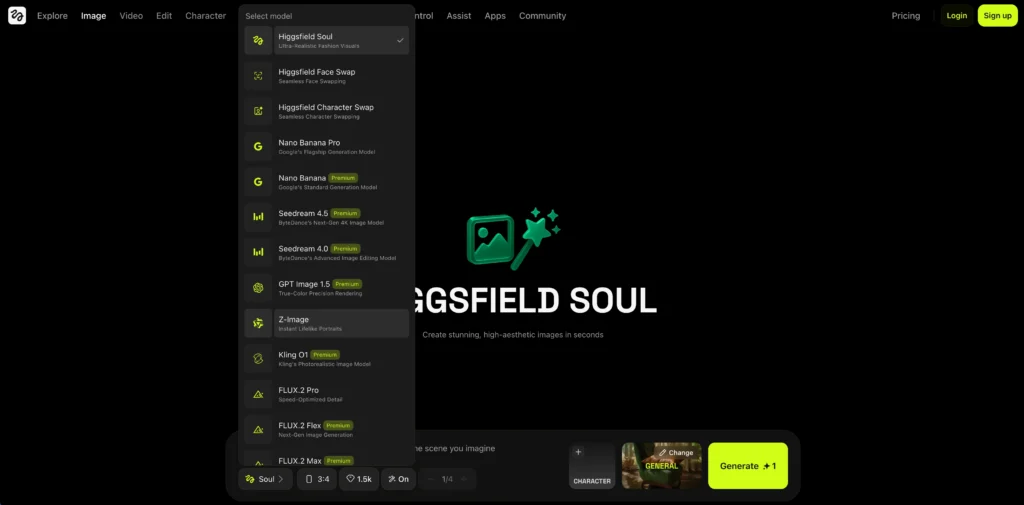
High-end visual generation for professional fashion and product photography. This feature accesses Higgsfield Soul, Seedream 4.5, and Nano Banana Pro depending on your quality and resolution requirements.
Simulates real camera lenses, depth of field, and professional lighting setups. Unlike generic “cinematic” filters, Cinema Studio replicates specific camera bodies (ARRI, RED, Sony) and lens characteristics (35mm prime, 50mm portrait, 85mm) to achieve authentic film aesthetics.
Cinema Studio
higgsfield ai cinema studio image
Storyboard
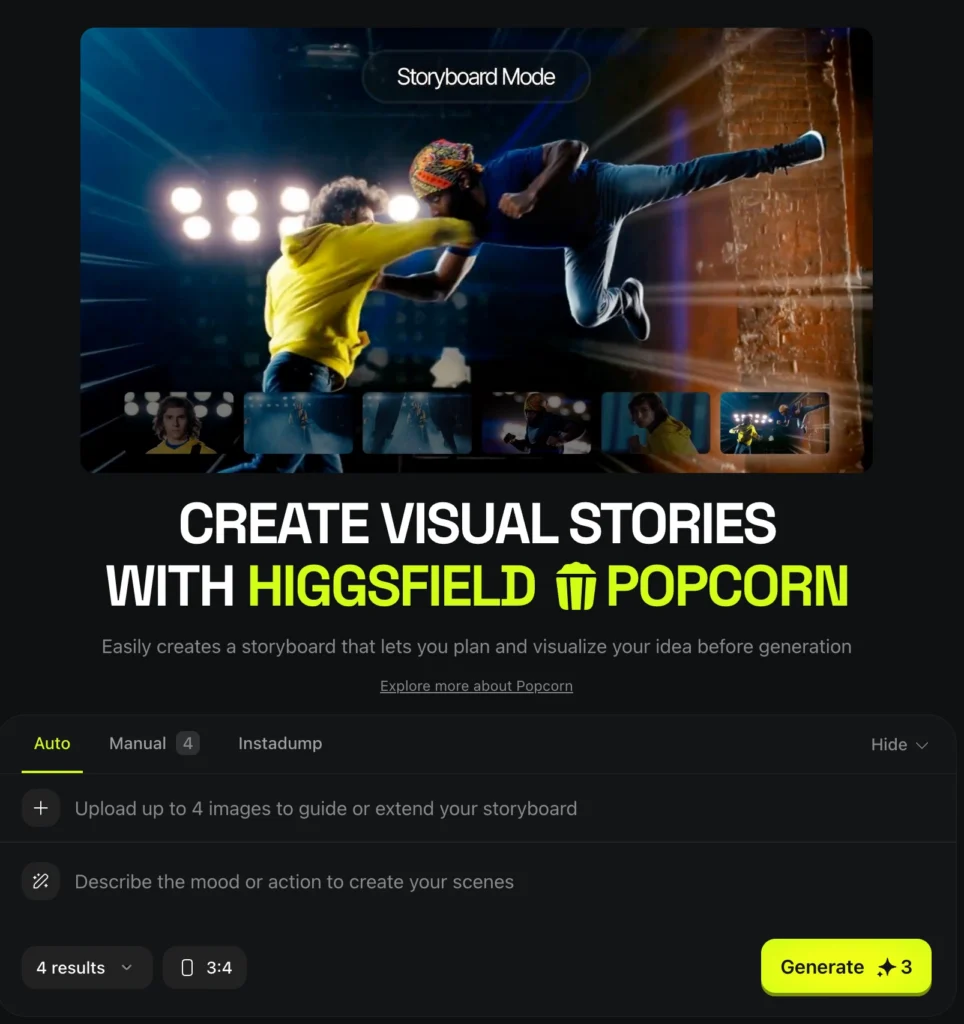
Designs sequential frames for films, commercials, or multi-scene content. Creates high-resolution scene planning that maintains visual consistency across dozens of shots—critical for pitching campaigns or planning complex productions.
Character ID (Personality Locking)
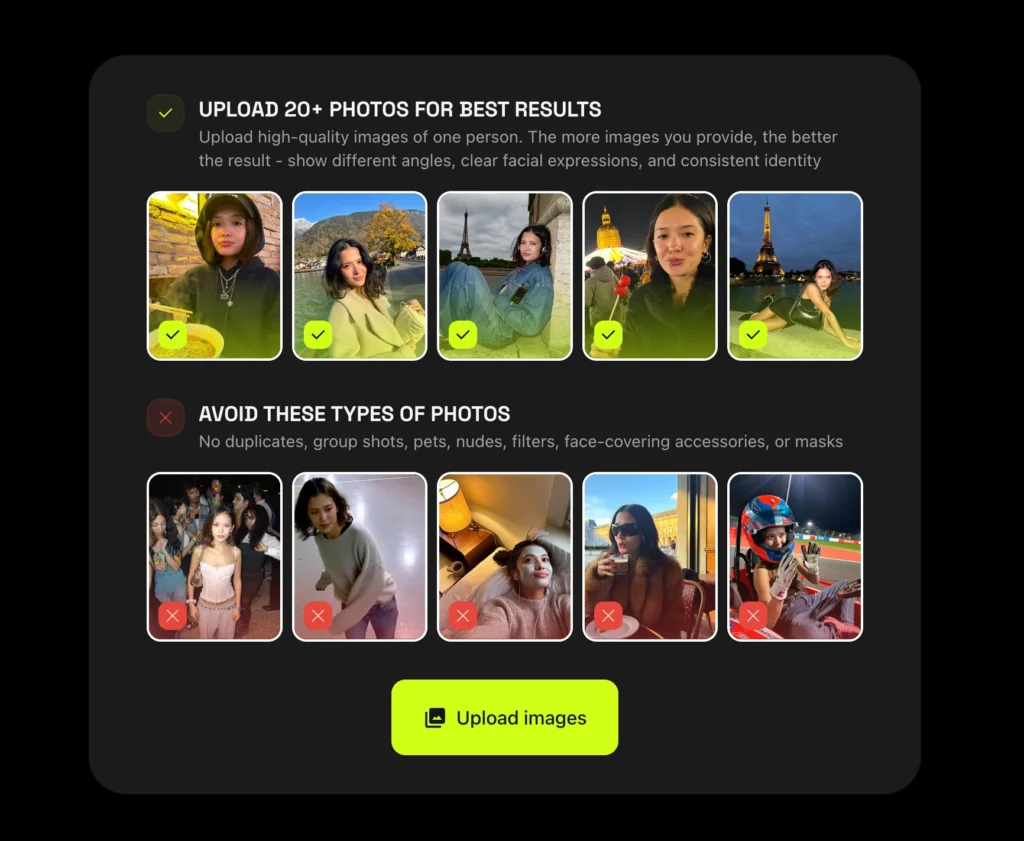
Creates and maintains consistent unique characters across unlimited generations. Solves the industry’s biggest AI problem: generating the same face, body type, clothing style, and personality across thousands of images and videos. Essential for brand mascots, influencer content, or serialized storytelling.
Relight & Inpaint
Precision editing tools for modifying lighting direction, color temperature, and intensity, or selectively replacing specific objects in a shot. Powered by GPT Image 1.5 and FLUX.2 for intelligent area recognition and seamless blending.
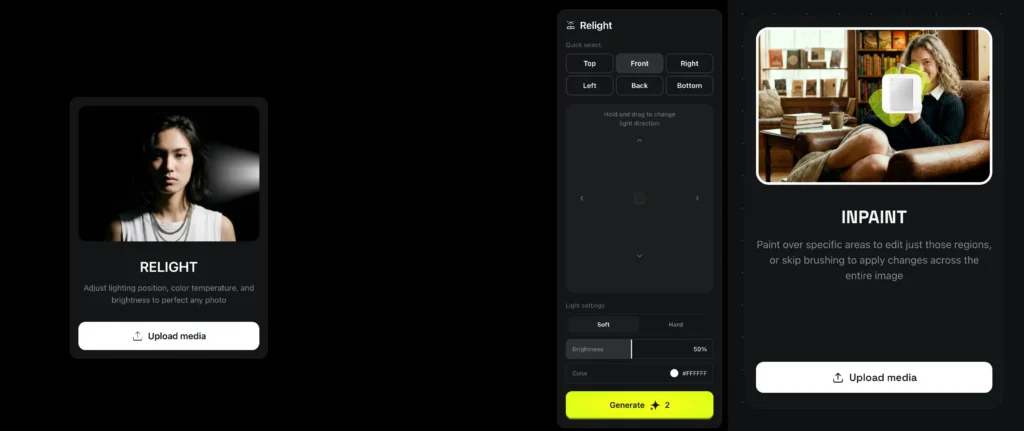
Image Upscale
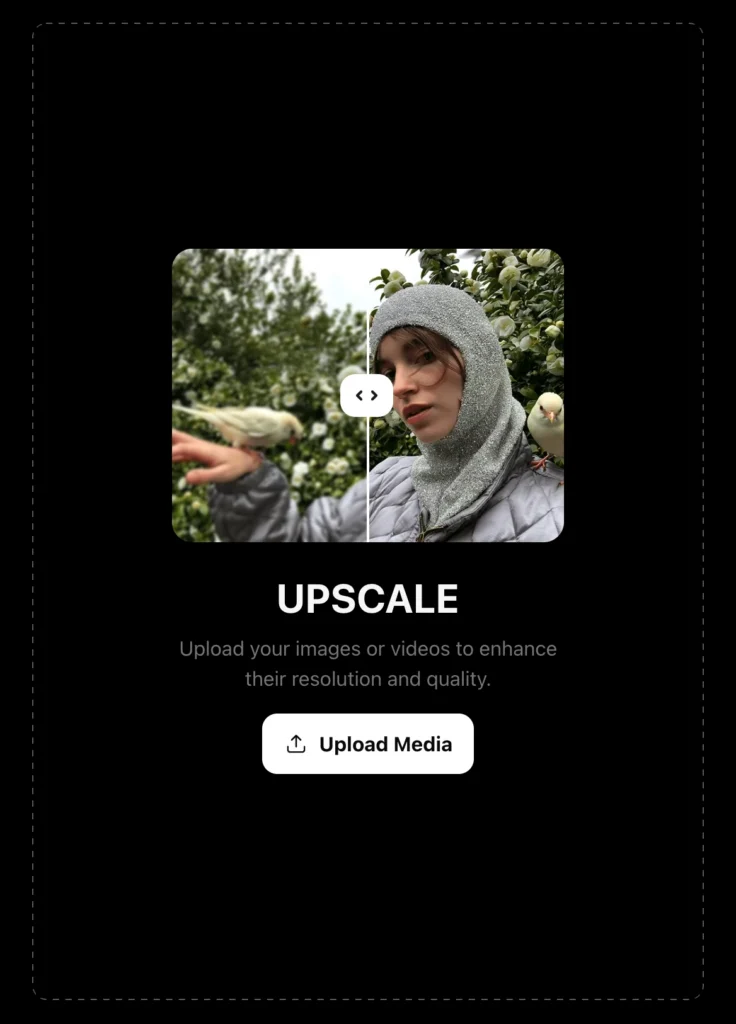
Resolution boosting that enhances portraits to 4K or 8K lifelike quality. Uses Z-Image technology for instant portrait enhancement without the artifacting common in traditional upscaling algorithms.
Face/Character Swap
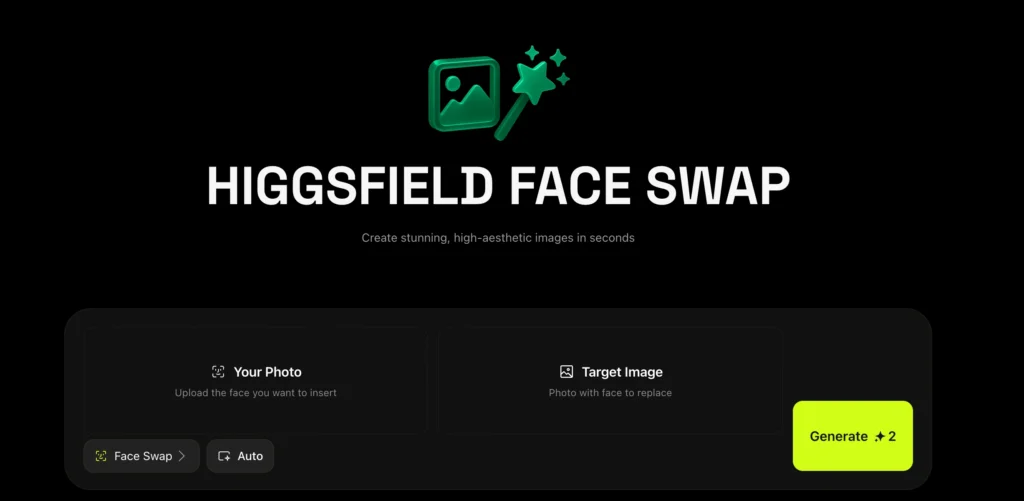
Identity replacement technology that swaps faces or entire characters while preserving the original scene, lighting, and camera angle. More advanced than basic face-swap apps—maintains skin texture, lighting interaction, and depth relationships.
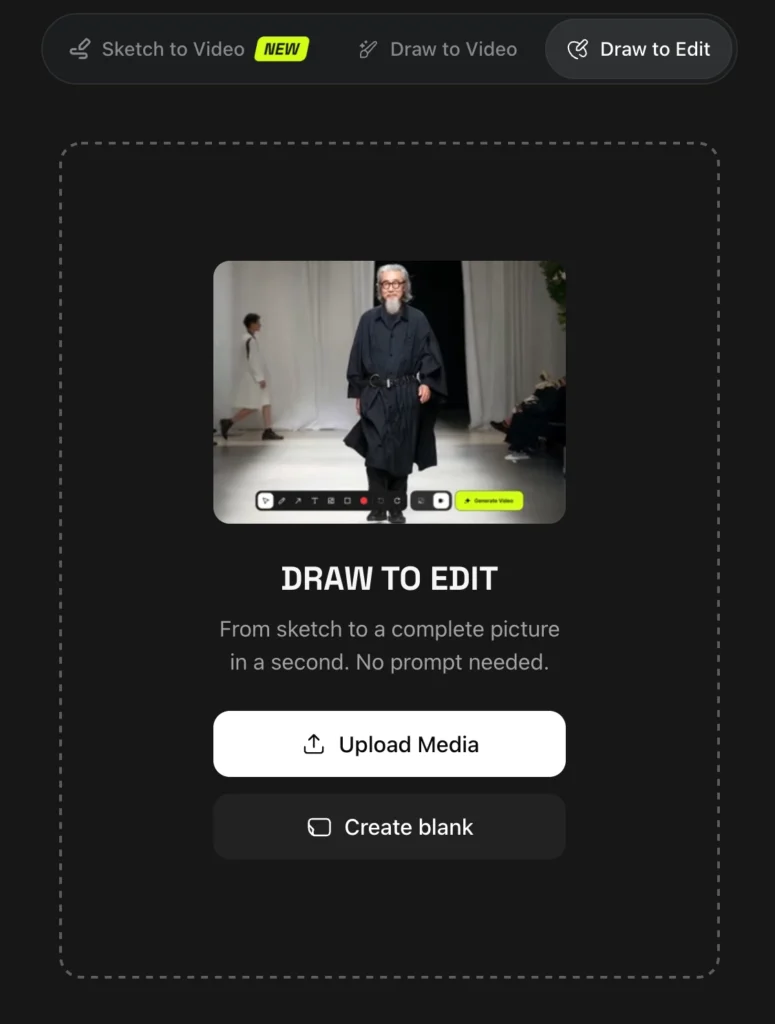
Draw to Edit (Sketch-Based Control)
Converts hand-drawn sketches into photorealistic renders using the Reve model. Allows creators to maintain exact compositional control—draw the pose, camera angle, and object placement you need, then let AI generate the final photorealistic version.
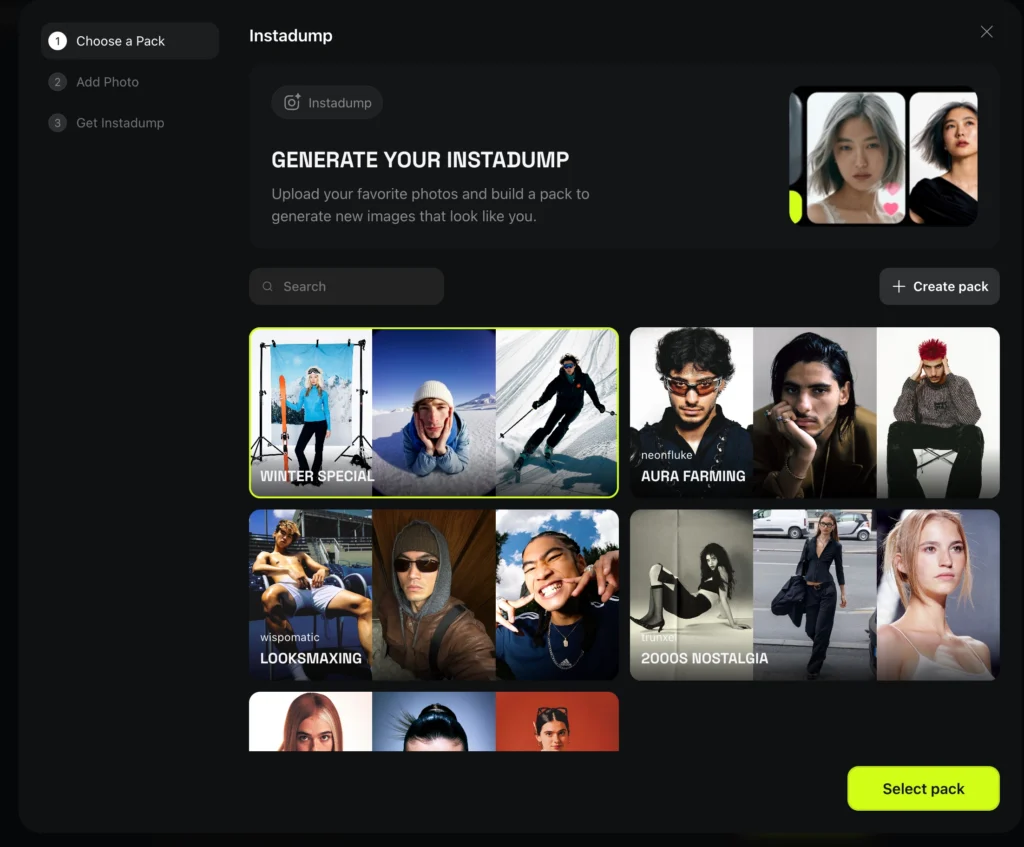
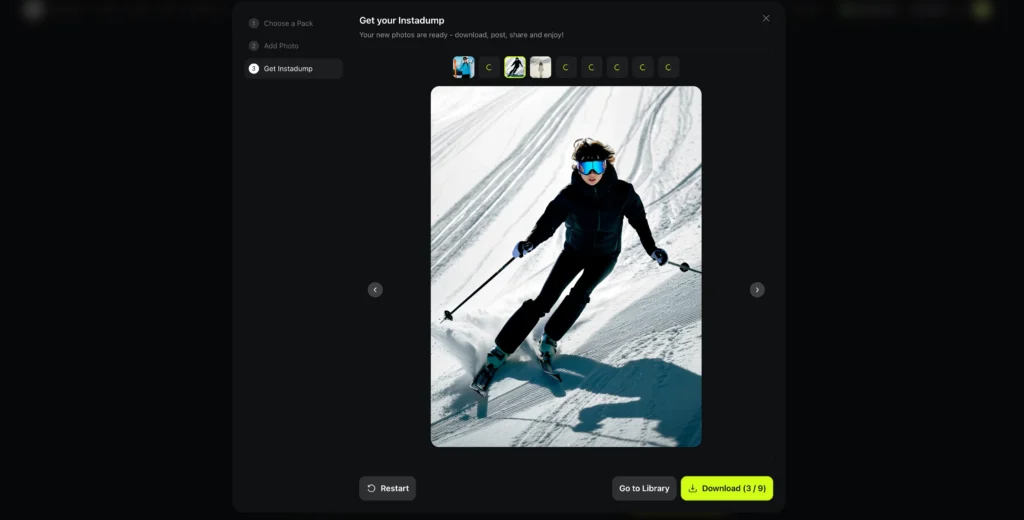
Instadump / UGC Factory
Batch creation system that turns a single selfie into a full lifestyle content library. Upload one photo, generate hundreds of variations across different settings, outfits, lighting conditions, and scenarios—perfect for influencer content calendars or product placement mockups.
AI Video Feature Ecosystem
The video suite handles everything from cinematic VFX to automated marketing content, with specialized workflows for different production needs.
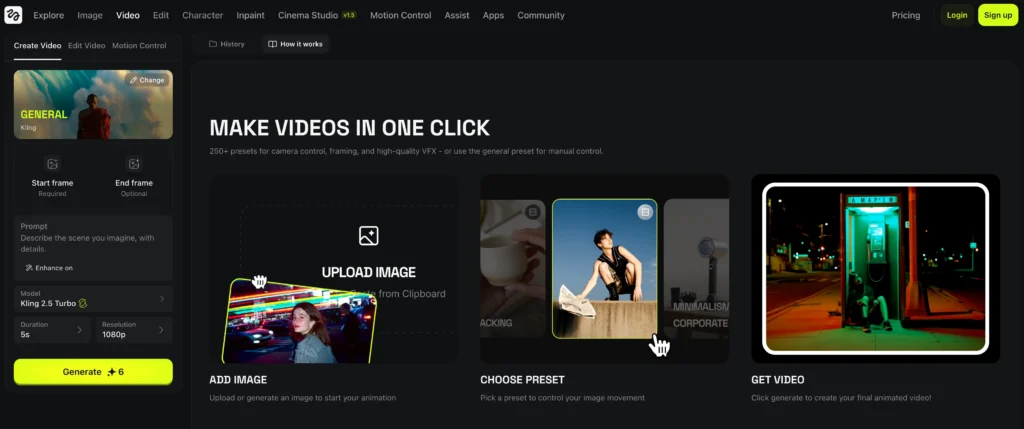
Create Video
General high-quality VFX and cinematic clip generation. Accesses Higgsfield DOP, Sora 2, or Kling 2.6 depending on project complexity—the platform automatically suggests the optimal model based on your description.
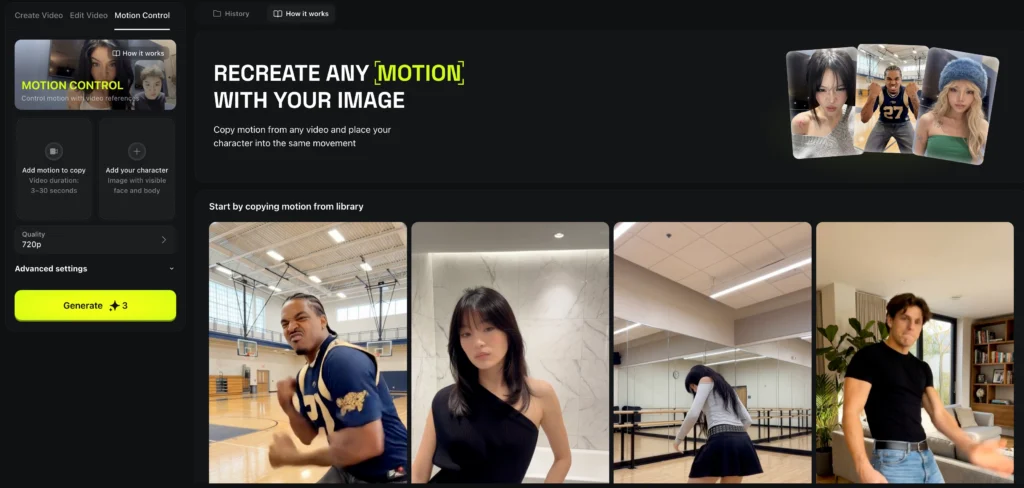
Motion Control
Advanced movement system using reference videos or specific camera paths. Upload a video showing the exact movement you want (a dolly push-in, crane shot, or handheld shake), and Kling 2.6’s motion control replicates that movement pattern on your subject.
Click to Ad
Marketing automation that converts product URLs directly into video advertisements. Paste an e-commerce product link, select a style (luxury, energetic, minimal), and Sora 2 generates a complete 10-15 second product ad with camera movement, transitions, and suggested music.

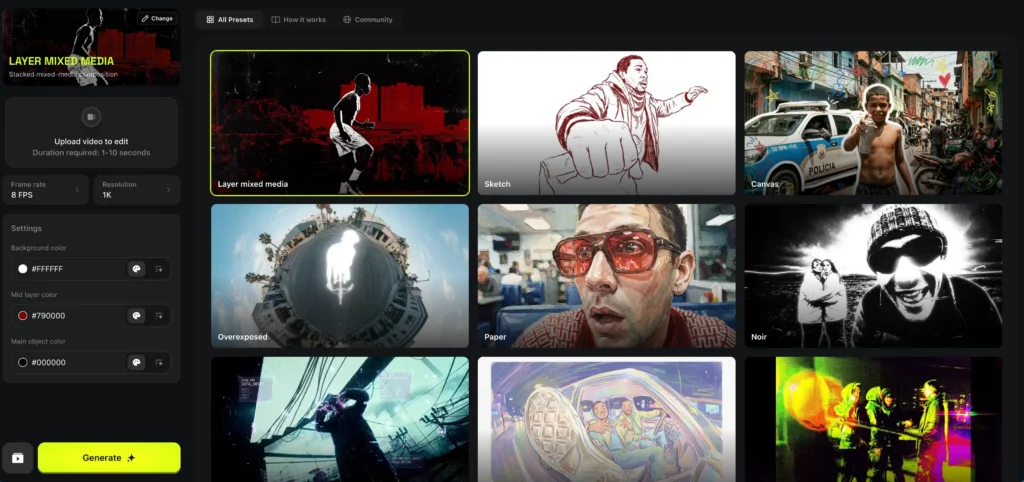
Mixed Media
Multi-asset project system for combining various styles into cohesive cinematic projects. Merge live-action footage with AI-generated backgrounds, animated elements with photorealistic characters, or multiple AI models in a single sequence.
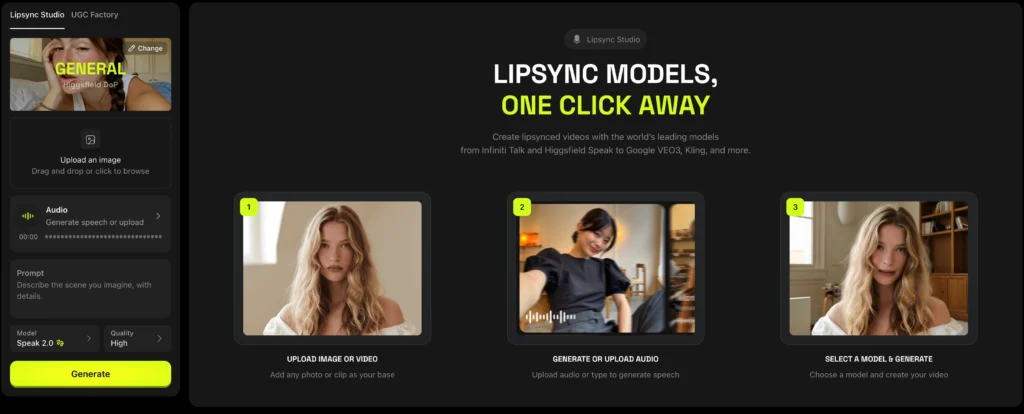
Lipsync Studio
Generates realistic talking heads with perfect mouth synchronization using Seedance 1.5 Pro. Professional-grade precision for dialogue replacement, multilingual dubbing, or creating spokesperson videos without hiring actors.
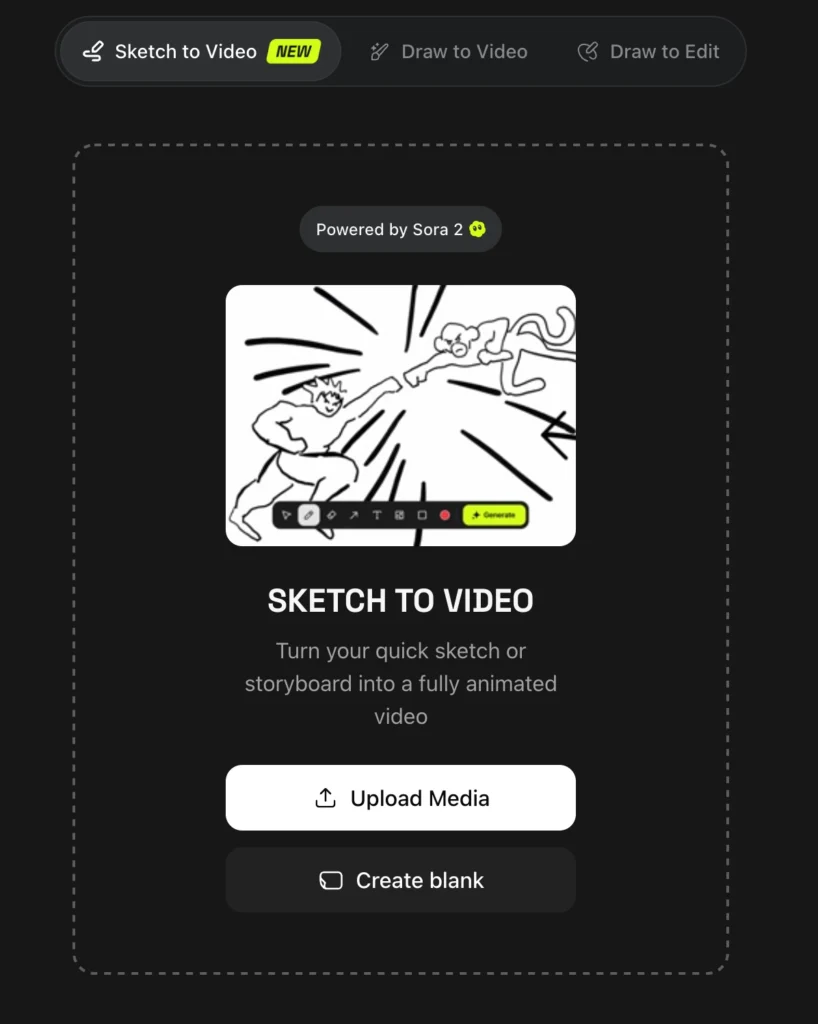
Sketch to Video
Dynamic storytelling that converts rough sketches into high-action video sequences. Uses Wan 2.6 and Minimax 02 to interpret hand-drawn storyboards and generate connected narrative scenes—maintain total creative control from concept to final render.
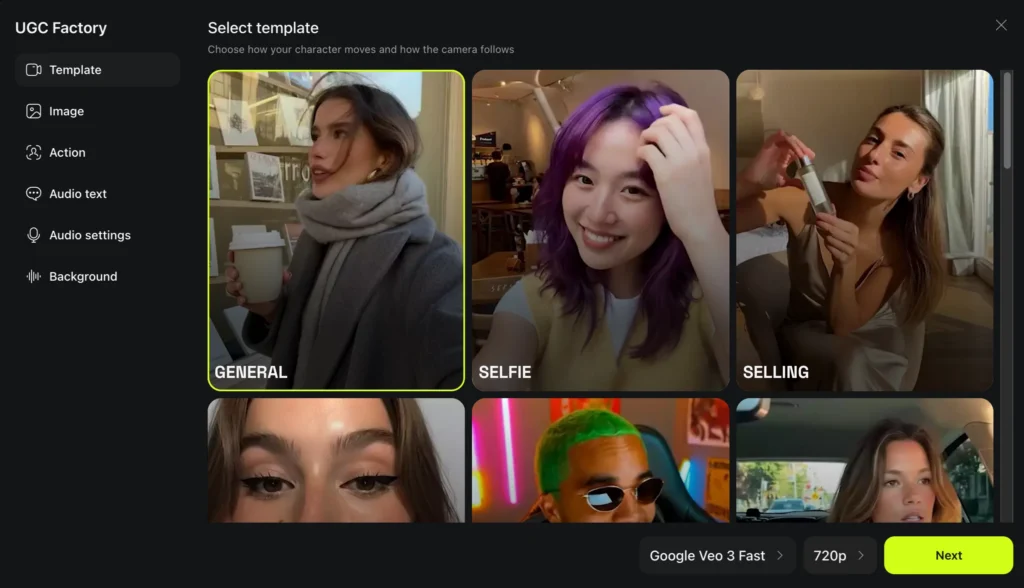
UGC Factory
Builds user-generated content using Kling Avatars 2.0—AI avatars that mimic real human speech patterns, gestures, and authenticity. Creates influencer-style product reviews, testimonials, or social media content without filming real people.
Video Upscale
Motion enhancement that cleans up noise and increases video resolution. Improves footage from 720p to 1080p or 1080p to 4K while maintaining temporal consistency (no flickering between frames).
Why these workflows matter: Most AI platforms provide raw generation tools and expect users to figure out production workflows themselves. Higgsfield pre-builds the workflows professional studios actually use—from storyboarding to final delivery—reducing the learning curve and production time.
Higgsfield AI Model Library: The Engines Behind the Features
Unlike single-model platforms, Higgsfield operates as a model orchestration layer, giving creators access to specialized AI engines optimized for different tasks.
Image Generation Models
Higgsfield Soul
Ultra-realistic fashion and human anatomy specialist. Excels at skin texture, fabric rendering, and commercial portraiture with professional lighting. Best for e-commerce fashion, beauty advertising, and lifestyle photography.
Seedream 4.5
Next-generation 4K realism engine with high-detail texture rendering. Handles complex materials (leather, metal, glass) and environmental lighting better than general-purpose models. Ideal for product photography requiring material accuracy.
Nano Banana Pro
The built in Nano Banana Pro in Higgsfield AI best-in-class 4K composition for scene design and landscape work. Optimized for architectural visualization, environmental concept art, and large-scale scene planning. Generates 1,500 images for $75 (5.2x more than Freepik).
Higgsfield Popcorn
Specialized in camera optics and storyboard aesthetics. Simulates lens aberrations, depth of field characteristics, and sensor-specific color science. The technical foundation of Cinema Studio features.
GPT Image 1.5
True-color precision and intelligent lighting adjustment engine. Powers the Relight feature with accurate color temperature control and physically-based light source positioning.
FLUX.2
Speed-optimized, high-detail area replacement (Inpainting). Best for selective editing—changing specific objects or regions while preserving the surrounding image perfectly. Significantly faster than competitors like Stable Diffusion’s inpainting.
Z-Image
Portrait-focused enhancement for instant lifelike results. Specialized upscaling technology that understands facial structures, skin texture, and portrait lighting to produce clean 4K-8K enhancement without AI artifacts.
Reve
Advanced sketch-to-image structural translation. Interprets hand-drawn concepts and converts them to photorealistic renders while maintaining your exact composition, perspective, and object placement.
Video Generation Models
Higgsfield DOP
Best for VFX and professional director-level camera control. Offers granular control over camera movement, lighting, and post-production effects. Think of it as the “manual mode” for AI video—maximum control for professionals.
Sora 2 (OpenAI)
The most advanced model for high-fidelity, long-form video advertisements. Handles complex physics, fluid dynamics, and multi-object interactions better than any competitor. New 2026 integration enables automated product-to-ad workflows via Click to Ad feature.
Kling 2.6 / Kling O1
Industry leader in cinematic motion and audio-visual projects. Kling 2.6 generates 600 videos for $75 (4.0x more than Krea) with superior temporal consistency. Kling O1 specializes in reference-based motion control—upload a movement pattern and replicate it perfectly.
Google Veo 3.1
Google Veo 3.1 optimized for viral social trends and high-dynamic movements. Generates video with native audio synthesis (music, ambient sound, basic dialogue) rather than silent clips. Perfect for TikTok, Instagram Reels, and YouTube Shorts. Produces 206 videos for $75 (2.3x more than OpenArt).
Seedance 1.5 Pro
Specialized in high-accuracy audio-visual synchronization. Broadcast-quality lip-sync for dialogue replacement, multilingual dubbing, or creating spokesperson content. Powers the Lipsync Studio feature.
Wan 2.6
Multi-shot cinematic storytelling and sketch-based video. Interprets sequential storyboard sketches and generates connected narrative scenes. Combined with Reve (sketch-to-image), enables complete sketch-to-cinema workflows with total structural control.
Minimax Hailuo 02
Ultra-fast rendering for high-action, dynamic scenes. Generates 1,000 videos for $75 (2.5x more than Krea) at 768p resolution. Best for quantity over absolute quality—social media content, rapid prototyping, or A/B testing ad concepts.
Kling Avatars 2.0
Realistic human simulation for UGC and talking clips. Next-generation AI avatars that mimic real human speech patterns, micro-expressions, and gestures. Creates authentic-feeling user-generated content without hiring actors or influencers.
Key Model Integration Highlights for 2026
The Sora 2 Advantage
OpenAI’s most advanced video model now accessible through Higgsfield’s simplified interface. Non-technical users can access Sora’s complex physics simulation and long-form coherence through preset templates rather than writing 300-word technical prompts.
Multi-Model Flexibility
Unlike closed ecosystems (Runway’s Gen-3 only, Pika’s proprietary model only), Higgsfield lets you switch between 8+ video models in the same project. Use Sora 2 for the hero shot, Kling 2.6 for product close-ups, and Veo 3.1 for social media cutdowns—all rendered from the same workspace.
Sketch-to-Cinema Pipeline
The combination of Reve (sketch-to-image) and Wan 2.6 (sketch-to-video) creates an end-to-end workflow where hand-drawn concepts become photorealistic final renders. Maintains total creative control while leveraging AI’s rendering power.
Higgsfield AI Pricing: Is It Actually Cost-Effective?
Pricing Tiers (2026)
Free Tier:
- Limited access to basic models
- Watermarked outputs
- Queue-based generation (slower processing)
- ~50 credits/month
Creator Plan: $75/month
- 6,000 credits monthly ($1 = 80 credits)
- Access to all 15+ premium models
- Priority processing
- Commercial license included
- No watermarks
Enterprise: Custom pricing for API access and team collaboration features
higgsfield ai pricing
Cost-Per-Generation Comparison
Higgsfield’s value proposition is volume efficiency. Here’s the actual output you get for $75 across platforms:
| Model Type | Higgsfield | Freepik | Krea | OpenArt | Advantage |
| Nano Banana Pro (4K images) | 1,500 images | 286 images | 353 images | 331 images | 5.2x more |
| Google Veo 3.1 (1080p, 4s video) | 206 videos | 109 videos | 90 videos | 88 videos | 2.3x more |
| Kling 2.6 (1080p, 5s video) | 600 videos | 220 videos | 151 videos | 331 videos | 4.0x more |
| Minimax Hailuo 02 (768p, 5s) | 1,000 videos | 682 videos | 393 videos | 441 videos | 2.5x more |
Why the difference? Higgsfield negotiates bulk API access with model providers and passes savings to users. Competitors like Freepik and Krea often white-label the same underlying models but charge retail pricing.
Higgsfield Soul: The Photorealistic Image Engine
Higgsfield Soul is the platform’s flagship image model, specialized in ultra-realistic human photography with fashion, beauty, and lifestyle focus.
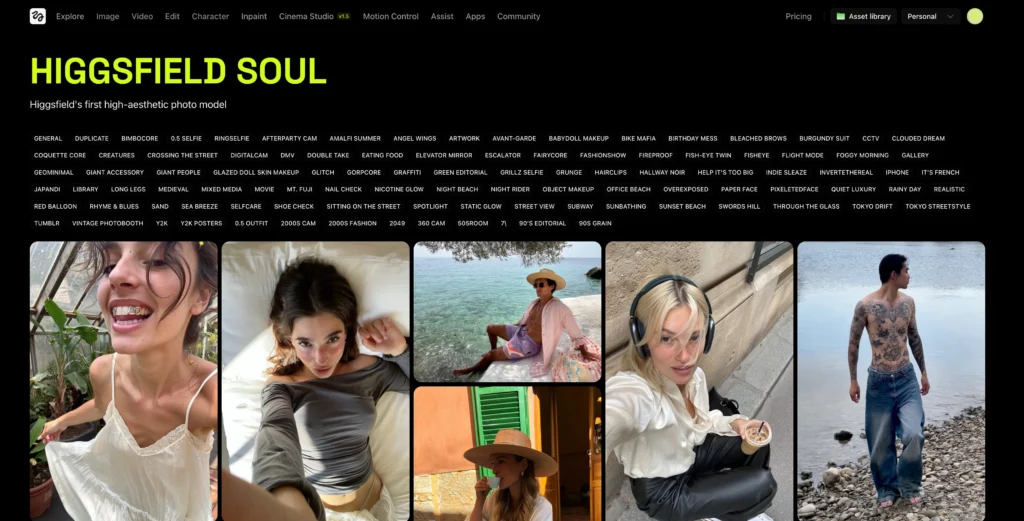
What Soul excels at:
- Skin texture and fabric rendering that passes professional scrutiny
- Accurate lighting simulation (studio softboxes, natural window light, rim lighting)
- Fashion-forward compositions (magazine covers, lookbooks, product placement)
- Diverse body types and ethnicities without the uncanny valley effect common in other AI models
Typical use cases:
- E-commerce product photography with human models
- Social media influencer content creation
- Beauty brand advertising
- Editorial fashion spreads
Limitations: Soul is optimized for human subjects. If you need landscapes, architecture, or abstract art, FLUX.2 or Seedream 4.5 are better choices within Higgsfield’s suite.
Higgsfield Popcorn AI: Cinema Studio Explained
Popcorn AI (officially “Cinema Studio”) is Higgsfield’s camera simulation layer that translates cinematography concepts into AI-understandable parameters.
How it works:
1. Select a virtual camera body (ARRI Alexa, RED, Sony FX9)
2. Choose lens characteristics (35mm prime, 50mm, 85mm portrait)
3. Set camera movement (dolly, crane, Steadicam, handheld)
4. Define lighting setup (three-point, Rembrandt, high-key)
5. Generate video with those exact technical specifications
Why professionals care: Most AI video tools produce “generic cinematic” results. Popcorn allows DPs and directors to replicate the aesthetic of specific film stocks, sensor sizes, and lens aberrations — the difference between “AI-generated” and “indistinguishable from RED footage.”
Example workflow: A car commercial director can specify “ARRI Alexa LF + 24mm Signature Prime + circular dolly tracking shot + golden hour sun 45° right” and get predictable, repeatable results.
Higgsfield Recast: AI Character Replacement
Recast is Higgsfield’s answer to expensive VFX rotoscoping and green screen work.
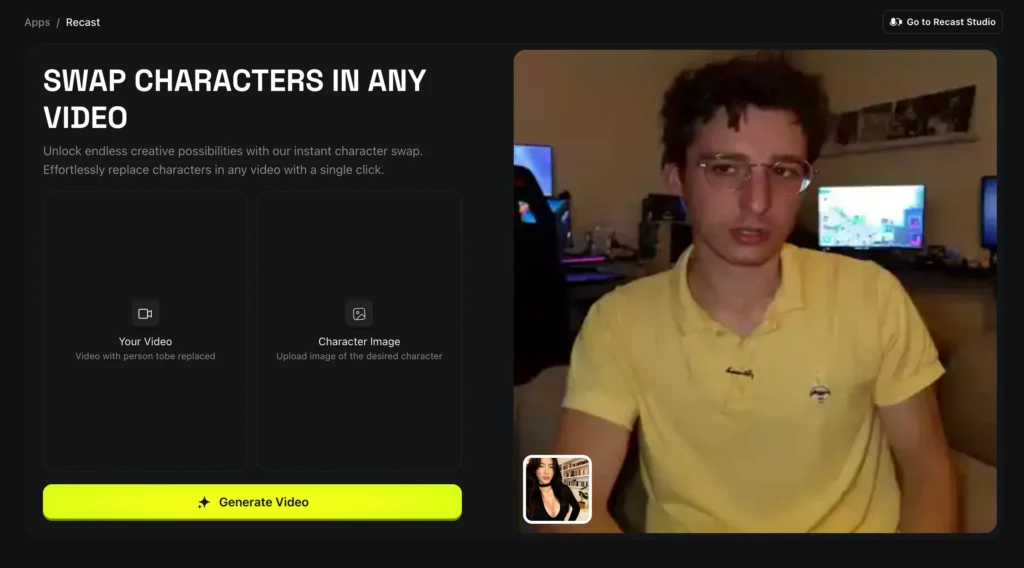
What it does:
- Replaces characters in existing footage with AI-generated alternatives
- Maintains original camera movement, lighting, and scene composition
- Preserves depth-of-field and motion blur characteristics
Use cases:
- Localizing ads with region-specific actors without reshooting
- A/B testing different brand ambassadors in the same commercial
- Updating legacy content with modern diversity standards
- Protecting actor identities in sensitive documentary footage
Technical limitation: Works best with medium shots and full-body framing. Extreme close-ups or rapid camera movement can cause temporal flickering.
Higgsfield AI Video: Best Models for Different Projects
Not all Higgsfield video models serve the same purpose. Here’s the decision tree:
For cinematic storytelling and VFX:
- Sora 2 (complex physics, multi-object scenes, fantasy/sci-fi)
- Higgsfield DOP (professional camera control, commercial aesthetics)
For social media and viral content:
- Google Veo 3.1 (native audio, high-energy movements, TikTok/Reels)
- Kling Avatars 2.0 (UGC-style authenticity, talking head videos)
For motion design and animation:
- Kling 2.6 (reference-based motion, product showcases)
- Wan 2.6 (sketch-to-video, explainer videos, storyboard animatics)
For dialogue and talking heads:
- Seedance 1.5 Pro (lip-sync accuracy, multilingual dubbing)
- Kling Avatars 2.0 (AI presenters, spokesperson videos)
Higgsfield AI Stock: Can You Invest in the Company?
As of January 2026, Higgsfield AI is a private company with no publicly traded stock. The company completed a Series B funding round in 2025 but has not announced IPO plans.
Investment considerations:
- Higgsfield operates in the crowded AI creative tools market competing against Runway, Pika, Adobe Firefly, and OpenAI’s direct offerings
- Revenue model depends on sustained AI model API costs remaining lower than subscription fees (margin compression risk)
- Differentiation relies on multi-model aggregation rather than proprietary technology
Alternative investment options: If you want exposure to AI video generation, consider publicly traded companies like Adobe (ADBE), which owns Firefly, or invest in OpenAI (if/when available) as the provider of Sora 2.
Best Alternatives to Higgsfield AI
If Higgsfield doesn’t fit your needs, consider these alternatives:
For single-model simplicity:
- Sora AI (OpenAI direct) — Best raw video quality but expensive and limited controls
- Kling AI — Specialized in motion control and physics accuracy
- Google Veo 3.1 — Native audio and high-energy social content
For creative image generation:
- Gaga AI — Emerging platform focused on artistic style transfer and illustration-quality outputs with competitive pricing
- Freepik AI — Lower cost but fewer video capabilities
- Open Art — Community-driven with style presets
- Dzine AI — Specialized in product design mockups and packaging visualization with AI-assisted branding tools
For professional video production:
- Runway Gen-3 — Industry standard for VFX integration
- Artlist — Stock footage hybrid with AI enhancement
- Pollo AI — Affordable text-to-video platform optimized for marketing content and social media ads
For budget-conscious creators:
- Nano Banana AI — High-res images at lower cost
- Fal AI — API-first approach for developers
For social media automation:
- Magic Hour — Specialized in short-form vertical video
- SocialSight — AI-powered social media content calendar with trend analysis and automated posting workflows
For all-in-one creative suites:
- Hugging Face — Open-source model library with community-built tools (technical setup required)
How to Get Started with Higgsfield AI (Step-by-Step)
Phase 1: Account Setup (10 minutes)
1. Visit Higgsfield’s official website and create an account
2. Choose between free trial or Creator Plan ($75/month)
3. Complete the onboarding questionnaire (helps AI personalize recommendations)
Phase 2: First Image Generation (15 minutes)
1. Navigate to “Image Studio” → Select “Create Image”
2. Write a descriptive prompt (e.g., “30-year-old woman in business suit, office background, natural window light”)
3. Adjust parameters: aspect ratio (16:9, 1:1, 9:16), style intensity, realism level
4. Generate 4 variations → Select best result
5. Use “Draw to Edit” to sketch adjustments if needed, or “Relight” to modify lighting
Phase 3: First Video Creation (30 minutes)
1. Navigate to “Video Studio” → Choose “Create Video”
2. Select base model (Sora 2 for complex scenes, Veo 3.1 for audio, Kling 2.6 for motion control)
3. Upload reference images or write detailed scene description
4. Set duration (4-10 seconds), resolution (720p, 1080p, 4K), camera movement
5. Generate → Download and review
6. Use “Recast” if you need to change characters, or Lipsync Studio for dialogue adjustments
Phase 4: Character Consistency Workflow (45 minutes)
1. Create a character ID in “Character ID” feature
2. Generate 10+ variations to establish consistent facial features
3. Save character profile with tags (age, style, typical scenarios)
4. Reuse this ID across future image and video projects
5. Test in different lighting, angles, and contexts to ensure stability
Pro tip: Start with Higgsfield’s template library before creating from scratch. Templates are pre-optimized for each model’s strengths.
Common Issues and Troubleshooting
Problem: Generated videos have flickering or temporal inconsistency
- Solution: Use Kling 2.6 or Sora 2 instead of Veo 3.1 for shots with complex motion. Reduce duration to 4-5 seconds and concatenate multiple clips in post.
Problem: Character faces change between generations
- Solution: Always use Character ID feature to create persistent character profiles. Avoid generic descriptions like “a woman” — use specific saved IDs.
Problem: Audio doesn’t match video in Veo 3.1 outputs
- Solution: Veo’s native audio is algorithmic. For critical projects, generate silent video and add professional audio in post, or use Lipsync Studio for precision synchronization.
Problem: Slow generation times during peak hours
- Solution: Creator Plan users get priority queuing. Schedule batch renders overnight or use the API for programmatic generation.
Problem: Credits depleting faster than expected
- Solution: Each model has different credit costs. 4K images and 1080p video consume more credits than 720p. Check the credit calculator before bulk rendering.
FAQ: Higgsfield AI Common Questions
What is Higgsfield AI best used for?
Higgsfield AI is best for high-volume commercial content creation requiring professional quality and character consistency. Marketing agencies, e-commerce brands, and content studios use it to replace expensive photoshoots and video production with AI-generated assets that maintain brand identity across hundreds of deliverables.
How much does Higgsfield AI cost?
The Creator Plan costs $75/month and includes 6,000 credits (80 credits per dollar). This generates approximately 1,500 4K images or 600 5-second videos, which is 2-5x more than competitors at the same price point. A limited free tier exists with watermarked outputs and restricted model access.
Is Higgsfield AI better than Runway or Pika?
Higgsfield AI is not directly comparable — it’s a multi-model aggregator rather than a single proprietary model. Runway Gen-3 may produce higher fidelity for specific VFX tasks, but Higgsfield provides access to 15+ models (including Sora 2, Kling 2.6, Veo 3.1) under one subscription, making it more cost-effective for diverse projects. Choose Runway for specialized VFX, Higgsfield for variety and volume.
Can I use Higgsfield AI for commercial projects?
Yes, the Creator Plan includes full commercial usage rights for all generated content. The free tier does NOT grant commercial licenses and outputs are watermarked. Enterprise plans include additional legal protections for high-stakes advertising campaigns.
Does Higgsfield AI work on mobile devices?
Yes, Higgsfield offers iOS and Android apps with on-the-go generation capabilities. However, advanced features like batch processing, Cinema Studio camera controls, and Mixed Media projects are desktop-only. Mobile apps are best for quick concept tests and reference image uploads.
What’s the difference between Higgsfield Soul and other image generators?
Higgsfield Soul specializes in ultra-realistic human photography with professional lighting and fashion-forward aesthetics. Unlike general-purpose models (Midjourney, DALL-E), Soul is optimized for skin texture, fabric rendering, and commercial portraiture. It’s the platform’s answer to traditional studio photography.
Can Higgsfield AI generate videos with sound?
Google Veo 3.1 generates video with native audio synthesis (music, ambient sound, basic dialogue). For professional dialogue replacement or multilingual dubbing, use Lipsync Studio, which provides broadcast-quality audio-visual synchronization. Most other models generate silent video — add audio in post-production.
How does Higgsfield Popcorn Cinema Studio work?
Popcorn AI allows creators to simulate professional camera equipment and cinematography techniques. Select a virtual camera body (ARRI, RED, Sony), lens type (35mm, 50mm, 85mm), movement style (dolly, crane, handheld), and lighting setup. The AI generates video matching those exact technical specifications, replicating the aesthetic of high-end film production.
What is Higgsfield Recast used for?
Recast is an AI character replacement tool that swaps actors in existing footage without green screens or VFX work. Use cases include localizing ads with region-specific talent, A/B testing different brand ambassadors, or updating legacy content. It maintains original camera movement and scene composition.
Can Higgsfield AI maintain character consistency across projects?
Yes, through the Character ID feature, which creates persistent character identities. Generate a character profile once, then reuse that exact face, body type, and style across thousands of images and videos. This solves the “different face every time” problem common in AI-generated content.
How does Higgsfield pricing compare to buying individual AI subscriptions?
Subscribing to Sora AI, Kling AI, and Runway separately would cost $150-200/month combined. Higgsfield bundles access to these models (plus 12 others) for $75/month. The trade-off: you use Higgsfield’s interface rather than each platform’s native tools, which may limit some advanced features.
What are the credit costs for different types of content?
Credit costs vary by model and resolution:
- 4K images (Nano Banana Pro): 4 credits each
- 1080p video (Veo 3.1, 4 seconds): 29 credits each
- 1080p video (Kling 2.6, 5 seconds): 10 credits each
- 768p video (Minimax, 5 seconds): 6 credits each
The Creator Plan’s 6,000 monthly credits allow for strategic mixing based on project needs.
Does Higgsfield AI have an API for automation?
Yes, Enterprise plans include API access for programmatic generation, which is critical for e-commerce brands automating product photography or agencies building client portals. The API supports batch processing, webhook callbacks, and custom parameter presets.
Can I export my Higgsfield projects to other video editing software?
Yes, all generated content downloads as standard file formats (MP4 for video, PNG/JPG for images). Import into Adobe Premiere, DaVinci Resolve, Final Cut Pro, or any professional editing suite. No proprietary format lock-in.
Is Higgsfield AI safe for brand reputation?
Higgsfield includes content moderation filters that prevent generation of harmful, inappropriate, or brand-unsafe content. Enterprise plans offer custom moderation rules aligned with specific brand guidelines. However, all AI-generated content should undergo human review before public release.
Conclusion
Higgsfield AI’s multi-model aggregation strategy solves a genuine problem for professional creators: platform fatigue and subscription sprawl. By consolidating Sora 2, Kling 2.6, Veo 3.1, and 12+ other models under one $75/month plan, it delivers measurable cost efficiency—4x more generations than competitors for identical budgets.
Related Posts:
 The Ultimate Guide to the Best Image to Video AI Generators in 2025: Free Tools & Pro Tips
 Waver 1.0: ByteDance’s Revolutionary AI Video Generator Explained
 AI Video Maker: Complete Guide to Creating Professional Videos in 2025
 Deepfake AI: Complete Guide to Technology, Tools, and Ethical Applications