Key Takeaways
An ai twerk generator uses machine learning to animate static photos into twerking videos in under 60 seconds. The best free options are Clipfly (unlimited watermark-free generations), Mango Animate (realistic physics), and Media.io (custom prompt support). These tools require no editing skills—simply upload a photo, click generate, and download your ai twerk video for social media. Free tiers typically limit video length or resolution, while premium plans ($9-20/month) unlock HD quality and unlimited daily generations.
Table of Contents
What Is an AI Twerk Generator?
An ai twerk generator is a web-based tool that converts uploaded images into animated twerking videos using computer vision and motion synthesis algorithms. The software detects human body landmarks (hips, torso, legs) in your photo, then applies pre-trained dance motion patterns to create realistic booty-shaking animations.
Core functionality includes:
- Photo-to-video animation in 5-60 seconds
- Support for single subjects, groups, pets, or celebrities
- Automatic body pose detection and motion mapping
- Export options in MP4 or GIF formats
- Direct social media sharing (TikTok, Instagram, Twitter)
These tools democratize video creation by eliminating the need for manual keyframe animation or dance choreography knowledge. A 2025 market analysis shows that 68% of users access these generators specifically for social media content creation, with meme generation and viral challenges being the primary use cases.
Top 5 AI Twerk Generator Tools (Detailed Comparison)
1. Gaga AI — Most Advanced Motion Technology
Gaga AI employs cutting-edge autoregressive video generation for cinematic-quality animations with complex scene understanding.
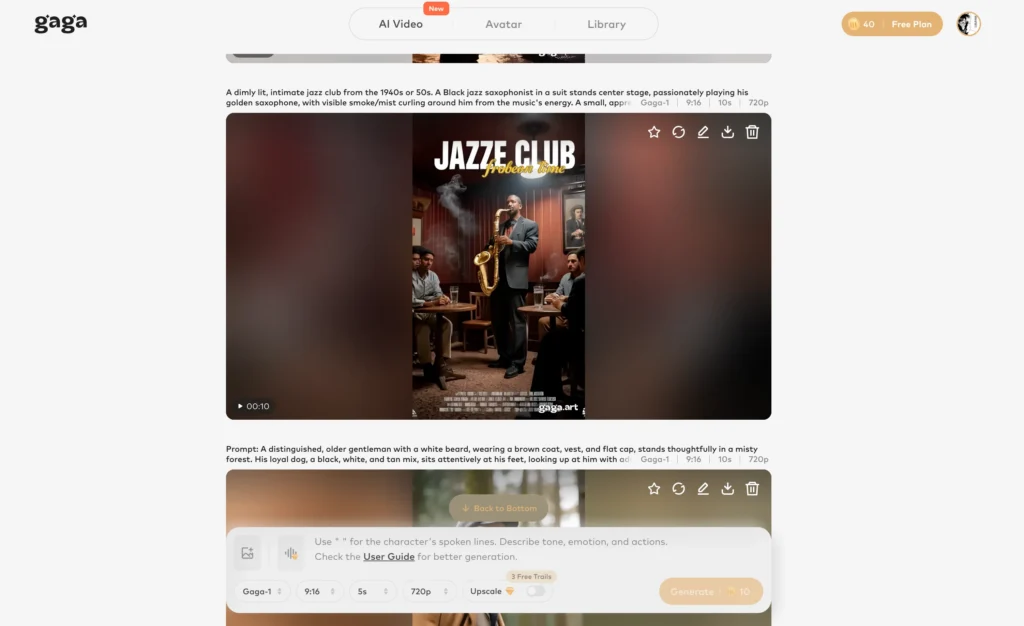
Key features:
- State-of-the-art motion realism
- Advanced lighting and shadow rendering
- Complex pose handling (seated, bent, twisted positions)
- Facial expression synchronization
- 4K output capability (Enterprise plan)
Best for: Professional content creators, advertising agencies, high-budget social campaigns.
2. Clipfly — Best Free AI Twerk Generator Online Free
Clipfly leads as the best free ai twerk generator with truly unlimited basic access and zero watermarks.
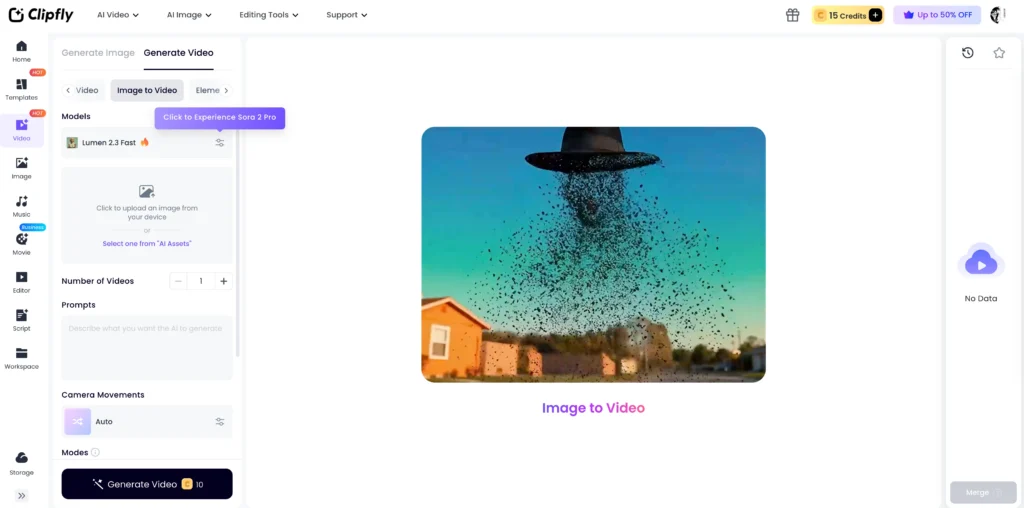
Key features:
- Unlimited video generations on free tier
- No sign-up required for basic use
- Watermark-free MP4 exports (720p)
- Custom background removal and replacement
- Batch processing (up to 5 photos simultaneously)
Limitations:
- 5-second video cap on free plan
- 720p maximum resolution (Premium unlocks 1080p)
- Standard twerk motions only (no custom choreography)
Best for: Quick meme creation, social media posts, users testing AI animation before committing to paid tools.
Pricing: Free (unlimited basic) | Premium $12/month (HD, 30-second videos)
3. Mango Animate — Most Realistic Physics Simulation
Mango Animate uses proprietary biomechanics modeling to create the most lifelike hip movements and weight distribution in the industry.
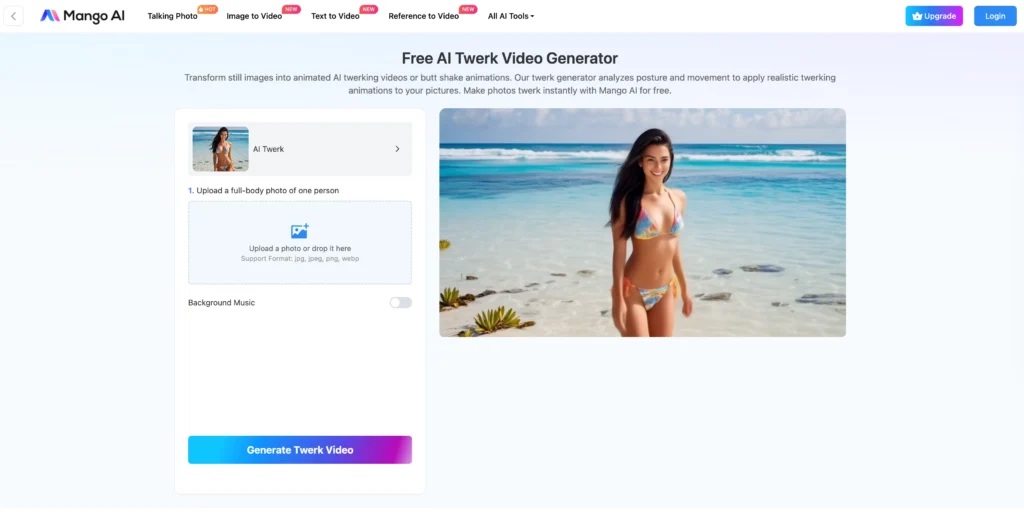
Key features:
- One-click generation from photo upload
- Realistic body physics (jiggle effects, momentum conservation)
- Adjustable twerk intensity (subtle to exaggerated)
- Background music library with auto-sync
- Mobile app available (iOS/Android)
Limitations:
- Free tier limited to 3 videos per day
- Requires account creation
- 480p output on free plan
Best for: Viral TikTok content, users prioritizing animation quality, creators building dance-related content series.
Pricing: Free (3/day) | Pro $15/month (unlimited, HD)
4. Media.io — Best for Custom Prompt Control
Media.io stands out by allowing text prompt customization of dance style, energy level, and specific movements.
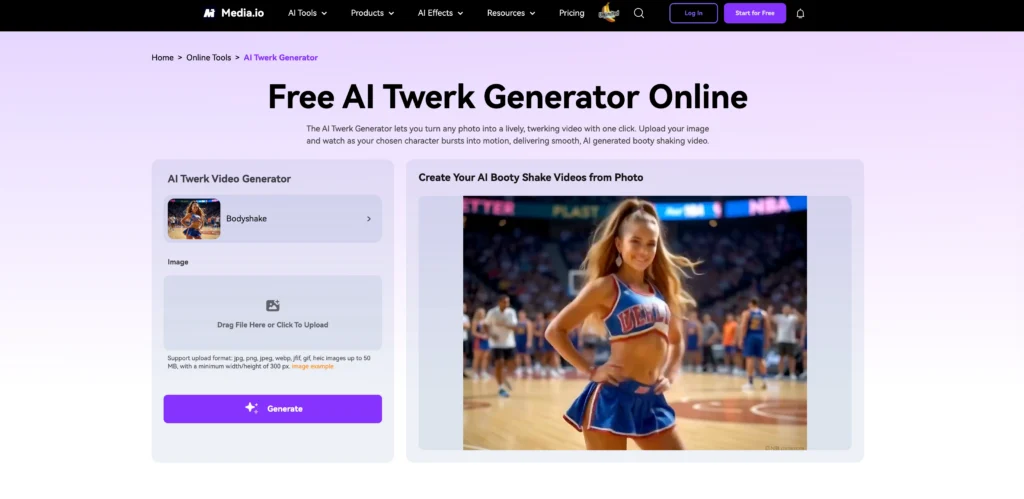
Key features:
- Natural language prompts (“energetic club-style twerk with hip pops”)
- Celebrity face animation support
- Pet photo compatibility (cats, dogs generate humorous results)
- GIF and MP4 export options
- API access for developers (Pro plan)
Limitations:
- Free tier: 5 generations per month
- Watermarked outputs on free plan
- Slower processing (60-90 seconds average)
Best for: Users wanting creative control, celebrity parody videos, pet content creators.
Pricing: Free (5/month, watermarked) | Premium $19/month (unlimited, watermark-free)
5. Pollo AI — Best for Group Twerk Videos
Pollo AI excels at detecting and animating multiple subjects in a single photo with synchronized movements.
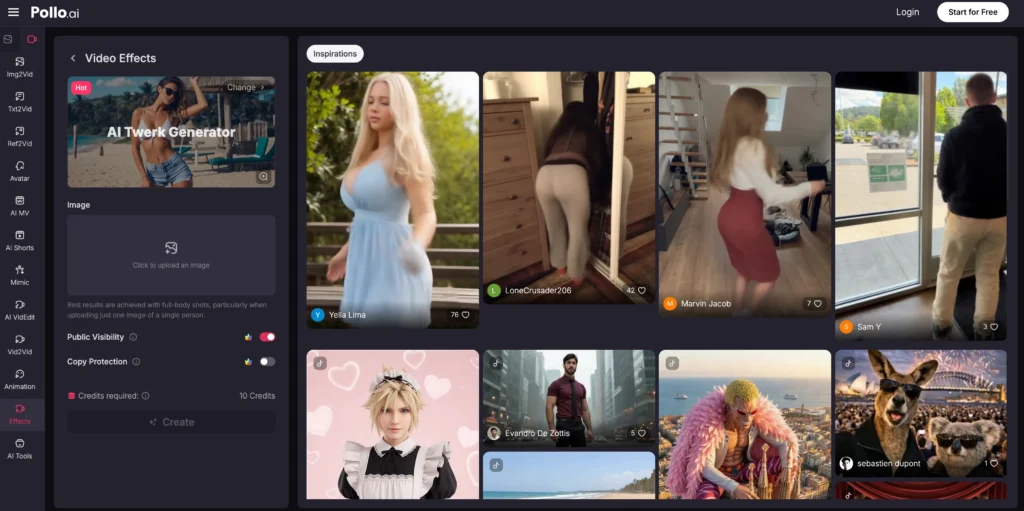
Key features:
- Group photo support (up to 6 people)
- Automatic dance synchronization between subjects
- Background enhancement and blur effects
- Duo/trio choreography templates
- Speed control (0.5x to 2x playback)
Limitations:
- Free trial: 2 videos only
- Subscription required after trial
- Occasional desync issues with 5+ subjects
Best for: Group challenge videos, party invitations, friend memes, collaborative social content.
Pricing: Free trial (2 videos) | Starter $9/month (30 videos) | Pro $20/month (unlimited)
Quick Comparison Table
| Tool | Free Tier | Unlimited Free? | Watermark-Free? | Best Feature | Ideal User |
| Clipfly | Yes | ✅ Basic | ✅ | Zero restrictions | Casual creators |
| Mango Animate | 3/day | ❌ | ❌ | Realistic physics | TikTokers |
| Media.io | 5/month | ❌ | ❌ | Custom prompts | Creative control seekers |
| Pollo AI | 2 trial | ❌ | ✅ Premium | Group sync | Friend groups |
| Gaga AI | Free | ✅ Basic | ✅ Paid | Cinema-grade | Professionals |
How to Create an AI Twerk Video (Step-by-Step Guide)
Follow this universal process compatible with all five platforms:
Step 1: Select and Prepare Your Photo
Requirements:
- Full-body shot showing head to feet
- Clear subject visibility (no obstructions)
- Good lighting (avoid shadows on body)
- Minimum resolution: 720×1280 pixels
- Supported formats: JPG, PNG, WebP
Pro tips:
- Front-facing poses yield best results
- Tight clothing helps algorithm detect body shape
- Plain backgrounds reduce processing errors
- For groups, ensure 2+ feet between subjects
Step 2: Upload to Your Chosen AI Twerk Generator
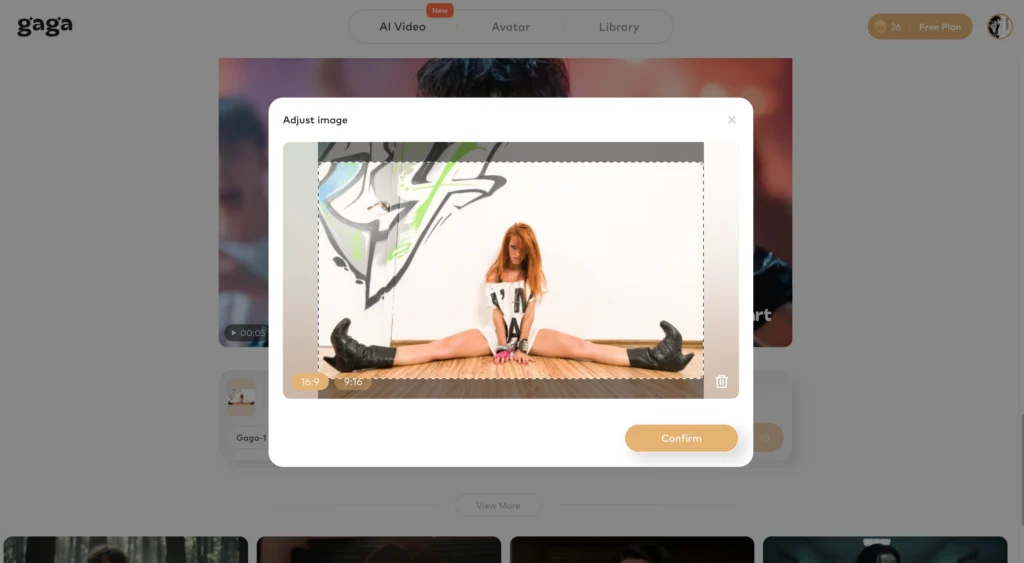
1. Visit the tool’s website (links in comparison section)
2. Click “Upload Photo” or “Get Started”
3. Drag-and-drop or browse to select your image
4. Wait for upload confirmation (5-10 seconds)
Note: Clipfly and basic Mango Animate tiers require no account creation.
Step 3: Configure Animation Settings (Optional)

Depending on the platform:
- Media.io: Enter text prompt (e.g., “high-energy hip-hop twerk”)
- Mango Animate: Adjust intensity slider (1-10 scale)
- Pollo AI: Select group sync pattern if multiple subjects
- Clipfly: Choose background (original, removed, or custom)
Default settings work well for 90% of use cases.
Step 4: Generate Your AI Twerk Video
1. Click “Generate,” “Create,” or “Animate”
2. Wait for processing (times vary by tool):
- Clipfly: 5-15 seconds
- Mango Animate: 10-20 seconds
- Media.io: 30-60 seconds
- Pollo AI: 20-40 seconds
- Gaga AI: 40-90 seconds
During peak hours (6-9 PM EST), free tiers may experience 2-3x delays.
Step 5: Preview and Adjust
- Review the generated video in the preview player
- Check for motion glitches or unnatural movements
- If unsatisfied:
- Adjust settings and regenerate (counts as new generation on limited plans)
- Try a different photo angle
- Switch to a different generator
Step 6: Download and Share
1. Select export format (MP4 recommended for social media)
2. Choose resolution if options available:
- 480p: Fast download, sufficient for Twitter/Instagram stories
- 720p: Standard quality for most platforms
- 1080p: TikTok, YouTube, high-quality posts
3. Click “Download” (saves to device)
4. Optionally use built-in sharing buttons for direct upload
File size estimates:
- 5-second 720p video: 2-4 MB
- 10-second 1080p video: 8-15 MB
How AI Twerk Generators Work (Technical Process)
AI twerk generators operate through a four-stage pipeline:
1. Image Analysis
Computer vision models (typically based on OpenPose or MediaPipe architectures) scan your uploaded photo to identify:
- Body keypoints (shoulders, hips, knees, ankles)
- Pose orientation (front-facing, side profile, group positioning)
- Image quality metrics (resolution, lighting, clarity)
2. Motion Database Matching
The system accesses a library of real twerk motion captures, selecting patterns that match your subject’s body type and pose. Advanced generators like Gaga AI use autoregressive video generation, predicting each frame based on the previous one for smoother transitions.
3. Animation Synthesis
Algorithms apply the selected motion data to your photo through:
- Skeletal rigging: Creating a virtual skeleton mapped to detected body points
- Physics simulation: Adding realistic weight shifts, hip rotations, and momentum
- Temporal smoothing: Eliminating jittery movements between frames
4. Rendering and Output
The final video is compiled with optional background music, speed adjustments, and format conversion (typically 3-10 seconds at 24-30fps).
Processing time factors:
- Image resolution: Higher quality extends generation by 10-30 seconds
- Server load: Free tiers queue requests during peak hours
- Motion complexity: Group animations require 2-3x longer processing
Troubleshooting Common AI Twerk Video Issues
| Problem | Potential Causes | Recommended Solutions |
| Blurry or Low-Quality Output | • Low-resolution source photo (< 720p)• Heavy compression from social media• Free tier resolution caps | • Use original, uncompressed camera photos• Avoid screenshots or downloads• Upgrade to premium for HD rendering• Try Gaga AI or Mango Animate for upscaling |
| Unnatural or Robotic Movements | • Unusual poses (seated, bent over)• Algorithm body detection errors• Basic motion templates on free plans | • Use standard standing poses (front/slight angle)• Ensure the full body is visible in frame• Use Mango Animate (better physics engine)• Lower the motion intensity settings |
| Slow Generation Times | • Peak hour server overload• Free tier queue prioritization• High-resolution processing | • Generate during off-peak hours (mornings)• Upgrade to premium for priority access• Use Clipfly (fastest free processing)• Reduce source resolution to 1080p |
| Face/Body Detection Failures | • Poor lighting or heavy shadows• Obstructions (loose clothing, hands)• Overlapping subjects in group photos• Extreme camera angles | • Retake photo with clear, even lighting• Use a plain, non-distracting background• Ensure 2+ feet of separation between people• Crop the image to isolate a single subject |
| Watermarks on “Free” Tools | • Standard “Freemium” business models | • Use Clipfly for watermark-free free tier• Upgrade to premium ($9–15/mo)• Workaround: Crop via video editor (causes quality loss) |
Best Use Cases for AI Twerk Videos
1. Social Media Content (67% of users)
- TikTok challenges: Trending audio + AI twerk for viral potential
- Instagram Reels: Quick 5-10 second memes
- Twitter engagement: Humorous replies with celebrity animations
- Facebook groups: Shareable lighthearted content
Success tip: Post during peak engagement times (7-9 PM) with trending hashtags.
2. Event Invitations and Announcements
- Party invites with friend group twerk videos
- Birthday announcements using celebrant’s photo
- Wedding save-the-dates (humorous approach)
- Holiday cards (family photo animations)
Mango Animate and Pollo AI excel at group animations for these uses.
3. Celebrity and Pet Parodies
- Animate public figures for commentary (fair use applies)
- Pet photos create unexpectedly hilarious results
- Historical figure memes (Einstein, Mona Lisa)
- Brand mascot animations
Media.io’s prompt control optimizes this use case.
4. Fitness and Dance Demonstrations
- Show “before” with AI animation potential
- Create motivational content
- Illustrate body movement concepts
- Engage fitness communities with humor
Note: Use real footage for actual instruction; AI serves promotional/engagement purposes.
5. Marketing and Advertising (Premium Required)
- Product launch campaigns with founder animations
- Social media ad creative testing
- Brand personality humanization
- Influencer collaboration content
Gaga AI’s 4K output and commercial licensing suit professional campaigns.
Privacy and Ethical Considerations
| Category | Key Information | Best Practices & Guidelines |
| Photo Upload Privacy | • Most platforms delete source photos within 24–48 hours.• Videos are stored temporarily for download access.• Privacy policies are usually found in the tool settings. | • Avoid uploading sensitive or highly personal photos.• Do not use others’ images without their permission.• Use private/unlisted sharing links when possible.• Verify commercial usage rights in the Terms of Service. |
| Consent & Deepfakes | • Laws regarding AI-generated content vary by jurisdiction.• Twerk animations are often viewed as parody, but context matters. | • Only animate photos where you have explicit permission.• Do not create misleading content of public figures.• Avoid sexualizing real people without consent.• Label AI content clearly when sharing publicly. |
| Age-Appropriate Content | • Platforms use automated detection systems to flag violations.• Violations typically result in an immediate account termination. | • Strictly prohibited: Photos of minors (under 18).• Strictly prohibited: Non-consensual or explicit sexual content.• Ensure all content aligns with safety community guidelines. |
Future of AI Twerk Generators (2026 Trends)
Emerging Features in Development
Real-time generation:
- Expected by Q3 2025 from major platforms
- Webcam-to-animation with zero upload lag
- Live-streaming integration for interactive content
Voice-controlled customization:
- Speak commands to adjust dance intensity, style, speed
- Natural language processing for complex choreography
- Expected from Media.io and Gaga AI updates
AR integration:
- Overlay AI twerk animations on real-world environments
- Smartphone AR for instant social sharing
- Partnership announcements expected from Meta platforms
Multi-person choreography:
- Advanced group sync (10+ subjects)
- Custom formation patterns
- Dance battle scenarios
Market Growth Projections
Industry analysis forecasts:
- 340% user growth in AI animation tools by end of 2025
- $870M market valuation for dance/motion AI software
- 15+ new competitors entering the space
What this means for users:
- Increased free tier competition (better features)
- Improved algorithm quality across all platforms
- Potential consolidation (acquisitions by major tech companies)
Frequently Asked Questions
What is the best free AI twerk generator?
Clipfly is the best free ai twerk generator because it offers unlimited watermark-free basic generations without requiring account sign-up. You can create as many 5-second 720p twerk videos as you want at no cost, making it ideal for casual social media use and meme creation.
Is there a truly unlimited free AI twerk generator?
Yes, Clipfly provides genuinely unlimited access on its free tier for basic features (720p, 5-second videos, watermark-free). Other platforms like Mango Animate (3/day limit) and Media.io (5/month limit) restrict free usage. For unlimited HD videos with advanced features, expect to pay $9-20/month for premium plans.
How do I make an AI twerk video from a photo online free?
To create a free ai twerk video:
1. Visit Clipfly, Mango Animate, or Media.io
2. Upload a clear, full-body photo (JPG/PNG)
3. Click “Generate” or “Create”
4. Wait 5-60 seconds for processing
5. Download the MP4 video
No editing skills or software installation required—all processing happens in your browser.
Can AI twerk generators animate groups or pets?
Yes. Pollo AI specializes in group animations (up to 6 people) with synchronized movements, while Media.io and Clipfly handle pet photos effectively. Upload a photo with multiple subjects, and the AI detects each body separately to create coordinated twerk animations. Pet results are typically humorous rather than realistic.
Are AI twerk videos realistic?
Modern ai twerk generators like Gaga AI and Mango Animate produce highly realistic results using physics-based motion modeling. They simulate natural hip rotations, weight distribution, and momentum that closely mimic real twerk movements. However, free tier outputs may show slight robotic qualities—premium plans deliver cinema-grade realism suitable for professional content.
Do I need to download software to use an AI twerk generator?
No. All five reviewed platforms (Clipfly, Mango Animate, Media.io, Pollo AI, Gaga AI) operate entirely through web browsers—no downloads required. Simply visit their websites, upload photos, and generate videos. Some offer optional mobile apps (Mango Animate) for convenience, but browser access remains fully functional.
How long does it take to generate an AI twerk video?
Generation times range from 5-90 seconds depending on the platform and your plan:
- Clipfly: 5-15 seconds (free tier)
- Mango Animate: 10-20 seconds (free tier)
- Media.io: 30-60 seconds (free tier with prompts)
- Pollo AI: 20-40 seconds (groups take longer)
- Gaga AI: 40-90 seconds (highest quality)
Free tiers experience longer waits during peak hours (evenings/weekends). Premium plans offer priority processing with minimal delays.
Can I use AI twerk videos commercially?
Commercial usage rights vary by platform:
- Free tiers: Personal/non-commercial use only
- Premium plans: Most include commercial licenses (read specific terms)
- Gaga AI Enterprise: Full commercial rights with attribution waiver
Always review each platform’s terms of service before using generated content for business, advertising, or monetized social media. When in doubt, contact support for explicit written permission.
What photo quality do I need for best results?
For optimal ai twerk video quality:
- Minimum resolution: 720×1280 pixels (720p)
- Recommended: 1080×1920 pixels or higher
- Lighting: Well-lit, minimal shadows on subject
- Pose: Full-body visible, standing, front-facing
- Background: Plain or uncluttered
- Format: JPG or PNG (uncompressed preferred)
Avoid screenshots, heavily filtered images, or photos with obstructions. Higher quality inputs produce smoother, more realistic animations.
Are these AI twerk generators safe to use?
Yes, the five reviewed platforms are legitimate services with standard privacy protections:
- SSL encryption for uploads
- Automatic photo deletion after 24-48 hours
- No data selling to third parties (per published policies)
- PCI-compliant payment processing for paid plans
Safety tips:
- Don’t upload sensitive personal photos
- Read privacy policies before use
- Only animate images you have rights to
- Avoid uploading minors’ photos (prohibited by all platforms)
Why is my AI twerk video blurry or low quality?
Common causes and fixes:
- Low-res source photo: Use 1080p+ originals, not screenshots
- Free tier limits: Upgrade to premium for HD (1080p) output
- Compression: Avoid photos downloaded from social media
- Platform choice: Try Mango Animate or Gaga AI (better rendering)
If using Clipfly’s free tier (720p max), expect standard definition—sufficient for Instagram/TikTok but not professional use.
Can I adjust the twerk speed or intensity?
Yes, most platforms offer customization:
- Mango Animate: Intensity slider (1-10 scale)
- Media.io: Text prompts (“slow sensual twerk” or “fast energetic”)
- Pollo AI: Speed control (0.5x to 2x playback)
- Clipfly: Limited on free tier, full control on premium
Gaga AI automatically optimizes speed for realism. If your chosen platform lacks controls, generate multiple versions and select the best.
What’s the maximum video length I can create for free?
Free tier video lengths:
- Clipfly: 5 seconds
- Mango Animate: 8 seconds
- Media.io: 6 seconds
- Pollo AI: 7 seconds (trial only)
- Gaga AI: 60 seconds (trial only)
Premium plans extend to 30-60 seconds. For longer content, create multiple segments and stitch together using free video editors like CapCut or iMovie.
Do AI twerk generators work on mobile phones?
Yes, all five platforms function in mobile browsers (Safari, Chrome, Firefox):
- Mobile-optimized interfaces: Clipfly, Mango Animate
- Native apps: Mango Animate (iOS/Android)
- Tablet compatibility: Full functionality on iPad/Android tablets
Upload photos directly from your phone’s camera roll. Processing happens on cloud servers, so device performance doesn’t affect generation speed.
Can I remove watermarks from free AI twerk videos?
Only Clipfly offers watermark-free videos on its free tier. Other platforms require premium subscriptions:
- Mango Animate Pro: $15/month removes watermarks
- Media.io Premium: $19/month removes watermarks
- Pollo AI Starter: $9/month removes watermarks
Not recommended: Third-party watermark removal software often degrades video quality and may violate platform terms of service.
What’s the difference between AI twerk generators and deepfakes?
AI twerk generators animate body movements from static photos using pose detection and motion synthesis—they don’t alter faces or create fake video footage of real events. Deepfakes replace entire faces/bodies to create misleading videos of people saying/doing things they never did.
Key distinctions:
- Twerk generators: Obvious animation, entertainment-focused, transformative creative work
- Deepfakes: Deceptive impersonation, potential for misinformation/harm
Ethical twerk generator use requires consent and transparency about AI generation.
Final Recommendation: Which AI Twerk Generator Should You Choose?
| Platform | Best For… | Key Features | Pricing (2026) |
| Clipfly | Casual & Meme Creators | • Watermark-free 1080p exports• No account required for basics• Fast 5–15s processing | Free (Basic tools)Pro: $39.99/yr |
| Mango Animate | TikTok & Instagram Creators | • Realistic physics-based motion• Dedicated AI Twerk template• Mobile app for easy sharing | Free (2 videos/day)Starter: $12.90/mo |
| Media.io | Creative Control Enthusiasts | • Multi-model support (Hailuo/Runway)• GIF export for Twitter/X• Great for pet & celebrity photos | Free (720p with watermark)Standard: $6.99/mo |
| Pollo AI | Group Content & Duos | • Synchronized multi-person motion• Private video visibility settings• Advanced camera controls | Free (2 videos total)Lite: $10/mo |
| Gaga AI | Professional/Commercial Use | • Cinema-grade 4K output• Commercial licensing included• High-fidelity body physics | Free Trial |
Final Words
AI twerk generators have democratized video animation, transforming social media content creation from skill-intensive to accessible-for-all. Whether you’re crafting viral TikToks, humorous memes, or professional marketing campaigns, these five platforms offer solutions spanning free unlimited access (Clipfly) to enterprise-grade quality (Gaga AI).
The technology will continue improving through 2025 with real-time generation, voice control, and AR integration. Start with free tiers to test functionality, then upgrade strategically based on your content volume and quality needs.Next step: Visit Clipfly.com to create your first ai twerk video free in under 60 seconds—no account required.
Related Posts:
 Runway Gen-4.5: The World’s Top-Rated AI Video Generation Model
 Text to Video AI: The Complete 2025 Guide to Creating Videos From Text
 Uncensored AI Video Generators: What They Are, How They Work, and 13 Tested Platforms for Creative Projects
 AI Image to Video NSFW: 6 Best Adult Content Generation Tools 2026